





 Shopify
 Stripe
 Slack
Slack Notion
 Google Workspace
 Confluence

What Does Hiver AI Do and Cost in 2026? Agents, Copilot and QA Explained


Hiver bundles AI Agents, AI Copilot and AI Knowledge Builder into every paid plan from $25 a user a month, and keeps AI QA for Elite at $85. The AI works inside Hiver's own ticketing, in Gmail or in the web-based Hiver Omni.
Key takeaways
- Hiver includes AI Agents, AI Copilot and AI Knowledge Builder on every paid plan, from Growth at $25 a user a month billed annually to Elite at $85.
- Hiver's AI QA, AI Insights and Customer Intelligence are exclusive to the Elite plan at $85 a user a month annually or $95 monthly.
- For a 10-agent Hiver team, moving from Pro to Elite adds $300 a month on annual billing to get automated AI QA scoring.
- Hiver Omni is a web-based platform that works with any email provider, including Outlook, so Hiver's AI is no longer limited to Gmail users.
- Hiver offers a 7-day free trial of the Elite plan with no credit card, covering every AI feature including AI QA.

Hiver's AI is four features, AI Agents, AI Copilot, AI Knowledge Builder and AI QA, and the first three come on every paid plan from Growth at $25 a user a month (billed annually), while AI QA is Elite-only at $85. There's no separate AI meter: you pay per seat, and the AI rides along.
| Plan | Annual, per user/month | Monthly, per user/month | AI included |
|---|---|---|---|
| Growth | $25 | $35 | AI Agents, AI Copilot, AI Knowledge Builder |
| Pro | $55 | $65 | Same AI trio |
| Elite | $85 | $95 | Adds AI QA, AI Insights, Customer Intelligence |
Source: hiverhq.com/pricing, checked 24 September 2026. New signups get a 7-day Elite trial with no credit card.
What does Hiver's AI actually do?
Hiver was founded in 2011 by Nitesh Nandy and Niraj Ranjan Rout and started as a shared inbox inside Gmail. It now sells two products: Hiver in Gmail, which still lives inside your Gmail, and Hiver Omni, a web-based omnichannel platform that works with any email provider (Outlook included) plus chat, Slack, voice, SMS and social channels. Both are priced at the same three tiers. Hiver says more than 10,000 teams use it, naming Flexport, Gusto, Ping Identity, Upwork and Epic Games on its homepage.
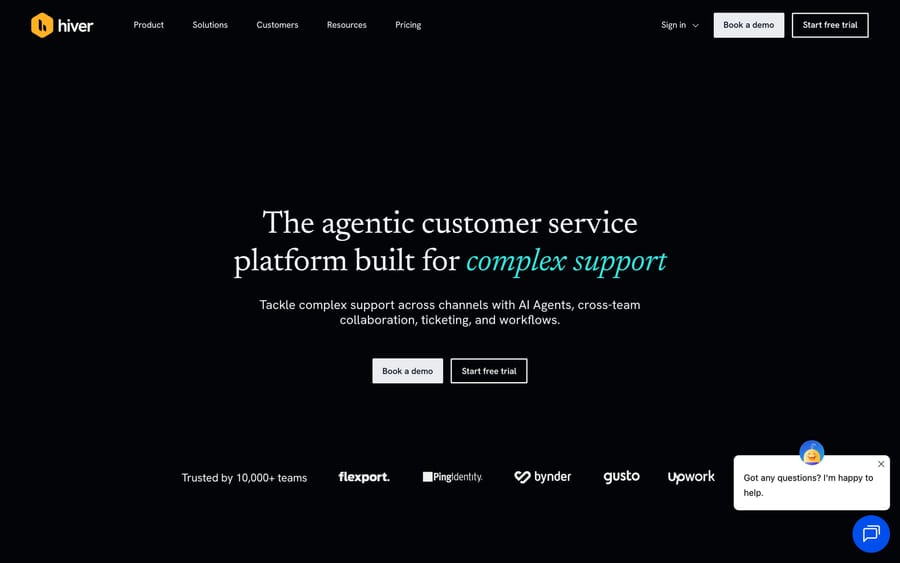
Hiver's homepage, positioned as "the agentic customer service platform built for complex support."
The AI layer has four named pieces, and it's worth being precise about each, because "AI" on a pricing page can mean four very different mechanisms:
- AI Agents handle requests end to end. The agent reads the incoming message, matches it against a request type you've configured, takes an action, and closes the ticket without a human touching it. It only runs on categories you've explicitly turned on; it doesn't freelance across every incoming ticket by default, and it hands off to a person with context when it can't finish.
- AI Copilot sits next to a human agent instead of replacing them. It drafts a reply, surfaces a relevant knowledge-base article, and suggests a next step, so the agent's job becomes editing and sending rather than starting from a blank screen.
- AI Knowledge Builder scans resolved conversations for questions your knowledge base doesn't answer yet and recommends what to write. It's the most underrated of the four: instead of a support lead guessing what's missing from the help center, the system points at the gap, based on tickets that already happened.
- AI QA automatically scores agent responses for quality, a task usually done by a human reviewer sampling a handful of tickets a week. It's Elite-only, covered below.
How do you turn Hiver's AI on?
Hiver's AI ships as part of the product you're already running, not as a separate integration with its own setup flow. Turning it on means two things. First, check your plan: Growth, Pro and Elite all include AI Agents, Copilot and Knowledge Builder, so most teams already have access without upgrading. Second, and more important, decide which request types AI Agents may resolve on its own and which only get a Copilot draft for a human to review.
That second decision is where teams get into trouble if they rush it. A team that switches on full autopilot for every category before checking the output finds a bad autonomous reply after a customer complains, not before. The safer rollout is to start every new category on Copilot (draft-and-review), watch the drafts for a few weeks, and only move a category to full AI Agents automation once the drafts are consistently right.
AI Knowledge Builder needs less hand-holding, since it's passive by design: it reads resolved conversations in the background and surfaces gaps for a human to act on. There's nothing to configure beyond having a knowledge base to compare against. AI QA, on Elite, works the other way round: point it at resolved conversations and it scores them against the rubric your team already uses for manual reviews, which means the rubric has to exist before the AI can apply it consistently.
How much does Hiver AI cost?
Hiver's AI is included in every paid tier rather than metered as an add-on, and Hiver's pricing page lists no per-resolution or credit charge for it. That's a real difference from vendors that charge per AI resolution on top of the seat price. It's also an incentive worth naming: Hiver earns from seats, not AI volume, so it has no reason to push more tickets through AI Agents than you'd choose to. The tiers, per user:
- Growth: $25/month (annual) or $35/month (monthly). Shared inboxes, ticketing, rule automation, basic analytics, and the AI trio (Agents, Copilot, Knowledge Builder).
- Pro: $55/month (annual) or $65/month (monthly). Adds customer portals, Slack channel management, SLAs, CSAT surveys and advanced analytics, with the same AI trio.
- Elite: $85/month (annual) or $95/month (monthly). Adds AI QA, AI Insights (topic organization), Customer Intelligence (sentiment and churn analysis), skill-based routing and enterprise security controls.
We checked hiverhq.com/pricing directly on 24 September 2026: new signups get a 7-day trial on Elite with no credit card, so you can test the full AI set, AI QA included, before choosing a tier. A separate Voice add-on costs $30 a month per voice seat with 1,000 minutes per seat (pooled), then $0.03 a minute.
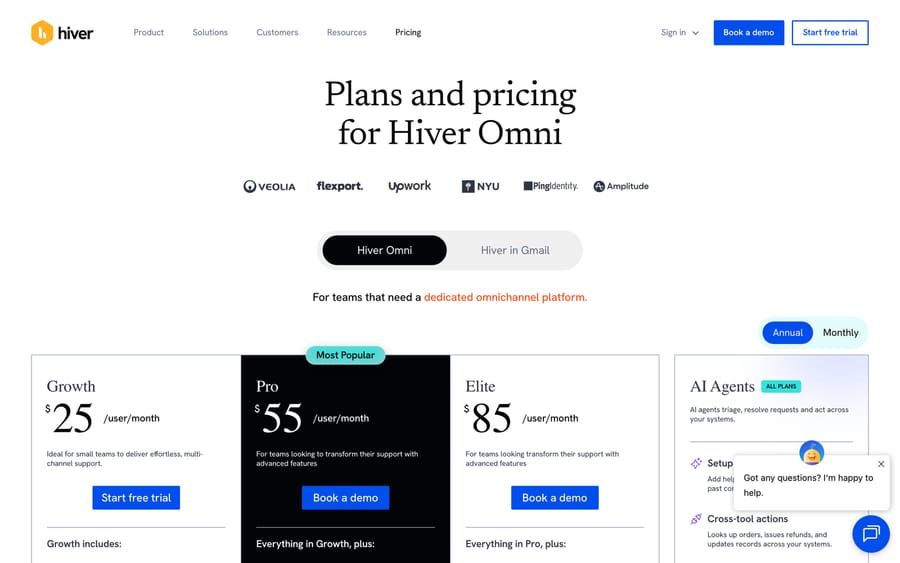
Hiver's pricing page: Growth, Pro, and Elite tiers, with AI Agents included on every plan.
Here's the arithmetic on AI QA, since it's the one AI feature gated to the top tier. A 10-agent team on Pro pays $550/month (annual billing) with no AI QA. Moving that team to Elite costs $850/month, a $300/month difference that buys automated quality scoring, AI Insights, Customer Intelligence and the higher security tier together. Whether that's worth it depends on what a human QA reviewer's time is worth to you: if nobody samples tickets for quality today, $300/month for 10 seats is cheap insurance; if you already have a QA process that works, Elite mainly automates a job someone's already doing.
Where does Hiver's AI stop?
AI Agents resolves what it's configured to resolve, scoped to the request types you define. Hiver has widened its reach: its homepage says AI can pull context from Salesforce, Shopify, NetSuite and "10,000+ tools through native connectors, MCP, and API". So the old line that Hiver's AI can't see outside the inbox no longer holds. What stays true is where the AI lives: inside Hiver's own ticketing, working Hiver's tickets.
AI QA, AI Insights and Customer Intelligence only ship on Elite, so a team on Growth or Pro doesn't get automated quality scoring without upgrading. And because the AI is bundled with Hiver rather than sold as a standalone product, per its published pricing, you can't buy the AI layer alone to run on a different help desk. That's the trade a bundled feature makes: simpler to buy, tied to one inbox.
Which teams is Hiver's AI a good fit for?
Hiver's AI suits teams already running, or seriously considering, Hiver as their help desk, who want AI handling routine requests and quality scoring without paying separately for a third-party AI tool. If Gmail-native workflows matter to your team, or you want Hiver Omni's channels on one seat price, AI bundled into that price rather than metered per resolution is a genuine cost advantage.
It's a weaker fit if your team runs another help desk and doesn't want to move, or if you want to design agents yourself around your own internal APIs and approval rules rather than configure a vendor's request types.
What if your team runs a different help desk?
Hiver's AI is built to run inside Hiver, and that's a sensible design for a bundled feature. Macha solves a different problem: it's an AI agent layer that runs on top of the help desk a team already uses, Zendesk, Freshdesk, Gorgias, Front, HubSpot or Intercom, and connects agents to systems like Shopify, Slack and Stripe plus custom internal APIs.
Macha isn't an alternative to Hiver, and it doesn't compete with it as an inbox. If your team runs on Hiver and its AI Agents and Copilot cover what you need, there's no reason to add anything. Macha becomes relevant when a team is on one of the help desks Macha supports and wants agents acting inside those tickets. Macha's one plan is priced by ticket volume, from $299 a month for up to 750 tickets, charged per ticket rather than per message; see Macha's pricing.
FAQ
What is Hiver AI? It's the umbrella term for Hiver's built-in AI features: AI Agents (end-to-end resolution), AI Copilot (draft assistance for human agents), AI Knowledge Builder (finds knowledge-base gaps), and AI QA (automated quality scoring, Elite only).
How much does Hiver AI cost? AI Agents, Copilot and Knowledge Builder are included on every paid tier: Growth ($25-35/user/month), Pro ($55-65/user/month) and Elite ($85-95/user/month). AI QA, AI Insights and Customer Intelligence are exclusive to Elite.
Does Hiver have a free trial? Yes, a 7-day trial on the Elite plan with no credit card required, covering every AI feature Hiver offers.
Can Hiver's AI fully automate customer replies? AI Agents can resolve configured request types end to end without a human. Whether that's right for a given category depends on how much you trust the output; Copilot's draft-and-review model is the safer default for anything ambiguous.
Does Hiver's AI work outside Gmail? Yes. Hiver Omni is a web-based platform that works with any email provider, including Outlook, plus chat, Slack, voice, SMS and social channels, and its AI runs across those channels. Hiver in Gmail stays inside Gmail.
Is Hiver's AI available on the cheapest plan? Yes. AI Agents, Copilot and Knowledge Builder ship on Growth, Hiver's entry tier, and on the higher tiers.
What's the difference between Hiver AI and adding a separate AI agent tool? Hiver's AI is bundled into Hiver and works Hiver's tickets. A separate AI agent layer like Macha runs on top of whichever supported help desk a team already uses, at the cost of being a second product to manage instead of one bundled feature.
Who uses Hiver? Hiver reports more than 10,000 teams, naming Flexport, Gusto, Ping Identity, Upwork and Epic Games among its customers.
Sources: Hiver homepage, Hiver pricing, Hiver in Gmail pricing, Hiver on Google Workspace Marketplace.






