Shopify
 Stripe
 Slack
Slack Notion
 Google Workspace
 Confluence

Best Freshdesk Ticketing Automation Apps (2026): 15 Marketplace Apps Scored


The best Freshdesk ticketing automation app in October 2026 is Taroo's Checklists, the only one to score 9 of 10 on our five public criteria, followed by a tier of three on 8: Reopen Ticket Pro, Schedule Replies Pro and Parent Child & Grandchild. The Freshworks Marketplace files 241 Freshdesk apps under Ticketing & Automation, and 138 of them have no ratings at all. We scored 15 third-party apps that automate a specific step on Freshdesk tickets and show every score.
Key takeaways
- Checklists is the only app to score 9 of 10, and Reopen Ticket Pro, Schedule Replies Pro and Parent Child & Grandchild share the next tier on 8.
- No third-party app earns 2 on ratings; the closest, Bulk Ticket Manager Light, has 74 ratings averaging 4.49 against the 4.5 we ask for.
- Paid apps here are priced per agent or per account, from Schedule Replies Pro's $0.99 per agent a month to $79 a month per account for Parent Child & Grandchild.
- Apps that merge tickets, create child tickets or send scheduled replies change which tickets an AI agent sees and when, so set its triggers around them first.

The 15 apps at a glance
| # | App | Maker | What it does | Ratings (avg) | Price | Score |
|---|---|---|---|---|---|---|
| 1 | Checklists | Taroo | Task lists on tickets, applied by rule | 31 (4.19) | $3 per agent/month | 9 |
| 2 | Reopen Ticket Pro | Falcon Saas | Reopens a ticket at a set date | 1 (5.0) | $1 per agent/month | 8 |
| 3 | Schedule Replies Pro | Falcon Saas | Schedules replies, with a delivery log | 1 (5.0) | $0.99 per agent/month | 8 |
| 4 | Parent Child & Grandchild | konnectify | Child tickets from the sidebar | 0 | $79 per account/month | 8 |
| 5 | Hide/Disable Ticket Fields | Artis | Hides or locks fields for chosen agents | 53 (4.17) | Free | 7 |
| 6 | APPROVAL AUTOMATIONS | V Teck | Approval rules with email approvers | 8 (4.5) | $2 per agent/month | 7 |
| 7 | Automerger | identifyyou technologies | Merges duplicates by field match | 6 (3.33) | $35 per account/month | 7 |
| 8 | Ticket Reopen | Spritle Software | Schedules a reopen from the sidebar | 5 (4.4) | $1 per agent/month | 7 |
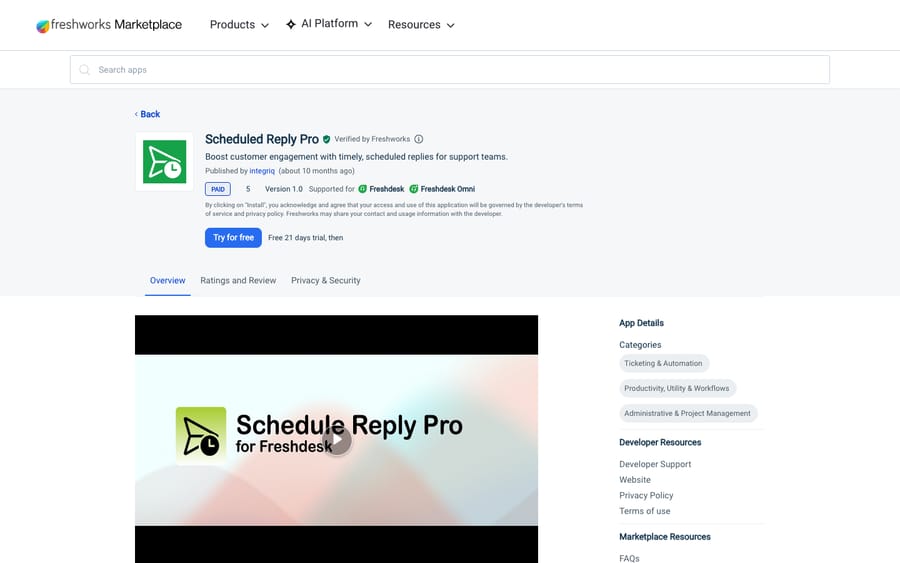
| 9 | Scheduled Reply Pro | integriq | Schedules replies from the ticket | 3 (4.33) | $2 per agent/month | 7 |
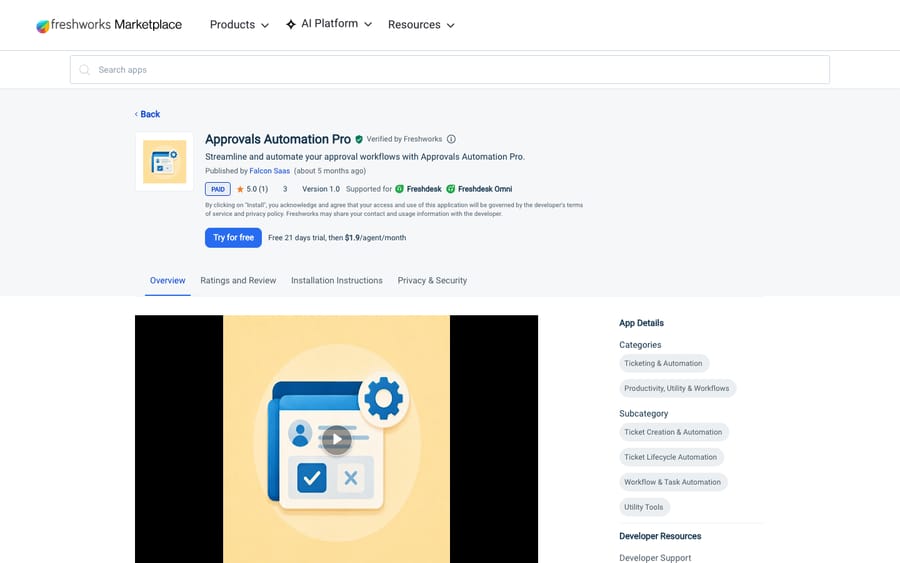
| 10 | Approvals Automation Pro | Falcon Saas | Rule-based approvals, outside approvers | 1 (5.0) | $1.90 per agent/month | 7 |
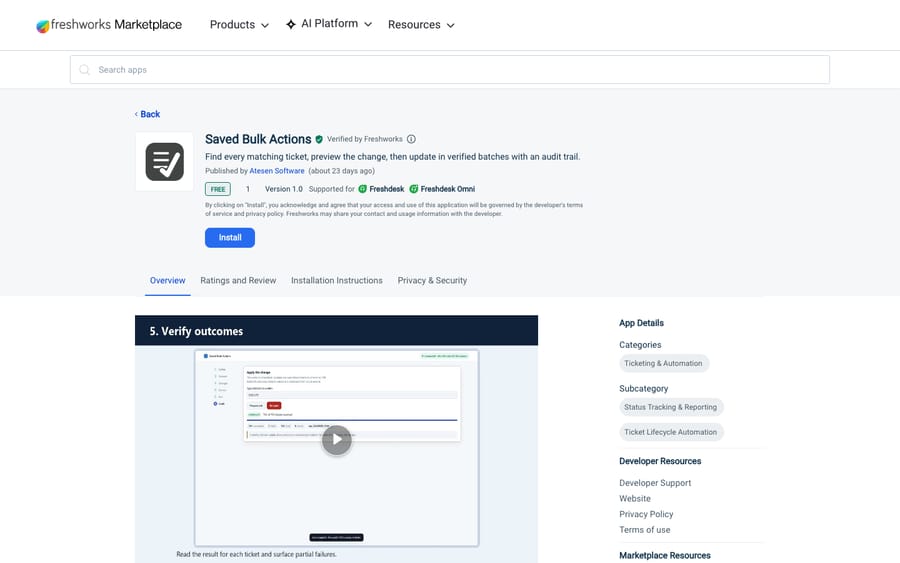
| 11 | Saved Bulk Actions | Atesen Software | Large bulk updates with an audit file | 0 | Free | 7 |
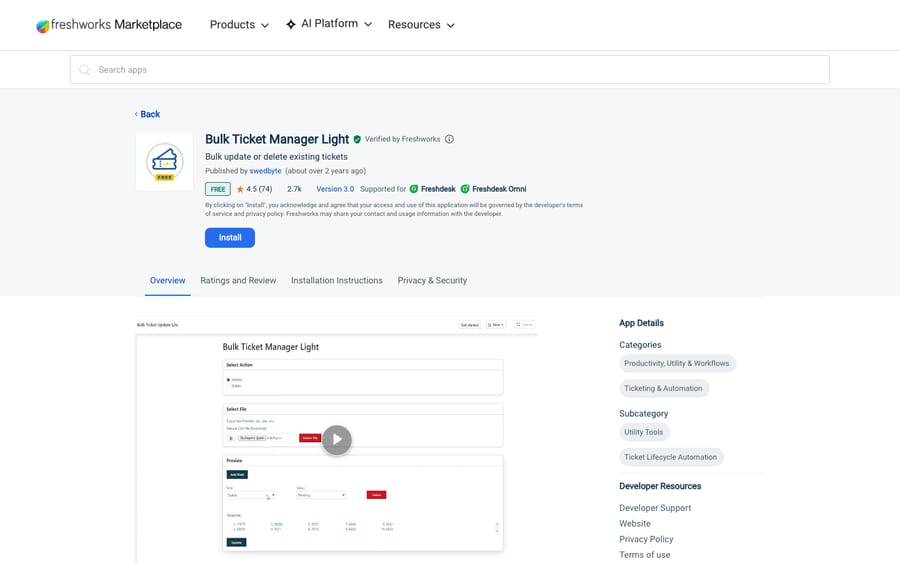
| 12 | Bulk Ticket Manager Light | swedbyte | Bulk update or delete from a CSV | 74 (4.49) | Free | 6 |
| 13 | Custom Ticket Fields | effy | Shows fields by group, product or type | 21 (4.67) | Free | 6 |
| 14 | Recurring Ticket Schedules | Taroo | Creates tickets on a schedule | 12 (3.75) | $3 per agent/month | 6 |
| 15 | Future Tickets | Spritle Software | Schedules follow-up tickets | 3 (3.33) | From $1 per agent/month | 6 |
Tiers: 9 (app 1), 8 (apps 2-4), 7 (apps 5-11), 6 (apps 12-15). Ratings were read on each live listing on October 29, 2026; prices are the Marketplace's US-dollar list prices for Freshdesk.
How we scored them
From the Marketplace's Ticketing & Automation category we kept third-party apps whose main job is one automation step on a ticket. Connectors, AI-first apps and apps built by Freshworks are left out; the connectors that matter most are in our Freshdesk Marketplace picks. Each app is scored 0 to 2 on five criteria.
| Criterion | 2 points | 1 point | 0 points |
|---|---|---|---|
| Marketplace reviews | Average 4.5+ with 50+ reviews | 4.0+ with 10+ reviews | Fewer or none |
| Published price | Full price on the listing or vendor site | A free tier or "from" price only | Contact sales |
| Works in the ticket | Acts inside the ticket or agent workspace with documented features | View-only or limited | Unclear |
| Setup effort | Marketplace install with documented self-serve setup | Needs configuration help or an onboarding call | Custom work or undocumented |
| Maintained | Listing or app updated in the last 12 months | 12 to 24 months | Older or unknown |
We read the review criterion against Freshworks' ratings, using the two-decimal average on the listing. Free apps score 2 on price. A "starts from" price scores 1, unless the vendor's own pricing page shows a flat price, which scores 2. Works in the ticket scores 2 only for apps the listing places on the ticket page, in the sidebar or the reply editor. Apps that run from the navigation menu, a settings page or in the background score 1, however much they change tickets. Setup scores 2 when the listing has installation instructions or links to setup steps, and 1 for a Marketplace install with no setup steps. Ties are broken by rating count, then installs, then name.
Freshworks' own apps sit outside the ranking because they're the obvious default. Hide Fields has 690 ratings averaging 4.37 and 3,978 installs. Auto Ticket Merger merges tickets from the same email address within a time span you set; its listing warns it won't merge tickets from Facebook, Twitter or phone, or tickets with mandatory fields. Both are free.
Top score, 9 of 10: Checklists
1. Checklists: task lists that resolve the ticket, 9/10
Taroo's Checklists adds task lists to tickets and applies them automatically when a ticket matches conditions you set, on create or update. When every task is done, the parent ticket resolves itself. Tasks can turn into tickets in Freshdesk, Freshservice or tools such as Asana and Trello. It has 31 ratings averaging 4.19 and 128 installs. It was updated on October 22, 2026.
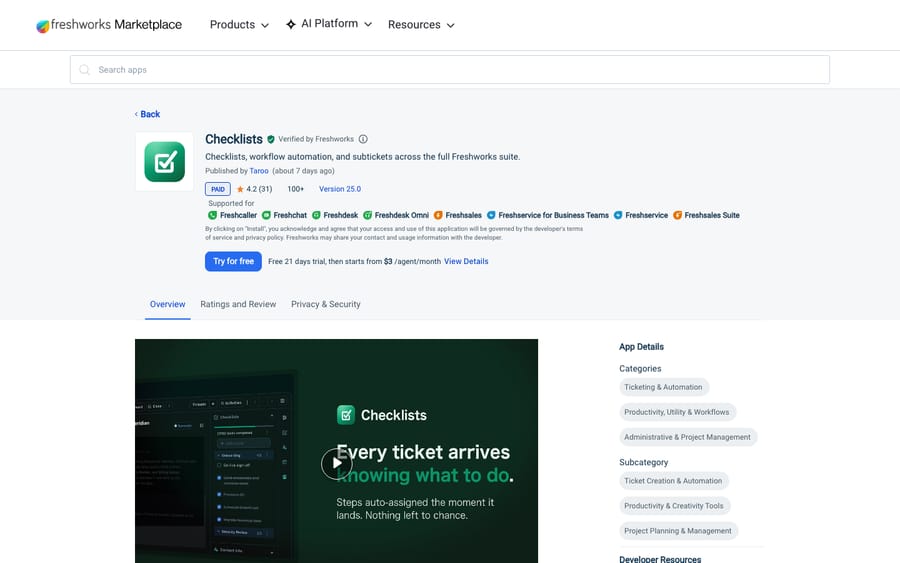
Scores: reviews 1, price 2, works in the ticket 2, setup 2, maintained 2.
The listing shows a 21-day trial, then a "starts from" price, but Taroo's pricing page lists Checklists for Freshdesk at a flat $3 per agent a month, so it scores 2 on price. Its listing screenshots show the checklist as a panel in the ticket sidebar, so it scores 2 on working in the ticket, and the listing links Taroo's setup documentation. Clayton Sturges (4 stars, July 2025) wrote on the listing: "I wish the widget placement was better and that the checklists were easier to find when opening a ticket."
Best for: ticket types with a fixed sequence of steps, such as onboarding or returns.
Second tier, 8 of 10: three apps
These three tie on score; rating count, then installs, sets the order, not quality. None has more than one rating, so the tier rests on price, placement and recent updates more than on user evidence.
2. Reopen Ticket Pro: a ticket that comes back on a date, 8/10
Falcon Saas' Reopen Ticket Pro lets an agent set a ticket to reopen at a future date and time from the ticket sidebar, exclude statuses such as Closed or Resolved, and add a public note when the ticket reopens. Setup asks for your Freshdesk domain and API key. It costs $1 per agent per month after a 21-day trial, and has 1 rating, 12 installs and an update on October 22, 2026.
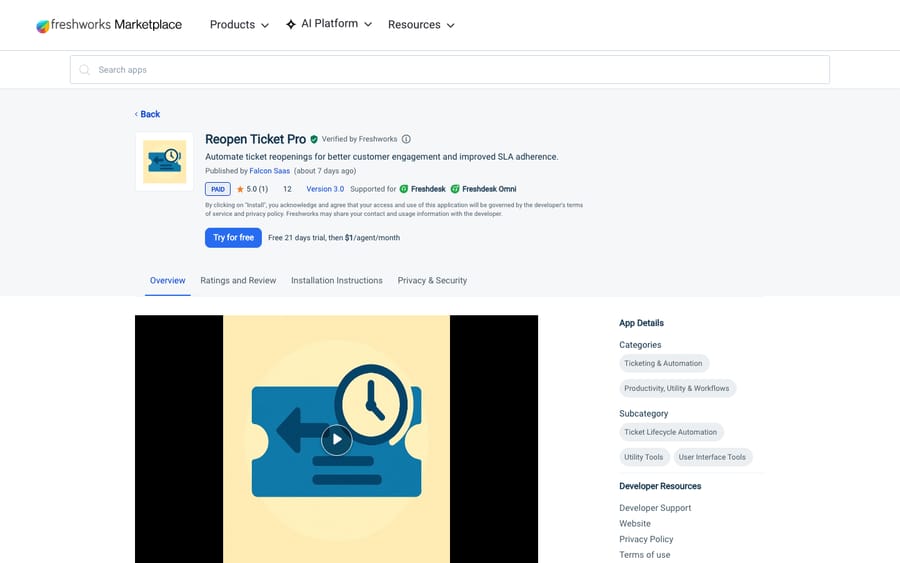
Scores: reviews 0, price 2, works in the ticket 2, setup 2, maintained 2.
Best for: "check back with the customer on the 15th" promises that live in someone's head today.
3. Schedule Replies Pro: scheduled replies with a delivery log, 8/10
Falcon Saas' Schedule Replies Pro does the same core job as integriq's Scheduled Reply Pro (#9). Its installation instructions say to "Start scheduling replies directly from the ticket sidebar," and its dashboard shows scheduled, sent and failed replies. Setup can tag each ticket that gets a scheduled reply. It costs $0.99 per agent per month after a 21-day trial, has 1 rating and 7 installs, and was updated on October 22, 2026.
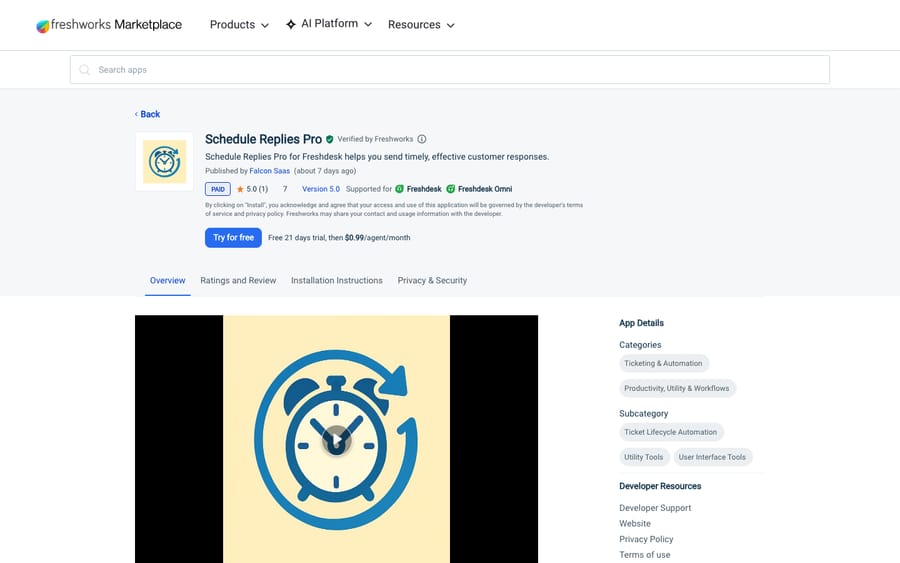
Scores: reviews 0, price 2, works in the ticket 2, setup 2, maintained 2.
Falcon Saas sells three apps on this list, all priced per agent. Together they come to $3.89 per agent a month, so a team wanting scheduling, reopening and approvals buys a small suite one app at a time, and the vendor's incentive is to keep selling them separately.
Best for: managers who need to see which scheduled replies failed.
4. Parent Child & Grandchild: child tickets from the sidebar, 8/10
konnectify's Parent Child & Grandchild lets agents create child tickets from the ticket sidebar, link existing tickets, and see a ticket's children and parent. Public notes on a child pass up to the parent, and an admin toggle can block closing a parent while a child is open. It's priced per account, at $79 a month after a 21-day trial. It has no ratings yet and 7 installs, and was updated on October 22, 2026.
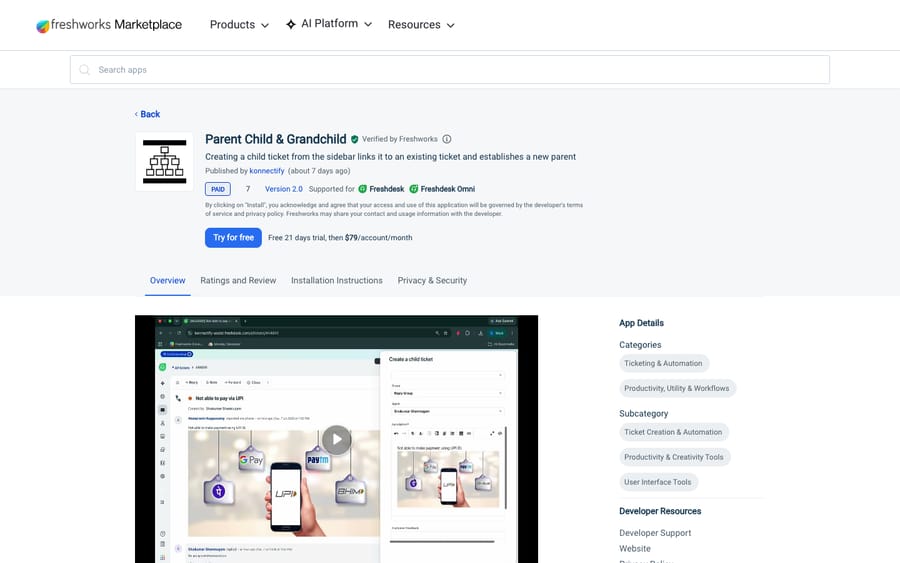
Scores: reviews 0, price 2, works in the ticket 2, setup 2, maintained 2.
Per-account pricing favors large teams. At $1 per agent, Reopen Ticket Pro would have to cover 79 agents to cost as much as this app does at any size.
Best for: larger teams that split one customer request across several groups.
Third tier, 7 of 10: seven apps
5. Hide/Disable Ticket Fields: fewer fields per agent, 7/10
Artis' Hide/Disable Ticket Fields hides or locks any non-mandatory ticket field for chosen agents, on the New Ticket page, the Ticket Details page or both. It's free, with 53 ratings averaging 4.17 and 2,253 installs.
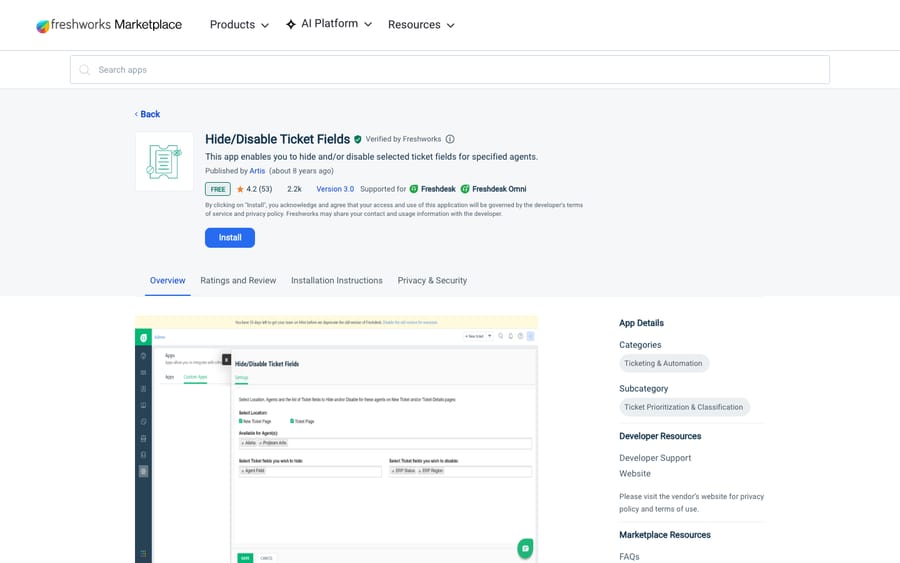
Scores: reviews 1, price 2, works in the ticket 2, setup 2, maintained 0.
The listing says it was published "about 8 years ago," in October 2018. Tait Hermansen (1 star, July 2026) wrote: "Stopped working and can no longer verify API as it is stuck in authenticating before even entering in a value." Freshworks' own Hide Fields does the same job and was updated in September 2026, so start there.
Best for: teams with a long field list that only some agents should touch.
6. APPROVAL AUTOMATIONS: approval rules with email sign-off, 7/10
V Teck's APPROVAL AUTOMATIONS sets approval rules on ticket properties, emails the approvers, and lets you require all approvers or any one of them. It costs $2 per agent per month after a 21-day trial. It has 8 ratings averaging 4.5 and 20 installs.
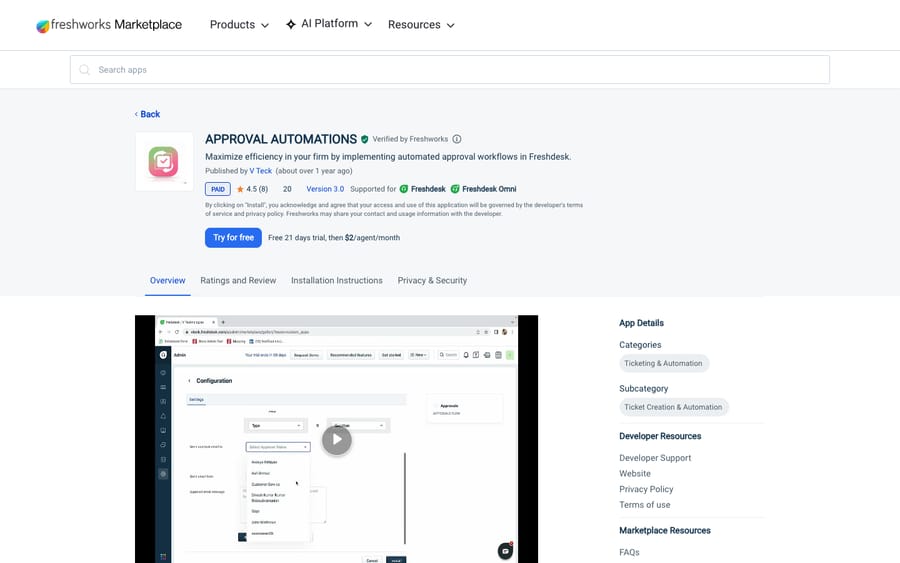
Scores: reviews 0, price 2, works in the ticket 2, setup 2, maintained 1.
Its installation instructions end with the app "live in your ticket details page," so it scores 2 on working in the ticket. It was last published in February 2025. The listing says approvers sit "within the Freshdesk ecosystem," though Arokiya Kithiyon (5 stars, September 2026) wrote: "It supports external approver." Approvals Automation Pro states outside approvers on its listing, so ask V Teck before relying on this one for outside sign-off.
Best for: internal approvals by agents who already work in Freshdesk.
7. Automerger: merges by the fields you choose, 7/10
identifyyou technologies' Automerger looks for duplicates when a ticket is created, within a time frame you set, matching on any mix of group, status, priority, subject and requester. It writes the primary's ID into a "Primary Ticket ID" custom field it creates. It costs $35 per account per month after a 21-day trial. It has 6 ratings averaging 3.33 and 70 installs, and was updated in August 2026.
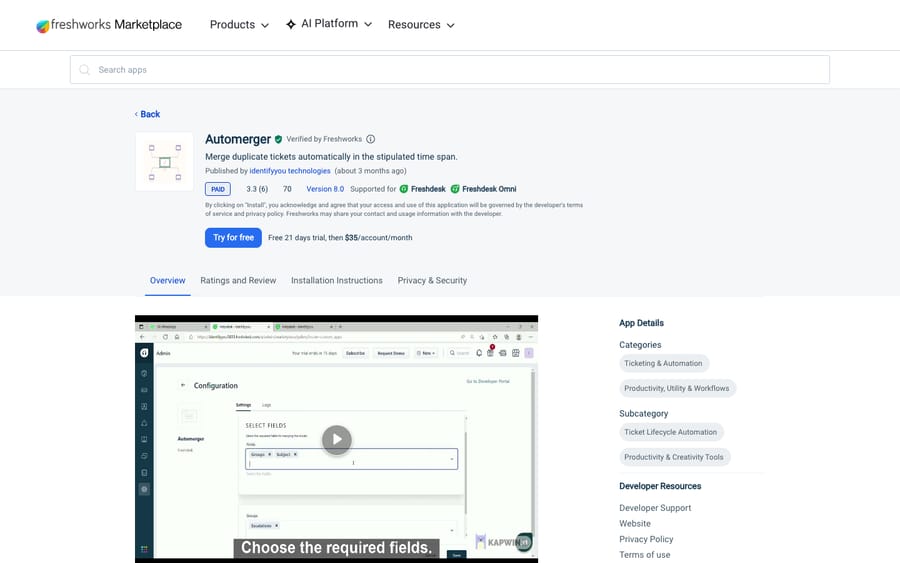
Scores: reviews 0, price 2, works in the ticket 1, setup 2, maintained 2.
It runs in the background on ticket creation, so it scores 1 on working in the ticket. The listing marks requester as the default field and doesn't say whether you can turn it off, so ask the vendor before buying it for duplicates sent from different addresses. Albert Geisler Fox (1 star, August 2023) wrote: "Terrible. Tickets are closed but not properly merged". Read our guide to merging and unmerging Freshdesk tickets first.
Best for: teams whose customers resend the same request with small changes.
8. Ticket Reopen: a scheduled reopen from the sidebar, 7/10
Spritle Software's Ticket Reopen sits in the ticket sidebar and reopens a ticket at a date and time you pick, to a preset or custom status. It costs $1 per agent per month after a 21-day trial. It has 5 ratings averaging 4.4 and 40 installs.
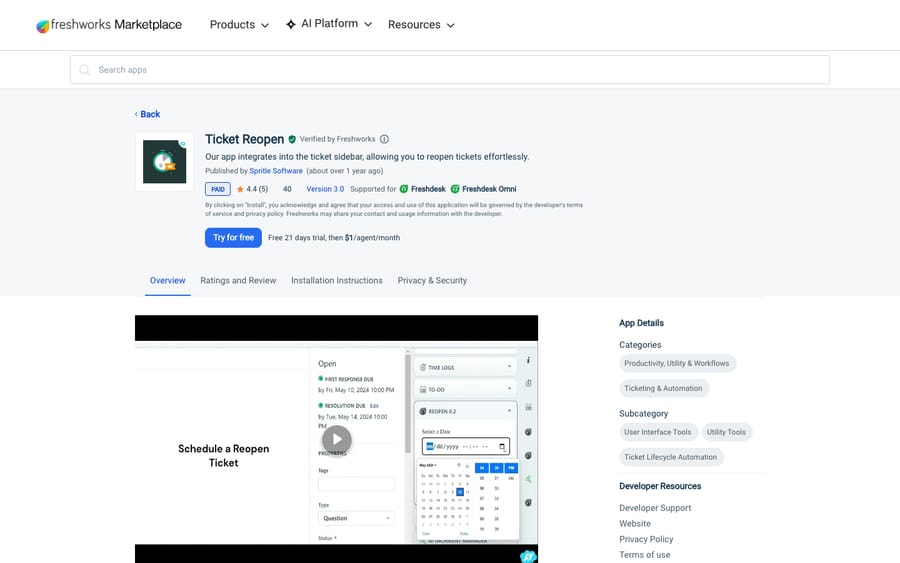
Scores: reviews 0, price 2, works in the ticket 2, setup 2, maintained 1.
It was last published in February 2025. Marco Eberhardt (3 stars, January 2025) wrote: "Logo in the Ticket Sidebar is missing." Both skip the statuses you choose; Reopen Ticket Pro adds a dashboard of scheduled reopenings and a public note when the ticket reopens, at the same $1 per agent.
Best for: small teams that only need the reopen itself.
9. Scheduled Reply Pro: replies that wait for the customer's time zone, 7/10
integriq's Scheduled Reply Pro lets an agent write a reply from the ticket and set it to send later, including while the agent is offline, with time-zone-aware scheduling. It costs $2 per agent per month after a 21-day trial. It has 3 ratings averaging 4.33 and 6 installs, and was updated in January 2026.
Scores: reviews 0, price 2, works in the ticket 2, setup 1, maintained 2.
The listing has no installation instructions, so it scores 1 on setup. Craig Morris (3 stars, January 2026) wrote: "Not ideal to have to compose this in a different window from a regular reply". He added that he couldn't add CC/BCC or his footer. The older free Schedule Reply for Freshdesk has 23 ratings averaging 1.39, and paid apps now cover the same job.
10. Approvals Automation Pro: approvers outside Freshdesk, 7/10
Falcon Saas' Approvals Automation Pro starts approval workflows from ticket properties and custom conditions and assigns them to agents or outside stakeholders. It costs $1.90 per agent per month after a 21-day trial. It has 1 rating and 3 installs, and was updated in May 2026.
Scores: reviews 0, price 2, works in the ticket 1, setup 2, maintained 2.
The listing says statuses show "within the ticket workflow" but doesn't place the app in the sidebar, so it scores 1 on working in the ticket. Our post on Freshdesk approval workflows covers what to build before you buy.
Best for: refunds or access requests that need a manager outside the support team.
11. Saved Bulk Actions: bulk changes past the search limit, 7/10
Atesen Software's Saved Bulk Actions finds every matching ticket, splitting a date range until each window fits under Freshdesk's search cap, then shows the count and before-and-after values before writing anything. It records each ticket's outcome in an audit CSV. It's free, has no ratings and 1 install, and was published on October 7, 2026.
Scores: reviews 0, price 2, works in the ticket 1, setup 2, maintained 2.
The listing says archived tickets are out of scope and runs use "the customer's account-wide Freshdesk API quota."
Best for: an admin cleaning up a field across thousands of old tickets.
Fourth tier, 6 of 10: four apps
12. Bulk Ticket Manager Light: CSV-driven updates, 6/10
swedbyte's Bulk Ticket Manager Light takes a CSV or Excel file of up to 25,000 ticket IDs and updates field values or deletes the tickets. The browser tab has to stay open while it runs. It's free, with 74 ratings averaging 4.49 and 2,714 installs, the most of any third-party app on this list.
Scores: reviews 1, price 2, works in the ticket 1, setup 2, maintained 0.
Freshworks' help article puts it in the navigation menu, and it was last published in March 2024. Cameron Read (5 stars, March 2024) wrote: "Our helpdesk got stuck in an auto reply loop with another company over night which resulted in almost 40k tickets!" The newer reviews are worse: four of its five newest, all from 2026, give 1 or 2 stars. Shiraaz Patel (1 star, February 2026) wrote: "trying to delete 14000 tickets.. when using the app it says SUCCESS but the tickets are still showing".
Best for: one-off changes when you already have the ticket IDs in a spreadsheet.
13. Custom Ticket Fields: fields by group, product or type, 6/10
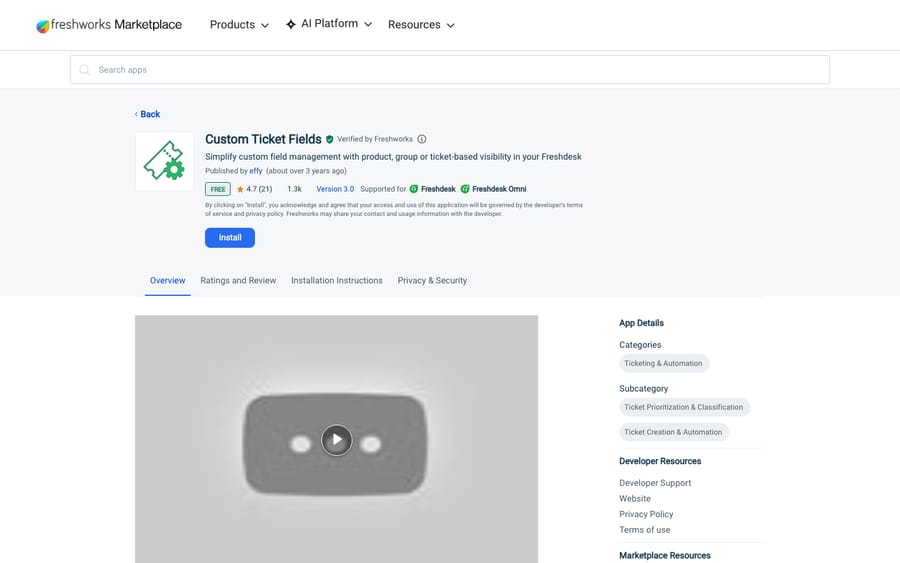
effy's Custom Ticket Fields shows or hides custom fields by Group, Product or Ticket Type, and lets an admin stop agents changing values the customer filled in. It's free, with 21 ratings averaging 4.67 and 1,310 installs.
Scores: reviews 1, price 2, works in the ticket 1, setup 2, maintained 0.
The listing says it works "inside of the freshdesk" without naming the ticket page or sidebar, so it scores 1 on working in the ticket. It was last published in May 2023. Simon De Blois (5 stars, August 2023) wrote: "Reduces number of fields irrelevant to certain groups. Works wonders."
Best for: multi-product teams whose forms differ by product.
14. Recurring Ticket Schedules: tickets that create themselves, 6/10
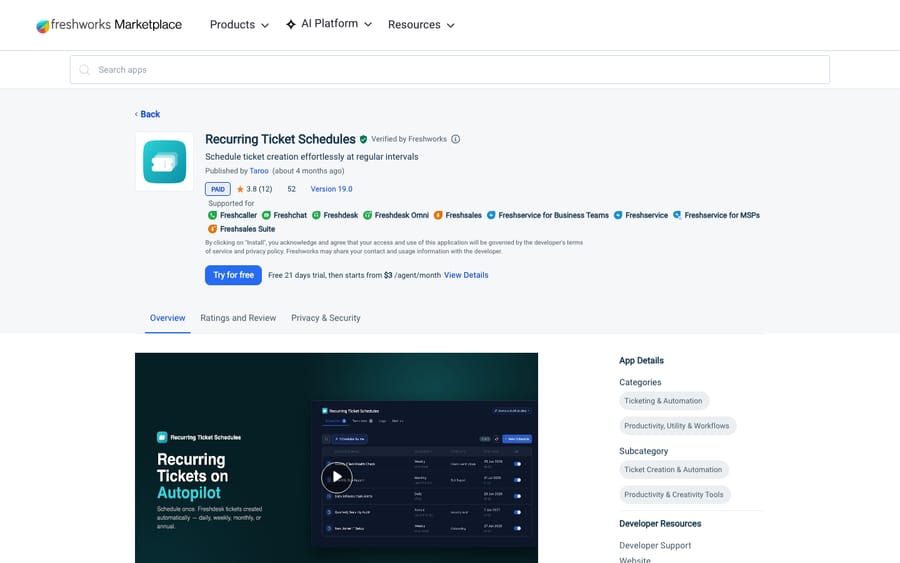
Taroo's Recurring Ticket Schedules creates tickets daily, weekly, monthly or yearly, with patterns such as "last Friday of the month," and up to 3 ticket-creation actions per schedule. Admins set schedules in settings; agents manage their own from the left navigation panel. It has 12 ratings averaging 3.75 and 52 installs, and was updated in July 2026.
Scores: reviews 0, price 2, works in the ticket 1, setup 1, maintained 2.
Taroo's pricing page lists it at a flat $3 per agent a month, like Checklists, so its "starts from" listing still scores 2 on price. With no installation instructions or setup link, it scores 1 on setup. Dennis Jones (1 star, February 2026) wrote: "It only processes the first two recurring tickets and then stops." Taroo replied that the cause was schedules assigned to an inactive agent.
Best for: monthly audits or renewals; our Freshdesk recurring tickets guide covers the native options.
15. Future Tickets: a follow-up ticket on a date, 6/10
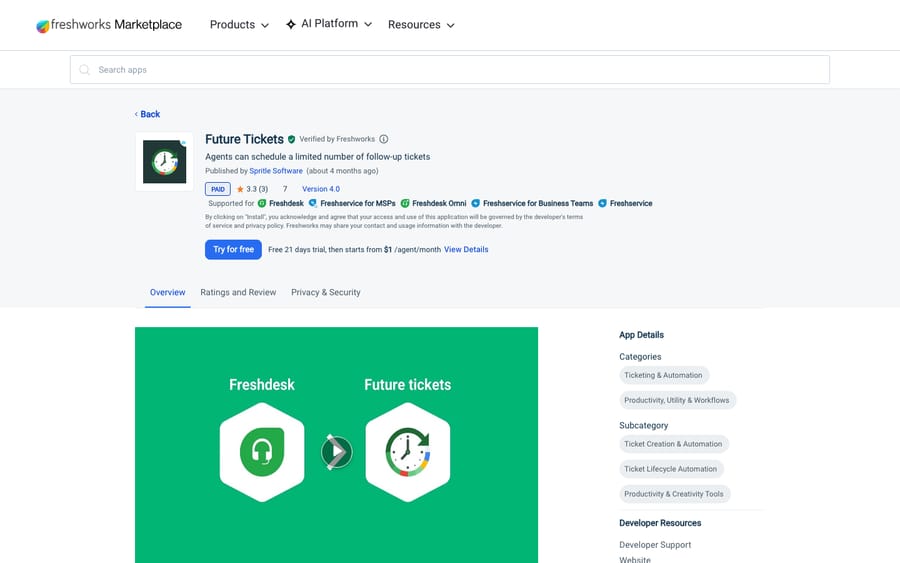
Spritle Software's Future Tickets lets an agent pick a date and time in the apps pane to create a follow-up ticket, from a template that can copy details from the original. It starts from $1 per agent per month after a 21-day trial. It has 3 ratings averaging 3.33 and 7 installs, and was updated in July 2026.
Scores: reviews 0, price 1, works in the ticket 2, setup 1, maintained 2.
It loses points on the "from" price, with no flat price on Spritle's site, and on setup, since the listing has no installation instructions. It also says agents can schedule "a limited number" of follow-up tickets without giving the number, so ask before you buy.
Best for: follow-ups that deserve their own ticket, not a reopened old one.
What these apps change for an AI agent on the same tickets
Macha connects to Freshdesk with your subdomain and API key and works the same tickets these apps touch. Before an agent goes live, we look for four kinds of app.
First, apps that create tickets, like Parent Child & Grandchild, Future Tickets and Recurring Ticket Schedules. A child or scheduled ticket is a new ticket that can match the agent's trigger, so we use the tag-and-exclude pattern: the trigger adds a tag when it fires and excludes that tag from its own conditions. Second, merge apps close one ticket into another, so we check the agent isn't working a ticket about to be closed. Third, apps that send or reopen later. A reply that lands at 9 a.m. or a ticket that reopens on the 15th is an update that can wake a trigger, so we watch high-volume triggers for warnings. Fourth, apps that make API calls. Freshdesk applies its API rate limit account-wide, and Saved Bulk Actions says its runs draw on that quota, so a big bulk job and an AI agent share one budget.
Then we replay past tickets in a simulation and confirm whether replies post as internal notes or public before anything runs on its own.
Where AI fits
Every app above automates a step around the reply. An AI agent writes the reply itself and hands off what it shouldn't handle; see Freshdesk workflow automation with AI.
Macha runs AI agents inside the Freshdesk account you already have, set up and monitored by the Macha team. It fits teams already running Freshdesk who want agents acting inside the ticket on routine requests, while apps like Checklists keep running the processes that need people. Pricing starts at $299/month for 750 tickets, with a trial of $50 of free usage (about 125 tickets), no credit card, no time limit.
Which one fits your situation?
- Every ticket of a type needs the same steps: Checklists.
- Customers sit in other time zones: Scheduled Reply Pro, or Schedule Replies Pro if you need a failure log.
- Promised follow-ups slip: Reopen Ticket Pro or Ticket Reopen to bring the ticket back, Future Tickets for a fresh one.
- Duplicates need matching on more than the sender: Automerger (confirm with the vendor that it matches across addresses); for same-address duplicates, Freshworks' free Auto Ticket Merger.
- Someone outside support has to sign off: Approvals Automation Pro.
FAQs
What are the best Freshdesk ticketing automation apps?
On our rubric, Checklists leads at 9 of 10. Reopen Ticket Pro, Schedule Replies Pro and Parent Child & Grandchild share the next tier on 8, and Hide/Disable Ticket Fields, APPROVAL AUTOMATIONS, Automerger, Ticket Reopen, Scheduled Reply Pro, Approvals Automation Pro and Saved Bulk Actions follow on 7.
Do ticketing automation apps work with AI agents in Freshdesk?
Yes, with some checking. Apps that create child or scheduled tickets, merge tickets or reopen them later change which tickets an AI agent sees and when, so set the agent's triggers around them before it goes live.
<div class="docs-callout"><div><p class="docs-callout-title">Are you listed here?</p><p class="docs-callout-body">Partners and app makers can send corrections with a public source to [email protected]. We fix facts within a week. Scores follow the rubric above, not requests.</p></div></div>
How we researched this
On October 29, 2026 we queried the Freshworks Marketplace catalog for Freshdesk, 767 apps, for the Ticketing & Automation category: 241 apps, of which 103 have at least one rating, 138 have none, and 31 have 10 or more, 14 of those built by Freshworks.
We captured all 15 listings on freshworks.com the same day with a rendered browser read, and read each app's installation instructions from its public app record. Where a listing shows a "starts from" price, we checked the vendor's own pricing page. Review quotes come from each listing's Ratings and Review tab, read the same day. We left out apps whose listing names only a generic "support" account as the publisher. Prices are the Marketplace's US-dollar list prices for Freshdesk. We didn't install or test any app or contact any vendor, and scores come from public pages only.
Disclosure: Macha makes AI agents that run inside help desks. Nobody paid to be listed, and Macha is not ranked here.