Intercom
 Shopify
 Stripe
 Slack
Slack Notion
 Google Workspace
 Confluence

How Do You Integrate Freshdesk with Slack? Setup, Channel Routing and Fixes (2026)


A Freshdesk admin connects Slack by installing the official Freshworks Slack app, authorizing it with a Slack admin account and routing ticket alerts into chosen channels with automation rules. Agents can then turn any Slack conversation into a Freshdesk ticket with the /create_fd_ticket slash command.
Key takeaways
- The Freshdesk Slack integration lets admins map up to 20 public and 20 private channels and create tickets from Slack with /create_fd_ticket, capturing up to 200 prior messages.
- The Freshdesk Slack app is included on the Growth, Pro and Enterprise plans, priced at $19, $55 and $89 an agent a month billed annually.
- The legacy Freshdesk Slack app fetched only the first 100 public channels from Slack, which is why newly created channels never appeared in the picker.
- Slash-command ticket creation in the Freshdesk Slack integration is documented as available in the North American region only.
- The Freshdesk Slack app does not send SLA-violation notifications or let agents edit ticket status, priority or custom fields from Slack.

To integrate Freshdesk with Slack, a Freshdesk admin installs the official Freshworks Slack app from Marketplace Apps, authorizes it with a Slack admin account, maps up to 20 public and 20 private channels, and then drives notifications through automation rules. Agents can also turn a Slack conversation into a ticket with /create_fd_ticket, which captures up to the previous 200 messages. The app is included on Growth, Pro and Enterprise at no extra charge. Steps and limits checked against Freshworks' own documentation on 24 September 2026.
| What you need to know | Answer |
|---|---|
| Plans that include the app | Growth, Pro, Enterprise (Freshdesk and Freshdesk Omni) |
| Who can install it | A Freshdesk admin, authorizing with a Slack admin account |
| Channels you can map | Up to 20 public and 20 private |
| Ticket from Slack | /create_fd_ticket, up to 200 prior messages, North American region only |
| What it can't do | SLA-breach alerts, editing ticket fields from Slack |
Two scoping notes. Freshworks publishes a couple of Slack listings on its Marketplace and they overlap heavily; both are covered below. And this is the internal collaboration integration (notifications, tickets from Slack, agent alerts), not a way to make Slack a customer-facing chat channel.
What does the Freshdesk Slack integration do?
The integration does more than ping a channel. Here's the full feature set so you know what you're turning on:
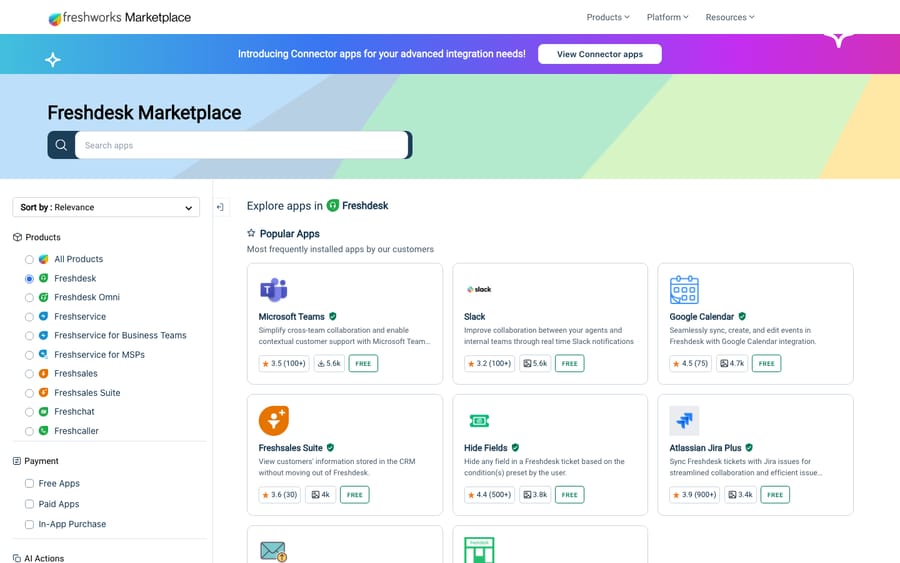
- Ticket notifications into channels. Ticket creation and update events — status, priority, assignee, notes — post into the public or private Slack channels you choose. Messages are color-coded by priority, so a glance tells you what's on fire.
- Direct-message alerts to agents. Instead of, or alongside, channel posts, agents can get a DM from the Freshdesk bot about changes to tickets assigned to them.
- Create tickets from Slack. The
/create_fd_ticketslash command turns a Slack conversation or DM into a Freshdesk ticket, pulling in up to the previous 200 messages of context, so internal requests ("the VPN is down") become tracked tickets instead of vanishing in chat. - Push replies and notes back out. A reply or private note added inside Freshdesk can be posted to the relevant Slack channel, so the thread people are watching stays current.
How far "two-way" actually goes
"Two-way sync" is a phrase that gets stretched, so be precise about it before you promise anything to your team. The native app is very good at pushing rich, event-driven notifications out of Freshdesk, and it supports a genuine inbound path in two specific forms: an agent turning a Slack conversation into a ticket with the slash command, and a Freshdesk reply or note being pushed back to a Slack channel.
What it does not do out of the box is full bidirectional field-level sync — editing a ticket's priority, status or custom fields from Slack and having that write back — nor priority-based routing or SLA-driven escalation into Slack. ClearFeed's teardown of the integration makes the same distinction, and those deeper behaviours are exactly where third-party tools and middleware come in. Think of the native app as rich outbound notifications plus a lightweight inbound ticket-creation channel, not a mirror of your help desk inside Slack.
A note on the two official apps
When you search the Freshworks Marketplace, you'll see more than one Slack-related result:
- Slack (listing
slack_v2) — the integration most teams install, covering notifications, agent DMs and the/create_fd_ticketslash command. This is what the steps below follow. - Freshdesk for Slack — a separate Freshworks-published app for viewing, creating and collaborating on tickets from inside Slack. It supports both Freshdesk and Freshdesk Omni.
Both are official Freshworks apps, not third-party. Start from the in-product Marketplace search in step 1 and you'll land on the right one; check the Freshdesk for Slack listing too if you want the deeper in-Slack workflow. For the wider catalogue, see our roundup of the best Freshdesk integrations.
What do you need before you start?
A few things save you a mid-setup detour. Per Freshworks' Slack app documentation, you need:
- A paid Freshdesk plan. The Slack app is available on Growth, Pro and Enterprise, for both Freshdesk and Freshdesk Omni. The pricing page lists only those three, at $19, $55 and $89 per agent a month billed annually, with no free plan (a separate Free program covers up to 2 agents for 6 months, and Freshworks' own doc still lists Free as excluded from the app). If an older guide mentions a Sprout plan, it's describing a tier you can't buy any more. Slack itself works on all of its own plans.
- Freshdesk admin access. Installing Marketplace apps is admin-only; a plain agent account can't do it.
- A Slack account with admin rights that can reach every channel you want to connect. You authorize with this account during install, and its scope decides which channels are selectable later. This is the most common cause of a broken setup.
New to the platform? Our primer on what Freshdesk is covers the basics.
Step 1: Install the Slack app from the Marketplace
- Log in to Freshdesk as an administrator.
- Click the Marketplace icon in the top-right corner, then open Marketplace Apps.
- Search for Slack, open the app, and click Install (it may show as enable).
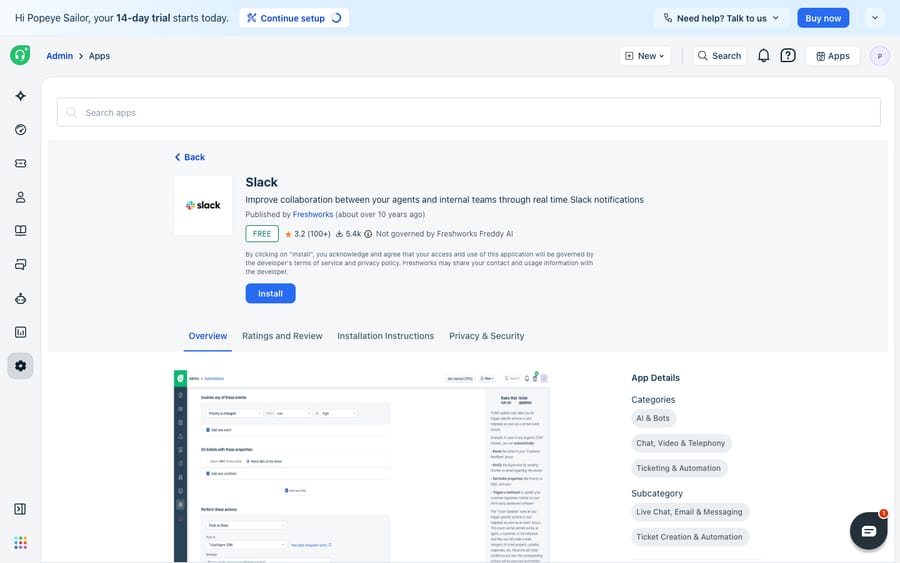
You can also install from the Slack side — the Freshdesk app is listed in the Slack Marketplace — but installing from inside Freshdesk is the cleaner path for most admins. If the search comes up empty, your plan or your role is usually the reason.
Step 2: Authorize your Slack workspace
This is the OAuth handshake that links the two products.
- After enabling the app, you'll be prompted to sign in to Slack.
- Use a Slack admin account with access to all the channels you intend to connect. Authorizing with a limited account means channels you expect won't be selectable later.
- Review the permissions and authorize Freshdesk.
Slack returns you to Freshdesk's app configuration screen, where you map channels and toggle features.
Step 3: Map your channels and choose notification options
- Select your channels. You can add up to 20 public and up to 20 private channels for the help desk to post into. Pick deliberately — a firehose channel for all new tickets and a low-noise channel for urgent ones is a common, sane pattern.
- Allow DM to agent. Toggle this on if you want agents to get a direct message about changes to their tickets, sent by the Freshdesk bot rather than from an admin.
- Allow slash command. Toggle this on to enable
/create_fd_ticket(step 5). - Click Update to save.
Step 4: Route notifications with automation rules
The install screen gets you connected; automation rules decide what actually shows up in Slack and where. Notifications are driven by Freshdesk's own automation engine, not by a settings panel in the app — which is good news, because you get the engine's full targeting power.
- To post when a new ticket is created: Admin → Workflows → Automations → Ticket creation tab → New rule, add your conditions (priority is Urgent, group is Tier-2), and set the action to notify Slack in the channel you mapped.
- To post on updates: Admin → Workflows → Automations → Ticket updates tab → New rule, scoped to the events you actually care about — a status change to Escalated, say, rather than every edit.
Route Urgent tickets to an incident channel, VIP-company tickets to an account channel, and leave everything else out of Slack entirely. Tightly scoped rules are the difference between a channel people watch and a channel people mute on day two. Build one rule per channel-and-event combination rather than firing everything everywhere; the rule mechanics themselves are covered in Freshdesk automations explained.
A formatting tip that saves a lot of confusion. When you write a custom notification message, Freshdesk's dynamic variables come in two flavors: ones that carry the ticket's HTML and ones that don't. Use the text variants — the description and the latest public and private comment fields whose placeholder names end in _text — or your Slack messages arrive full of raw markup.
Plan around this when disabling. If you ever turn the Slack app off, remove the Slack actions from your automation rules first. Disabling the app while rules still reference it makes those rules fail.
Step 5: Create tickets from Slack with /create_fd_ticket
This is the inbound half, where Slack becomes a real intake source. Once Allow slash command is on, each agent authorizes the command once:
- The agent opens their Freshdesk agent profile settings and uses the Authorize Slack widget.
- They complete the OAuth authorization — no manual API token required. Without this, the command won't create tickets under their name.
- From then on, typing
/create_fd_ticketin Slack converts the conversation into a Freshdesk ticket, pulling in up to the previous 200 messages for context.
You can cap how much context is captured by passing a number: /create_fd_ticket 70 grabs the last 70 messages, up to a maximum of 200. Two caveats, covered fully below: only text comes across — files and snippets arrive as clickable Slack links rather than embedded attachments — and slash commands are documented as available in the North American region only, so confirm it for your account before promising the workflow to your team.
Why don't my Slack channels show up, and what causes install errors?
Two failure modes dominate the community threads on this integration, and both look like "the app is broken" when they're actually configuration.
Your Slack channels don't appear in the dropdown
The most-read thread on the subject (1,424 views, 20 replies, opened March 2021) is a long queue of admins whose newly created public channels never show up in Freshdesk's channel picker, while private channels appear immediately. The cause people landed on: the legacy app fetched only the first 100 public channels from Slack, so anything beyond that was simply invisible. Work through this order:
- Check which app you're on. On the second thread below, a Freshworks community team member says there are no channel limits with the newer Slack app, and recommends moving off the legacy one. If you inherited an old install, reinstalling the current app is the real fix rather than a workaround.
- Invite the bot to the channel. Run
/invite @Freshdeskin the Slack channel, then re-authorize the integration from Freshdesk so it refreshes what it can see. - Re-authorize with the right account. A Slack account that isn't a member of a private channel will never be offered that channel, no matter how many times you reload.
- Ask support to add it. For a stubborn public channel, the thread's standing advice is to email support with the channel name and its Slack ID — staff can add it from their side.
You'll also find a browser-devtools trick in that thread for editing an unselected channel's ID into the form. It works for some people, but it depends on the page's internals and can break silently on any release; treat it as a last resort, not a procedure.
"Error integrating Slack" on install
The second thread (565 views, July 2021) covers the error people hit when adding a channel after install. The Freshworks reply: it's thrown when the same workspace is already installed in another workspace — in other words, a duplicate or leftover install. Remove the Freshdesk app from Slack, reinstall the current app, and re-authorize. If you need notifications flowing before that's resolved, the documented stopgap is an automation rule with a webhook action posting to Slack's own API, which sidesteps the app entirely.
What are the limits of the Freshdesk Slack app?
- 200-message ceiling.
/create_fd_ticketcaptures only the previous 200 messages of a conversation. Fine for most threads; long-running channels get truncated. - Body as text, files as links. The conversation body is captured as text; attached files and snippets are preserved as clickable Slack links rather than embedded inline.
- No SLA-violation notifications. The app posts ticket create and update events; it doesn't send SLA-breach alerts. Handle those separately inside Freshdesk.
- Region limit on slash commands. Slash-command ticket creation is documented as North American region only. Verify for your account.
- Channel caps. Up to 20 public and 20 private channels — separate from the legacy 100-channel fetch problem above, which is about what the picker can see rather than what you can select.
- No field-level writeback. You can't edit a ticket's status, priority or custom fields from Slack and have it sync.
- Disable-order gotcha. Remove Slack actions from automation rules before disabling the app.
When should you use middleware or a dedicated sync tool instead?
When the native app runs out of road, you have three broad options, trading off cost, depth and maintenance very differently.
| Approach | Best for | Two-way depth | Cost / gating |
|---|---|---|---|
| Native Freshworks Slack app | Outbound notifications plus slash-command ticket creation | Partial: DM→ticket in, Freshdesk reply→Slack message out | Free; Growth, Pro and Enterprise |
| Middleware (Zapier, Make, Pipedream) | Custom event→action wiring without code | As deep as you build it, event by event | Per-task pricing; you own the logic |
| Dedicated sync tool (e.g. ClearFeed) | True bidirectional threads, field edits from Slack, auto-ticketing | Deep, but configured in the partner's product | Paid tier; separate account |
The honest note on that last row: the deep field mapping lives in the third-party product's own console, not inside Freshdesk. You can't set it up from a Marketplace listing alone. If a vendor promises "full two-way sync," expect a separate subscription and a separate admin console.
On middleware specifically: Zapier is the faster path for simple one-step automations, Make adds a visual branching builder when your logic gets complex, and both let you fan a Freshdesk event out to hundreds of other apps in the same workflow. The trade-off is that you're billed per task and you maintain the connection yourself.
Where does an AI agent fit in the Freshdesk and Slack workflow?
Credit where it's due: the native Slack app is free, published by Freshworks, and does its core job well. "Urgent tickets ping the on-call channel, and agents can spin a DM into a ticket" is most of the value at zero extra spend, and you shouldn't reach for a paid tool before you've hit that ceiling.
But name the ceiling honestly. The integration is a messaging bridge: it tells people a ticket exists, or lets someone file one. It doesn't read the ticket, notice the priority is wrong, pull the customer's order status, or draft the reply. Every Slack notification still resolves to a human going back into Freshdesk to do the work.
That's the seam an AI agent layer sits in. Macha is one: it runs on top of the Freshdesk you already use as a native connector — it's not a help desk, not a Freshdesk replacement, and not a Slack app either. You connect it with your subdomain and API key, and it reads and writes the same tickets your Slack notifications point at: triaging by intent, drafting or posting grounded replies, and looking up order or account status through a custom tool that turns one of your REST APIs into something the agent can call. The Slack ping stops being "someone go handle this" and becomes "this is already drafted, approve it."
There's a neat second connection: Slack itself can be a knowledge source. The years of answers your team has typed into support and engineering channels are real institutional knowledge, and an agent can learn from that corpus the same way it learns from your help center, so its drafts sound like your team rather than a generic bot.
The honest framing: it's another system to configure and supervise, and it's only as good as the knowledge you connect to it. The connector is for Freshdesk specifically, not Freshchat, Freshservice or Freshcaller. Pricing is one plan on monthly ticket volume, from $299 a month for 750 tickets — about $0.40 a ticket at every tier — with setup and monitoring by the Macha team included and $50 of free usage to try it. Keep the native Slack app for the human-to-human collaboration it's built for; layer an agent on top for the answering it was never designed to do. How to automate Freshdesk with AI walks through the wiring.
Which order should you set it up in?
Install the official Freshworks Slack app, authorize with a Slack admin account that can reach every channel you need, map up to 20 public and 20 private channels, toggle agent DMs and the slash command, then drive notifications through automation rules. If channels won't appear, check you're not on the legacy app first. When a growing share of what lands in those channels is repetitive and answerable from existing knowledge, start a trial of an agent layer that resolves those tickets before anyone gets pinged.
Frequently asked questions
How do I connect Freshdesk to Slack? Install the official Freshworks Slack app from inside Freshdesk: as an admin, click the Marketplace icon → Marketplace Apps, search Slack, enable it, and authorize with a Slack admin account that can access your channels. Then map up to 20 public and 20 private channels, toggle Allow DM to agent and Allow slash command, and click Update.
Which Freshdesk plans include the Slack app? Growth, Pro and Enterprise, on both Freshdesk and Freshdesk Omni. Those are the only plans on the pricing page, and Freshworks' doc lists Free as excluded. You also need to be an administrator to install Marketplace apps.
How do I get Freshdesk ticket notifications in a Slack channel? After installing the app and mapping the channel, use Freshdesk automation rules (Admin → Workflows → Automations) to post ticket creation and update events to that channel, scoping each rule's conditions so the channel stays useful. Channel messages are color-coded by priority.
Why aren't my Slack channels showing in the Freshdesk configuration? Usually one of four things: you're on the legacy app, which fetched only the first 100 public channels; the Freshdesk bot isn't in the channel (run /invite @Freshdesk, then re-authorize); you authorized with a Slack account that isn't a member of that private channel; or the channel simply needs adding by Freshworks support, which is the community's standing advice for a stubborn public channel.
I get an error when integrating Slack with Freshdesk. What causes it? Per the Freshworks reply on the community thread, the error appears when the same workspace is already installed in another workspace — a duplicate or leftover install. Remove the Freshdesk app from Slack, reinstall the current app, and re-authorize.
Can I create a Freshdesk ticket from a Slack message? Yes. Enable Allow slash command, have each agent authorize via the Authorize Slack widget in their Freshdesk profile, then type /create_fd_ticket in Slack. It converts the conversation into a ticket and pulls in up to the previous 200 messages of text; add a number, like /create_fd_ticket 70, to capture fewer. Slash commands are documented as North American region only.
Does the Freshdesk Slack integration support true two-way sync? Partially. It pushes rich notifications out of Freshdesk and supports two inbound paths: creating a ticket from Slack with the slash command, and pushing a Freshdesk reply or private note back to a channel. It does not support editing ticket fields from Slack, priority routing, or SLA escalation — those need a dedicated sync tool like ClearFeed, or middleware such as Zapier, Make or Pipedream.
What are the limits of the Freshdesk Slack app? Ticket creation from Slack captures only the previous 200 messages as text, with files preserved as clickable links; there are no SLA-violation notifications; slash commands are North-America-only; and you can connect up to 20 public and 20 private channels. Remove Slack actions from automation rules before disabling the app, or those rules will fail.
Is the Freshdesk Slack integration free? The app is provided by Freshworks at no extra charge from the Marketplace. You still pay for your Freshdesk plan, and Slack charges for its own. Always confirm current availability in your own account.
What's the difference between the two official Slack apps? Both are published by Freshworks. The Slack app (slack_v2) covers notifications, agent DMs and the /create_fd_ticket slash command — it's what most teams install. Freshdesk for Slack is a separate app for viewing, creating and collaborating on tickets inside Slack, supporting Freshdesk Omni as well.
Can I add AI to the Freshdesk–Slack workflow without replacing Freshdesk? Yes. An AI agent layer like Macha connects to Freshdesk as a native connector and runs on top of your existing help desk. It doesn't replace Freshdesk or the Slack app — it does the reasoning the notification bridge can't, drafting or sending grounded replies and looking up data, while your Slack notifications and automation rules stay exactly as they are.
Setup steps, caps and regional limits verified against Freshworks' documentation, Marketplace listings and pricing page on 24 September 2026; community threads read 20 September 2026. Freshworks revises its apps and regional limits periodically — confirm in your own account before relying on them.
Sources: The Slack app (Freshdesk support), Freshdesk for Slack on the Freshworks Marketplace, Freshdesk pricing, ClearFeed on the Freshdesk-Slack integration, Slack channels are not showed in configuration (Freshworks community), Error integrating Slack (Freshworks community).
Add AI agents to your Freshdesk
Macha reads the ticket, drafts the reply and takes the action, inside the Freshdesk you already run.