





 Shopify
 Stripe
 Slack
Slack Notion
 Google Workspace
 Confluence

How Does Macha Track Integration Connection Status and Reconnect Broken Connectors? (2026)


When a connector's credentials stop working, Macha marks it auth_failed, pauses every agent that depends on it and emails your admins, so agents stop cleanly instead of failing in front of customers. Test connection and a validated reconnect flow then restore it without rebuilding any agent's tools.
Key takeaways
- Macha tracks each connector as connected or auth_failed from live API responses, a system that shipped in the April 23, 2026 release.
- When a Macha connector switches to auth_failed, every agent that depends on it is deactivated and admins are emailed, instead of tool calls failing mid-conversation.
- Macha's Confluence connector takes an Atlassian API token expiry date, emails a reminder 30 days before it lapses, and auto-deactivates on a 401.
- After a configurable threshold of rejected webhooks on a broken connector, Macha returns 410 Gone to tell the external system to stop sending.
- Macha's Gmail, Outlook, Jira, HubSpot and Intercom connectors run on Composio OAuth, where Composio handles token storage and refresh, and Airtable and Cal.com moved over on August 24, 2026.
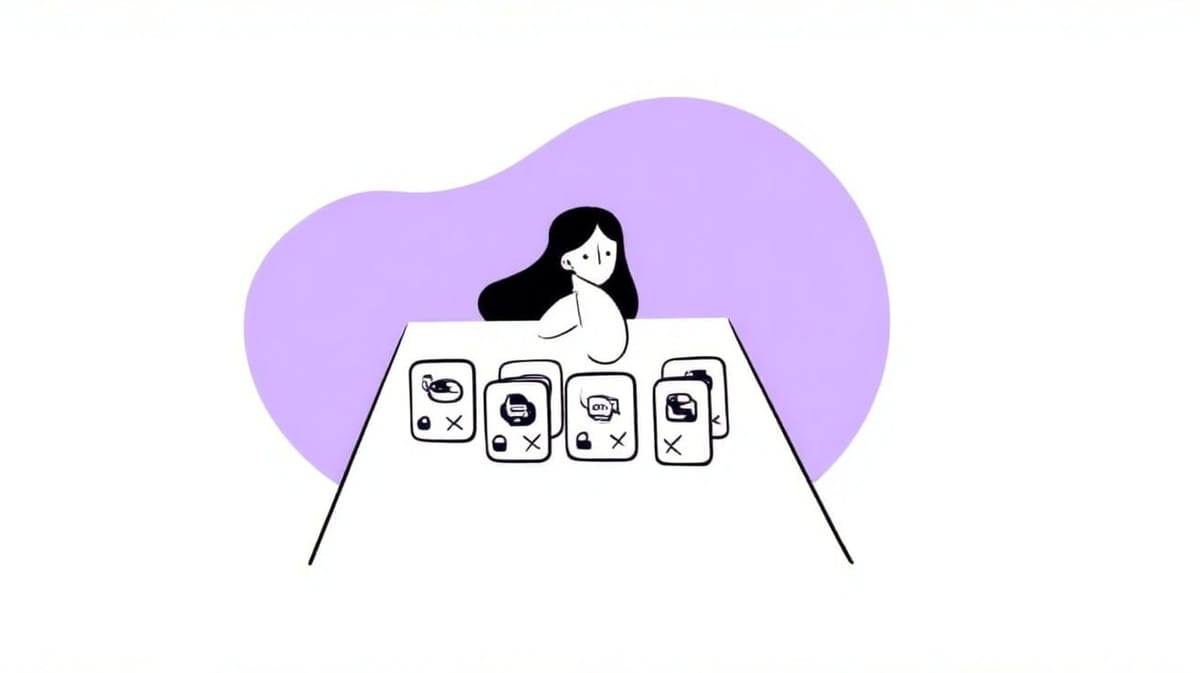
Macha tracks every connector's status as connected or auth_failed from live API responses; on the switch to auth_failed it deactivates every agent that depends on that connector and emails your admins, Test connection checks the credentials in one click, and Reconnect restores the connector without stripping its tools from your agents. The status tracking, Test connection and the validated API-key reconnect form shipped in the April 23, 2026 release; the in-place OAuth Reconnect button shipped a week earlier, on April 17.
| Connector | Auth type | How it breaks | How you fix it |
|---|---|---|---|
| Zendesk, Google Workspace, Slack, Notion | OAuth (Zendesk also accepts an API key) | Grant revoked, refresh-token expiry | Reconnect button: re-auth in place, same connector ID |
| Gmail, Outlook, Google Calendar, Jira, Asana, HubSpot, Intercom | OAuth via Composio | Grant revoked in the source app | Connect again; Composio handles token storage and refresh |
| Shopify, Stripe, Gorgias, Freshdesk, Front, Razorpay, ElevenLabs, Tavily | API key / token | Key rotated, scope changed | Reconnect form: paste new key, validated before save |
| Airtable, Cal.com | API key / PAT, or OAuth via Composio since August 24, 2026 | Token revoked or rotated | Reconnect form, or switch to the Composio connection |
| Confluence | API token | Token expiry | Expiry reminder 30 days out, then reconnect; a 401 auto-deactivates |
| File Tools | None | n/a, no credentials | n/a |
Most "integration connection status" guides are written for humans clicking around a SaaS dashboard: Zapier saying a Zap is "Not authenticated," Atlassian's "connection test failed," Microsoft's token-expiry errors. The stakes are different when the thing depending on that connection is an autonomous AI agent acting on live tickets. The moment a Shopify API key is rotated or a Zendesk OAuth grant is revoked, every agent built on that connector starts failing, and the worst failures are the silent ones.
Macha is an agent layer that sits on top of your help desk and connects your commerce, knowledge and comms tools, so connector health is load-bearing. Here's how it works.
Why do broken connectors matter more for AI agents?
Every team that runs OAuth integrations eventually meets the same wall. Microsoft and Google refresh tokens expire after extended inactivity or a password change; a user revokes access; an API key gets rotated during a security review. Make's community forum is full of "connection expires every 7 days, please reauthorize" threads, and the standard production answer, documented by token-infrastructure vendors like Nango and Scalekit, always has the same shape: validate credentials proactively, run periodic health checks, mark a broken connection as unhealthy / needs_reconnect, and alert a human instead of retrying into the void.
Macha implements that pattern. The difference is that here the thing that breaks is an agent acting on live tickets, so a silent failure costs more than a broken Zap: a customer waits, or an action stops half-finished. The containment has to do more than log an error.
What does a connector's health status mean?
Each connector carries a state, connected or auth_failed, that Macha maintains automatically based on how the tool's API actually responds. You don't poll it manually. (If you're new to how connectors, tools and triggers fit together, the connectors, tools and triggers explainer is the place to start.)

The important behavior is the transition from connected to auth_failed. Macha doesn't just flip a badge and hope someone notices. It does two things:
- Affected agents are automatically deactivated. Any agent that depends on the broken connector is paused. A deactivated agent stops cleanly instead of attempting tool calls that will 401, fail mid-conversation, or leave a customer hanging on a half-finished action.
- Admins are notified by email. The people who can fix it get told, with a direct path to the reconnect flow, rather than hearing about the outage from an angry customer two days later.
That "deactivate, then notify" order is deliberate: a broken connector is treated as a safety problem first and an operational one second. The same thinking shows up in the Confluence connector (April 9, 2026 release), which lets you enter your Atlassian API token's expiry date so Macha emails reminders 30 days before it lapses, and auto-deactivates the connector on a 401 if it slips through. We cover that in connecting Confluence with token-expiry monitoring. The best outage is the one you reconnect before it happens.
How do you test whether a connector is working?
Status tracking tells you when something has broken. Test connection lets you check on demand: before you build an agent on a connector, after you rotate a key, or while you're debugging a failed tool call.
One click validates the stored credentials against the real API and tells you whether they work. It's available for all connector types, OAuth and API-key alike, which matters because the failure modes differ. An OAuth connector might have a revoked grant; an API-key connector might have a key that was rotated or scoped wrong. One uniform "does this authenticate right now?" check covers both.
In practice, Test connection is what you reach for when you're not sure who's at fault. Tool call returning nothing? Test the connection first. If it passes, the problem is your agent's instructions or the tool's arguments; if it fails, you've found the culprit in two seconds instead of reading logs.
The result is unambiguous. A verified connection returns a green confirmation (here it echoes back a live API response, the Stripe account balance, proving the credentials didn't just exist but worked), and a broken one returns a failure you can act on.
How do you reconnect a connector without breaking your agents?
The naive fix is to delete the connector and re-add it, but that detaches every tool, drops the connector ID your agents reference, and forces you to rebuild each agent's tool list by hand. Macha's reconnect flow is built to avoid that. How you reconnect depends on the auth type:
- API-key connectors (Stripe, Shopify, Gorgias, Freshdesk, Front, Razorpay, ElevenLabs, Tavily and the rest) show a reconnect form when auth fails. You paste the new key, and Macha validates the credentials before saving, so you can't "fix" a connector with a key that's also wrong.
- Direct OAuth connectors (Zendesk, Google Workspace, Slack, Notion) get a Reconnect button in the connector modal that re-authenticates in place. Same connector ID, no tool stripping, no agent breakage: you re-grant access and the existing agents pick up where they left off. A dedicated email template points admins straight at this flow. (The grant is the same one you set up in connecting Zendesk to Macha over OAuth; reconnect re-runs that consent step against the existing connector.)
- Composio-backed connectors (Gmail, Outlook, Google Calendar, Jira, Asana and HubSpot since August 24, 2026, Intercom since September 17, 2026) use one-click OAuth through Macha's integration partner Composio, which handles the OAuth handshake, token storage and token refresh. Macha holds only the connected-account identifier. Airtable and Cal.com moved onto Composio in the same August release; existing API-key connections keep working, and reconnecting through Composio is optional.
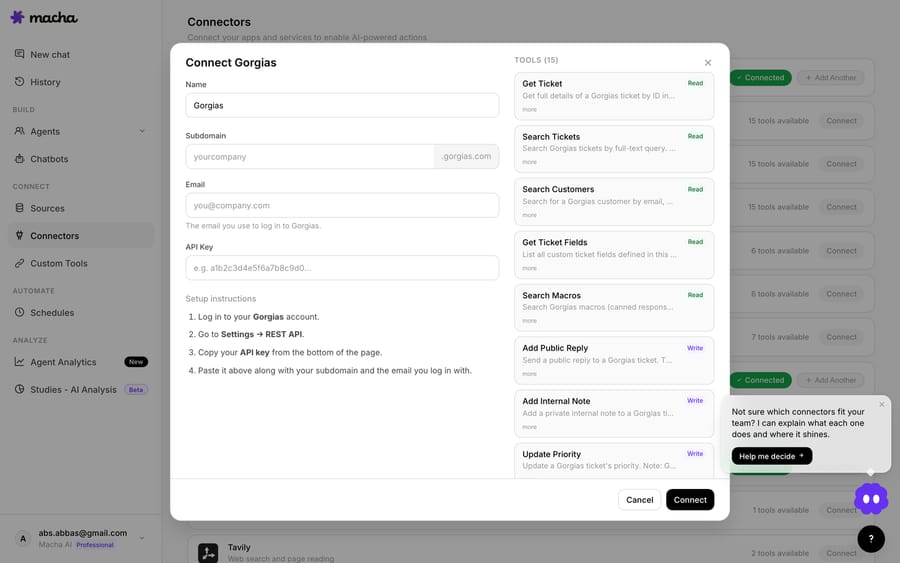
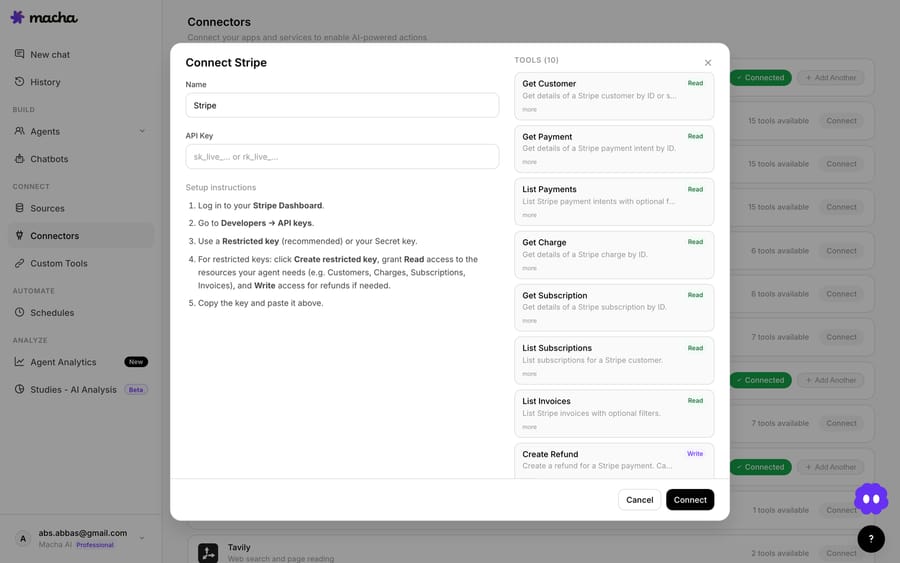
"Validate before save" is the detail that matters most. Reconnect flows that accept whatever you type and only fail on the next tool call turn a five-minute fix into a frustrating loop. Validating at save time means that once the form accepts your credentials, the connector is healthy again, and the agents Macha deactivated can be turned back on with confidence.
What happens behind the scenes when a connector breaks?
Two more pieces of the April 23 release aren't buttons you click. They're the plumbing that keeps health status honest when things get messy.
Webhook rejection tracking. When a connector is broken, the external system (Zendesk, Shopify) often keeps firing webhooks at Macha that can't be processed. Rather than absorb them forever, Macha tracks rejected webhooks and, after a configurable threshold on a broken connector, returns a 410 Gone, the HTTP status that tells a well-behaved external system to stop sending and disable the webhook. It's the standard backpressure answer to cascading retries, where upstream systems hammer a dead endpoint and amplify an outage.
Refresh-lock utility. OAuth tokens expire and have to be refreshed, and the dangerous moment is when two requests try to refresh the same token at once: one refresh invalidates the other's token mid-flight. Macha uses a shared refresh lock (single-flight) for its OAuth connectors (Zendesk, Google, Shopify), so only one refresh runs at a time and the others wait for the result. This isn't theoretical. A concurrent-refresh race once caused a real customer outage (two webhooks racing on a single-process Node server), and the April 17 fix was compare-before-write logic, followed by this shared lock on April 23. For the Composio-backed connectors, Composio runs the refresh.
Together these keep the status trustworthy: connectors don't flap into auth_failed because of a self-inflicted race, and broken connectors don't generate endless downstream noise.
What does the full recovery loop look like?
Whatever the connector, the loop is the same: status flips to auth_failed → affected agents deactivate → you get an email → Test connection confirms the problem → Reconnect fixes it (validated) → you reactivate the agents. The table at the top of this page maps each connector to its auth type and fix. For per-connector setup details, see the integrations directory and the docs.
What can't connector health monitoring do?
Connector health is containment and recovery. A few limits:
- It doesn't prevent the break. Macha can't stop someone from revoking an OAuth grant or rotating a key without telling you. It catches the break fast, contains the blast radius, and makes the fix a two-minute job. The Confluence expiry reminders are the closest thing to prevention, and they only work if you enter the expiry date.
- Reactivation is a human decision. When a connector recovers, the agents Macha deactivated don't turn themselves back on. That's intentional, since you may want to verify the fix first, but it means recovery is two steps: fix the connector, then re-enable the agents.
auth_failedis binary, not granular. The status tells you authentication is broken; it doesn't say why (revoked vs. rotated vs. scope) or surface partial outages where some tools work and others don't. Test connection plus the tool-level error banners in conversation history fill that gap.- Webhook backpressure is a blunt instrument. Returning
410 Goneis correct for a dead connector, but once you reconnect you may need to re-register or re-enable the webhook on the source system's side, depending on how it handles a 410.
None of these are reasons to avoid the feature. The point of connector health isn't to pretend integrations never break; it's to make the inevitable break boring.
FAQ
What's the difference between connected and auth_failed? connected means the connector's stored credentials authenticate successfully against the tool's API. auth_failed means they don't, typically because of a revoked OAuth grant, an expired refresh token, or a rotated API key. On the switch to auth_failed, Macha deactivates the affected agents and emails your admins.
Does a broken connector break my agents mid-conversation? No, that's the point of auto-deactivation. When a connector fails auth, the agents that depend on it are paused so they stop cleanly instead of attempting tool calls that will fail. You reconnect, then re-enable them.
How do I check whether a connector is working right now? Use Test connection. One click validates the stored credentials against the live API for any connector type, OAuth or API-key. It's the fastest way to tell whether a problem is the connection or the agent.
Will reconnecting break my agents' tools? No. OAuth connectors re-authenticate in place with the same connector ID, and API-key connectors validate the new key before saving. Your agents' tool lists stay intact.
Does connector health monitoring cost anything? No. Macha bills per ticket, one conversation charged once however many steps the agent takes, starting at $299 a month for 750 tickets. Health checks, status tracking and reconnects aren't tickets. See the pricing page for the tiers.
How do you try connector health yourself?
Connect a tool and watch the status track it. Start a free trial ($50 of usage, about 125 tickets, no credit card, no time limit), connect Zendesk or Shopify, and build an agent. Then read the integrations directory for per-connector setup and the docs for the full reconnect walkthrough. When an integration eventually breaks, you find out from an email, not a customer.
Written by Abbas (Customer Support & AI, Macha) · Reviewed by Ankeet Guha (Co-founder & CTO) · Published 2026-06-24 · Last updated 2026-09-24.






