Shopify
 Stripe
 Slack
Slack Notion
 Google Workspace
 Confluence

Klaviyo Gorgias Integration: Connect Them for Your AI Agent (2026)


Your support inbox and your marketing engine are two different tools, and your team feels it: a customer messages Gorgias about a delayed order, but their consent status, subscription, engagement history, and the flows they're in all live in Klaviyo — one tab over. Connecting a Klaviyo Gorgias integration is one of the most common asks for DTC support teams, and there's more than one way to do it depending on what you actually need.

This guide covers both: the native Klaviyo–Gorgias integration (and where it stops), and how to give your AI agent live Klaviyo lookups and actions right inside a ticket using a Custom Tool.
Framing first. Macha runs on top of the Gorgias you already use — it's an AI-agent layer, not a Gorgias or Klaviyo replacement. Your agents keep working in Gorgias with its rules, macros, and Shopify sidebar; Macha reads the ticket, reasons, and reaches into Klaviyo to answer or act.
Prefer the classic step-by-step setup? See our guide on how to integrate Klaviyo with Gorgias — this piece focuses on giving your AI agent live access instead.
The native option — and where it stops
Gorgias and Klaviyo do offer a native integration, and it's worth using where it fits. You connect it from the Klaviyo side (see Gorgias's Klaviyo integration page), and it works as a two-way bridge: Gorgias ticket events flow into Klaviyo so you can build support-aware flows, and Klaviyo SMS, WhatsApp, and review events flow back into Gorgias as tickets. If a customer replies to a marketing SMS or leaves a negative review, it becomes a ticket your team can work. (Worth knowing: an older Klaviyo — DEPRECATED integration still appears in some Gorgias settings — it hasn't been supported since March 2022, so if a setup guide points you at it, use the current one instead.)
Where it stops:
- It's mostly event sync, not agent action. It routes messages and events between the two systems; it doesn't let an AI agent decide to look up a customer's Klaviyo profile mid-conversation, pass the right parameters, and reason over the result.
- It's fixed to what it syncs. You get the event types the integration exposes — not the specific lookup or write your workflow needs (e.g. "is this profile still subscribed to SMS?" or "add them to the win-back flow").
- It doesn't backfill. Only messages and events created after you connect show up; past SMS conversations and reviews don't sync retroactively.
For a lot of teams, the event sync is enough. For anyone who wants their AI agent to actually use Klaviyo data live, there's a lighter, more flexible path.
What you actually want: the agent using Klaviyo live
The high-value version of this integration isn't a synced event — it's the agent doing the work. A customer emails Gorgias about a promo; the agent recognizes them, looks up their live Klaviyo profile by email, and confirms "yes, you're subscribed and the discount applies to your account" — grounded in Klaviyo, not a stale copy. Or it checks whether they've unsubscribed before offering an email follow-up. That's what a Custom Tool enables.
How to connect them with a Custom Tool
A Custom Tool is a single action you define once and point at Klaviyo's REST API. No App Store listing, no code.
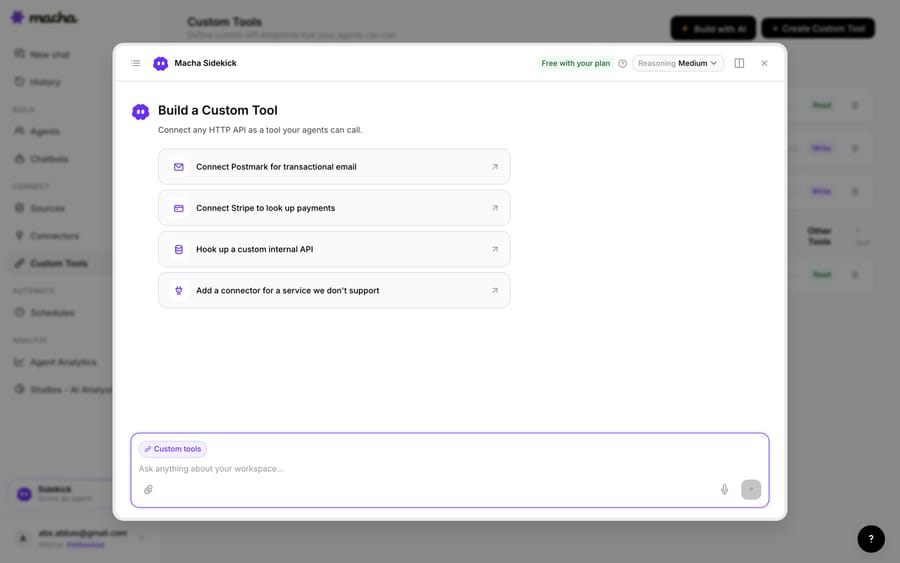
1. Point it at the Klaviyo API. Klaviyo exposes a REST API (authenticated with a private API key); you give Macha the endpoint and credentials. The built-in Sidekick can scaffold the request from a plain-English description if you'd rather not fill in the form.
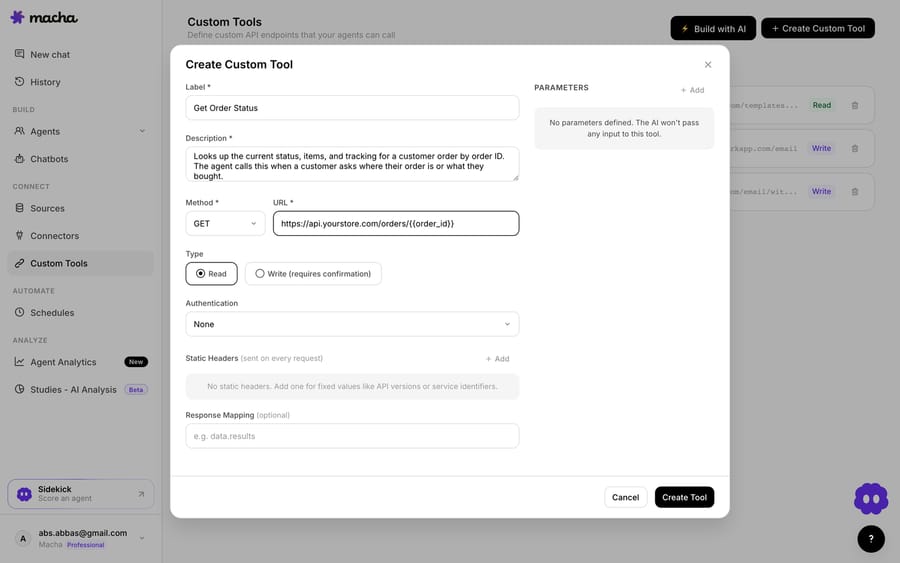
2. Define the action. Give it a label and a description the AI uses to decide when to call it — e.g. "Get the Klaviyo profile, consent status, and engagement for a customer by email" — set the method and URL (a Klaviyo profiles query with a {{email}} placeholder), and choose Read or Write. A profile lookup is a Read; triggering a flow or updating consent is a Write, which requires confirmation before it runs.
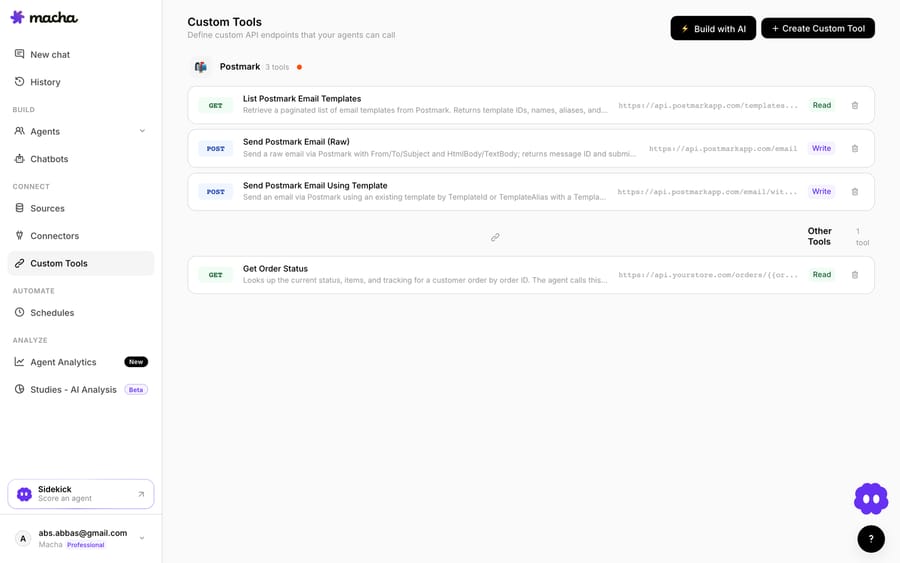
3. The agent uses it live. Once the tool exists, the agent calls it mid-ticket, passes the customer's email, and reasons over the Klaviyo profile it gets back — answering the question or taking the next step.
Read vs Write, and staying safe
Because a Custom Tool can reach into Klaviyo, the guardrails matter: Read tools (profile and consent lookups) are free to call; Write tools (trigger a flow, update a subscription, add to a list) require confirmation. Each tool is scoped to one action, permissioned per agent, and every call is audited. Klaviyo's private API key handles auth, so secrets never live in the conversation.
Teams usually build a few Klaviyo tools and group them — a profile lookup, a "check SMS/email consent," a "trigger apology flow" — alongside tools for their other systems.
Native integration vs Custom Tool — which to use
- Use the native Klaviyo–Gorgias integration if you want SMS, WhatsApp, and review events to become Gorgias tickets, and support events to feed your Klaviyo flows.
- Use a Custom Tool when you want your AI agent to look up live Klaviyo profile, consent, or engagement data — or trigger a flow — from the ticket, you need a specific query or write the native integration doesn't expose, or you'd rather decide the action in context. The two can coexist.
Beyond the lookup
Once the agent can reach Klaviyo, the same pattern covers more: check SMS or email consent before offering a channel, read a profile's engagement to personalize a reply, add a frustrated customer to a win-back or apology flow, or confirm which segment they're in. And because Custom Tools aren't Klaviyo-specific, the same approach connects your order system, 3PL, subscription platform, or internal API — see the Custom Tools integration directory for 200+ tools, or the full pillar on building custom Gorgias integrations.
The bottom line
The native Klaviyo–Gorgias integration moves events and messages between the two systems. A Custom Tool puts Klaviyo in your AI agent's hands — live profile and consent lookups and flow triggers, decided in context, on any plan, no code. You describe the action, point it at the Klaviyo API, and your Gorgias agents can use it inside a ticket with Read/Write guardrails and a full audit trail.
Ready to try it? See how Custom Tools work, browse the integration directory, or start a free trial and wire up your first Klaviyo tool today.
Frequently asked questions
Does Gorgias have a native Klaviyo integration? Yes — the native Klaviyo–Gorgias integration turns Klaviyo SMS, WhatsApp, and review events into Gorgias tickets, and feeds Gorgias support events into Klaviyo flows. It's event-sync-focused; a Custom Tool adds live, agent-driven profile lookups and flow triggers on any plan.
Do I need an engineer to connect Klaviyo to Gorgias this way? No. You describe the action in plain English and Macha's Sidekick scaffolds the Klaviyo request, auth, and parameters. Technical teams can go deeper with full control over the query, headers, and response mapping.
Can the agent trigger a Klaviyo flow, or only read a profile? Both. Reads (profile, consent, and engagement lookups) run freely; writes — triggering a flow, updating consent, adding to a list — require a confirmation step, and you control which agents can use them.
Is it secure? Yes. The tool is scoped to a single action, permissioned per agent, authenticated via Klaviyo's private API key, and every call is audited.
Add AI agents to your Gorgias
Macha resolves tickets end to end on Gorgias — no migration, no code.