





 Shopify
 Stripe
 Slack
Slack Notion
 Google Workspace
 Confluence

How Does the Macha Airtable Integration Work? 3 Read-Only Tools for AI Support Agents


A lot of the answers your support team gives out every day live in an Airtable base, not your help center: order overrides, project status, warranty windows, account tiers. Macha's Airtable connector lets AI agents search those records mid-ticket and answer with the real value.
Key takeaways
- Macha's Airtable connector is live and gives AI support agents three read-only tools, Search Records, Get Record and List Bases, to look up structured data mid-ticket.
- The Airtable connector authenticates with a Personal Access Token, and a token scoped to data.records:read and schema.bases:read is enough because the tools never write.
- Airtable's API allows 5 requests per second per base and 50 per second per token owner, and exceeding either returns a 429 with a 30-second block.
- Airtable legacy API keys stopped working after the deprecation period ended on February 1, 2024, so Personal Access Tokens are the supported way to connect.
- Macha charges no connector fee and bills per ticket however many Airtable lookups an agent runs, from $299 a month for 750 tickets.

The Macha × Airtable integration is a live connector that gives your AI support agents three read-only tools (Search Records, Get Record and List Bases), authenticated with an Airtable Personal Access Token, so an agent can look up a customer's row mid-ticket and answer with the real value. Macha is an AI agent layer that sits on top of the help desk you already run (Zendesk, Freshdesk, Gorgias, Front, HubSpot or Intercom), and the Airtable connector lets those agents reach into your bases instead of replying "let me check and get back to you." Your structured data becomes something an agent can query at resolution time, on the ticket, without a human opening the base.
| Question | Answer |
|---|---|
| Status | Live in Macha's connector catalog (Productivity) |
| Tools | Search Records, Get Record, List Bases |
| Writes to Airtable? | No, all three tools are read-only |
| Authentication | Personal Access Token with data.records:read and schema.bases:read |
| Airtable API limit | 5 requests per second per base; 50 per second per token owner |
| Cost in Macha | No connector fee; billed per ticket, from $299 a month for 750 tickets |
Why do AI support agents need structured data?
Most AI support tooling is built around unstructured knowledge: help-center articles, PDFs, past tickets. That's great for "how do I reset my password." It falls apart the moment a question depends on a fact that is specific to this customer and this row — "what's the status of my custom order," "which warehouse is my replacement shipping from," "am I on the plan that includes priority support."
Those facts are relational and typed. They live in tables with fields, links between tables, rollups, and lookups. Airtable is where a huge number of operations teams keep exactly this kind of data because it's faster to maintain than a database and more structured than a Google Sheet. The problem has always been that the data was trapped — visible to ops, invisible to the front line, and completely invisible to an AI agent.
Connecting Airtable to Macha turns that base into a live source an agent can read. It's the structured counterpart to your knowledge base, and for transactional questions it's often the only thing that produces a correct answer.
What are the ways to put Airtable behind an AI agent?
If you've searched "Airtable AI agent," you've seen three different things wearing the same label. They solve different problems, so it's worth separating them before you pick:
- Native Airtable AI. Airtable's own AI, its Omni assistant and Field Agents, runs inside the Airtable workspace. It's excellent for enriching, summarising, and generating data in the grid for people who already live in Airtable. It does not touch your support tickets, and your customers never see it.
- No-code automation (Zapier, Make, n8n). You can wire Airtable to an LLM through an automation platform. This is flexible, but you're building and maintaining the plumbing yourself: triggers, field mapping, prompt steps, error handling. It works, but it's a project, and it sits beside your helpdesk rather than inside the agent that answers the ticket.
- A helpdesk-layer agent (Macha). Macha gives the agent that already works your Zendesk, Freshdesk, Gorgias, Front, HubSpot or Intercom tickets a live Airtable tool. The agent decides, mid-ticket, that it needs a record, queries the base, and answers the customer — no separate automation to maintain, and the lookup happens on the conversation itself.
This post is about the third approach. If your goal is "the customer asks a question in the helpdesk and gets the right answer from my Airtable data," that's the lane Macha is built for. (If your goal is instead to do AI work inside Airtable, use Airtable's native features — the two don't compete.)

What does the Airtable connector actually do?
The Airtable integration is an action connector, not a knowledge source. The distinction matters: Macha isn't indexing your base into a vector store and hoping the right chunk comes back. Instead, the agent is given live tools it calls in the moment — it decides, mid-conversation, that it needs a record, queries Airtable through the API, and reasons over the structured result it gets back.
The connector exposes three tools:
| Tool | What it does | Typical use |
|---|---|---|
| Search Records | Searches across records using filters on any field — text, status, date, or linked records — and returns the matches. | "Find the order row where email = the requester's address." |
| Get Record | Retrieves one specific record with all its fields and linked data. | Pull the full row once you (or a prior step) know the record ID. |
| List Bases | Lists every base the connected token can access. | Discovery and setup; letting an agent confirm which base it's pointed at. |
Because Search Records can filter on linked records — not just flat text fields — an agent can follow relationships the way a person would: find the customer, then the orders linked to that customer, then the line items linked to that order. That's the difference between a connector that reads a flat sheet and one that understands an Airtable base.
All three tools are read operations. The connector doesn't create or overwrite rows, which is a deliberate, conservative default for a system that's answering customers automatically — more on that in the watch-outs.

How does the Airtable connector authenticate?
Macha connects to Airtable with a Personal Access Token (PAT). This is the modern, correct way to talk to the Airtable API — Airtable's 12-month API-key deprecation period ended on February 1, 2024, after which legacy API keys can no longer reach the API. PATs (for individual use) and OAuth (for third-party apps) are the supported methods, and Macha uses a PAT.
The useful part of PATs for a support deployment is that they're scoped. When you create a token in Airtable you choose two things:
- Scopes — what the token may do. Since Macha's connector only reads, a token with
data.records:readandschema.bases:readis enough. You do not need to grantdata.records:write. - Access — which specific bases and workspaces the token can touch. You can hand Macha a token that sees only your "Customer Orders" base and nothing else in your workspace.
That combination means you're giving an AI agent the narrowest possible key: read-only, and only to the bases that matter. (Airtable documents the full scope list and PAT creation flow if you want to least-privilege it precisely.)
Once the token is added in Macha's Connectors section, the Airtable tools become available to grant to any agent.
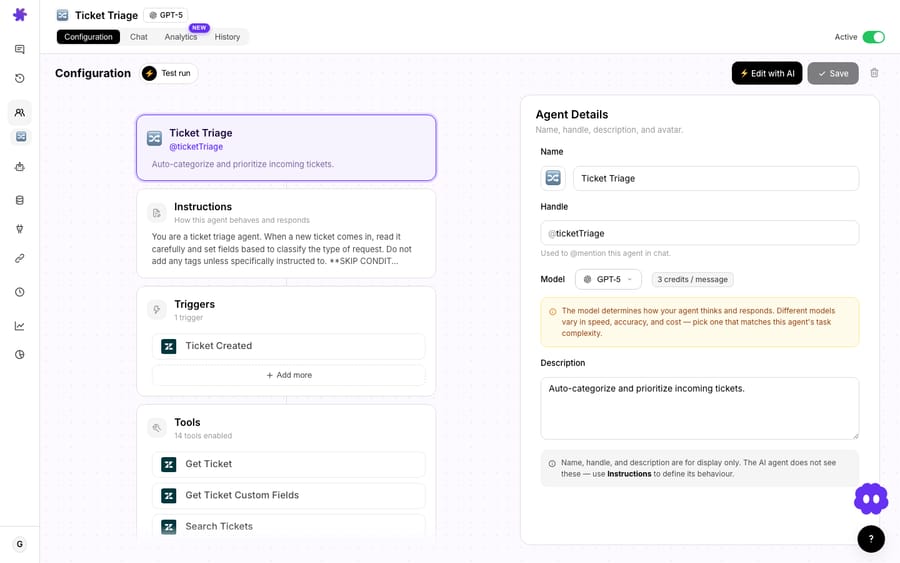
Grant those Airtable tools to an agent and the three actions above become callable inside any ticket it works.
What can you build with the Airtable connector?
The connector's value shows up in the questions your agents can suddenly answer correctly. A few patterns:
Order and account lookups beyond the storefront
If your canonical order data, custom-build status, or account tier lives in Airtable rather than (or in addition to) Shopify, an agent can match the requester to their row and answer "where's my order" or "what plan am I on" from the source of truth — pairing naturally with the WISMO-style flows teams already run on commerce data.
Project / build / fulfillment status
Agencies, custom manufacturers, and B2B teams that track work in an Airtable base can let an agent report status straight back to the customer: "Your project is in QA, expected ship date Friday." This is Macha's own how-it-works example for the connector — when someone asks about a project's status, search the base, return the latest record.
Internal directories and routing data
Search a "Specialists" or "Territories" table to figure out who should own a ticket, then hand the triage decision to your routing logic — the structured table becomes the lookup that drives assignment.
Reference data that changes too often for the help center
Pricing matrices, compatibility charts, eligibility rules, event schedules, replacement-part mappings — anything you'd otherwise have to re-publish a help article for every time it changes. Keep it in Airtable, let the agent read it, and the answer is always current because the row is.
Notably, none of this requires the customer or the agent to know Airtable exists. They ask a normal question in the helpdesk; the agent quietly resolves it against the base.
How does an agent use Airtable in a single ticket?
Concretely, here's the shape of one resolution:
- A ticket arrives: "Hi, can you tell me the status of order #4821?"
- The agent recognizes it needs structured data and calls Search Records against your Orders base, filtering on the order number.
- The match comes back; if the agent needs the complete row (linked line items, shipment, notes) it calls Get Record for the full entry.
- The agent reads the typed fields — status, ship date, carrier — and writes a grounded reply, or hands off to a human if the data says something needs judgment.
None of those tool calls is metered separately. Macha bills per ticket — one conversation, charged once, however many searches, fetches and reasoning steps it takes, and whichever model it runs on — so a multi-step investigation costs exactly what a one-line lookup costs: about $0.40, on plans from $299 a month for 750 tickets. The tiers are on the pricing page, and the free trial ($50 of usage, about 125 tickets, no credit card, no time limit) is enough to wire up a base and watch a real ticket resolve.
When is Airtable the wrong tool for an AI agent?
An honest connector overview has to say where it bites.
- It reads; it doesn't write. The Macha connector exposes Search, Get, and List — not create or update. If your workflow needs the agent to log something back into Airtable (mark a ticket handled, append a row), that's not what this connector does today. For write-backs, model the action elsewhere or keep a human in the loop.
- Airtable's API has rate limits. Airtable's API rate limits are 5 requests per second per base and 50 per second across all of one user's personal access tokens; go over and Airtable returns a 429 and blocks further requests for 30 seconds. For a handful of agents this is invisible; if you're running very high ticket volume against one hot base, design for it — narrow your searches and don't make agents enumerate huge tables.
- Garbage in, confident garbage out. An agent answering from a stale or wrong row will state it confidently. Airtable is only a good agent source if the base is actually maintained. If a table is half-abandoned, point the agent at the source that's real instead.
- It's not a knowledge base. This connector is for records — typed, relational rows. For prose knowledge (policies, how-tos), use Macha's knowledge sources — the way a Notion wiki becomes agent knowledge. The two complement each other; don't try to make Airtable do help-center duty by stuffing paragraphs into a long-text field.
- Wide tables cost more tokens. Get Record returns all fields. If your table has 60 columns and the agent only needs three, you're paying to reason over the other 57. Keep the agent's job scoped, or model a leaner view for it where you can.
- PAT hygiene is on you. A token is a credential. Scope it read-only, limit it to the one base, and rotate it like any secret.
How does Airtable fit with the rest of Macha?
Airtable rarely works alone. The common pattern is an agent with several connectors granted at once — Airtable for the structured lookup, your helpdesk for the ticket itself, and a knowledge source for the policy language around the answer. You can browse the full connector library to see what else slots in, and the docs cover how connectors, agents, and tools assemble. Airtable is one structured-data option among several; if your structured data lives in Google Sheets instead, the Google Workspace integration covers that lane, and for data in a SQL store or a SaaS with an API, a custom tool can reach it — Airtable is simply the fastest path when the data already lives in a base.
FAQ
Is the Macha Airtable integration available? Yes. Airtable is listed as a live Productivity connector in Macha's integration catalog. You add a Personal Access Token in the Connectors section and grant the tools to an agent. The connectors gallery shows the current list.
Can Macha agents write to Airtable? Not with this connector. It exposes read tools — Search Records, Get Record, and List Bases. Use a read-scoped PAT; you don't need write access.
How does the Airtable connector authenticate? With an Airtable Personal Access Token. Legacy API keys were retired in February 2024, so PATs are the supported method. Scope the token to data.records:read (and schema.bases:read) and limit it to the specific bases you want the agent to see.
Can an agent follow linked records, rollups, and lookups? Search Records can filter on linked records, so an agent can navigate relationships between tables. It reads the field values your records contain, including the results of lookups and rollups stored on the row.
What does the Airtable connector cost to run? There's no separate charge for the connector, and no per-tool-call charge either. Macha bills per ticket — one conversation, charged once however many Airtable lookups it takes — about $0.40, on plans from $299 a month for 750 tickets. See the pricing page; the free trial ($50 of usage, no credit card) lets you connect a base and test it on real tickets.
Do I need Airtable's own AI features? No. Airtable's Field Agents run inside Airtable. Macha's connector is the opposite direction — your support agents in the helpdesk read Airtable to resolve customer tickets. The two don't conflict.
Written by Abbas. Reviewed by Ankeet Guha. Published June 24, 2026; last updated September 24, 2026.






