





 Shopify
 Stripe
 Slack
Slack Notion
 Google Workspace
 Confluence

How Much Does Amazon Connect Cost? Pricing, AI and Reviews (2026)


Amazon Connect Customer is AWS's cloud contact center, billed per minute and per message with its AI agents and Amazon Q included and no seat licenses. In 2026 AWS renamed it and made it one of four products in a wider Amazon Connect portfolio.
Key takeaways
- Amazon Connect Customer bills by usage rather than seats, charging $0.038 per voice minute, $0.010 per chat message, $0.080 per email, and $0.014 per SMS message.
- For the ticket queue behind the phone lines, Macha is the done-for-you option: the Macha team builds and runs the agent on your help desk, at about $0.40 a ticket including a dedicated success manager.
- Amazon Connect's Customer Basic tier charges $0.018 per voice minute and $0.004 per chat message, with AI features such as conversational analytics billed separately on top.
- A mid-size mix of 5,000 voice minutes and 8,000 chat messages costs about $270 a month on Amazon Connect before telephony carrier fees, rising to $430 with 2,000 emails.
- Five9's packaged alternative costs $119 to $159 per concurrent seat a month with a 50-seat minimum, a floor of $5,950 a month before any calls.

Amazon Connect, whose contact center is now called Amazon Connect Customer, is AWS's usage-priced cloud contact center: $0.038 per voice minute, $0.010 per chat message, $0.080 per email and $0.014 per SMS, with its AI agents and Amazon Q included in those rates and no seat licenses.
| Question | Short answer (checked 24 September 2026) |
|---|---|
| What it is | AWS cloud contact center for voice, chat, email, SMS and messaging, with built-in AI agents |
| Pricing model | Per minute and per message; no seats, no minimums, no long-term contract |
| Connect Customer rates | $0.038/voice min, $0.010/chat msg, $0.080/email, $0.014/SMS, AI included |
| Customer Basic rates | $0.018/voice min, $0.004/chat msg, $0.050/email, AI billed separately |
| Ratings | G2 4.4 (92 reviews), Capterra 4.5 (96), PeerSpot 4.2 (26) |
| Best for | AWS-native teams with engineering capacity to build flows |
We build AI agents for customer service ourselves, on top of the help desk a team already runs instead of inside a phone system, so we read Amazon Connect as a category neighbor, not head-on competition.
What is Amazon Connect?
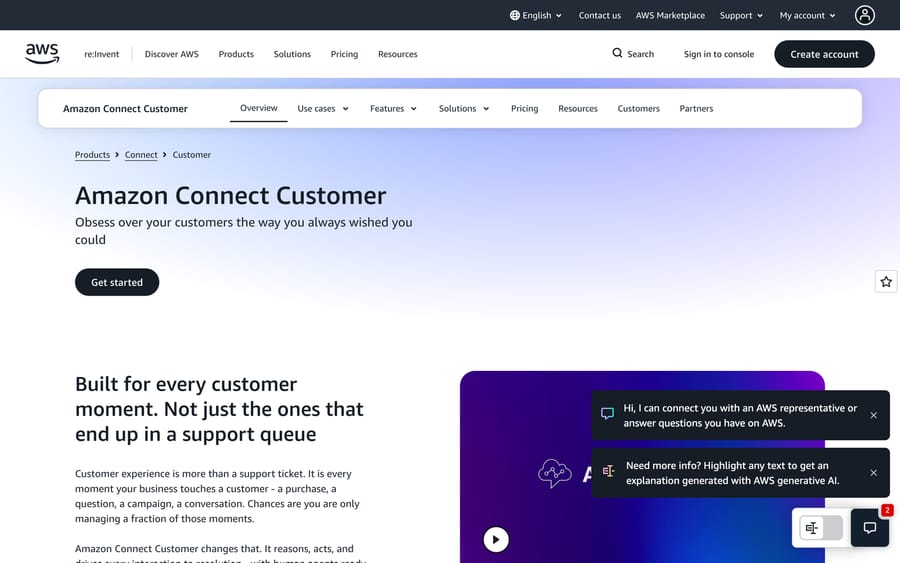
AWS launched Amazon Connect in 2017 as a self-service, pay-as-you-go alternative to legacy contact center hardware: the same telephony engine that already routed Amazon's own retail support calls, rented out as a cloud service. Thousands of companies built contact centers on it over the following years. A non-technical admin could design call flows, add agents, and read performance metrics with no hardware refresh and no multi-year contract.
In 2026, AWS restructured the product line. "Amazon Connect" now names a portfolio of four agentic solutions: Connect Customer (the original contact center, now AI-native), Connect Decisions (supply chain AI), Connect Talent (AI-driven hiring and interviewing), and Connect Health (administrative healthcare automation). The contact center product most people mean when they say "Amazon Connect" is the first one. AWS's own documentation flags this explicitly: "Amazon Connect now refers to a portfolio of agentic solutions for business functions. The legacy product is now called Amazon Connect Customer." Everything below covers Connect Customer, since it's what "amazon connect" search intent almost always means.
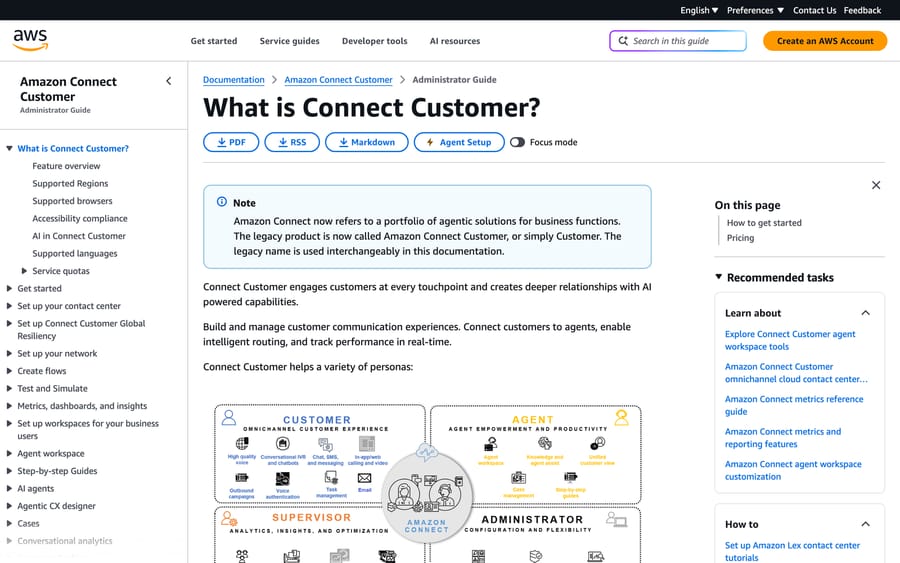
Connect Customer organizes around four personas: customers who reach out over voice, chat, SMS, or in-app messaging; agents who handle the interactions AI doesn't resolve alone; supervisors who monitor queues and coach; and administrators who configure flows, routing, and integrations. That four-persona model is worth knowing because it shows up throughout the documentation and the pricing page. Connect Customer is priced and built around all four roles interacting with one system, and its screens reflect that split.
How does Amazon Connect's AI work?
Connect Customer's AI sits in two places: inside the conversation, as autonomous AI agents that resolve requests directly, and next to the human agent, as Amazon Q in Connect, a real-time assist layer. AWS's own framing splits the system into three functions: "Know" (customer intelligence and segmentation), "Design" (the no-code flow canvas), and "Evolve" (the system learning from past interactions).
AWS describes the AI agents as capable of processing a return, updating an account, or rebooking a flight without a human. That's a meaningfully different claim from a chatbot that answers FAQs. It requires the AI to actually call the backend systems, order management, a CRM, a booking engine, that make the change, and not just describe how to make it.
Amazon Q in Connect and the agent workspace
For the interactions that still need a human, Amazon Q in Connect runs alongside the agent in real time. The screenshot below, taken from AWS's own admin guide, shows what that looks like in practice: a live call about a car reservation, with Amazon Q surfacing a step-by-step suggested response ("I would suggest a card lock or card freeze...") sourced from the account's real transaction data, next to a case management panel and a customer-information sidebar built from Customer Profiles.
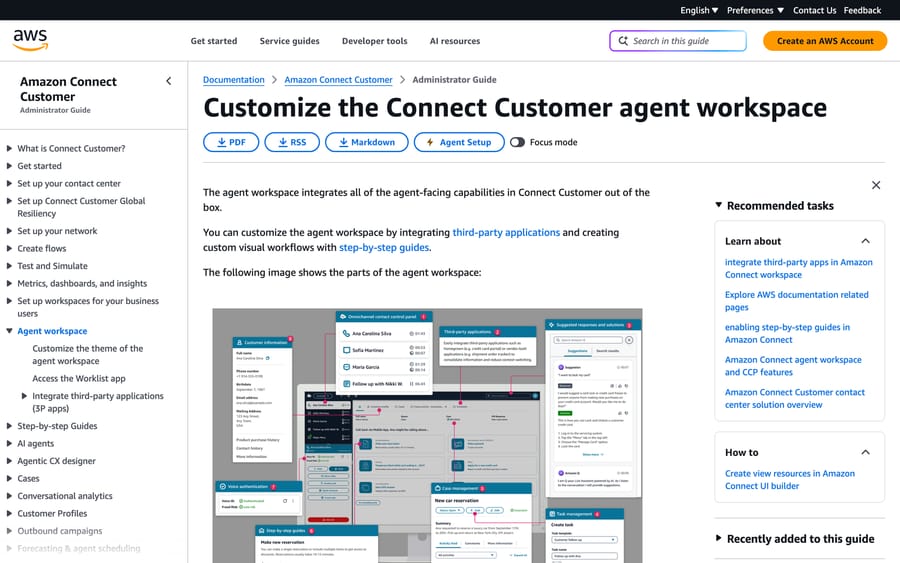
The mechanism that matters more than the "AI agent" headline is what feeds Amazon Q. It doesn't answer a question in isolation; it's wired into the same case and profile data the human agent already sees, so its suggestion cites the actual account instead of a generic script. The workspace also carries a step-by-step-guides panel and a slot for third-party apps, so a card-lock instruction, a task creation, and a live transcript search sit in one screen instead of five browser tabs.
Live Sync and the agentic CX designer
Live Sync is Connect Customer's patented feature for voice-plus-visual interactions. While someone is on a call, they can see options and confirm details on screen at the same time, so the agent isn't reading a list of choices aloud. It matters most for anything with several valid options, like flight rebooking, plan changes, or product selection, where speaking every option burns call time a screen render doesn't.
The agentic CX designer is the no-code canvas non-developers use to build these flows: conversation logic, routing, and now agent behavior, assembled visually instead of in a scripting language. AWS's pitch is that this shortens a deployment from months to weeks. That lines up with what buyers report in the reviews section below: setup is genuinely faster than a legacy on-prem system, though it's still an engineering project, not a same-day signup.
What features does Amazon Connect Customer include?
- Omnichannel routing: voice, chat, email, SMS, web, WhatsApp, and Apple Messages, with shared context so a customer doesn't repeat themselves switching channels.
- Amazon Q in Connect: real-time agent assist, suggested responses, summarization, and knowledge search grounded in the live conversation and case data.
- Autonomous AI agents: handle bounded transactional tasks (returns, account updates, rebooking) end to end without a human, when a task is well-defined enough to hand off.
- Live Sync: synchronizes a voice call with an on-screen interface so a customer can see and confirm what they're hearing.
- Contact Lens: built-in conversational analytics, covering sentiment, categorization, and compliance monitoring across recorded interactions.
- Customer Profiles: a unified customer record pulled from connected systems, so the agent workspace and the AI agents share one view of who they're talking to.
- Compliance coverage: HIPAA eligibility, PCI DSS, FedRAMP, SOC, ISO 27001, and GDPR support. This is a big reason regulated buyers in healthcare, finance, and travel show up disproportionately in its customer list.
How much does Amazon Connect cost?
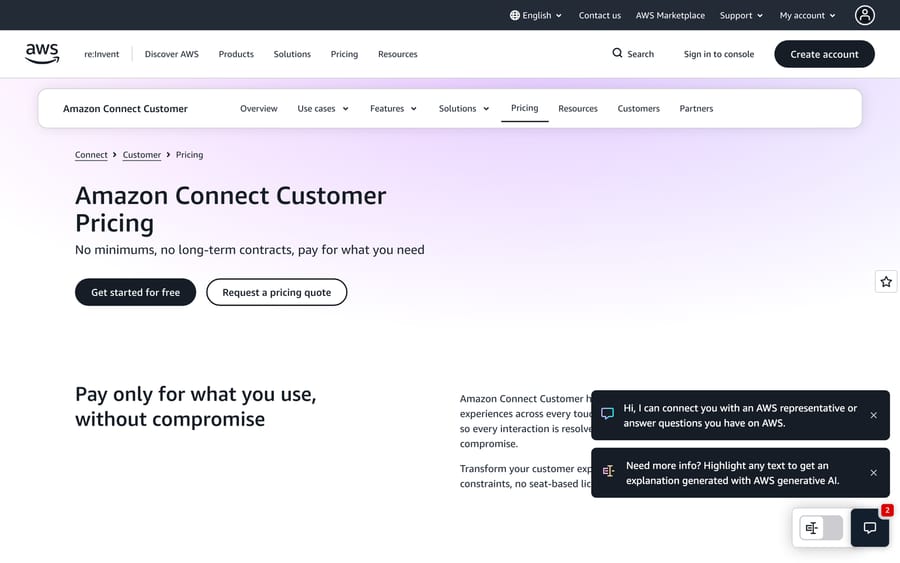
Connect Customer bills by usage, not by seat, and AI is included in the per-unit rate instead of charged separately:
| Channel | Connect Customer (AI included) | Customer Basic (AI extra) |
|---|---|---|
| Voice | $0.038 per minute (plus standard telephony carrier charges) | $0.018 per minute (plus telephony) |
| Chat | $0.010 per message sent or received | $0.004 per message |
| $0.080 per email sent or received | $0.050 per email | |
| SMS / third-party messaging | $0.014 per message sent or received | $0.010 per message |
There's no seat license, no minimum commitment, and no separate charge for turning on Amazon Q or the AI agents. They're priced into the same per-minute and per-message rate. AWS pitches the bundle as "no seat-based licensing requirements, and no tokens." For teams that aren't ready to use the AI features, the pricing appendix lists "Customer Basic" at the lower rates in the right-hand column, with each AI feature billed on top. Conversational analytics on Basic voice, for example, adds $0.015 a minute for the first 5 million minutes a month and $0.0125 after that, which takes a Basic voice minute to $0.033 before any other feature.
What actually drives the price
Run the arithmetic on a mid-size support operation. Take 5,000 voice minutes and 8,000 chat messages a month: 5,000 times $0.038 is $190 in voice, plus 8,000 times $0.010 is $80 in chat, for $270 a month before telephony carrier fees, which AWS bills separately and which vary by region and number type. Add 2,000 emails at $0.080 each and that's another $160, bringing the total to $430 a month for that mix. It scales linearly with volume, with no tier jump and no seat count to negotiate.
That linear, usage-only model cuts both ways. A team that suddenly gets quiet in July pays less in July, with nothing wasted on idle seats. But it also means Amazon has no incentive tied to whether the AI actually resolves anything: a five-minute call where the AI agent fails and a human takes over costs the same $0.038 per minute as a five-minute call the AI closes cleanly. Compare that to a vendor billing per resolution, who profits more the worse your deflection looks on paper, because a partial resolution and a failed one might both get counted. Amazon Connect's incentive is simpler and more neutral: more usage means more revenue, full stop, which also means it does nothing to reward you specifically for automation working.
The complaint that shows up most often in reviews isn't the rate card itself; it's clarity. The AI pricing model is on by default, and because AI usage isn't a separate itemized line, there's nothing on the invoice that tells you what it cost. PeerSpot reviewers describe customers who "end up paying more than they should if they do not understand it properly," and the confusion is structural rather than anyone's mistake: two support operations running identical call minutes can get materially different bills depending on how much AI each one leans on, and neither invoice will show why.
What do Amazon Connect users say?
Amazon Connect carries a 4.4 out of 5 rating on G2 from 92 reviews (checked 2026-09-17), a 4.5 out of 5 on Capterra from 96 reviews, and a 4.2 out of 5 on PeerSpot from 26 reviews (re-checked 2026-09-24). That's a consistently solid, unspectacular record, and it lines up with a toolkit that rewards AWS-native teams and frustrates everyone else.
On Capterra, Abhinash K., a transaction-monitoring reviewer in IT services, called it a "reliable IVR with simple interface and ease of usage," pointing to efficient task tracking and useful interaction analytics. Sonu P., a systems analyst in consumer goods, wrote that it's "reliable and scalable" and "works well for those already using AWS," with flexible contact flows and stable call quality, while flagging that the UI can feel clunky.
On PeerSpot, Amr Ehab, a solution architect at Rutotech, praised stability specifically "when it integrates with Lex, making the customer service solution more efficient," and Noel Perez, a cloud specialist at Outplex, said "you can easily set up a contact center solution within a couple of hours, which is extremely beneficial." The same PeerSpot thread carries the sharpest recurring complaints: pricing confusing enough that customers "end up paying more than they should if they do not understand it properly," weak built-in reporting that pushes teams to export data elsewhere for readable charts, patchy infrastructure-as-code support (AWS CDK support for Connect is "basically non-existent"), and limited regional telephony coverage that constrains where you can actually route calls. G2 reviewers add the most consistent theme of all: this behaves "more like a toolkit for building a contact center than a complete software solution," with a real learning curve for teams that don't already live in AWS.
What are Amazon Connect's pros and cons?
Pros
- Genuinely usage-based pricing, with no seats, no minimums, and no long-term contract.
- Amazon Q in Connect is grounded in real case and profile data, not a generic script.
- Deep native integration with the rest of AWS (Lex, Bedrock, Connect's own data lake) if you're already there.
- Strong compliance posture: HIPAA, PCI DSS, FedRAMP, SOC, ISO 27001, GDPR. AWS's own product page cites Leader placements in both the 2025 Gartner Magic Quadrant and the 2025 Forrester Wave for Contact Center as a Service.
Cons
- Real learning curve. Multiple reviewers describe it as a toolkit you assemble, not a finished product out of the box.
- Reporting and dashboards are widely described as weak enough that teams export data elsewhere.
- Pricing clarity is a recurring complaint. AI is on by default and isn't a separate line item, so bills land higher than expected and the invoice doesn't show you why.
- Infrastructure-as-code support (AWS CDK) is thin, which matters if your team wants Connect config in version control.
- Limited regional telephony coverage compared to global carriers.
Who is Amazon Connect best for?
Connect Customer fits teams that already run on AWS, have (or can hire) the engineering capacity to configure flows and integrations instead of clicking through a wizard, and want a contact center billed strictly by usage instead of seats. The customer list, Cochlear, TUI, Toyota, American Airlines, State Farm, Air Canada, skews toward large, multi-channel operations with the internal resources to treat a deployment as an engineering project.
It's the wrong choice for a small team that wants a phone and chat system running this week with no dedicated AWS or contact-center expertise on staff. And if your actual problem is ticket volume inside a help desk like Zendesk or Freshdesk, Connect doesn't touch it at all; that's a help-desk automation problem, and a different tool solves it.
How does Amazon Connect compare with Five9 and Macha?
| Amazon Connect Customer | Five9 | Macha | |
|---|---|---|---|
| Model | Cloud contact center with agentic AI, usage-priced | Cloud contact center with AI add-ons, seat-priced | AI agent layer on your existing help desk |
| Best for | AWS-native teams building and customizing their own contact center | Teams wanting a packaged CCaaS bundle with less DIY | Teams on Zendesk, Freshdesk, Gorgias, Front, HubSpot or Intercom automating ticket volume |
| Pricing | Usage-based: $0.038/min voice, $0.010/msg chat, no seats | $119 (Digital) to $159 (Core) per concurrent seat/month, 50-seat minimum, Plus/Pro/Enterprise custom | From $299/mo for 750 tickets (about $0.40/ticket), published |
| AI cost | Included in per-minute/per-message rate | Varies by bundle; advanced AI needs Plus/Pro/Enterprise, a custom quote | Included in every plan |
| Setup | Self-service but engineering-heavy, with a real learning curve | Guided implementation, packaged bundles | Done for you by the Macha team, with a dedicated success manager, included |
| What it replaces | Legacy phone and IVR hardware | Legacy phone and IVR hardware | Nothing. It sits on top of the help desk you keep |
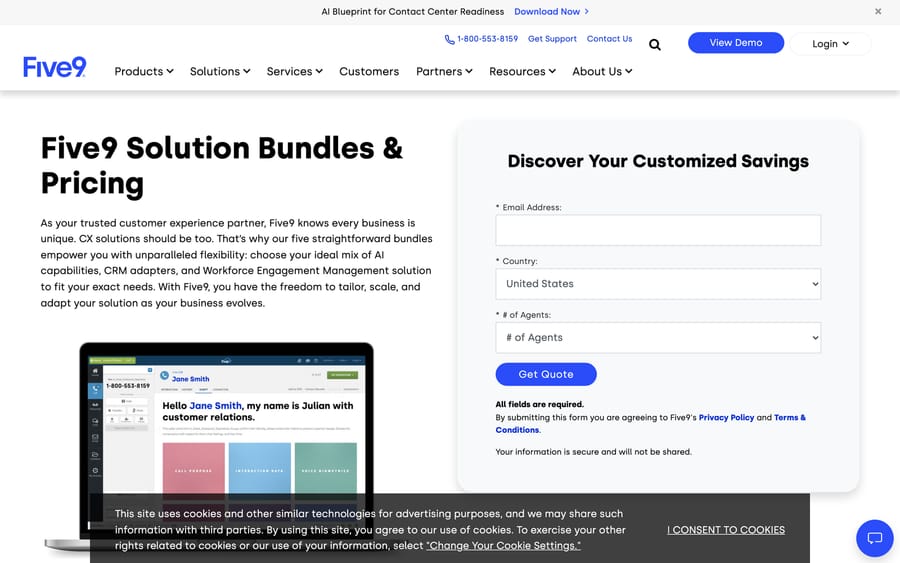
Two details in Five9's published pricing decide that comparison more than the headline rate does. The $119 and $159 figures are per concurrent seat, which is cheaper than it first looks for a team running shifts across time zones: you pay for how many people are logged in at once, whatever the size of the payroll behind them. Working against that is a 50-seat minimum, which puts a hard floor of $5,950 a month under the Digital bundle before anyone makes a call. Amazon Connect has no floor at all. At the mid-size mix above, $430 a month, Connect is an order of magnitude cheaper than Five9's entry point, and the comparison only starts to tighten at a scale where you were going to buy 50 concurrent seats anyway. What you're really choosing between is a metered service with an engineering bill attached and a packaged one with a minimum commitment attached.
Amazon Connect and Five9 both compete to be the phone system and routing engine underneath a contact center. Macha isn't in that race; it's the layer that reads and acts on tickets inside a help desk your support team already uses for email and chat. Macha is for teams whose bottleneck is the ticket queue, not the phone tree: the realistic pairing, for a company running both voice and ticket-based support, is Amazon Connect (or Five9) handling call routing and Macha handling the Zendesk or Freshdesk queue those calls generate follow-up tickets in. Where Connect is something you assemble and configure yourself, Macha is done for you: the Macha team analyzes your past tickets, builds the knowledge base and the agent, and runs it in safe mode until the drafts are right, at about $0.40 a ticket, which includes setup and a dedicated success manager who handles your changes. See Macha on your help desk and pricing for the current tiers.
How we researched this: we checked pricing, feature claims, and the persona and workspace screenshots directly against aws.amazon.com/connect and the live AWS admin-guide docs on 2026-09-17, and re-checked the rate card, the Customer Basic appendix, Five9's bundle pricing and PeerSpot on 2026-09-24. Review ratings and quotes came from G2, Capterra, and PeerSpot on the same date; G2's own quote view returned a 403 to automated access, so PeerSpot and Capterra carry the attributed quotes here, checked manually. Five9's bundle pricing, including the per-concurrent-seat basis and the 50-seat minimum, came from five9.com's own pricing page; the screenshot of that page shows the quote form rather than the rate card, so the figures are quoted from the page text rather than read off the image. The 2026 portfolio rebrand is confirmed by AWS's own documentation banner and AWS's news post about the change.
FAQ
What is Amazon Connect? Amazon Connect Customer, the product most people mean by "Amazon Connect," is AWS's cloud contact center: usage-priced voice, chat, email, and SMS routing with built-in AI agents and real-time agent assist through Amazon Q.
How much does Amazon Connect cost? It's usage-based, not seat-based: $0.038 per voice minute, $0.010 per chat message, $0.080 per email, and $0.014 per SMS or messaging exchange, plus standard telephony carrier fees for voice. AI features are included in those rates, not billed separately.
Is Amazon Connect free? Not as a contact center. The AWS Free Tier in the pricing appendix covers specific features for 12 months, such as 1,000 Customer Profiles a month and 500 chat messages a month with conversational analytics, plus time-limited trials of analytics, evaluations and forecasting. Everyday usage is billed per minute and per message from the start. The cheaper "Customer Basic" option costs $0.018 a voice minute and $0.004 a chat message, with each AI feature billed on top.
What is Amazon Q in Connect? It's the real-time assist layer for human agents. It surfaces suggested responses, summaries, and knowledge search grounded in the live call or chat and the customer's actual case data, instead of a generic script.
What's the difference between "Amazon Connect" and "Amazon Connect Customer"? In 2026, AWS expanded "Amazon Connect" into a four-product portfolio, Customer, Decisions, Talent, and Health, for different business functions, and renamed the original contact-center product to Amazon Connect Customer. Most searches for "amazon connect" mean this one.
Does Amazon Connect require AWS experience? Not strictly, but reviewers consistently describe a real learning curve without it. G2 reviewers call it "more like a toolkit for building a contact center" than a finished product, and note advanced features often need extra configuration or third-party tools.
What are the best Amazon Connect alternatives? Five9 is the closest packaged alternative for teams that want less DIY contact-center assembly. For automating support tickets inside a help desk instead of routing phone calls, Macha is a different category of tool worth comparing on its own terms.
Does Amazon Connect integrate with a help desk like Zendesk? Amazon Connect focuses on voice and messaging routing, not ticket management, and typically sits alongside a help desk. Teams commonly route calls through Connect while managing the resulting tickets in a separate system like Zendesk or Freshdesk.
Amazon Connect is a strong choice when the problem in front of you is call routing and you're prepared to configure it. If the problem is actually the ticket queue behind those calls, start a Macha trial or see what it costs at /pricing.
Sources: Amazon Connect Customer, Amazon Connect Customer pricing, Amazon Connect Customer pricing appendix, AWS admin guide, What is Connect Customer?, AWS admin guide, Customize the agent workspace, AWS News Blog, Amazon Connect smarter and more integrated, About Amazon, Amazon Connect expands into a set of agentic AI solutions, G2, Amazon Connect reviews (g2.com/products/amazon-connect/reviews; blocks automated fetches, checked manually), Capterra, Amazon Connect reviews (capterra.com/p/234575/Amazon-Connect/reviews; blocks automated fetches, checked manually), PeerSpot, Amazon Connect reviews, Five9 pricing.






