





 Shopify
 Stripe
 Slack
Slack Notion
 Google Workspace
 Confluence

How Do You Migrate from Freshdesk to HubSpot Service Hub?


A Freshdesk to HubSpot Service Hub migration moves your records (contacts, companies, tickets, replies, notes, attachments) but not your SLAs, automations, macros or reports. The native importers leave gaps in conversation history, so the route you choose decides how much of it survives.
Key takeaways
- A Freshdesk to HubSpot Service Hub migration runs in seven steps, from building the HubSpot ticket pipeline first to a delta sync on cutover day that catches late tickets.
- HubSpot Smart Transfer moves Freshdesk contacts, companies, tickets, agents and groups, but it doesn't list conversations, and custom-field mapping needs a Data Hub subscription.
- The Freshdesk Data Sync marketplace app only syncs tickets from roughly the last 120 days and excludes private and public notes, authorship, and timestamps.
- Freshdesk's List All Tickets endpoint returns at most 300 pages, or 30,000 tickets, and by default only tickets from the past 30 days, so large histories need date segments.
- SLA policies, automations, macros and reports never migrate from Freshdesk; each migration tool leaves them to be rebuilt by hand in HubSpot Service Hub.

To migrate from Freshdesk to HubSpot Service Hub, build your HubSpot ticket pipeline first, map each Freshdesk object to its HubSpot target, run a sample migration, run the bulk load while Freshdesk stays live, then run a delta sync on cutover day. Records (contacts, companies, tickets, replies, notes, attachments) can move; configuration (SLA policies, automations, macros, reports) can't, and you rebuild it by hand in HubSpot.
The route you pick decides how much history survives:
| Route | What it moves | Where it falls short | Fits |
|---|---|---|---|
| HubSpot Smart Transfer | Contacts, companies, tickets, agents (as users), groups (as teams); attachments as a one-time transfer | Freshdesk conversations and notes aren't listed; custom-field mapping needs a Data Hub subscription | Teams that mainly need records, not full threads |
| Freshdesk Data Sync app | Tickets from roughly the last 120 days | No private or public notes, no authorship or timestamps | Keeping two live systems loosely in step |
| Paid migration tool (e.g. Help Desk Migration) | Full object set, original IDs, inline images, delta pass | Priced on record volume and options; no public price list | Roughly 1,000 to 50,000 tickets |
| Engineer-led migration | Everything, with verification | Most expensive | 50,000+ tickets or regulated data |
Why do Freshdesk and HubSpot data models clash?
Freshdesk and HubSpot think about support differently, and that difference is where data silently vanishes. Freshdesk is a ticket-first help desk: a ticket holds a threaded conversation, and contacts and companies hang off it. HubSpot Service Hub is a CRM where the ticket is one object in a web of associations. Contacts, companies, and each individual reply live as separate records tied together through HubSpot's associations API.
That means a migration isn't a "sync toggle." According to the ClonePartner technical guide, the highest-risk areas are the ones the two models disagree on: requester identity (Freshdesk lets a single contact carry multiple emails; HubSpot deduplicates on email), company associations (HubSpot enforces them more strictly), private-note visibility, inline images, timestamps, and authorship. Getting those right is the whole job.
How do Freshdesk objects map to HubSpot?
Before you touch a wizard, map each object on paper. This is the core of the migration.
| Freshdesk object | HubSpot Service Hub target | What to watch |
|---|---|---|
| Contact | Contact | Deduplicated on email; a Freshdesk contact's secondary emails may split or merge |
| Company | Company | HubSpot enforces stronger company↔contact associations than Freshdesk |
| Ticket | Ticket | Create a custom property to preserve the original Freshdesk ticket ID |
| Public reply | Note / engagement | Each reply becomes a separate engagement linked via the associations API |
| Private note | Note / engagement | Internal-only flag is lost unless preserved by a naming convention or custom field |
| Attachment | File Manager file + Note | Each file needs its own upload call; large files and inline images are the fragile part |
| Agent | Owner / user | Map agent IDs to HubSpot owner IDs so authorship survives |
| Group | Team | Smart Transfer maps groups to teams; check team membership after import |
| Tags | Custom multi-select property | HubSpot has no ticket-tag field, so tags become a property |
| Status | Pipeline stage | Build the corresponding pipeline stages before the migration runs |
Two of these deserve emphasis. Status → pipeline stage is the mapping people underestimate: HubSpot ticket pipelines are yours to design, so decide your stages (New, Waiting on customer, Waiting on us, Closed, and so on) and their order first, or imported tickets pile up in the wrong column. And authorship and timestamps are the ones that ruin audit trails. Without setting HubSpot's hs_timestamp and mapping agent IDs to owners, every migrated message appears to come from the API user on the day you ran the import.
On tags: HubSpot's color-coded object tags do work on tickets (Service Hub Starter and up), but they're filter-based labels, not values you write to a record. So land Freshdesk tags in a multi-select property, then build object tags on top of that property if agents want the colored badges.
What moves, and what do you rebuild by hand?
Not everything comes across, and the honest split matters more than any marketing claim. Data records migrate; configuration doesn't. Per Help Desk Migration (the Relokia tool) and the technical guide above, here's the realistic picture:
| Moves in a proper migration | You rebuild by hand in HubSpot |
|---|---|
| Contacts, companies, agents (as owners) | SLA policies (configuration, not data) |
| Tickets with original IDs preserved | Automations and dispatch/assignment rules |
| Public replies and private notes | Macros / canned responses (rebuild as HubSpot snippets) |
| Tags (as properties) and custom fields | Reports and dashboards (reconfigure for HubSpot's schema) |
| Attachments and, if handled, inline images | Freddy AI models (no direct HubSpot equivalent) |
Budget real time to rebuild your operational layer in HubSpot. SLA targets, routing rules, business hours, and reports describe how Freshdesk behaved. They don't ride along with the tickets, and every migration tool leaves them for you to recreate. Treat that as its own workstream.
Should you use HubSpot's native importer or a paid migration tool?
You have three broad routes, and they differ in what they preserve.
HubSpot Smart Transfer is HubSpot's own one-way importer, available on all HubSpot products and plans (ClonePartner dates its launch to 13 January 2026). For Freshdesk, HubSpot's supported-apps list shows contacts, companies, tickets, agents (to users) and groups (to teams), with attachments as a one-time post-sync transfer. Freshdesk conversations and comments aren't listed, and HubSpot says you need a Data Hub subscription to transfer custom field mappings. It's closer to a migration than the old integration, but it's still a sync tool at heart.
The Freshdesk Data Sync marketplace app is the one to be wary of if history matters. ClonePartner reports it only syncs tickets from the last 120 days, excludes private and public notes, and loses authorship and timestamps. That's fine for keeping two live systems loosely in step and wrong for a clean cutover.
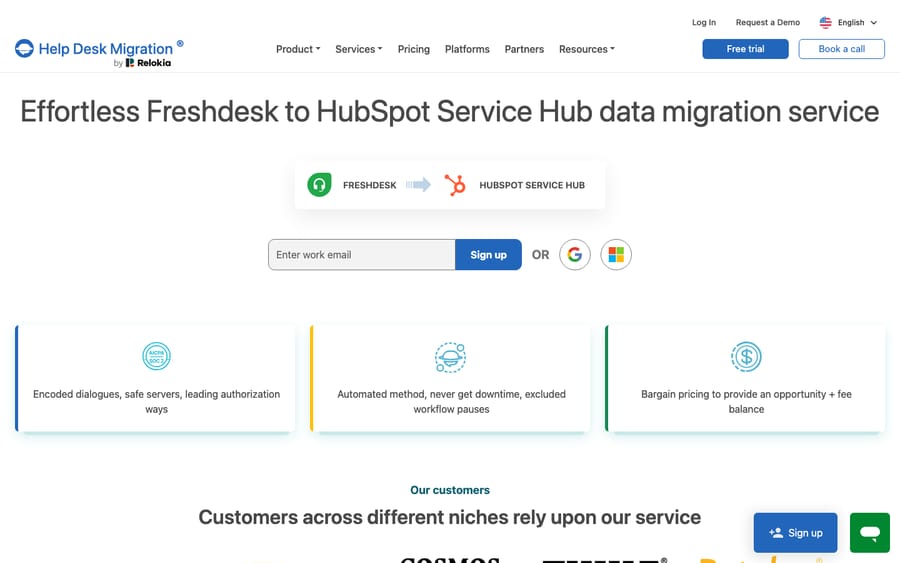
A dedicated migration tool like Help Desk Migration (Relokia) maps the full object set above, preserves original ticket IDs and authorship, and offers a free demo migration, including a custom-data demo of 20 entities, so you can check the mapping before committing. Relokia doesn't publish a price list: the quote depends on record volume, complexity and the options you pick. It handles near-zero downtime with a Delta migration that captures records created or changed after the full replication began.
A rough rule of thumb from the technical guide: under 500 tickets with no history needs, a CSV export can do; roughly 1,000 to 50,000 tickets on standard fields suit a third-party SaaS tool; 50,000+ tickets or regulated data usually warrant an engineer-led migration with inline-image re-hosting and verification. Two hard API constraints to plan around, both from Freshdesk's API docs: the List All Tickets endpoint returns a maximum of 300 pages (30,000 tickets) at 100 per page, and by default it only returns tickets created in the past 30 days unless you pass updated_since. Larger histories must be segmented by date.
What are the steps to migrate Freshdesk to HubSpot?
This sequence keeps a Freshdesk-to-HubSpot move calm and reversible.
- Design your HubSpot side first. Create the ticket pipeline and stages that mirror your Freshdesk statuses, decide which custom fields become HubSpot properties, and add a property to hold the original Freshdesk ticket ID.
- Freeze configuration in Freshdesk. Stop schema changes (no new custom fields or status renames) so the mapping stays stable while you work.
- Connect source and target. In your chosen tool (or Smart Transfer), authenticate Freshdesk with your subdomain and API key, then connect the HubSpot account you're importing into.
- Map fields and objects. Match contacts, companies, tickets, agents→owners, groups→teams, tags→properties, and statuses→pipeline stages. Review the mapping before running anything.
- Run a demo / sample migration. Move a small batch and open the results in HubSpot. Check authorship, timestamps, private-note handling, attachments, and inline images specifically. These are the usual failure points.
- Run the full bulk migration. Expect the historical load to take several days for large volumes; keep both systems readable during this window.
- Delta sync on cutover day. Capture everything created or updated since the bulk export started, switch inbound channels to HubSpot, and monitor for orphaned records.
Will the migration cause downtime?
"Zero downtime" is achievable, but it depends on one mechanism: the delta sync. The bulk migration of historical data runs over several days while Freshdesk stays live, so customers and agents keep working. On cutover day, a delta pass sweeps up every ticket and message created since the bulk export began, and only then do you switch incoming email and chat routing to HubSpot. Without a delta step you face the choice the technical guide names directly: freeze ticket creation (and disrupt customers) or accept data loss. So the real question is whether your chosen tool does a proper delta. Plan a short pre-cutover QA on a sample, and a monitoring window afterwards for orphaned or mis-associated records.
Where does an AI agent layer fit before and after the move?
A migration is a good moment to think about what actually answers tickets, because neither Freshdesk nor HubSpot resolves them for you. Agents do. That's the job for an AI agent layer, and it's worth understanding the build-versus-buy tradeoff before committing. The wider category of AI agents for customer service exists to do the reading-and-writing work that a help desk, old or new, still hands to a human.
Macha is one such layer, and it's deliberately not a help desk. It runs on top of Zendesk, Freshdesk, Gorgias, Front, HubSpot or Intercom, which means it covers both ends of this migration. While you're still on Freshdesk, you connect the Freshdesk you already use with a subdomain and API key, and Macha can automate the repetitive Freshdesk work so your team can focus on the move. After cutover, the HubSpot connector (OAuth) lets the same agents search and read Service Hub tickets, update status, owner or priority, add timeline notes, and list pipelines so a stage move uses real stage IDs. It fires on new tickets or on ticket updates scoped by a property filter. Agents draft grounded replies, triage by intent, and look up order or account status through a custom tool that turns a REST API into something an agent can call. (The Freshdesk connector is for Freshdesk specifically, not Freshchat, Freshservice, or Freshcaller.)
Macha bills per ticket: one conversation, charged once however many messages it takes, never per resolution. The plan starts at $299 a month for up to 750 tickets, with setup and monitoring by the Macha team included. If Gorgias or another desk is on your shortlist too, our Freshdesk-to-Gorgias migration guide walks the same mapping discipline for a different target.
The division of labor stays the same before and after you switch: the help desk is the system of record for what's promised and what's overdue, and the agent layer handles the part the platform can't, which is answering fast enough to keep the promise.
FAQ
What actually migrates from Freshdesk to HubSpot Service Hub? Data records: contacts, companies, agents (as HubSpot owners), tickets with their original IDs preserved as a custom property, public replies and private notes (as note engagements), tags (as properties), custom fields, and attachments. Configuration (SLA policies, automations, macros, reports) doesn't migrate and is rebuilt in HubSpot.
Why not just use the native Freshdesk–HubSpot integration? The Freshdesk Data Sync marketplace app only syncs tickets from roughly the last 120 days and excludes private and public notes, authorship, and timestamps. It keeps two live systems in step; it isn't a historical migration. HubSpot's Smart Transfer handles contacts, companies, tickets, agents and groups, but doesn't list Freshdesk conversations, and custom-field mapping needs Data Hub.
Will there be downtime during the migration? It can be near zero if your tool supports a delta migration. Historical data moves over several days while Freshdesk stays live; on cutover day a delta sync captures anything created since the bulk export, and only then do you switch inbound routing to HubSpot. Without a delta step, you either freeze ticket creation or accept data loss.
How do Freshdesk ticket statuses become HubSpot pipeline stages? You build a HubSpot ticket pipeline with stages that mirror your Freshdesk statuses before running the migration, then map each Freshdesk status to a stage in the wizard. If you skip this, tickets land in the wrong stage. Freshdesk tags map to a custom multi-select property, since HubSpot's object tags are filter-based labels rather than stored values.
Can I add AI to HubSpot or Freshdesk without replacing either? Yes. Macha connects to both Freshdesk and HubSpot Service Hub as native connectors and runs on top of whichever desk you're using. It drafts grounded replies and triages by intent while the help desk stays the system of record, so the same agents can carry over after cutover.
How many tickets can I pull from the Freshdesk API in one pass? The List All Tickets endpoint caps out at 300 pages of 100, so 30,000 tickets, and by default returns only tickets created in the past 30 days. Pass updated_since and split the export into date ranges for anything larger.
Planning a move and want agents answering on whichever desk you land on? Start a free trial of Macha and connect it to Freshdesk now, then to HubSpot after cutover.






