





 Shopify
 Stripe
 Slack
Slack Notion
 Google Workspace
 Confluence

What Is Goodcall and How Much Does It Cost? (2026 Guide)


Goodcall is a no-code AI phone agent for small businesses, sold per agent at $79, $129 or $249 a month with unlimited minutes. The bill grows with unique callers, not call length, and its public review footprint is only 5 Trustpilot reviews.
Key takeaways
- Goodcall is a no-code AI phone agent for small businesses, priced at $79, $129 or $249 per agent per month on its Starter, Growth and Scale tiers.
- Every Goodcall tier includes unlimited minutes, but each unique customer beyond the included 100, 250 or 500 a month costs $0.50, so a Growth business with 400 callers pays $204 instead of $129.
- Goodcall holds a 2.5 out of 5 rating on Trustpilot from just 5 reviews checked on 2026-09-17, with complaints about billing changes and dropped calls.
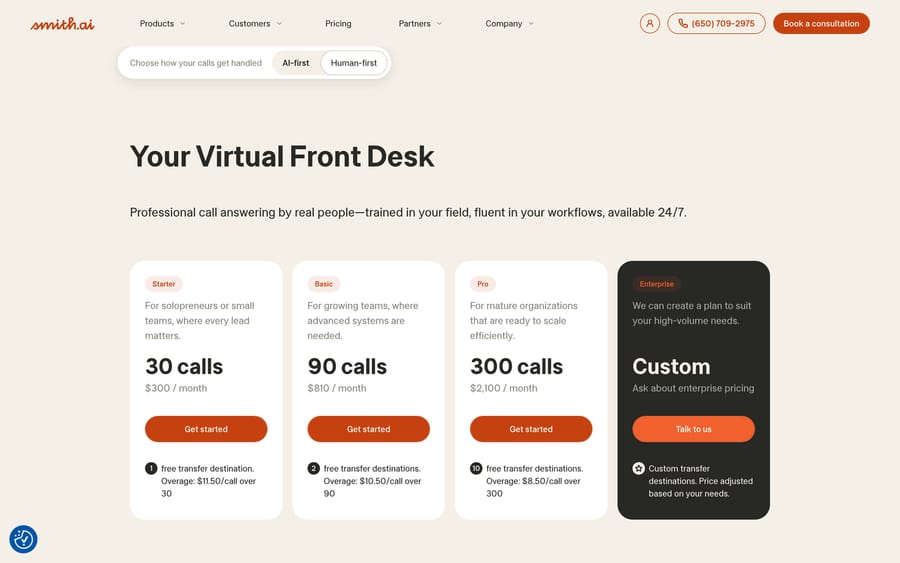
- Smith.ai, a phone-first alternative to Goodcall, prices per call: $300 a month for 30 calls up to $2,100 a month for 300 calls.
- If the bottleneck is the email and chat queue rather than the phone, Macha is the done-for-you option: the Macha team builds and runs the agent on your help desk at about $0.40 a ticket, with a dedicated success manager included.

Goodcall is a no-code AI phone agent for small businesses, priced at $79, $129 or $249 per agent per month (Starter, Growth and Scale) with unlimited minutes, plus $0.50 for each unique customer past the plan's monthly allowance (goodcall.com/pricing, checked 24 September 2026). It answers calls, captures leads through forms and branching logic, books appointments and hands callers to a human when a flow says so.
| Question | Answer |
|---|---|
| What it is | No-code AI phone agent (answering, lead capture, booking) |
| Price | $79 / $129 / $249 per agent per month; $66 / $108 / $208 billed annually |
| What scales the bill | Unique customers past 100 / 250 / 500 a month, at $0.50 each |
| Minutes | Unlimited on every tier |
| Trustpilot | 2.5 out of 5 from 5 reviews (checked 2026-09-17) |
| Closest alternatives | Smith.ai (per call), My AI Front Desk, Retell AI |
We build AI agents for customer service too, on top of a help desk rather than a phone line, so this guide treats Goodcall as a voice-specific tool solving a narrower problem than ours.
What is Goodcall?
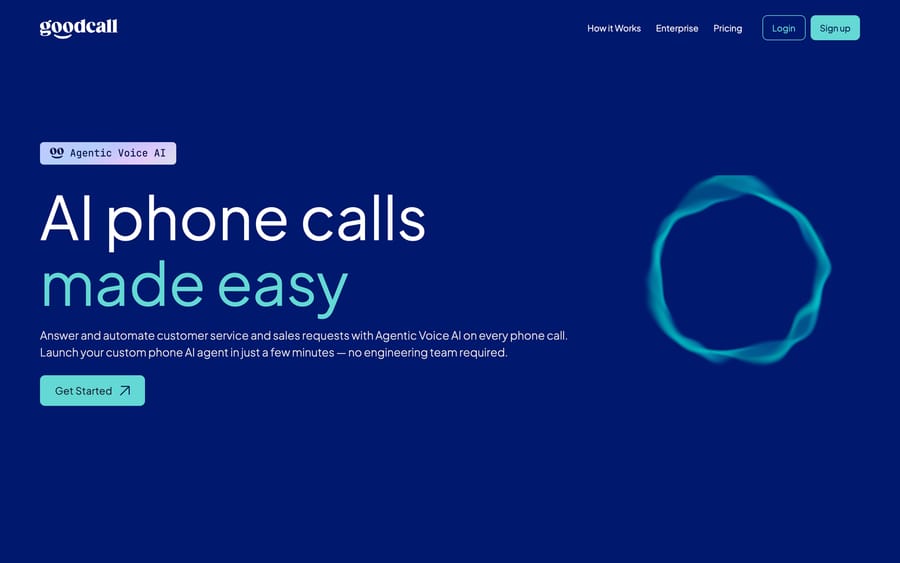
Goodcall pitches itself as "Agentic Voice AI" for answering and automating customer service and sales calls, and its own site says it launches a custom phone AI agent "in just a few minutes, no engineering team required." The company says it was "born at Google," has issued numbers in 306 local area codes, and has launched more than 50,000 unique agents, figures that are vendor-reported and worth treating as a scale claim rather than an audited count.
The setup flow is built for a solo owner or small team, not an IT department: connect knowledge sources (a website, a Google Business listing, basic business details), configure the agent's behavior through Goodcall's no-code interface, and go live either on a new Goodcall number or by forwarding an existing one. That's a meaningfully different onboarding path from an enterprise contact-center platform, which usually assumes a telecom or IT admin somewhere in the process.
How does Goodcall's AI handle a call?
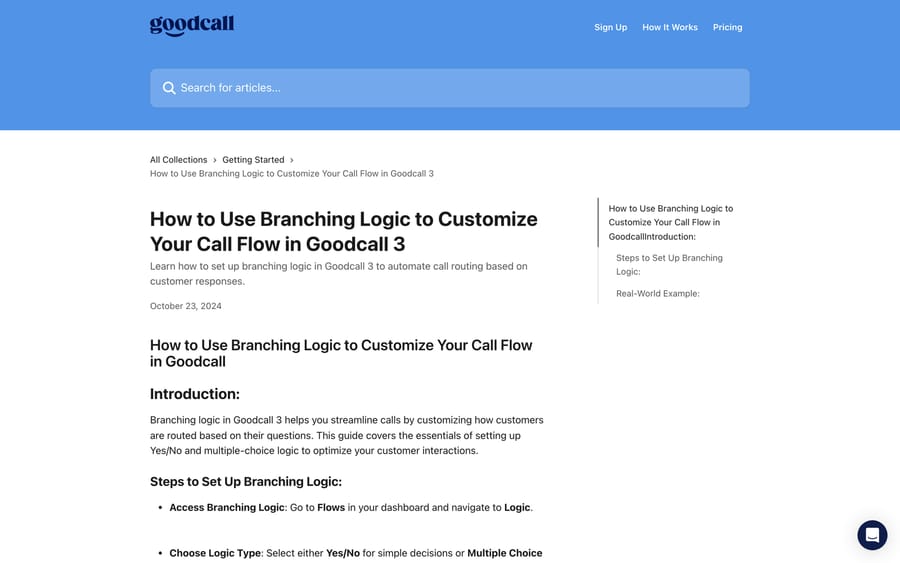
Goodcall's configuration model is built around two building blocks it calls Forms and Logic, both living inside something the product calls a Flow. A form collects structured information from a caller, like a name, address, or the reason for the call, so the conversation captures a real lead instead of just a transcript. Logic is where the agent decides what happens next: Goodcall's own documentation describes a Yes/No branch for simple decisions and a multiple-choice branch for routing based on which of several answers a caller gives, including whether they're calling for the first time or are a returning customer.
That's a genuinely different mechanism from a general-purpose LLM chatbot improvising a phone conversation. The agent's behavior on a call is closer to a flowchart with generative language wrapped around each node: the branching structure is explicit and inspectable by whoever configured it, and the generative part fills in the conversation within paths a human actually defined. For a small business owner, that trade favors predictability over open-ended flexibility, which is usually the right trade for a phone line that has to work correctly on the first try with no one watching it.
Once a call resolves, Goodcall routes what it captured into SMS, email, a connected calendar, a CRM, or a Google Sheet, and can transfer a caller to a human directly when the flow calls for it.
What features does Goodcall include?
- No-code flow builder: forms to capture lead information, plus Yes/No and multiple-choice logic to route calls.
- Instant deployment: a new Goodcall number or call forwarding from an existing line, live in minutes according to the vendor.
- Lead capture and routing: SMS, email, Google Sheets, or CRM sync for every captured lead.
- Calendar integration: automated appointment booking without a human touching the calendar.
- Analytics dashboard: tracks automation rate and caller intent across the agent's call volume.
- Human handoff: call transfer to a real person when the flow is configured to escalate.
How much does Goodcall cost?
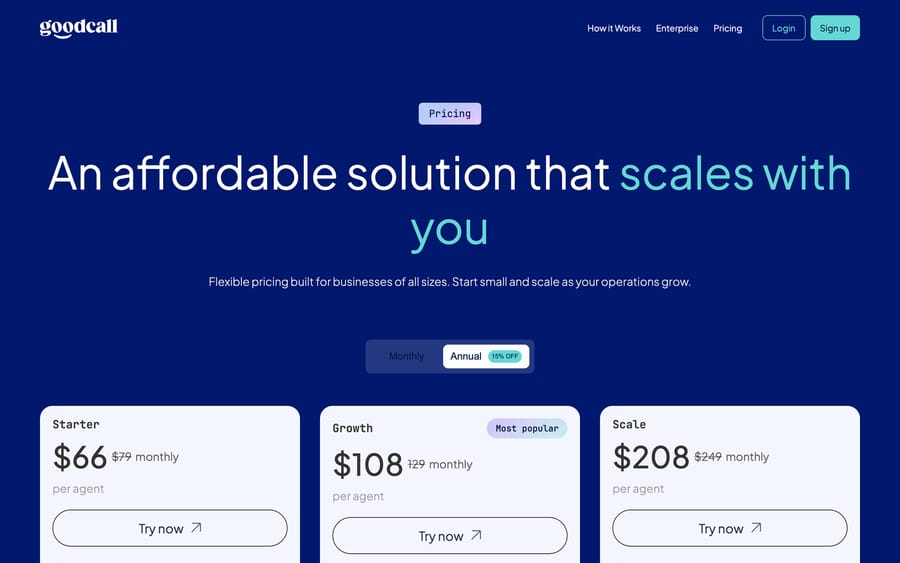
Goodcall publishes its pricing directly, per agent, per month. We re-checked every figure below on its pricing page on 24 September 2026, and none had changed since 17 September. An Enterprise tier is priced on request.
| Plan | Monthly | Annual (paid monthly rate) | Logic flows | Team members | Unique customers included |
|---|---|---|---|---|---|
| Starter | $79 | $66 | 1 | 3 | 100 (then $0.50/customer) |
| Growth | $129 | $108 | 3 | 9 | 250 (then $0.50/customer) |
| Scale | $249 | $208 | 25 | 50 | 500 (then $0.50/customer) |
Every tier includes unlimited minutes and unlimited tokens, so the meter that actually moves as a business grows isn't call volume or conversation length. It's unique customers per month: past the included allowance, each additional unique caller costs $0.50. Run the arithmetic on a Growth-tier business handling 400 unique callers in a busy month: 250 are included in the $129 base, and the other 150 cost 150 times $0.50, or $75, for a total of $204 that month versus $129 in a quiet one. That's a real, variable cost businesses should model against their actual call volume instead of assuming the headline price covers it.
Unlimited minutes but metered unique customers is a specific incentive worth naming: Goodcall doesn't earn more from a single caller who talks for twenty minutes instead of two, but it does earn more from a business whose phone genuinely rings more, which is the metric that maps to how much value the agent is actually creating. That's a more customer-aligned meter than per-minute billing, where a slow or repetitive AI script quietly costs the buyer more.
What do real users say about Goodcall?
Independently checkable review data on Goodcall is thin for a vendor that claims 50,000-plus agents launched. Trustpilot shows a 2.5 out of 5 rating from just 5 reviews (checked 2026-09-17), all posted as unprompted 1-star complaints according to Trustpilot's own labeling, with 3 of the 5 posted in the last 12 months. A Capterra listing under the same product name turned out, on inspection, to be an unrelated Japanese call-center product, a name collision worth flagging so it doesn't get cited by mistake. G2 blocked automated access entirely, and no other source could independently confirm a rating or review count there, so this guide doesn't state one.
The Trustpilot complaints cluster around billing and support: one reviewer described a monthly price moving from $59 to $99 to $130 without clear notice, and another described calls dropping while the account kept getting charged. Both are consistent with the kind of complaint a metered, tier-based product draws when a business doesn't track its unique-customer count against its plan's included allowance. The honest read here isn't that Goodcall is uniquely troubled; it's that its public review footprint is too small to draw a confident conclusion either way, and that's worth knowing before treating any star rating for this vendor as settled.
What are Goodcall's pros and cons?
Pros
- Genuinely no-code setup aimed at owners without an engineering team.
- Published, per-agent pricing with a free trial path and no enterprise sales call required for the first three tiers.
- Unlimited minutes on every tier, so call length doesn't inflate the bill.
- Explicit, inspectable branching logic instead of an open-ended script.
Cons
- Public review coverage is too thin to verify quality independently at the vendor's claimed scale.
- The metered unique-customer allowance is easy to blow past without noticing, based on the billing complaints on Trustpilot.
- Logic flows and team-member limits are tight on the Starter tier (1 flow, 3 members), pushing growing teams to Growth or Scale quickly.
- It's a phone-specific tool, and can't do anything with the ticket queue in a help desk.
Who is Goodcall best for?
Goodcall suits you if you're a solopreneur or a small local business, like a salon, contractor, or clinic, that needs a phone answered 24/7 and doesn't have anyone in-house to build or maintain a more complex system. It's a reasonable first AI receptionist for a business whose call volume is genuinely low enough that unique-customer metering rarely bites.
It's the wrong tool if your support problem lives in a ticket queue rather than a phone line, or if you need the kind of governance, multi-language depth, or backend-system integration an enterprise contact-center platform provides.
How does Goodcall compare with Smith.ai and Macha?
| Goodcall | Smith.ai | Macha | |
|---|---|---|---|
| Model | No-code AI phone agent, per-agent seat pricing | AI-first or human-first virtual receptionist, per-call pricing | AI agent layer on your existing help desk |
| Best for | Solopreneurs and small local businesses answering calls | Small-to-mid businesses wanting real people or a hybrid model | Teams on Zendesk, Freshdesk, Gorgias, Front, HubSpot or Intercom automating ticket volume |
| Pricing | $79 to $249/agent/month (or $66 to $208 annual), unlimited minutes | $300/month for 30 calls up to $2,100/month for 300 calls, published; overage $8.50 to $11.50 a call | From $299/mo for 750 tickets (about $0.40/ticket), published |
| What scales the price | Unique customers per month past the plan allowance | Number of calls handled, with per-call overage | Tickets solved per month |
| Channel | Phone only | Phone (and chat, on some plans) | Email, chat, and messaging tickets inside the help desk |
My AI Front Desk is the closest like-for-like: an AI receptionist sold to the same small-business buyer, with published pricing, and Retell AI is where teams go when they want to build the phone agent themselves instead of buying one. Smith.ai and Goodcall are both phone-first tools solving the same basic problem for a similar buyer, but they price it in opposite directions: Goodcall charges almost nothing per call and meters unique customers, while Smith.ai charges directly per call and includes real human receptionists as an option. Macha doesn't compete with either; it has nothing to say about a ringing phone. If a business's actual bottleneck is the email and chat queue behind its help desk rather than its phone line, Macha is the tool built for that job, and it's done for you: the Macha team analyzes your past tickets, builds the knowledge base and the agent on your help desk, and runs it in safe mode until the drafts are right. That's included at about $0.40 a ticket, along with a dedicated success manager who handles your changes. See pricing for the current tiers.
How we researched this: we checked Goodcall's own homepage, pricing page, how-it-works page, and public help-center documentation directly on 2026-09-17, and its live pricing matched a secondary search pass we ran to cross-check the numbers. Trustpilot was the only review source we could verify firsthand; a same-named Capterra listing turned out to be an unrelated product, and G2 blocked automated access outright. On September 21, 2026 we re-checked the internal links, searched Capterra again and still found no Goodcall listing, and G2 turned away every request we made, so the Trustpilot figure above remains the only third-party rating here. Smith.ai's pricing came from its own pricing page. On 24 September 2026 we re-checked Goodcall's and Smith.ai's pricing pages and Goodcall's homepage claims (306 area codes, 50,000+ agents launched); all matched.
FAQ
What is Goodcall? Goodcall is a no-code AI phone agent that answers and automates customer service and sales calls for small businesses, built by a team that says it started at Google.
How much does Goodcall cost? Three published tiers: Starter at $79/month ($66 billed annually), Growth at $129/month ($108 annually), and Scale at $249/month ($208 annually), all per agent with unlimited minutes. Each tier includes a set number of unique customers per month, with $0.50 per additional unique customer.
Does Goodcall charge by the minute? No. Minutes and AI tokens are unlimited on every tier. The cost driver is the number of unique customers the agent handles each month, once you're past the plan's included allowance.
Is Goodcall good, based on reviews? It's hard to say with confidence. Trustpilot shows a 2.5 out of 5 rating from only 5 reviews, mostly complaints about billing changes and call reliability. That's too small a sample to treat as a verdict, and no larger, independently checkable review source was accessible at the time of writing.
What are good Goodcall alternatives? Smith.ai is the closest comparison for a business that wants a human-first or hybrid option instead of AI-only. For automating support tickets inside a help desk rather than answering phone calls, Macha solves a different problem entirely.
Does Goodcall integrate with a CRM or calendar? Yes. Goodcall can route captured leads to a CRM, a Google Sheet, SMS, or email, and can book appointments directly into a connected calendar.
Can a Goodcall agent transfer callers to a real person? Yes, when a flow is configured to do so; the agent can hand a call off to a human at a defined point in the logic.
Goodcall is a sensible pick for a small business that just needs its phone answered. If the real bottleneck is your help desk queue instead, start a Macha trial or check /pricing.
Sources: Goodcall homepage, Goodcall pricing, Goodcall, how it works, Goodcall help center, branching logic, Trustpilot, Goodcall reviews (trustpilot.com/review/goodcall.com; blocks automated fetches, checked manually), Smith.ai pricing.






