







 Shopify
 Stripe
 Slack
 Notion
 Google Workspace
 Confluence


What Is Richpanel? AI Help Desk Features, Pricing, Guarantees and Alternatives (2026)


Richpanel is a help desk for ecommerce brands with AI agents built into it, sold as one plan: $99 a seat a month on an annual contract plus metered AI at about $0.20 per AI-handled conversation, with a $200 monthly AI minimum. Its pitch is a guarantee that AI resolves 50% of eligible conversations within 30 days of go-live or the subscription fees for that window come back. This guide covers what the product does, what the guarantee actually says, how migration works and who it suits, all checked on Richpanel's own pages on November 22, 2026.
Key takeaways
- Richpanel is an ecommerce help desk with built-in AI agents, priced at $99 a seat a month on an annual contract plus about $0.20 per AI-handled conversation.
- Richpanel's AI minimum is $200 a month, so the smallest annual setup, one seat plus the AI minimum, starts at $299 a month.
- Richpanel's guarantee terms promise AI resolution of 50% of eligible conversations within 30 days of go-live, with a conversation reopened within 72 hours not counting as resolved.
- Richpanel's own model leaderboard puts the cost of an AI-resolved conversation between $0.16 and $1.01 at $0.50 a credit, depending on which model a brand picks.
- Macha doesn't run on Richpanel; it adds AI agents to the help desk a team already uses, with setup and a dedicated success manager included on every plan.

Richpanel at a glance
| Question | Richpanel's answer (checked November 22, 2026) |
|---|---|
| What it is | An "AI-native helpdesk" for ecommerce teams, with AI agents and a shared inbox on one platform |
| Who it's for | Ecommerce brands, especially teams moving off Gorgias, Zendesk or Kustomer |
| Price | $99 a seat a month (annual) or $119 (monthly), plus AI credits at $0.50 (annual) or $0.60 (monthly) |
| AI cost per conversation | About $0.20 on the pricing page; $0.16 to $1.01 by model on its leaderboard |
| Minimum spend | $200 a month of AI, so $299 a month for one seat on annual |
| Channels | Email, chat, SMS, phone, WhatsApp, Instagram, Facebook, TikTok |
| Guarantee | 50% AI resolution in 30 days from go-live, or the window's subscription fees back |
| Compliance | SOC 2 Type II, HIPAA, GDPR (per its homepage) |
| Trustpilot | 4.4 from 36 reviews |
We make Macha, which runs AI agents inside existing help desks. Macha doesn't connect to Richpanel, so this guide reads Richpanel as a product you'd switch to, and we've tried to describe it the way its own pages do.
What is Richpanel?
Richpanel sells a help desk and an AI layer as a single purchase. Its homepage headline on November 22 was "Automate 50% of your tickets. In 30 days.", aimed at "ecommerce teams that outgrew Gorgias or Zendesk, and the AI bolted onto it." The company says more than 3,000 brands use it, and it lists SOC 2 Type II, HIPAA and GDPR on the same page.
Compare it with the packaging we checked elsewhere. Most help desks sell seats and treat AI as an add-on, and most AI agent vendors sell an agent that sits on top of somebody else's help desk. Richpanel does both and won't sell you one without the other: its pricing FAQ says "Every plan includes both helpdesk seats and metered AI usage." If you want Richpanel's AI, you move your support onto Richpanel.
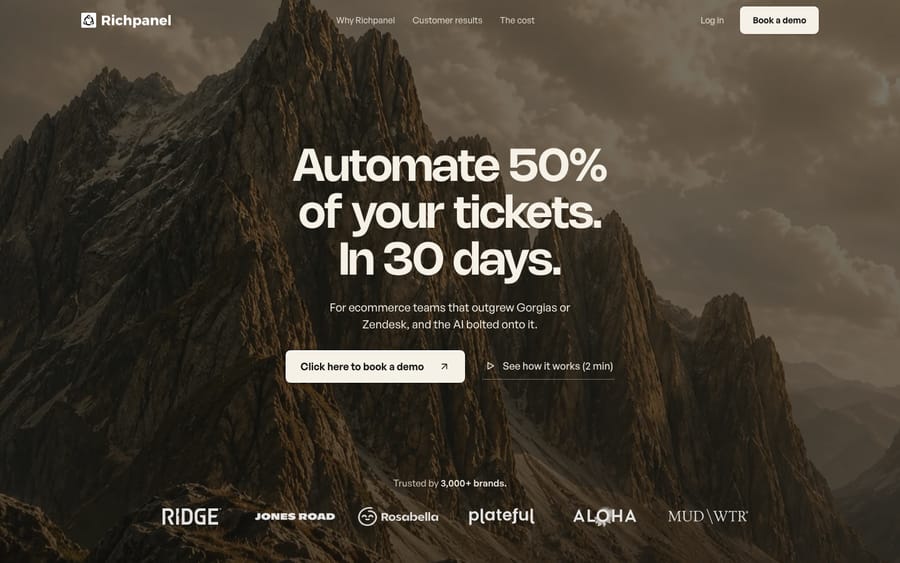
The named customers on the homepage are direct-to-consumer brands. Ridge is quoted at 70% lower cost per ticket and CSAT rising from 88% to 96%, Aeons at 63% of conversations resolved end to end by AI, and Plateful at 72% of tickets closed by AI. Those are vendor-published figures, but they come with names and numbers rather than "up to" claims.
How does Richpanel's AI work?
Richpanel's AI agents read the conversation, look up the customer's order and subscription data, and either answer or take an action. The AI agents page lists the actions plainly: it "tracks orders, changes addresses, swaps items, gives store credit, and skips or pauses subscriptions" in the systems you already run. Where the agent has no instruction for a question, it hands the ticket to your team.
Three controls sit around that:
- Copilot first. Copilot "reads the ticket and drafts the reply," and an agent approves it in one click. Richpanel's suggested rollout starts with your team approving every reply, then lets you choose which actions run on their own.
- Tool permissions. Each action can be set to always allowed or approval required. Actions that move money get a second AI review or go to a person first.
- QA AI. A second AI "reviews 100% of closed conversations," ranks the misses by how often they happen, and feeds fixes back into the replies.
Before launch, Richpanel runs simulations on your past tickets "to see how the AI behaves before any customer sees it." The AI agents page gives about 4 weeks to go live, including a 2-week pilot.
The unusual part is model choice. Richpanel lets each workspace pick the model and the credit budget and change either at any time, and it publishes a leaderboard of which models its brands use. Over the three months to November 21, 2026, that page counts 24.5 million AI conversations across its customers. Few help desks publish usage data at that level, and it's the most useful page on their site if you're trying to predict an AI bill (more on that in the pricing section).
What channels and integrations does Richpanel support?
Richpanel's homepage lists email, chat, SMS, phone, WhatsApp, Instagram, Facebook and TikTok, and says the AI answers on every channel, including phone calls. Phone runs through Aircall, Dialpad and JustCall.
The commerce side is where the product is deepest. The help desk page shows sidebar cards for orders, Recharge, Yotpo, Klaviyo and Loop Returns next to each conversation, and the homepage shows the AI holding a Shopify shipment and updating a Recharge subscription. Richpanel also says it builds custom integrations for custom or legacy software. The help desk itself covers what you'd expect: macros, internal notes, views, tags, round-robin and balanced assignment, roles, reporting (including revenue from support) and apps for iOS, Android, Windows and Mac. There's an API and webhooks for anything else.
How much does Richpanel cost?
Richpanel's pricing is two meters, and its own pricing explainer (last updated July 28, 2026) says there are "no plan tiers." The help desk is $99 a seat a month on an annual commitment or $119 month to month. AI is billed in credits: $0.50 each on annual, $0.60 monthly, and the leaderboard FAQ adds $0.65 on demand. The pricing page puts a whole conversation at "about $0.20," counted once however many messages it takes, with no separate resolution fee.
If you see Pro at $69 and Pro Max at $99 per agent, that's Richpanel's older site, which it still shows to some visitors while it tests a new one. Shopify buyers may also see a third price list: Richpanel's Shopify App Store listing showed PRO at $89 a month and PRO MAX at $119 ($828 and $1,188 billed yearly) with AI conversations from $0.20 in a Wayback copy from October 29, 2026, though on November 22 the listing said the app was "not currently available." The single seat-plus-credits plan is the current one.
The floor is set by the AI minimum. AI starts at $200 a month with top-ups in $100 blocks, so one seat plus the minimum is $299 a month on annual. At about $0.20 a conversation, $200 buys roughly 1,000 AI conversations a month ($200 ÷ $0.20); the explainer puts the break-even nearer 1,200 because AI bills in $100 blocks. Three things on the pricing page carry no add-on fee but bill AI usage to the same credit meter: QA AI, the Social Media Agent (about $0.05 a conversation) and the Self-Service Portal. Returns & Exchanges is a paid add-on from $99 a month. Above 100,000 conversations a month, pricing is custom.
The "about $0.20" depends on the model. Richpanel's leaderboard prices an AI-resolved conversation from $0.16 on the cheapest model listed to $1.01 on the most expensive, at the $0.50 annual credit rate. Its FAQ says the pricing page figure includes a buffer for background work like summaries, translation and quality checks, which also bill as credits. So a team that picks a premium model for tone could pay five times what the headline suggests.
Billing in credits rather than per resolution sets Richpanel's incentive, because it means Richpanel is paid for AI work whether or not the conversation ends up resolved, and the guarantee is how it offsets that for a new customer: it carries the risk for the first 30 days, then the meter runs as normal. For the full arithmetic at several team sizes, our existing breakdown of Richpanel's AI cost per conversation walks through it, and Gorgias vs Richpanel puts both side by side.
What does the Richpanel guarantee actually promise?
The guarantee is the core of Richpanel's sales pitch, and the terms page (last updated July 7, 2026, and marked "v1" and "subject to written counsel sign-off before commercial reliance") is more specific than the headline. There are two commitments.
The cost commitment. At evaluation, Richpanel has to show a total cost at least 30% below your current combined help desk and AI spend, projected at your real volume. If it can't, you owe nothing and don't have to proceed. It names the cases where that fails: heavily discounted incumbent contracts, or many seats on very low volume.
The resolution guarantee. For new paying accounts, AI has to resolve at least 50% of eligible conversations in the 30 calendar days after a mutually confirmed go-live date. The window doesn't pause for weekends or quiet periods. A conversation only counts as resolved if the AI closed it with no human escalation and the customer didn't reopen it within 72 hours.
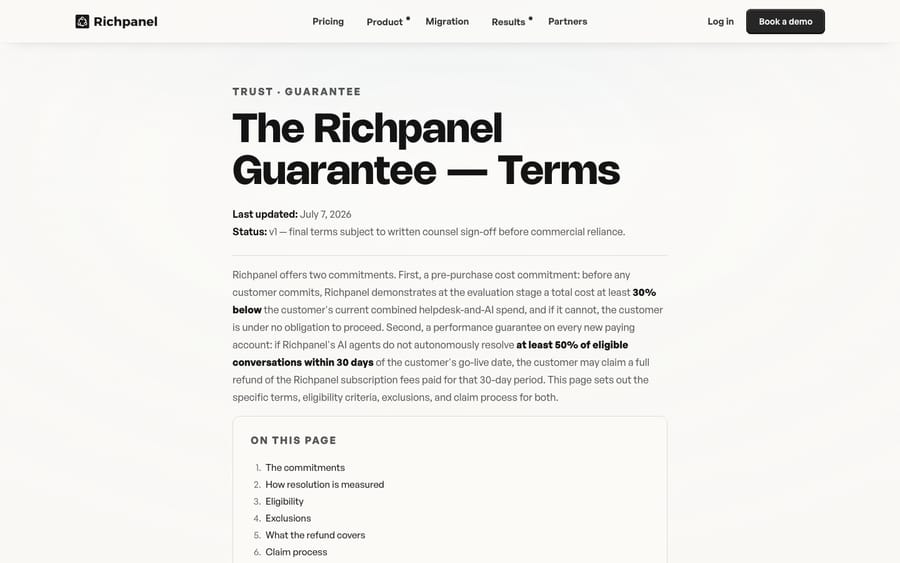
The fine print decides how much risk really moves. "Eligible" excludes conversations on channels added after go-live, in languages the AI wasn't set up for, or outside the SOPs and tools signed off at onboarding, plus fraud, legal matters, spam and third-party outages. You have to have completed onboarding, paid your invoices and made no material changes to the AI's instructions or tools during the window. If the rate falls short, you choose a service credit equal to the subscription fees for those 30 days, or a refund of those fees, which ends the subscription. Setup fees, professional services, add-ons and usage charges aren't refunded, and you have to file in writing within 15 business days after the window closes.
A vendor can't guarantee a resolution rate on tickets it was never configured to handle. But the guarantee covers one month of subscription fees, once per organization, and it's measured on the conversations you agreed to automate, not on your whole queue.
How does migrating to Richpanel work?
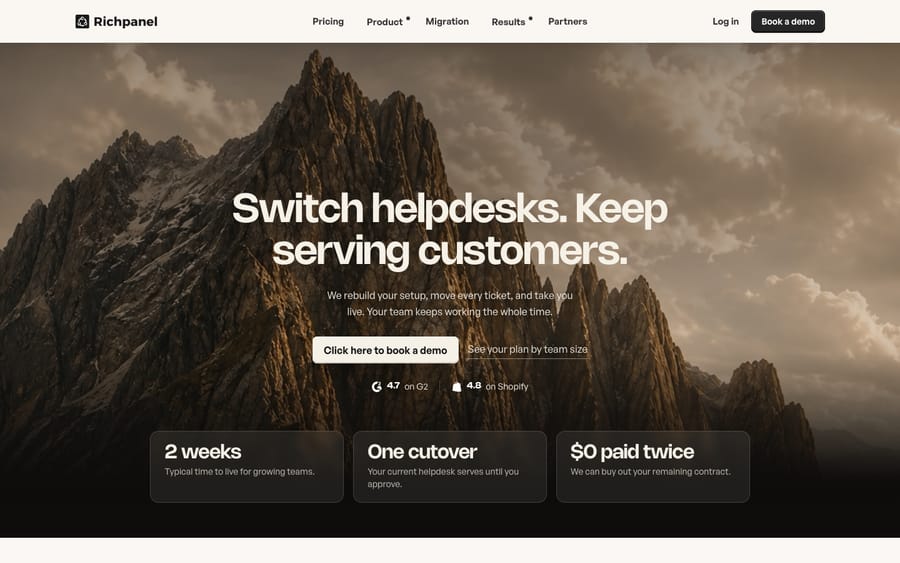
Richpanel's migration page has two tracks. Teams under 30 agents get a free trial that goes live in 2 weeks: tickets, macros and tags move on day 1, and the AI goes autonomous on day 14. Teams of 30 or more run a paid 8-week pilot on real tickets, with data moving in week 1, AI drafting for approval in week 3 and going autonomous in week 5. If the pilot hits the agreed goal it becomes the contract. If it misses, you get a full refund.
Your current help desk keeps serving customers until you approve the switch, and Richpanel offers to buy out the remaining contract on your old desk (up to 100%, per the pricing FAQ). That buyout is aimed at exactly the team that's halfway through an annual Gorgias or Zendesk agreement and doesn't want to pay twice.
What do Richpanel's users say?
Richpanel has a 4.4 TrustScore on Trustpilot from 36 reviews as of November 22. That's a small sample, and Trustpilot's own profile notes that the company hasn't invited customers to review recently and hasn't replied to negative reviews. The visible reviews mostly come from teams that moved off Gorgias or Zendesk, and they praise the price against their old desk and the hands-on onboarding. One reviewer says the AI agents outperformed tools they'd tried before. Richpanel's own pages show 4.7 on G2 and 4.8 on Shopify; G2 blocks automated access, so we couldn't check that figure ourselves.
What are Richpanel's strengths and limits?
Where it's strong:
- One vendor for the inbox and the AI, so there's no integration between an AI tool and a help desk to maintain.
- Commerce actions (address changes, swaps, store credit, subscription skips) that go beyond answering questions.
- Pricing published in detail, including credit rates, the AI minimum and a model-by-model cost table.
- A written guarantee with stated terms, and a contract buyout for teams locked into another desk.
The limits:
- You can't buy the AI without moving help desks. A team happy with its current desk gets nothing from Richpanel without a migration.
- Annual pricing is the default: the monthly option is about 20% more per seat ($119 against $99) and per credit ($0.60 against $0.50).
- The AI bill depends on model choice and background work, which makes it harder to forecast than a flat per-ticket price.
- The guarantee covers one 30-day window of subscription fees, on eligible conversations only.
- A thin independent review footprint: 36 Trustpilot reviews for a company claiming 3,000-plus brands.
Who is Richpanel best for?
Richpanel suits teams that were going to change help desks anyway, typically a Shopify brand whose Gorgias or Zendesk contract is up, the bill has grown with volume, and most tickets are order status, returns, exchanges and subscriptions. For that team, the migration help, the buyout and the guarantee lower the cost of switching, and the AI comes pre-wired to the commerce tools.
It's a weaker fit for teams outside ecommerce, for teams whose help desk is woven into other systems (a CRM, a phone setup, years of automations) and for anyone who wants AI without a migration project. If your desk works and you only want the AI, switching desks to get it is the expensive way round. Our list of Gorgias alternatives covers other ecommerce desks if you're shopping, Gorgias pricing explained covers what you'd be leaving, and what Kustomer is covers the CRM-style option Richpanel often competes with.
Where Macha fits
Macha doesn't run on Richpanel, and it isn't a help desk you'd move to instead. It's the other route to the same goal: keep the help desk you have and add AI agents inside it. Macha works on Zendesk, Freshdesk, Gorgias, Front, Gladly, Crisp, HubSpot or Intercom.
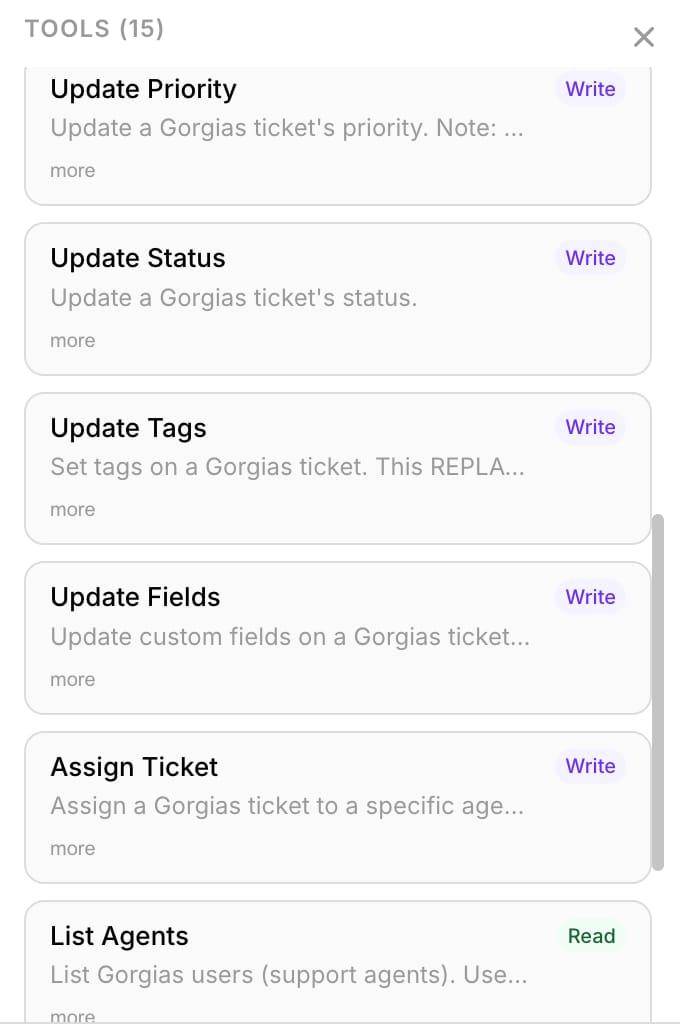
Macha's agents read the ticket and the customer's order, then reply, add an internal note, tag, set status or priority, or assign the ticket, using the help desk's own tools. On Gorgias, for example, that's Add Public Reply, Add Internal Note, Update Tags, Update Status and Assign Ticket, with Shopify order lookups and refunds through Macha's Shopify connector, on top of the Gorgias connector.
The bigger difference is who does the setup. Richpanel's guarantee depends on you completing onboarding and signing off SOPs. With Macha, the Macha team analyzes your past tickets, builds the knowledge base and the agent, tests it on real history and runs it in safe mode, with drafts as internal notes, until you're happy with them. A dedicated success manager handles changes after go-live, on the trial and every plan. Pricing is about $0.40 per ticket from $299/month for 750 tickets (pricing), one charge per ticket whatever the model, so the bill doesn't move when the model does. See Macha on Gorgias, Macha on Zendesk and the done-for-you setup.
Macha fits teams already running Zendesk, Freshdesk, Gorgias, Front, Gladly, Crisp, HubSpot or Intercom who want agents acting inside the ticket rather than a new inbox. If you're changing help desks anyway, Richpanel is a serious option with a guarantee to match. If you'd rather not migrate, adding agents to your current desk gets you the AI without the project.
Common questions
What is Richpanel used for?
Richpanel is a customer service help desk for ecommerce brands. Teams use it to run email, chat, social, SMS and phone support from one inbox, with AI agents that answer order, return, exchange and subscription questions and take actions in Shopify and tools like Recharge and Loop.
How much does Richpanel cost?
Richpanel costs $99 a seat a month on an annual contract or $119 monthly, plus AI credits at $0.50 (annual) or $0.60 (monthly). A conversation costs about $0.20 of credits on the pricing page. The AI minimum is $200 a month, so one seat starts at $299 a month on annual.
Does Richpanel have a free trial?
Richpanel's migration page offers a free trial to teams under 30 agents, with tickets moved on day 1 and the AI autonomous by day 14. Teams of 30 or more run an 8-week paid pilot that's refunded if it misses the agreed goal. The pricing page itself doesn't mention a trial.
Can I use Richpanel's AI with Gorgias or Zendesk?
No. Richpanel's pricing FAQ says every plan includes both help desk seats and metered AI, and its AI works inside Richpanel's own inbox. To use it you migrate. If you want AI agents on Gorgias or Zendesk without migrating, that's what tools like Macha do.
Is the Richpanel guarantee real?
Yes, and it's written down, but read the terms. It covers new paying accounts, measures 50% AI resolution of eligible conversations over 30 days from go-live, excludes anything outside the SOPs signed off at onboarding, and pays back the subscription fees for that window as a credit or a refund.
How we researched this
We read Richpanel's own pages on November 22, 2026: the homepage, AI agents, help desk, migration and guarantee terms pages, and the AI model leaderboard. Richpanel is running an A/B test between its new site and its older Webflow site, so some visitors still see the old Pro / Pro Max page. The prices here are from the new site's pricing page and Richpanel's own pricing explainer (richpanel.com/learn/richpanel-pricing, July 28, 2026), which says there are no plan tiers. The Shopify App Store figures come from a Wayback Machine copy of the listing dated October 29, 2026. The figure of roughly 1,000 AI conversations for the $200 minimum is our arithmetic ($200 ÷ about $0.20), not Richpanel's. Customer results are Richpanel's published claims, not audited. The Trustpilot score was read on November 22; G2 blocked automated access. We didn't sign up for Richpanel or contact the company. Macha's capabilities come from its own connector screens in our demo workspace.
To see agents built and run on your current desk, start a trial: $50 of free usage (about 125 tickets), no credit card, no time limit, with the Macha team doing the setup.