





 Shopify
 Stripe
 Slack
Slack Notion
 Google Workspace
 Confluence

What Is Siit? AI Service Desk Features, Pricing and Alternatives (2026)


Siit is an AI service desk for internal IT and HR requests that runs in Slack and Microsoft Teams, priced at $23, $45 or $89 per admin a month billed annually with unlimited employee requesters. AI agents and AI triage are only on the $89 Pro plan, and every plan has a 14-day free trial.
Key takeaways
- Siit publishes pricing of $23 per admin a month for Essentials, $45 for Standard and $89 for Pro, billed annually with unlimited employee requesters.
- Siit gates AI agents and AI triage to the Pro plan; Essentials and Standard get Assist capped at 10 conversations a week per admin.
- Siit offers a 14-day free trial with full access to all features, and says it connects to 500+ tools through native integrations, its API and MCP.
- Siit's customer Monzo reports deflecting 28% of support tickets that would otherwise go to IT, per Siit's own case study.
- Unthread, a direct Siit alternative, now publishes pricing from $50 per agent a month with a 5-seat minimum and a 14-day free trial.

Siit is a Paris-based AI service desk for internal IT and HR requests that runs in Slack and Microsoft Teams, and it publishes its prices: $23 per admin a month for Essentials, $45 for Standard and $89 for Pro, billed annually, with unlimited employee requesters and a 14-day free trial. AI agents and AI triage are only on Pro. We build AI agents for customer service ourselves, on the customer-facing side of support. Siit works the internal side: the same core idea, AI agents resolving requests inside a chat tool, aimed at a different audience.
| Question | Answer (siit.io, checked 24 September 2026) |
|---|---|
| What it is | AI service desk for employee IT, HR and internal requests |
| Where it runs | Slack, Microsoft Teams and email |
| Price | $23 / $45 / $89 per admin a month (Essentials / Standard / Pro), billed annually |
| AI agents | Pro only; Essentials and Standard get Assist capped at 10 conversations a week per admin |
| Trial | 14-day free trial with full access |
| Integrations | "500+ tools" via native integrations, API and MCP |
| Compliance | SOC 2 Type II, GDPR, SSO/SAML |
What is Siit?
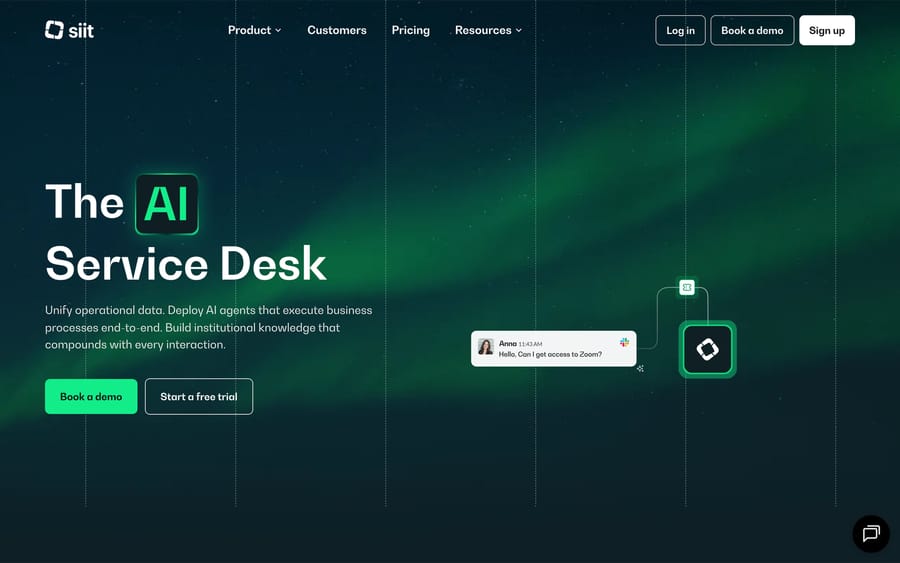
Siit was founded in 2021 and is based in Paris, with 11-50 employees according to its LinkedIn page. We checked Siit's own blog and a Crunchbase lookup (which returned a 403) for a funding announcement and found none. That's evidence of no public disclosure. It doesn't mean Siit has raised nothing at all.
The company sells into IT and HR teams that already run employee support through Slack or Teams and want to stop copy-pasting the same access-request or onboarding steps by hand. Its pitch centers on three connected ideas: unify the data (HRIS, MDM and IAM systems feeding one operational layer), deploy agents that resolve requests autonomously instead of just routing them to a human, and automate the multi-step workflows (onboarding, off-boarding) that span several systems at once.
Customers named on Siit's site include Monzo, Airalo and Cresta, each with an individually attributed result: Monzo reports deflecting 28% of support tickets that would otherwise go to IT, Airalo reports 50% ticket automation with under an hour average first response time, and Cresta reports 30% automation at a similar response speed. Those figures come from Siit's own case studies, so read them as the vendor's selected wins.
How does Siit's AI resolve a request?
Siit's product centers on three connected pieces.
Data unification pulls employee records, assets, permissions and request history out of a company's HRIS, MDM and IAM tools into one layer Siit calls the operational context. This is the mechanism that lets an agent answer "does this person already have admin access" without a human checking three separate systems first.
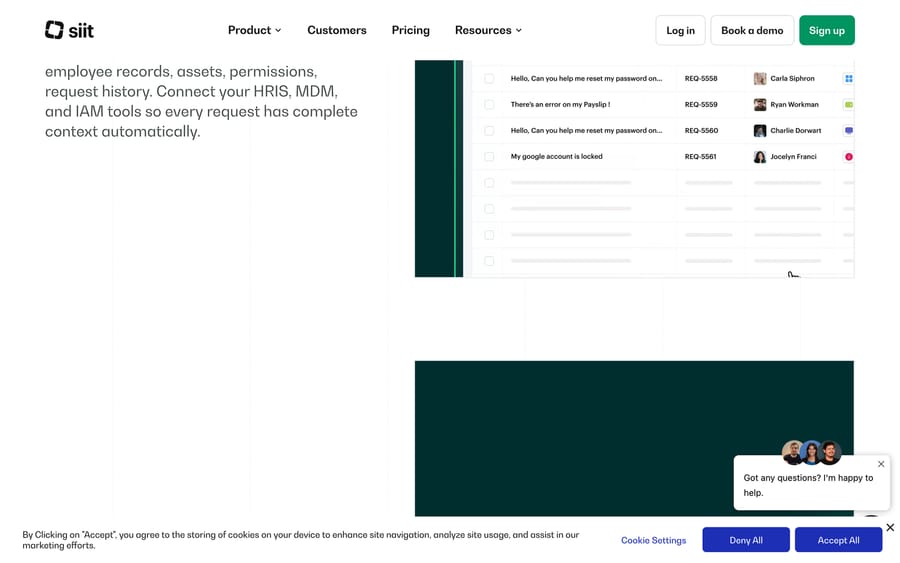
Agentic resolution is Siit's term for agents that don't just triage a request and hand it to a human, they carry it through: gathering the missing context, asking a clarifying question conversationally inside Slack, and executing the actual system change. Siit's own product page shows this as a chat exchange where an employee asks for Zoom access and the agent works the request in the background instead of opening a ticket and waiting.
Workflow automation handles the multi-step processes that a single request can't cover on its own, like an onboarding flow triggered by a new hire's start date that provisions accounts, orders equipment and schedules IT setup, coordinated across systems instead of run manually by whoever remembers the checklist.
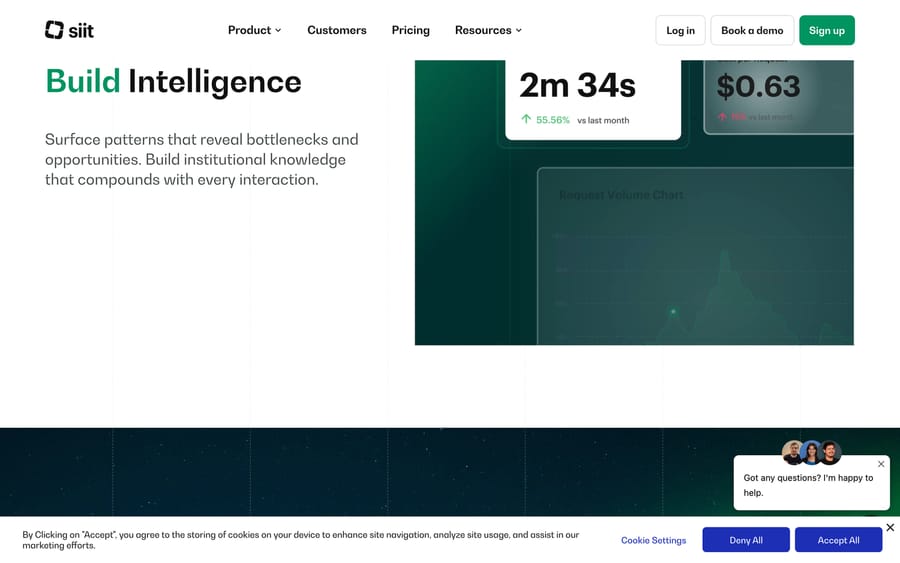
The dashboard shown above is the accountability layer behind all of this: cost per request and response time tracked over time, so a team can see whether the agent automation is actually saving money instead of just handling more volume.
What features does Siit include?
- Integrations: Siit says it connects to "500+ tools," with native integrations (Okta, Jamf, Microsoft Teams, Zendesk and others) carrying built-in actions and permissions, and everything else connecting through its API or MCP.
- Conversational request management inside Slack or Teams, so employees never have to leave the tool they already use to file a request.
- Service catalog for standardizing what employees can ask for, instead of an open-ended "message IT" channel.
- Asset and SaaS management, tracking equipment status (in service, broken, in maintenance) alongside the requests tied to it.
- Automated workflows for onboarding, off-boarding and other multi-step, cross-system processes.
- Assist, AI triage and AI agents: Assist is capped at 10 conversations a week per admin on Essentials and Standard and runs within fair use on Pro; AI triage and AI agents are Pro only.
- SOC 2 Type II certification and GDPR compliance, with SSO/SAML and role-based access controls.
How much does Siit cost?
Siit is one of the few vendors in this category that publishes numbers: three tiers, billed annually, priced per admin (someone who manages and resolves requests). Any employee can submit a request without counting toward that number, and every plan can be tried free for 14 days.
| Plan | Price | What it adds |
|---|---|---|
| Essentials | $23/admin/month | Conversational request management, Assist (10 conversations/week per admin), Slack/Teams/email integration |
| Standard | $45/admin/month | Everything in Essentials, plus automated workflows and asset/SaaS management; Assist still 10 conversations/week |
| Pro | $89/admin/month | Everything in Standard, plus AI agents, AI triage, and Assist within fair use |
| Custom | Contact sales | Enterprise integrations, advanced workflows, dedicated support |
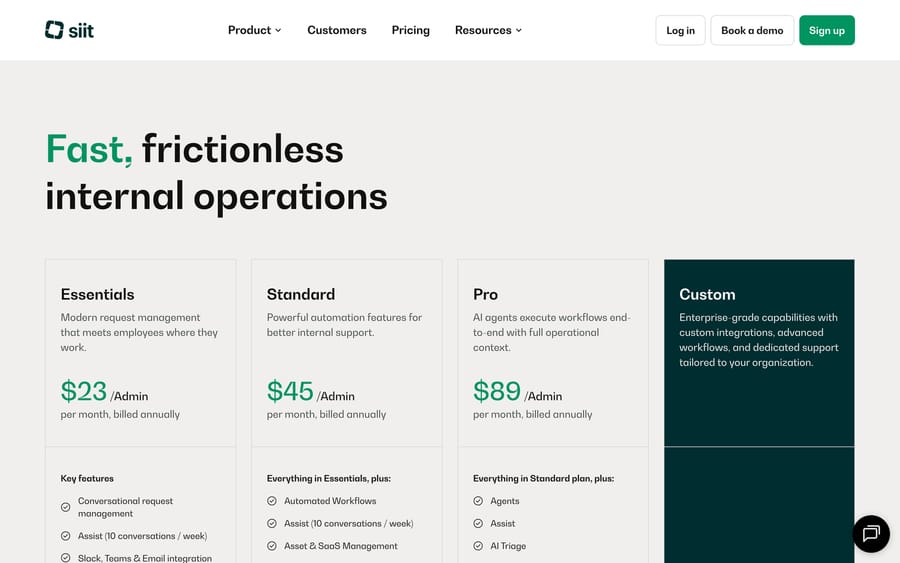
Unlimited employees can submit requests at every tier at no extra cost. The incentive behind admin-based pricing is straightforward: it charges for the people managing the system, not the people using it, which keeps the price predictable as a company's headcount grows without every new hire adding to the bill. A review on Unthread's blog (a direct Siit competitor, so read it with that bias in mind) reports the same three figures, a useful cross-check from a source with a reason to make Siit look expensive.
What do Siit users say?
Siit held a 5.0 out of 5 average on GetApp from 6 reviews when we checked by hand on 18 September 2026, with perfect scores across ease of use, features, value and support. That's a small sample, and G2 and Capterra both blocked our fetch during this research pass, so we can't independently confirm the rating at a larger scale. One attributed quote we could find: Marco A., a Senior Technician, said "mostly we just use it for ticket notifications" about the Slack integration, a modest, real use case.
Six reviews and one thin quote isn't much to judge a product on, and we're reporting it exactly that plainly.
What are Siit's pros and cons?
Pros
- Publishes pricing and a 14-day free trial, a rarity in this category, so a buyer can estimate cost before booking a demo.
- Unlimited employee requesters at every tier means the price doesn't creep up as a company hires.
- Data unification across HRIS, MDM and IAM gives agents real context instead of guessing from a single system.
- Individually attributed customer results (Monzo, Airalo, Cresta) with specific automation percentages behind them.
Cons
- Independent review volume is thin: 6 reviews on GetApp, no confirmed G2 or Capterra data during this research pass.
- No public funding history or company scale information beyond a small LinkedIn headcount (11-50 employees), worth asking about directly if longevity matters for the decision.
- AI agents and AI triage are gated to the Pro tier ($89/admin/month); Essentials and Standard get a weekly Assist quota of 10 conversations per admin, not autonomous resolution.
- Built for internal IT/HR support, not customer-facing service. It won't help a support team handling external tickets.
Who is Siit best for?
Siit fits teams already coordinating IT or HR support through Slack or Teams that want a genuine service desk: data unification, a service catalog, and asset tracking, built as a real system instead of a chatbot bolted onto a channel. The published, admin-based pricing makes it a realistic option for a mid-size company that wants to evaluate cost upfront instead of booking a call to learn if it's even in budget.
It's a weaker match for a company already deep into ServiceNow, Jira Service Management or another established ITSM platform, where switching costs are high and Siit would just add a parallel system. It's also not the right tool for a customer support team; Siit is built for employees, not paying customers.
How does Siit compare with Moveworks and Unthread?
| Siit | Moveworks | Unthread | Macha | |
|---|---|---|---|---|
| Model | AI service desk unifying HR/IT/IAM data, agents resolve requests in Slack/Teams | AI assistant platform for internal employee support, now part of ServiceNow | AI-native helpdesk built for Slack/Teams, tickets plus knowledge and workflows | AI agent layer on your existing help desk |
| Audience | IT/HR internal support | IT/HR internal support, enterprise scale | IT, HR, support and RevOps teams inside Slack | Customer support, inside Zendesk, Freshdesk, Gorgias, Front, HubSpot or Intercom |
| Pricing | Published: $23-$89/admin/month, unlimited employees | Not published; enterprise sales | Published: from $50 (Basic) and $75 (Pro) per agent/month, 5-seat minimum | From $299/month for 750 tickets (about $0.40 per ticket), published |
| Trial | 14-day free trial | Demo only | 14-day free trial | $50 of free usage (about 125 tickets), no credit card, no time limit |
| Best for | Mid-size IT/HR teams wanting published pricing and a full service desk | Large enterprises wanting broad employee AI at ServiceNow scale | Teams wanting one Slack-native system across support and internal ops | Teams wanting agents to act inside customer tickets specifically |
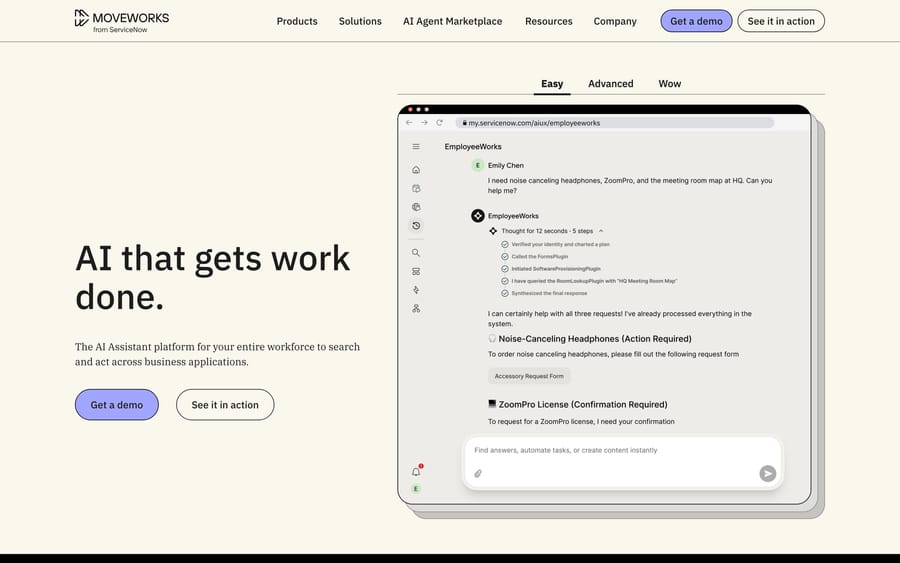
Moveworks is the enterprise-scale comparison: broader employee AI ambitions, deeper ServiceNow-backed resources since its acquisition, and a sales-led, unpublished pricing model that suits a much larger contract than Siit's admin-based tiers.
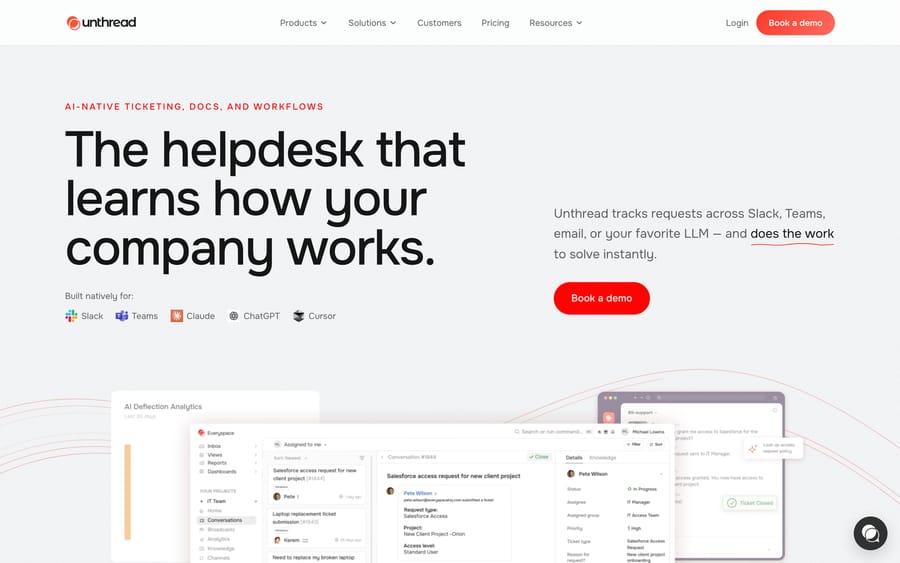
Unthread competes more directly on scope: both are Slack/Teams-native, both target internal ops teams, and Unthread extends further into customer support and RevOps use cases on the same platform. Unthread now publishes pricing too: Basic from $50 and Pro from $75 per agent a month, with a 5-seat minimum and a 14-day free trial (unthread.io/pricing, 24 September 2026). Unthread cites a customer (Lemonade's IT team) reporting about 40% of tickets resolved automatically across departments, a figure worth the same caution Siit's own case studies deserve; it's the vendor's own selected result.
None of the three touches customer-facing support tickets. If the actual need is agents resolving tickets on Zendesk, Freshdesk, Gorgias, Front, HubSpot or Intercom rather than internal IT/HR requests, Macha fits that job instead, priced $299/month for 750 tickets (about $0.40 per ticket).
FAQ
How much does Siit cost? Siit publishes pricing: $23 per admin a month for Essentials, $45 for Standard and $89 for Pro, all billed annually, with unlimited employee requesters at every tier. Enterprise needs go through a custom quote.
Does Siit have a free trial? Yes. Siit's pricing page offers a 14-day free trial with full access to all features, alongside a demo option, which is more accessible than most vendors in this category.
What's the difference between Siit and Moveworks? Moveworks is a larger, enterprise-focused platform now backed by ServiceNow, sold through enterprise sales with unpublished pricing. Siit is smaller, publishes its pricing, and fits a mid-size IT/HR team more directly.
Is Siit good for customer support as well as internal IT/HR? No. Siit is built for employee-facing requests: IT, HR, access and asset management. It has no customer-ticketing product; a team needing that should look at a help-desk-native option like Macha instead.
What do verified reviews say about Siit? The only independently checkable rating we found was 5.0/5 on GetApp (checked 18 September 2026), but from just 6 reviews, too small a sample to call representative. G2 and Capterra both blocked our fetch during this research pass.
Which Siit plan includes AI agents? Only Pro, at $89 per admin a month billed annually. Pro also adds AI triage and lifts the Assist cap of 10 conversations a week per admin that applies on Essentials and Standard.
Who is Siit best for? An IT or HR team already running employee support through Slack or Teams that wants a real service desk (unified data, service catalog, asset tracking) with published pricing, rather than a sales-gated enterprise platform.
Check current Macha pricing if the actual gap is customer-facing tickets rather than internal IT/HR requests, or start a trial to see how AI agents work on the support side of the business.
Sources:
- Siit homepage
- Siit pricing
- Siit features
- Siit help center
- Siit on LinkedIn
- Siit review, Unthread's blog: a competitor's own review, read with that bias in mind
- Siit on GetApp (getapp.com, customer-service-support-software/a/siit/reviews): blocks automated fetches, checked by hand 2026-09-18
- Moveworks
- Unthread
- Unthread pricing






