





 Shopify
 Stripe
 Slack
Slack Notion
 Google Workspace
 Confluence

What Does Tidio Lyro Automate, and What Does It Cost? (2026)


Tidio Lyro is an AI agent that answers customer questions only from content you provide, inside Tidio's chat widget or on top of Zendesk and Salesforce. Standalone it costs $39 a month for 50 conversations, or $32.50 a month billed annually, and every Tidio plan includes 50 Lyro conversations as a one-off.
Key takeaways
- Tidio Lyro answers customer questions only from content a business provides, such as help center articles or FAQ pages, and escalates anything outside that knowledge base to a human agent.
- Tidio sells Lyro standalone at $39 a month for 50 conversations on monthly billing, or $32.50 a month billed annually, rising to $140 a month for 200 conversations.
- Tidio's Starter plan costs $29 a month billed monthly or $24.17 a month billed annually and includes 50 Lyro conversations as a one-off, the same allowance as the Free plan.
- Tidio's integration page says Lyro can reply to emails in Zendesk, convert chats into tickets, and sync contacts and transcripts with Salesforce without a team adopting Tidio's platform.
- Tidio reports that Lyro users automate around 67% of customer inquiries on average, and its Premium plan guarantees a 50% Lyro resolution rate.

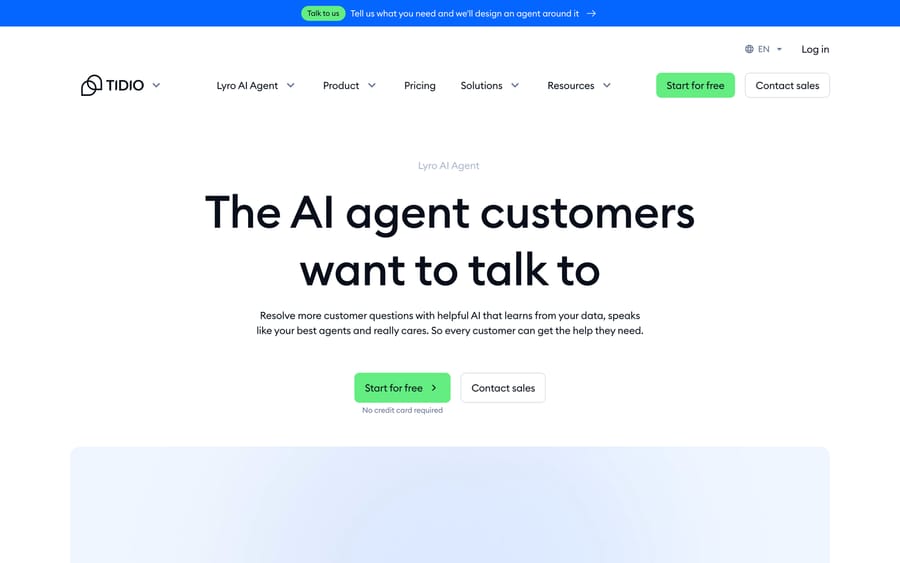
Tidio Lyro is an AI agent that answers customer questions only from content you give it, escalates the rest to a human, and costs $39 a month for 50 conversations as a standalone product ($32.50 a month billed annually), with every Tidio plan including 50 free Lyro conversations as a one-off (tidio.com/pricing, checked 24 September 2026). It runs inside Tidio's own chat widget or on top of Zendesk and Salesforce. Tidio's Lyro Smart Actions add order updates and lead qualification through MCP.
| Lyro option | Price (24 September 2026) | Lyro conversations |
|---|---|---|
| Tidio Free | $0 | 50, one-off for the life of the account |
| Tidio Starter | $29/mo monthly, $24.17/mo billed annually | 50, one-off |
| Lyro standalone | $39/mo monthly, $32.50/mo billed annually | 50 a month (100 for $75, 200 for $140) |
| Tidio Premium | Contact sales | From 3,000, with a guaranteed 50% Lyro resolution rate |
We build AI agents for customer service ourselves, as a layer that runs on top of the help desk a team already uses. We read Tidio's own product, pricing and integration pages before writing this, including the page describing Lyro's standalone Zendesk and Salesforce integration, because that capability is easy to miss if you only look at Tidio's core plans.
What does Lyro automate?
Lyro is Tidio's AI customer service agent. It reads a company's existing support content, whether that's help center articles, FAQ pages, or a website scrape, and uses that content to answer customer questions. On its product page, Tidio is explicit about the boundary: "Lyro works only with the content and guidance you provide." It doesn't reach outside that knowledge base for an answer.
Lyro ships in two shapes:
- Inside Tidio's own widget, as part of Tidio's live chat and helpdesk platform, alongside human agents.
- Standalone, added to an external help desk. Tidio's integration page says Lyro can "reply to emails in Zendesk, convert chats into tickets automatically," and for Salesforce, "automatically sync contacts and transcripts" after every chat. It also offers to migrate an Intercom knowledge base and chats. This is the mode worth knowing about if your team already runs Zendesk or Salesforce and has no interest in adopting Tidio's own platform.
On top of plain Q&A, Tidio markets Lyro Smart Actions ("now with MCP") to "automate order updates or lead qualification without human assistance," connecting Lyro to external systems to make changes and pull real-time data instead of only answering from static content. Tidio's Lyro page says users automate "around 67% of customer inquiries" on average, and a Suitor case study on the same page cites a 97% decrease in average response time. Those are vendor-reported figures that nobody has independently audited. Treat them as a ceiling for a well-configured deployment instead of a day-one expectation.
When a question falls outside what Lyro's content and Smart Actions cover, it escalates to a human agent, and Tidio says Lyro learns from your data to cover similar questions later.
How do you set up Lyro?
The path differs depending on which shape you're deploying.
Inside Tidio:
- Add Lyro to your website; it installs alongside Tidio's existing chat widget.
- Feed it your support content. Lyro scrapes your help center and FAQ pages to build its knowledge base.
- Monitor early conversations and add missing knowledge as gaps show up.
- Let it run, escalating anything it can't resolve to a human.
Standalone on an existing help desk:
- Connect Lyro to Zendesk, Salesforce, or another supported platform.
- Import existing content as training material. Tidio's integration page calls out training on your Zendesk support content and migrating an Intercom knowledge base.
- Configure which actions Lyro can take (replying to email tickets, converting chats to tickets, syncing Salesforce records) versus what it should escalate.
- Turn on Smart Actions for any task beyond answering, such as an order update or lead qualification.
Either way, there's no wholesale migration required. A team keeps its existing chat widget or help desk and adds Lyro to it.
How much does Lyro cost?
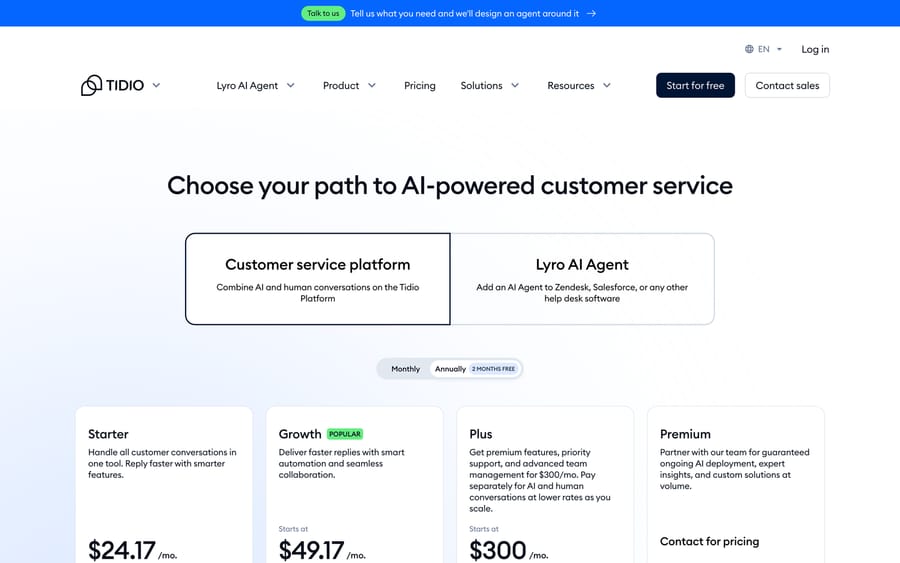
Tidio's pricing page: "Lyro AI Agent" is offered as its own path, separate from the bundled platform plans, and labelled "available as a stand-alone product."
Read the billing toggle before you read the numbers. Tidio's pricing page opens on annual billing ("2 months free"), so the headline figures are monthly equivalents of an annual bill.
Inside Tidio's core plans, every tier includes a small number of Lyro conversations: the Free plan includes 50 for the life of the account, and Starter ($29 a month billed monthly, $24.17 a month billed annually) adds 50 Lyro conversations as a one-off. Growth starts at $49.17 a month billed annually, Plus at $300 a month plus usage, and Premium starts from 3,000 Lyro conversations with a guaranteed 50% Lyro resolution rate as a managed-service tier.
Standalone, Lyro is sold by monthly conversation pack: 50 conversations for $39 a month on monthly billing ($32.50 billed annually), 100 for $75, 150 for $110 and 200 for $140. Tidio's Lyro page sums it up as "Pay just $0.5 per conversation," but the packs work out closer to $0.70 to $0.78 a conversation at the small end. Tidio's integration page doesn't publish a separate price for the Zendesk and Salesforce mode, so assume the standalone packs apply and confirm with sales. Metering by conversation instead of a flat seat price is a deliberate choice, the same lever most usage-based AI vendors pull: Tidio earns more as a team's chat volume grows instead of capping revenue at a fixed monthly fee.
Where does Lyro stop?
- It only knows what you've fed it. No general web knowledge or reasoning outside the content and data sources you've connected. A question your knowledge base doesn't cover, Lyro can't answer on its own.
- Real actions need Smart Actions. Answering a question is available broadly; making a change in a connected system (an order update, a CRM sync) depends on Smart Actions being configured for that system.
- Help-desk mode pricing takes a sales call. Tidio publishes the standalone Lyro packs, but not a separate number for the Zendesk and Salesforce integration, so budgeting that path takes an extra step.
- Coverage depends entirely on your content. The 67% automation figure assumes a knowledge base good enough to earn it; a thin help center produces a Lyro agent with thin coverage.
Who is Lyro a good fit for?
Lyro suits a small e-commerce or SMB team already running Tidio for live chat that wants to automate FAQ-shaped questions without adding a new tool. It also suits a team on Zendesk or Salesforce that wants a narrowly scoped AI agent on its existing help desk without a full agent-platform commitment, so long as the questions in scope are answerable from a defined knowledge base plus a few configured Smart Actions.
It's a weaker fit if your support load needs broad, flexible actions across many systems beyond a fixed set of Smart Actions, or if per-conversation packs on top of platform plans make cost forecasting harder than your team wants to deal with.
Where does an AI agent layer fit on top of Lyro?
Lyro's standalone mode narrows the gap with a full agent layer, but the shape of the product is still different. Lyro is built around a knowledge base plus a defined set of Smart Actions you configure and pay for by conversation. Macha is an AI agent layer built and monitored by a dedicated team, running inside the help desk you already use (Zendesk, Freshdesk, Gorgias, Front, HubSpot or Intercom) with custom tools, sub-agents, and triggers configured for your specific workflows, priced per ticket from $299 a month for 750 tickets rather than as a per-conversation add-on.
Macha isn't a Tidio alternative and isn't trying to be one. A team already invested in Tidio's chat widget for pre-sale questions can reasonably keep Lyro there while running a broader agent layer on the help desk that handles its actual ticket queue. See Macha's pricing if the tickets that concern you sit in a help desk rather than a chat widget.
Tidio Lyro is one of the 14 products we score on the same 30-point rubric in our roundup of the best AI chatbots for customer service.
FAQ
What is Tidio Lyro? Lyro is Tidio's AI customer service agent. It answers questions using content a business provides, and it's available both inside Tidio's own chat widget and as a standalone agent added to an external help desk like Zendesk or Salesforce.
Can Lyro work with Zendesk or Salesforce without using Tidio's platform? Yes. Tidio's integration page says Lyro can reply to emails in Zendesk, convert chats into tickets automatically, and sync contacts and transcripts with Salesforce, without requiring a team to adopt Tidio's core platform.
How much does Tidio Lyro cost? Every Tidio plan includes 50 Lyro conversations as a one-off (for life on the Free plan). Standalone Lyro costs $39 a month for 50 conversations on monthly billing, or $32.50 a month billed annually, rising to $140 a month for 200. The Zendesk and Salesforce mode isn't separately priced on tidio.com, so confirm with sales for your volume.
What are Lyro Smart Actions? Smart Actions, built on MCP, let Lyro do more than answer a question: automating an order update or lead qualification by connecting to an external system, rather than only reading static content.
Can Lyro answer anything, or just what I train it on? Only what it's trained on. Tidio states that Lyro works only with the content and guidance you provide.
What happens when Lyro can't answer a question? It escalates to a human agent, and Tidio says Lyro learns from your data to improve on similar future questions.
Is Lyro good enough to replace a support team? No, and Tidio doesn't claim that. Its own figure is a 67% average automation rate, and even Premium only guarantees a 50% resolution rate, which leaves a meaningful share of conversations for a human.
What's the difference between Lyro and an AI agent layer like Macha? Lyro automates a defined set of questions and Smart Actions from content you provide, priced per conversation. Macha is an agent layer built and monitored by a dedicated team, configured with custom tools and sub-agents for a help desk's actual ticket workflows, priced per ticket. They can run alongside each other rather than compete for the same job.
Sources: Tidio Lyro product page, Tidio pricing, Tidio: build and integrate Lyro.






