Shopify
 Stripe
 Slack
Slack Notion
 Google Workspace
 Confluence

Best HubSpot Service Hub Apps (2026): 22 Marketplace Apps Scored


The best HubSpot Service Hub app in October 2026, on our five public criteria, is Linear Sync by IssueLinker at 9 of 10, followed by a tier of nine apps on 8 that includes Geckoboard, Super SLA, Linear by Atlantic Ops and IssueLinker's GitHub and Jira apps. HubSpot's App Marketplace files 63 apps under Help Desk and Ticketing. We left out HubSpot's own apps, rival help desks, AI agents and event-ticketing tools, scored the 22 third-party apps that add something to a Service Hub team's tickets, and show every score.
Key takeaways
- Linear Sync by IssueLinker is the only app to score 9 of 10, because it's the only one with 10 or more reviews that also runs in the help desk ticket sidebar.
- Only 2 of the 22 apps have 10 or more reviews, so most apps lose a point on reviews and the ranking turns on price, placement and how recently the listing changed.
- ClearFeed, Usersnap, Triario's Jira app and Foqal show no listing or app change since August 2025, so each of the four lost a point for maintenance.
- Monthly plans on these listings run from $9.99 for What Time Is It? to $399 for Geckoboard's Performance plan, and IssueLinker's three apps each start at $39.
- Apps that link tickets to engineering issues or write ticket properties change what an AI agent reads and which updates wake its workflows, so map them first.

The 22 apps at a glance
| # | App | Maker | What it does | Reviews (avg) | Installs | Price | Score |
|---|---|---|---|---|---|---|---|
| 1 | Linear Sync | IssueLinker | Two-way ticket and Linear issue sync | 10 (5.0) | 90+ | $39 or $220/month | 9 |
| 2 | Geckoboard | Geckoboard | KPI dashboards and wallboards | 16 (4.8) | 800+ | $99 or $399/month, Enterprise custom | 8 |
| 3 | Super SLA | Super SLA | SLA rules, alerts and reports | 3 (5.0) | 80+ | $39, $79 or $229/month | 8 |
| 4 | Linear by Atlantic Ops | Atlantic Ops | Linear issues from tickets and workflows | 1 (5.0) | 100+ | $29/month or $299/year | 8 |
| 5 | What Time Is It? | Bigbee Solutions | Customer's local time on the ticket | 1 (5.0) | 30+ | $9.99/month per portal | 8 |
| 6 | Telegram Integration | Resonate | Telegram channel for inbox and help desk | 1 (5.0) | 20+ | $49/month | 8 |
| 7 | GitHub Sync | IssueLinker | Two-way ticket and GitHub issue sync | 0 | 30+ | $39 or $220/month | 8 |
| 8 | Jira Sync | IssueLinker | Two-way ticket and Jira Cloud issue sync | 0 | 10+ | $39 or $220/month | 8 |
| 9 | Blitzz Visual Assist | Blitzz | Live video sessions with customers | 0 | 10+ | $35/user/month (5 minimum) | 8 |
| 10 | ScreenReply | OneButton Software | Screen recordings requested from a link | 0 | <10 | $39 or $89/month | 8 |
| 11 | CORE Client Portal | Onsharp | Customer portal on HubSpot data | 2 (2.0) | 60+ | Free, $89 or $289/month | 7 |
| 12 | BackReply | Octopods | HubSpot inbox mirrored into Slack | 2 (5.0) | <10 | Free, $49 or $149/month | 7 |
| 13 | Smart Lead & Ticket Routing | Daeda Technologies | Routing actions for workflows | 1 (5.0) | 70+ | Free or $50/month | 7 |
| 14 | Birdie | Birdie | Customer screen recordings | 1 (5.0) | 10+ | Free; Pro from about $90 (€80)/month | 7 |
| 15 | Savio | Savio | Feature-request tracking | 0 | 50+ | $49, $99 or $199/month | 7 |
| 16 | WhatsApp Contact Center | ManyContacts | WhatsApp messages from workflows | 0 | 30+ | About $50 (€49)/month | 7 |
| 17 | Aha! Ideas | Aha! | Feature requests from records | 0 | 10+ | $74/user/month | 7 |
| 18 | OTP Verification | OpsAgent | One-time codes to verify contacts | 0 | 10+ | $0.07 per code | 7 |
| 19 | ClearFeed | ClearFeed | Slack requests into tickets | 0 | 70+ | Free or $80/month | 6 |
| 20 | Usersnap | Usersnap | Visual feedback into tickets | 0 | 50+ | Free to $319/month | 6 |
| 21 | Integración JIRA | Triario | Jira for service tickets | 0 | <10 | $219/month | 6 |
| 22 | Foqal | Foqal | Support inside Slack | 0 | <10 | $50/agent/month | 6 |
Tiers: 9 (app 1), 8 (apps 2-10), 7 (apps 11-18), 6 (apps 19-22). Within a tier, order follows review count, then installs, so it says nothing about quality. Apps 1-14 are written up below; 15-22 have a one-line note in the last table.
How we scored them
We started from both Marketplace categories and kept third-party apps that a team already running Service Hub would add to its tickets: engineering links, SLAs, routing, channels, recordings, portals and reporting. Each app is scored 0 to 2 on five criteria.
| Criterion | 2 points | 1 point | 0 points |
|---|---|---|---|
| Marketplace reviews | Average 4.5+ with 50+ reviews | 4.0+ with 10+ reviews | Fewer or none |
| Published price | Full price on the listing or vendor site | A free tier or "from" price only | Contact sales |
| Works in the ticket | Acts inside the ticket or agent workspace with documented features | View-only or limited | Unclear |
| Setup effort | Marketplace install with documented self-serve setup | Needs configuration help or an onboarding call | Custom work or undocumented |
| Maintained | Listing or app updated in the last 12 months | 12 to 24 months | Older or unknown |
"Works in the ticket" scores 2 only for an app card in the help desk ticket sidebar or on the ticket record's sidebar, or a channel agents answer from the help desk composer. HubSpot's developer docs say app cards can display "on CRM records, preview panels, the help desk workspace, and the sales workspace" (app cards overview); each listing declares where its cards go. Cards in the record's middle tab, workflow actions alone and Slack-side tools score 1. Every listing here offers a Marketplace install and a setup guide, so all 22 score 2 on setup. Maintained uses the later of two public dates: when the listing was last published, which the page shows as "Pricing last updated," and when the app's cards or workflow actions last changed, which the listing's data records. Price tables with a custom Enterprise tier still score 2. Geckoboard also scores 8 in our Zendesk reporting roundup, split differently because that listing has more reviews and no Marketplace install.
What we left out
HubSpot builds the most-installed app in the Help Desk category, Jira, with about 9,000 installs and 90 reviews averaging 2.76. It isn't scored, and neither are HubSpot's data-sync apps.
We also skipped 10 apps that connect a separate help desk to HubSpot, such as Zendesk with about 4,000 installs and Front with about 2,000. Those suit teams answering tickets outside Service Hub; our HubSpot and Zendesk integration guide covers that setup. The 17 AI agents and AI tools in the two categories, from Intercom's Fin AI Agent and eesel to Linear Agent, belong in an AI comparison and aren't ranked here.
HubSpot's own help desk workspace needs Service Hub Professional or Enterprise, and an assigned Service Seat for custom views, SLAs and reply recommendations (HubSpot). Its customer agent hands off to a human based on its confidence and uses HubSpot Credits, consumed "only when the agent delivers a resolution" (HubSpot). Neither is ranked.
Top tier, 9 of 10: Linear Sync by IssueLinker
1. Linear Sync by IssueLinker: support sees engineering status without leaving the ticket, 9/10
IssueLinker links a HubSpot ticket to a Linear issue, or creates one, with comments, status and attachments synced both ways, and an AI draft of the issue written from the ticket conversation. The card sits in the help desk ticket sidebar, and three workflow actions create or link issues automatically. It has 10 reviews, all five stars, the newest from October 2026. Papworth, H. wrote three weeks ago: "Working very smoothly- easy to install and and get HubSpot and linear aligned." Soderholm, N., about two months ago, wrote that it "Links our HubSpot bug tickets to Linear so support can see if something's actually been fixed without opening Linear."
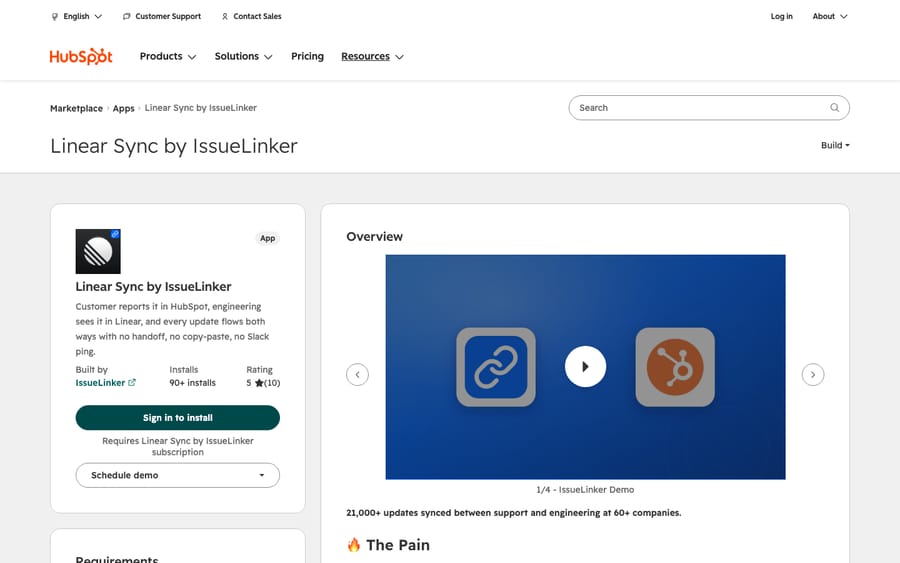
Scores: reviews 1, price 2, works in the ticket 2, setup 2, maintained 2.
Growth costs $39 a month with unlimited users, "never charged per seat," and a 14-day trial; Business, at $220, adds custom syncs built after a scoping call. The listing went live in June 2026 and was updated on October 28.
Best for: SaaS support teams that send bugs to an engineering team on Linear.
Second tier, 8 of 10: nine apps
Eight of these lose their point on reviews, with three reviews or fewer. Geckoboard has 16 reviews but loses its point on the ticket.
2. Geckoboard: Service Hub numbers on a wall screen, 8/10
Geckoboard builds dashboards from HubSpot ticket and deal data for TVs, desktops and Slack or Teams snapshots. It has the most installs of the 22, more than 800, and 16 reviews averaging 4.8. Krauter, M. wrote about two weeks ago: "Geckoboard integrates perfectly with HubSpot. The support was great!" The listing shows Essentials at $99 a month and Performance at $399, or $948 and $3,828 a year, plus a custom Enterprise plan and a 14-day trial.
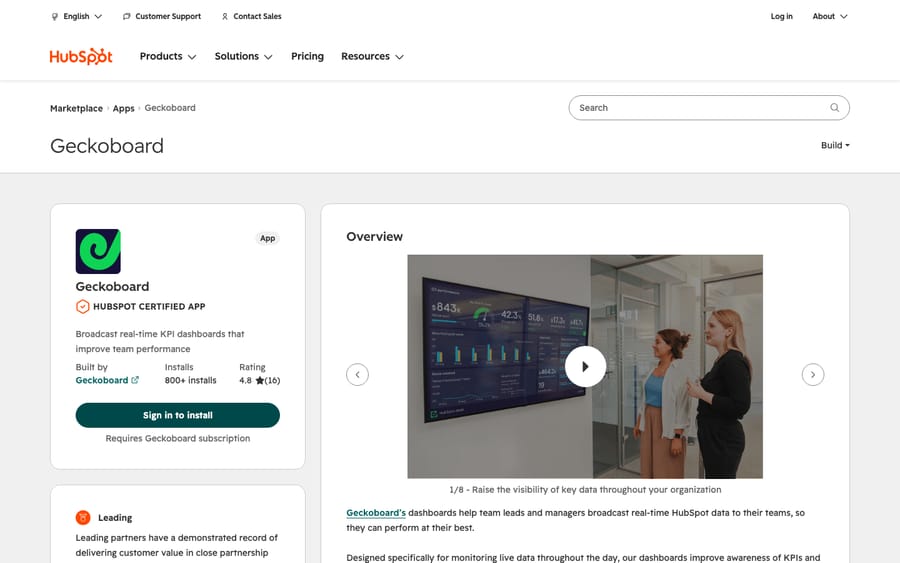
Scores: reviews 1, price 2, works in the ticket 1, setup 2, maintained 2.
It shows numbers on a dashboard and adds no card to the ticket, so it scores 1 on the ticket. Pricing by dashboard and screen means a team's size doesn't change the bill.
Best for: support leads who want queue health visible without anyone opening a report.
3. Super SLA: per-customer SLAs with alerts, 8/10
Super SLA sets SLA rules globally or for one customer, pipeline or ticket source, alerts people by SMS, phone or email before or after a breach, and produces reports, including 95th-percentile response time, as PDFs. Timers follow your business hours and each country's holidays, and the card shows a ticket's SLA status in the help desk sidebar. Starter is $39 a month for 250 tickets and 5 rules, Pro $79 for 5,000 tickets and 50 rules, Business $229 for 20,000 tickets, all with unlimited users. Villas, D. wrote more than three years ago: "HubSpot has a clear gap and this tool is great for it."
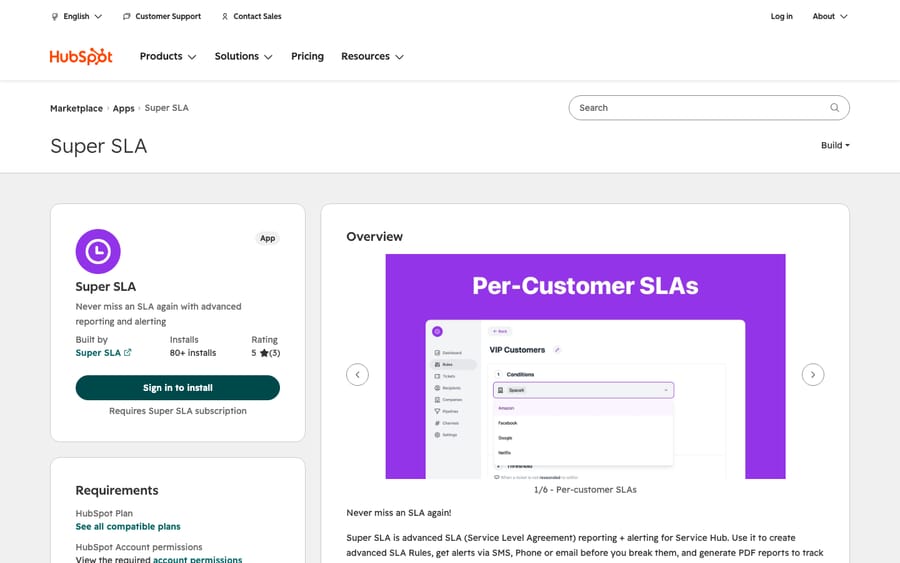
Scores: reviews 0, price 2, works in the ticket 2, setup 2, maintained 2.
HubSpot now has SLAs in its help desk for Service Seat holders, so check them first. The listing was last published in August 2025, but both of its ticket cards were updated in May 2026.
Best for: teams with different contracted response times per customer.
4. Linear by Atlantic Ops: the workflow-heavy Linear option, 8/10
Atlantic Ops puts Linear issue cards in the help desk sidebar and on the ticket record, and adds seven workflow actions, from creating and updating issues to linking a Linear customer. It costs $29 a month or $299 a year after a 14-day trial. Monnier, K. wrote three months ago that "the Atlantic Ops plugin was the easiest option," adding that the team "provided excellent hands on support to enable our use case."
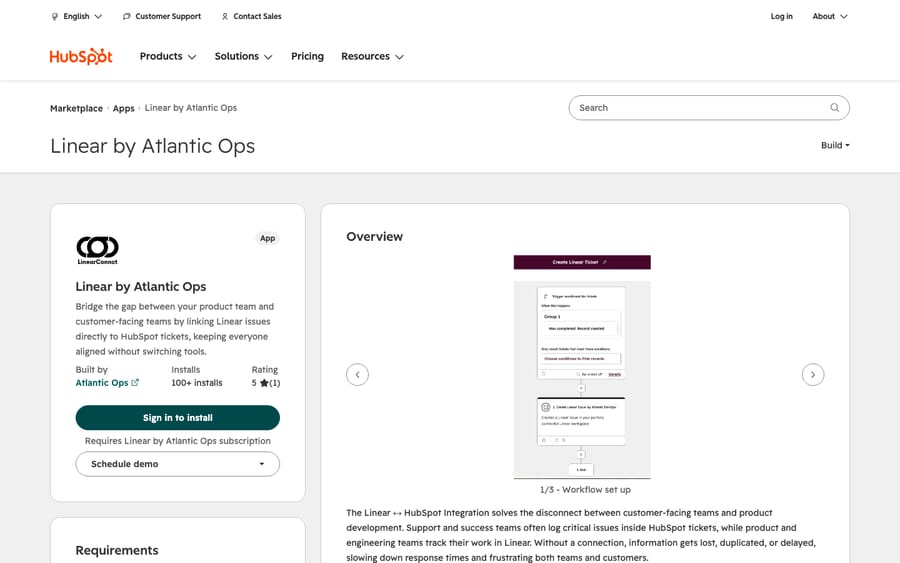
Scores: reviews 0, price 2, works in the ticket 2, setup 2, maintained 2.
Next to IssueLinker it's $10 a month cheaper and has more workflow actions, while IssueLinker has the reviews. Try both on one pipeline.
Best for: admins who want Linear issues created by workflow rules as well as by agents.
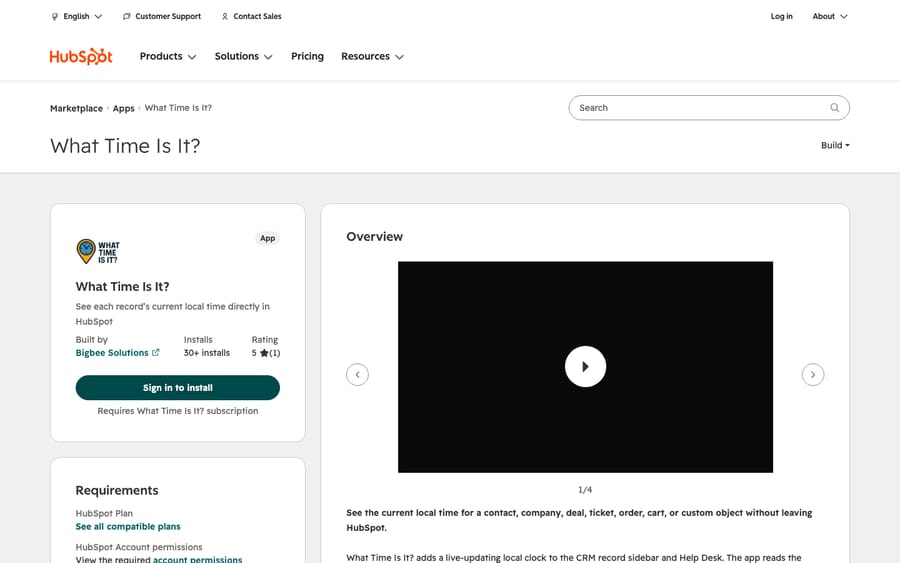
5. What Time Is It?: the customer's clock beside the ticket, 8/10
Bigbee Solutions shows a record's current local time in the help desk sidebar and on CRM records, read from a timezone property you choose. It sends only that property to its server, and the listing says no data is stored. It costs $9.99 a month per portal. Its one review, from Vigil, B. six months ago: "Makes it easy for my team to know what time the ticket submitter is in."
Scores: reviews 0, price 2, works in the ticket 2, setup 2, maintained 2.
Best for: teams with customers across time zones who call back or schedule follow-ups.
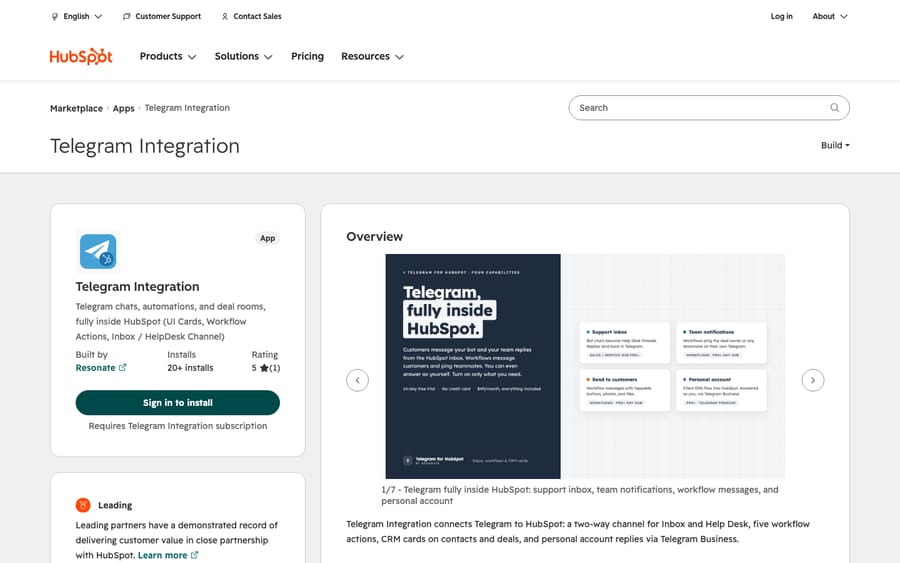
6. Telegram Integration: Telegram as a help desk channel, 8/10
Resonate's app adds "Two way Telegram channel for Inbox and Help Desk," so agents answer Telegram messages from the help desk, plus five workflow actions and group chats on records. One plan costs $49 a month or $490 a year, with no per-seat or per-channel fees. Its help desk channel needs a Professional or Enterprise hub and HubSpot Credits. Tadesh, R. wrote seven weeks ago: "We were finally able to message from Telegram personal accounts to HubSpot contacts."
Scores: reviews 0, price 2, works in the ticket 2, setup 2, maintained 2.
Best for: teams whose customers already write in on Telegram.
7. GitHub Sync by IssueLinker: the same sync for GitHub issues, 8/10
IssueLinker's GitHub app does what its Linear app does for GitHub: create or link an issue from the ticket, sync comments and status both ways, and close the ticket when the issue closes. Setup is a GitHub App install plus OAuth, which the listing puts at about two minutes. Pricing matches: $39 or $220 a month.
Scores: reviews 0, price 2, works in the ticket 2, setup 2, maintained 2.
IssueLinker sells one tool per listing, which gives it an incentive to bill each link separately, and its pricing page doesn't say whether a team linking both GitHub and Linear pays twice. Ask before you install the second.
Best for: open-source or developer-tool companies whose bugs live in GitHub.
8. Jira Sync by IssueLinker: a third-party route to Jira Cloud, 8/10
The Jira version links tickets to Jira Cloud issues with the same two-way comments, status and attachments, for the same $39 or $220 a month. HubSpot's own Jira app has far more installs, but its 90 reviews average 2.76. This one has more than 10 installs and no reviews yet.
Scores: reviews 0, price 2, works in the ticket 2, setup 2, maintained 2.
Best for: Jira teams that tried HubSpot's app and want the issue status on the ticket sidebar.
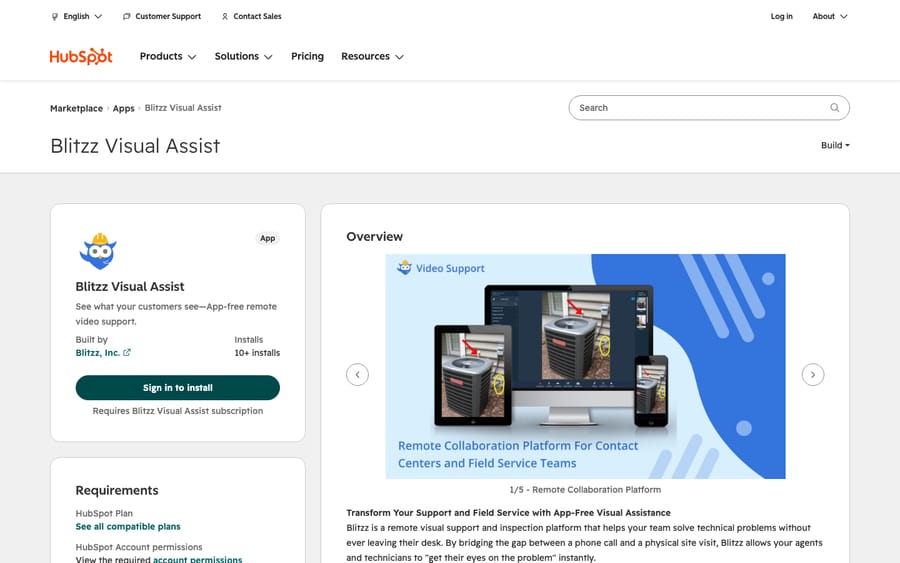
9. Blitzz Visual Assist: video calls with no app for the customer, 8/10
Blitzz starts a browser video session from the help desk sidebar or a CRM record, inviting the customer by SMS, email or WhatsApp, with zoom, live pointers and screen share. It reads the contact's email and phone, and the listing says nothing is written back. Concierge Professional costs $35 per user per month with a five-user minimum, so $175 a month to start; Inspect Professional is $334 a month billed annually, and Enterprise is quoted.
Scores: reviews 0, price 2, works in the ticket 2, setup 2, maintained 2.
Best for: hardware, field-service or install support where seeing the device ends the ticket.
10. ScreenReply: a link that comes back as a recording, 8/10
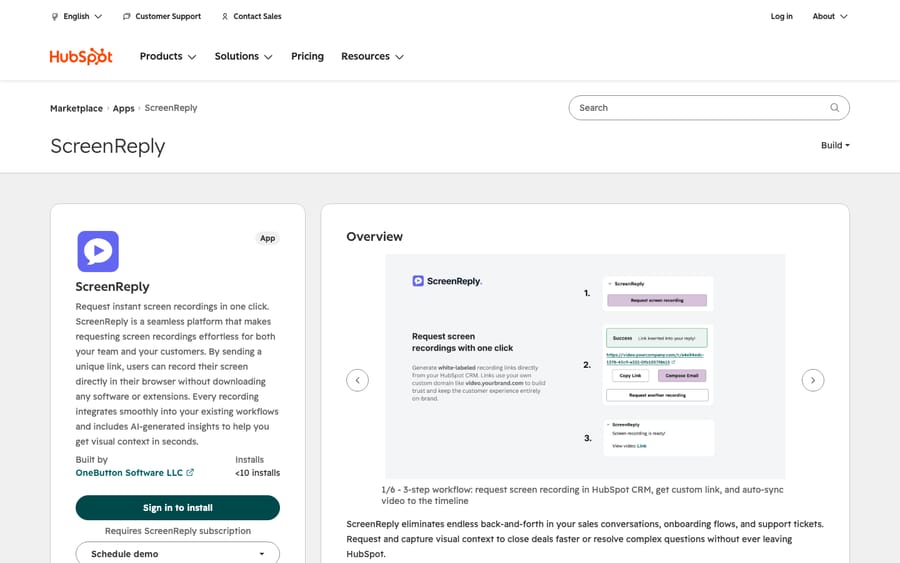
ScreenReply lets an agent send a link from a CRM card, including on tickets. The customer records in the browser, and the video lands on the record's timeline with an AI summary and timecodes. Team costs $39 a month or $348 a year with unlimited recordings and users; Business is $89.
Scores: reviews 0, price 2, works in the ticket 2, setup 2, maintained 2.
Best for: software support where "can you show me?" is the usual second reply.
Third tier, 7 of 10: four written up
11. CORE Client Portal: a portal built on HubSpot records, 7/10
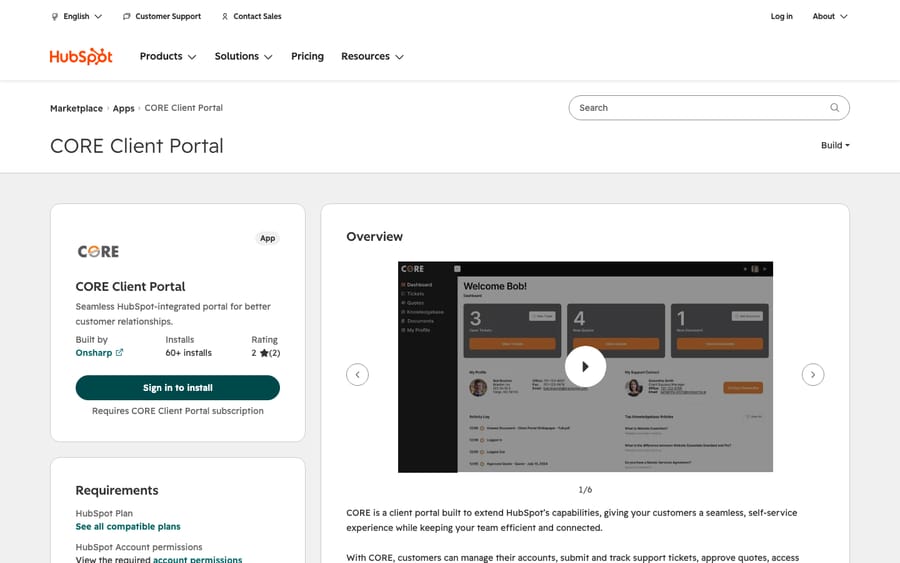
Onsharp's CORE gives customers a portal on top of HubSpot tickets, quotes, deals and documents, with an activity tab and a documents card on records. The listing shows only a free plan; Onsharp's pricing page lists Free Forever, Standard at $89 a month and Professional at $289. Both reviews are negative. Atkinson, S. wrote seven months ago: "I ended up having to ditch it because of unresolvable glitches I experienced during my usage."
Scores: reviews 0, price 2, works in the ticket 1, setup 2, maintained 2.
Best for: teams that want customers to see quotes, documents and tickets in one portal, tested on the free plan first.
12. BackReply: answer HubSpot chats from Slack, 7/10
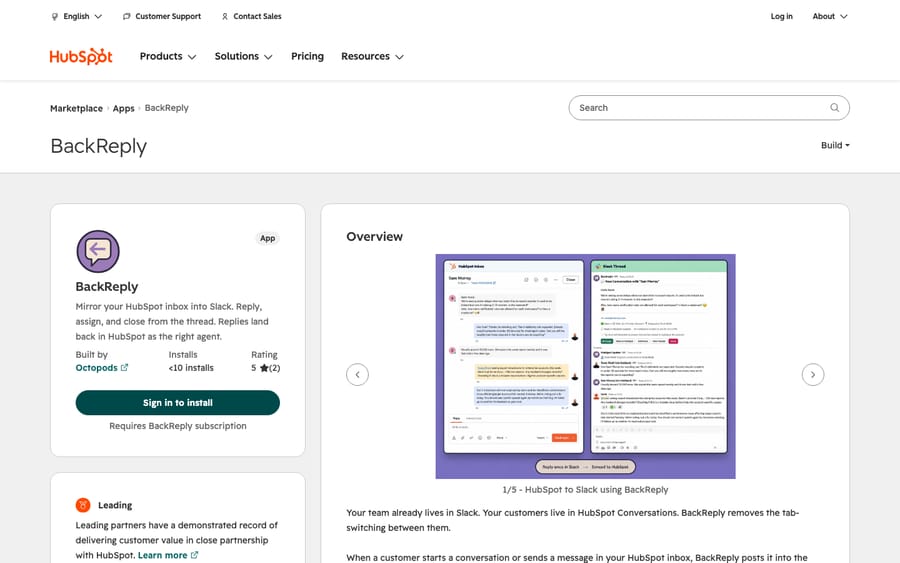
BackReply mirrors the HubSpot inbox into Slack threads, where agents reply, assign and close, and replies land in HubSpot under the right agent. The free plan covers 5 conversations a month; Starter is $49 a month ($468 a year) for 1,000 conversations and up to 5 HubSpot users, Pro $149 ($1,428 a year) for 5,000, with internal-note sync and routing rules. The listing's free plan still names "1 Intercom Workspace." Both reviews are dated August 19, 2026, the day the listing went live.
Scores: reviews 0, price 2, works in the ticket 1, setup 2, maintained 2.
Best for: small teams who live in Slack and answer chat in bursts.
13. Smart Lead & Ticket Routing: availability-aware assignment, 7/10
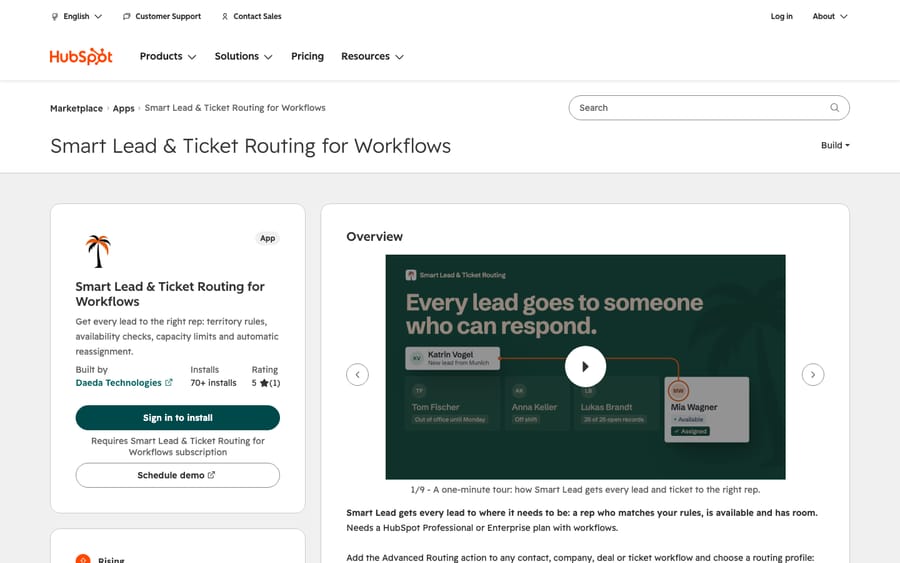
Daeda's app adds workflow actions for round robin, availability checks, out-of-office handling, territory rules, per-rep capacity limits and reassignment when nobody responds. The free plan includes 50 executions a month; Unlimited is $50 a month or $500 a year per account. Cvejic, D. wrote 11 months ago: "A great app that bridges some gaps for Service Hub."
Scores: reviews 0, price 2, works in the ticket 1, setup 2, maintained 2.
Read our guide to ticket routing in HubSpot first.
Best for: teams whose round robin keeps assigning tickets to people on leave.
14. Birdie: recordings with a free allowance, 7/10
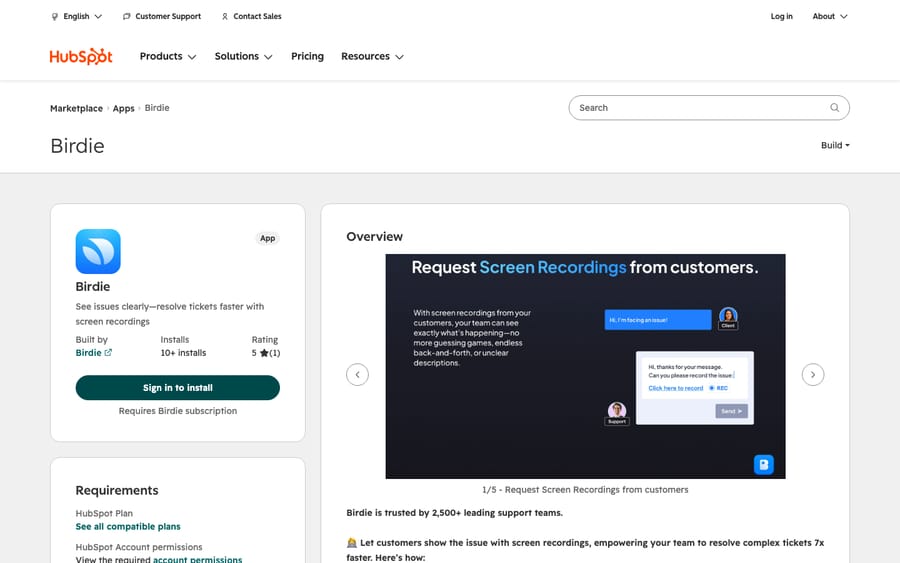
Birdie lets customers record their screen with no download, collecting console logs and network requests alongside, and saves the video to HubSpot as a note, with cards in the help desk sidebar and on records. The listing shows only the free plan, 10 recordings a month. Birdie's pricing page lists Pro "from" about $90 (€80) a month for the whole support team, so it scores 1 on price. Vigil, B. wrote more than a year ago that it "solved our biggest pain point - those lengthy diagnostic calls."
Scores: reviews 0, price 1, works in the ticket 2, setup 2, maintained 2.
Best for: teams that want ScreenReply's job with a free tier to start.
The other eight apps, scored
| # | App | Reviews | Price | Ticket | Setup | Maintained | Total | Note |
|---|---|---|---|---|---|---|---|---|
| 15 | Savio | 0 | 2 | 1 | 2 | 2 | 7 | Feedback card on contacts, companies and deals, not tickets; card added October 2026 |
| 16 | WhatsApp Contact Center | 0 | 2 | 1 | 2 | 2 | 7 | WhatsApp sends from workflows; about $50 (€49) a month for 3 users |
| 17 | Aha! Ideas | 0 | 2 | 1 | 2 | 2 | 7 | Feature requests from a record tab; $74 per user a month standalone |
| 18 | OTP Verification | 0 | 2 | 1 | 2 | 2 | 7 | Verifies a caller's identity by emailed code; $0.07 per code, $20 free |
| 19 | ClearFeed | 0 | 2 | 1 | 2 | 1 | 6 | Slack channel requests into tickets; free or $80 a month; last changed August 2025 |
| 20 | Usersnap | 0 | 2 | 1 | 2 | 1 | 6 | Annotated screenshots and video feedback; free for 20 items; last changed August 2025 |
| 21 | Integración JIRA | 0 | 2 | 1 | 2 | 1 | 6 | Spanish-language Jira link; $219 a month; last changed August 2025 |
| 22 | Foqal | 0 | 2 | 1 | 2 | 1 | 6 | Support inside Slack; $50 per agent a month; last changed August 2025 |
What these apps change for an AI agent on the same tickets
When we bring Macha onto a Service Hub account, the apps already installed decide part of what the agent sees. Our HubSpot connector reads tickets and updates their properties, so we look at four things.
First, which properties an app owns. A reviewer on IssueLinker's listing says Linear status, assignee and team arrive on the ticket as HubSpot properties, and an agent shouldn't overwrite them. Those same properties are useful: an agent can tell a customer their bug is fixed only if it can read that the issue closed.
Second, workflows that fire on updates. Linear by Atlantic Ops and Daeda's routing run as workflow actions, and a workflow that reacts to a ticket change will react to the agent's change too. The fix is to mark the ticket when the rule fires and exclude that mark from the rule's own conditions.
Third, new channels. A Telegram channel in the help desk is another place tickets arrive, so we check whether the agent's trigger covers it.
Fourth, notes before replies. We confirm whether the agent's output lands as an internal note or a public reply, and we replay past tickets in a simulation before it answers anyone. In safe mode it drafts notes until your team says they're right.
Where AI fits
Macha runs AI agents inside the HubSpot help desk you already use, set up and monitored by the Macha team. It fits Service Hub teams who want routine tickets answered inside the ticket while apps like IssueLinker and Super SLA keep doing their jobs. Pricing starts at $299/month for 750 tickets, with a trial of $50 of free usage (about 125 tickets), no credit card, no time limit. HubSpot's own option, customer agent, is covered in our customer agent guide.
Which one fits your situation?
- Bugs go to engineering on Linear: Linear Sync by IssueLinker, or Linear by Atlantic Ops for more workflow actions.
- Bugs go to GitHub or Jira Cloud: IssueLinker's GitHub or Jira Sync.
- Leaders want numbers on a screen: Geckoboard.
- Different customers have different SLAs: Super SLA, after checking HubSpot's own SLAs.
- Customers can't describe the problem: ScreenReply or Birdie for recordings, Blitzz for live video.
- The team works in Slack: BackReply for chat, ClearFeed for Slack channel requests.
- Round robin ignores who's away: Smart Lead & Ticket Routing.
If you'd rather have a partner choose and configure apps with you, see our ranking of HubSpot Service Hub implementation partners.
FAQs
What are the best HubSpot Service Hub apps?
On our rubric, Linear Sync by IssueLinker scores 9 of 10. Geckoboard, Super SLA, Linear by Atlantic Ops, What Time Is It?, Telegram Integration, IssueLinker's GitHub and Jira apps, Blitzz Visual Assist and ScreenReply share the next tier on 8.
Does HubSpot have its own help desk apps?
HubSpot builds a Jira app and data-sync apps for Zendesk, Freshdesk, Front and Teamwork Desk. Its help desk workspace and customer agent are part of HubSpot itself; we describe them but don't rank them.
Which HubSpot apps show inside the help desk ticket?
Apps with a help desk sidebar card: the three IssueLinker apps, Linear by Atlantic Ops, What Time Is It?, Super SLA, Blitzz and Birdie. ScreenReply's card sits on the ticket record.
How do I connect HubSpot tickets to Linear?
Install Linear Sync by IssueLinker at $39 a month or Linear by Atlantic Ops at $29 a month.
<div class="docs-callout"><div><p class="docs-callout-title">Are you listed here?</p><p class="docs-callout-body">Partners and app makers can send corrections with a public source to [email protected]. We fix facts within a week. Scores follow the rubric above, not requests.</p></div></div>
How we researched this
On October 30, 2026 we read the HubSpot App Marketplace's Help Desk (44 apps) and Ticketing (25 apps) categories, 63 unique apps, with each app's installs, reviews and app-card locations. We left out 6 HubSpot-built apps, 10 separate help desks, 17 AI agents and AI tools (including Atlassian's connector for HubSpot's Breeze AI), and 8 apps unrelated to support, and scored the remaining 22.
We read all 22 listings in a browser the same day, using each listing's US-dollar plans, its "Pricing last updated" date and the dates its cards and actions last changed, and we checked prices on the vendor's own page for Super SLA, IssueLinker, Onsharp, OpsAgent, Birdie and ManyContacts. HubSpot facts come from its knowledge base and developer docs. We didn't install or test any app or contact any vendor. One reviewer applied the scores to public pages only.
Prices are shown in US dollars; prices published in other currencies were converted at European Central Bank reference rates of October 29, 2026.
Disclosure: Macha makes AI agents that run inside help desks. Nobody paid to be listed, and Macha is not ranked here.