Intercom
 Shopify
 Stripe
 Slack
Slack Notion
 Google Workspace
 Confluence

What Are the Best Zendesk Integrations for E-commerce in 2026?


An online store's Zendesk is only as useful as the order, shipping, return and payment data connected to it. The integrations below pull that data into the ticket, ranked by the job they do and by how many Zendesk accounts install them.
Key takeaways
- The best Zendesk integration for most e-commerce teams is the official Shopify for Zendesk app, built by Zendesk and free to install, which lets agents process refunds and cancellations from the ticket sidebar.
- Shopify for Zendesk had 16,605 installs in Zendesk's public marketplace feed on September 28, 2026, the most of any of the 1,745 apps listed.
- AfterShip Tracking and AfterShip Returns Center show live delivery and return status inside the Zendesk ticket, pulling from 1,100+ carriers according to AfterShip's own app listing.
- WhatsApp, Instagram Direct and Facebook Messenger are native Zendesk channels on Suite Team and up, which Zendesk lists at $55 per agent per month billed annually.
- Recharge and Stripe have no first-party Zendesk apps, so stores connect them through agnoStack, Zapier or third-party apps such as Stripe by Zenplates, each with its own per-agent fee.

The best Zendesk integrations for an e-commerce team are the official Shopify for Zendesk app (built by Zendesk, with refunds and cancellations in the ticket sidebar), a tracking and returns app such as AfterShip, Loop or Narvar, and the native WhatsApp and Instagram channels on Suite Team, which Zendesk lists at $55 per agent per month billed annually. After those, add CRM, reviews, subscription and payment apps only where they remove a tab your agents already open. We checked the key listings and prices again on September 24, 2026.
Which Zendesk e-commerce integration does what?
| Integration | Built by | What it surfaces in Zendesk | Best for | Pricing model |
|---|---|---|---|---|
| Shopify for Zendesk | Zendesk (official) | Orders, customer, refunds, cancellations | Any Shopify store | Free app |
| BigCommerce (agnoStack) | Third-party | Orders, payments, shipping, order actions | BigCommerce + enterprise | Paid (vendor) |
| Magento / Adobe Commerce | Third-party (agnoStack / Wagento) | Order + customer data | Magento/Adobe stores | Paid (vendor) |
| AfterShip | AfterShip (vendor) | Live tracking + returns, 1,100+ carriers | Multi-carrier shipping | Free + paid tiers |
| ShipStation | ShipStation (vendor) | Order and shipment status | Stores shipping from ShipStation | Tied to ShipStation plan |
| Loop Returns | Loop (vendor) | Return/exchange status | Shopify exchange-first brands | Tied to Loop plan |
| Narvar Connect & Care | Narvar (vendor) | Outbound/return shipment status | Larger Narvar retailers | Tied to Narvar plan |
| Recharge | Third-party / Zapier | Subscription status & actions | Subscription brands | Via connector |
| Yotpo | Yotpo (vendor) | Reviews/questions, post-service requests | Reviews + loyalty brands | Tied to Yotpo plan |
| Trustpilot Reviews | Trustpilot (vendor) | Trustpilot reviews as tickets, replies | Brands that answer public reviews | Free app |
| Klaviyo | Klaviyo (vendor) | Profile, consent, ticket metrics | Email/SMS-led DTC | Free app |
| HubSpot | HubSpot (official) | Tickets on CRM timeline, 2-way sync | HubSpot CRM users | Free app |
| Zendesk (native) | WhatsApp DMs in Agent Workspace | Mobile-first/international | Suite Team+ | |
| Instagram / Messenger | Zendesk (native) | Social DMs in one queue | Social-commerce brands | Suite Team+ |
| Stripe | Third-party | Customers, payments, subscriptions | Custom/headless checkouts | Per-agent fee (third-party) |
Pricing is set by each vendor and changes; confirm it on the app's marketplace listing before installing.
The rest of this page groups the fifteen by the job they do, with what each one surfaces, who it suits, who built it, and a link to our setup guide where we have one. It points to those guides rather than repeating them.
How many Zendesk accounts install each e-commerce app?
Zendesk publishes an install count for every app that runs inside Zendesk, through a public marketplace feed. When we pulled that feed on September 28, 2026, it listed 1,745 apps with 202,356 installs between them. Shopify for Zendesk had 16,605 installs, the most of any app in the marketplace, ahead of Zendesk's own Time Tracking (10,367) and Jira (9,943). The 55 apps Zendesk builds itself account for 112,378 of the 202,356 installs, about 56%, which tells you how much of the marketplace is Zendesk extending Zendesk. Outside Shopify, e-commerce is a long tail: no other store, tracking, returns or marketing app reaches 1,000.
| App (built by) | Zendesk installs, Sept 28, 2026 | What the Zendesk app does | What an AI agent can do through the vendor's API | Route for an AI agent layer such as Macha |
|---|---|---|---|---|
| Shopify for Zendesk (Zendesk) | 16,605 | Customer and order details in the sidebar; refunds and cancellations | Orders, customers, products, refunds | Built-in Shopify connector: search products, get and search orders, look up customers, Create Refund |
| Trustpilot Reviews (Trustpilot) | 841 | Manage and respond to Trustpilot reviews | Read public review data with an API key; replying needs an OAuth token | Not feasible today for replies (OAuth token that expires); human replies in the app |
| Klaviyo (Klaviyo) | 742 | Profile info and consent status; WhatsApp follow-ups | Subscribe, bulk unsubscribe, suppress profiles | Custom API tool sending the private key and the revision header |
| ShipStation (ShipStation) | 335 | Track orders | Void a label, hold or release an order (API not on the Starter plan) | Custom API tool (API key and secret) |
| AfterShip Tracking (AfterShip) | 171 | Tracking and delivery updates | Create, update and retrack shipments; read status | Custom API tool (as-api-key, AfterShip Premium and above) |
| Stripe by Zenplates (Zenplates) | 163 | Stripe subscriptions, payments and invoices | Customers, payments, refunds, charges | Built-in Stripe connector (Get Customer, List Payments, List Invoices, Create Refund) |
| Loop Returns (Loop) | 153 | Return and exchange status | Process, cancel or close a return; labels need OAuth | Custom API tool for returns; not feasible for labels |
| WooCommerce by Zenplates (Zenplates) | 142 | WooCommerce customers and orders | Varies by store setup | Custom API tool (not assessed per store) |
| Magento 2 Connector (Wagento) | 138 | Magento customer info | Varies by store setup | Custom API tool (not assessed per store) |
| agnoStack Commerce (agnoStack) | 135 | Cross-platform orders and actions | n/a (agnoStack is the connector) | Reach the store platform directly instead |
| Narvar Connect and Care (Narvar) | 84 | Outbound and return shipment status | Enterprise contract; writes not verified | Custom API tool on a Narvar enterprise contract |
| Parcel Panel (UpperCommerce) | 61 | Order tracking for support teams | Order-number tracking lookup (Professional plan and above) | Custom API tool (x-parcelpanel-api-key) |
| Route (Route) | 23 | View and file Route claims | Reads; filing a claim wasn't among the actions in Route's public API docs when we checked | Custom API tool for reads; claims stay in the Route app |
| Loop Subscriptions (Loop) | 18 | Subscriber view | Skip next, pause, cancel, reschedule (Loop PRO plan) | Custom API tool (X-Loop-Token) |
Three things to know about what the count measures. It counts only apps that run in Zendesk's app framework, so native channels (WhatsApp, Instagram) and listing-only entries such as the HubSpot and Slack listings show 0 however many teams use them. It counts installs, not active use or seats. And absence matters: neither Recharge nor Yotpo had an app in the feed on September 28, so Recharge stores reach Zendesk through agnoStack or Zapier. Ratings are thin outside Shopify: Shopify for Zendesk carries 435 ratings (197 five-star, 73 one-star), while Klaviyo's app has one and ShipStation's seven ratings include only one above three stars.
The plan gates in the fourth column (ShipStation's API not on Starter, AfterShip Premium, Parcel Panel Professional, Loop PRO) are as stated in each vendor's API docs when we built this table; we haven't re-verified them against the vendors' current plan pages, so confirm yours before you build on one.
The last two columns are where AI enters. Most of these apps show data to a person; an AI agent needs the vendor's API and a credential it can keep. Where that exists (ShipStation, AfterShip, Loop, Klaviyo, Parcel Panel), an agent can act. Where the vendor gates writes behind OAuth (Trustpilot replies, Loop's labels) or where the public API docs we read don't cover the action (Route claims), the Zendesk app stays the only place the job gets done. The vendor has an incentive to keep it that way: a job that can only happen inside its own app keeps its app on every agent's screen. We read the API docs behind every row but haven't run each write live, so test on a real order before Black Friday.
How did we pick these integrations?
Zendesk's marketing counts more than 1,800 apps, partners and integrations; its public feed lists 1,745 installable apps. We didn't list the most; we listed the ones a store support team actually reaches for. The bar for inclusion:
- It surfaces commerce data in the ticket (orders, shipments, returns, payments, customer history) or adds a channel customers actually use (WhatsApp, Instagram).
- It's live on the Zendesk Marketplace or is a native Zendesk channel. We verified the list in June 2026 and re-checked the headline listings in September 2026.
- It maps to a real support job: WISMO ("where's my order?"), returns and exchanges, refunds and billing, retention, and conversational channels.
We flag who built each app: Zendesk, the vendor, or a third-party developer such as agnoStack. It decides who fixes the app when it breaks.
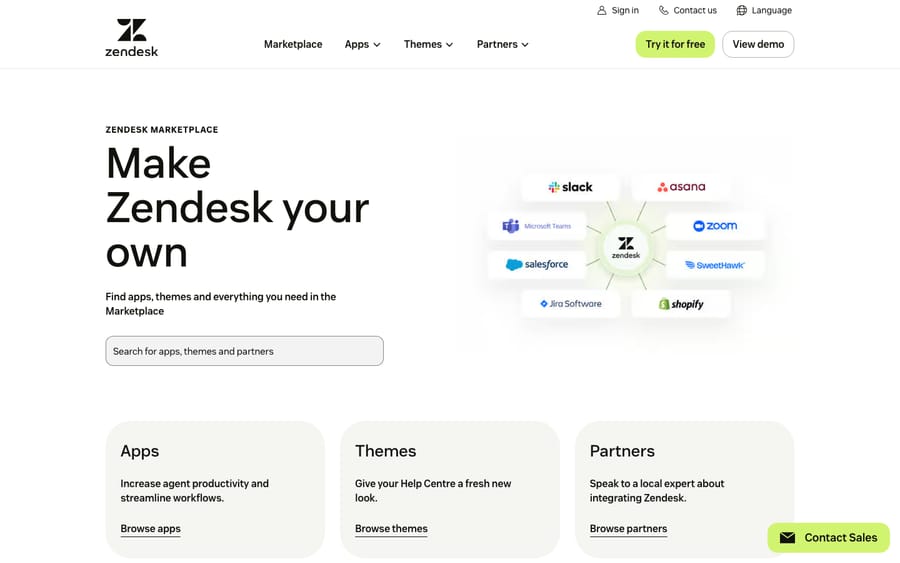
Which integrations bring store and order data into Zendesk?
Connect your store platform first. Almost every WISMO and refund question starts here.
1. Shopify for Zendesk (official)
What it does: Built by Zendesk, the Shopify app pulls the customer's details and recent orders into the ticket sidebar, and lets agents process refunds and cancellations and jump to the order in Shopify without leaving the conversation. It works with Shopify and Shopify Plus. The app itself is free; you pay for your Zendesk plan. Who it's for: Any store on Shopify. It's the default starting point. Set it up: See our walkthrough on how to integrate Zendesk with Shopify.
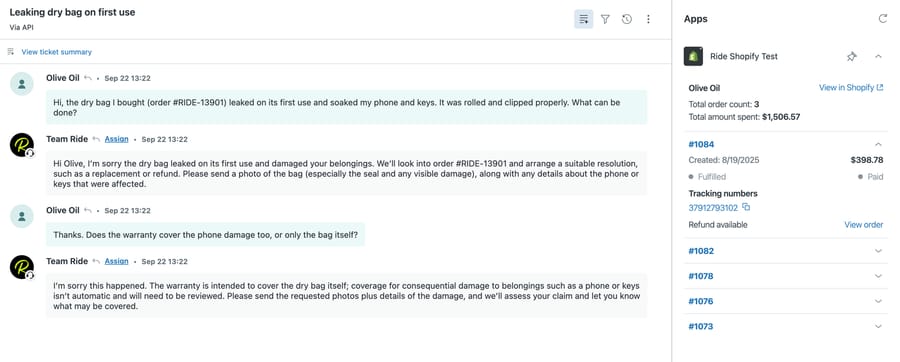
We installed it on our own Zendesk sandbox against a test store. The app finds the Shopify customer by the requester's email, so a ticket from an address the store doesn't know shows an empty panel ("There's nothing to see here yet"), which is what you'd see on guest checkouts and on customers who write in from a work address. On a matched customer it lists recent orders with fulfillment and payment status and the tracking number, which covers most of what an agent needs for a WISMO reply. Its rating record is mixed: 435 ratings in Zendesk's feed, 197 of them five-star and 73 one-star.
2. BigCommerce by agnoStack (third-party)
What it does: agnoStack is the main third-party BigCommerce integration for Zendesk. It surfaces customer, order, payment and shipping data in the ticket and lets agents search, modify and create orders, issue refunds and process cancellations. Who it's for: BigCommerce merchants, and enterprise teams that want more order actions than a lookup app gives them.
3. Magento / Adobe Commerce (third-party)

What it does: There's no Adobe-built Zendesk app, so Magento and Adobe Commerce stores connect through third-party options: agnoStack Commerce (a multi-platform app that also covers Shopify, BigCommerce, commercetools and WooCommerce) or the Wagento Zendesk Connector listed on the Adobe Commerce Marketplace. Both bring order and customer data into the ticket. Who it's for: Mid-market and enterprise stores on Magento 2 or Adobe Commerce, especially merchants who want one app across several storefronts.
Which apps answer WISMO and returns tickets?
"Where's my order?" and "where's my return?" (WISMR) are the highest-volume tickets in DTC. These integrations answer them with live data, and some steer returns toward exchanges.
4. AfterShip (by AfterShip)
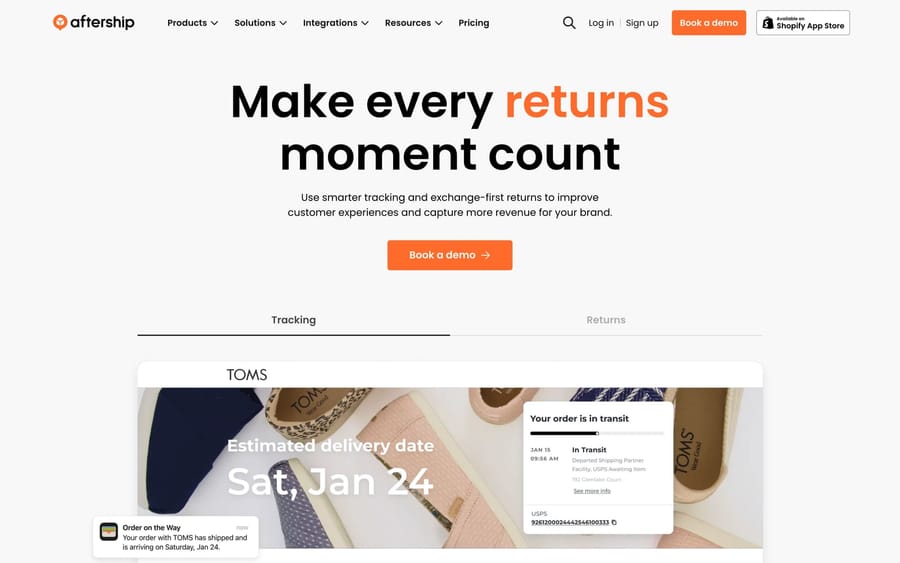
What it does: AfterShip Tracking and AfterShip Returns Center, both built by AfterShip, display live delivery status and return progress inside the ticket, pulling from 1,100+ carriers (the count on AfterShip's own app listing in September 2026). Agents answer "where's my package?" without leaving Zendesk. Who it's for: Stores shipping across many carriers and regions that need unified tracking and a branded returns flow.
5. ShipStation (by ShipStation)
ShipStation is the fourth most-installed e-commerce app in Zendesk's feed (335 installs) and the one with the weakest reviews: seven ratings, only one above three stars. Its Zendesk app tracks orders from the ticket. The bigger reason to list it is its API, which documents writes support teams need during peak: voiding a label and holding or releasing an order before it ships, which is how an address change gets caught in time. The API isn't available on ShipStation's Starter plan, per its docs. If ShipStation is where your orders ship from, it answers the "has it left the warehouse?" half of WISMO that a carrier-tracking app can't.
6. Loop Returns (by Loop)
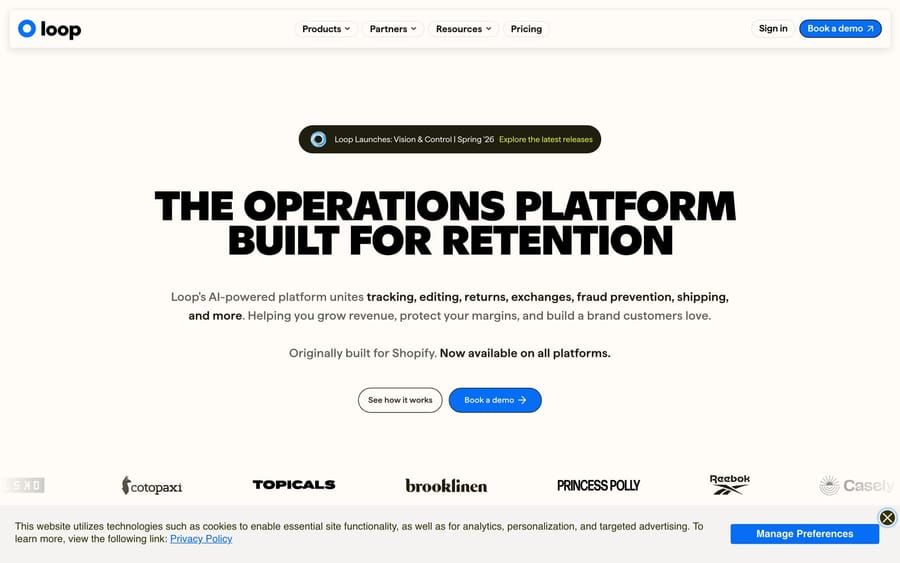
Loop is built to push exchanges over refunds, and its Zendesk app (153 installs) shows the customer's return or exchange status in the ticket so agents don't bounce into Loop's dashboard. That design choice is also Loop's incentive: every exchange it steers is revenue the brand keeps, which is how Loop sells itself. It suits Shopify DTC brands that would rather hand out store credit than cash. For an AI agent, Loop's API can process, cancel or close a return with an API key, but generating a label needs OAuth, so labels stay with a person or in Loop's own flows.
7. Narvar Connect and Care (by Narvar)
Narvar is the enterprise option, sold on contract rather than a public price list, and its Zendesk app shows it: 84 installs. The app surfaces outbound and return shipment status and can create cases for shipping incidents; handling the return request itself needs the separate Narvar Returns product. Only consider it if you already run Narvar for post-purchase tracking.
Which apps add subscription, review and loyalty context?
Retention-focused stores depend on subscription health and customer sentiment. These bring that context to the agent.
8. Recharge (via third-party / no-code)
What it does: Recharge runs subscriptions for many Shopify DTC brands. There's no first-party Recharge app in the Zendesk Marketplace. You connect it through agnoStack's Recharge add-on or a no-code tool like Zapier, and once it's wired up agents can view and manage subscriptions (skip, cancel, change the next charge date) from the ticket. Recharge's own API has no pause endpoint, so a "pause" is a moved charge date. There was no Recharge app in Zendesk's marketplace feed on September 28, 2026. Who it's for: Subscription and replenishment brands where "pause my next box" is a daily request.
9. Yotpo (by Yotpo)
What it does: The "Add Reviews by Yotpo" app, built by Yotpo, lets agents manage reviews and questions inside Zendesk and uses Yotpo's Mail After Service to send a review request when a ticket is solved. Yotpo also ties in loyalty data to spot high-value customers. Who it's for: Brands running Yotpo for reviews and loyalty that want support and post-purchase feedback in one loop.
10. Trustpilot Reviews (by Trustpilot)
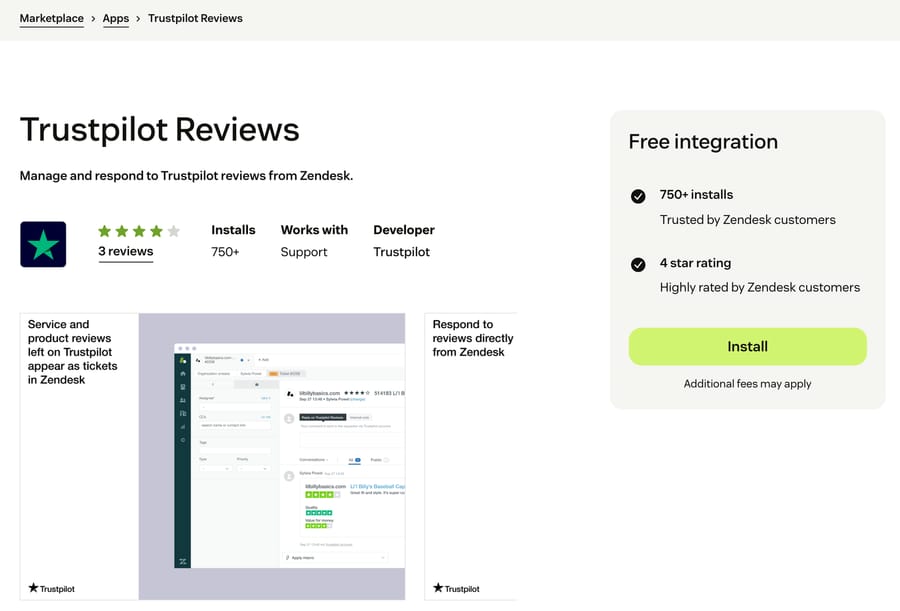
Trustpilot Reviews is the second most-installed e-commerce app on Zendesk (841 installs), and we almost left it out, because it carries reviews rather than order data. Each Trustpilot review arrives as a Zendesk ticket and an agent can reply from the ticket, which suits brands whose Trustpilot score drives sales. The limit for automation is Trustpilot's auth: reading public reviews needs only an API key, but replying needs an OAuth token that expires, so an AI agent can't post replies through a stored credential. Keep this one for your human team.
Which marketing and CRM apps connect to Zendesk?
Two vendors build their own Zendesk apps here, and both sync in both directions.
11. Klaviyo (by Klaviyo)
Klaviyo's own app (742 installs) runs in both directions. In the ticket it shows the profile and consent status, which answers "why am I still getting emails?" without a login. Back in Klaviyo, Opened Ticket and Resolved Ticket become metrics you can segment on, so a flow can hold a promo email from someone with an open complaint. It earns its place for email- and SMS-led DTC brands; if nobody in marketing uses those metrics, the sidebar alone is thin.
12. HubSpot (by HubSpot)
What it does: HubSpot's official integration (plus HubSpot CRM Connect and Data sync by HubSpot) shows Zendesk tickets on the contact timeline in HubSpot and syncs contacts, companies and tickets between the two, so sales and support see the same customer. Who it's for: Stores running HubSpot as their CRM, or B2B and hybrid commerce teams that need sales and support aligned. Set it up: See how to integrate Zendesk with HubSpot.
How do WhatsApp and Instagram connect to Zendesk?
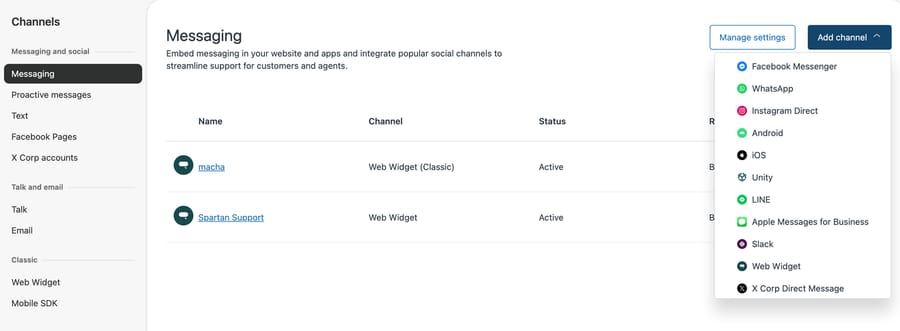
They're native Zendesk channels, not Marketplace apps, so you set them up in Admin Center under Channels, then Messaging, rather than installing anything.
13. WhatsApp (native channel)
What it does: Connect one or more WhatsApp numbers so WhatsApp conversations land in the Agent Workspace alongside email and chat. It's part of Zendesk's social messaging on Suite Team and up; Zendesk's pricing page lists Suite Team at $55 per agent per month billed annually and Suite Professional at $115. Who it's for: Brands with international or mobile-first customers where WhatsApp is the main inbox. Set it up: See how to connect WhatsApp to Zendesk.
14. Instagram & Facebook Messenger (native channels)
What it does: Instagram Direct and Facebook Messenger DMs flow into the same queue as everything else. The same Add channel menu in our sandbox also offered LINE, Apple Messages for Business, Slack and X Corp Direct Message. Configure them alongside your other channels in Zendesk messaging. Who it's for: Social-commerce and influencer-driven brands fielding product questions in Instagram DMs.
How do you see Stripe payments in Zendesk?
Refund and charge questions are constant in commerce, and surfacing payment data stops the tab-switching.
15. Stripe (third-party)
There's no official Stripe-built Zendesk app. Third-party options fill the gap: Stripe by Zenplates shows Stripe customers, subscriptions, payments and invoices in the ticket, and Stripe Connector covers similar ground. Both charge their own per-agent fee, so check the current price on the listing. Stripe by Zenplates had 163 installs in the feed. It's worth the fee mainly for headless or custom checkouts, where Stripe rather than Shopify holds the payment record and billing, dispute and subscription questions land on support.
Which integration should you install first?
You don't need all fifteen. Start where your ticket volume is:
- Connect your store platform first. Shopify, BigCommerce or Magento. This alone handles most WISMO and refund tickets faster, because order data lands in the sidebar.
- Add tracking and returns next if WISMO and "where's my return?" dominate your queue. Pick AfterShip, Loop or Narvar, whichever you already use post-purchase.
- Add CRM and marketing only if you act on the data. A Klaviyo or HubSpot sync nobody looks at is just maintenance.
- Open the channels customers ask for, not every channel. If nobody DMs you on Instagram, don't add it yet.
- Check who built it and what it costs. Being built by Zendesk or the vendor doesn't guarantee a good app: Shopify for Zendesk has 73 one-star ratings out of 435. Third-party apps add a per-agent fee and a second vendor to trust. Either way, read the listing's one-star reviews and last-updated date.
A good rule: every integration should remove a tab an agent currently opens. If it doesn't, skip it.
Can an AI agent answer these tickets on top of the integrations?
Every integration above puts data in front of a person. A human still reads the ticket, clicks into the order and types the reply. For a store doing thousands of "where's my order?" and "how do I return this?" tickets a month, that's a lot of human time spent on questions the connected data could answer.
An AI agent layer covers that gap. Macha runs on top of the help desk you already use (it works with Zendesk, Freshdesk, Gorgias, Front, HubSpot or Intercom). Once your store, tracking and returns data is reachable, Macha reads the customer's question, pulls the order and shipping details plus your help center, and resolves routine order and return questions inside the ticket: drafting the reply, tagging and routing, then handing off to a human with full context when its instructions say a case needs one. Read how it works on Macha for Zendesk.
The mechanism matters for what it can actually do. Macha's built-in Shopify connector looks up orders, products and customers, and its Create Refund tool refunds what's left on an order through Shopify's suggested-refund calculation. Apps without a built-in connector, such as ShipStation, AfterShip, Loop or Klaviyo, connect through custom API tools that Macha's team sets up during onboarding, using each vendor's API key. In a chat with an agent, a write action shows a confirmation card before it runs; on an automated trigger it runs when the agent's instructions tell it to, so you decide which refunds or voids happen without a person. Macha fits teams on Zendesk whose queue is mostly order status, returns and refunds, and who already keep that data in apps with usable APIs. If your volume is low or your data lives only in apps with OAuth-only writes, the Zendesk apps above are enough.
It's only as good as the data and knowledge you connect, and it's one more thing to configure, though setup and monitoring by the Macha team are included. On cost, Macha bills per ticket: one conversation, charged once, however many steps it takes (drafting, tagging, looking up an order). Per-resolution pricing ties the bill to an outcome definition the vendor controls; per-ticket pricing doesn't. Pricing starts at $299 a month for 750 tickets, about $0.40 each. If your queue is mostly repetitive WISMO and returns your connected apps could answer, that's where a layer on top pays off. You can try it with $50 of free usage and no credit card.
Frequently asked questions
What are the best Zendesk integrations for an e-commerce store? Start with your store platform: the official Shopify for Zendesk app (or BigCommerce and Magento via agnoStack) brings orders and refunds into the ticket. Then add a tracking and returns app (AfterShip, Loop or Narvar) for WISMO and returns, and connect WhatsApp or Instagram if your customers DM. CRM and marketing apps like Klaviyo and HubSpot come next if you act on the data.
Is the Shopify Zendesk integration official? Yes. The Shopify for Zendesk app is built by Zendesk, free to install, and listed on both the Zendesk Marketplace and the Shopify App Store. It supports Shopify and Shopify Plus and lets agents process refunds and cancellations in the ticket. See our Shopify setup guide.
Does Zendesk integrate with WhatsApp and Instagram? Yes, as native channels rather than Marketplace apps. You add WhatsApp, Instagram Direct and Facebook Messenger in Admin Center under messaging and social (Suite Team and up), so DMs land in the Agent Workspace with everything else. See how to connect WhatsApp to Zendesk.
What is the most installed e-commerce app on Zendesk? Shopify for Zendesk, with 16,605 installs in Zendesk's marketplace feed on September 28, 2026, the most of any of the 1,745 apps listed. The next e-commerce apps are far behind: Trustpilot Reviews at 841, Klaviyo at 742 and ShipStation at 335.
Are these Zendesk integrations free? Some are. Official apps like Shopify, HubSpot and Klaviyo are free to install (you pay for the other product's plan). Third-party apps like Stripe by Zenplates or agnoStack carry their own per-agent fees, and tracking and returns apps are usually tied to your AfterShip, Loop or Narvar plan. Check the marketplace listing for the current price.
Official Zendesk app vs. third-party: does it matter? Less than you'd expect. An app built by Zendesk or the platform vendor (Shopify, HubSpot, AfterShip, Klaviyo) has one fewer company in the chain, but it isn't automatically better: Shopify for Zendesk carries 73 one-star ratings out of 435, and ShipStation's own app has one rating above three stars out of seven. Third-party developer apps (agnoStack for BigCommerce and Magento, Zenplates for Stripe) are often more capable but add a vendor and a per-agent cost. Read the one-star reviews and the last-updated date before relying on any of them.
Can AI resolve e-commerce tickets using these integrations? The integrations put data in front of agents; resolving still takes a human. An AI agent layer like Macha sits on top of Zendesk and uses the connected order and return data to resolve routine questions in the ticket, escalating to a human when unsure. It complements these apps rather than replacing them or your help desk.
Install counts and ratings from Zendesk's public marketplace feed, September 28, 2026. Sandbox captures (Shopify for Zendesk, Admin Center channels) taken in our d3v-macha Zendesk on September 28, 2026. Integrations verified against the Zendesk Marketplace in June 2026; Suite prices, the Shopify app listing and AfterShip's carrier count re-checked on September 24, 2026. Vendors update apps and pricing, so confirm details on each listing before installing.
Add AI agents to your Zendesk
Macha reads the ticket, drafts the reply and takes the action, inside the Zendesk you already run.