





 Shopify
 Stripe
 Slack
Slack Notion
 Google Workspace
 Confluence

How Do You Build an AI Agent for Help Scout? (2026)


A Help Scout AI agent reads each new conversation, calls tools such as a Docs search, then replies or hands off to a human. You can build one on the Mailbox API or use a ready-made option, and the right pick depends on whether you need answers or actions.
Key takeaways
- Building a Help Scout AI agent means a convo.created webhook, a tool loop, and replies posted through POST /v2/conversations/{id}/reply on the Mailbox API v2.
- Help Scout's Free plan has no API access, while Standard, Plus and Pro allow 200, 400 and 800 API calls a minute.
- Help Scout's reply endpoint returns 201 Created with the new thread id in the Resource-Id header, and only the text and customer fields are required.
- Help Scout AI Answers costs $0.75 per resolution and gives new accounts 3 months of unlimited resolutions free, but it answers from Docs without calling your own systems.
- Macha does not connect to Help Scout today, so Help Scout teams choose between building on the API, AI Answers, or a third-party agent such as eesel or DocsBot.

You build an AI agent for Help Scout on the Mailbox API v2: a webhook fires on convo.created, your code reads the conversation, calls tools, and posts a reply with POST /v2/conversations/{id}/reply. API access starts on the Standard plan ($25 per user a month, 200 calls a minute); the Free plan has none. If you would rather not build, Help Scout's own AI Answers costs $0.75 per resolution, and third-party agents such as eesel and DocsBot connect natively.
| Route | What you get | Cost | Time to live |
|---|---|---|---|
| Build on the Mailbox API | Any model, any tools, your own guardrails | Your hosting and engineering time; API needs Standard or above | Weeks, plus upkeep |
| Help Scout AI Answers | Native answers in Beacon from your Docs | $0.75 per resolution; 3 months free for new accounts | Same day |
| Third-party agent with a Help Scout integration (eesel, DocsBot) | Hosted agent, vendor's feature set | Vendor pricing | Days |
What does a Help Scout AI agent actually do?
The loop is the same as any support agent, wired to Help Scout: a new conversation arrives, the agent reads it and the customer's history, it calls tools (look up the order, search your Docs, check a policy), then it posts a reply or reassigns the conversation to a human. The hard part is doing that reliably on real conversations. (New to agents generally? Start with AI agents for customer service.)
How do you build it against the Help Scout API?
Help Scout has a full REST API (the Mailbox API v2), so you can build the agent yourself. The pieces:
- Read conversations: the Conversations and Threads endpoints pull the conversation, its message threads and the customer.
- Reply and act: post a reply thread, change status or reassign through the API. The reply endpoint also takes
assignToandstatus, so one call can answer and close. - Trigger on new conversations: a Help Scout webhook on the
convo.createdevent calls your endpoint when a conversation is created.
A reply tool against the real Help Scout Mailbox API looks like this:
import requests
HS = "https://api.helpscout.net/v2"

def reply_to_conversation(conversation_id: str, customer_id: int, body: str):
    r = requests.post(f"{HS}/conversations/{conversation_id}/reply",
        json={"text": body, "customer": {"id": customer_id}, "draft": False},
        headers={"Authorization": f"Bearer {OAUTH_TOKEN}"}, timeout=10)
    r.raise_for_status()          # handle 429 rate limits, token refresh
    return {"status": "sent", "thread": r.headers.get("Resource-Id")}
That endpoint returns 201 Created with the new thread id in the Resource-Id header (Help Scout Mailbox API docs). Only text and customer are required; set draft to true if you want a human to approve the reply first. Wrap it (and a get_customer and a search_docs) as tools in an agent loop on the model of your choice; our walkthrough in how to build an AI agent: from scratch vs. platform shows the loop.
What production work does it take?
The API calls are the easy bit. A Help Scout agent you'd trust also needs:
- A webhook endpoint that checks the
X-HelpScout-Signatureheader (a base64 HMAC-SHA1 of the body with your secret key) and is idempotent, so a retried event doesn't double-reply. - Rate-limit handling: Help Scout allows 200, 400 or 800 calls a minute on Standard, Plus and Pro, and returns 429 past that.
- Token refresh: OAuth access tokens expire after 172,800 seconds (48 hours).
- Grounding in your Docs site, with the articles embedded and kept fresh.
- Guardrails: escalate refunds, don't leak PII.
- Hosting, observability and an eval harness over real historical conversations.
That's weeks of work plus upkeep, and none of it is specific to your business.
Is there a ready-made option instead?
Yes, and the one closest to hand is Help Scout's own. AI Answers answers customers in Beacon from your Docs at $0.75 per resolution, and new accounts get 3 months of unlimited resolutions free (Help Scout pricing). It answers questions; it does not call your order or billing systems.
If you need an agent that also takes actions, third-party agents such as eesel and DocsBot list Help Scout integrations. We compare them in the best AI agents for Help Scout. If you'd rather not build, our Help Scout AI implementation guide compares AI Answers, consultants and third-party agents.
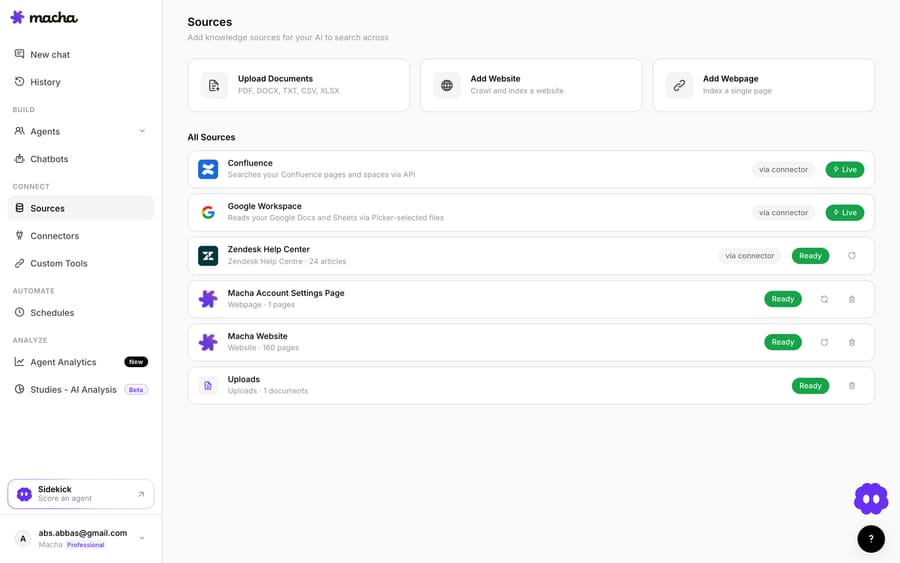
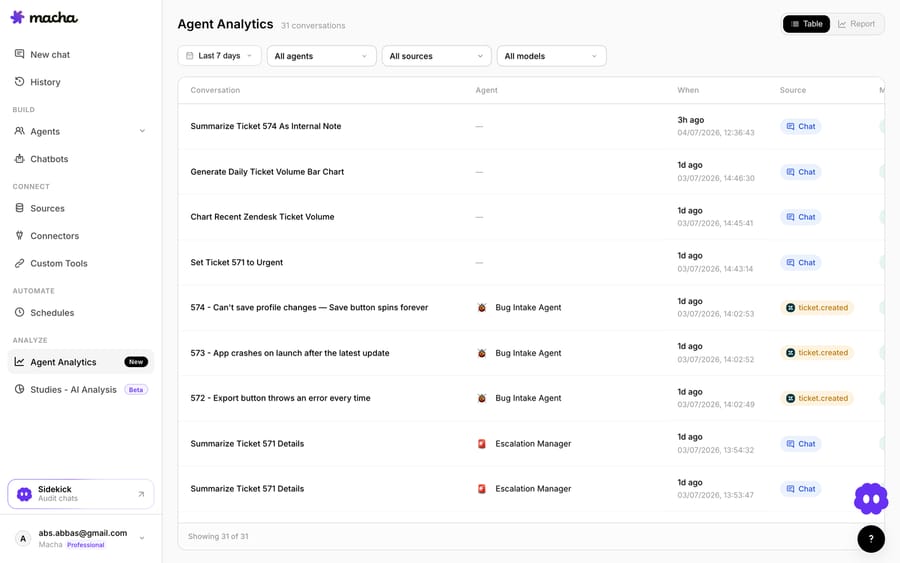
Full disclosure: we make an AI agent, Macha, and it does not connect to Help Scout today. Macha runs on top of Zendesk, Freshdesk, Gorgias, Front, HubSpot or Intercom. If your team also runs one of those desks, the pieces you would otherwise build come with the platform: Custom Tools turn an order or billing REST API into an agent capability once you describe the endpoint, and Agent Analytics logs every run.
How does building compare with buying for Help Scout?
| Build on the Help Scout API | Help Scout AI Answers | |
|---|---|---|
| Read and reply to conversations | You write the API client | Built in |
| Trigger on new conversations | You build a signed webhook endpoint | Built in |
| Ground on Docs | You embed and host a vector store | Uses your Docs site |
| Call your own systems | You wire each one | No |
| Hosting, retries, observability | Your infrastructure | Help Scout's |
| Cost | Engineering time plus hosting | $0.75 per resolution |
| Time to a live agent | Weeks plus upkeep | Same day |
So which should you build?
Build on the API if you need a fully custom runtime, have strict data-residency needs, or the agent is your product. If you only need answers from your Docs, turn on AI Answers and measure it for the free 3 months before writing any code. If you need actions across your own systems and don't want to host anything, shortlist the third-party agents that integrate with Help Scout.
FAQ
Is a Help Scout AI agent the same as Help Scout's own AI? Not necessarily. Help Scout offers AI Answers and AI Drafts, but you can also run your own agent on top of Help Scout through the Mailbox API, which is useful if you want a specific model, custom tools, or to grade the agent your own way.
Do I need a paid Help Scout plan to use the API? Yes. The Free plan does not include API access; Standard allows 200 calls a minute, Plus 400 and Pro 800.
Can the agent take actions, not just answer? Yes, if you build it on the API: reply, change status, reassign and tag through Help Scout, plus your own systems' APIs as tools (order lookups, refunds), with guardrails on what it can do unattended.
How do I make sure it's accurate before it replies to customers? Ground it in your Docs, replay it against real historical conversations first, post replies with draft: true so a human approves them, and widen autonomy per conversation type as it earns trust.
Does Macha work with Help Scout? No. Macha runs on top of Zendesk, Freshdesk, Gorgias, Front, HubSpot or Intercom, and it does not connect to Help Scout today.






