





 Shopify
 Stripe
 Slack
Slack Notion
 Google Workspace
 Confluence

What Is DocsBot and How Much Does It Cost in 2026?


DocsBot turns a business's documentation into AI agents for chat, voice and phone, with plans from free to $499 a month metered by AI credits. A 2026 overhaul renamed the tiers, so older reviews quoting Hobby, Power or Pro describe plans no longer sold.
Key takeaways
- DocsBot builds AI agents for chat, voice and phone from 38+ source types, and its homepage quotes Sony's NURO support brand at about 80% resolution across 30,000 inquiries in its first month, a vendor claim without audit.
- DocsBot's Standard plan costs $149 a month for 3 bots, 15,000 source pages, 15,000 monthly AI credits, 5 users and 8 actions per bot, including Stripe billing actions.
- DocsBot's $499 Business plan is the tier with PII redaction, sentiment analysis and SOC 2 Type II, covering 10 bots and 100,000 source pages.
- DocsBot's 2026 overhaul made Hobby and Pro legacy plans, renamed Power to Personal, and moves Pro subscribers to Standard at renewal after March 1, 2026.
- For agents that act on tickets inside a help desk, Macha is the done-for-you alternative: the Macha team builds and runs the agent at about $0.40 a ticket, dedicated success manager included.

DocsBot is a platform that turns a business's documentation into AI agents for chat, voice and phone, priced by monthly AI credits: Free ($0, 100 credits), Personal ($49/month), Standard ($149/month), Business ($499/month) and custom Enterprise, per its pricing page on 24 September 2026. The plan names changed in a 2026 overhaul, so older reviews quoting "Hobby," "Power" or "Pro" describe tiers that are no longer sold.
| Plan | Monthly price | Bots | AI credits/month |
|---|---|---|---|
| Free | $0 | 1 | 100 |
| Personal | $49 | 1 | 5,000 |
| Standard | $149 | 3 | 15,000 |
| Business | $499 | 10 | 60,000 |
| Enterprise | Custom | Unlimited | Custom |
We checked DocsBot's own pricing page and its 2026 pricing-update FAQ directly to catch the tier renames, since a search for "DocsBot pricing" still turns up plenty of pages describing the old plan names.
What is DocsBot?
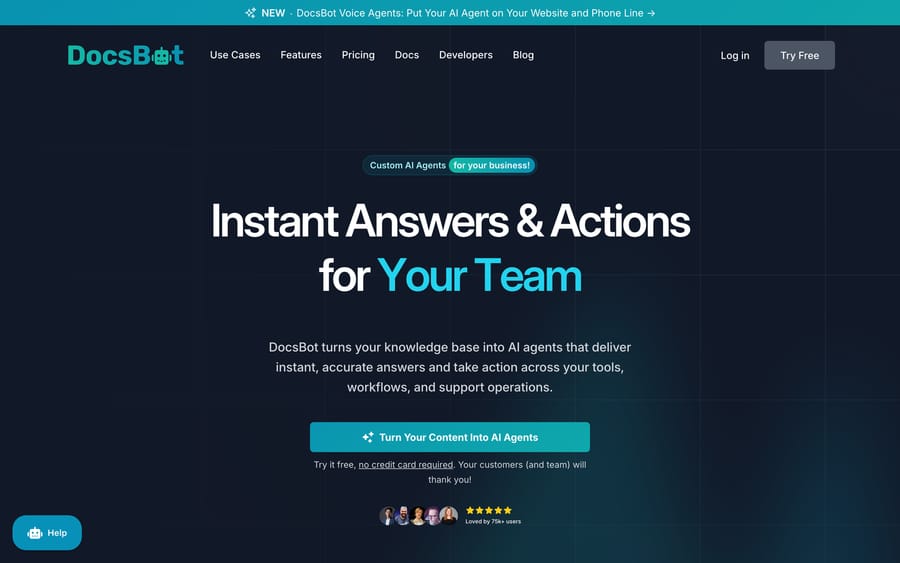
DocsBot ingests a business's existing content (websites, PDFs, Google Drive, Notion, Confluence, Zendesk articles, Help Scout docs and more, 38+ source types in total) and builds a retrieval-backed AI agent that answers from that material instead of the model's general training data. On top of the core chatbot, DocsBot has added Voice Agents for websites and phone lines, a Deep Research Agent that combines document analysis with live web search and code interpretation, and AI Actions, a skill-builder layer that lets the agent call APIs and webhooks to do something instead of only answer.
DocsBot publishes a few customer references. Its homepage quotes Sony Network Communications' NURO 光 support brand: "Within just one month of deployment, DocsBot successfully handled over 30,000 customer inquiries," at "a resolution rate of approximately 80%." WingArc1st is cited for how fast DocsBot ships features, and Sentry.io uses an embedded widget on its documentation. DocsBot also claims 75,000+ users and 3,000+ businesses. Those figures are vendor-reported with no independent audit, so treat them as scale claims, not a benchmark to plan your own deployment against.
How does DocsBot's AI work?
The mechanism is standard retrieval-augmented generation with a few DocsBot-specific pieces. You connect a source (a URL to crawl, a PDF upload, a Notion or Confluence sync, a Zendesk or Help Scout knowledge base), DocsBot indexes it, and the bot answers by retrieving the relevant passages and generating a response grounded in them. AI Actions extend that from answering into doing: the skill builder lets you define API calls or webhooks the agent can trigger mid-conversation, so a bot can create a support ticket, look up an order, or run a Stripe billing action instead of describing how to do it.
PII Redaction is worth naming: DocsBot runs a custom-trained model in the visitor's own browser, stripping personal information before it's sent to the AI at all, instead of redacting it server-side afterwards. That's a different privacy posture from most competitors, and it's limited to the Business plan and above.
Usage is metered in AI Credits. A standard message on the default lightweight model costs 1 credit; larger models carry multipliers from 3x to 50x, and AI Actions and skill-builder test runs cost more too. So DocsBot earns more only when a conversation does more work, whether that's a heavier model or a real action, instead of charging a flat per-message rate. When an account runs out of monthly credits, the bot stops responding and shows visitors an error message until the plan renews, auto top-up kicks in, or you upgrade.
What features does DocsBot include?
- AI Agents/Chatbots: trained on your connected sources, deployable as an embedded widget, a popup, or via API.
- Voice Agents: natural-conversation interfaces for websites and phone lines, on the same knowledge base.
- Deep Research Agent: document analysis combined with live web search and code interpretation for harder questions.
- AI Actions and skill builder: API/webhook calls the agent can trigger, including built-in Stripe billing actions on Standard and above.
- PII Redaction: browser-side, custom-trained local model that strips personal data before it reaches the AI (Business and above).
- 38+ content sources: websites, PDFs, Google Drive, Notion, Confluence, Zendesk, Help Scout and more.
- 7,000+ app integrations: native Slack, Microsoft Teams, HubSpot, Discord and Asana, plus Zapier and Make for everything else; Messenger, WhatsApp and Telegram from the Personal plan.
How much does DocsBot cost in 2026?
DocsBot restructured its pricing for 2026. Per its update FAQ, Hobby became a legacy plan closed to new customers, Power was renamed Personal, Pro became legacy and was replaced by the new Standard plan, and Business was "enhanced" with added features and enterprise controls (the pricing page still labels it Business). Legacy Pro subscribers move to Standard at their next renewal after March 1, 2026. DocsBot says 20+ major features shipped since launch had made the old tiers overlap and confuse buyers.
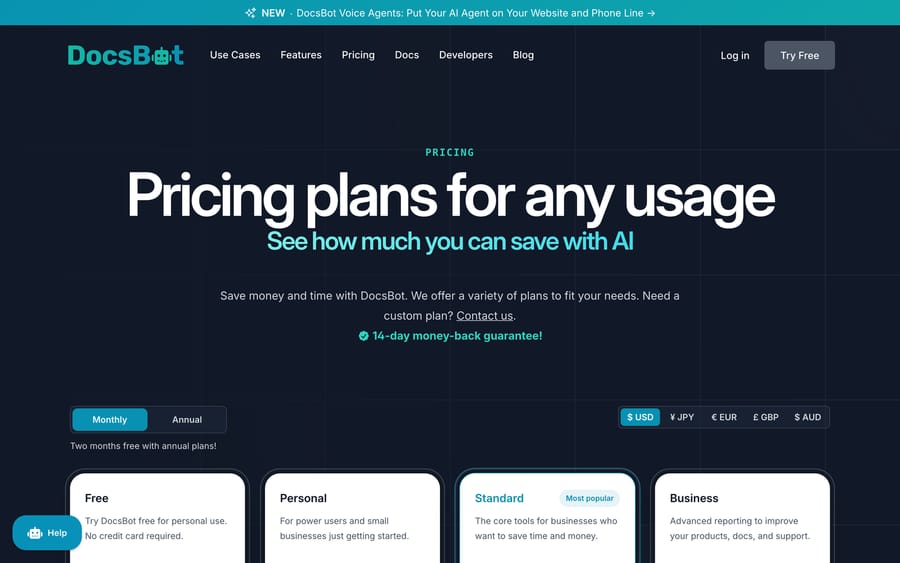
The current published plans (annual billing gives 2 months free, for example $1,488 a year for Standard):
| Plan | Price | Bots | Source pages | Monthly AI credits | Notable extras |
|---|---|---|---|---|---|
| Free | $0 | 1 | 50 | 100 | 1 user, basic sources only |
| Personal | $49/mo | 1 | 5,000 | 5,000 | 1 user, 3 actions/bot, Zapier, Slack, Messenger/WhatsApp/Telegram |
| Standard | $149/mo | 3 | 15,000 | 15,000 | 5 users, 8 actions/bot, skills builder, escalation tickets, Stripe actions, web search |
| Business | $499/mo | 10 | 100,000 | 60,000 | 10 users, 12 actions/bot, PII redaction, sentiment analysis, SOC 2 Type II, GDPR |
| Enterprise | Custom | Unlimited | Unlimited | Custom | Azure OpenAI, self-hosting, SSO, HIPAA availability |
Add-ons run $49 per 5,000 extra AI credits, $19 per extra bot, $29 per 10,000 extra source pages and $19 per extra team user (Business and Enterprise only). Paid plans carry a 14-day money-back guarantee. If you're pricing DocsBot against an older review, confirm you're looking at the current Standard plan, not the retired Pro tier it replaced.
What are DocsBot's pros and cons?
Pros
- Broad source coverage (38+ types) and a large integration surface (7,000+ apps via Zapier/Make plus native connectors).
- AI Actions and the skill builder go past answering into workflow automation: ticket creation, order lookups, Stripe billing actions.
- Browser-side PII redaction is a real privacy mechanism, not a compliance checkbox.
- A usable free tier and a $49/month entry plan for teams that want to try it on a real, if small, deployment.
Cons
- The 2026 plan overhaul means a lot of pricing content on the web, including older reviews, describes plans that no longer exist under those names.
- Credit-based pricing makes cost harder to forecast than a flat per-seat or per-ticket model, since a larger model can cost up to 50 times a plain message.
- PII redaction, sentiment analysis and SOC 2 Type II all sit on the $499/month Business plan, out of reach for smaller teams that still care about compliance.
- Vendor-reported scale numbers (75,000+ users, Sony's 80% resolution rate) carry no independent audit.
Who is DocsBot best for?
DocsBot fits teams that already have a real knowledge base (docs, a help center, product PDFs, a wiki) and want an AI agent that answers from it accurately and takes a handful of defined actions, especially if voice or research-heavy Q&A matters alongside chat. The Free and Personal tiers make it approachable for a small team; Standard and Business add the skill-builder automation and compliance controls a growing support operation needs.
It's a weaker fit for a team whose support work lives inside a ticketing system rather than a standalone chatbot widget, or one that needs two-way integration with a help desk's ticket queue instead of a knowledge-answering bot on the front end.
How does DocsBot compare with Chatbase and Macha?
| DocsBot | Chatbase | Macha | |
|---|---|---|---|
| Model | Knowledge-source AI agent with voice, research, and action skills | Knowledge-source AI chatbot, chat-first | AI agent layer on top of your existing help desk |
| Best for | Teams with a real knowledge base wanting chat, voice, and defined actions | Teams wanting a fast, simple website chatbot | Teams on Zendesk, Freshdesk, Gorgias, Front, HubSpot or Intercom |
| Pricing | $0-$499/mo published tiers plus custom Enterprise, metered by AI credits | Published credit-based tiers | One plan by ticket volume, from $299/month for 750 tickets (about $0.40 per ticket) |
| Free tier | Yes | Yes | $50 of free usage (about 125 tickets), no credit card, no time limit |
| Actions beyond answering | Yes, via AI Actions/skill builder | Limited | Yes, via help-desk-native agents |
| Setup | Self-serve, no-code | Self-serve, no-code | Done for you by the Macha team, with a dedicated success manager, included |
| Replaces your help desk? | No, sits alongside it | No | No, deliberately augments it |
DocsBot and Chatbase start from the same idea, a chatbot trained on your content, and compete mostly on how far past plain answering they go; CustomGPT.ai is the third quote most teams get. If your support work already happens inside a help desk and the gap is agents that act on tickets instead of a website widget, Macha is built for that: it runs on top of the help desk you already use, billed per ticket with published numbers on a pricing page instead of a credit calculator. Macha is also done for you: the Macha team analyzes your past tickets, builds the knowledge base and the agent on your help desk, and runs it in safe mode until the drafts are right. About $0.40 a ticket covers that setup and a dedicated success manager who handles your changes.
How we researched this
The plans, source limits and credit rules come from DocsBot's pricing page, homepage and 2026 pricing-update FAQ, re-checked on September 24, 2026; that pass added team-user counts, annual billing, the money-back guarantee and model multipliers, and corrected the Sony NURO figure to DocsBot's own wording. On September 21, 2026 we re-checked the internal links and added the comparisons above. We have not run DocsBot on a live support queue ourselves, and G2 turned away every request we made, so this guide carries no third-party review score rather than an estimated one.
FAQ
What is DocsBot? DocsBot is a platform that converts a business's existing documentation and knowledge sources into AI agents that answer questions and take defined actions across chat, voice, and phone.
How much does DocsBot cost? Free for a single bot with 100 monthly AI credits. Paid plans run Personal at $49/month, Standard at $149/month and Business at $499/month, each with more bots, source pages and credits, plus a custom Enterprise tier. Annual billing gives 2 months free. Add-ons cover extra credits, bots, source pages and users.
What is an AI Credit in DocsBot's pricing? The unit its usage-based pricing runs on. A standard message on the default lightweight model costs 1 credit; larger models use multipliers from 3x to 50x, and AI Actions and skill-builder test runs cost more. The bot stops responding once an account's monthly credits run out.
What changed in DocsBot's 2026 pricing update? Hobby became a legacy plan closed to new customers, Power was renamed Personal, Pro became legacy and was replaced by Standard (Pro subscribers migrate at their next renewal after March 1, 2026), and Business gained added enterprise controls. DocsBot says the change reduced overlap between tiers after 20+ features shipped since launch.
Can DocsBot's AI take actions, or does it only answer questions? Both. AI Actions let you define API or webhook calls the agent can trigger, including built-in Stripe billing actions on Standard and above, so it can create a ticket, look up an order, or process a defined transaction.
Does DocsBot protect personal information in conversations? On the Business plan and above, yes: PII Redaction runs a custom-trained model in the visitor's browser to strip personal data before it reaches the AI, rather than filtering it server-side afterwards.
What are good alternatives to DocsBot? Chatbase is the closest comparison for a knowledge-source chatbot. For teams that want AI agents acting inside an existing help desk's ticket queue rather than a standalone widget, Macha is the more direct fit.
Sources: DocsBot homepage, DocsBot pricing, DocsBot 2026 plan and pricing update FAQ.






