





 Shopify
 Stripe
 Slack
Slack Notion
 Google Workspace
 Confluence

How Do You Migrate from Front to Gorgias? (2026 Step-by-Step)


Teams leave Front for Gorgias for the Shopify order context on every ticket, but the move isn't a one-click import. Front's export runs through its Support team and leaves out tags and templates, Gorgias has no Front importer, and your rules have to be rebuilt by hand.
Key takeaways
- A Front to Gorgias migration needs a third-party importer such as Help Desk Migration, because Gorgias has no native Front importer and Front has no self-serve full export.
- Front's account data export must be requested from Front's Support team by a company admin and arrives as CSV files of about 700MB each.
- Front's export leaves out message templates, tags, contact data and individual-inbox conversations, so the importer reads contacts and tags from Front's API instead.
- Help Desk Migration's free demo moves 20 tickets with their associated data into Gorgias, and Delta migration later catches records created during the full transfer.
- Help Desk Migration does not transfer attachments over 10MB, CC fields or organizations to Gorgias, and tickets with more than 30-40 comments need custom handling.

To migrate from Front to Gorgias, you request a data export from Front's Support team (company admin only), run a third-party importer such as Help Desk Migration with a free 20-ticket demo first, then rebuild your Front rules and templates as Gorgias Rules, Flows and macros, because Gorgias has no native Front importer and automation logic never transfers.
| Step | What you do | Watch for |
|---|---|---|
| 1. Export from Front | Ask Front Support for an account data export | Company admin only; tags, templates, contacts and individual inboxes excluded |
| 2. Pick a route | Use a third-party importer (e.g. Help Desk Migration) | Disable Gorgias rules; pre-create agents and custom fields |
| 3. Demo, then migrate | Run the free 20-ticket demo, check it, run the full transfer | Delta migration catches tickets created during the run |
| 4. Rebuild and cut over | Recreate rules, macros and reports; repoint inbound channels | Rules, shared drafts and analytics history don't transfer |
Why do teams move from Front to Gorgias?
The pull is order context, not inbox features. Front and Gorgias both do the collaborative shared-inbox job well: assignment, internal comments, canned replies. Where they diverge is the storefront. Gorgias surfaces the customer's Shopify (or BigCommerce/Magento) order history, fulfillment status, and refund controls inside the ticket sidebar, and lets an agent issue a refund or cancel an order without leaving the conversation. For a support team whose tickets are mostly "where's my order" and "I want to return this," that native commerce data is the whole reason to switch.
The trade-off is what you leave behind. Front's collaborative shared inbox (shared drafts, message-level comments, its particular rules engine) is genuinely good, and some of it has no one-to-one equivalent in Gorgias. Going in clear-eyed about that is the difference between a smooth cutover and an angry team in week two.
How do you export your data out of Front?
Start here, because this is the step people underestimate. You can't self-serve a full Front export. Per Front's help center, you contact Front's Support team to export your account data with the line "Account data export request for {Customer name}", and you must hold company admin permissions to request it. Front delivers the export as CSV files of about 700MB each, ordered alphabetically, with EML message files available on request.
Read the fine print before you plan around it. Front's export includes conversations, messages, discussions, and comments from your shared inboxes, and shared-inbox attachments (EML format only). It excludes, in Front's words, "attachments, comments, conversations, or discussions from individual inboxes or contact data," and message templates and tags aren't exported either. So individual-inbox history, your contact database, your templates, and every tag are not in the box. Our companion guide on how to export data from Front covers the request in detail.
Which migration route should you use?
Gorgias has no native Front importer, so the realistic path is a third-party migration tool. Help Desk Migration (built by Relokia and listed in the Gorgias app store) is the common choice. It lists Front as a supported source, connects to both platforms with credentials, maps fields, and moves records automatically. Gorgias's own docs note the integration was built by a partner, so support on technical issues can take longer than a regular Gorgias ticket.
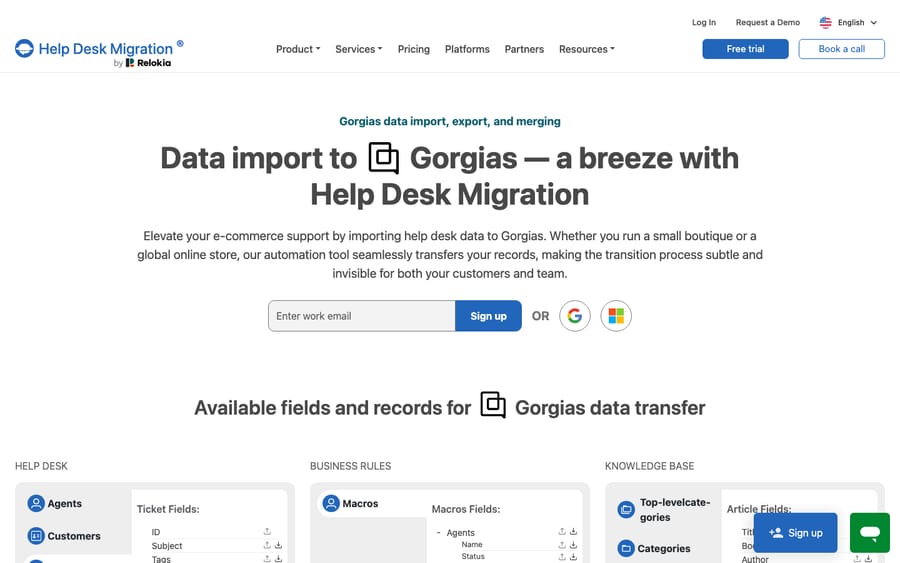
Before you run anything, do the Gorgias-side prep the importer expects. Help Desk Migration's Gorgias migration checklist says to disable any active Gorgias rules first (so they don't change ticket statuses as records land), get admin access to both accounts, and create agents and custom fields before the test migration so records have somewhere to map to.
How do you test the migration before committing?
Never trust a full migration you haven't previewed. Help Desk Migration's free demo moves 20 tickets with their associated data into Gorgias so you can inspect how comments, tags, attachments, and requester data land, and you can repeat it with adjusted settings. Map your Front agents to Gorgias agents during this step so ticket ownership survives, then check a handful of migrated tickets against the originals. When the demo looks right, run the full transfer, with Delta migration to sweep up records created or updated during the run and Interval migration if you want the import split into scheduled batches.
What moves, and what do you rebuild?
This table is the heart of the migration. Roughly, ticket data travels; automation and presentation logic does not. The transfer columns reflect what Help Desk Migration documents for Front and for Gorgias.
| Item | Moves via importer? | Notes |
|---|---|---|
| Tickets / conversations | Yes | Subject, tags, channel, state and assignee carried over |
| Comments & notes | Yes | Tickets over 30-40 comments need custom handling (split into several tickets) |
| Agents | Yes | Pre-create and map them so ownership survives |
| Customers / contacts | Yes | Front's own export excludes contact data; the importer reads it via API |
| Tags | Yes (via importer) | Front's support-run export omits tags; the importer maps them |
| Custom fields | Yes | Pre-create matching fields in Gorgias first |
| Attachments | Partial | Attachments larger than 10MB are not transferred |
| Knowledge base articles | Yes | Articles, categories and folders |
| Macros / message templates | No | Not in Front's export and not listed among Front records the importer moves; recreate as Gorgias macros |
| Front rules (When/If/Then) | No | Rebuild as Gorgias Rules and Flows |
| Shared drafts | No | No Gorgias equivalent |
| Front analytics / reporting history | No | Reporting starts fresh in Gorgias |
| Organizations, CC fields, snoozed tickets | No | Not transferred by the standard tool; snoozed tickets need a custom migration |
Is there downtime, and what doesn't port?
Plan for a dual-running window, not an instant switch. Migration tools advertise "zero downtime," and it's largely true, because the importer copies data while both systems keep running; your team doesn't lose access. The real disruption is the cutover you choose: the period where new tickets could arrive in either system, which you manage by pointing your inbound email and channels at Gorgias on a planned date and letting Delta migration catch the stragglers.
The bigger cost is rebuild, not downtime. Because Front's rules, shared drafts, message templates, and reporting history don't survive to Gorgias, everything that made your Front automation feel effortless has to be recreated. Your Front rules become Gorgias Rules and Flows, a re-authoring job, not a copy. Templates come back as Gorgias macros. Analytics baselines reset. The importer has documented edges too: tickets with more than 30-40 comments, attachments over 10MB, CC fields, organizations, and snoozed tickets need custom handling or don't transfer. Budget time to spot-check high-volume threads.
None of this is a reason to stay, since the Shopify context is a real gain. It is a reason to scope the project honestly rather than treat it as an overnight import.
Where does an AI agent layer like Macha fit?
The reason a migration feels painful is that the deterministic automation (rules, macros, templates) is exactly the layer that doesn't travel. That layer is also the one an AI agent makes less brittle.
Macha is an AI agent layer that sits on top of the help desk you already use (Front before your move, Gorgias after it), not a replacement for either. It doesn't compete with Gorgias's inbox; it adds reasoning on top of it. Rather than porting a hundred keyword rules, you connect Macha to Gorgias and let its agent read intent: it looks up the customer's real order through Macha's Shopify connector (Get Order, Search Orders, Lookup Customer), then drafts or sends a grounded reply and sets tags, priority and assignment on the Gorgias ticket. For anything outside Shopify, a custom tool turns your own API into something the agent can call; the Front API pattern carries over to any REST integration. Macha bills per ticket (one conversation, charged once however many messages it takes, from $299 a month for 750 tickets), not per resolution, so the bill never hangs on an outcome definition you don't control. The migration moves your history; the agent handles the next ticket.
FAQ
Does Gorgias have a native Front importer? No. Gorgias doesn't read Front data directly, so the practical route is a third-party tool such as Help Desk Migration, which is listed in the Gorgias app store and supports Front as a source. It connects to both platforms, maps fields, and moves records automatically.
Can I export my Front data myself? Not fully. Front requires you to contact its Support team to export account data, and you need company admin permissions. The export also excludes individual-inbox history, contact data, message templates, and tags; the importer reads contacts and tags via API instead.
What won't survive a Front to Gorgias migration? Front rules, shared drafts, message templates, and reporting history don't port and must be rebuilt (rules become Gorgias Rules and Flows; templates become Gorgias macros). The importer also lists tickets with 30-40+ comments, attachments over 10MB, CC fields, organizations and snoozed tickets as needing custom handling or not transferring.
Is there downtime? Broadly no. The importer copies data while both systems stay live. The disruption you manage is the cutover date, when you repoint inbound channels to Gorgias and let Delta migration capture anything created during the transfer.
Can I add AI to Gorgias after migrating? Yes. Macha is an AI agent layer that runs on top of Gorgias (or Front) rather than replacing it. It reads a ticket, pulls the Shopify order through its Shopify connector, and drafts or sends a grounded reply, which helps precisely because your Front automation logic has to be rebuilt anyway.
Landing on Gorgias and want the automation to feel less like a rebuild? Start a free trial of Macha ($50 of usage, no credit card) and connect it to your inbox.






