





 Shopify
 Stripe
 Slack
Slack Notion
 Google Workspace
 Confluence

What Is Inkeep? Pricing, Features and Alternatives (2026)


Inkeep is an AI agent platform that answers product and support questions from a company's own docs, with a free self-hosted edition and a quote-only managed Enterprise edition. Its customers are mostly developer-tool companies such as Anthropic, Postman and Pinecone.
Key takeaways
- Inkeep sells a free self-hosted Open Source edition, source-available under the Elastic License 2.0 rather than an OSI-approved license, and a managed Enterprise edition quoted per expected usage with no list price.
- Inkeep came out of Y Combinator's Winter 2023 batch, founded by Nick Gomez and Robert Tran, and has raised $13 million from Khosla Ventures, Y Combinator, and Great Point Ventures.
- Inkeep offers a live demo followed by a 30-day sandbox on a company's public content, with no account or payment method required, while Kapa.ai offers a 14-day free trial.
- Inkeep Enterprise adds a dedicated forward deployed engineer, managed RAG search, Slack and support-platform integration, PII removal and cloud hosting on top of the open-source framework.
- For tickets already in a help desk, Macha is the done-for-you option: the Macha team builds and runs the agent at about $0.40 a ticket, with a dedicated success manager included.

Inkeep is an AI agent platform that answers product and support questions from a company's docs, help center, source code and support history, sold two ways: Inkeep Open Source, free to self-host under the Elastic License 2.0, and Inkeep Enterprise, a managed version priced only by quote. Its customers are mostly developer-tool companies, and Postman, Anthropic, Midjourney, Pinecone, PostHog, Solana, Clerk and Clay all appear as logos on inkeep.com.
| Question | Answer (checked September 24, 2026) |
|---|---|
| Editions | Inkeep Open Source (self-hosted, free) and Inkeep Enterprise (managed) |
| Price | Open Source is free forever; Enterprise is quoted per expected usage, no list price |
| Trial | Live demo, then a 30-day sandbox on your public content, no account or card |
| Agent types | Customer-facing assistants, Inkeep Coworker, automation agents |
| Build options | No-code visual builder and TypeScript SDK, kept in 2-way sync |
| Funding | $13 million from Khosla Ventures, Y Combinator and Great Point Ventures |
We build AI agents for customer service ourselves, on top of the help desk a team already runs. We checked Inkeep's own site, docs, pricing pages and GitHub repository before writing this, so the claims below trace back to what Inkeep itself publishes.
What is Inkeep?
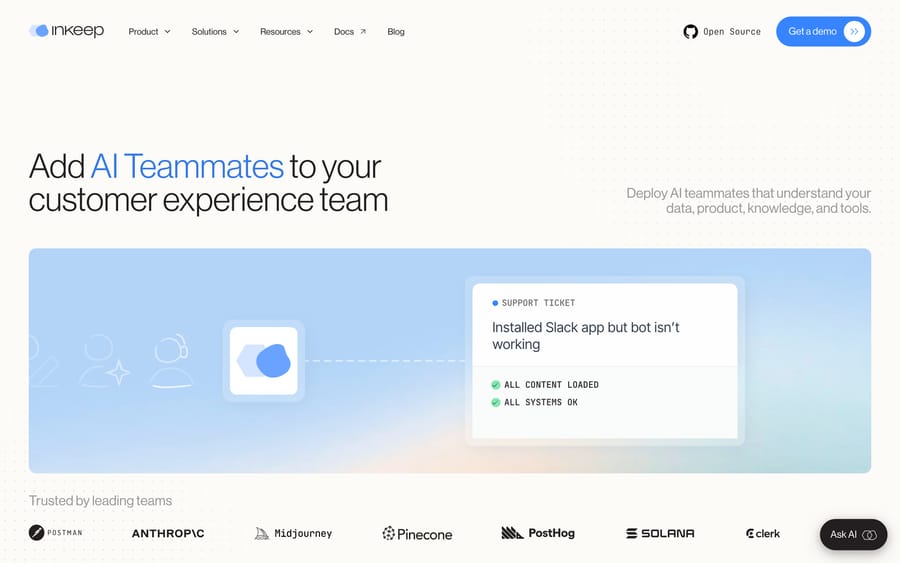
Inkeep is a platform for building AI agents that answer questions using a company's product docs, help center, source code, and support history, then take action through connected tools. On its site, Inkeep describes the product as adding "AI Teammates to your customer experience team": agents that read a company's knowledge and act inside the tools that team already uses instead of a single hosted chat widget.
The company came out of Y Combinator's Winter 2023 batch, founded by Nick Gomez (previously leading developer experience at Microsoft) and Robert Tran (previously Head of Engineering at illumis, later acquired by ComplySci). It has raised $13 million from Khosla Ventures, Y Combinator, and Great Point Ventures, according to its YC company profile, and its YC profile lists a team of 18. That founding story matters for fit: Inkeep was built by people who had shipped developer tools, and its earliest and most visible customers are developer-tool companies. If your support questions are mostly "how do I call this API" and "why is this SDK method failing," Inkeep suits your team well.
Inkeep ships two products under one roof. Inkeep Open Source is a self-hosted agent framework: a visual builder plus a TypeScript SDK with what the docs call "full 2-way sync," so a non-technical teammate can edit an agent in the UI and a developer can edit the same agent in code without the two drifting apart. It deploys to Vercel or Docker. Inkeep Enterprise is the managed, hosted version, sold through a sales conversation instead of self-serve signup.
How do Inkeep's AI agents work?
Inkeep's agents are built around three components, and the split matters more than the marketing language around any one of them:
- Customer-facing assistants: the chat or search widget end users see, backed by unified search across a company's docs, help center, and other connected sources.
- Inkeep Coworker: an internal assistant for the support team itself, triggered from Slack or from inside a help desk, that pulls context from a ticket and suggests a next step for a human to approve.
- Automation agents: background agents that keep the knowledge base current, running on event triggers (a doc changes, a ticket resolves in a new way) instead of waiting for someone to remember to update an article.
The platform is deliberately provider-agnostic: Inkeep's repository says you can "use the LLM provider of your choice," and it talks to models through the Vercel AI SDK rather than locking a deployment to one vendor. Agents can be composed into what the docs call a "multi-agent architecture," where a router agent hands a question to a narrower specialist. They're exposed through MCP, webhooks, or a direct API, so one Inkeep agent can be called from a chat widget, a Slack bot, or another internal tool without rebuilding the underlying agent three times.
The practical effect: Inkeep sits closer to a developer framework than a hosted bot. A team with an engineer willing to configure the SDK gets more out of it than a team that just wants to point it at a knowledge base and walk away, even though the no-code builder exists to lower that bar.
What features does Inkeep include?
- Unified search across docs, help center articles, source code repositories, and past support conversations, used to ground both the customer-facing assistant and internal search. Inkeep's pricing page lists the managed version of this ("Unified AI Search (Managed RAG)") as an Enterprise feature.
- Inkeep Coworker for the support team itself, triggered from Slack or the help desk, with human approval before anything reaches a customer.
- Automation agents that update documentation and knowledge sources on a trigger instead of a fixed schedule.
- No-code visual builder and a TypeScript SDK, kept in sync so technical and non-technical teammates can both edit the same agent.
- MCP, webhook, and API deployment, so the same agent can be wired into a chat widget, an internal tool, or a third-party integration.
- Enterprise controls: PII removal and data controls, cloud hosting and user management, plus authentication and CAPTCHA options for public-facing deployments.
How much does Inkeep cost?
Inkeep Open Source costs nothing: its pricing page calls it "free forever," covering the visual builder and SDK, MCP servers and tools, observability, the UI library, and deployment to Vercel or Docker. You pay for your own hosting and your own LLM usage.
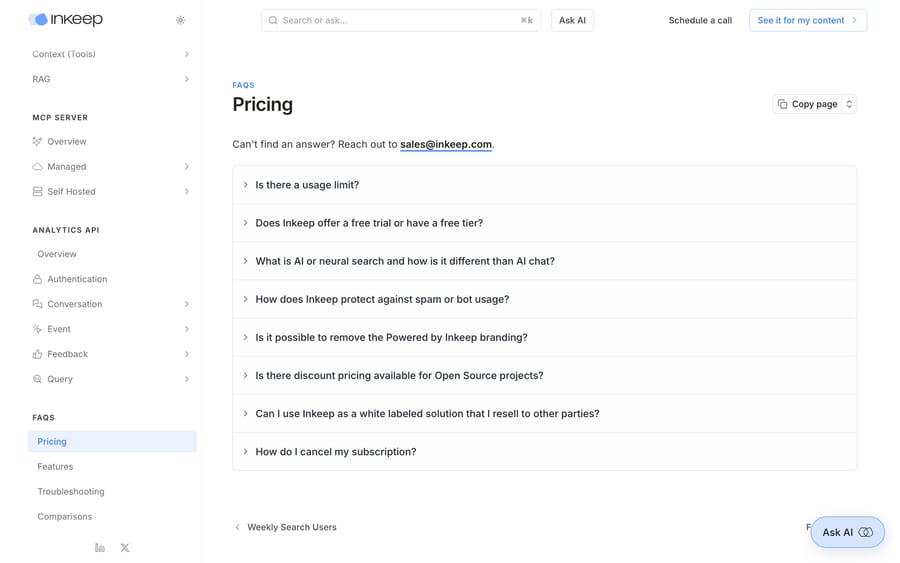
Inkeep doesn't publish a price for Enterprise. Its pricing FAQ says the company quotes after a sales conversation: "we aim to account for your expected usage in the pricing we quote you." Unlimited searches are included in any plan, with IP-level or organization-level throttling used to catch abuse instead of metering normal use. What Enterprise adds on top of Open Source, per the pricing page: a dedicated forward deployed engineer, managed RAG search, Slack and support-platform integration, PII removal, cloud hosting, and training.
Quoting per deal instead of publishing a list price is a business model choice, not an oversight. It lets Inkeep price closer to what each customer is willing to pay, which earns the vendor more from a large enterprise account than a flat published rate would, at the cost of every prospect needing a call before they see a number. The free open-source edition does the other half of the job: it gets engineers building on Inkeep before anyone signs anything, and the forward deployed engineer in the Enterprise tier is what converts that into a contract.
What Inkeep offers without a contract: a live demo, followed by a 30-day sandbox powered by your public content, where you can try the chat service and UI components without creating an account or entering a payment method.
Earlier versions of this guide repeated third-party figures for a Starter and a Scale tier. We couldn't trace those numbers to any page we could cite on September 24, 2026, and Inkeep's own pricing page shows only Open Source and Enterprise, so we've removed them. If pricing certainty matters to your evaluation, get the number from a call before you build an internal case around it.
What are Inkeep's pros and cons?
Pros
- Real technical customers (Anthropic, Postman, Pinecone) who chose it for developer-facing support, not just marketing logos.
- The source-available edition lets an engineering team self-host and inspect the agent framework before committing to the managed version.
- Provider-agnostic model choice avoids lock-in to one LLM vendor.
- Coworker's human-approval step is a sane default for a support team nervous about autonomous replies.
Cons
- No published price for Enterprise, including on the FAQ page dedicated to pricing. Every real number requires a sales call.
- The Elastic License 2.0 is source-available, not an OSI open-source license, which matters if your legal team has rules about that.
- The framework's flexibility (SDK, multi-agent routing, MCP) rewards a team with engineering time to spend on it; a lean support team without that gets a narrower slice of the product through the no-code builder alone.
- Built and marketed around developer-tool support. The case for a retail or e-commerce support team is thinner than for a company shipping an API.
Who is Inkeep best for?
Inkeep suits teams at a developer-tool or platform company whose support volume is dominated by product and API questions, that have docs and a help center worth indexing, and that are comfortable getting a usage-based quote on a sales call instead of seeing a price upfront. The customer list backs this up: Postman, Pinecone, and Clerk are the shape of company Inkeep is built for. If you already have an engineer willing to own the SDK, the platform's flexibility pays off faster.
It's a weaker fit if you aren't selling a technical product, or if your tickets are mostly order status, refunds, and account changes that a doc can't answer on its own. That's a different problem, one a help-desk-native AI agent solves better than a docs-search platform does.
How does Inkeep compare with Kapa.ai and Macha?
| Inkeep | Kapa.ai | Macha | |
|---|---|---|---|
| Model | AI agents (chat, coworker, automation) over docs and product knowledge | AI answers over technical docs, for support and internal use | AI agent layer on top of your existing help desk |
| Best for | Developer-tool companies with API/product support volume | Developer-facing docs Q&A, similar niche to Inkeep | Teams on Zendesk, Freshdesk, Gorgias, Front, HubSpot, Intercom handling day-to-day ticket volume |
| Deployment | No-code builder or TypeScript SDK, self-hosted or managed | Hosted widget, retrieval API and hosted MCP server | Configured inside the help desk you already run |
| Pricing | Open Source free; Enterprise quoted per usage | Growth and Enterprise both custom-priced | From $299/month for 750 tickets (~$0.40/ticket), published |
| Setup | Self-serve open source, or sales-led enterprise onboarding | Sales-led onboarding | Done for you by the Macha team, with a dedicated success manager, included |
| Trial | Demo, then 30-day sandbox, no card | 14-day free trial, no card | $50 free usage, no card |
| Replaces your help desk? | No, sits alongside docs and support tools | No | No, deliberately augments it |
Inkeep and Kapa.ai compete for the same buyer: a technical company that wants its documentation to answer questions before a human sees a ticket. Kapa's free trial runs 14 days with 1 index, 5,000 pages crawled and 1,000 answers, per its pricing page. Duckie is the third name on that shortlist when the queue is engineering-heavy. All of them are largely a knowledge layer that sits in front of or beside your help desk. Macha runs inside the help desk itself, working the tickets that already land in Zendesk, Freshdesk, Gorgias, Front, HubSpot or Intercom. If your problem is "our docs don't answer the question," Inkeep is squarely in scope. If your problem is "we have 3,000 tickets a month already sitting in Zendesk and nobody has time to triage them," that's the case Macha is built for. Macha is done for you: the Macha team analyzes your past tickets, builds the knowledge base and the agent, and runs it in safe mode, with drafts as internal notes in your help desk, until the drafts are right. 3,000 tickets a month is $1,199 on Macha's published pricing, about $0.40 a ticket, and that includes the setup and a dedicated success manager who handles your changes. See Macha's pricing for what it costs at your volume.
How we researched this
On September 24, 2026 we re-read Inkeep's homepage, its pricing page and pricing FAQ on docs.inkeep.com, its GitHub repository and its YC profile, plus Kapa.ai's pricing page, and updated the figures above to match. Inkeep's Enterprise tier is quote-only, so nothing here is a confirmed Enterprise rate. We haven't run Inkeep on our own documentation, and G2 turned away every request we made, so this guide carries no third-party review score rather than an estimated one.
FAQ
What is Inkeep? Inkeep is a platform for building AI agents that answer customer and product questions from a company's docs, help center, and support history, and that also assist the internal support team through a Slack- or help-desk-triggered "Coworker."
How much does Inkeep cost? Inkeep Open Source is free to self-host. Inkeep Enterprise has no published price; it's quoted per expected usage after a sales conversation, with unlimited searches included.
Does Inkeep have a free trial? There's no self-serve free tier for Enterprise, but Inkeep offers a live demo and then a 30-day sandbox on your public content, with no account or credit card required. The open-source edition is free to run indefinitely.
Who founded Inkeep, and when? Inkeep came out of Y Combinator's Winter 2023 batch, founded by Nick Gomez and Robert Tran. It has raised $13 million from Khosla Ventures, Y Combinator, and Great Point Ventures.
What is Inkeep Coworker? Coworker is Inkeep's internal assistant for the support team, triggered from Slack or a help desk. It gathers context from a ticket and suggests a next step, with a human approving before anything reaches a customer.
Is Inkeep open source? Inkeep Open Source is source-available rather than OSI open source: the repository is licensed under the Elastic License 2.0 with Inkeep's supplemental terms, which Inkeep calls a fair-code license. It has the same visual builder and SDK as the managed Enterprise product.
Which companies use Inkeep? Publicly shown customers include Postman, Anthropic, Midjourney, Pinecone, PostHog, Solana, Clerk, and Clay, concentrated in developer tools and technical products.
What are good alternatives to Inkeep? Kapa.ai targets the same niche: AI answers over technical documentation. For a support team that wants an AI agent working inside the help desk on the tickets it already receives instead of a docs-search layer, Macha is a different shape of tool worth comparing.
Sources: Inkeep homepage, Inkeep product overview docs, Inkeep pricing, Inkeep Cloud pricing FAQ, Inkeep agents repository, Inkeep on Y Combinator, Kapa.ai pricing.






