Intercom
 Shopify
 Stripe
 Slack
Slack Notion
 Google Workspace
 Confluence

Kapa AI: The Complete Guide (2026)


If you run a developer-facing product and you're tired of answering the same technical questions over and over in your docs, Discord, and support queue, Kapa AI is probably on your shortlist. This guide is a balanced, researched walkthrough of what Kapa AI actually is, how it works, what it costs, where it shines, where it falls short, and which alternatives make sense depending on your setup.
Key takeaways
- Kapa AI is an AI answer bot for technical documentation and developer support, founded in 2023 out of Y Combinator's W23 batch, with customers including OpenAI, Docker, Mapbox, Reddit, CircleCI, Prisma and Monday.com.
- Kapa AI's own case studies report Prisma using it to answer over 10,000 developer questions a month and Mapbox seeing roughly a 20% reduction in monthly support tickets after deployment.
- Kapa AI raised a seed round of roughly $3.2 million around October 2024, led by Initialized Capital, with some sources citing up to about $3.7 million raised in total.
- Kapa AI connects to 20 to 30 or more technical data sources, including documentation sites, GitHub, Discord and Slack communities, and past Zendesk tickets, to build one continuously updated knowledge base.
- On G2, Kapa AI holds a rating of 4.9 out of 5 from 39 verified reviews, checked on 21 September 2026, and has no Capterra listing.

We've written this as a vendor guide, not a sales pitch. (Full disclosure: we build Macha, an AI agent layer for Zendesk, Freshdesk, Gorgias, Front and Intercom. Kapa AI is a category peer that focuses on developer documentation, and we'll explain the honest difference near the end.) Everything below is sourced to Kapa's own materials plus recent third-party coverage, with anything we couldn't verify flagged clearly.
What is Kapa AI?
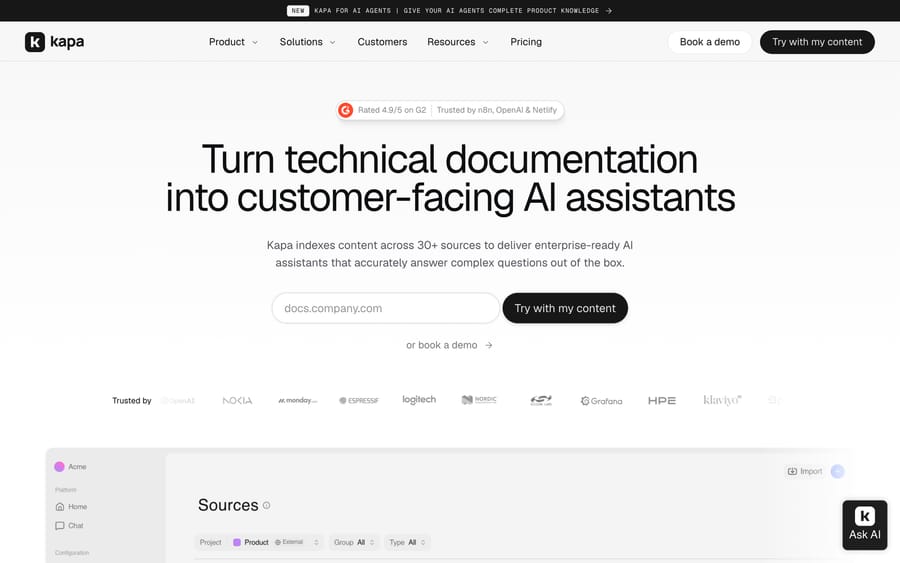
kapa.ai's homepage — turn technical docs into a customer-facing AI assistant.
Kapa AI is an AI answer bot built specifically for technical documentation and developer support. Instead of a general-purpose chatbot, it's tuned to answer complex technical questions accurately by grounding its answers in your product's real knowledge — your docs, source code, API references, and community conversations (kapa.ai).
The company came out of Y Combinator (W23) and was founded in 2023. It has since built a notable book of developer-tool customers — companies kapa.ai has publicly referenced include OpenAI, Docker, Mapbox, Reddit, CircleCI, Prisma, and Monday.com — and Kapa says it's trusted by 100+ companies (some more recent materials cite 200+) (Y Combinator, kapa.ai customer stories). Those are meaningful logos: they're precisely the kind of developer-tool and infrastructure companies whose users ask hard, code-level questions all day. Kapa's own case studies claim concrete numbers — for example, Prisma reportedly has Kapa answering 10,000+ developer questions a month, and Mapbox reports a ~20% reduction in monthly support tickets after deploying it (kapa.ai — Prisma, kapa.ai — Mapbox).
On funding, Kapa reportedly raised a seed round of roughly $3.2 million around October 2024, led by Initialized Capital with participation from Y Combinator and angel investors (as of 2026; some sources cite up to ~$3.7M raised in total).
The short version: Kapa AI is a focused, developer-first AI assistant that turns your technical content into an answer engine — powerful for dev-tool and SaaS companies, and deliberately narrower in scope than a broad support platform. It is not a help desk, and it does not try to be one.
How Kapa AI works
Kapa's core idea is simple to state and hard to do well: connect all the places your technical knowledge lives, unify it into a single indexed knowledge base, and let an AI assistant answer questions grounded in that content — with citations, so a developer can verify the answer instead of trusting it blindly.
Ingesting your sources
Kapa connects to 20–30+ technical data sources and builds one unified, continuously-updated knowledge base from all of them (kapa.ai docs). In practice that means it can pull from:
- Documentation sites — your public docs, developer portal, and API reference.
- Source code and GitHub — repositories, README files, code comments, and GitHub issues/discussions, so answers reflect the actual implementation, not just the prose around it.
- Community channels — Discord servers, Slack communities, and forums where developers have already answered each other (and where the "real" answers to edge cases usually live).
- Support history — past Zendesk tickets and other support conversations, plus knowledge-base articles.
- Long-form and structured content — PDFs, changelogs, blog posts, and other websites.
- Q&A sources like Stack Overflow-style content, where applicable.
Because it re-indexes on a schedule, the assistant stays current as your docs change — a real advantage over a bot you have to manually re-train.
RAG, answer quality, and citations
Under the hood, Kapa is a retrieval-augmented generation (RAG) system: it retrieves the most relevant chunks from your indexed content, then has an LLM generate an answer grounded in exactly that content. The design goal is to answer only from your sources, which sharply reduces hallucination risk compared with a model answering from its general training data (kapa.ai — answering engine).
A few things distinguish Kapa's approach for a technical audience:
- Citations on every answer. Responses link back to the source docs, so a developer can confirm the answer and dig deeper. For an API question where a wrong answer costs real debugging time, verifiability matters as much as the answer itself.
- Model- and technique-agnostic. Kapa doesn't lock to a single LLM. It works across providers — including OpenAI, Anthropic, Cohere, and Voyage for generation and embeddings — and picks what performs best per use case, which lets it improve as models improve (kapa.ai — RAG best practices).
- Evaluation-driven tuning. Kapa runs its outputs against test sets to catch and correct regressions and hallucination tendencies, rather than shipping and hoping. The company publishes a fair amount of its RAG methodology publicly, which is a reasonable proxy for how seriously it takes answer quality.
Where it deploys
Kapa is built to meet developers wherever they already are, rather than forcing them into a new tool:
- Documentation widget — a search/ask box embedded in your docs site.
- In-app assistant — embedded inside your product UI. Mapbox, Monday.com, and CircleCI, for example, run in-app product assistants powered by Kapa (kapa.ai).
- Slack and Discord bots — so your community can ask the assistant directly in the channels they already use.
- API and SDKs — including a React SDK and support for MCP, for teams that want to build their own front end or wire Kapa into custom workflows.
- Zendesk agent app — a support-side integration that reads the ticket plus your knowledge sources and drafts a suggested reply an agent can insert with one click. Note Kapa's own docs describe this app as in preview and not (yet) on the public Zendesk Marketplace (kapa.ai docs — Zendesk app).
Analytics and docs-gap insight
Because Kapa logs every question, it doubles as a documentation-gap analyzer: the questions it can't answer well tell you exactly where your docs are thin or out of date. For many teams this feedback loop — "here's what users keep asking that your docs don't cover" — is as valuable as the deflection itself.
Key features
- Purpose-built for technical/developer Q&A — grounded, cited answers rather than generic chat.
- 20–30+ source connectors — docs, source code/GitHub, PDFs, Zendesk tickets, Discord/Slack community, and more.
- Multiple deployment surfaces — docs widget, in-app assistant, Slack, Discord, API/SDK (React), MCP, and a preview Zendesk agent app.
- Source citations on every answer for trust and verifiability.
- Model-agnostic RAG — uses the best-performing LLM/embedding provider per use case (OpenAI, Anthropic, Cohere, Voyage).
- Analytics on user questions and documentation gaps.
- Enterprise readiness — SOC 2 Type II compliance, role-based access control (RBAC), automatic PII anonymization, and model-agnostic architecture (PixieBrix).
Kapa AI pricing
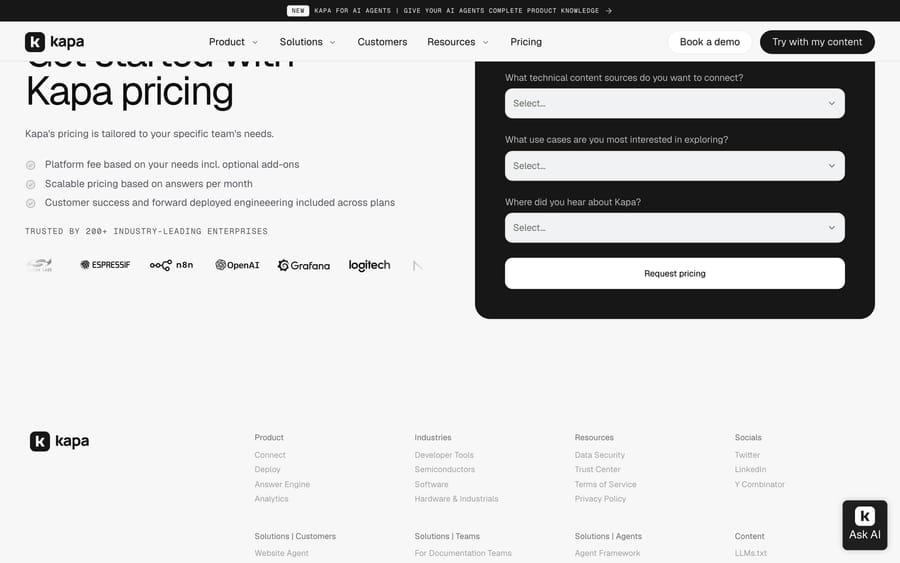
kapa.ai's pricing page.
Here's the honest picture: Kapa AI does not publish clear per-tier pricing. It's sold sales-led, and you get a quote after a demo. From what's publicly documented, Kapa uses a SaaS subscription model with tiered pricing where the license is driven primarily by the number of questions (or answers) per month, plus the complexity of your deployment — so your cost scales with how much traffic your assistant handles (Vendr).
The cost drivers that actually matter:
- Monthly question volume. This is the core meter. A docs assistant for a small dev tool and one fielding tens of thousands of questions a month (à la Prisma) are very different contracts.
- Overage rate. This is the one to negotiate hard. Buyers on review sites specifically call out that it's "very difficult to estimate the number of questions that will be asked," which makes the overage rate you agree to a major driver of your ultimate bill (Vendr). If your traffic is spiky or hard to forecast, model the overage carefully.
- Deployment complexity. More surfaces (docs widget + in-app + Slack + Discord + Zendesk) and more/larger sources generally mean a higher tier.
- Enterprise controls. SOC 2, RBAC, PII anonymization, SSO, and similar tend to sit in higher tiers.
Kapa references a 14-day free trial so you can build and test your first assistant before committing (kapa.ai/pricing).
What we couldn't verify: exact tier names, published monthly rates, and the precise question-volume thresholds — Kapa keeps those behind a quote. If pricing transparency matters to you, treat Kapa as a "request a quote" vendor, get the tier price and the overage rate in writing, and budget for a per-question commitment rather than a flat monthly fee.
What reviewers say: Kapa.ai holds 4.9 out of 5 from 39 verified reviews on G2, checked 21 September 2026, and has no Capterra listing. Thirty-nine reviews is a modest but real sample, and an unusually high score even for a young developer tool — worth weighing against the fact that most of its customers are technical teams reviewing a product they chose themselves.
Pros and cons
Pros
- Best-in-class for technical docs. It's genuinely tuned for developer and API questions, not repurposed from a generic FAQ bot. This is Kapa's whole identity, and it shows.
- Grounded, cited answers. Answer-only-from-your-sources RAG plus citations reduces hallucination risk and builds trust with a technical audience that will notice a wrong answer immediately.
- Meets developers where they are. Docs widget, in-app assistant, Slack, Discord, API/SDK (React), MCP, and a Zendesk agent app — the deployment coverage is strong and developer-native.
- Strong logos and proof points. Publicly referenced customers include OpenAI, Docker, Mapbox, Reddit, CircleCI, Prisma, and Monday.com — plus vendor-reported case-study numbers (Prisma's ~10k+ questions/month, Mapbox's ~20% ticket reduction).
- Model-agnostic and evaluation-driven. Not locked to one LLM, and the team leans on eval sets rather than shipping-and-hoping.
- Enterprise controls. SOC 2 Type II, RBAC, PII anonymization.
- Doubles as a docs-gap analyzer. Unanswered questions surface exactly where your documentation needs work.
Cons
- Opaque pricing. No public rates; quote-only and volume-based, with an overage rate that can dominate your bill if traffic is hard to forecast. Budgeting takes work.
- Narrow by design. It's a documentation/answer engine, not a full support-automation or ticketing platform. It answers questions; it does not run your help desk, execute refunds, update orders, or manage a ticket queue end-to-end. The Zendesk app drafts replies for a human — it doesn't resolve tickets autonomously.
- Best value at developer-heavy products. If your support isn't technical or docs-driven, much of Kapa's specialization is wasted.
- Answer quality depends on your docs. Grounded RAG is only as good as the sources it's grounded in. Thin or stale docs mean a thinner assistant (though the analytics will at least tell you where).
- Younger company. Founded 2023; a smaller vendor than the incumbents, with the roadmap and stability trade-offs that implies.
Who Kapa AI is best for
Kapa AI is a strong fit for developer-tool, API, and infrastructure companies with substantial technical documentation and an engaged community — the kind of product where users ask hard, code-level questions and a wrong answer is expensive. If your goal is to deflect repetitive technical questions across your docs, Discord, and in-app help while keeping answers grounded and cited, Kapa is squarely built for that.
It's a weaker fit if your support is general customer service running through a help desk, if you need to actually resolve tickets (refunds, order changes, account actions) rather than answer knowledge questions, or if you want transparent self-serve pricing.
Kapa AI vs alternatives
Kapa AI competes in the AI-answer-engine and documentation-Q&A space alongside tools like Inkeep and Mendable, plus general chatbot builders and help-desk-native automation. The most important thing to understand is that these tools are not all in the same lane — the right choice depends far more on what job you need done than on a feature checklist. Here's an honest comparison including where we fit:
| Kapa AI | Inkeep / Mendable | Generic doc chatbot | Macha | |
|---|---|---|---|---|
| Category | AI answer bot for technical docs | AI answer bot for docs/search | Website FAQ chatbot | AI agent layer on your help desk |
| Core job | Answer technical questions | Answer docs questions | Answer simple FAQs | Resolve support work + take actions |
| Best question type | Complex technical/developer Q&A | Docs/search Q&A | Simple FAQ | Support questions and ticket actions (refunds, order edits, account changes) |
| Sources | Docs, code/GitHub, Discord/Slack, tickets, PDFs | Docs, GitHub, community | Website FAQ | Help-desk KB + tickets + custom tools/APIs |
| Deploys as | Docs widget, in-app, Slack, Discord, API/SDK, MCP, preview Zendesk app | Docs widget, Slack, API | Website widget | Inside your help desk (Zendesk, Freshdesk, Front, Intercom, Gorgias) + chat |
| Pricing | Quote-only, per-question/volume + overage | Quote/tiered | Usually flat monthly | Per ticket, from $299/mo for 750 tickets |
| Best for | Dev-tool & API companies with deep docs | Dev-tool docs Q&A | Small sites, basic FAQ | Teams automating support on an existing help desk |
Where Macha differs, honestly: we're not a documentation answer engine, and we don't try to match Kapa's depth at grounding hard, code-level developer questions. Macha is an AI agent layer that runs on top of the help desk you already use — Zendesk, Freshdesk, Front, Intercom, or Gorgias — where you build agents in plain English and pay per ticket rather than committing to an opaque per-question contract. Kapa is built to answer technical questions; Macha is built to resolve support work inside your help desk, including taking actions, not just returning knowledge. If you're a dev-tool company whose main problem is deflecting technical questions across your docs and community, Kapa is genuinely excellent at that lane and we're not pretending otherwise. If your support runs through a help desk and you want automation you can stand up quickly and price transparently, that's ours. Different tools for different jobs.
Two alternatives belong on the same shortlist and have full guides here: Inkeep, the closest direct competitor for docs-grounded answers in developer products, and DocsBot, which does a similar job on published self-serve plans for teams that do not need Kapa's depth.
How we researched this: The features, pricing and customer figures above come from Kapa.ai's own public pages and the third-party sources linked inline, checked when this guide was researched in August 2026. This pass, on 21 September 2026, re-checked the post's links, added the review evidence quoted above and cross-referenced our guides to the closest alternatives; it did not re-price the plans against Kapa.ai's site, so read the pricing as accurate to August 2026 rather than to today. The G2 rating and review count above were read in a real browser on 21 September 2026, since G2 blocks scripted requests.
FAQ
What is Kapa AI? Kapa AI is an AI answer bot built specifically for technical documentation and developer support. Founded in 2023 (Y Combinator W23), it indexes your docs, code, GitHub, PDFs, tickets, and community into a unified knowledge base and answers complex technical questions with cited sources.
How much does Kapa AI cost? Kapa AI doesn't publish per-tier pricing. It's sold sales-led and quoted per customer, with a tiered subscription driven by the number of questions per month plus deployment complexity. Watch the overage rate — because question volume is hard to forecast, that rate is a major driver of your total cost. Kapa references a 14-day free trial to test before committing.
Who uses Kapa AI? Kapa says it's trusted by 100+ companies (some more recent materials cite 200+), with publicly referenced customers including OpenAI, Docker, Mapbox, Reddit, CircleCI, Prisma, and Monday.com — largely developer-tool, API, and infrastructure products with substantial technical documentation.
Where can you deploy Kapa AI? You can deploy it as a documentation website widget, an in-app product assistant, a Slack bot, a Discord bot, via APIs and SDKs (including a React SDK) and MCP, or as a (currently preview) Zendesk agent app that drafts suggested replies for support agents.
How does Kapa AI avoid hallucinations? It uses retrieval-augmented generation (RAG) that answers only from your indexed sources rather than the model's general training data, attaches citations to every answer so users can verify, and tunes against evaluation test sets to catch regressions. Answer quality still depends on the quality and freshness of the docs you feed it.
Which LLM does Kapa AI use? Kapa is model-agnostic. It works across providers — including OpenAI, Anthropic, Cohere, and Voyage — and selects the best-performing model for each use case rather than locking to one, so it can improve as models improve.
Does Kapa AI work with Zendesk? Yes, via a Zendesk agent app that reads the ticket plus your knowledge sources and drafts a reply an agent can insert with one click. Note Kapa's docs describe this app as in preview and not yet on the public Zendesk Marketplace. It drafts replies for a human rather than resolving tickets autonomously.
What are good Kapa AI alternatives? Alternatives include Inkeep and Mendable for documentation Q&A, or a help-desk-native layer like Macha if your support runs through Zendesk, Freshdesk, Front, Intercom, or Gorgias and you want to resolve tickets and take actions (refunds, order changes, account updates) with transparent per-ticket pricing — not just answer knowledge questions.
Researching AI support tools? If your support runs through a help desk like Zendesk or Freshdesk and you want agents that resolve tickets — not just answer questions — with transparent per-ticket pricing, take a look at Macha, our AI agents for customer service, and how custom tools let agents take real actions.
Resolve tickets automatically with AI agents
Macha's AI agents work on top of the help desk you already use — no code.