





 Shopify
 Stripe
 Slack
Slack Notion
 Google Workspace
 Confluence

What Is Mava? Pricing, AI Features and Alternatives (2026)


Mava is a support platform for community-driven companies that pulls Discord, Telegram, Slack, email and web chat into one shared inbox, with an AI agent trained on the team's own knowledge. Its published plans run from a free tier at 30 requests a month to $599 a month for 10,000 requests.
Key takeaways
- Mava turns Discord, Telegram, Slack, email and web chat messages into tickets in one shared inbox, and its plans cost $0 to $599 a month.
- Mava's Free plan costs $0 a month for 30 requests and 1 seat; Growth costs $99 a month, or $83 billed annually, for 500 requests with unlimited seats, and lets teams train the AI on their past Discord replies.
- Mava claims more than 3.5 million private tickets processed and a 60% ticket reduction attributed to its AI, according to its own homepage.
- Mava held a 4.8 out of 5 rating across 31 verified Capterra reviews on 21 September 2026, with a 4.7 ease-of-use score.
- For tickets in a conventional help desk rather than Discord or Telegram, Macha is the done-for-you option: the Macha team builds and runs the agent at about $0.40 a ticket, dedicated success manager included.

Mava (mava.app) is a support platform for community-driven companies that turns Discord, Telegram, Slack, email and web chat messages into tickets in one shared inbox, with an AI agent on top, and it costs $0 to $599 a month depending on how many requests you handle (mava.app/pricing, checked 24 September 2026). The Free plan covers 30 requests a month with no credit card.
| Question | Answer (checked 24 September 2026) |
|---|---|
| What it is | Shared inbox plus AI support agent for community teams |
| Channels | Discord, Telegram, Slack, email, web chat |
| Price | Free $0, Founder $39, Growth $99, Scale $199, Enterprise $599 a month; Custom above |
| Billing unit | Requests per month (30 on Free, 10,000 on Enterprise) |
| Setup | Self-serve; Mava says "up and running in under 20 minutes" |
| Best for | Crypto, web3 and gaming communities that support users in Discord and Telegram |
We build AI agents for customer service ourselves, so this is written by people who have to evaluate platforms like Mava in practice. We checked Mava's own site directly for every claim below instead of working from a review aggregator, and we confirmed the site is live, since this vendor shares a name with unrelated brands in other categories.
What is Mava?
Mava was co-founded by Iris ten Teije, Ben Riazy, and Richard Draper, per the company's own about page. Ten Teije previously built a fintech startup backed by Visa Ventures and runs one of London's larger web3 communities; Riazy spent a decade in engineering leadership including at HSBC; Draper brings traditional finance experience from Barclays and UBS. Mava's own site doesn't state a founding year, team size, or funding history. A third-party Indie Hackers interview with ten Teije mentions a six-person team and 5,000 accounts at the time of that conversation. That's a snapshot from an interview; it isn't a confirmed, current number.
On its own site, Mava claims 3.5 million-plus private tickets processed, 3,000-plus support teams using the platform, 150,000-plus public AI responses, and a 60% ticket reduction figure attributed to AI. Named customers on the homepage include Layer3, EigenLayer, 1inch, Getgems.io and Fusionist, alongside TikTok and Alchemy. The customer mix, several crypto and web3-native companies alongside two much larger mainstream names, matches the "community-driven company" positioning Mava leads with: its origin channels are Discord and Telegram, the two platforms where crypto and gaming communities actually organize.
How does Mava's AI work?
The mechanism worth understanding is that Mava treats Discord and Telegram messages as support tickets, the same way a help desk treats an email. A community member's question in a public Discord channel or a Telegram group gets pulled into Mava's shared inbox, tagged, and routed, instead of scrolling past unanswered in a chat log the way most community questions do without a dedicated tool.
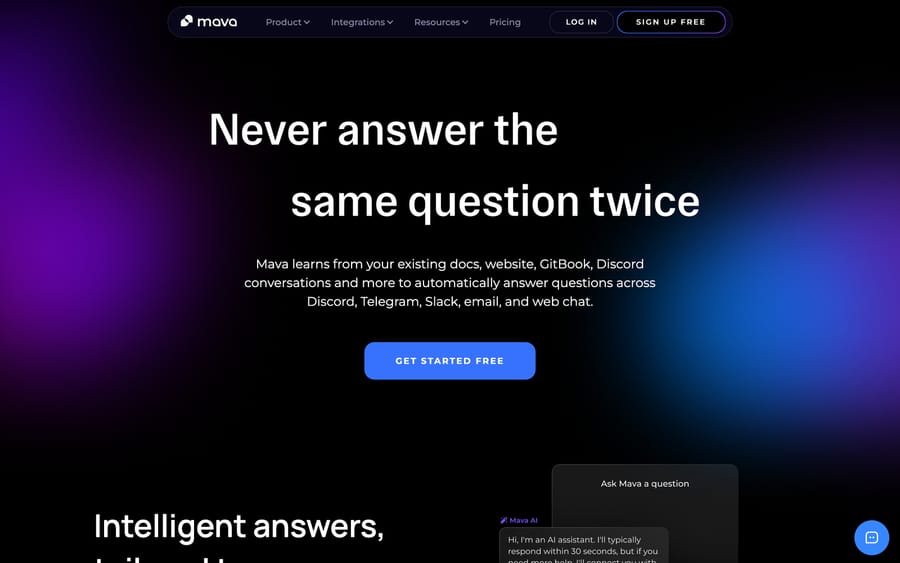
On top of that inbox, Mava trains an AI agent directly on a team's existing knowledge base, described on its own site as ready to go "in minutes." The AI answers directly where it can and hands off to a human when it can't, with what Mava calls "seamless human handover." A detail specific to Mava's community focus: the Growth plan and above let a team train the AI on its own past Discord replies, not just static documentation, so the agent learns the actual language and tone a community's moderators already use to answer recurring questions.
Public and private tickets
Mava's own metrics distinguish between "private tickets" (roughly 3.5 million) and "public AI responses" (roughly 150,000), which reflects a real structural difference in how community support works compared to a traditional help desk. A public Discord or Telegram message often gets answered visibly, in front of the whole community, which means one good AI answer can pre-empt several duplicate questions from other members watching the same channel. A private email-style ticket doesn't have that multiplier effect.
What features does Mava include?
- Shared inbox unifying Discord, Telegram, Slack, email, and web chat.
- AI support agent trained on a team's existing knowledge base, with human handover.
- Training on past Discord replies (Growth plan and above, which also raises AI training sources to 10), instead of static docs alone.
- Multi-lingual AI bot (Scale plan and above).
- SDK, webhooks, and API access (Scale plan and above).
- Rule- and time-based automations (Enterprise plan).
- Analytics dashboard tracking response times, AI resolution rate, ticket volume, and CSAT.
How much does Mava cost?
Mava publishes real, checkable pricing on its own site, with a genuine free tier; every figure below matched mava.app/pricing on 24 September 2026. We checked for an AWS, Azure, or Google Cloud Marketplace listing and a Vendr entry, since a vendor's own "not published" page can hide a marketplace price elsewhere; neither exists for Mava, so the numbers below are what it actually charges, confirmed on its own page.
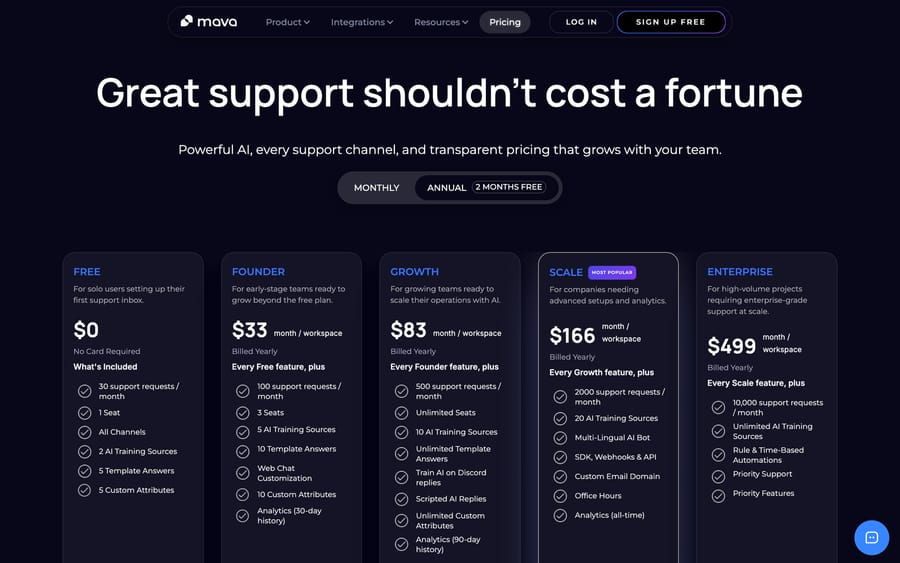
| Plan | Price/month | Requests/month | Seats | Notable inclusions |
|---|---|---|---|---|
| Free | $0 | 30 | 1 | All channels, 2 AI training sources, 5 template answers |
| Founder | $39 ($33 annual) | 100 | 3 | 5 AI training sources, web chat customization, 30-day analytics |
| Growth | $99 ($83 annual) | 500 | Unlimited | 10 AI training sources, train AI on Discord replies, scripted AI replies, 90-day analytics |
| Scale | $199 ($166 annual) | 2,000 | Unlimited | 20 AI training sources, multi-lingual AI bot, SDK/webhooks/API, custom email domain, all-time analytics |
| Enterprise | $599 ($499 annual) | 10,000 | Unlimited | Unlimited AI training sources, rule/time-based automations, priority support |
Above Enterprise, Mava offers a Custom tier for higher volumes, negotiated directly. The Free plan requires no credit card and includes all channels from the start, which is a genuinely usable evaluation tier, not a stripped demo: a small community running under 30 support requests a month could operate on it indefinitely.
The jump most worth noticing is Founder to Growth: seats go from 3 to unlimited and the AI gains the ability to train on a community's own past Discord replies, at roughly 2.5x the price. Removing the seat cap at that specific jump optimizes for the real shape of community moderation, which is usually a volunteer or part-time team larger than three people, rather than a small paid support desk. For a community-support team, that seat cap removal usually matters more than the price difference itself.
What do Mava users say about it?
Mava had no G2 listing with enough reviews to show a rating when we checked. On Capterra it holds a 4.8 out of 5 average across 31 verified reviews, with a 4.7 ease-of-use score , as of our last read of the page on 21 September 2026. Three attributed examples:
- James P., Director of Community in entertainment, calls it "easy to setup, use, and responsive team" (Capterra, checked 2026-09-15; cited without a link because Capterra blocks automated link checks).
- Mike R., a Community Manager in media production, writes that "you can do more with Mava than a basic system...more affordable yet less complex than higher-end platforms" (Capterra, checked 2026-09-15; cited without a link because Capterra blocks automated link checks).
- Alice N., in Community Ops at an internet company, credits "the ability to pull support tickets from multiple platforms, the uptime of the service, and the quick response from the Mava team" (Capterra, checked 2026-09-15; cited without a link because Capterra blocks automated link checks).
The recurring complaint across those reviews isn't the AI's accuracy, it's the tier structure: several reviewers flagged that automation and analytics depth are locked behind the higher plans, and asked for more customization and a mobile app. That matches what the pricing table above shows directly: the Founder-to-Growth jump is where the real capability gap sits.
How we researched this: we worked from Mava's own homepage, pricing, about, shared-inbox, and AI product pages (fetched directly on 2026-09-15; homepage and pricing re-checked 2026-09-24), plus Capterra's review page for user sentiment (G2 had no usable listing) and a third-party Indie Hackers interview for the one unconfirmed founding detail, which we've hedged rather than stated as fact. We could not verify a founding year, team size, or funding round from any primary source, and Mava doesn't publish one.
What are Mava's pros and cons?
Pros
- Real, published pricing including a genuinely usable free tier, no credit card required.
- Purpose-built for Discord and Telegram, channels most traditional help desks treat as an afterthought or don't support at all.
- Training the AI on past Discord replies captures a community's actual tone, not just its documentation.
- Named customers spanning crypto-native companies and mainstream brands (TikTok, Alchemy).
Cons
- Founding year, team size, and funding are undisclosed on Mava's own site, thin verifiable company history for a buyer doing due diligence.
- Every plan is capped by requests (100 on Founder, 500 on Growth), so a fast-growing community can outgrow its request limit before it outgrows the seat or feature limits.
- Narrowly built for community and web3-style support; a traditional B2C ecommerce or B2B SaaS team gets little benefit from the Discord/Telegram-native design.
- Multi-lingual AI and API access are gated to the Scale plan, a real jump from Growth for a team that specifically needs those two features early.
Who is Mava best for?
Mava fits a community-driven company, crypto, web3, gaming, or any brand whose support conversations genuinely happen in Discord and Telegram instead of email, that wants those public and private messages turned into tracked, AI-assisted tickets. The free tier and the Founder plan make it realistic for a small team or a single moderator to start immediately.
Mava suits teams that measure support volume in Discord messages and Telegram threads, not inbox tickets. It's a weaker fit for a company whose support runs primarily through a traditional help desk and email, since Mava's core design advantage, treating community chat platforms as first-class ticket sources, doesn't add much value if a team's customers were never in Discord or Telegram to begin with. A team in that position gets more value from a tool built around the channels it already uses.
How does Mava compare with Decagon and Macha?
| Mava | Decagon | Macha | |
|---|---|---|---|
| Model | AI support agent for Discord/Telegram/web communities | Enterprise conversational AI agent platform | AI agent layer on your existing help desk |
| Best for | Community-driven companies (crypto, web3, gaming) | Large enterprises with dedicated AI/CX budget | Teams already on Zendesk, Freshdesk, Gorgias, Front, HubSpot, Intercom |
| Pricing | $0-$599/mo, published, plus custom above | Opaque, enterprise sales cycle | From $299/mo for 750 tickets (~$0.40/ticket), published |
| Setup | Self-serve, "up and running in under 20 minutes" per its own site | Sales-led, multi-week implementation | Done for you by the Macha team, with a dedicated success manager, included |
| Trial | Free plan, no credit card | No self-serve trial | $50 free usage, no credit card |
| Replaces your help desk? | Yes, for community-first teams | No, but often the primary AI layer | No, deliberately augments it |
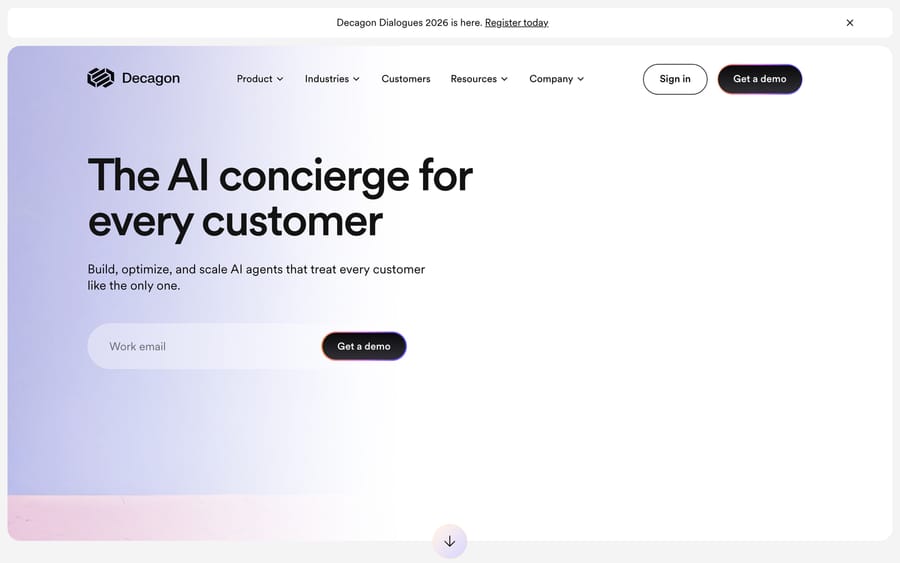
Mava and Macha serve genuinely different support shapes. Mava is built around community chat platforms as the primary support surface; Macha runs as an agent layer on top of the help desk a team already uses, like Zendesk, Freshdesk, Gorgias, Front, HubSpot or Intercom. A team whose customers reach out mainly through Discord or Telegram, the way a crypto project's users do, is Mava's actual audience. A team whose support already flows through a conventional help desk and wants those existing tickets automated fits Macha's shape instead. For that team Macha is done for you: the Macha team analyzes your past tickets, builds the knowledge base and the agent on your help desk, and runs it in safe mode until the drafts are right, at about $0.40 a ticket including setup and a dedicated success manager who handles your changes. For a broader, non-community-specific enterprise AI platform, Decagon sits at a different point on the market, aimed at large enterprises rather than community-first teams evaluating a free tier this afternoon. If your team runs on Chatbase-style scripted flows instead, the Chatbase guide covers that shape too.
If a team's support load already sits inside a conventional help desk rather than Discord or Telegram, see how Macha's pricing works or start a $50 free trial to try the agent layer against real tickets.
FAQ
What is Mava? Mava (mava.app) is a customer support platform for community-driven companies, unifying Discord, Telegram, Slack, email, and web chat into one shared inbox with an AI agent trained on a team's knowledge base.
How much does Mava cost? Free is $0/month for 30 requests. Founder is $39/month, Growth is $99/month, Scale is $199/month, and Enterprise is $599/month, each with a discount for annual billing, plus a Custom tier above that for higher volumes.
Does Mava have a free plan? Yes, a genuinely usable free tier with no credit card required, including all channels, 1 seat, and 2 AI training sources.
Who founded Mava? Mava was co-founded by Iris ten Teije, Ben Riazy, and Richard Draper. The company's own site doesn't state a founding year, team size, or funding history; a third-party Indie Hackers interview with ten Teije mentions a six-person team and 5,000 accounts as of that conversation.
What channels does Mava support? Discord, Telegram, Slack, email, and web chat, unified into one shared inbox.
Can Mava's AI learn from Discord conversations? Yes. From the Growth plan up, Mava can train its AI agent on a team's own past Discord replies instead of static documentation alone, which is specific to its community-support focus.
Which companies use Mava? Mava's own site names Layer3, EigenLayer, 1inch, Getgems.io, Fusionist, TikTok, and Alchemy among its customers.
How long does Mava take to set up? Mava's homepage says a team can be "up and running in under 20 minutes", and the Free plan needs no credit card, so a trial costs an afternoon rather than a sales call.
What's a good alternative to Mava for a team using a traditional help desk? Macha runs as an agent layer on top of the help desk (Zendesk, Freshdesk, Gorgias, Front, HubSpot or Intercom) a team already uses, instead of a community-chat-first platform, and Decagon is a closer comparison for a large enterprise evaluating a broader conversational AI platform.
Sources: Mava homepage, Mava pricing, Mava about page.






