





 Shopify
 Stripe
 Slack
Slack Notion
 Google Workspace
 Confluence

What Is Quiq and How Much Does It Cost? Complete Guide (2026)


Quiq is an enterprise agentic AI platform from Bozeman, Montana that sells AI agents, agent coaching, voice AI and workflow automation to contact centers at brands like Roku, Panasonic and IHG. It publishes no prices and bills per conversation, quoted after a sales call.
Key takeaways
- Quiq is an enterprise agentic AI platform that sells six products, including AI Agents, AI Assistants and Voice AI Agents, across chat, messaging and voice channels.
- Quiq publishes no prices and bills for the conversations you use rather than seats or feature tiers, with Professional Managed Services listed as optional at additional cost.
- Quiq has raised $47.5 million across five funding rounds, most recently a $25 million Series C in 2022 led by Baird Capital.
- Quiq offers pre-built integrations with Salesforce, Zendesk, Oracle and ServiceNow and states SOC 2 Type II, HIPAA, GDPR, CCPA and EU AI Act compliance.
- For teams on one help desk, Macha is the done-for-you alternative: the Macha team builds and runs the agent at about $0.40 a ticket, with a dedicated success manager included and no sales call needed to see the price.

Quiq is an enterprise agentic AI platform for contact centers that sells six products (AI Agents, AI Assistants, Voice AI Agents, AI Workflows, AI Analysts and a Digital Contact Center) and publishes no prices: it charges for the conversations you use, quoted after a sales call. Quiq's pricing and platform pages, checked on 24 September 2026, give this picture:
| Question | Answer |
|---|---|
| What it is | Agentic AI platform for enterprise customer service and contact centers |
| Pricing | Usage-based, per conversation; no published rates; quote via sales call |
| Free trial | None; every engagement starts with a sales conversation |
| Channels | Chat, messaging, voice, plus internal AI Workflows |
| Integrations | Salesforce, Zendesk, Oracle, ServiceNow |
| Compliance | SOC 2 Type II, HIPAA, GDPR, CCPA, EU AI Act (vendor-stated) |
| Funding | $47.5 million over five rounds; last was a $25 million Series C in 2022 |
We build an AI agent layer for customer service ourselves, so we have a stake in this comparison. We checked Quiq's own site directly instead of leaning on secondhand roundups, and we flag every vendor-published number that we could not independently verify.
What is Quiq?
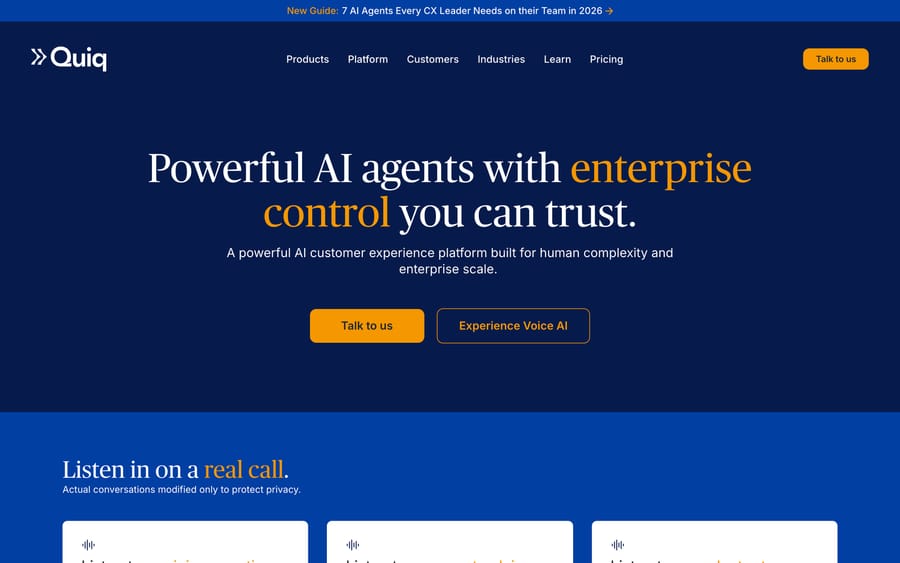
Quiq was founded in 2015 and has raised $47.5 million across five funding rounds, including a $25 million Series C in 2022 led by Baird Capital with Venrock, Foundry Group, and Next Frontier Capital participating, as reported by TechCrunch. The company started in conversational messaging for retail and has repositioned around agentic AI along with most of the category: agents that don't just answer questions but resolve them and take action.
The product line is broad by design. Quiq sells six things under one roof: AI Agents that resolve customer conversations, AI Assistants that coach human reps in real time, Voice AI Agents, AI Workflows that extend the same automation into internal processes, AI Analysts that turn transcripts into reporting, and a Digital Contact Center that unifies the queue. That's a wider scope than a support-ticket bot. Quiq is infrastructure for the whole contact center, and the pricing and rollout below reflect that scope.
Its published customer list gives a sense of who buys it: Panasonic, Terminix, Brinks Home, Roku, IHG, Lululemon, Jos. A. Bank, Lane Bryant, Molekule, Chamberlain Group, and ZeniMax. These are large, often high-call-volume consumer brands modernizing an existing contact center. Few of them are standing up a support desk for the first time.
How does Quiq's AI work?
Quiq's pitch is built on two ideas that sit above the model itself: model flexibility and verification.
Model flexibility. Quiq doesn't lock a deployment to one LLM. Teams can pick "the best AI model for each individual task and mix models within a single workflow," per Quiq's own platform page. The logic: a refund lookup and a sentiment-sensitive complaint don't need the same model, and a customer shouldn't have to re-platform just to swap one out. It's also a hedge against being tied to one model vendor's price and quality swings, which matters more the bigger the contract.
Verified Intelligence. This is Quiq's answer to the trust problem every agentic vendor has to solve. It checks "every AI response against your grounded data before it reaches a customer," so a verification pass sits between generation and delivery, cross-referencing the draft answer against the knowledge base and flagging or blocking anything that doesn't match. Quiq launched this as a named feature in 2026, framed around giving enterprise buyers "full control over agentic AI." That's the same governance argument every enterprise CX vendor is now making, because it's the objection procurement actually raises, and putting a name on the mechanism makes it a line item a security reviewer can ask about directly.
Agents are configured through what Quiq calls Process Guides: plain-language instructions written the way you'd train a new hire, not a flowchart of intents and branches. The platform ingests an existing knowledge base directly, so it skips the pre-launch content cleanup some tools demand, and AI Studio lets non-technical staff build and simulate agents against thousands of historical conversations before anything goes live. Every AI decision is logged with a plain-language explanation, which is the auditability enterprise compliance teams ask for before sign-off.
What does Quiq integrate with?
Quiq ships pre-built integrations with the major CCaaS and CRM platforms: Salesforce, Zendesk, Oracle, and ServiceNow, plus omnichannel delivery across messaging and voice. Infrastructure runs on AWS and Microsoft Azure, with SOC 2 Type II, HIPAA, GDPR, CCPA, and EU AI Act compliance claimed on the platform page, alongside a stated 99.999% uptime over the trailing 12 months and AES-256 encryption at rest.
What features does Quiq include?
- AI Agents that resolve customer conversations end to end across chat, messaging, and voice.
- AI Assistants that coach human agents in real time, surfacing next-best actions and drafting responses without fully automating the conversation.
- Voice AI Agents for phone-based conversations, positioned as natural rather than IVR-style menu trees.
- AI Workflows that extend the same agent logic to internal, non-customer-facing processes.
- AI Analysts that turn transcript volume into reporting without a separate BI step.
- Verified Intelligence, response verification against grounded data before delivery, plus full decision logging.
- AI Studio, a no-code builder with simulation testing against historical conversation volume before launch.
How much does Quiq cost?
Quiq does not publish pricing. There's no price list, no calculator, and no self-serve checkout. The pricing page, re-checked on 24 September 2026, states plainly that you pay "for the conversations you actually use, rather than paying for seats or feature tiers," and directs every visitor to book a call for a custom quote.
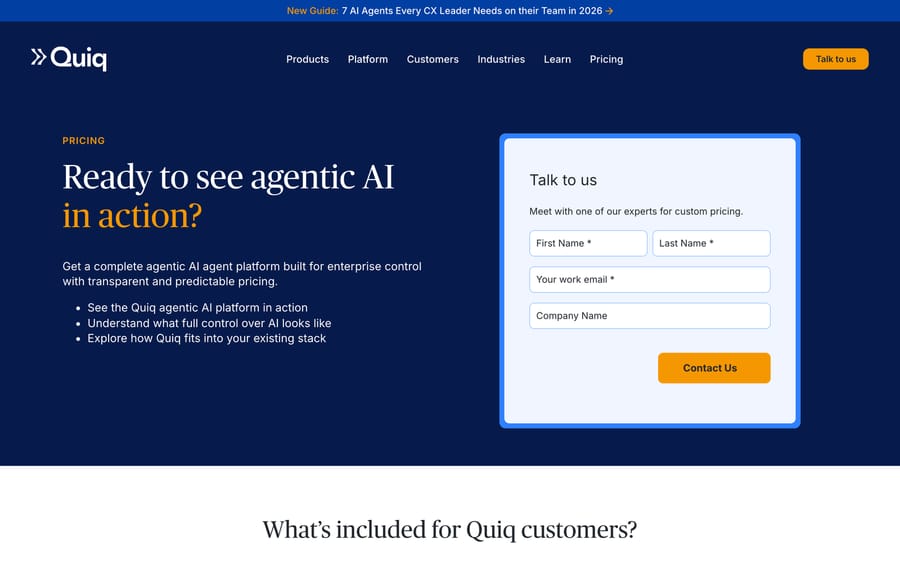
We looked for a third-party contract-value estimate, the kind Vendr or a procurement teardown publishes for peers like Decagon and Ada, and found none for Quiq at the time of writing. That's worth noting on its own: Quiq is opaque even by the standards of an already-opaque category. Usage-based pricing also carries its own incentive worth naming: it earns more as your conversation volume grows, whether or not each extra conversation needed an AI agent to handle it, so the sales team has no reason to steer you toward a leaner deployment. Based on how the pricing page frames usage, the likely levers in a negotiation are conversation volume, channel mix (voice costs more to run than chat), and the number of Process Guides you need built. Professional Managed Services, Quiq's team helping configure and tune the deployment, is listed as "optional at additional cost."
If you need a number to plan around before that first call, treat this section as the honest gap it is instead of a guess.
What reviewers say: Quiq holds 4.7 out of 5 from 45 reviews on G2 and 4.5 out of 5 from 37 reviews on Capterra, both checked 21 September 2026. Capterra's sub-scores are the more useful read: ease of use 4.76, features 4.32, value for money 4.47, with features the weakest of the three.
What are Quiq's pros and cons?
Pros
- Broad product surface: agent automation, human-agent coaching, voice, workflows, and analytics under one platform, so a contact center isn't stitching together four vendors.
- Model flexibility avoids single-LLM lock-in and lets a team route cheaper models to simple tasks.
- Verified Intelligence gives a concrete, checkable answer to how the AI is stopped from making things up, which matters in a sales cycle with legal or compliance in the room.
- Genuine enterprise references with specific, published outcome numbers (Roku, Progressive Leasing, Panasonic), not vague testimonials.
Cons
- No published pricing anywhere, and apparently no reliable third-party estimate either. You're negotiating blind until the first sales call.
- Built for contact-center scale. A 10-person support team evaluating Quiq is shopping in the wrong aisle.
- Six products under one roof means more surface area to configure and staff, not less. This isn't a same-week setup.
- Case-study numbers (a 67% cost cut, a 5x cost reduction, a $7M revenue channel) are vendor-published and shouldn't be read as typical without your own pilot.
Who is Quiq best for?
Quiq fits teams running a contact center that already carries meaningful call and chat volume across channels and wants one AI platform across all of it: resolving customer conversations, coaching the humans who still take the hard ones, and reporting on the whole thing. Its customer list backs that up. It reads like airlines, retailers, and home-services and insurance companies with call centers, not two-person support inboxes.
It's a weaker fit if your operation lives inside one help desk and voice isn't part of the picture. Quiq's pricing and integration depth assume omnichannel scale, and a chat-and-email-only team ends up paying for contact-center infrastructure it never touches. Check your channel mix before the first call: if voice, messaging, and a formal contact center already exist, Quiq is worth a serious look. If support means a Zendesk inbox and nothing else, a tool built for that inbox gets you automated resolution faster and without a services-led rollout.
How does Quiq compare to Decagon and Macha?
| Quiq | Decagon | Macha | |
|---|---|---|---|
| Model | Omnichannel contact-center AI platform | Enterprise AI agent with "Agent Operating Procedures" | AI agent layer on your existing help desk |
| Best for | Contact centers with voice, chat, and messaging at scale | Funded tech and consumer companies wanting full autonomous resolution | Teams on Zendesk, Freshdesk, Gorgias, Front, HubSpot or Intercom |
| Channels | Chat, messaging, voice, internal workflows | Chat, voice, email, SMS | Whatever channels your help desk already routes as tickets |
| Pricing | Opaque; usage-based, quote-only, no third-party estimate available | Opaque; reportedly ~$50K/yr platform fee plus usage, third-party estimate | From $299/mo for 750 tickets (~$0.40/ticket), published |
| Setup | Services-led, Process Guides plus simulation testing | Sales-led, weeks-to-months implementation | Done for you by the Macha team, with a dedicated success manager, included |
| Trial | None. Sales call only | None. Sales call only | $50 free usage |
| Replaces your help desk? | No, but replaces the wider contact-center stack | No | No. Deliberately augments it |
Quiq and Decagon compete for the same enterprise buyer. Both are sales-led, both are opaque on price, and both expect a real implementation project instead of a signup. Decagon leans harder into pure conversational resolution for tech and consumer brands; Quiq leans into the full contact center, voice included. If that scale and budget match your operation, either is a legitimate shortlist entry.
If it doesn't, if what you actually run is one help desk and a backlog of repetitive tickets, Macha fits that shape instead. It's an AI agent layer on top of Zendesk, Freshdesk, Gorgias, Front, HubSpot or Intercom, priced on monthly ticket volume from $299/month for 750 tickets, about $0.40 a ticket at every tier (see pricing). Macha is done for you: the Macha team analyzes your past tickets, builds the knowledge base and the agent, and runs it in safe mode, with drafts as internal notes in your help desk, until the drafts are right, on the trial and every plan, and the price includes a dedicated success manager who handles your changes. You can start on $50 of free usage with no credit card instead of booking a sales call to find out what something costs.
Two alternatives belong on the same shortlist and have full guides here: Ada, which sells the same enterprise automation story to the same buyers, and Decagon, if outcome-priced AI resolution rather than an omnichannel platform is what you are actually buying.
How we researched this: The features, pricing and customer figures above come from Quiq's own public pages and the third-party sources linked inline, checked when this guide was researched in September 2026. A 21 September 2026 pass re-checked the links and added the review figures. On 24 September 2026 we re-read Quiq's pricing and platform pages: still no published prices, the same usage-based model, and the same integrations, compliance list and 99.999% uptime claim. We found no funding round after the 2022 Series C. The G2 and Capterra figures above were read on 21 September 2026; both sites block scripted requests, so they were checked in a real browser session.
FAQ
What is Quiq? Quiq is an enterprise agentic AI platform for customer experience, offering AI-driven customer resolution, human-agent coaching, voice AI, workflow automation, and analytics across chat, messaging, and voice channels.
How much does Quiq cost? Quiq doesn't publish pricing. It's usage-based: you pay for conversations rather than seats, and every quote is custom, negotiated through a sales call. No reliable third-party contract-value estimate is available.
Does Quiq offer a free trial? No. There's no self-serve signup; every engagement starts with a sales conversation.
What is Verified Intelligence? It's Quiq's response-verification feature, launched in 2026, that checks every AI-generated answer against a company's grounded data before it reaches a customer, aiming to catch inaccurate or off-policy responses before delivery.
What channels does Quiq support? Chat, messaging, and voice, plus internal AI Workflows that extend the same agent logic to processes that never touch a customer directly.
What systems does Quiq integrate with? Pre-built integrations with Salesforce, Zendesk, Oracle, and ServiceNow, on infrastructure built on AWS and Microsoft Azure.
Who uses Quiq? Published customers include Panasonic, Terminix, Brinks Home, Roku, IHG, Lululemon, Jos. A. Bank, Lane Bryant, Molekule, Chamberlain Group, and ZeniMax, concentrated in retail, travel, home services, and consumer electronics.
What are good alternatives to Quiq? Decagon is the closest peer for enterprise agentic resolution, with a similarly sales-led, opaque-pricing model. Teams that want automation inside a help desk they already run, with published pricing and setup done for them on a free trial, are better served by a lighter tool like Macha.
Is Quiq good for a small support team? Not really. Its product breadth, services-led rollout, and lack of published pricing are built for contact-center-scale buyers, not a small team automating one inbox.
Sources: Quiq homepage, Quiq pricing page, Quiq platform page, Quiq customers page, TechCrunch: Quiq raises $25M Series C, PR Newswire: Quiq launches Verified Intelligence.






