





 Shopify
 Stripe
 Slack
Slack Notion
 Google Workspace
 Confluence

What Is Unthread and How Much Does It Cost? The Complete Guide (2026)


Unthread turns the Slack Connect and Microsoft Teams channels a B2B company already runs with customers into a help desk, with AI answering inside those threads. Its published plans start at $50 per agent a month, but a 5-seat minimum sets the real floor at $250.
Key takeaways
- Unthread costs $50 per agent a month on Basic or $75 on Pro with a 5-seat minimum, so the effective floor is $250 or $375 a month whatever the team's headcount.
- Unthread's Basic plan caps usage at 100 conversations a month, and the AI automation builder is listed on the custom-priced Enterprise plan only.
- Unthread was founded in 2021 by Tom Bachant and Jake McCloskey and went through Y Combinator's Summer 2022 batch with a team of 7.
- Unthread reports 4.9 out of 5 from 13 reviews on G2 and 5.0 out of 5 from 3 reviews on Capterra, both checked 21 September 2026.
- For support that lives in a help desk rather than Slack Connect, Macha is the done-for-you agent layer: the Macha team builds and runs the agent at about $0.40 a ticket, with a dedicated success manager included.

Unthread is a help desk that runs inside Slack and Microsoft Teams, turning customer messages in shared channels into tracked tickets, and it costs $50 per agent a month on Basic or $75 on Pro with a 5-seat minimum (unthread.io/pricing, checked 24 September 2026). That minimum makes the real entry price $250 a month.
| Plan | Price | Effective minimum | Trial |
|---|---|---|---|
| Basic | $50/agent/month, up to 100 conversations/month | $250/month (5 seats) | 14 days |
| Pro | $75/agent/month | $375/month (5 seats) | 14 days |
| Enterprise | Custom | Quote | 14 days |
What is Unthread?
Unthread is a support platform built to live inside Slack and Microsoft Teams instead of asking customers to switch tools. Founded in 2021 and backed by Y Combinator (Summer 2022 batch), the company runs with a small team (7 people, per its YC profile) and targets B2B SaaS companies that already support customers through shared Slack channels: a message in a Slack Connect channel becomes a tracked ticket with an SLA, an owner, and a status, without anyone leaving the thread.
Unthread names Intuit, Lemonade, SpaceX, Hopper, Automattic, Decagon, Sisense, BigPanda, and Cribl among its customers on its site, and reports a 4.9/5 rating on G2. The company's own framing is direct: Slack and Teams already are the support channel for a lot of B2B software, and bolting a Zendesk-style ticketing layer onto that reality beats moving the conversation somewhere new.
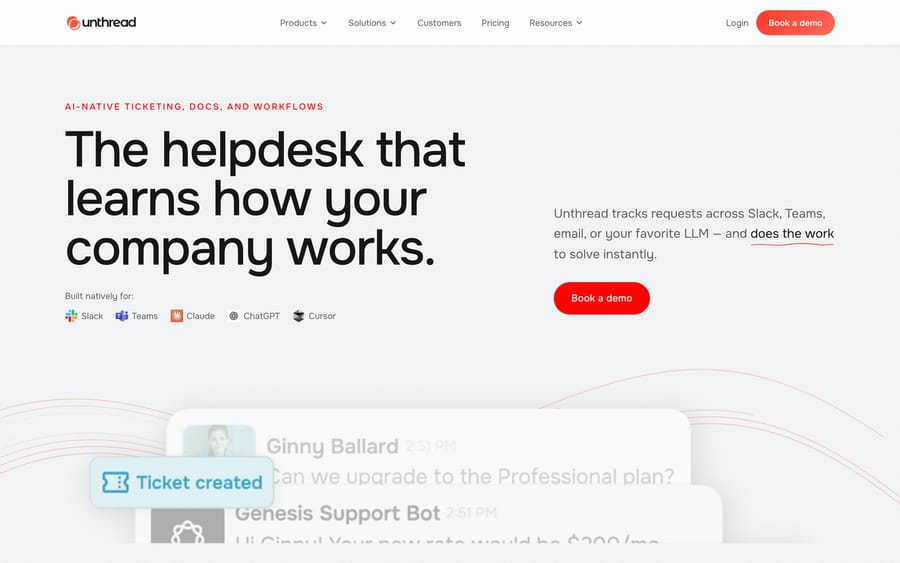
Unthread's homepage, calling itself the helpdesk that learns how a company works, built natively for Slack, Teams, Claude, ChatGPT, and Cursor.
How does Unthread's AI work?
Unthread's agentic AI sits on top of the conversational ticketing layer. When a request comes in, it pulls together the conversation itself, the requester's history, the connected knowledge base, and any linked systems (Jira, Linear, Salesforce) before deciding what to do next: answer directly, deflect with a knowledge-base article, or route to a human with the right context attached. The company also describes the AI as learning from completed work, so answers it has already resolved correctly feed back into future automation rather than staying static.
The practical effect is that the AI operates where the ticket already lives. A support engineer doesn't switch to a separate AI dashboard to see a suggested answer; it shows up in the same Slack thread the customer is watching. That's a meaningfully different shape than a chatbot widget bolted onto a website, because the "channel" here is a running conversation with real back-and-forth, not a one-off form submission.
What features does Unthread include?
- Conversational ticketing: Slack and Teams messages become tickets with SLAs, owners, and statuses, without moving the conversation to a separate tool.
- Agentic AI: answers questions, deflects with knowledge-base content, and escalates with context when it can't resolve something itself. The pricing page lists the AI automation builder on Enterprise only.
- Knowledge management and sync: a knowledge base that the AI draws on and that stays current as source documents change (Pro tier and above).
- 100+ integrations: Jira, Linear, HubSpot, Salesforce, Zendesk, Intercom, PagerDuty, Notion, SharePoint, GitHub, Stripe, plus identity providers like Okta and Microsoft Entra.
- Analytics: custom analytics dashboards, NPS and CSAT surveys, and bi-directional ticket sync with connected tools (Pro and Enterprise).
- Enterprise controls: SSO, custom role-based access, HIPAA business associate agreements, and dedicated hosting on the top tier.
How much does Unthread cost?
Unthread publishes its pricing, which is unusual for an AI support vendor and worth crediting directly. These tiers were re-checked on unthread.io/pricing on 24 September 2026:
| Plan | Price | Minimum | What it adds |
|---|---|---|---|
| Basic | $50/agent/month | 5 seats | Conversation tracking, SLAs, Slack Inbox and Broadcasts, basic integrations and API, up to 100 conversations/month |
| Pro | $75/agent/month | 5 seats | Customer portal, knowledge-base sync, custom analytics dashboards, NPS and CSAT surveys, CRM integrations, bi-directional ticket sync, escalations and approvals, custom status workflows |
| Enterprise | Custom | n/a | AI automation builder, self-learning documentation, SSO, custom RBAC, HIPAA/BAAs, dedicated hosting, Slack Enterprise Grid, dedicated solutions engineer |
All three tiers carry a 14-day free trial, and Unthread offers monthly, annual, or multi-year contracts. The five-seat minimum is the detail worth doing arithmetic on before you sign: a two-person support team still pays for five seats, so Basic effectively starts at $250/month and Pro at $375/month, not the per-seat number on the pricing page.
That minimum is part of the business model, not an accident. It filters out the smallest teams before they ever open a sales call, which pushes Unthread's average contract toward the mid-market B2B companies its case studies describe, where a 5-plus-person support function is already normal. A vendor with a seat floor is optimizing for average deal size, and it's a reasonable thing to know before you assume the per-seat sticker price is what you'll actually pay.
The self-learning documentation and full AI automation builder sit behind Enterprise, which means the deepest automation is the part you can't try during the 14-day trial unless you negotiate a custom demo.
What reviewers say: The 4.9/5 Unthread cites is real: it holds 4.9 out of 5 from 13 reviews on G2 and 5.0 out of 5 from 3 reviews on Capterra, both checked 21 September 2026. Sixteen reviews across both sites is a thin sample, so read it as early-customer enthusiasm rather than proof it scales.
What are Unthread's pros and cons?
Pros
- Keeps support inside the tool teams already use daily, so agents don't context-switch to a separate helpdesk UI.
- Published, comparatively transparent pricing versus most AI support vendors, which quote nothing until a sales call.
- Deep integration list (100+) covering the tools a B2B SaaS company's support and engineering teams already run.
- Strong reported satisfaction: 4.9/5 on G2, per the company's own citation.
Cons
- The 5-seat minimum means a small team pays $250 to $375 a month minimum, whatever its actual headcount.
- The AI automation builder and self-learning documentation are listed on Enterprise only, and Basic caps out at 100 conversations a month, so the entry tier is closer to Slack-based ticketing than to an AI-first product.
- Built specifically around Slack Connect and Teams; a company whose customer support runs through email or a web widget gets little value from the core mechanic.
- A third-party review (Featurebase) flags reporting as cumbersome for teams that want more built-in dashboards.
Who should use Unthread?
Unthread fits teams already running customer support through Slack Connect channels or Teams, and that want that conversation tracked with SLAs and partially automated without asking customers to switch tools. It's a strong pick for a support team of five or more, since the seat minimum makes it expensive at smaller scale, and for companies whose support questions concentrate around product, engineering, and account issues that benefit from Jira, Linear, or Salesforce context showing up in the same thread.
It's a weaker fit for consumer support (Slack Connect isn't how most B2C companies talk to customers), for teams under five people, or for a company whose support already lives comfortably in an established help desk and isn't looking to change where those conversations happen.
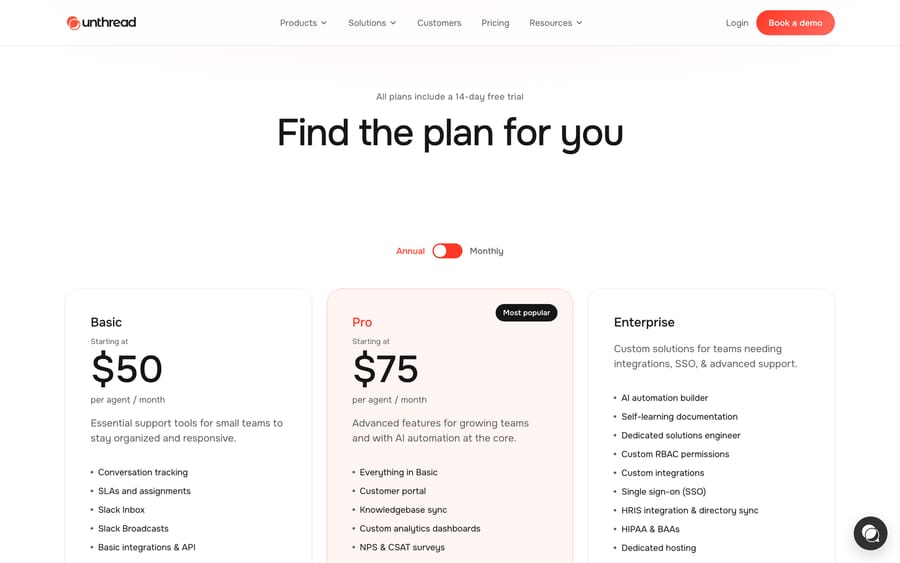
Unthread's pricing page, showing Basic at $50/agent/month and Pro at $75/agent/month, plus a custom Enterprise tier.
How does Unthread compare with Intercom and Macha?
| Unthread | Intercom | Macha | |
|---|---|---|---|
| Model | AI helpdesk native to Slack/Teams | Full customer messaging platform + Fin AI agent | AI agent layer on your existing help desk |
| Best for | B2B SaaS supporting customers via Slack Connect | Companies wanting one messaging + support platform | Teams on Zendesk, Freshdesk, Gorgias, Front, HubSpot, Intercom |
| Where support happens | Inside Slack/Teams threads | Intercom's own inbox and chat widget | Inside the help desk you already run |
| Pricing | Published: $50–$75/agent/mo, 5-seat minimum, custom Enterprise | Published: from $29 a seat billed annually, plus Fin at $0.99 per outcome | From $299/mo for 750 tickets (~$0.40/ticket), published |
| Trial | 14 days | 14 days, no credit card | $50 free usage |
| Setup | Self-serve for Basic/Pro; guided for Enterprise | Self-serve trial; sales-assisted on larger plans | Done for you by the Macha team, with a dedicated success manager, included |
| Replaces your help desk? | Yes: it is the ticketing system | Yes: it is the support inbox | No: deliberately augments it |
Unthread and Intercom both ask you to run support inside their own product. Macha does the opposite: it's an AI agent layer that sits on top of the help desk you already run, acting inside real tickets rather than replacing where support happens. Worth being precise here: Macha's own Slack integration is for a team's internal Slack (mentioning the Macha bot for answers pulled from connected tools), not for running customer-facing Slack Connect tickets the way Unthread does. So if your support genuinely lives in Slack Connect channels with customers, Unthread solves a problem Macha doesn't touch. If your support lives in Zendesk, Freshdesk, Gorgias, Front, HubSpot or Intercom and you want it to answer more of its own tickets, Macha is the more direct fit, and it's done for you: the Macha team analyzes your past tickets, builds the knowledge base and the agent, and runs it in safe mode, with drafts as internal notes in your help desk, until the drafts are right. Macha costs about $0.40 a ticket from $299 a month for 750 tickets, which includes the setup and a dedicated success manager who handles your changes; see Macha pricing or Macha on your help desk.
Two alternatives are worth reading beside this one: Thena, which does the same Slack-to-ticket job with more B2B account tooling, and Pylon, which is the bigger, better-reviewed platform in the same category.
How we researched this: The features, pricing and customer figures above come from Unthread's own public pages and the third-party sources linked inline, checked when this guide was researched in September 2026. A pass on 21 September 2026 re-checked the post's links, added the review figures quoted above and cross-referenced our guides to the closest alternatives. On 24 September 2026 we re-checked the plans, seat minimum and trial against Unthread's pricing page, its YC profile and Intercom's pricing page. The G2 and Capterra figures above were read in a real browser on 21 September 2026, since both sites block scripted requests.
FAQ
What is Unthread? Unthread is an AI-native helpdesk that runs inside Slack and Microsoft Teams, turning customer conversations in shared channels into tracked tickets with SLAs, then using agentic AI to answer, deflect, or escalate them.
How much does Unthread cost? Basic starts at $50/agent/month (up to 100 conversations a month) and Pro at $75/agent/month, both with a 5-seat minimum, so the effective starting cost is $250 and $375/month respectively. Enterprise pricing is custom.
Does Unthread have a free trial? Yes, a 14-day free trial across plans, though the deepest AI automation (the automation builder and self-learning documentation) is Enterprise-only and typically requires a sales conversation to test properly.
Does Unthread support customer channels outside Slack and Teams? Yes, on top of Slack and Teams it supports email, web portals, and API-based ticket creation, but its core differentiator is the Slack/Teams-native workflow.
Who founded Unthread and when? Tom Bachant and Jake McCloskey founded Unthread in 2021 in New York, and it went through Y Combinator's Summer 2022 batch. It runs with a small team, reported at 7 people on its YC profile.
What companies use Unthread? Unthread names Intuit, Lemonade, SpaceX, Hopper, Automattic, Decagon, Sisense, BigPanda, and Cribl among its customers on its site.
What's a good Unthread alternative? Intercom is the closest comparable if you want one platform that owns both messaging and support. If you'd rather keep your current help desk and add AI automation to it instead of moving support into a new tool, Macha runs as a layer on Zendesk, Freshdesk, Gorgias, Front, HubSpot or Intercom.
Is Unthread only for large companies? No, but the 5-seat minimum makes it comparatively expensive for very small teams; it's built with mid-market B2B support teams in mind.
Sources: Unthread homepage, Unthread pricing, Unthread on Y Combinator, Featurebase review of Unthread, Intercom pricing.






