





 Shopify
 Stripe
 Slack
Slack Notion
 Google Workspace
 Confluence

What Is Pylon AI and How Much Does It Cost? (2026 Guide)


Pylon is a B2B support platform whose AI agents investigate and route tickets using account context from CRM, product usage, logs and code. It publishes no prices, and third-party reviews put it at about $59 to $139 per seat a month billed annually, with AI sold separately.
Key takeaways
- Pylon is a B2B support platform whose AI agents use Account Intelligence, pulling CRM, product usage, logs and code into account context before a human opens a ticket.
- Pylon publishes no prices; third-party reviews report about $59 to $139 per seat a month with 3- to 7-seat minimums, and Featurebase lists AI separately at $50 per seat a month for AI Assistants and from $100 a month for AI Agents.
- Pylon has raised $51 million in total, including a $31 million Series B announced on 19 August 2025 and led by a16z and Bain Capital Ventures.
- Third-party sources disagree on a Pylon free trial: SalesHive reports a 14-day trial, while Featurebase says Pylon offers no free trial or plan.
- For a team keeping its help desk, Macha is the done-for-you alternative to migrating: the Macha team builds and runs the agent at about $0.40 a ticket, dedicated success manager included.

Pylon is a support platform for B2B and SaaS companies whose AI agents investigate and route tickets using account context, and it doesn't publish prices: third-party reviews put it at about $59 to $139 per seat a month billed annually, with a 3-seat minimum and AI sold as separate add-ons (Featurebase, updated 27 July 2026). usepylon.com/pricing shows a demo-booking form, checked 24 September 2026.
| Plan (third-party figures) | Per seat, annual | Per seat, monthly | Minimum seats |
|---|---|---|---|
| Starter | about $59 | about $70 | 3 |
| Professional | about $89 | about $118 | 3 |
| Enterprise | about $139 | annual only | 7 |
| AI add-ons | AI Assistants about $50/seat/mo; AI Agents from about $100/mo | ||
We build AI agents for customer service ourselves, so we read Pylon's claims the way a buyer evaluating both products would: what's a real mechanism, what's a case-study number, and what's marketing.
What is Pylon?
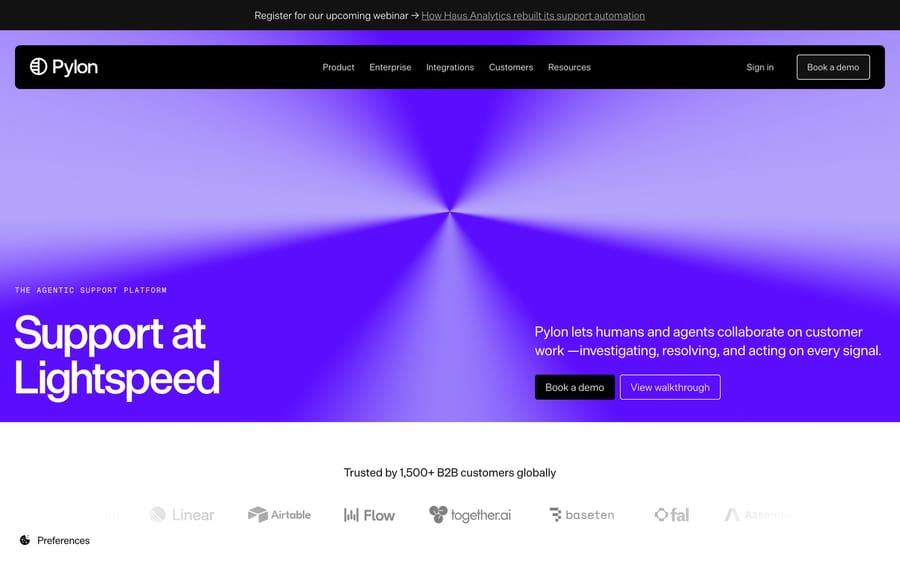
Pylon's homepage, positioned as "the agentic support platform," citing 1,500+ B2B customers globally.
Pylon was founded in 2022 by Marty Kausas (CEO), Advith Chelikani, and Robert Eng, and went through Y Combinator's Winter 2023 batch. The company has raised $51 million total, including a $31 million Series B announced on 19 August 2025 led by a16z and Bain Capital Ventures, with General Catalyst and Y Combinator also participating.
Pylon's positioning is deliberately narrow: it builds for B2B and SaaS companies, the kind that support other businesses through shared Slack channels and Microsoft Teams as much as email and chat. Its own homepage cites 1,500+ B2B companies using the platform (up from "over 750" when it announced its Series B), and the logos it shows today include Cognition AI, Linear, Airtable, Amplitude and Incident.io. That's a different customer profile than the ecommerce or consumer-facing vendors elsewhere in this category, and it shows up directly in the product's feature set.
How does Pylon's AI work?
Pylon organizes its AI around several named, purpose-specific agents:
- Assist Agent acts as a personal AI operator for an individual support rep, handling repetitive parts of their workflow.
- Background Agent runs specialized, automated tasks without a rep initiating them directly.
- Slack Agent operates inside Slack, where a lot of B2B support already happens for teams running shared channels with customers.
- Support Agent handles multi-channel resolution across email, chat, and the other surfaces Pylon supports.
- Skills are reusable instruction sets an agent can apply across conversations, similar in spirit to a saved macro, except the AI executes it on its own.
The mechanism that differentiates Pylon from a general-purpose support AI is Account Intelligence: it aggregates signals from conversations, CRM records, product usage data, logs, and even code, and ties all of it to the account. Pylon also makes that account context available to agents and teams over MCP. In a B2B context, a support rep often needs to know that this specific account is a top-20 customer three weeks from renewal with an open Jira bug before responding; the ticket text alone won't tell them that. Pylon's stated goal is to "investigate every issue before your team opens it," meaning the AI does the fact-finding across those systems automatically, and a rep opens a ticket that already has the relevant context attached.
Which channels and tools does Pylon connect to?
Pylon supports Slack, Microsoft Teams, email, chat, SMS, WhatsApp, phone, Telegram, and Discord as customer channels, which is unusually broad for a platform this size. If Discord and Telegram are the main channels rather than shared Slack, Mava is the narrower comparison, built for community-driven companies. On the integration side, it connects to CRMs (Salesforce, HubSpot), knowledge bases (Notion, Confluence), issue trackers (Linear, Jira), data warehouses (Snowflake, BigQuery), analytics tools (PostHog, Mixpanel), and LLM providers directly (Claude, ChatGPT). The Linear and Jira integrations in particular are a tell for who Pylon is built for: a B2B support team that routes bugs to engineering constantly needs that connection in a way a DTC ecommerce brand rarely does.
What are Pylon's key features?
- Multiple purpose-built agents: Assist, Background, Slack, and Support agents, plus reusable Skills.
- Account Intelligence: unifies CRM, product usage, logs, and code context around the whole account.
- Broad channel support: Slack, Microsoft Teams, email, chat, SMS, WhatsApp, phone, Telegram, and Discord.
- Deep B2B tool integrations: Salesforce, HubSpot, Linear, Jira, Snowflake, BigQuery, PostHog, Mixpanel.
- Account as a first-class object: routing and SLAs can attach to the account tier automatically, a structural choice most consumer-support tools don't make.
How much does Pylon cost?
We checked usepylon.com/pricing directly on 24 September 2026 and it shows no prices, only a form to book a demo, so every figure below is a third-party report.
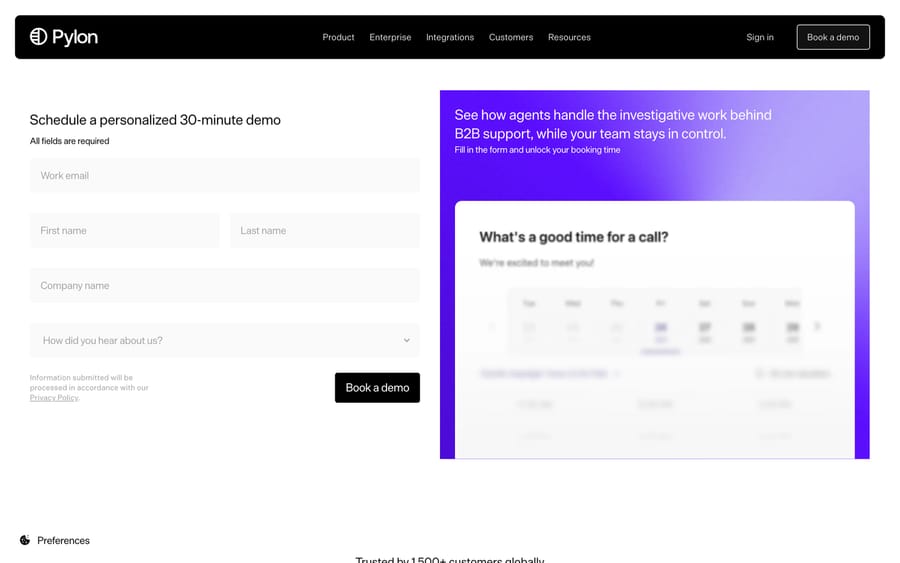
The URL usepylon.com/pricing currently renders a demo-booking form, not a price list. Two third-party reviews, SalesHive and Featurebase (updated 27 July 2026), report the same three-tier, per-seat structure.
- Starter: about $59/seat/month billed annually (around $70/month billed monthly), minimum 3 seats. Covers the core support inbox, email and chat widget channels, ticket forms, and a knowledge base.
- Professional: about $89/seat/month annually (around $118/month monthly), minimum 3 seats. Adds the Slack connector, broadcasts, CRM integrations, and API access.
- Enterprise: about $139/seat/month annually, minimum 7 seats. Adds Microsoft Teams, a customer portal, and custom reporting.
The sources disagree on a trial: SalesHive reports a 14-day free trial, while Featurebase says there is "no free trial or plan" and you sign a paid contract before testing properly. Neither reports a permanent free plan. AI capability is metered separately from the seat price: Featurebase lists AI Assistants at $50/seat/month, AI Agents from $100/month and Account Intelligence Premium at $10/account/month, and estimates that a real deployment "can very easily start from $5,000/year at a minimum." Charging for seats and AI usage separately gives Pylon a built-in upsell path on the same account: more seats, more AI-handled volume, or both, and it's worth knowing that before a sales conversation nudges you toward turning AI on for every seat instead of only the ones that need it. Since none of this comes from Pylon's own current pricing page directly, treat the seat prices as a well-sourced third-party estimate, and confirm the current number with Pylon before budgeting.
What reviewers say: Pylon holds 4.7 out of 5 from 111 reviews on G2, checked 21 September 2026, a large enough sample to take seriously for a company this young. Capterra's "Pylon" listing is a different company (solar design software), which is worth knowing before you cite it.
What are Pylon's pros and cons?
Pros
- Purpose-built for B2B support: account-level context, Slack-native workflows, and Linear/Jira integration match how B2B teams actually work.
- Account Intelligence pulls CRM, product, and code context into the conversation automatically, cutting the manual lookup a rep would otherwise do.
- Genuinely broad channel coverage, including SMS, WhatsApp, and Discord alongside the usual email and chat.
- Backed by well-known investors (a16z, Bain Capital Ventures) at a meaningful funding stage for a 2022-founded company.
Cons
- Seat-based pricing with AI capability metered as a separate add-on makes the real monthly cost harder to estimate upfront than a single all-in number.
- Minimum seat counts (3 for Starter/Professional, 7 for Enterprise) rule out very small teams.
- No public pricing page: usepylon.com/pricing is a demo form, so anyone evaluating Pylon today has to confirm figures with sales rather than rely on third-party reports.
- Purpose-built for B2B; a consumer or ecommerce support team gets less value from account-tier routing and Linear integration.
Who is Pylon best for?
Pylon fits teams supporting other businesses, especially SaaS companies whose customers already live in shared Slack channels and whose support reps need CRM, product usage, and engineering-ticket context to answer a question well. If your support org already argues with engineering over which bugs came from which account, Account Intelligence and the Linear/Jira integration solve a real, specific problem.
It's a weaker fit for consumer or ecommerce support, where account-tier routing and Slack-channel support add little, and where a per-seat-plus-AI-add-on pricing model is harder to budget than the ticket-based pricing common among consumer-focused tools.
How does Pylon compare with Intercom and Macha?
| Pylon | Intercom | Macha | |
|---|---|---|---|
| Model | Agentic B2B support platform | General-purpose support + AI platform | AI agent layer on your existing help desk |
| Best for | B2B/SaaS teams supporting via Slack, Teams, and email | B2C and B2B support broadly | Teams on Zendesk, Freshdesk, Gorgias, Front, HubSpot, Intercom |
| Account context | Account Intelligence: CRM, product usage, logs, code, tied to the account | Standard CRM-style contact and company records | Standard controls, scoped per agent |
| Pricing | Per-seat tiers ($59-$139/seat/mo, researched) plus separate AI add-ons | Per-seat plus AI add-on pricing | From $299/month for 750 tickets (about $0.40 per ticket), published |
| Self-serve trial | Reports conflict: 14-day trial (SalesHive) or none (Featurebase) | Yes | Yes, $50 of free usage (about 125 tickets), no credit card, no time limit |
| Replaces your help desk? | Yes, it is the help desk | Yes, it is the help desk | No, built to run on top of it |
Pylon and Intercom are both full help desks Pylon competes to replace; Macha isn't in that race. Macha runs as an AI agent layer on top of the help desk your team already uses (Zendesk, Freshdesk, Gorgias, Front, HubSpot or Intercom), rather than asking you to migrate your support inbox to a new platform. If your team is happy with its current help desk and mainly wants AI handling more of the ticket volume inside it, that's a smaller, cheaper decision than switching platforms: Macha is also done for you: the Macha team analyzes your past tickets, builds the knowledge base and the agent on your help desk, and runs it in safe mode until the drafts are right. It bills per ticket, from $299 a month for 750 tickets (about $0.40 a ticket), and that includes setup and a dedicated success manager who handles your changes. If you're already evaluating a help-desk migration and B2B account context is the deciding factor, Pylon is a legitimate, purpose-built option. We have a full breakdown in our Zendesk vs Pylon comparison.
The two platforms most often weighed against Pylon are Plain, which takes the same B2B, engineering-led angle on the support inbox, and Thena, which starts from Slack Connect rather than from the help desk.
How we researched this: On 24 September 2026 we re-read Pylon's homepage, its pricing URL and its Series B announcement, and re-checked the seat and add-on prices against two third-party reviews (SalesHive and Featurebase, the latter updated 27 July 2026). Pylon publishes no prices, so treat every price here as a third-party estimate. The G2 rating and review count were read on 21 September 2026.
FAQ
What is Pylon? Pylon is a support platform built for B2B and SaaS companies, founded in 2022, that combines AI agents with account-level context (CRM, product usage, logs, code) to investigate and route tickets before a human opens them.
How much does Pylon cost? Pylon doesn't publish prices; its pricing URL is a demo form. Third-party reviews report per-seat tiers of roughly $59 to $139/seat/month billed annually, with a 3-seat minimum and AI sold as add-ons such as AI Assistants at about $50/seat/month.
Does Pylon have a free trial? Third-party sources disagree: SalesHive reports a 14-day free trial, Featurebase says there is none. Neither reports a permanent free plan, so ask Pylon's sales team directly.
What is Pylon's Account Intelligence? It's Pylon's system for aggregating CRM records, product usage data, logs, and code context around a customer account, so a support rep sees relevant account context automatically instead of looking it up manually.
What channels does Pylon support? Slack, Microsoft Teams, email, chat, SMS, WhatsApp, phone, Telegram, and Discord.
Who uses Pylon? Pylon's homepage cites 1,500+ B2B companies, with logos including Cognition AI, Linear, Airtable, Amplitude and Incident.io.
How much funding has Pylon raised? $51 million total, including a $31 million Series B in August 2025 led by a16z and Bain Capital Ventures, with General Catalyst and Y Combinator also participating.
What are good alternatives to Pylon? For a broader B2C-and-B2B help desk with its own AI layer, Intercom is a common comparison. For a team that wants to keep its current help desk and add AI agents on top rather than migrate, Macha is the lighter-weight alternative. See our Zendesk vs Pylon comparison for a deeper look at migrating away from Zendesk specifically.
Does Pylon replace my existing help desk? Yes. Pylon is a full support platform, not an add-on, so adopting it means migrating your support workflows to it rather than layering AI onto your current tool.
Sources: Pylon homepage, Pylon on Y Combinator, Pylon: Announcing our $31M Series B, Pylon pricing, Featurebase, Pylon pricing review, SalesHive, Macha: Zendesk vs Pylon.






