





 Shopify
 Stripe
 Slack
Slack Notion
 Google Workspace
 Confluence

What Is Wati and How Much Does It Cost in 2026?


Wati sells WhatsApp Business API software with AI agents on top, for sales and support teams that run their customer relationships in WhatsApp threads. Its US plans run from $59 to $349 a month, and WhatsApp messaging fees come on top.
Key takeaways
- Wati's US plans run from $59 a month for Growth billed annually to $349 a month for Business billed monthly, before seat and messaging fees.
- Wati's rate cards mark up WhatsApp's per-message fees 42% to 80% over Meta's published rates, depending on plan and message type.
- Wati offers six purpose-built AI agent types: FAQ, lead qualification, appointment booking, product recommendation, order management, and an instructional agent for eLearning.
- Wati rates 4.6 out of 5 on G2 but 3.1 out of 5 on Trustpilot from 272 reviews, where complaints center on cancellation friction and slow support.
- For a team whose workload is a help desk inbox rather than WhatsApp, Macha is the done-for-you option: the Macha team sets up and runs the agent, at about $0.40 a ticket including a dedicated success manager.

Wati is a WhatsApp Business API platform with a shared team inbox and six purpose-built AI agents, and its US plans ran from $59 a month (Growth, billed annually) to $349 a month (Business, billed monthly) in the price data we pulled, before WhatsApp's own messaging fees. Those messaging fees carry a 42% to 80% markup over Meta's rates on Wati's rate cards.
| Question | Answer |
|---|---|
| What it does | WhatsApp, Instagram, Facebook, SMS and web chat inbox with AI agents |
| US plans | Growth $69 ($59 annual), Pro $149 ($119), Business $349 ($279) a month |
| Extra costs | Extra seats $24 to $69 a month; WhatsApp messages marked up 42% to 80% |
| Trial | "Try for Free" sign-up, zero setup fees |
| Reviews | G2 4.6/5; Trustpilot 3.1/5 from 272 reviews |
| Customers | 16,000+ businesses, per Wati |
We build AI agents for customer service ourselves, so this is written by people who have to evaluate platforms like this.
What is Wati?
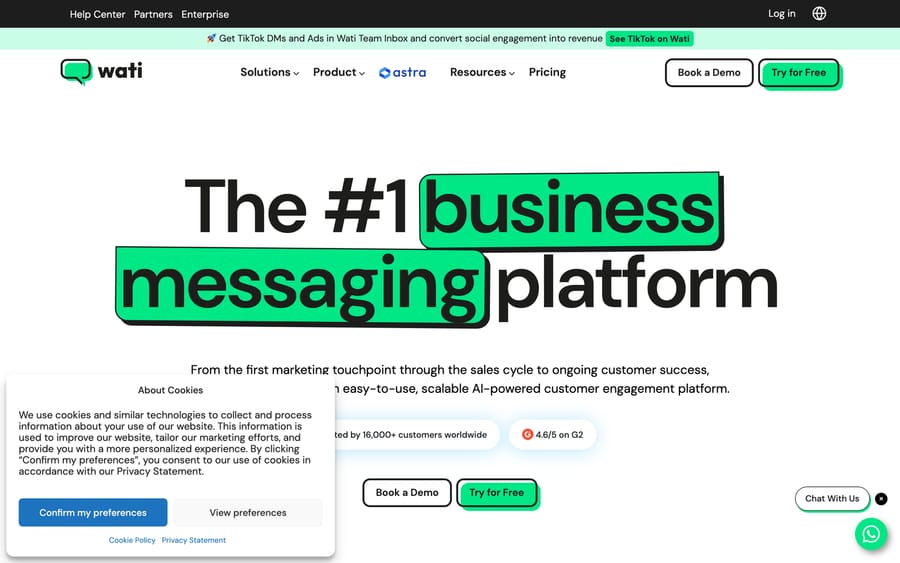
Wati is a WhatsApp Business API platform: it gives a business an official, verified WhatsApp number, a shared team inbox for staff to answer messages, and a set of automation and AI tools built on top. The company says it serves more than 16,000 businesses, concentrated in e-commerce, eLearning, healthcare, and marketing agencies, the kind of company that acquires and supports customers primarily through chat instead of email tickets or phone calls. Beyond WhatsApp, the platform now covers Instagram DMs and comments, Facebook, SMS, and website chat in the same inbox, plus click-to-WhatsApp ad tools that connect a Meta or Google ad directly into a conversation.
The vendor-reported numbers on its homepage are aggressive: a 4x reduction in customer acquisition cost, 85% higher response rates, and AI agents resolving 60 to 80% of routine queries without a human. Treat those as marketing claims from Wati's own site instead of an independently audited benchmark; they describe what's possible for a well-configured account, not a guaranteed outcome for every business that signs up.
How do Wati's AI agents work?
Wati AI (sometimes called Wati AI Agents) ships as a set of purpose-built agent types instead of one general-purpose bot:
- FAQ Agent: answers common customer questions and is meant to improve its accuracy as it sees more real conversations.
- Lead Qualification Agent: runs a conversation designed to identify which inbound WhatsApp contacts are worth a sales follow-up.
- Appointment Booking Agent: schedules, reschedules, and cancels appointments inside the chat thread.
- Product Recommendation Agent: suggests products based on what a customer has said or bought.
- Order Management Agent: answers order-status questions and handles returns or exchanges.
- Instructional Agent: aimed at eLearning customers, answering questions about course material during onboarding.
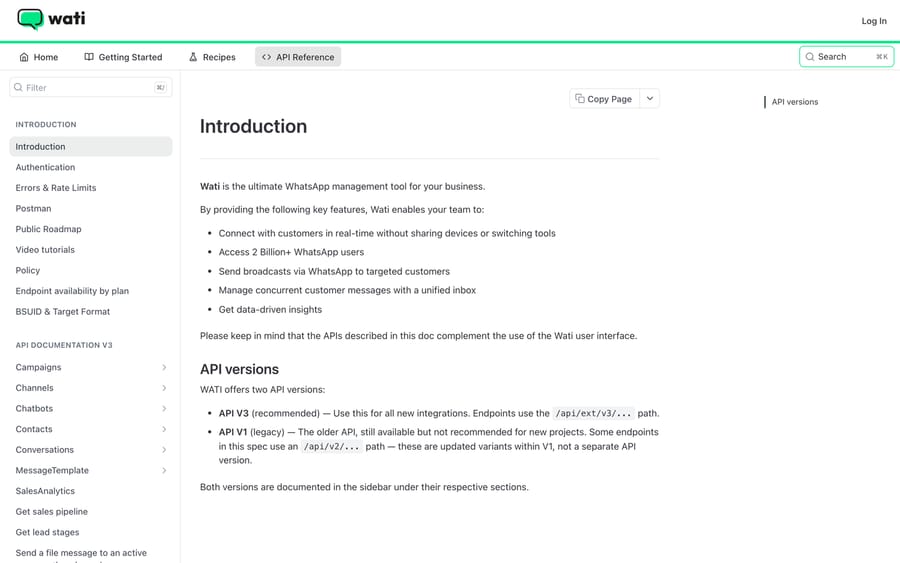
Each agent type is meant to be configured for a specific job instead of asked to do everything, which is a narrower and arguably more reliable approach than one do-it-all chatbot. The trade-off is that a business running sales, support, and course delivery through WhatsApp ends up configuring, testing, and maintaining several separate agents instead of one. All of this sits on top of the Team Inbox, where a human can see the full conversation history and take over from an AI agent at any point.
What features does Wati include?
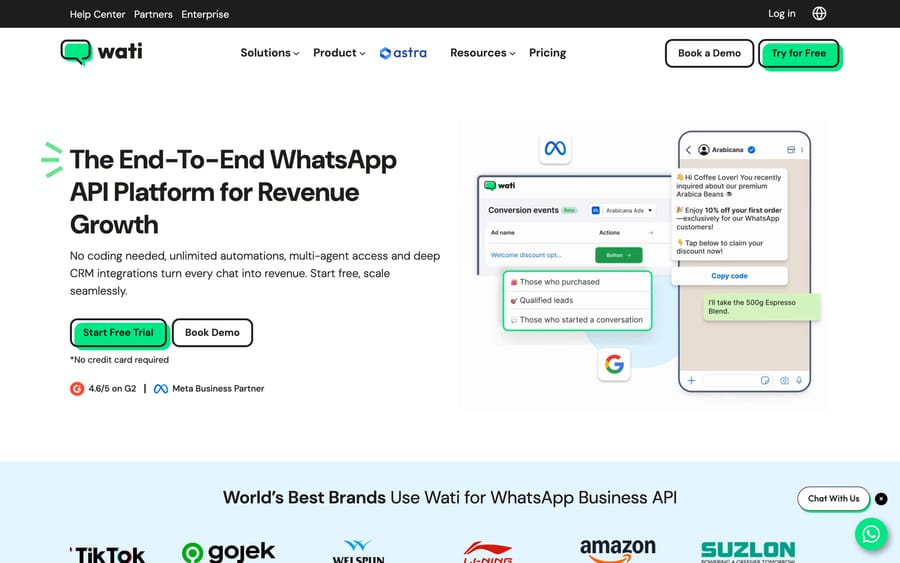
- WhatsApp Business API access with a shared Team Inbox for staff.
- Six purpose-built AI agent types: FAQ, lead qualification, appointment booking, product recommendation, order management, and instructional.
- Instagram DM and comment automation, alongside WhatsApp, SMS, Facebook, and website chat in one inbox.
- Click-to-WhatsApp ad integration connecting Meta and Google campaigns directly to a chat.
- No-code chatbot builder for flows that don't need full AI.
- Broadcast campaigns for outbound messaging at scale.
- Vendor-reported outcomes (4x CAC reduction, 3x ROI, 85% higher response rates, 60-80% of queries resolved by AI) that are self-reported, not third-party audited.
G2 says 4.6/5. Trustpilot says 3.1/5. Here's why.
Wati holds roughly 4.6 out of 5 on G2 across several hundred reviews (the exact count varies slightly by which G2 listing page you land on, but sits in the 400-500 range). That audience is largely the marketing and support staff who configure and use Wati day to day, and the recurring praise is ease of setup and the breadth of the WhatsApp feature set for the price.
On Trustpilot, Wati sits at 3.1 out of 5 across 272 reviews, checked 2026-09-24. Trustpilot's audience for a tool like this skews toward billing and account-management complaints instead of day-to-day product use, and the reviews there reflect it. A sample:
"Wonderful app for whatsapp click to ads enquiry handling and automating sales." Attributed to Ethan Parker, Trustpilot, April 2026.
"Makes it purposefully extremely hard to cancel subscription... WhatsApp bans while using the platform." Attributed to Dennis Smits, Trustpilot, September 2026.
"Has to be the worst support system I have seen... Incredibly slow and poor management of tickets." Attributed to Reon, Trustpilot, September 2026.
Two of those three Trustpilot reviews are about cancellation friction and Wati's own customer support, not the WhatsApp product itself. That pattern, a strong G2 score for the product paired with a weaker Trustpilot score dominated by billing and support complaints, is worth asking a current customer about directly before signing an annual contract.
How much does Wati cost in 2026?
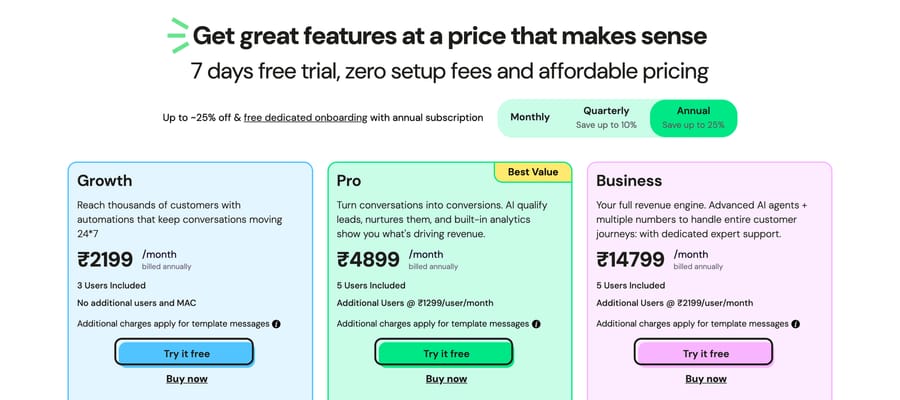
Wati's plans have real, published prices, with a "Try for Free" sign-up, zero setup fees and a pay-as-you-go option. The page fills in its prices by the visitor's country. These are the US prices Wati's pricing data returned on September 19, 2026; we couldn't load the page from a US address, so they come from the data the page loads, not from a screenshot. In US dollars the page offers monthly or annual billing, with "up to ~25% off" for annual (the India page adds quarterly billing):
| Plan | Monthly | Annual | Included seats | Extra seat cost |
|---|---|---|---|---|
| Growth | $69/month | $59/month ($708 a year) | 3 | Not listed in the US data |
| Pro | $149/month | $119/month ($1,428 a year) | 5 | $24/user/month |
| Business | $349/month | $279/month ($3,348 a year) | 5 | $69/user/month |
One thing worth flagging: loaded from India on 24 September 2026, the same page showed Growth at ₹2,999 a month (₹2,199 annual), Pro at ₹6,499 (₹4,899) and Business at ₹18,499 (₹14,799), well below the USD figures above once converted. Wati's pricing page appears to localize both currency and the number itself by the visitor's detected region, so the number a specific buyer sees will depend on where they're browsing from. Confirm your own price on the live page rather than trusting either figure blind.
On top of any plan, WhatsApp itself charges per conversation or per template message depending on category and the recipient's country, and Wati's own per-message rate cards (updated July 1, 2026) price that messaging well above Meta's rates: for US recipients on Growth and Pro, $0.040 per marketing message against Meta's $0.025 (a 60% markup) and $0.00612 per utility message against $0.0034 (80%), narrowing to 42% and 60% on Business. The margin gives Wati an incentive to route as much of a customer's messaging volume through the platform as possible instead of just charging a flat seat price. That's a meaningful add-on cost most buyers miss when comparing the sticker price of the plan alone: a business sending a high volume of template messages can pay more in WhatsApp/Wati messaging fees than in the base subscription. There's also a pay-as-you-go single-user option (roughly ₹999 to start, credited back as message credits, three months of validity) for solo operators who'd rather not start even a free trial clock.
What drives the price
- Which plan tier: on our read of the plan page, Growth locks a customer to one channel and a fixed three seats, while Pro and Business unlock more automation triggers and per-seat scaling.
- Team size, since additional seats cost $24 to $69 each per month depending on plan (at the USD-displayed rate), real money at a support team of 10 or more.
- Message volume and template category, since WhatsApp's own per-conversation and per-template fees, plus Wati's 42% to 80% markup on Meta's rates, scale with how many messages you actually send.
- Add-ons, like extra WhatsApp numbers (priced per number per month) and AI co-pilot credits, both billed on top of the base plan.
- Billing cycle and region, since annual billing runs about 15% cheaper than monthly on Growth and 20% cheaper on Pro and Business at US prices (Wati advertises "up to ~25% off"), and the currency/localization behavior above means the number itself can shift by geography.
What are Wati's pros and cons?
Pros
- Real, findable dollar pricing instead of a sales-only quote, unusual for a vendor at this depth of AI feature.
- Purpose-built AI agents (FAQ, lead qualification, booking, order management) instead of one generic bot to configure for every job.
- Broad channel coverage beyond WhatsApp: Instagram, Facebook, SMS, and website chat in one inbox.
- Strong G2 score (4.6/5) from the audience actually configuring and using the product.
Cons
- WhatsApp's own messaging fees plus Wati's 42% to 80% markup on Meta's rates are a real add-on cost sitting outside the plan price itself.
- Per-seat pricing on Pro and Business ($24 to $69 per extra user) adds up fast for a growing team.
- Trustpilot's 3.1/5 across 272 reviews includes repeated complaints about cancellation friction and slow support response.
- Six separate AI agent types mean more configuration and testing work than a single unified bot, if you need several of them.
Who is Wati best for?
Wati fits a business whose customers already prefer WhatsApp: e-commerce brands doing click-to-WhatsApp ads, eLearning platforms answering course questions in chat, or a healthcare or services business booking appointments over WhatsApp in a market where that's the default channel. If your growth or support motion already runs through WhatsApp and you want AI agents purpose-built for lead qualification or order tracking without a lot of engineering, Wati's plan structure and published pricing make it easy to try before a long sales cycle.
It's the wrong choice if your support volume runs through email tickets and a help desk instead of chat, since Wati's whole product is built around the WhatsApp/Instagram messaging surface instead of a ticket queue, or if a growing team's per-seat costs would outpace what a flat-rate ticket-based tool would charge for the same headcount.
How does Wati compare with Kommunicate and Macha?
| Wati | Kommunicate | Macha | |
|---|---|---|---|
| Model | WhatsApp/Instagram Business API with purpose-built AI agents | Conversational AI and live chat platform | AI agent layer on your existing help desk |
| Best for | E-commerce, eLearning, healthcare teams selling and supporting over WhatsApp | Website chat and app messaging support teams | Support teams on Zendesk, Freshdesk, Gorgias, Front, HubSpot or Intercom |
| Channel | WhatsApp, Instagram, Facebook, SMS, website chat | Website and in-app chat | Chat and email tickets inside the help desk |
| Pricing | Published: $59-$349/month (US) by tier and billing cycle, plus per-seat and messaging fees | Published, self-serve tiers | From $299/mo for 750 tickets (~$0.40/ticket), published |
| Self-serve trial | Yes, "Try for Free" sign-up | Yes | Yes, $50 free usage, no credit card |
| Setup | No-code bot builder, self-serve | No-code, self-serve | Done for you by the Macha team, with a dedicated success manager, included |
| Replaces your help desk? | No, it's a messaging platform, not a ticket queue | No | No, it deliberately augments your help desk |
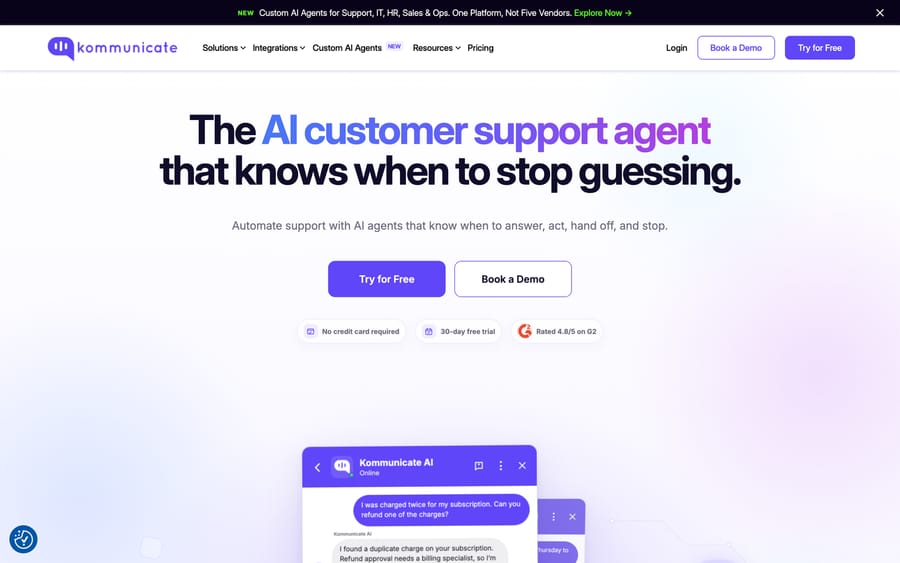
Wati and Kommunicate both compete for a business whose customer conversations happen in chat instead of a ticket system, and both publish real, checkable prices instead of hiding behind a sales call. Our Kommunicate guide covers that comparison directly.
Macha is a different shape of tool for a different channel. If your team's actual workload is a support inbox inside Zendesk, Freshdesk, Gorgias, Front, HubSpot or Intercom, instead of a WhatsApp thread, Macha drafts and resolves those tickets without asking you to move your customer conversations onto a new messaging platform. It's also done for you: the Macha team analyzes your past tickets, builds the knowledge base and the agent, and runs it in safe mode until the drafts are right. It's priced from $299/month for 750 tickets, about $0.40 a ticket, which includes setup and a dedicated success manager who handles your changes, with $50 of free usage and no credit card to start. See Macha's pricing for the full table.
How we researched this
We read Wati's homepage, /pricing/, and /ai-agents/ pages directly. The US dollar figures above (Growth $69/$59, Pro $149/$119, Business $349/$279 a month, billed monthly/annually) came on 2026-09-19 from the pricing service Wati's /pricing/ page calls to fill in prices by country, queried with the US country code because we couldn't load the page from a US address. They replace figures from an earlier read on 2026-09-17 that didn't match. A 2026-09-24 re-check found Trustpilot at 3.1 from 272 reviews. On 2026-09-25 the page loaded from India offered monthly, quarterly (the default) and annual billing and stated a 7-day free trial; the dollar prices come with monthly and annual billing only. The markup figures compare Wati's per-message rate cards, linked from its pricing page, with Meta's published WhatsApp rates. The page loaded from India shows lower rupee prices, so it localizes by region; confirm your own price on the live page. G2's own review pages blocked direct fetches, so the 4.6/5 rating comes from a search snippet; Trustpilot's page loaded directly and its named, dated reviews are quoted as shown.
FAQ
What is Wati? Wati is a WhatsApp Business API platform with a shared team inbox, no-code chatbots, and purpose-built AI agents for FAQs, lead qualification, appointment booking, and order management, also covering Instagram, Facebook, SMS, and website chat.
How much does Wati cost? For US customers, Wati's pricing lists three plans: Growth at $69 a month ($59 billed annually), Pro at $149 ($119 annually) and Business at $349 ($279 annually), plus per-seat fees on Pro and Business and WhatsApp's own messaging fees, which Wati's rate cards mark up 42% to 80% over Meta's rates depending on plan and message type. The page localizes both currency and price by region, so confirm your own number on the live page.
Does Wati have a free trial? Wati's pricing page offers a "Try for Free" sign-up with zero setup fees. The page we loaded on 25 September 2026 states a 7-day free trial. There's also a separate pay-as-you-go single-user option for solo operators who'd rather pay a small one-time fee than start a trial clock.
What do Wati reviews say? G2 shows around 4.6/5 from the audience that configures and uses the product daily. Trustpilot shows a lower 3.1/5 across 272 reviews, with repeated complaints about cancellation friction and slow support, distinct from complaints about the WhatsApp product itself.
What AI agents does Wati offer? Six purpose-built types: FAQ, lead qualification, appointment booking, product recommendation, order management, and an instructional agent aimed at eLearning.
What are good alternatives to Wati? Kommunicate is a comparable conversational AI platform with published, self-serve pricing, better suited to website and in-app chat than WhatsApp specifically. For a team whose actual workload is email or chat tickets inside a help desk, Macha is a different category of tool.
Does Wati replace a help desk like Zendesk? No. Wati is built around WhatsApp, Instagram, and similar messaging channels, not a ticket queue. A business running both a help desk and a WhatsApp presence typically needs both tools instead of one replacing the other.
Ready to automate your support inbox instead of adding another messaging platform? Start a Macha trial with $50 of free usage and no credit card, or see Macha's pricing.
Sources: wati.io, wati.io/pricing, wati.io/ai-agents, Trustpilot (trustpilot.com/review/wati.io, fetched directly), Costbench: Wati pricing, YCloud: Wati pricing explained.






