





 Shopify
 Stripe
 Slack
Slack Notion
 Google Workspace
 Confluence

What Are the Best Front Migration Tools in 2026?


Help Desk Migration is the practical default for moving into or out of Front, and Front's own help center recommends it alongside ClonePartner. Front's native Zendesk importer is no longer maintained and its Support-gated export drops contacts, tags and templates, so check what survives before you pick a route.
Key takeaways
- Help Desk Migration is the default Front migration tool for most teams, with a free 20-ticket demo and a homepage claim of 100+ supported platforms.
- Front's help center recommends Help Desk Migration or ClonePartner for importing Zendesk, Freshdesk and Help Scout history, and says its own Zendesk importer is not actively maintained.
- Front's account data export requires a company admin to contact Front Support, and Front acknowledges the request within 72 hours.
- Front's Support export delivers CSV files by inbox at roughly 700MB per file but excludes individual-inbox data, contacts, message templates and tags.
- Front rules, shared drafts, message templates and historical analytics do not survive a cross-platform move with any tool and must be rebuilt by hand.

The best Front migration tool for most teams is Help Desk Migration (by Relokia), a no-code service with a free 20-ticket demo that Front's own help center recommends, alongside ClonePartner, for moving history from Zendesk, Freshdesk or Help Scout into Front (help.front.com). The other two routes are Front's own importer and Support-gated export, or a do-it-yourself job against the Front API.
| Cost | Downtime | Fidelity | Best for | |
|---|---|---|---|---|
| Help Desk Migration | Volume-based; free 20-ticket demo | Near-zero (Delta/Interval) | Highest (tags, contacts, attachments, KB) | Most teams; large history |
| Front Support export | Free (part of your plan) | None to run, but lossy result | Low (shared inboxes only) | Compliance/backup snapshots |
| API + CSV (DIY) | Engineering time only | You control it | Highest, if you build it right | Custom targets; engineering-heavy teams |
What are the three ways to migrate Front data?
There are three paths, and they trade off cost, effort, and fidelity against each other.
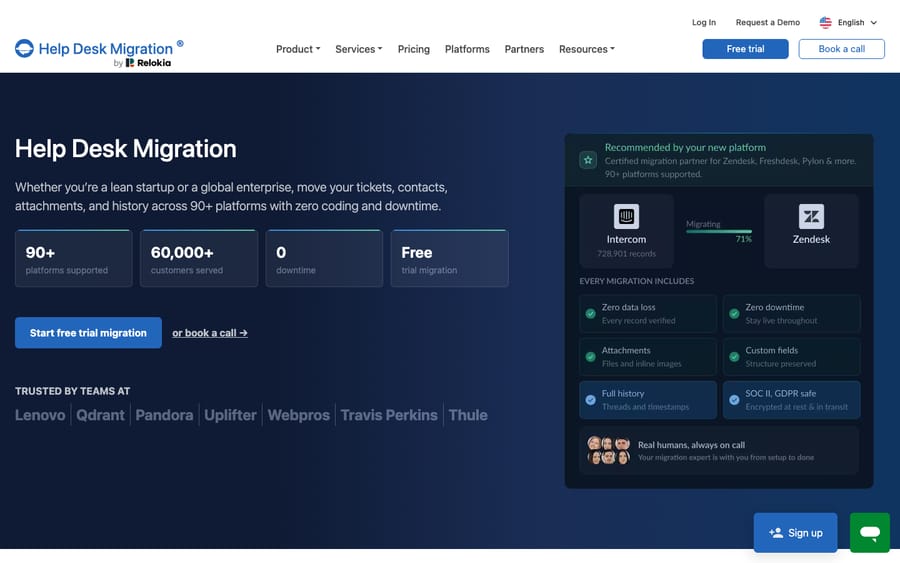
1. A migration service (Help Desk Migration). This is the default recommendation for most teams, and it works in both directions: Front as the destination you're moving into, or Front as the source you're leaving. Help Desk Migration's homepage now advertises 100+ supported platforms and 60,000+ customers served, with a no-code setup: you connect source and target, map fields, run a free demo, then run the full migration (help-desk-migration.com/front). Front itself endorses this route. The Help Desk Migration integration is documented in Front's help center, covers moves from 30+ help desk platforms into Front, and is available on all Front plans (help.front.com). Front's history-import articles name ClonePartner as the other partner if you want a second quote.
2. Front's native import + Support-gated export. Front has a built-in Zendesk importer under the gear icon, then Company settings → Imports, but Front's help center says it is not actively maintained and does not bring over tags, teammates, or rules. For Freshdesk and Help Scout, Front's help articles point you to the migration partners rather than a native button. Going the other direction, getting your data out of Front, is the tricky part: there's no self-serve "export everything" button. You request an account data export by contacting Front Support, and it comes back lossy (more on that below).
3. API + CSV (do it yourself). Front has a well-documented REST API, and if you have engineering time, you can page through conversations, comments, and contacts yourself and reshape them into whatever your target expects. Total control, zero licence cost, and the most labour. Our Front API guide covers the endpoints and rate limits if you go this way.
What does Help Desk Migration actually move?
The reason a service beats a raw export is fidelity. Per Help Desk Migration's Front page, an automated run carries Teammates, Contacts, Accounts, and Conversations with customisable field mapping. Each conversation keeps its subject, tags, channel, state, staff assignments, comments, attachments, and timestamps: the collaborative context that makes a Front conversation a Front conversation rather than a flat email thread (help-desk-migration.com/front).
It also handles knowledge base content (categories, folders, and articles) and supports custom objects for non-standard records like assets or warranties. Two features do the heavy lifting on downtime: Delta migration re-syncs records created or updated during the transfer, and Interval migration splits the data into scheduled batches so you keep working in either account while it moves. Help Desk Migration frames this as zero downtime for your team.
The trade-off is cost and control. Pricing is not a fixed sticker: it depends on the volume of data, the automated options you choose, any customisations, and your support package, and Help Desk Migration only quotes an exact figure after you run the free demo migration (20 tickets with their associated data). That demo is the most useful thing you can do before committing: it shows you real mapped output, not a promise.
Can you export all your data from Front yourself?
No. If your plan is to leave Front and "just export the data," slow down. Front's account data export is not self-serve. You must be a company admin, and you request it from Front Support with the line "Account data export request for {Customer name}". Front acknowledges the request within 72 hours, then delivers CSV files in folders by inbox (roughly 700MB per file), with shared-inbox attachments in EML format available on request (help.front.com).
Now the honest part: what that export leaves behind. Per Front's own documentation, the export does not include:
- Individual-inbox data: attachments, comments, conversations, or discussions from personal inboxes (only shared-inbox content ships).
- Contact data: your contacts and their custom fields are excluded.
- Message templates: none of your saved responses come along.
- Tags: the labels your rules and team rely on are not exported.
That's a big list. It's the reason a search for "front migration tools" almost always resolves to a service, not the native export: Help Desk Migration re-reads Front through the API and reconstructs contacts, tags, and attachments that the Support export drops. For the full mechanics of getting data out, see our walkthrough on how to export data from Front.
What moves, and what do you rebuild by hand?
This table assumes you're migrating between platforms (Front to another help desk, or a legacy tool to Front), which is where the gaps bite hardest.
| Data / feature | Help Desk Migration | Front Support export | API + CSV (DIY) |
|---|---|---|---|
| Conversations & messages | Moves (with metadata) | Shared inboxes only (CSV) | Moves (you build it) |
| Comments / internal notes | Moves | Shared inboxes only | Moves (you build it) |
| Attachments | Moves | EML, on request only | Moves (you build it) |
| Tags | Moves | Not exported | Moves (you build it) |
| Contacts & accounts | Moves | Not exported | Moves (you build it) |
| Teammates / assignments | Moves | Partial (in CSV metadata) | Moves (you build it) |
| Knowledge base articles | Moves | Not included | Moves (you build it) |
| Individual-inbox data | Depends on scope | Not exported | Moves (you build it) |
| Rules / automations | Rebuild by hand | Rebuild by hand | Rebuild by hand |
| Shared drafts | Rebuild by hand | Rebuild by hand | Rebuild by hand |
| Message templates / macros | Rebuild by hand | Not exported | Rebuild by hand |
| Historical analytics | Does not port | Separate export | Does not port |
The bold rows are the ones nobody warns you about. Front rules, shared drafts, message templates, and your historical analytics do not survive a cross-platform move. No tool ports the logic of your automation, only the data it acted on, and Front's own Zendesk importer says as much by leaving rules out. Budget rebuild time for these whichever path you pick. If you're moving into Front, that's a chance to redesign your automation cleanly rather than carry forward cruft; our guide to what Front is covers how rules and shared inboxes fit together once you land.
Which Front migration path should you pick?
For a team with real ticket history and tags that matter, a service is almost always the right call: the labour saved dwarfs the licence cost, and Front itself sends you there. The native Zendesk importer is fine for a small, simple move, but Front no longer maintains it. The Support export is best understood as a compliance snapshot, not a migration. DIY makes sense only when you have a non-standard target or the engineering bandwidth to treat migration as a project. Whichever you choose, check your target platform's importer support and your Front plan tier; Front pricing sets the API limits you're working with.
Where does Macha fit after the migration?
Migration is a one-time data problem. What you do with the inbox afterward is the ongoing one, and that's where an AI layer earns its keep. Macha is not a help desk and not a migration tool. It's an AI agent layer that runs on top of whichever inbox you land in, including Front, through the live Macha–Front connector. It doesn't replace Front, move your data, or compete with your shared inbox. It reads the conversations that are already there.
Once your history is in place, Macha's agent can read an incoming thread, understand intent rather than keywords, pull a real order or account status through a custom tool, and draft or send a grounded reply. That's the difference between a migrated inbox and a smarter one. The broader category of AI agents for customer service exists for this reasoning-heavy work. Macha bills per ticket, from $299 a month for up to 750 tickets: one conversation, charged once however many messages it takes, never per resolution. You don't build that agent yourself: Macha is the done-for-you option, so the Macha team analyzes your past tickets (the history you just migrated), builds the knowledge base and the agent on your help desk, and runs it in safe mode, with drafts as internal notes, until the drafts are right. The price, about $0.40 a ticket, includes that setup and a dedicated success manager who handles your changes. Migrate first with the right tool; then add the agent on top.
FAQ
What's the best tool to migrate to or from Front? For most teams, Help Desk Migration (by Relokia) is the practical default. Its homepage claims 100+ supported platforms, it works with Front as both source and target, and it preserves tags, contacts, attachments, and knowledge base articles that Front's native export drops. Front's help center also names ClonePartner. Run the free 20-ticket demo before committing to see real mapped output.
Does Front have a built-in importer? Only for Zendesk, under Company settings → Imports, and Front says it is not actively maintained. It skips tags, teammates, and rules. For Freshdesk and Help Scout, Front points you to Help Desk Migration or ClonePartner.
Can I export all my data from Front myself? Not fully. Front's account data export is Support-gated: a company admin requests it from Front Support, Front acknowledges within 72 hours, and it returns CSVs of shared-inbox conversations with EML attachments on request. It does not include individual-inbox data, contacts, message templates, or tags, so it works better as a backup snapshot than a migration source.
Will my Front rules and automations move to a new platform? No. Rules, shared drafts, message templates, and historical analytics do not port between platforms; migration tools move the data, not the logic. Plan to rebuild your automation on the target platform whichever migration path you choose.
How much downtime does a Front migration cause? With a service like Help Desk Migration, effectively none: Delta and Interval migration keep both accounts usable while data syncs in the background. A DIY API migration is downtime-free too, but the engineering effort is on you.
Does migrating add AI to my inbox automatically? No. Migration only moves conversations and contacts. To add AI, you put an agent like Macha on top of your inbox after the move; it reads your existing threads and drafts grounded replies without replacing the help desk you migrated to.
Ready to turn a freshly migrated inbox into one that answers for itself? Start a free trial of Macha with $50 of free usage and connect it to your Front.






