





 Shopify
 Stripe
 Slack
Slack Notion
 Google Workspace
 Confluence

How Much Does ChatBot.com Cost in 2026? Plans, AI Limits and Alternatives


ChatBot.com is an AI chatbot builder from Text S.A., the Warsaw-listed company behind LiveChat, and it costs $19 or $79 per user a month billed yearly. The real limit is the monthly cap on AI resolutions: 10 on Essential and 200 on Growth.
Key takeaways
- ChatBot.com costs $19 per user a month billed yearly on Essential and $79 on Growth ($25 and $99 billed monthly), with a 14-day free trial and no credit card, per its pricing page on 24 September 2026.
- ChatBot.com caps AI usage by resolutions, not seats: Essential includes 10 AI resolutions a month and Growth includes 200, shared across the whole team.
- For a team already on a help desk, Macha is the done-for-you option: the Macha team builds and runs the agent on the tickets already there, at about $0.40 a ticket with a dedicated success manager included.
- ChatBot.com's parent, Text S.A., was founded in 2002 as LiveChat Software in Wroclaw, Poland, trades on the Warsaw Stock Exchange as TXT, and was renamed Text in 2023.
- ChatBot.com's integrations page lists Shopify, WooCommerce, Klaviyo, Slack, and Zapier, which points the product at ecommerce teams rather than help desk-centric support orgs.

ChatBot.com is an AI chatbot builder from Text S.A. that costs $19 per user a month billed yearly on Essential, with 10 AI resolutions a month, or $79 per user on Growth, with 200 resolutions, and every plan starts with a 14-day free trial and no credit card (chatbot.com/pricing, checked 24 September 2026). We build AI agents for customer service ourselves, so we read ChatBot.com's own site for every claim below instead of working from a review aggregator.
| Question | Answer (24 Sept 2026) |
|---|---|
| Owner | Text S.A. (formerly LiveChat Software), Warsaw Stock Exchange: TXT |
| Channels | Website chat, Messenger, WhatsApp, SMS, email |
| Price | Essential $19, Growth $79 per user a month billed yearly; Enterprise custom |
| Usage limit | AI resolutions a month: 10 on Essential, 200 on Growth |
| Trial | 14 days, no credit card |
What is ChatBot.com?
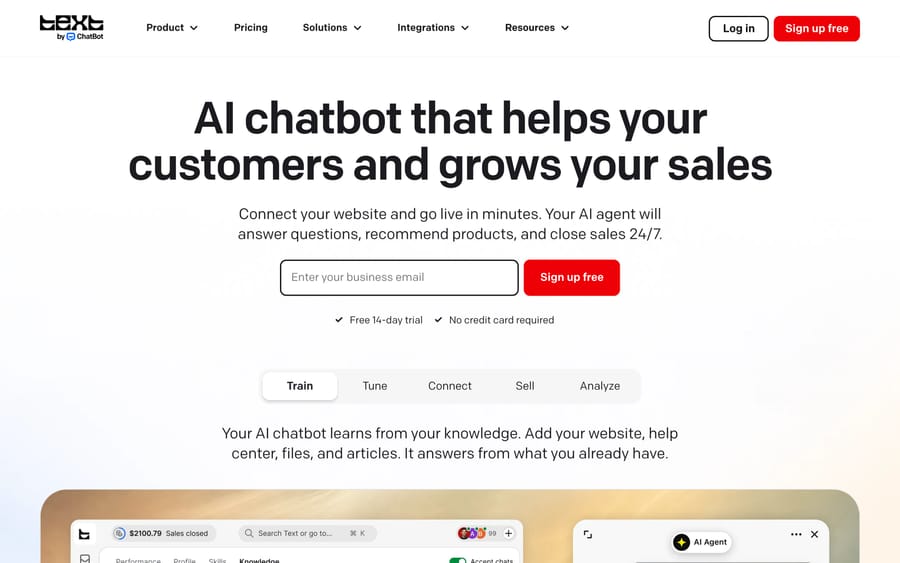
ChatBot.com is an AI chatbot and support-automation product built by Text S.A., a company with a longer history than most names in this category. It started as LiveChat, a live-chat widget company founded in 2002 in Wroclaw, Poland, and is led today by CEO Mariusz Cieply. Text S.A. is publicly traded on the Warsaw Stock Exchange under the ticker TXT, so it files audited financial reports, a rare degree of transparency for a company this size in the AI support space. The company renamed itself from LiveChat Software to Text in 2023 to reflect a product line that spans LiveChat (the original live-chat widget), ChatBot (the AI chatbot builder this guide covers), HelpDesk (email ticketing), and KnowledgeBase.
The ChatBot.com homepage says over 35,000 brands are selling through the service with Text, and it names Unilever, UEFA, BASF, and Danone among its customer logos, alongside case studies from smaller sellers like Hairlust and Wembley Stadium's ecommerce arm. That mix, a handful of large logos plus a long tail of small retail brands, suggests how ChatBot.com is used inside big organizations: likely one team or brand deploying it for one channel, not an enterprise-wide rollout.
How does ChatBot.com's AI work?
ChatBot.com trains an AI agent on a company's own content: its website, help center articles, uploaded files, and documents. Once trained, the agent answers customer questions directly in chat, and ChatBot.com's marketing leans on a sales angle most pure support tools don't emphasize: its homepage says the AI "spots buying signals mid-conversation" such as hesitation at checkout, bulk inquiries, and product comparisons, then recommends products. That positions it as much for ecommerce conversion as for ticket deflection.
The product runs on a no-code flow builder, so a team without engineers can define specific conversation paths, then layer the AI agent on top for anything outside those flows. When the AI can't resolve something (or a customer asks for a person), ChatBot.com hands off to a human agent with the conversation's context attached, which avoids the "please repeat your issue" problem of weaker handoffs.
Where it lives
ChatBot.com deploys across website chat, Facebook Messenger, WhatsApp, SMS, and email. Its integrations page lists native connections for Shopify, WooCommerce, WordPress, Webflow, Slack, Klaviyo, Mailchimp, Twilio SMS, Zapier, LiveChat, and HelpDesk, plus webhooks for other tools. That list is aimed at ecommerce and small-to-mid-size retail teams, not at a help desk-centric support org running Zendesk as the system of record. ChatBot.com's site lists healthcare, banking, and education as target sectors too, but the integration list and the "buying signals" framing both point at commerce as the core use case.
Resolutions as the metering unit
The mechanism to understand before pricing is the resolution: a conversation the AI handles rather than escalating to a human or a scripted flow. Every plan caps AI resolutions per month, and that cap is the real usage limit even though the headline price is quoted per user seat. A five-person team on the entry plan isn't buying five agents' worth of AI capacity; it's paying for five logins and one shared bucket of 10 monthly AI resolutions.
What features does ChatBot.com include?
- AI agent trained on company content: website, help center, uploaded files.
- No-code flow builder for scripted conversation paths alongside the AI.
- Multi-channel deployment: website chat, Messenger, WhatsApp, SMS, email.
- Sales-oriented AI, tuned to surface buying signals and recommend products.
- Human handoff with context, avoiding a cold transfer.
- Reply suggestions and AI text edits for human agents drafting replies: 5 a month per user on Essential, 50 on Growth.
- Native integrations including Shopify, WooCommerce, Klaviyo, Slack, and Zapier.
How much does ChatBot.com cost?
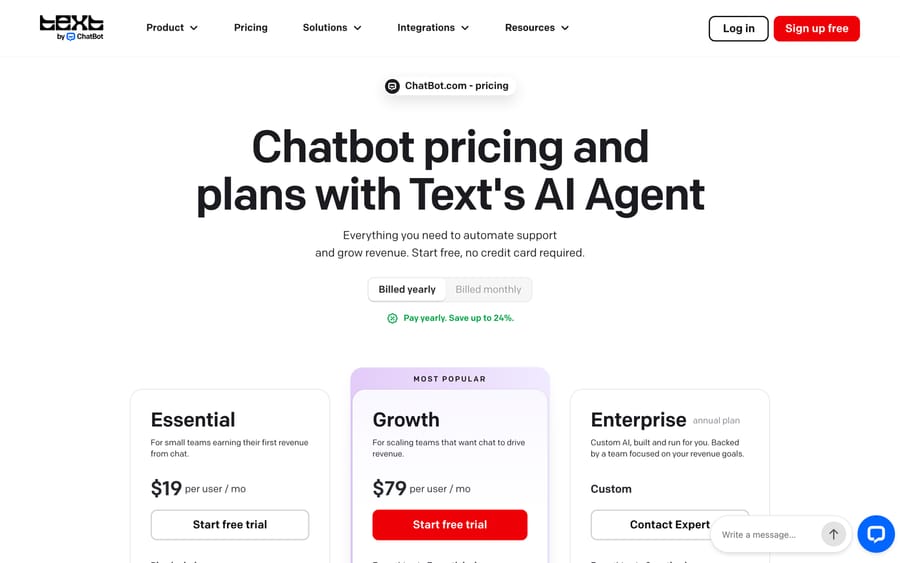
ChatBot.com publishes real, checkable pricing, which is unusual for this category. These are the figures on its pricing page on 24 September 2026:
| Plan | Price (billed yearly) | AI resolutions/month | Notable inclusions |
|---|---|---|---|
| Essential | $19/user/month | 10 (120 a year) | 1 AI agent, 5 reply suggestions per user, 50 tracked live visitors |
| Growth | $79/user/month | 200 (2,400 a year) | 10 AI agents, 50 reply suggestions per user, 400 tracked live visitors |
| Enterprise | Custom | Custom | Custom AI agents, SSO and audit logs, SOC 2 Type 2, SLAs, white-label widget |
Billed monthly instead of yearly, Essential runs $25/user and Growth runs $99/user. Essential and Growth include a 14-day free trial with no credit card required; Enterprise is sold through a conversation with sales.
The number to do arithmetic on is the resolution cap. Essential's 10 AI resolutions a month works out to roughly one every three days: fine for a very small store testing the water, and quickly outgrown by anything with real ticket volume. Growth's 200 a month is closer to a working support queue, but a team doing more than about 6-7 AI resolutions a day needs Growth just to stay inside the cap, however many human seats it needs. Because the seat price and the resolution cap are bundled into the same tier, a team with real volume ends up paying Growth's per-seat price to unlock enough AI capacity.
What are ChatBot.com's pros and cons?
Pros
- Real, published pricing with a free trial and no credit card required.
- Backed by an established, publicly traded parent company with two decades of operating history.
- No-code flow builder lets a non-technical team define specific conversation paths.
- Multi-channel reach: chat, Messenger, WhatsApp, SMS, and email from one product.
- Sales-oriented features (buying-signal detection, product recommendations) that pure support tools skip.
Cons
- The monthly AI resolution cap is tied to the plan tier, so scaling AI usage often means paying a higher seat price a team doesn't otherwise need.
- Essential's 10 resolutions a month is enough for evaluation, not production support volume.
- Not built around a help desk's ticket workflow the way a Zendesk- or Freshdesk-native tool is; it's a chat-first product that also does email.
- Enterprise pricing is not published, same as most of this category once volume gets serious.
Who is ChatBot.com best for?
ChatBot.com fits a small or mid-size ecommerce or retail team that wants one tool covering website chat, Messenger, and WhatsApp, with an AI layer that answers questions and nudges toward a sale. The no-code builder and the Shopify and WooCommerce integrations point at that buyer, and the entry price makes it easy to try before committing budget. It also suits a team that hasn't picked a dedicated help desk yet and would rather run support and light sales out of one chat-first tool than assemble ticketing, a chat widget, and an automation layer from three vendors.
It's a weaker fit for a team whose support already runs through a dedicated help desk like Zendesk or Freshdesk and wants AI acting inside that ticket queue instead of in a separate chat widget. It's also a poor fit for a team with real ticket volume trying to stay on the entry plan: the resolution cap forces an upgrade well before most of Growth's other features matter. A useful gut check is where a team's tickets already live. If they're piling up in a help desk inbox, adding a second chat-based AI product means an agent has to watch two systems instead of one.
How does ChatBot.com compare with alternatives?
| ChatBot.com | Chatbase | Macha | |
|---|---|---|---|
| Model | Multi-channel AI chatbot with sales features | AI chatbot trained on a knowledge base | AI agent layer on your existing help desk |
| Best for | Small/mid ecommerce and retail teams | Website chat widget, simple deployments | Teams on Zendesk, Freshdesk, Gorgias, Front, HubSpot or Intercom |
| Pricing | $19-$79/user/mo, published, metered by resolution cap | Free plan with 50 message credits a month; paid plans from $40/mo, published | From $299/mo for 750 tickets (~$0.40/ticket), published |
| Setup | Self-serve, no-code flow builder | Self-serve | Done for you by the Macha team, with a dedicated success manager, included |
| Trial | 14 days, no credit card | Free plan; 7-day trial on paid plans | $50 free usage |
| Replaces your help desk? | No, but often used instead of one for small teams | No | No, deliberately augments it |
ChatBot.com and Macha solve different problems for different-sized teams. ChatBot.com suits a team that hasn't adopted a dedicated help desk yet, or wants a chat-first, sales-aware widget across several messaging channels. Macha fits teams that have already standardized on Zendesk, Freshdesk, Gorgias, Front, HubSpot or Intercom and want the tickets already flowing through that system automated, instead of adding a separate chat product alongside it. Macha is also done for you, where ChatBot.com's flow builder is self-serve: the Macha team analyzes your past tickets, builds the knowledge base and the agent, and runs it in safe mode, with drafts as internal notes in your help desk, until the drafts are right, at about $0.40 a ticket, which includes setup and a dedicated success manager who handles your changes. The deciding factor is where the ticket already lives, and whether a team wants to add a new system or automate the one it has. For a simpler, single-purpose chat widget trained on a knowledge base, Chatbase is the closer comparison to ChatBot.com's core chat feature, without the sales and multi-channel layer. Botsonic is the third product in that bracket.
How did we research this?
The plans, limits and feature detail in this guide come from ChatBot.com's own pricing, homepage and integrations pages, re-read on 24 September 2026, when we re-priced every plan and replaced the integration list with what the integrations page shows today. Company history comes from Text's Wikipedia entry. We have not run ChatBot.com on a live queue ourselves, and G2 turned away every request we made, so this guide carries no third-party review score rather than an estimated one.
FAQ
What is ChatBot.com? ChatBot.com is an AI chatbot platform for website chat, Messenger, WhatsApp, SMS, and email, built by Text S.A. (formerly LiveChat Software), aimed mainly at ecommerce and retail support and sales.
How much does ChatBot.com cost? Essential is $19/user/month billed yearly ($25 billed monthly) with 10 AI resolutions a month. Growth is $79/user/month billed yearly ($99 monthly) with 200 resolutions a month. Enterprise pricing is custom.
Does ChatBot.com offer a free trial? Yes, a 14-day free trial with no credit card required on Essential and Growth.
Who owns ChatBot.com? ChatBot.com is a product of Text S.A., a Polish company publicly listed on the Warsaw Stock Exchange (ticker TXT), founded in 2002 as LiveChat Software and renamed Text in 2023.
What's a "resolution" in ChatBot.com's pricing? A resolution is a conversation the AI agent handles on its own, without escalating to a human or a scripted flow. It's the real usage limit on every plan, separate from the number of seats a team pays for.
What help desks or platforms does ChatBot.com integrate with? Its integrations page lists Shopify, WooCommerce, WordPress, Webflow, Slack, Klaviyo, Mailchimp, Twilio SMS, Zapier, LiveChat, and HelpDesk, plus webhooks. We found no native HubSpot integration listed there on 24 September 2026.
Which companies use ChatBot.com? ChatBot.com's homepage names Unilever, UEFA, BASF, and Danone among its customer logos and says over 35,000 brands sell through the service with Text.
What's a good alternative to ChatBot.com for a help desk-based support team? Macha runs as an agent layer on top of the help desk (Zendesk, Freshdesk, Gorgias, Front, HubSpot or Intercom) a team already uses, instead of adding a separate chat widget, and the Macha team sets it up and runs it for you at about $0.40 a ticket, with a dedicated success manager included; Chatbase is a closer comparison for a simpler, knowledge-base-only chat widget.
Sources: ChatBot.com homepage, ChatBot.com pricing, ChatBot.com integrations, Chatbase pricing, Text (company), Wikipedia.






