





 Shopify
 Stripe
 Slack
Slack Notion
 Google Workspace
 Confluence

What Is Cognigy and What Does It Cost? The Complete Guide (2026)


Cognigy is an enterprise conversational and agentic AI platform for contact centers, owned by NiCE since September 2025, with a published AWS Marketplace list price of $43,080 a year for 60,000 conversations. Below: how the platform and its Voice Gateway work, what it costs against third-party six-figure estimates, six problems teams hit with the fix for each, and the alternatives.
Key takeaways
- Cognigy is an enterprise conversational and agentic AI platform for contact centers, founded in Dusseldorf in 2016 and owned by NiCE since the deal closed on September 8, 2025.
- Cognigy's AWS Marketplace listing prices a Basic tier at $43,080 for a 12-month contract covering 60,000 conversations, and its enterprise license agreement lists at $1,000,000 for up to 10 million conversations a year.
- Cognigy's Voice Gateway connects to telephony providers including Genesys, Avaya, Five9, Twilio and AudioCodes, and supports speech providers such as Deepgram, Speechmatics and ElevenLabs.
- Cognigy's SIP response-code reference shows that three of the five common call failures, 404, 480 and 488, are configuration the customer owns, and only 503 needs Cognigy support.
- Macha runs AI agents on an existing help desk at about $0.40 a ticket from $299 a month, and the Macha team does the setup, with a dedicated success manager included.

Cognigy is an enterprise conversational and agentic AI platform for contact centers, owned by NiCE since September 8, 2025, and its one published price is $43,080 for a 12-month contract covering 60,000 conversations on AWS Marketplace, about $3,590 a month. It automates chat, voice, SMS and IVR, runs as SaaS or on-premises, and sells mainly to large, voice-heavy, multilingual contact centers.
| Question | Answer (checked September 24, 2026) |
|---|---|
| What it is | Enterprise conversational and agentic AI for contact centers, founded 2016 in Dusseldorf |
| Owner | NiCE, deal closed September 8, 2025; sold standalone and inside CXone |
| Channels | Chat, voice (Voice Gateway), SMS, IVR |
| Entry list price | $43,080 for 12 months, 60,000 conversations (AWS Marketplace) |
| Enterprise list price | $1,000,000 license for up to 10 million conversations a year, plus a $200,000 ramp |
| Deployment | SaaS, or dedicated/on-premises |
| Best for | Large omnichannel contact centers, especially NiCE and CCaaS shops |
Full disclosure: we build Macha, an AI agent layer for Zendesk, Freshdesk, Gorgias, Front, HubSpot or Intercom. Cognigy is a category peer, and we explain the difference near the end. Everything below is sourced to Cognigy's and NiCE's own materials, the AWS Marketplace listing and recent third-party reporting, with anything we couldn't verify flagged. We did not build an agent on Cognigy, so there are no first-hand screenshots.
What is Cognigy?
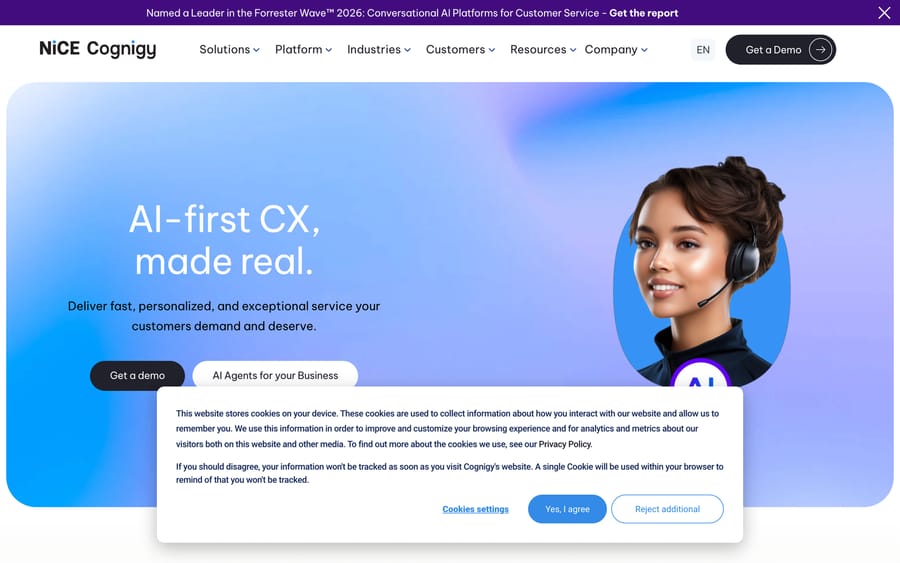
Cognigy is an enterprise conversational and agentic AI platform for contact centers. Founded in 2016 in Dusseldorf, Germany, it lets large organizations automate the interactions that flow through a contact center (chats on a website, calls into an IVR, messages over SMS) using AI agents that can understand intent, take action, and hand off to humans cleanly (cognigy.com).
The product is often described as an "AI Workforce" platform: instead of positioning itself as a single chatbot, Cognigy frames its output as a fleet of AI agents that work alongside human agents across a contact center. It supports omnichannel automation across chat, voice, SMS, and IVR, and, importantly for a global buyer, handles conversations in a large set of languages, which is why airlines and multinationals are among its flagship references.
The company built a serious enterprise book of business before being acquired. Publicly referenced customers include Bosch, Nestlé, DHL, Frontier Airlines, Lufthansa Group, Mercedes-Benz, and Toyota, the kind of global brands that run high-volume, multilingual contact centers. The named verticals cluster tellingly: airlines and travel (Frontier, Lufthansa), automotive and manufacturing (Bosch, Mercedes-Benz, Toyota), logistics (DHL), and consumer goods (Nestlé). These are voice-heavy, compliance-sensitive, multi-country operations, which is exactly the profile Cognigy is engineered for and a useful signal of where it does and doesn't fit.
The NICE acquisition and what it means
The big recent news is ownership. In July 2025, NICE announced a definitive agreement to acquire Cognigy for approximately $955 million, and the deal closed on September 8, 2025, the largest acquisition in NICE's history (NiCE's own announcement of the close, PYMNTS). (A few outlets cited a figure closer to $995M in the run-up; treat the exact number as approximate. NiCE's release says Cognigy stays available standalone as well as inside CXone.) Cognigy now operates under the NICE Cognigy brand, and NICE is integrating the technology into its CXone Mpower platform (No Jitter).
Why does this matter to a buyer? Three practical implications:
- Roadmap and packaging can shift. As Cognigy is folded into CXone Mpower, how it's licensed, bundled, and sold may change over the life of your contract. This is a normal thing to diligence, not a red flag. Ask directly about the standalone against the CXone-bundled path.
- NICE gets a stronger agentic layer; Cognigy gets NICE's distribution. NICE is one of the largest CCaaS and workforce-optimization vendors in the world. Cognigy gains reach and resources; NICE gains a genuinely capable orchestration and agent-building layer. For enterprises already on NICE, this is the most compelling version of the story.
- Independence is a fair question. If you don't run NICE and don't want to, confirm how well Cognigy still integrates with other CCaaS stacks (it historically did, as the integrations section below covers) and how long standalone deployment will be supported.
The short version: Cognigy is a mature, enterprise-grade, omnichannel conversational-AI platform, now backed by a large public CX vendor. It is powerful, and it is firmly an enterprise procurement.
How does Cognigy work?
Cognigy.AI is a platform for building and running conversational and agentic AI across the channels a contact center touches. Rather than a single chatbot, you design flows and agents that combine deterministic logic with LLM reasoning, connect them to your backend systems, and deploy them across every channel at once. The main pieces:
- Omnichannel automation. A single agent can operate across chat, voice, SMS, and IVR, so the same logic and brand voice show up wherever customers reach you, with intent recognition, automated routing, and workflow automation underneath.
- AI-assisted, low-code development. Building agents blends a visual flow editor with AI assistance and natural-language configuration. G2 reviewers repeatedly note that both technical and non-technical builders can be productive in it, a genuine differentiator in a category full of developer-only tools.
- Knowledge and human-in-the-loop. Agents pull from connected knowledge bases and hand off to human agents with warm, context-carrying escalation when a conversation needs a person.
Around that core, Cognigy sells four capabilities that define its enterprise story:
Agentic AI
Cognigy's current framing combines generative and conversational AI into agentic AI: agents that don't just answer questions but take action, call APIs, complete multi-step tasks, and drive a resolution end to end. This is the "AI Workforce" positioning: autonomous agents that handle whole workflows (rebooking a flight, checking an order, filing a claim) rather than returning a single canned answer (cognigy.com).
Cognigy Voice Gateway
Voice is where Cognigy earns its enterprise reputation. Conversations flow through the Voice Gateway, which connects to VoIP telephony and CCaaS stacks and orchestrates real-time speech. It's built to sit in front of an existing contact center, handle inbound voice, and hand off to human agents when needed. Cognigy has kept the speech stack current and modular: recent releases added Deepgram Flux, Speechmatics, and ElevenLabs as speech-to-text / text-to-speech providers, giving you choice over the STT/TTS engines that shape latency and naturalness (Cognigy.AI 2026.4 update). This is what makes Cognigy a serious voice player, not just a web-chat tool.
Agent Copilot
Agent Copilot is Cognigy's real-time agent-assist product. It listens to live voice and chat interactions and surfaces answers, knowledge snippets, and next-best-actions to human agents as the conversation unfolds. It's positioned as "transaction-ready" for CCaaS environments and deployable across both voice and chat. It is the piece aimed at making the humans who remain in the loop faster and more consistent, instead of only deflecting them.
Cognigy Insights
Cognigy Insights is the analytics layer: a suite of dashboards and drill-down reporting on AI-agent performance and business impact, with customizable goals and KPIs and data exports to your warehouse. In 2026, Cognigy added a Conversation Analyzer that applies LLM-based qualitative evaluation to production conversations, scoring nuanced behaviors like instruction-following, empathy, response clarity and compliance handling, plus automated topic discovery (Cognigy 2026.12 update). For a regulated enterprise, this kind of built-in QA and reporting is a meaningful part of the value.
The throughline is enterprise omnichannel automation: Cognigy wants to handle the customer conversation across every channel, make human agents faster on the calls that still need a person, and give operations leaders the analytics to prove and tune it.
What does Cognigy integrate with, and can it run on-premises?
Cognigy's integration story is one of its strongest selling points, and a big reason it lands in large accounts. It is built to sit in front of an existing contact center, fully connected to enterprise systems, instead of replacing your telephony or CRM.
CCaaS and telephony. Cognigy offers native integrations with the major contact-center platforms (Amazon Connect, Genesys (Cloud CX), Avaya, and 8x8) alongside its Voice Gateway, which can connect to VoIP telephony from providers including Genesys, Avaya, Five9, Twilio, and AudioCodes (Cognigy contact-center integrations). Cognigy markets 100+ pre-built channel and system integrations in total.
CRM and business systems. On the CRM side, Cognigy integrates with Salesforce (including native Salesforce Messaging for In-App and Web, MIAW, for seamless handovers) and connects to backend systems via APIs so agents can actually complete transactions, not just chat.
Deployment. Cognigy supports both SaaS (cloud, managed in Cognigy's cloud) and dedicated / on-premises deployment, where components like the Voice Gateway can run as a managed service inside your own data center. That flexibility matters for regulated industries with data-residency or security requirements, and it's another reason the platform skews enterprise. On-prem and dedicated deployments add cost and implementation weight, which feeds directly into the pricing picture below.
What are Cognigy's key features?
- Omnichannel conversational AI: chat, voice, SMS, IVR
- Agentic AI ("AI Workforce") that takes action and completes workflows, not just answers
- Cognigy Voice Gateway with Genesys/Avaya/Five9/Twilio/AudioCodes telephony and modular STT/TTS (Deepgram, Speechmatics, ElevenLabs)
- Agent Copilot for real-time human-agent assist on voice and chat
- Cognigy Insights analytics with dashboards, KPIs, and an LLM-based Conversation Analyzer
- AI-assisted, low-code building usable by technical and non-technical teams
- Native CCaaS integrations (Amazon Connect, Genesys, Avaya, 8x8) plus Salesforce and 100+ connectors
- SaaS or dedicated/on-prem deployment
- Broad multi-language support
- Now part of NICE CXone Mpower
How much does Cognigy cost?
Cognigy's own site publishes no rates, and it sells through a sales-led motion, quoting each customer on the channels involved, expected interaction volume, the number of environments, the deployment model and the level of support required (Orvera).
There is a published list price, though, and it is not on cognigy.com. NiCE lists Cognigy on AWS Marketplace, and that listing carries real contract dimensions, first read on September 18, 2026 and re-checked on September 24, 2026:
| Listing dimension | 12-month price | What it covers |
|---|---|---|
| Basic, 5K per month | $43,080 | 60,000 conversations a year, platform, setup and standard support. About $3,590 a month, or about $0.72 a conversation at full use |
| Basic plus 5 Voice Gateways | $53,916 | The same tier with five Voice Gateways attached |
| Enterprise license agreement | $1,000,000 | Private SaaS for up to 10 million conversations a year, with a $200,000 ramp dimension alongside it |
That is the anchor to take into a sales conversation. Azure carries a private-offer template for Cognigy with $1.00 placeholders, Google Cloud Marketplace has no listing, and Vendr has a page with no price data, so AWS is the only marketplace with a usable figure.
Third-party trackers describe the shape of the cost above that entry tier:
- Low-to-mid six figures per year is the common range cited for platform contracts, with professional-services fees for implementation on top (ServiceAgent).
- Metered workloads. Voice minutes, chat sessions, and LLM usage are frequently metered and priced separately, so a voice-heavy deployment costs materially more than a chat-only one.
- Add-ons billed extra. Capabilities like Agent Copilot and knowledge/AI features are often billed additionally rather than bundled (Orvera).
The main cost drivers, in plain terms: voice minutes (the single biggest variable, because real-time speech is expensive), contact-center scale (concurrent interactions and total volume), deployment model (SaaS is lighter; dedicated/on-prem adds infrastructure and services cost), number of environments (dev/staging/prod), and implementation (enterprise builds involve integration work and professional services).
Treat the six-figure figures as third-party estimates and not a rate card; the $43,080 marketplace entry is the one number with a vendor behind it, and it sits well under them, which tells you those estimates describe large multi-channel deployments and not the floor. Post-acquisition, packaging may also shift as it's folded into NICE CXone Mpower, so confirm current terms directly with sales.
What problems do teams hit running Cognigy, and how do you fix them?
Cognigy sells to enterprises, so its complaint record does not look like a consumer product's. There is no wall of one-star reviews; on Gartner Peer Insights it held 4.8 from 156 ratings when we read it on September 18, 2026, while G2 has only 4.6 from 13, a count too small to lean on. The problems below come from the docs Cognigy writes for its own customers, from public forum threads, and from what buyers say about the purchase itself. Six recur.
1. You cannot get a price without a sales cycle
The pricing section above says Cognigy quotes instead of publishing, which is how buyers experience it. Reddit's r/AI_Agents thread I tested all these AI agents everyone won't shut up about files Cognigy under "Enterprise Overkill" and advises readers to "Skip unless you have $50k and 6 months to burn." That is one anonymous practitioner, and the sentiment is common enough to be worth answering.
Name the incentive: an unpublished price lets a vendor size each quote to the buyer's budget, which is worth more to the vendor than to any individual customer, and it is why the comparison you actually want is hard to run.
Fix: use the list price NiCE does publish. Cognigy's AWS Marketplace listing prices a Basic 5,000-a-month tier at $43,080 for a 12-month contract covering 60,000 conversations, about $3,590 a month and about $0.72 a conversation at full use. The same tier with five Voice Gateways lists at $53,916. Take that into the first sales call as your anchor and make the salesperson explain what their number buys that this one does not. A second question worth asking in the same call, since the acquisition: whether you are buying standalone Cognigy or Cognigy inside CXone. An r/CXone thread, Building Cognigy agents is getting even easier with Actions, has a practitioner asking which flag to request to turn the native CXone version on, which tells you the two packagings are not the same purchase.
2. The caller's first words go missing
On the Genesys Cloud community, the thread Cognigy Integration connection delay reports that "the first 100-150ms seems to not get to the cognigy bot," and points at the link between the Voice Gateway and Genesys, not at either product alone. The symptom is a caller whose opening word is clipped, which reads to them as the agent not listening.
Two settings sit behind it. The media path takes time to establish, so anything spoken in the first fraction of a second arrives before the bot is listening. And Cognigy's Voice Gateway parameter reference sets a transcription confidence default of 0.7 with its own warning that "Higher values improve accuracy but may increase latency," so a team that raised it to cut misrecognitions has also widened the window.
Fix: open with a greeting from the agent instead of silence, which both fills the media-setup window and signals when the caller should start. Then tune the confidence threshold against real call recordings instead of a target number, and check barge-in and no-input timers at the same time, since they interact. If the clipping only happens on one CCaaS integration, it is a media-path problem and belongs with that vendor and Cognigy together.
3. Calls fail with a SIP code and nobody reads the code
Voice deployments fail loudly and specifically, and Cognigy's SIP response codes reference already contains the answer for most of them. Worth memorizing the five you will actually see:
| Code | What it usually means | What the docs say to do |
|---|---|---|
| 403 | The carrier rejected the incoming call | "Check the PCAP for detailed information on the cause of the failure", and consider setting the P-Asserted-Identity header |
| 404 | A call to an unconfigured number, or SIP spam | "Verify the request URI provided in your Transfer Node is correct", then check the carrier and number config |
| 480 | No application attached to the number, or at capacity | "Check whether an application is properly associated with the Phone number in the Self-Service Portal" |
| 488 | Codec or SDP feature the gateway does not support | "Check the codecs or any other session parameters being used and ensure they are supported" |
| 503 | Inactive account or the maximum call limit | "Contact Customer Support or your Customer Success Manager at Cognigy" |
Fix: read the code before you escalate. Three of the five are configuration you own (the Transfer Node's request URI, the number-to-application mapping in the Self-Service Portal, the codec list), and only 503 genuinely needs Cognigy.
4. The agent goes quiet because a credential expired
Cognigy's Voice Gateway alerts exist for exactly this class of failure, and the doc's own list is the checklist: webhook status, connection or authentication failures and invalid URLs; text-to-speech or speech-to-text "not provisioned" or failing, where the guidance is to "Check if the correct credentials are selected in the application" and whether they are "still valid, and if there are any request limits that have been reached"; malformed webhook payloads; a phone number with no carrier attached; and account call limits, where the doc sends you to your CSM.
The speech-credential case is the one that bites in production, because a third-party STT or TTS key that expires or hits its own request ceiling takes the voice agent down while the platform itself is healthy. Your status page will be green.
Fix: put the Alerts screen in your monitoring routine, not just your incident response, and note the constraint the doc states: "you can only filter by a maximum of the last 7 days." An alert older than a week is gone. Track speech-provider key expiry and per-minute request limits in your own calendar, and alert on the provider's quota instead of waiting for Cognigy to surface it.
5. Agent Copilot renders blank tiles
Agent Copilot has its own troubleshooting page, and all three failures it lists are configuration errors. A message reading "The following tiles are not registered in the workspace layout..." means a Copilot Node is missing from the Set Grid Node, or a Tile ID is mistyped; the fix is to match every ID and delete the tiles and nodes you are not using. A "<host-name> refused to connect" error means the workspace points at the wrong host, so check the AICopilotBaseUrl for your installation. A sentiment tile that does not render or returns a 500 usually has no model selected under Manage > Settings > Generative AI Settings, or has Say and Question Nodes sitting below the Copilot: Set Grid Node, which are incompatible there.
Fix: work the three in that order before raising a ticket, because a blank Copilot workspace looks like an outage and is almost always one of these. The Ops Center common-issues page covers the adjacent confusion: a Live Indicator that turns gray usually needs a refresh and a cache clear, and Ops Center refreshes on a 30-second cycle, so new data lagging is expected behavior.
6. An upgrade breaks a dedicated or on-premises install
This is the cost of the deployment flexibility listed above. Cognigy's release-notes index is blunt about it: "When upgrading Cognigy products, don't skip minor versions. Always upgrade one minor version at a time, carefully reviewing the release notes before proceeding, as skipping versions can lead to compatibility issues, missed database migrations, and configuration problems." The same page tells on-premises customers to update with every release for security coverage, which means a customer who falls six versions behind has to walk back up through all six.
The release notes themselves show how specific those breakages get: 2026.8 fixed the Simulator being inaccessible on on-premises installations running their own ingress controller.
Fix: budget upgrade time as a standing operational cost instead of a project, keep a separate test environment (which the release notes recommend directly), and upgrade one minor version at a time on a schedule you set. If nobody on your team owns that cadence, the SaaS deployment is the honest choice, and it is worth deciding that before the contract, and not after the third deferred upgrade.
What are Cognigy's pros and cons?
Pros
- Mature, proven platform. Nearly a decade old, with production deployments at publicly referenced brands like Lufthansa, DHL, Bosch, and Mercedes-Benz. This is battle-tested software.
- Genuine voice strength. The Voice Gateway, deep CCaaS integrations, and modular STT/TTS make it a serious contact-center voice option, not a chat-only tool bolting on telephony.
- Strong integration and deployment flexibility. Native ties to Amazon Connect, Genesys, Avaya, and 8x8, plus SaaS or on-prem/dedicated deployment, suit complex, regulated enterprises.
- Praised usability. G2 reviewers consistently call out ease of use and flexibility, noting both technical and non-technical users can build effectively (G2).
- Real analytics and QA. Cognigy Insights and the Conversation Analyzer give operations leaders dashboards and LLM-based quality scoring out of the box.
- NICE backing. Integration into CXone Mpower gives it the resources, security posture, and roadmap of a large public CX vendor.
Cons
- Opaque, high pricing. No rates on its own site (the AWS listing is the exception), six-figure contracts for larger deployments, and metered workloads plus add-ons make total cost hard to predict without a lengthy sales process.
- Enterprise complexity. It's a full platform with a real implementation and professional services, not a quick self-serve setup.
- Acquisition uncertainty. Being absorbed into NICE CXone Mpower can mean packaging, roadmap, and go-to-market changes, and questions about how neutral it stays toward non-NICE stacks. Both are fair things to diligence.
- Overkill for smaller teams. If your support is ticket- and chat-based inside a help desk, much of Cognigy's voice/IVR/contact-center machinery is more than you'll ever use, at a price to match.
- Time to value. Because it's a build project, standing up a production agent takes longer than a help-desk-native tool you can configure in days.
Who is Cognigy best for?
Cognigy is a strong fit for large enterprises running high-volume, omnichannel contact centers, especially voice-heavy operations across multiple languages, in sectors like airlines and travel, telecom, insurance, logistics, manufacturing, and financial services. If you already run NICE CXone (or Genesys, Avaya, Amazon Connect, or 8x8), the integration story is even more compelling, and you have the budget and internal resources for a full implementation with professional services.
It's a poor fit if you're a small or mid-market team, if your support runs mostly through a help desk like Zendesk or Freshdesk, or if you want to stand up automation quickly without enterprise procurement. Macha fits teams in that second group: agents working the tickets already sitting in Zendesk, Freshdesk, Gorgias, Front, HubSpot or Intercom, with custom tools for the lookups and actions.
How does Cognigy compare with Parloa, Kore.ai and Macha?
Cognigy competes in the enterprise conversational-AI space alongside Kore.ai, Parloa, and Sierra, plus help-desk-native automation. The right comparison depends less on feature checklists and more on use-case fit: where your customers actually reach you and how much scale and voice you need. Here's an honest comparison including where we fit:
| Cognigy (NICE) | Parloa | Kore.ai | Macha | |
|---|---|---|---|---|
| Category | Enterprise conversational/agentic AI | Enterprise AI agent mgmt (voice-first) | Enterprise conversational AI platform | AI agent layer on your help desk |
| Primary channels | Voice, chat, SMS, IVR | Voice, chat, WhatsApp, Teams | Voice, chat, IVR | Chat and help-desk tickets in Zendesk, Freshdesk, Gorgias, Front, HubSpot, Intercom |
| Deployment | SaaS or on-prem/dedicated | SaaS | SaaS or on-prem | SaaS on top of your existing help desk |
| Pricing | Six-figure, metered, quote-only | Consumption/outcome, quote-only | Enterprise, quote-only | From $299/mo for 750 tickets (~$0.40/ticket), transparent |
| Setup | Enterprise build project | Enterprise build project | Enterprise build project | Done for you by the Macha team, with a dedicated success manager, included |
| Best for | Enterprise omnichannel CX, NICE/CCaaS shops | High-volume voice contact centers | Large enterprise IVR/voice + chat | Teams automating support on an existing help desk |
Where Macha differs, honestly: we're not a contact-center platform and we don't try to match Cognigy's voice, IVR, and CCaaS depth. Macha is an AI agent layer that runs on top of the help desk you already use, which is Zendesk, Freshdesk, Gorgias, Front, HubSpot or Intercom, and you pay per ticket (from $299/month for 750 tickets, about $0.40 a ticket) instead of committing to a six-figure enterprise contract with separately metered voice, chat, and LLM workloads. It's done for you: the Macha team analyzes your past tickets, builds the knowledge base and the agent, and runs it in safe mode until the drafts are right, and the per-ticket price includes that setup and a dedicated success manager who handles your changes.
For the wider category, including where each type of AI agent actually sits in a support stack, see our guide to AI agents for customer service. The distinction is use-case fit, not "better vs. worse." If your support runs through a help desk and you want automation you can stand up in days and forecast transparently, that's our lane. If you're a global enterprise whose main problem is omnichannel voice at massive scale, sitting in front of Genesys or Amazon Connect across many languages, Cognigy (and NICE behind it) is built for exactly that, and we're not pretending otherwise. Different tools for different jobs.
How we researched this
This guide is built from Cognigy’s own product and documentation pages, its AWS Marketplace listing for the one price with a vendor behind it, Gartner Peer Insights and G2 for the ratings quoted above (read on September 18, 2026), and public forum threads for what buyers say about the purchase itself. Cognigy does not publish prices, so every other figure in the pricing section is a third-party estimate and is labelled as one. On September 24, 2026 we re-checked the AWS Marketplace listing (unchanged, plus the 10 million conversation scope of the enterprise license) and NiCE's acquisition release. Gartner and G2 blocked automated reads that day, so the ratings stay as read on September 18. We did not obtain a new quote, and we have not deployed Cognigy ourselves, so nothing here comes from hands-on use.
FAQ
What is Cognigy? Cognigy is an enterprise conversational and agentic AI platform for contact centers, founded in Dusseldorf, Germany in 2016. It automates chat, voice, SMS, and IVR interactions across many languages and is now owned by NICE, operating as NICE Cognigy.
Did NICE acquire Cognigy? Yes. NICE announced the acquisition on July 28, 2025 for approximately $955 million and closed it on September 8, 2025, the largest acquisition in NICE's history. Cognigy is being integrated into NICE CXone Mpower.
How much does Cognigy cost? Cognigy's own site publishes no rates and sells sales-led, but NiCE lists a real price on AWS Marketplace: a Basic 5,000-a-month tier at $43,080 for 12 months covering 60,000 conversations, about $3,590 a month or $0.72 a conversation at full use, and $53,916 with five Voice Gateways. An enterprise license agreement for up to 10 million conversations a year lists at $1,000,000 with a $200,000 ramp. Third-party trackers report low-to-mid six figures a year for larger deployments, with voice minutes, chat sessions and LLM workloads metered separately, add-ons like Agent Copilot billed extra and implementation services on top. Checked September 24, 2026.
Does Cognigy do voice? Yes, and voice is a core strength. It runs through the Cognigy Voice Gateway, which connects to telephony and CCaaS stacks (Genesys, Avaya, Five9, Twilio, AudioCodes) and supports modular STT/TTS providers like Deepgram, Speechmatics, and ElevenLabs, making it a serious enterprise voice platform alongside chat, SMS, and IVR.
What integrations does Cognigy support? Cognigy offers native CCaaS integrations with Amazon Connect, Genesys, Avaya, and 8x8, CRM integration with Salesforce (including MIAW), and 100+ pre-built channel and system connectors. It's designed to sit in front of your existing contact center and leave it in place.
Can Cognigy be deployed on-premises? Yes. Cognigy supports both SaaS (managed in its cloud) and dedicated/on-premises deployment, where components like the Voice Gateway can run inside your own data center, which is useful for organizations with data-residency or security requirements.
Is Cognigy good for small businesses? Generally no. Cognigy is an enterprise platform with quote-only, six-figure pricing and a real implementation. Small and mid-market teams, especially those running support through a help desk, usually get better time-to-value from a help-desk-native tool.
Why do calls to my Cognigy agent drop with a SIP error? Read the code first. Cognigy's SIP response-code reference says 403 is a carrier rejection (check the PCAP, and consider setting P-Asserted-Identity), 404 usually means an unconfigured number or a wrong request URI in your Transfer Node, 480 means no application is associated with the number in the Self-Service Portal, 488 is an unsupported codec or SDP feature, and 503 means an inactive account or the maximum call limit, which is the only one of the five that needs Cognigy support.
Why did my Cognigy voice agent stop speaking when nothing changed? The most common cause is a third-party speech credential that expired or hit its own request ceiling. Cognigy's Voice Gateway raises an alert for text-to-speech or speech-to-text "not provisioned" or failing, and the doc says to check that the right credentials are selected in the application and that they are "still valid, and if there are any request limits that have been reached." Alerts can only be filtered over the last 7 days, so check them early.
What does Cognigy rate on review sites? Gartner Peer Insights showed 4.8 from 156 ratings and G2 showed 4.6 from only 13 reviews, a sample too small to lean on. Both read September 18, 2026.
What are good Cognigy alternatives? Alternatives include Kore.ai, Parloa and Sierra for enterprise conversational AI, Voiceflow if you want a builder you own rather than a contact-center platform, or a help-desk-native layer like Macha if your support runs through Zendesk, Freshdesk, Gorgias, Front, HubSpot or Intercom and you want per-ticket pricing without an enterprise contract.
If your support runs through Zendesk, Freshdesk, Gorgias, Front, HubSpot or Intercom and you want agents working those tickets without an enterprise contract, see how Macha's pricing works or start a trial with $50 of free usage.






