





 Shopify
 Stripe
 Slack
Slack Notion
 Google Workspace
 Confluence

What Is Glean AI? Search, Agents, Pricing and Reviews (2026)


Glean is an enterprise search and AI agent platform that indexes 275+ workplace tools, from Slack and Google Drive to Confluence and Salesforce, and answers only from what each employee is allowed to see. It publishes no pricing, and the reported deployments we found run from about $25 to $48 a seat a month through a sales quote.
Key takeaways
- Glean does not publish pricing, but Slite reports roughly $45 to $48 per user per month at 200 to 230 seats, or about $25 a month at a 700-person company.
- Glean connects to 275+ tools including Slack, Google Drive, Confluence, Salesforce, Microsoft Teams and Outlook, and checks each user's permissions before retrieving any document.
- Glean's last confirmed round is a $150M Series F in June 2025 at a $7.2B valuation, after it crossed $100M in annual recurring revenue in February 2025.
- Glean holds a 4.3 out of 5 average on PeerSpot across 12 reviews, where reviewers report 80-85% accuracy and responses that sometimes take fifteen to twenty seconds.
- Macha publishes pricing from $299 a month for 750 tickets, about $0.40 per ticket, with setup and a dedicated success manager included, while every path into Glean starts with a demo and a sales quote.

Glean AI is Glean, an enterprise search and AI agent platform that builds one permission-aware index across 275+ connected tools (Slack, Google Drive, Confluence, Salesforce and more) and sells search, an assistant and agents on top of it, with no published price. Third-party benchmarks put reported deployments at roughly $25 to $48 per user per month depending on seat count. We build AI agents for customer service ourselves, on top of the help desks teams already run, so we read Glean as practitioners comparing tools. Its ambition is bigger than ours: it wants every knowledge worker's search bar, not a support queue.
| Question | Answer (checked 24 Sept 2026) |
|---|---|
| What it is | Enterprise search, AI assistant and agent builder over a permission-aware index |
| Connectors | 275+ out-of-the-box, including Teams, Outlook, Zendesk and Freshdesk |
| Published price | None; glean.com/pricing leads to a demo request |
| Reported price | About $45-48/user/month at 200-230 seats; about $25/user/month at 700 employees (Slite) |
| Latest funding | $150M Series F, June 2025, at a $7.2B valuation |
| Rating | 4.3/5 on PeerSpot across 12 reviews |
| Trial | No self-serve trial; demo first |
What is Glean?
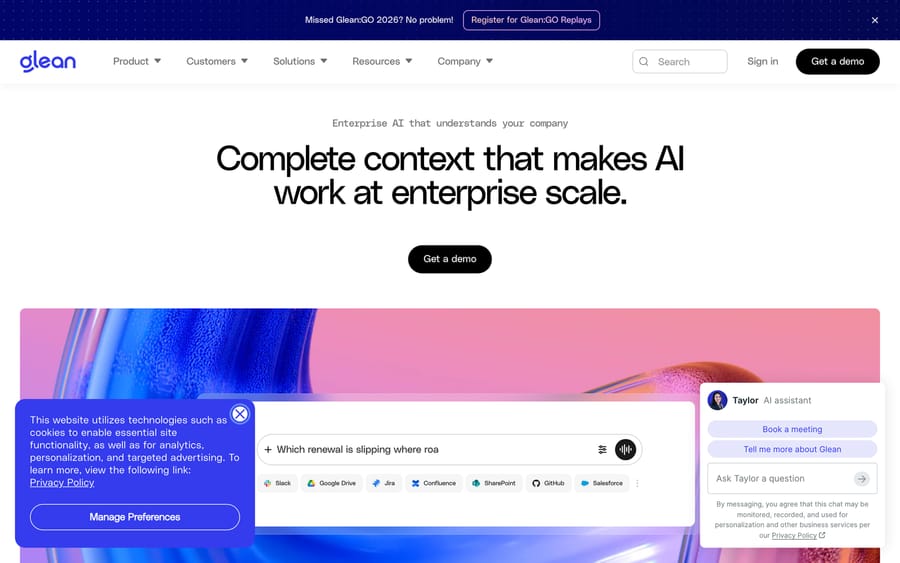
Glean was founded in 2019 by Arvind Jain, a former Google search engineer, in Palo Alto. The company's pitch is that most "enterprise AI" fails for a boring reason. The model has no idea which Slack channel, Confluence page or Salesforce record actually applies to a given employee's question, and no idea whether that employee is even allowed to see the answer. Glean's fix is to build the context layer first, a permission-aware index across a company's tools, then sell search, an AI assistant and now agents on top of it.
Glean has raised six rounds: a $15M Series A in March 2019, a $40M Series B in 2021, a $100M Series C in May 2022 that made it a unicorn at a $1B valuation, a $200M+ Series D in February 2024 at $2.2B, a $260M+ Series E in September 2024 at $4.6B, and a $150M Series F in June 2025 at a $7.2B valuation led by Wellington Management. Glean says it crossed $100M in annual recurring revenue in February 2025. We searched for anything newer than the Series F on 24 September 2026 and found nothing from Glean, so treat both the $7.2B valuation and the $100M ARR as the last figures Glean has publicly confirmed, not current ones. Higher ARR numbers circulate in secondhand write-ups; we could not trace any of them to Glean or to a filing, so they are not in this guide.
Customers named on Glean's own site include Booking.com (14,000 employees), Zillow (Glean claims 80% adoption there), Ericsson (20,000+ employees trained on it), TIME, GCash, Rivian, Samsung, Intuit and Canva. Those are Glean's own reported figures, taken straight off its homepage. We could not verify any of them against an independent source, so read them as the vendor's claim about its own customers, not an audited result.
How does Glean's AI work?
Glean's product ships in three layers, sold and adopted in roughly this order.
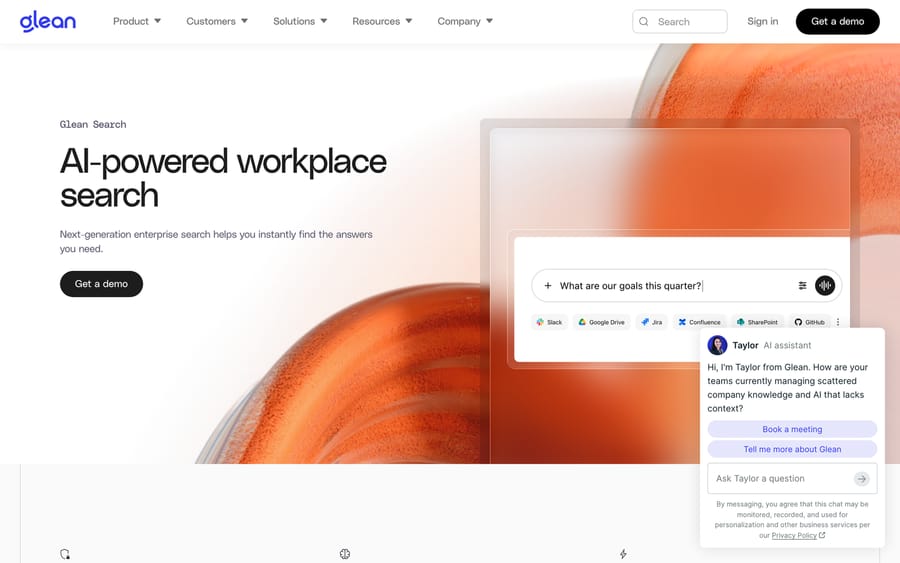
Search connects to a company's existing tools (Slack, Google Drive, Jira, Confluence, SharePoint, GitHub, Salesforce and 275-plus others) and builds a single permission-aware index. When someone searches "what are our goals this quarter," Glean doesn't hand the query to a model and hope. It retrieves the specific documents that person can see, ranks them by a mix of relevance and an internal trust signal, and only then generates an answer grounded in those documents. The permission check happens before retrieval, which is the detail that lets a company turn this on without re-auditing every folder's sharing settings first.
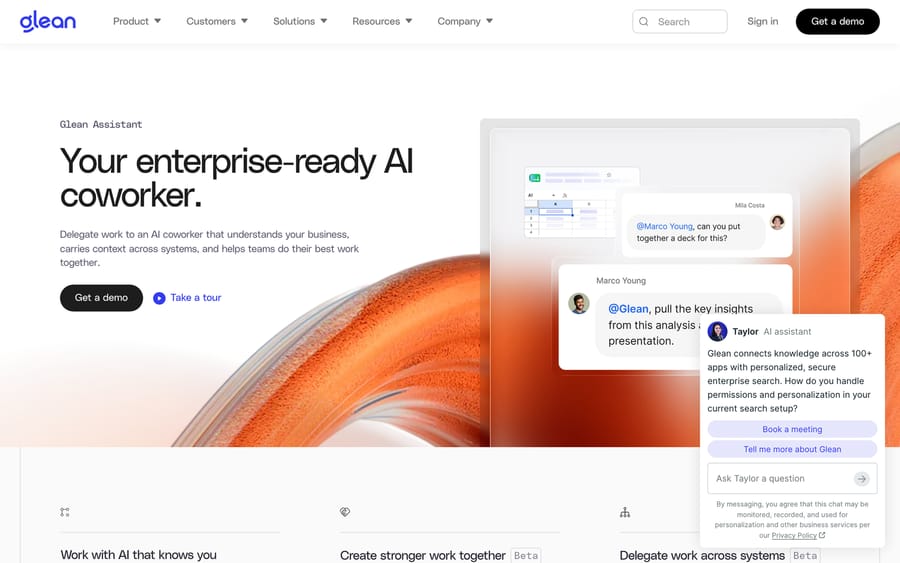
Assistant sits on top of search and adds two things: it holds a conversation instead of returning a ranked list, and it can act inside other tools, drafting a document, pulling a chart into a deck, or pinging a colleague inside a shared chat thread instead of just describing what it found. Glean calls this "delegating work to an AI coworker." The mechanism behind that phrase is that the assistant carries the same permission-aware context from search into whatever it produces next.
Agents is the newest and most horizontal layer: a low-code builder for reasoning agents that can be triggered by events, chained to each other, and given access to the same 275+ connectors search uses. An agent built in Glean can plan a multi-step task, check a system, draft output, wait for a confirmation, instead of answering a single question. Glean's own builder asks the same setup questions any agent platform needs answered before it will work: what problem this solves, who uses it, whether it needs to take actions in other systems, and what format its output should take. That's a sensible default. It's also table stakes for a 2026 agent builder, nothing Glean invented.
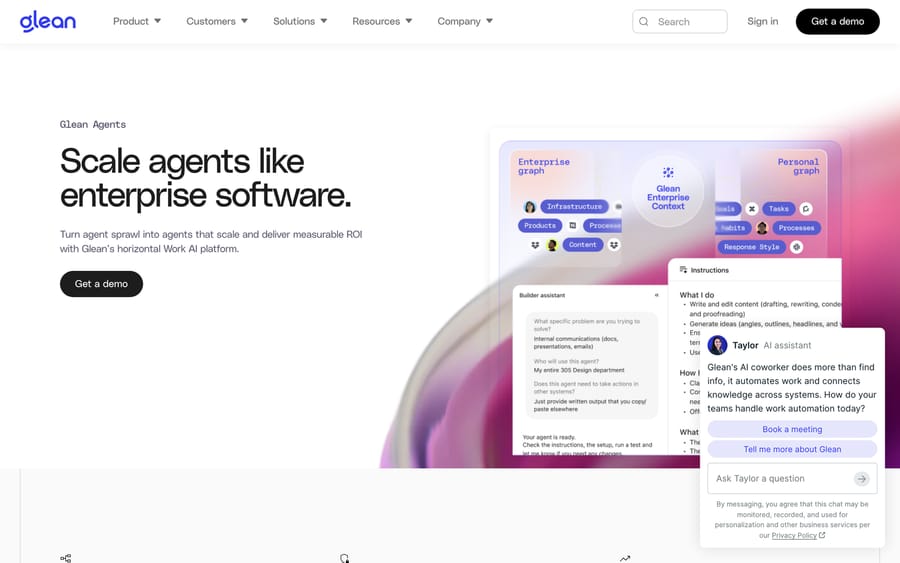
The mechanism underneath all three is the same enterprise graph: a permissions-aware index of documents, people and their relationships, refreshed as source systems change. Once that graph exists, Glean's pitch is that search, chat and agents are just different interfaces onto it. That's a genuinely different architecture from a chatbot handed a folder of PDFs and told to answer questions against them.
What features does Glean include?
- 275+ connectors across chat, docs, code, CRM and ticketing tools, each respecting the source system's own permissions instead of re-implementing access control from scratch. The published directory includes Slack, Microsoft Teams, Outlook, SharePoint, OneDrive, Salesforce, GitHub, Jira, Confluence, Workday, ServiceNow, Zendesk and Freshdesk, which is a useful list to check against your own stack before a sales call rather than after one.
- Personalized ranking. Search results are weighted by what a specific employee has touched, follows, or is likely to need, not a single global relevance score.
- Agent Builder, Orchestration, Governance and Library. Four separate surfaces: creating agents, chaining them to other agents and systems, applying oversight over who can deploy what and with what data access, and discovering agents other teams already built.
- Multiplayer chat, where a Glean conversation can include tagged human teammates alongside the AI, useful for an "@Glean, pull the numbers" pattern instead of a solo bot session.
- Model flexibility. Glean's own marketing cites "40+ unique LLMs" available inside the platform, positioning itself as a router rather than a single-model product.
- MCP servers and an API/SDK in Python, TypeScript, Go and Java for teams building against Glean's index directly.
How much does Glean cost?
Glean does not publish pricing. We checked its /pricing page ourselves again on 24 September 2026: it leads straight back to homepage content and a "Get a demo" button. No tier list, no seat calculator, nothing to screenshot beyond a repeat of the marketing hero. That's a deliberate choice for an enterprise seller. It keeps every prospect inside a sales conversation, where the quote can flex to deal size, and it keeps rivals from anchoring a comparison against a public number. The incentive is straightforward: a bigger, more strategic-sounding deployment justifies a bigger number, and nothing on the public site caps that number in advance.
The best third-party data we could find comes from Slite's independent review of Glean, which cites two reported deployments: roughly $45 to $48 per user per month at 200 to 230 seats in an April 2026 deployment, and roughly $300 per user per year (about $25 a month) at a 700-person company, which Slite puts near $250,000 a year in total. Slite labels these benchmarks, not official rates, and we are repeating that hedge.
Two data points are not a price list, but they do bracket the discount curve: per-seat cost roughly halves between 230 seats and 700. That is normal volume discounting, and it means the honest answer for a mid-size buyer is a band. A 500-seat deployment sits between the two reported points, so anywhere from about $12,500 a month at the 700-seat rate to about $24,000 a month at the 230-seat rate is defensible on this evidence. A band that wide is itself the finding: budgeting for Glean means getting a quote, and the quote is where the real negotiation happens.
What do Glean users say?
Glean holds a 4.3 out of 5 average on PeerSpot across 12 reviews, with 100% of reviewers saying they'd recommend it (re-checked 24 September 2026). We tried G2, Capterra, TrustRadius and SoftwareAdvice for a second data point; all four blocked the fetch with a 403 or 404, so PeerSpot is the one third-party rating we can stand behind with a working citation. Twelve reviews is a thin sample for a company this size, and we would rather say so than dress it up.
The most useful number in those reviews is not the rating, it's the hit rate. Ambsingh Singh, a senior technical program manager at LinkedIn, puts it at "eighty to eighty-five percent accuracy." Kavita Khandhadia, a senior partner in global alliances, separately lands on "eighty percent accuracy." Two reviewers, two companies, roughly the same number. For open-ended search across an entire company's documents that is a respectable result, and it is the number to plan the rollout around rather than the one on the homepage.
The complaints cluster in two places, and neither is answer quality.
Latency. Singh writes: "The speed can be improved slightly. Currently, it sometimes takes fifteen to twenty seconds." An analyst at a large financial services firm (1,001-5,000 employees) reports the same, that "latency offered is a little high right now." Fifteen seconds is fine for a research question and poor for a search box people are meant to reach for reflexively.
Observability. The same analyst wants a way to see inside a running agent: "A logger of sorts would be very good so that I can maintain an idea of what is happening in the backend." PeerSpot's own summary of that review files it as difficult to keep track of backend activity. Building an agent fast and then not being able to watch it work is a familiar trade in this category, and Glean's governance layer does not fully close it yet.
One complaint in the reviews has since been overtaken. Singh's review says "Glean Platform does not integrate with Teams, Microsoft-owned platforms," and that Teams conversations, meeting notes and Outlook email "cannot be crawled by Glean Platform." We checked Glean's published connector directory on 24 September 2026 and both microsoft-teams and outlook are listed there now, alongside SharePoint and OneDrive. Reviews age; check the connector list yourself against your own stack rather than trusting a review, ours included.
On the other side, Ananya Bl, a data analyst at Capgemini, points at something only an agent builder would notice: because "every step in the workflow can pause or recover from failures," changing one finished step does not mean rebuilding the agent from the start. She calls that "truly impressive." It is also the difference between an agent builder you can maintain and one you rewrite.
What are Glean's pros and cons?
Pros
- Permission-aware indexing means search results respect existing access controls from day one, instead of requiring a separate access-control project before rollout.
- 275+ connectors cover most of a typical enterprise stack, so most teams don't hit an unsupported tool early.
- Search, Assistant and Agents share one underlying graph, so an agent built later inherits the context the search product already indexed.
- Real logos at real scale, including Booking.com, Zillow and Ericsson, suggest the platform holds up past a pilot.
Cons
- No published pricing at any tier, so every evaluation starts with a sales call instead of a self-serve trial.
- Reviewers flag limited visibility into what an agent is doing mid-run, and ask for a logger. The governance layer exists; the run-time view into a live agent is what reviewers say is missing.
- Reported accuracy sits around 80-85% in the reviews we could verify. That is good for open-ended enterprise search and it is not 100%, so plan for the residual rather than assume it away.
- Answers are only as current as the source documents indexed. A stale Confluence page still gets cited confidently. That is a garbage-in problem inherent to any retrieval system, and it lands on whoever owns the rollout.
- Built for company-wide knowledge work. Glean connects to Zendesk, Freshdesk and ServiceNow as sources to read, but there's no ticket object, SLA tracking, or help-desk-native workflow anywhere in the product.
Who is Glean best for?
Glean fits a mid-size-to-large company, roughly 500 or more employees based on the customer logos it shows, that has knowledge scattered across a real number of internal tools (Slack, Drive, Confluence, Salesforce, GitHub) and wants one search bar and one AI layer over all of it, company-wide. It's a strong match if the buyer is IT, an internal platform team, or a Chief Data/AI Officer trying to stand up enterprise AI as shared infrastructure.
It suits a support-ticket-specific buyer far less well, and the connector directory shows why. Glean lists connectors for Zendesk, Freshdesk, Freshservice and ServiceNow, so it will happily index a help desk. Working a queue is a different job. There is no ticket object, no SLA clock, no macro, no assignment, no view of what is still open at 5pm. A support leader buying Glean is buying a very good reader of their help desk, then building the acting part themselves on top of a general-purpose platform.
How does Glean compare to Moveworks, Guru and Macha?
| Glean | Moveworks | Guru | Macha | |
|---|---|---|---|---|
| Model | Enterprise search, AI assistant and agent builder over a company-wide permissions graph | AI assistant platform for internal employee support (IT, HR, facilities), now part of ServiceNow | Governed knowledge layer that verifies and structures company knowledge for humans and AI tools | AI agent layer on your existing help desk |
| Scope | Company-wide, every department, every internal tool | Employee-facing, internal help-desk style requests | Knowledge governance other AI tools and people read from | Customer support specifically, inside Zendesk, Freshdesk, Gorgias, Front, HubSpot or Intercom |
| Pricing | Not published; reported around $25-48/seat/month depending on size (Slite) | Not published; enterprise sales | Not published; "tailored to your organization's scale" | From $299/month for 750 tickets (about $0.40 per ticket), published |
| Setup | Sales-led onboarding, IT-driven rollout | Sales-led, IT/HR-driven rollout | Sales-led, with a solution engineer | Done for you by the Macha team, with a dedicated success manager, included |
| Trial | Demo only, no self-serve trial | Demo only | Book a call | $50 of free usage (about 125 tickets), no credit card, no time limit |
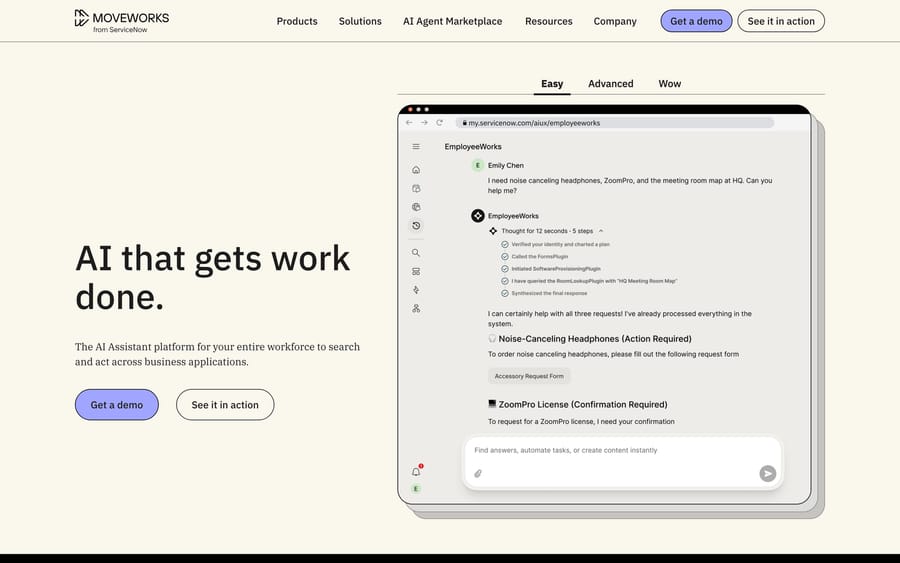
Moveworks is the closest like-for-like comparison. Both started as AI search and assistant tools for the enterprise, both have expanded into agent orchestration, and both are sales-led with unpublished pricing. The difference is audience: Moveworks leans toward IT/HR employee requests such as password resets, provisioning and PTO questions, while Glean leans toward knowledge discovery across every function, analysts and executives included. Moveworks was acquired by ServiceNow, and its assistant now runs inside ServiceNow's own platform at my.servicenow.com, which you can read off the URL bar in Moveworks' own product screenshot below. If a buyer is trying not to deepen a ServiceNow dependency, that detail decides the shortlist.
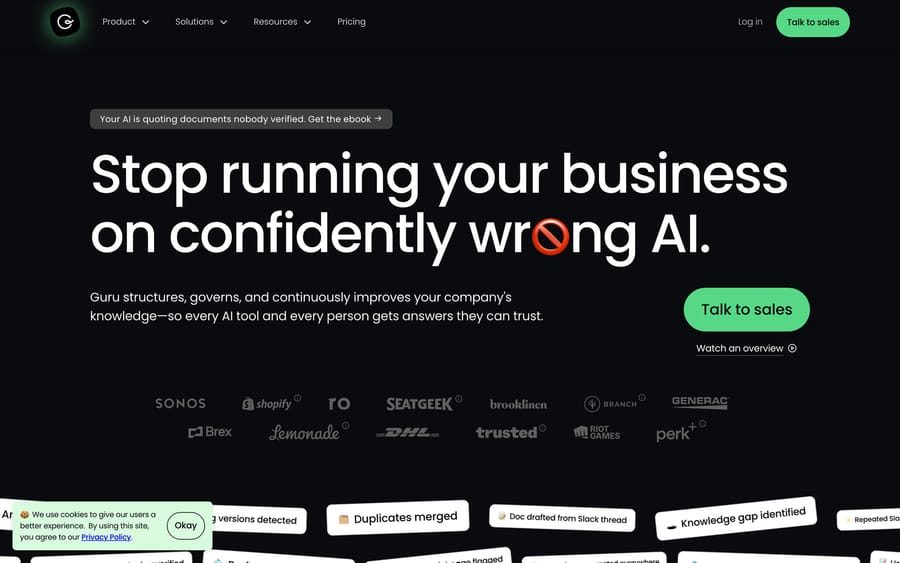
Guru is the narrower comparison. Instead of indexing every tool a company owns, it focuses on verifying and governing the knowledge other AI tools and people read from, so a stale Confluence page gets flagged instead of confidently cited. Guru used to run a published per-seat tier; it doesn't now. We checked getguru.com/pricing on 2026-09-18 and there are no numbers on it, only "your investment is tailored to your organization's scale, knowledge complexity, and AI maturity" and a button to book a call. All three of these platforms have converged on the same motion: no public price, a call first. If you see an old post quoting a Guru seat price, it is out of date.
None of the three is a support-ticket tool. Macha fits teams already running Zendesk, Freshdesk, Gorgias, Front, HubSpot or Intercom who want AI agents acting inside the ticket itself, and it's done for you: the Macha team analyzes your past tickets, builds the knowledge base and the agent, and runs it in safe mode until the drafts are right. It's priced $299/month for 750 tickets (about $0.40 per ticket), which includes setup and a dedicated success manager who handles your changes. It's the right size for a support queue specifically; it is not a company-wide search platform, and it was never built to be one.
How we researched this
We pulled product and feature detail directly from glean.com's homepage, its product pages for search, assistant and agents, and its published connector directory, first fetched 2026-09-18; pricing, connectors and PeerSpot re-checked 24 September 2026. Funding history comes from Glean Technologies' Wikipedia entry, checked against a search for newer announcements on 24 September 2026 (there were none). Pricing estimates are Slite's, labeled as benchmarks in the source and repeated that way here; we checked glean.com/pricing ourselves and it 301s to the homepage. Guru's and Moveworks' pricing pages were opened the same day, not recalled from memory. User ratings and quotes are from PeerSpot, and every quotation in this guide is verbatim from a page we could open; G2, Capterra, TrustRadius and SoftwareAdvice all returned 403 or 404 errors during this pass, so we left them out and said so. Where a review claim contradicted Glean's current documentation, we checked the documentation and said so.
FAQ
Is Glean the same company as Glean.ai? No. Glean (glean.com) is the enterprise search and agent platform this guide covers. Glean.ai is a separate, unrelated company doing accounts-payable spend intelligence. They rank next to each other in search results and share nothing else.
How much does Glean AI cost? Glean doesn't publish pricing. The only real data points we could find, from Slite's independent review, put per-seat pricing somewhere between roughly $25 and $48 a month depending on company size, quoted through a sales process instead of a public price list.
Does Glean have a free trial? No self-serve trial exists. Every path into Glean runs through a demo request and a sales conversation.
What's the difference between Glean Search, Assistant and Agents? Search returns permission-aware results from a company's connected tools. Assistant adds conversation and the ability to act inside other tools. Agents is a low-code builder for multi-step, triggerable workflows built on the same underlying index as the other two.
Who are Glean's biggest competitors? Moveworks, now part of ServiceNow, is the closest match in scope and go-to-market. Microsoft Copilot and Google's own enterprise search products compete for the same budget at companies already committed to one ecosystem. Guru competes for a narrower slice: knowledge governance instead of full-company search. At the other end of the range, a tool like Kapa AI answers from one documentation set for one audience, which is a much smaller problem than the one Glean is built for.
Is Glean good for customer support teams specifically? Not natively. Glean has no ticket object, SLA tracking, or help-desk-native workflow. A support team can index its knowledge base through Glean, but a tool built for the ticket queue itself, like Macha layered on the help desk already in use, fits that specific job more directly.
What do real users complain about most? Latency and observability. Reviewers report responses sometimes taking fifteen to twenty seconds, and ask for a logger so they can see what an agent is doing mid-run. Accuracy is reported at around 80-85%, which reviewers treat as a strength rather than a complaint.
Glean is worth evaluating when the problem is genuinely company-wide knowledge fragmentation across a few hundred employees or more. When the problem is a support queue specifically, start a Macha trial or check current pricing before assuming a platform this broad is sized for the job.
Sources:
- Glean homepage: product positioning, customer logos, claimed metrics
- Glean: Search
- Glean: Assistant
- Glean: Agents
- Glean: connector directory: connector count and the named integrations, checked 2026-09-18
- Glean docs
- Glean Technologies, Wikipedia: funding history, valuation
- Slite's Glean AI review: pricing benchmarks
- Glean on PeerSpot: rating, review count, every attributed quote
- Moveworks
- Guru and Guru pricing: checked 2026-09-18, no published rates






