





 Shopify
 Stripe
 Slack
Slack Notion
 Google Workspace
 Confluence

How Do You Choose Help Desk Software in 2026? An 8-Step Buyer's Guide


Most teams pick a help desk from three names and the most persuasive demo, then find the seats, workflows or AI add-on don't fit. Deciding your channels, volume, AI needs and pricing model first narrows the shortlist to tools that do.
Key takeaways
- Choosing help desk software works best as eight decisions in order: channels and volume, segment, must-have features, AI needs, pricing model, integrations, security and migration.
- Published AI outcome pricing in September 2026 runs from Fin at $0.99 per outcome to Salesforce Agentforce at $2 per resolved Help Agent conversation, so the same workload can cost twice as much.
- Zendesk's pricing page lists its AI agent rate at $1.50 per committed automated resolution and $2.00 pay-as-you-go, so buyers can model the per-resolution cost before signing.
- Tier-gating means a $19 help desk sticker price can become $55 or more per agent once the automation and reporting a team needs sit on a higher plan.
- Help desk migrations take roughly 1 to 3 days for small teams and 2 to 6 weeks for large ones, and automations and SLAs are usually rebuilt by hand.

To choose help desk software, work through eight decisions in order: map your channels and volume, identify your segment, list must-have features, decide your AI needs, match the pricing model to your team, check integrations, confirm security and compliance, and plan migration. Then score two or three finalists with a weighted rubric and pilot the winner on live tickets before you sign.
| Step | Decision | What it settles |
|---|---|---|
| 1 | Channels and volume | Which pricing model is cheapest |
| 2 | Segment | Which half of the market to ignore |
| 3 | Must-have features | Which plan tier you really need |
| 4 | AI needs | Drafting, deflection or autonomous resolution |
| 5 | Pricing model | Per seat, per ticket or per resolution |
| 6 | Integrations | Whether your CRM, commerce and chat tools connect natively |
| 7 | Security | SOC 2, GDPR, HIPAA, PCI as required |
| 8 | Migration | Switching cost and timeline |
This is the how to decide. When you're ready for the what to pick, our companion best help desk software roundup ranks the actual tools, and the segment guides below go deeper by team type. Use them together.
Why should you decide the criteria before seeing demos?
Think of choosing a help desk as a funnel, not a beauty contest. Each step below narrows the field, so by the time you reach a demo you're testing two or three viable options against your criteria rather than reacting to a sales deck. Fill in the checklist as you go and score your finalists with the rubric at the end. The whole process takes an afternoon.
Step 1: What channels and volume do you need to cover?
Before you compare a single feature, write down two numbers and one list.
- Monthly conversation volume. Roughly how many support contacts do you handle per month today, and what will that be in 12 months? Volume is the single biggest driver of which pricing model will be cheapest (Step 5).
- Agent headcount. How many people will actually log in and reply? Seat-based tools bill on this directly.
- Your channel mix. List every place customers reach you: email, live chat, a help center, phone, WhatsApp, SMS, social DMs, in-app messaging. Rank them by volume.
The channel mix matters more than most buyers expect. A team that's 90% email wants a clean shared inbox; a product-led SaaS company living in in-app chat wants a messenger-first platform; an ecommerce brand fielding "where is my order?" wants order data inside the ticket. Buying a chat-heavy platform for an email team (or vice versa) is the most common and most expensive mismatch we see.
Step 2: Which segment is your team in?
Help desks are built for archetypes, and the closer you match yours, the less you'll fight the tool. Be honest about which one you are:
- Small business / startup. Price-sensitive, small team, wants fast setup over deep configuration. Start with our small-business help desk guide, and if budget is the hard constraint, the free help desk software roundup is the place to begin.
- Mid-market. Growing volume, needs real automation, SLAs, and reporting, but not a six-month enterprise rollout.
- Enterprise. High volume, multiple teams and brands, strict security and compliance, custom integrations, dedicated admins. See the enterprise help desk guide.
- Ecommerce / DTC. Support is mostly order-related (returns, WISMO, exchanges) and lives next to Shopify or BigCommerce. The ecommerce help desk guide covers the order-data-in-the-ticket category.
- IT / internal service desk. You're supporting employees, not customers, which means assets, incidents, and change management, not marketing-style CSAT. That's a different category; our help desk vs service desk explainer shows where the line is and why it changes your shortlist.
Your segment alone eliminates half the market. An ecommerce specialist is wasted on a B2B SaaS team; an enterprise platform is overkill (and overpriced) for a five-person startup.
Step 3: Which features are must-haves?
Now list the capabilities you genuinely need — and separate them from the ones that merely sound impressive in a demo. For most teams the core five are:
- Ticketing & a shared inbox. Every conversation captured, assigned, statused, and searchable. This is the non-negotiable foundation.
- SLAs & routing. Rules that route the right ticket to the right agent or queue and enforce response/resolution targets. Critical the moment you have more than one team or a contractual SLA.
- Automation & macros. Canned replies, triggers, and rules that handle the repetitive 60–80% so agents focus on the hard cases.
- Knowledge base / help center. A self-service portal that deflects tickets before they're created — and feeds your AI later (Step 4).
- Reporting & analytics. CSAT, first-response and resolution times, volume by channel and tag. If you can't measure it, you can't improve it — or justify the spend.
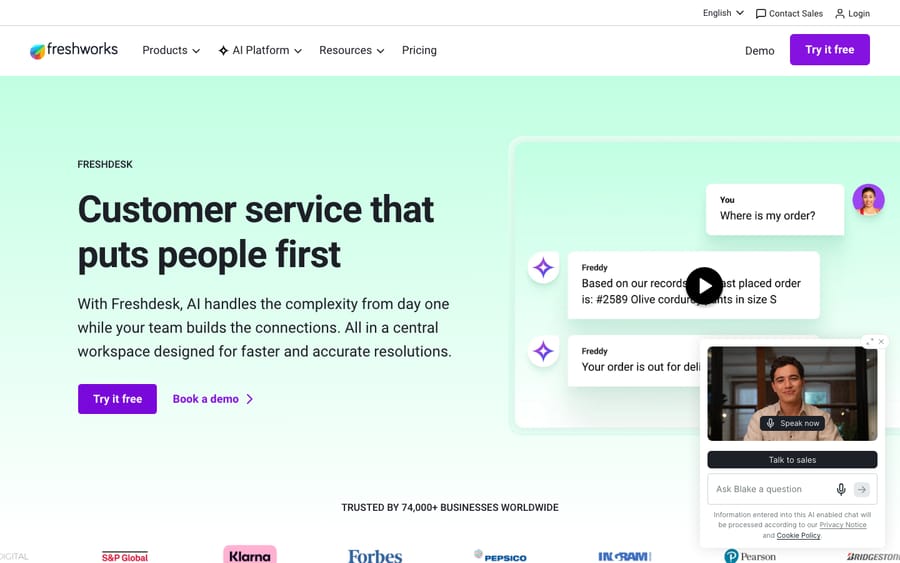
Write each feature down as must-have, nice-to-have, or don't-care. Watch for tier-gating: many vendors put the "core" features above into higher plans, so a $19 sticker price quietly becomes $55 or more once you need the automation and reporting you actually came for. Verify which tier holds your must-haves before you compare prices.
Step 4: How much AI and automation do you need?
AI is where help desk buying changed most in 2026, and where the biggest cost and complexity now hide. Decide up front how much you want the platform to resolve on its own, because it reshapes both your shortlist and your budget.
Be specific about the job: do you want AI that drafts replies for agents (assistive), AI that deflects repeat questions to the help center, or AI that autonomously resolves routine tickets end to end? Those are three different products at three different price points, and vendors blur them in marketing. Whatever you're sold, insist on piloting the AI on a real slice of your queue and measuring the actual resolution rate — demo numbers are best case.
One honest aside, and a disclosure since we build in this space: evaluate whether the AI you want even requires switching help desks. For a lot of teams the ticketing is fine and the only frustration is that the native AI is weak or expensive. In that case an AI agent layer on top of your existing help desk can be the cheaper, lower-risk move than a full migration. Macha is one such layer — it rides on Zendesk, Freshdesk, Gorgias, Front, HubSpot or Intercom (it is not a help desk itself, and it doesn't reach every platform on this page), reading the customer's question, pulling from your connected data and help center, and resolving routine tickets inside your existing workflow before handing off to a human with context. It's billed per ticket (one conversation, charged once however many steps an agent takes), not per seat, starting at $299 a month for up to 750 tickets. The honest watch-out: it only works with the help desks it connects to — the current list is on our integrations page — and it's only as good as the data and knowledge you connect. If your problem genuinely is the help desk's ticketing, fix that first; a layer won't help.
Step 5: Which pricing model fits your team?
This is the step buyers skip and regret. The model matters as much as the number, because per-seat, per-ticket, and per-resolution pricing produce wildly different bills for the same workload — and the gap compounds every month. There are four common shapes:
| Model | You pay per… | Cheapest when… | Watch-out |
|---|---|---|---|
| Per-agent / per-seat | Each agent who logs in | Volume is high relative to a small, stable team | Punishes growth in headcount; Zendesk lists $19 to $115/agent/mo, top tiers quote-only |
| Per-seat + AI usage | Seats plus AI resolutions/sessions | You want AI but keep a lean team | Two meters; the AI line is the hard one to forecast |
| Per-ticket | Each inbound conversation | Few agents handle high volume | Costs rise with volume; check the overage rate and tier steps |
| Per-resolution (AI) | Each query the AI resolves | You want pay-for-outcomes AI | Published rates run about $0.99 to $2.00; bill scales with success |
What the per-outcome rates look like in September 2026: Fin charges $0.99 per outcome, with a 50-outcome monthly minimum only when it runs on a help desk other than Intercom (fin.ai/pricing). Salesforce lists Agentforce at $2 per resolved Help Agent conversation, or Flex Credits at $500 per 100,000 credits with a standard action using 20 credits; its older $2-per-conversation card is for existing customers only as of October 2026 (Agentforce pricing). Zendesk's pricing page says its AI agents are included and billed per automated resolution, and lists the rate: $1.50 committed and $2.00 pay-as-you-go. Hybrid pricing (a base subscription plus AI usage) is now the default shape at the big help desks.
Update (September 2026): Salesforce completed its acquisition of Fin on 10 September 2026, in a deal worth about $3.6 billion. Fin is still sold at $0.99 per outcome. Worth weighing in any long-term Intercom/Fin decision.
The exercise: take your real numbers from Step 1 and model the total cost under each finalist's model at your projected volume, not today's. Add onboarding fees, channel charges, and the AI line. A platform that's cheapest at 500 tickets/month can be the most expensive at 5,000. Our help desk pricing comparison lays the models side by side with worked examples.
Step 6: Does it integrate with your stack?
A help desk that doesn't connect to the rest of your stack creates more work than it saves. Before shortlisting, confirm native (not "via Zapier") support for the tools you can't live without:
- Your CRM (so agents see customer context).
- Your commerce or billing platform (Shopify, Stripe, your subscription system) if orders or payments come up.
- Internal comms (Slack, Microsoft Teams) for escalations and alerts.
- Your dev / project tools (Jira, Linear) for bug escalation.
- An open API and webhooks for anything custom.
Count the integrations you genuinely need and check each one is first-party and well-reviewed. A long marketplace number means little; the three connectors you depend on working flawlessly mean everything.
Step 7: Does it meet your security and compliance needs?
For anything beyond a tiny team, this step can disqualify a tool outright, and procurement will ask, so get ahead of it. Map your requirements to certifications:
- SOC 2 Type II: table stakes for any serious vendor; ask for the report.
- GDPR / CCPA: required if you handle EU or California personal data; check data-residency options.
- HIPAA: if you touch health data, you need a signed BAA, not just a checkbox.
- PCI DSS: relevant if card data ever lands in a ticket.
- ISO 27001: a strong signal of a mature security program.
For reference, the major platforms publish their posture: Zendesk carries SOC 2 Type II, ISO 27001/27018, and GDPR coverage with HIPAA BAAs available for qualifying customers; Freshdesk lists SOC 2 Type II, ISO 27001/27701, PCI DSS, GDPR, CCPA, and HIPAA. Always confirm the current scope on the vendor's trust center, and note that some certifications apply only to certain products or tiers — and that AI features sometimes sit outside the core scope, so ask specifically about the AI components if you'll use them.
Step 8: How hard will migration and onboarding be?
The best tool you never finish rolling out is a wasted purchase, so weigh the switching cost honestly before you commit. As a rough guide from migration services, small teams migrate in 1–3 days, mid-size teams in 1–2 weeks, and large or complex teams in 2–6 weeks, depending on data volume, workflows and integrations. Automations, SLAs and triggers are rebuilt by hand on most moves, so budget time for that too.
Plan for these to move: tickets and full conversation history, attachments, customer and agent profiles, tags, custom fields, and knowledge base articles. Treat planning as the bulk of the work: most failed migrations fail on mapping, freezes and missed rebuilds, not on the data transfer. Ask each vendor about migration tooling, sandbox testing, agent training, and whether you can run the old and new systems in parallel during cutover.
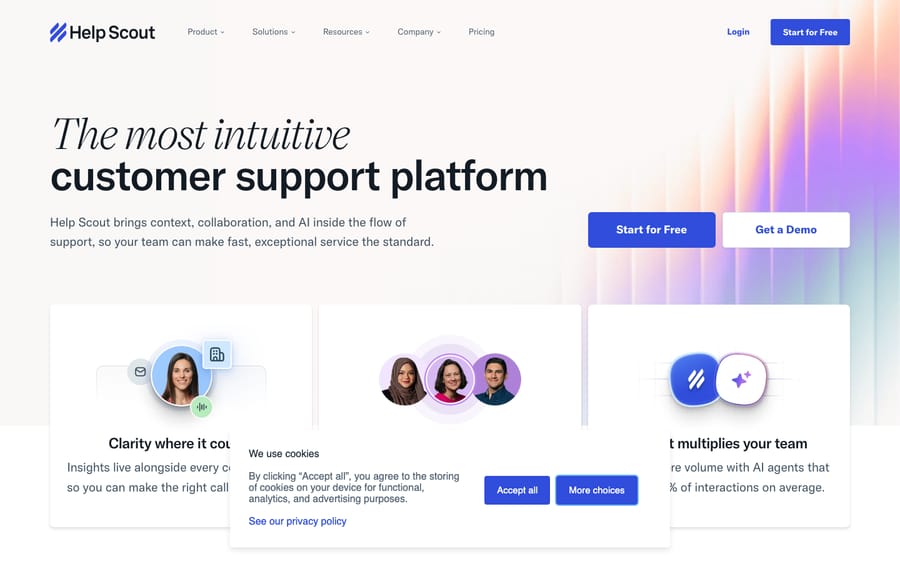
If migration looks brutal and your real pain is only the AI or one feature gap, loop back to Step 4 — sometimes the right move is to keep the help desk and add to it, not replace it.
What goes on a help desk requirements checklist?
Copy this into a doc and fill it in before you talk to a single rep. It's your spec; vendors should fit it, not the reverse.
- [ ] Volume: current monthly conversations + 12-month projection.
- [ ] Agents: how many seats will actually log in.
- [ ] Channels: every channel, ranked by volume.
- [ ] Segment: SMB / mid-market / enterprise / ecommerce / IT.
- [ ] Must-have features: ticketing, SLAs, automation, knowledge base, reporting (mark each must / nice / don't-care).
- [ ] AI need: assistive drafting vs deflection vs autonomous resolution — and a measured pilot target.
- [ ] Pricing model fit: per-agent / per-seat+AI / per-ticket / per-resolution, modeled at projected volume.
- [ ] Total cost: base + AI + onboarding + channel fees, compared like-for-like.
- [ ] Integrations: every must-have connector confirmed native.
- [ ] Security/compliance: SOC 2, GDPR/CCPA, HIPAA, PCI, ISO 27001 as required.
- [ ] Migration: timeline, what moves, training, parallel-run plan.
- [ ] Pilot: run finalists on live tickets and measure before signing.
How do you score help desk finalists?
Don't decide on vibes. Score each finalist 1–5 on the criteria below, multiply by the weight, and total it. Adjust the weights to your priorities — an enterprise buyer might double Security; a startup might double Price.
| Criterion | Weight | Finalist A | Finalist B | Finalist C |
|---|---|---|---|---|
| Fits my channel mix | ×3 | |||
| Has my must-have features (right tier) | ×3 | |||
| Total cost at my projected volume | ×3 | |||
| AI / automation fit | ×2 | |||
| Native integrations I need | ×2 | |||
| Security & compliance | ×2 | |||
| Ease of migration & onboarding | ×1 | |||
| Reporting & analytics depth | ×1 | |||
| Weighted total |
The highest score wins your pilot — not your signature. Always validate the top one or two on real tickets first; a sandbox demo hides the friction that only shows up at volume.
Frequently asked questions
How do I choose help desk software? Start with your needs, not the vendors. Map your channels and volume, identify your segment, list your must-have features (ticketing, SLAs, automation, knowledge base, reporting), decide how much AI/automation you need, then match the pricing model to the shape of your team, and check integrations, security, and migration. Score two or three finalists with a weighted rubric and pilot the winner on live tickets before signing.
What features should a help desk have? At minimum: shared-inbox ticketing, SLA and routing rules, automation and macros, a knowledge base / help center for self-service, and reporting on CSAT and response/resolution times. Beyond that, your channel mix and segment dictate the extras — live chat and a messenger for chat-led teams, order data for ecommerce, asset and incident management for IT service desks.
What's the best pricing model for a help desk? It depends on your shape. Per-agent suits small, stable teams with high volume per seat; per-ticket can be cheaper when a few agents handle high volume; per-resolution AI pricing (Fin at $0.99 per outcome, Agentforce Help Agent at $2 per resolution) aligns cost with outcomes but is hard to forecast. Model the total cost at your projected volume under each model rather than comparing sticker prices — see our pricing comparison.
Do I need a help desk with built-in AI? Not necessarily. If your ticketing works and only the native AI is weak or pricey, an AI agent layer on top of your existing help desk can be cheaper and lower-risk than migrating. Macha does this for Zendesk, Freshdesk, Gorgias, Front, HubSpot and Intercom, resolving routine tickets inside your current workflow and escalating to a human with context. If the ticketing itself is the problem, choose a new help desk instead.
How long does it take to switch help desks? Typically 1–3 days for small teams, 1–2 weeks for mid-size, and 2–6 weeks for large or complex setups. Tickets, history, attachments, contacts, tags, custom fields and knowledge base articles usually migrate; automations and SLAs usually need rebuilding. Plan thoroughly — most failed migrations fail in the planning, not the data transfer.
What matters most when choosing a help desk?
Choosing help desk software well is a process, not a hunch. Map your channels and volume, name your segment, separate must-have features from demo dazzle, size your AI need honestly, and above all match the pricing model to the shape of your team before you fall for a sticker price. Then verify integrations, security, and migration, score your finalists with a rubric, and pilot the winner on real tickets.
Do that and you'll buy a help desk that still fits a year from now. When you're ready to compare specific tools, jump to the best help desk software roundup and the segment guides above. And if you reach Step 4 and realize your only real gap is AI, remember you may not need to switch at all: an AI layer on top of the desk you already run can close it, and you can start with $50 of free usage, no credit card required.
Pricing models, rates, and compliance scopes are vendor-set and checked on vendor pages in September 2026 — confirm current terms on each vendor's site before buying, as this category moves fast.






