





 Shopify
 Stripe
 Slack
Slack Notion
 Google Workspace
 Confluence

How Much Does IBM watsonx Orchestrate Cost in 2026? Pricing, Features and Alternatives


IBM watsonx Orchestrate is an agent management platform that starts at $530 a month on Essentials and $6,360 a month on Standard, after a 30-day free trial. It suits large enterprises governing many AI agents across platforms, not a support team that wants one agent inside its help desk.
Key takeaways
- IBM watsonx Orchestrate costs $530/month on Essentials and $6,360/month on Standard, with a 30-day free trial and custom Premium pricing, per IBM's pricing page checked 24 September 2026.
- IBM watsonx Orchestrate Essentials covers up to 4,000 monthly active users and 200,000 messages a month, while Standard raises that to 40,000 users and 2,000,000 messages.
- IBM watsonx Orchestrate is an agent management platform that discovers, orchestrates, evaluates, governs and tracks the cost of AI agents, including agents built on Amazon Bedrock.
- G2 rates IBM watsonx Orchestrate 4.4 out of 5 across 391 reviews, and IBM cites Riyadh Air integrating 59 workstreams and the Recording Academy reporting an 80% increase in ticketing efficiency.
- Macha suits smaller support teams better than watsonx Orchestrate: the Macha team builds and runs the agent on your existing help desk from $299/month for 750 tickets, about $0.40 a ticket with a dedicated success manager included.

IBM watsonx Orchestrate is IBM's agent management platform, a control plane for building, governing and tracking the cost of AI agents across an enterprise, and it starts at $530 a month on Essentials, $6,360 a month on Standard, or a custom Premium price, after a 30-day free trial (IBM pricing page, checked 24 September 2026). It can also manage agents built elsewhere, such as on Amazon Bedrock.
| Plan | Starting price (USD) | Capacity |
|---|---|---|
| Trial | Free for 30 days | Agent building, chat interface, tools catalog |
| Essentials | $530/month | Up to 4,000 monthly active users, 200,000 messages a month |
| Standard | $6,360/month | Up to 40,000 monthly active users, 2,000,000 messages a month |
| Premium | Contact IBM | Custom limits, data isolation, HIPAA-ready option |
We build AI agents for customer service ourselves, so this is written by people who have to evaluate platforms like this. We are not repeating an IBM data sheet.
What is IBM watsonx Orchestrate?
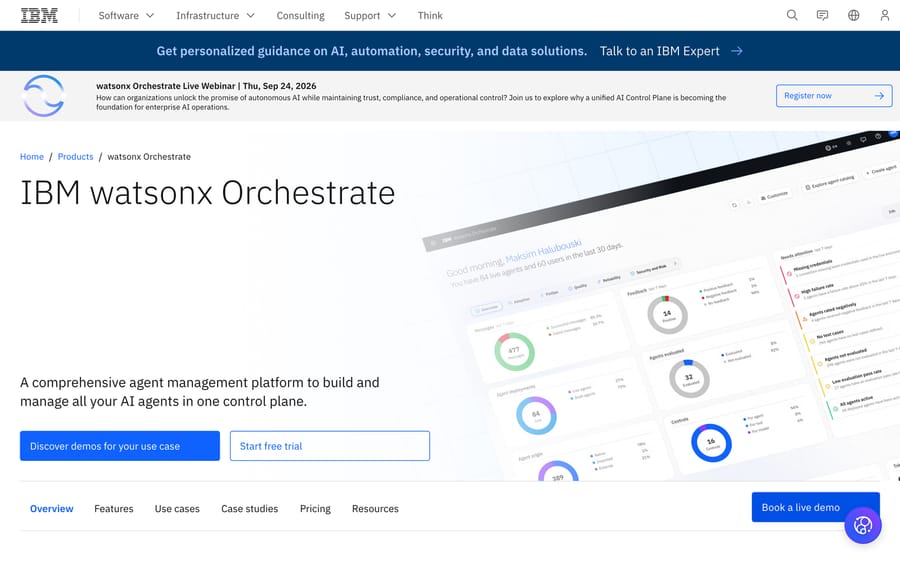
Watsonx Orchestrate is not primarily a tool for building one chatbot. IBM positions it as "a comprehensive agent management platform to build and manage all your AI agents in one control plane": a control plane that discovers, orchestrates, evaluates, governs, and controls the cost of AI agents wherever they were built, including on third-party platforms like Amazon Bedrock. That framing matters, because it tells you who IBM is selling to. The product is built for three roles inside a large enterprise: IT leaders who want to stop agent sprawl across departments, information security leaders who need consistent access controls, and AI leaders who want production governance without slowing down the teams building agents.
IBM's published case studies name real results at real companies: Riyadh Air integrated 59 separate workstreams across its partner ecosystem through Orchestrate; the UFC reports roughly a 3x increase in the volume of insights it generates; the Recording Academy reports an 80% increase in ticketing efficiency. Those are IBM's own reported figures from named customers, not independently audited, but they are attributed to specific companies instead of left as vague percentages.
How does watsonx Orchestrate work?
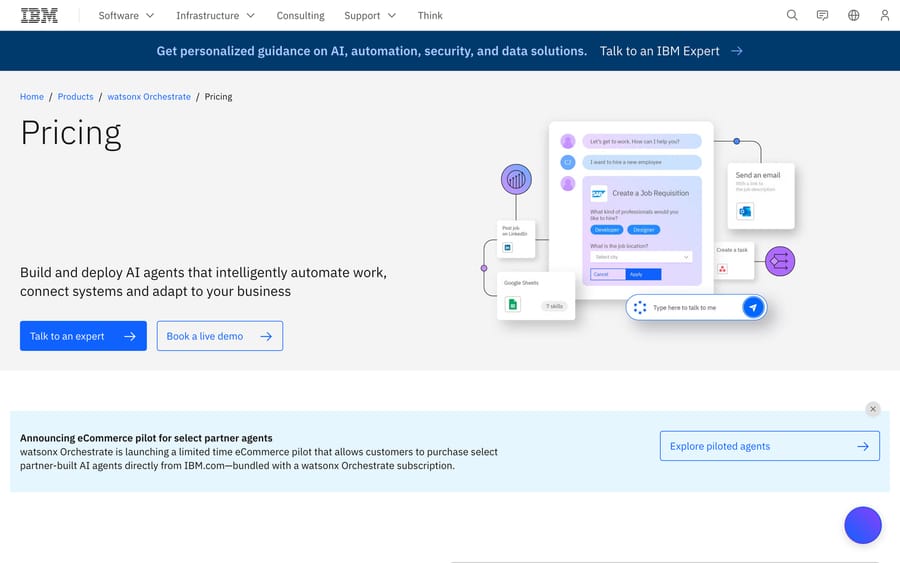
The platform organizes around six capabilities, and the mechanism worth understanding is that most of them are about managing agents you already have, not building new ones from scratch:
- Agent discovery: automatically scans and connects agents running in third-party environments, including Amazon Bedrock, instead of requiring every agent to be rebuilt natively in Orchestrate.
- Orchestration: coordinates native and external agents, tools, and workflows so a request can hop between agents built on different platforms without a human stitching the handoff together.
- Quality evaluation: tracks agent performance using real user feedback and operational signals, an ongoing scorecard instead of a one-time acceptance test.
- Governance: applies consistent access, policy, and oversight across a growing portfolio of agents, the piece that lets a security team sign off on dozens of agents built by different teams.
- Cost control: gives visibility into token usage and LLM consumption patterns, since a large organization running many agents on many models can lose track of spend fast without a shared view.
- Risk mitigation: defines and enforces policies for sensitive data and compliance requirements.
The practical implication: watsonx Orchestrate is the layer a large IT organization puts on top of agents built by different teams on different tools, not the first tool a small team reaches for to build its first agent. If your organization already has, or is about to have, agents built on multiple platforms by multiple teams, Orchestrate's job is making that sprawl visible and governable. If you have zero agents today, you almost certainly want a builder before you want a control plane for agents that don't exist yet.
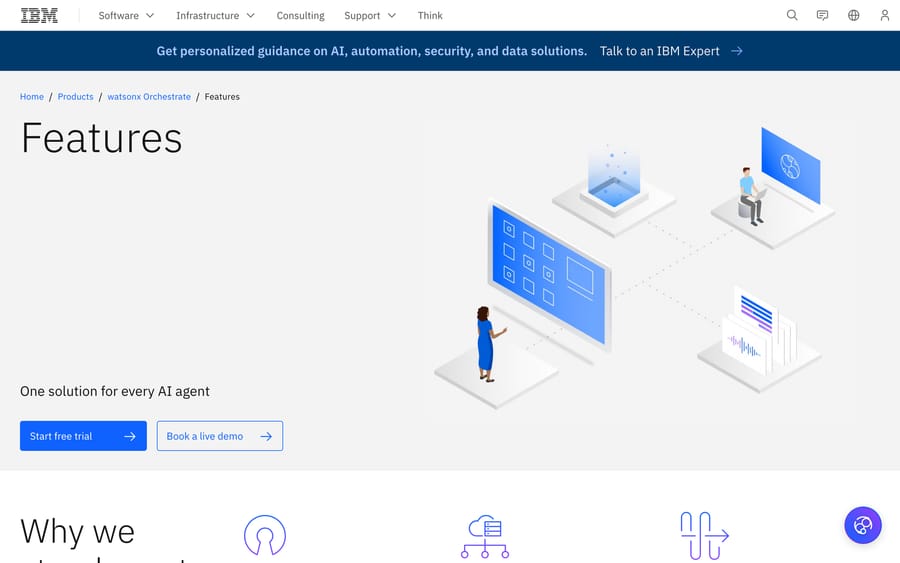
What are the key features of watsonx Orchestrate?
- Agent discovery across third-party environments, including Amazon Bedrock.
- Cross-platform orchestration of native and external agents, tools, and workflows.
- Continuous quality evaluation using real usage signals, not just pre-launch testing.
- Centralized governance: consistent access, policy, and oversight across an agent portfolio.
- Token and LLM cost visibility across every agent in the portfolio.
- Policy enforcement for sensitive data and compliance requirements.
- A 30-day free trial, plus two named paid tiers with published starting prices (rare for an enterprise agent platform at this scale).
What do G2 reviewers say?
IBM watsonx Orchestrate holds 4.4 out of 5 on G2 across 391 reviews, checked 2026-09-17. We attempted to pull individually attributed customer quotes from G2, TrustRadius, and Gartner Peer Insights, the three places §7b of our own research checklist points to, and all three blocked direct automated access. The closest we found was an unattributed snippet surfaced in search, from a TrustRadius reviewer, praising no-code workflow automation and integration with tools like Outlook and SharePoint, and describing the value as letting business users automate tasks without writing code. We're naming that limitation plainly instead of inventing a name or company size to attach to it: for this vendor, we can report the aggregate G2 score with confidence, but not individually sourced reviewer quotes.
How much does IBM watsonx Orchestrate cost?
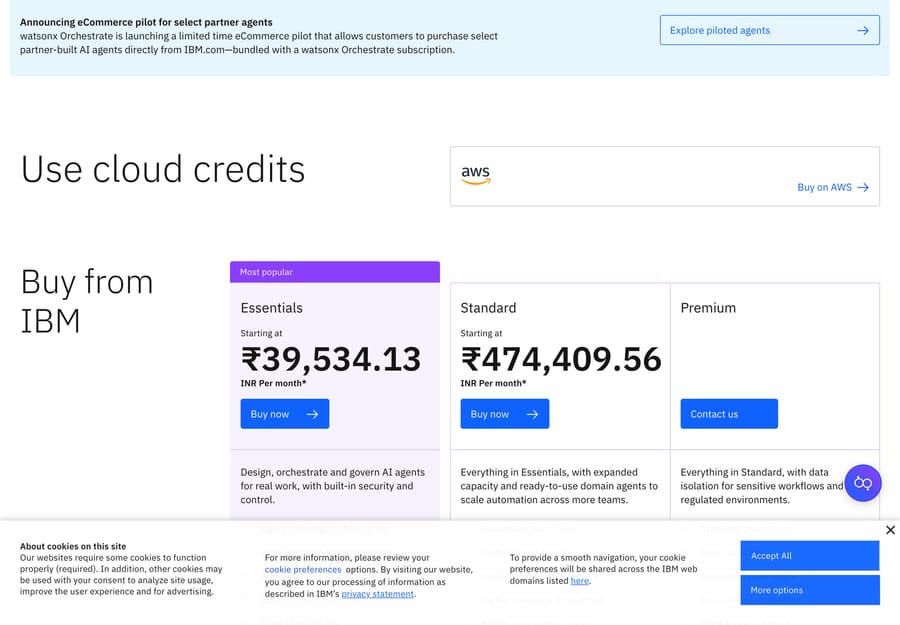
Unusually for a big-tech agent platform, IBM publishes real starting prices on its pricing page instead of routing every tier to a sales call. We re-checked these on 24 September 2026:
| Plan | Price (USD reference) | What's included |
|---|---|---|
| Trial | Free for 30 days | Agent building, chat interface, tools catalog |
| Essentials | Starting at $530/month | Agent building, workflow and document processing, custom tools, core AI and LLMs, security controls; up to 4,000 monthly active users and 200,000 messages a month |
| Standard | Starting at $6,360/month | Everything in Essentials, plus up to 40,000 monthly active users and 2,000,000 messages a month |
| Premium | Contact IBM | Data isolation, a dedicated data space, a HIPAA-ready option, enterprise-grade scale |
IBM's own disclaimer says these prices are indicative and can vary by country, and we confirmed that firsthand: a separate visit to the same pricing page rendered Essentials at ₹39,534.13/month and Standard at ₹474,409.56/month, which converts to roughly $475 and $5,716 at current exchange rates, in the same range as the USD figures above but not identical. Confirm your own number on the live page rather than budgeting from either currency blind. IBM also sells Orchestrate through AWS Marketplace for customers who'd rather spend existing AWS cloud credits than pay IBM directly.
The jump from Essentials to Standard, roughly a 12x increase in either currency for 10x the users and messages, is the number worth sitting with before you commit: it tells you the platform is built to scale from a pilot into an enterprise-wide deployment, and that middle ground doesn't really exist. A pricing ladder shaped like that gives IBM's sales team an incentive to land a cheap Essentials pilot first, then sell the much larger Standard contract once a team is already dependent on it. A team outgrowing Essentials' usage limits should expect to jump straight to enterprise-scale pricing. There's no modest step up available in between.
What drives the price
- Usage limits: Standard's jump over Essentials buys 10x the capacity, from 4,000 to 40,000 monthly active users and from 200,000 to 2,000,000 messages a month, the kind of scaling a pilot outgrows fast once it goes wide. Both tiers list 10 GB of document storage.
- Data isolation and compliance needs: Premium's dedicated data space and HIPAA-ready option exist for regulated industries willing to pay a custom rate for it.
- Region: we confirmed IBM's own disclaimer firsthand: the same plans priced in Indian rupees on one visit converted to a different USD-equivalent than the figures shown on a US-facing fetch.
- How many agents and workflows you're actually orchestrating, since the whole point of the product is managing a portfolio, and a bigger portfolio means more governance, evaluation, and cost-control work happening behind the scenes.
What are the pros and cons of watsonx Orchestrate?
Pros
- Real, published starting prices for two of three tiers, unusual honesty for an enterprise AI platform.
- Built to manage agents across platforms, including competitors' agents on Amazon Bedrock, instead of locking a customer into IBM's own agent builder exclusively.
- Named customer results (Riyadh Air, UFC, Recording Academy) instead of only anonymous percentages.
- Strong G2 score (4.4/5 across 391 reviews) from a meaningful review volume.
Cons
- The 12x price jump from Essentials to Standard leaves a real gap for a mid-size deployment.
- We could not access individually attributed customer reviews on G2, TrustRadius, or Gartner Peer Insights to check IBM's own claims against; all three blocked automated fetches.
- The product's core value (governing agents you already have) assumes you already have, or are about to have, multiple agents built on multiple platforms; a team building its first agent gets less immediate value from it.
- IBM's own pricing disclaimer (prices vary by country, are indicative) means the number you see may not be the number you pay.
Who is watsonx Orchestrate best for?
Watsonx Orchestrate fits a large enterprise IT organization that already has, or is actively building, AI agents on several different platforms and needs one place to see, evaluate, govern, and control the cost of all of them. If your security team is asking which agents can touch customer data and your finance team wants to know why the LLM bill tripled last quarter, this is built for exactly that conversation.
It's the wrong choice if you're a small or mid-size team building your first AI agent, since you'd be buying a control plane for a portfolio you don't have yet, or if your actual need is a single well-built customer support agent instead of governance across dozens of agents built by different teams.
How does watsonx Orchestrate compare with alternatives?
| watsonx Orchestrate | Salesforce Agentforce | Macha | |
|---|---|---|---|
| Model | Cross-platform agent management and orchestration control plane | Native agent-building platform tied to the Salesforce ecosystem | AI agent layer on your existing help desk |
| Best for | Large enterprises governing agents across multiple platforms | Salesforce-native teams building agents inside that ecosystem | Support teams on Zendesk, Freshdesk, Gorgias, Front, HubSpot, Intercom |
| Pricing | Published: 30-day free trial, $530/mo Essentials, $6,360/mo Standard, custom Premium | Published: Flex Credits at $500 per 100,000 (20 credits per standard action); $2 per conversation for existing customers only (as of October 2026) | From $299/mo for 750 tickets (~$0.40/ticket), published |
| Self-serve trial | Yes, 30-day free trial | No | Yes, $50 free usage, no credit card |
| Setup | Enterprise IT deployment, governance-first | Sales-led, Salesforce-ecosystem implementation | Done for you by the Macha team, with a dedicated success manager, included |
| Replaces your help desk? | No, it's a governance layer above agents | No | No, it deliberately augments your help desk |
Watsonx Orchestrate and Salesforce Agentforce both sell into the same buyer, a large enterprise already committed to a big-tech ecosystem, though Orchestrate's pitch is platform-agnostic governance while Agentforce's is depth inside Salesforce specifically. Our Agentforce guide covers that comparison directly, and our Kore.ai guide covers a third enterprise agent platform with its own build-your-own-agent model, useful if neither big-tech ecosystem fits.
Macha solves a narrower, more immediate problem for a much smaller team. It doesn't govern a portfolio of agents across platforms; it drafts and resolves the tickets your support team already gets, inside Zendesk, Freshdesk, Gorgias, Front, HubSpot or Intercom. If you're a 10 to 200-person support operation instead of an enterprise IT department managing dozens of agents, Macha is the done-for-you option. You connect your help desk and the tools your answers come from, about 15 minutes, and the Macha team analyzes your past tickets, builds the knowledge base and the agent, and runs it in safe mode, with drafts as internal notes in your help desk, until the drafts are right. There's no governance rollout. Pricing is a single published number from $299/month for 750 tickets, about $0.40 a ticket at every tier, which includes setup and a dedicated success manager who handles your changes, with $50 of free usage and no credit card to start. See Macha's pricing for the full table.
How we researched this
We checked IBM's watsonx Orchestrate product and pricing pages directly on 2026-09-17 and re-checked prices, trial length, capacity limits and the named customer figures on 2026-09-24; both loaded cleanly and the pricing page states its own dollar figures instead of hiding them behind a quote request. G2's rating came from a search-result snippet since G2's own pages blocked direct fetches; the same was true of TrustRadius and Gartner Peer Insights, so we could not obtain named, attributed customer quotes for this vendor and say so directly instead of filling the gap with an invented one. Customer outcome figures (Riyadh Air, UFC, Recording Academy) are IBM's own published case-study numbers.
FAQ
What is IBM watsonx Orchestrate? It's IBM's agent management platform: a control plane for discovering, orchestrating, evaluating, governing, and controlling the cost of AI agents across an enterprise, whether those agents were built on IBM's own tools or third-party platforms like Amazon Bedrock.
How much does watsonx Orchestrate cost? IBM publishes starting prices: a 30-day free trial, Essentials from $530/month, and Standard from $6,360/month. Premium requires contacting IBM directly. IBM states these prices vary by country.
Does watsonx Orchestrate have a free trial? Yes, a 30-day free trial that includes agent building, the chat interface, and the tools catalog.
What do watsonx Orchestrate reviews say? G2 shows 4.4/5 across 391 reviews. We could not access individually attributed reviewer quotes on G2, TrustRadius, or Gartner Peer Insights, all of which blocked automated fetches during this research.
Is watsonx Orchestrate a chatbot builder? Not primarily. It's built to manage and govern agents that may already exist on other platforms, instead of being the first tool most teams reach for to build a single new agent.
What are good alternatives to watsonx Orchestrate? Salesforce Agentforce is a comparable big-tech agent platform, though it's tied specifically to the Salesforce ecosystem instead of platform-agnostic. For a support team that wants agents inside the help desk it already runs instead of enterprise-wide agent governance, Macha is a different category of tool, and it's done for you: the Macha team builds and runs the agent on your help desk at about $0.40 a ticket, with a dedicated success manager included.
Who are IBM's named customers for this product? Riyadh Air, the UFC, and the Recording Academy are among the customers IBM names in its own published case studies, each with a specific reported result.
Ready to automate your support inbox instead of standing up an enterprise agent governance program? Start a Macha trial with $50 of free usage and no credit card, or see Macha's pricing.
Sources: ibm.com/products/watsonx-orchestrate, ibm.com/products/watsonx-orchestrate/pricing.






