Intercom
 Shopify
 Stripe
 Slack
Slack Notion
 Google Workspace
 Confluence

Is Intercom Identity Verification Deprecated? How to Move to JWTs (2026)


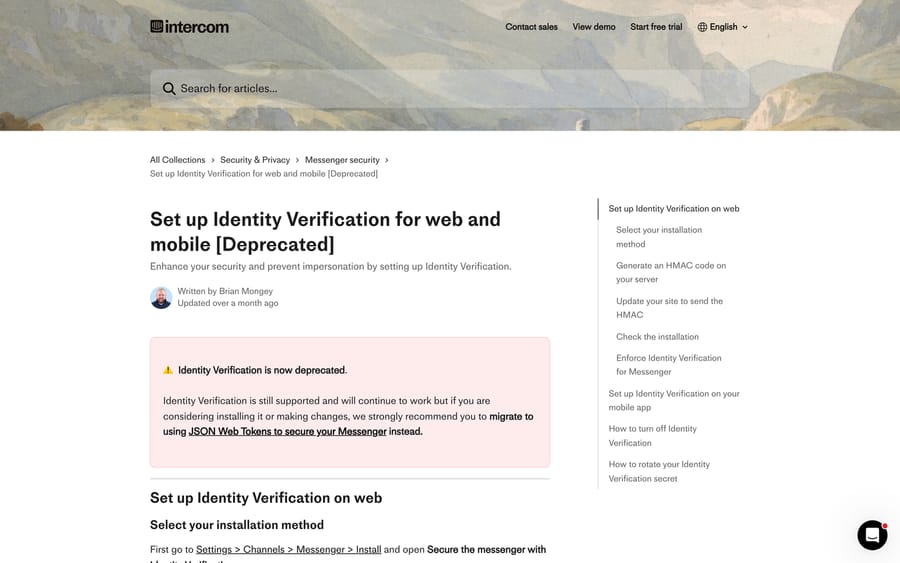
Intercom has deprecated Identity Verification, the user_hash HMAC you generate server-side, and recommends securing the Messenger with JSON Web Tokens instead. Existing HMAC installs still work, but new installations and changes should use JWTs.
Key takeaways
- Intercom has deprecated Identity Verification, the user_hash HMAC method, and recommends Messenger security with JSON Web Tokens passed as intercom_user_jwt on every boot.
- An unsecured Intercom Messenger caps conversation history for logged-in users at the last 14 days; enabling Messenger security removes that limit.
- Intercom JWTs require a user_id field, unlike the deprecated user_hash method, which accepted either user_id or email as the identifier.
- Intercom supports only the HS256 algorithm for signing Messenger JWTs, using the Messenger API secret as the shared key, and the secret must never reach front-end code.
- Intercom issues a session cookie lasting 7 days by default after a valid JWT is sent, and the session_duration attribute can shorten it.

Yes, Intercom Identity Verification (the user_hash HMAC) is deprecated, and its replacement is Messenger security with JWTs: an HS256 token your server signs, carrying a required user_id, passed as intercom_user_jwt on every boot. Existing HMAC installs keep working, so nothing breaks today, but new installations should go straight to JWTs, and the migration is a few hours of server-side work rather than a project.
How do Identity Verification and JWTs differ?
| Identity Verification (deprecated) | Messenger security with JWTs | |
|---|---|---|
| Method | HMAC-SHA256 signed hash | HMAC-SHA256 signed JWT |
| Field sent | user_hash | intercom_user_jwt |
| Supports expiry | No | Yes |
| Secure data updates | No | Yes |
| Identifier | user_id or email | user_id required |
That comparison is Intercom's own. The practical upshot: a user_hash never expires, so a hash lifted from a browser stays valid indefinitely. A JWT carries an exp claim you control, which is what closes the replay window.
The identifier change is the migration's real friction. JWT identity verification requires user_id: Intercom rejects tokens without it. If your workspace identifies people only by email, you have to backfill user IDs before you can switch. Intercom's route for that: fetch each contact with the Get a contact endpoint using the Intercom ID, then Update a Contact to add a user_id. Our Intercom API guide covers authentication for those calls.
Why does the Intercom Messenger need securing?
Without it, anyone can boot your Messenger claiming to be someone else. Intercom's developer docs put the risk plainly: "a bad actor could gain unauthorised access to the data in your workspace through impersonation of your real users." Supply a known email address and you get that person's conversation history, and you can talk to your team as them.
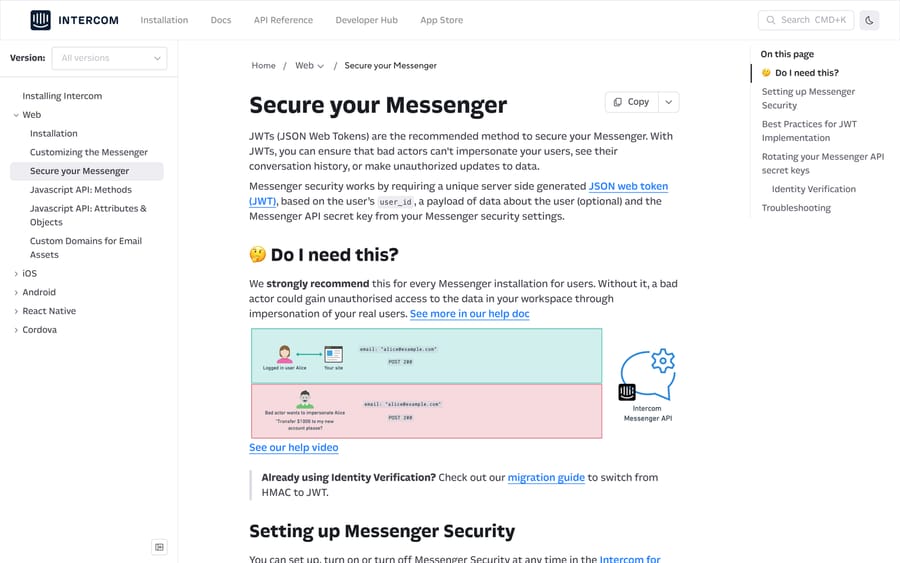
Intercom's position is that it "strongly recommend[s] this for every Messenger installation for users." Two things make it more than a compliance checkbox:
An unsecured Messenger only shows 14 days of history. Intercom caps conversation history for logged-in users on an unsecured Messenger at the last 14 days, as a protection against exactly the impersonation above. Turning on Messenger security removes that limit, so securing it is a visible feature improvement for your customers, not just a risk control.
Fin needs trustworthy attributes. If an AI agent takes actions based on a user's plan, account ID or entitlement, an attacker who can overwrite those attributes can steer it. Intercom's own guidance is that "any attribute that you want Fin to use in a critical part of an Action or Workflow should be protected." Our Intercom Fin explainer covers what Fin does with those attributes.
How do you set up Messenger security with JWTs?
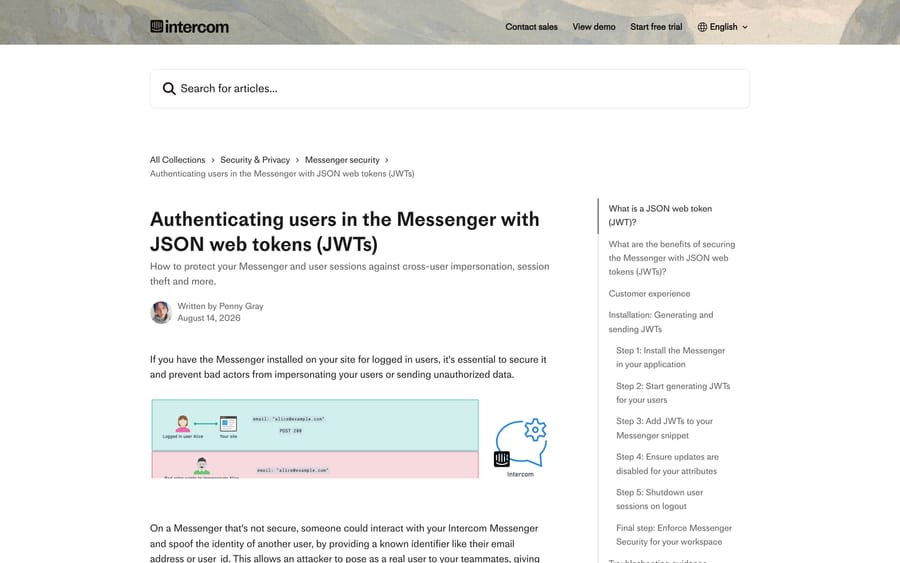
Step 1: get your installation snippet. It is at Settings › Messenger › Security, tailored to your workspace. The only structural difference from an insecure install is the extra intercom_user_jwt field.
Intercom's advice on the snippet is worth following: since the JWT is now carrying your user data, strip the data attributes out of the JavaScript snippet and leave only api_base and app_id, keeping in the snippet only attributes you deliberately do not want signed.
Step 2: generate JWTs server-side. Get the Messenger API secret from Settings › Workspace › Security › Messenger, then sign with any standard JWT library. Intercom's own Node.js sample:
const jwt = require("jsonwebtoken");
const payload = {
  user_id: "USER_ID_HERE",              // Required
  email: "EMAIL_ADDRESS_HERE",          // Optional
  data_attribute: "YOUR_DATA",          // Optional
  exp: Math.floor(Date.now() / 1000) + 3600  // Expires in 1hr
};
const secret = process.env.MESSENGER_SECRET_KEY;
const intercomUserJwt = jwt.sign(payload, secret, { algorithm: "HS256" });
HS256 is the only algorithm Intercom supports. And the secret never goes near front-end code. Intercom's warning is blunt: "Your Messenger API secret keys as well as the code to generate your JWTs should never be put into front end code."
Step 3: pass it on boot.
window.Intercom("boot", {
  api_base: "https://api-iam.intercom.io",
  app_id: "APP_ID_CODE",
  intercom_user_jwt: "<YOUR_USER_JWT_TOKEN>"
});
Send a fresh JWT on every boot and every data update. Intercom then issues a session cookie with a default duration of 7 days; while it is valid the user stays authenticated without a new token. Shorten that with the session_duration Messenger attribute in milliseconds, or set a workspace maximum at Settings › Channels › Messenger › General › Keep your Messenger secure.
Step 4: lock down attribute updates. The Messenger API can be allowed to update data attributes without a JWT. For anything you are signing in the token, turn that off, or a user can overwrite the signed value through the Messenger. Intercom's recommendation is to disable insecure updates for every attribute you send in the JWT, and note that the toggle does not stop a bot collecting the value directly from a lead.
Step 5: shut down on logout. The Messenger cookie persists across your subdomains for a week, so on a shared computer the next person sees the previous user's history until it expires. Call Intercom('shutdown') whenever a user logs out or is logged out automatically. This is the step teams skip, and it is the one that produces a genuine privacy incident rather than a theoretical one.
Step 6: enforce it. Once your integration is reliably sending tokens, turn on enforcement at Messenger settings › Security. From then on Intercom requires either a valid JWT or a valid user_hash on every request for your workspace's users; anything else is rejected.
What does each JWT 400 error mean?
Intercom documents six failures, and each one names its own fix. These are the strings you will see in the installation logs at Settings › Channels › Messenger › Security, step 6, where "View log" gives you the request ID, timestamp, referer and user data.
| Error | Cause and fix |
|---|---|
user_hash and intercom_user_jwt cannot be provided simultaneously | You sent both. Send one or the other. You may alternate during a migration, but never in the same request. |
Missing user_id in payload | Every JWT needs user_id. If email is your primary identifier, put the email into both user_id and email. |
Invalid intercom_user_jwt payload | The payload is malformed, wrongly encoded, or not signed with SHA256 HMAC using the api_secret. |
Intercom_user_jwt expired | The exp claim is in the past. Usually clock skew or a token minted at page build rather than page load. |
JWT identity mismatch | The user in the JWT is not the user in the active session cookie: two competing sessions. Call Intercom('shutdown') before booting a new user. |
Invalid intercom_user_jwt | The user you are booting is not valid. |
Intercom also ships a JWT decoder on the installation pages: paste a generated token, pick the secret you signed it with, and it tells you whether it is valid and shows the decoded payload. Use it before you enforce, not after.
Which JWT failures do the docs not warn you about?
A conflict error when several users share one email. If your integration identifies people by email alone and two users share an address, "Intercom will reject the request with a conflict error rather than guessing which user to use." This is a good behaviour that looks like a bug. The fix is a stable user_id.
Enforcement breaking new-user creation. A 2023 Intercom community thread (about 1,670 views) describes identity verification failing with either_email_or_user_id_present validation failed for new users only, while existing users authenticated fine through the same code path. The original poster found the cause himself: the "Prevent updates via the Messenger" setting under Settings › People Data was blocking the email update that creating a new user needed. Reverting it fixed registration.
That is worth remembering because step 4 above tells you to tighten exactly that setting. Tighten it for the attributes you sign, and check that new users can still be created afterwards. The interaction between attribute protection and first-time user creation is where this bites.
How do you migrate from HMAC to JWT?
Intercom's own sequence, with the traps:
- Stop generating
user_hashvalues and start generating JWTs with the same secret, or optionally a new Messenger secret key scoped to the platforms you choose. - Test on a test workspace first. Intercom warns that "test workspaces and production workspaces have different Messenger secret keys and therefore will generate different user hashes and JSON web tokens", so a token minted with the wrong secret fails in a way that looks like a code bug.
- Run both during the cutover. If Identity Verification is already enforced, Intercom accepts either a valid hash or a valid JWT, so you can move traffic across gradually. You just cannot send both on one request.
- Backfill
user_idfor any contact identified only by email, before that user's next boot. - Verify with the decoder and the installation logs, then enforce.
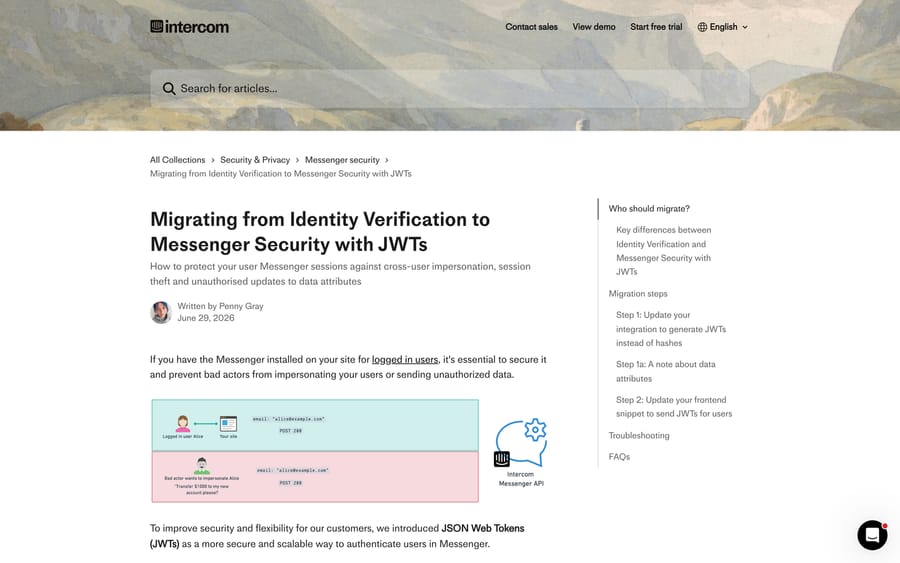
Mobile is a slower rollout by nature. For iOS, Android and React Native, Intercom's guidance on the legacy flow applies equally: ship the version that sends tokens, wait for adoption, and only then enforce, because enforcement stops older app versions that do not send a valid credential from talking to Intercom at all. The secret stays on your server; the app receives only the token.
What if you are still on Identity Verification?
It keeps working. Intercom says IDV "is still supported and will continue to work", and the deprecation notice is a recommendation rather than a shutdown date. Two constraints if you stay:
- The "Enforce Identity Verification for Messenger" option is no longer offered for new installations or changes, so a fresh install has to be JWTs.
- You keep the limitations in the comparison table: no expiry, no secure attribute updates, and email allowed as the identifier.
If you installed Intercom through WordPress or Shopify on a US-hosted workspace, the legacy article notes you could enforce IDV with no configuration at all. That convenience is exactly why some workspaces are still on it, and why nobody has noticed the deprecation.
Which Intercom plans include Messenger security?
Intercom's Messenger security articles print no plan restriction: the settings live in workspace settings, and the documentation describes it as something every Messenger installation for logged-in users should have. Treat security as table stakes rather than a tier feature, and check your own Settings › Channels › Messenger › Security page to confirm.
Seat pricing is a separate question. On intercom.com/pricing (checked 24 September 2026), Essential is $29 a seat a month billed annually, Advanced $85 and Expert $132 on the same basis, and Intercom has also shown $19 for Essential in a live pricing test. Our Intercom pricing breakdown has the detail, and what Intercom is and Intercom for customer support cover the wider product. If you run the Messenger alongside a shared email queue, Intercom's shared inbox is the other half of the setup.
How we researched this
Every path, code sample, default and error string here was read off Intercom's own help center and developer documentation on 21 September 2026: the JWT authentication article (dated 14 August 2026), the migration guide (29 June 2026), the deprecated Identity Verification article, and the developer "Secure your Messenger" page. The new-user failure and its cause come from a public Intercom community thread, quoted with the original poster's own diagnosis. We do not have an Intercom workspace, so no token was generated and no enforcement toggle was flipped; where Intercom's docs state no plan restriction, this post says so rather than inferring one.
Frequently asked questions
Is Intercom Identity Verification deprecated? Yes. Intercom's own article carries the notice "Identity Verification is now deprecated" and recommends migrating to JSON Web Tokens. Existing installations keep working, but the "Enforce Identity Verification for Messenger" option is no longer offered for new installations or changes.
What is the difference between Identity Verification and Messenger security with JWTs? Both sign data with HMAC-SHA256. Identity Verification sends a user_hash that never expires and allows either user_id or email as the identifier. A JWT is sent as intercom_user_jwt, supports an expiry claim, allows secure data updates, and requires user_id.
Do I need identity verification on my Intercom Messenger? If the Messenger is installed for logged-in users, yes. Intercom strongly recommends it for every such installation, because without it anyone can boot the Messenger claiming a known email address and read that user's conversation history. It also removes the 14-day conversation-history limit that applies to unsecured Messengers.
Why does my Intercom JWT need a user_id? Because Intercom rejects tokens without one. Historically either user_id or email could identify a user, which caused confusion; user_id is now the higher-order identifier. If you only have email addresses, put the email into both the user_id and email fields, and backfill user IDs on existing contacts through the API.
What signing algorithm does Intercom support for JWTs? HS256 (HMAC with SHA-256), using your Messenger API secret as the shared key. Generate the token server-side; the secret must never reach front-end code.
What expiry should I set on an Intercom JWT? Short. Intercom's guidance is to send a new token on every Messenger boot, so the token only needs to outlive one request, with a suggested minimum of about five minutes to avoid spurious expiry failures. The session cookie Intercom then sets lasts 7 days by default, shortenable with session_duration.
Why am I getting "user_hash and intercom_user_jwt cannot be provided simultaneously"? Your boot call is sending both credentials. Send one. During a migration you can alternate between hashes and JWTs across requests, but never include both in the same one.
Why does "JWT identity mismatch" appear when switching users? The user in the token does not match the user in the active Intercom session cookie, which means two sessions are competing. Call Intercom('shutdown') before booting the next user, the same call you should already be making on logout.
Identity verification works for existing users but fails for new ones. Why? Check the "Prevent updates via the Messenger" setting under Settings › People Data. An Intercom community thread traced exactly this symptom to that setting blocking the email update that creating a new user requires; allowing updates again fixed registration.
Sources:
- Authenticating users in the Messenger with JSON web tokens (JWTs), Intercom Help, 14 Aug 2026
- Migrating from Identity Verification to Messenger Security with JWTs, Intercom Help, 29 Jun 2026
- Set up Identity Verification for web and mobile [Deprecated], Intercom Help
- Secure your Messenger, Intercom developer docs
- Identity verification for web fails for new users only, Intercom community, Jul 2023
Add AI agents to your Intercom
Macha reads the conversation, drafts the reply and takes the action, inside the Intercom you already run.