




 Shopify
 Stripe
 Slack
 Notion
 Google Workspace
 Confluence


Intercom Login Guide and Troubleshooting: Regions, Password Resets, 2FA and SAML SSO (2026)


Teammates log in to Intercom at the sign-in page for the region their workspace is hosted in: app.intercom.com for the US, app.eu.intercom.com for Europe and app.au.intercom.com for Australia. Intercom's own FAQ warns that signing in on the wrong region won't find your workspace, and that's the most common reason a correct password "doesn't work." Customers never use these pages. They're identified in the Messenger and the customer portal by your website or app. This guide covers the region trap, password resets, lost 2FA devices, SAML SSO lockouts, broken invites and locked accounts, with Intercom's documented fix for each.
Key takeaways
- Intercom hosts workspaces in three regions with separate sign-in pages, app.intercom.com, app.eu.intercom.com and app.au.intercom.com, and credentials don't carry across regions.
- A teammate locked out after too many failed Intercom login attempts is unlocked by a colleague with permission to manage teammates, who opens their profile and clicks Unlock account.
- An Intercom teammate who loses their authenticator device gets a 2FA recovery code by email when a colleague clicks 2FA Recovery under Settings > Workspace > Teammates.
- Intercom's SAML SSO article lists SAML on the Expert plan only, and teammates who haven't signed in with SAML yet are locked out once the other login methods are turned off.
- A teammate who only ever signed in to Intercom with Google has no Intercom password, and can create one through the Forgot your password? flow on the regional sign-in page.
| Symptom | Most likely cause | Fix | Who fixes it |
|---|---|---|---|
| "Can't find your workspace" or the password is rejected | Wrong data region | Pick the right region on the sign-in page, or use the EU or AU URL | Teammate |
| No password reset email | Spam folder, or a different email on the account | Check spam and junk; confirm the address; wait a few minutes | Teammate |
| Locked after failed attempts | Too many wrong passwords | Colleague clicks Unlock account on your profile | Admin |
| Lost phone with the authenticator app | 2FA device gone | Colleague sends a 2FA recovery code | Admin |
| Authenticator codes rejected | Device clock is off | Set date and time to automatic, restart the device | Teammate |
| "Invalid invite link" | An older invitation email | Delete old invites; admin sends a fresh one | Admin |
| "Email has already been taken" on an invite | You already have an Intercom account | Log in to that account, then accept with the same email | Teammate |
| Locked out after SAML enforcement | Never signed in with SAML before the switch | Admin re-enables another method, or fixes the IdP assignment | Admin and IT |
Where do you log in to Intercom?
Intercom hosts each workspace in one of three data regions, US, EU or Australia, so the sign-in page you use has to match where your workspace's data lives. Intercom's Getting started FAQs (updated October 5, 2026) lists the three addresses and says plainly that signing in via the wrong region won't find your workspace, and that credentials don't carry across regions.
| Region | Sign-in page |
|---|---|
| United States | https://app.intercom.com |
| Europe | https://app.eu.intercom.com |
| Australia | https://app.au.intercom.com |
The US page also carries a region picker. When we loaded it on November 21, 2026, a dropdown labeled "Your account region" offered United States (selected by default), Europe and Australia, with a note to check your region before signing in. A teammate who bookmarked the US page and works for an EU-hosted company will type a correct email and password and get nowhere until they change that dropdown.
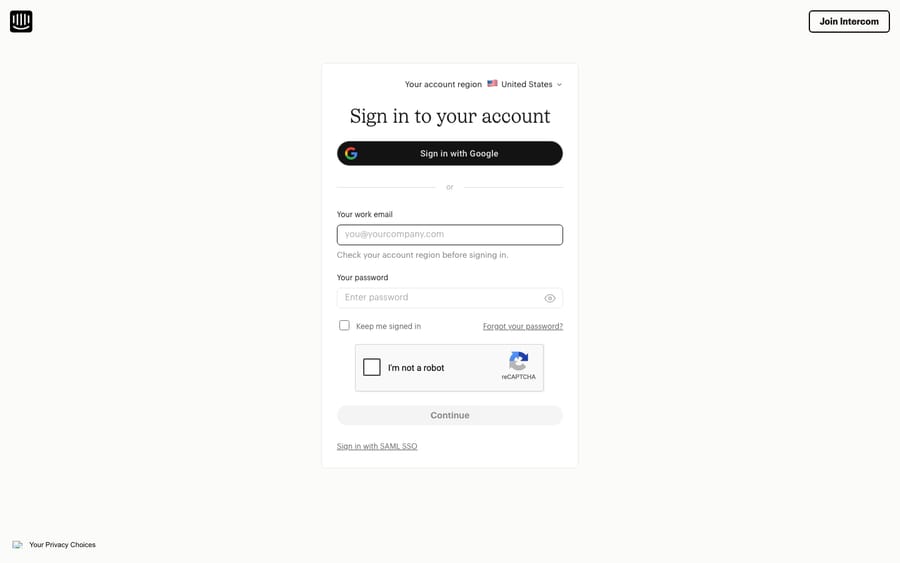
If you don't know your region, open the last invitation email Intercom sent you. Intercom's FAQ notes that the link in an invite points to the correct regional login page. Your workspace admin can also tell you.
The page is still branded Intercom, down to the "Join Intercom" button in the corner. The company renamed itself Fin on May 12, 2026 (Intercom's announcement), but the product, the URLs and the sign-in pages kept the Intercom name. If you're looking for a "Fin login," it's the same page.
Is the teammate login the same as the customer login?
No. Teammates (agents, admins, the people working the Inbox) sign in with an Intercom account on the pages above. Your customers don't have Intercom accounts. They're identified when your website or app tells the Messenger who they are, and the customer portal relies on that Messenger identity.
That's why the customer-side errors look so different. Intercom's customer portal errors article lists "You are not logged in" when the user isn't logged in to the Messenger or cookie forwarding is misconfigured, and "You do not have a user role" when a visitor opens the portal logged out and is treated as a lead, since leads can't use the portal. Neither is fixed by resetting a password. If your customers can't see their tickets, look at how your app identifies them: our guide to Intercom identity verification and the move to JWTs covers the signed-identity side, and why the Intercom Messenger isn't showing covers the installation side.
How do you reset a forgotten Intercom password?
On your regional sign-in page, click Forgot your password? and enter your work email. Intercom's FAQ gives three checks if the email doesn't arrive: look in spam or junk, confirm the address matches your account, and wait a few minutes. There's also a form on the login page to resend the verification email.
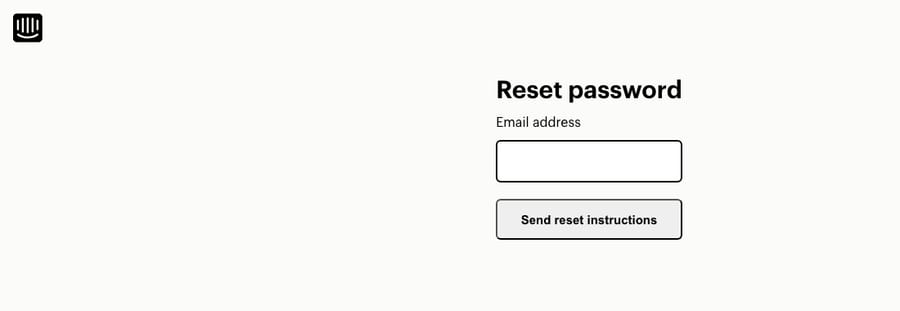
Two cases trip people up:
- You've only ever used Google. If you signed up with Google Sign-In, you don't have an Intercom password at all. The reset flow is how you create one, which you'll need if your admin later turns off Google sign-in, or if you want to set up 2FA. Intercom's account protection article (updated October 16, 2026) notes that Google-only teammates don't see the 2FA setup option until they set a password.
- You reset on the wrong region. A reset on app.intercom.com for an EU account sends nothing, because that email isn't registered there. Pick the region first.
If you're locked out after too many failed attempts, a reset won't help on its own. A teammate with permission to manage teammates has to open your profile and click Unlock account.
What if you've lost your 2FA device?
Intercom's two-factor authentication uses an authenticator app: you scan a QR code under Settings > Personal > Account security and enter the six-digit code it generates. Lose the phone and you need a recovery code.
You have two routes, per Intercom's 2FA recovery code article:
- Use a code you saved. When you set up 2FA, Intercom offered one-time recovery codes to download. On the 2FA prompt, choose Enter a recovery code and use one.
- Ask a colleague to send one. Someone with the "Can manage teammates, seats and permissions" permission goes to Settings > Workspace > Teammates, finds you, and clicks 2FA Recovery. A code goes to your registered email. Then set up 2FA again on the new device.
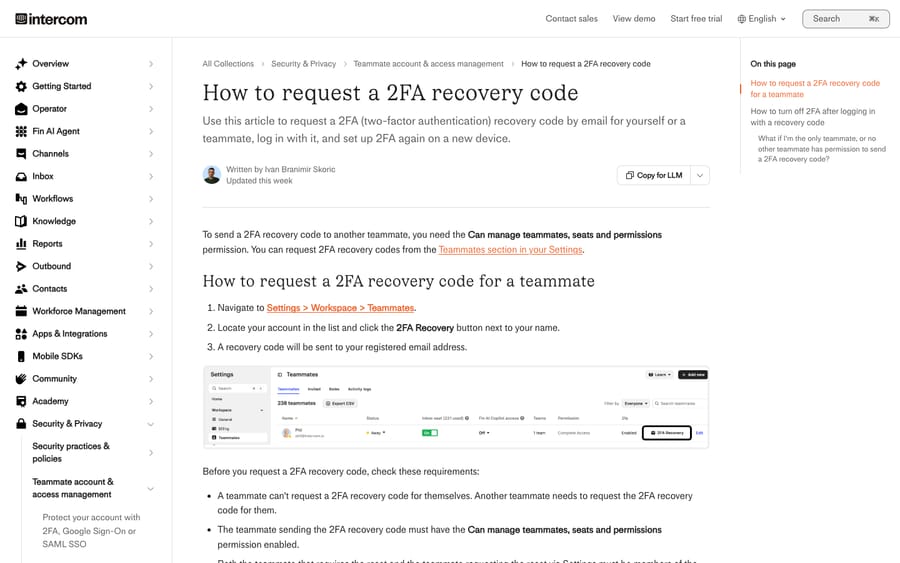
Intercom Support only steps in when no active admin can send the code, for example when you're the only teammate. That's a good reason for a small team to make sure at least two people hold the teammate-management permission.
If the codes from your app are being rejected rather than lost, the usual cause is the phone's clock. Intercom's fixes, in order: set the device date and time to automatic, restart the device, disable and re-enable 2FA, or try a different authenticator app.
An admin with security-settings permission can enforce 2FA for the whole workspace under Settings > Workspace > Security, on every plan. Enforced teammates are prompted at their next login and can't finish signing in until 2FA is set up, and they can't turn it off in their personal settings. If you're "still prompted after disabling 2FA," that enforcement is why.
Why does SAML SSO lock teammates out?
SAML is where most workspace-wide lockouts start, because it's the one change that can stop everyone at once. Intercom's SAML SSO article (updated August 28, 2026) says SAML is available on the Expert plan, the top tier in our Intercom pricing explainer. The account protection article still says "Enterprise plans" in one line; the SAML article is the more specific of the two, so we follow it. Putting SAML on the top tier is a familiar upsell across help desks: the login control an IT team asks for during a security review is the one that moves you up a plan, while 2FA and Google Sign-In stay on every plan.
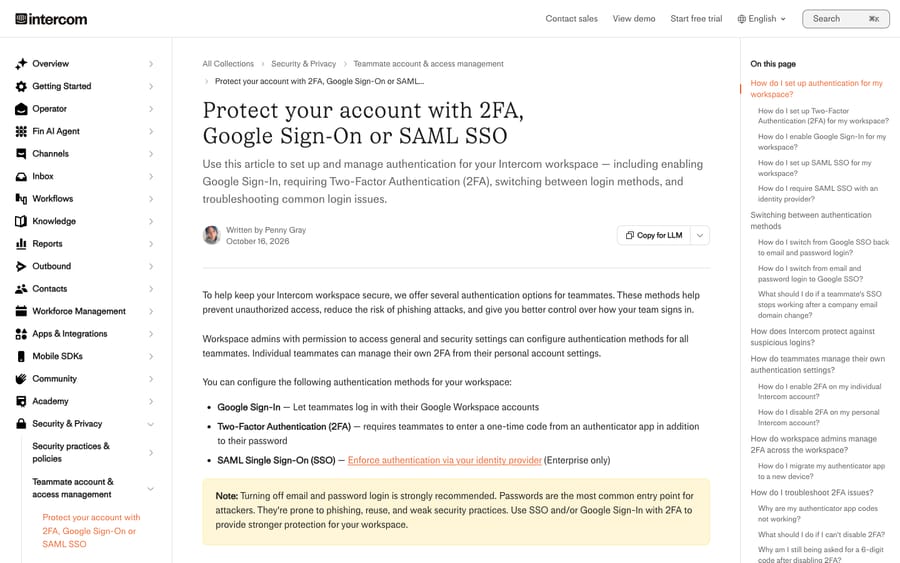
How sign-in works once SAML is on: teammates click Sign in with SAML SSO and enter their work email. One SAML workspace sends them straight to the identity provider. Several make them pick a workspace first. An email not registered to a SAML-enabled workspace gets an error.
The lockout comes from the order of operations. Intercom tells admins to test with Google and email-and-password still enabled, and existing teammates keep their current login until those methods are turned off. Then:
- To enforce SAML, the admin must be signed in with SAML themselves, then uncheck the other methods.
- Anyone who hasn't signed in with SAML at least once is locked out the moment the other methods go.
- Once SAML is on, teammates can't edit their own email on the Account security page.
Intercom's article doesn't document a break-glass bypass URL for SAML the way some help desks do, so the recovery path is an admin who can still sign in re-enabling another method, or IT fixing the assignment in the identity provider. Make sure every teammate signs in with SAML once before you switch the other methods off.
Other SAML errors Intercom lists:
- Invite redemption fails when the invite email doesn't match the email the identity provider returns.
- Google Workspace as the IdP gives vague errors until you turn on "remediation messages" in the Google Admin console.
- DNS verification of the allowed domain can take up to 48 hours to propagate.
- An SSO error after an email domain change needs Intercom Support to unlink the SSO token from the old address.
- Session length comes from the identity provider where it supports that, and otherwise defaults to 3.5 days.
Just-in-time provisioning, under Settings > Workspace > Security > Provisioning, adds new teammates on their first SAML sign-in, but only while you have seats available. A new hire who gets an error on day one may simply be waiting for a seat.
Why doesn't an Intercom invite link work?
Two errors cover most of it. "Invalid invite link" means the teammate clicked an older invitation; Intercom's FAQ says to delete the old emails and have an admin send a new one. "Email has already been taken" means the person already has an Intercom account, perhaps from another job or another workspace. Intercom's invite article says to log in to that existing account and accept the invitation with the email address that received it.
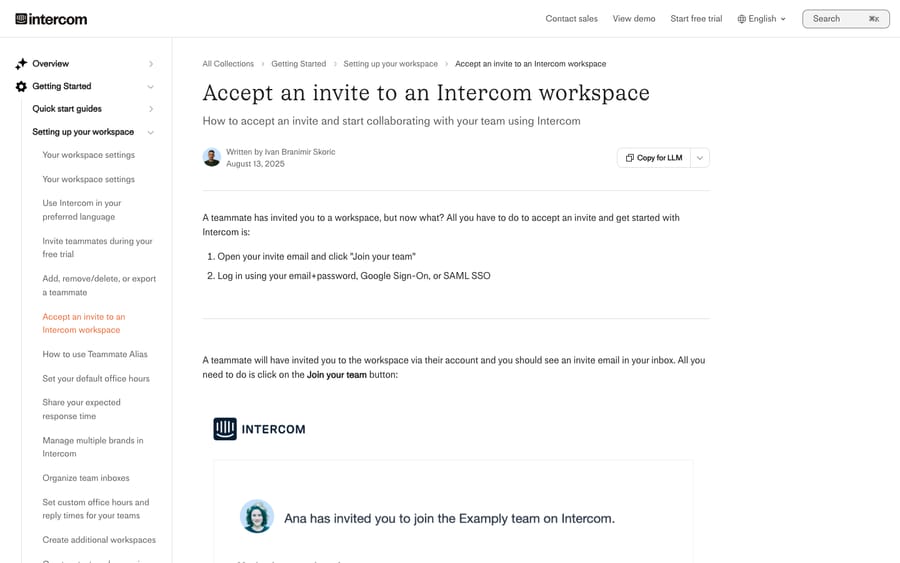
If the invite page doesn't offer email and password at all, the workspace requires a specific method, Google or SAML, and you'll need to use that one.
Is Intercom down, or is it just my login?
Check Intercom's status page before you reset anything; the old intercomstatus.com address now redirects to finstatus.com. If the sign-in page loads, accepts your email and fails on the password or the code, it's almost always your account. If the page itself won't load, or colleagues in the same region are stuck too, it's more likely an incident. Our guide to checking whether Intercom is down walks through the regional status components.
Admins who want a broader check can open Settings > Workspace > Security > Health Check, which Intercom's health check article describes as a review of SSO and 2FA methods, session length, IP allowlisting and identity verification, with an "Issues found" or "Secure" status.
What does login not solve, and where does an AI layer fit?
Getting your team back into the Inbox fixes access. It doesn't change how much of the queue they handle by hand once they're in. Intercom's answer to that is Fin, its own AI agent, billed per outcome. Macha fits teams already running Intercom who want the AI to work inside that inbox, and want someone else to build and run it.
Macha connects to Intercom once, through OAuth, as one of your teammates. From there an agent can read conversations and contacts, search your Help Center articles, reply to customers, add internal notes, assign, tag and close. Runs start on Intercom events: the first customer message, every customer message, a conversation being assigned or one being closed.
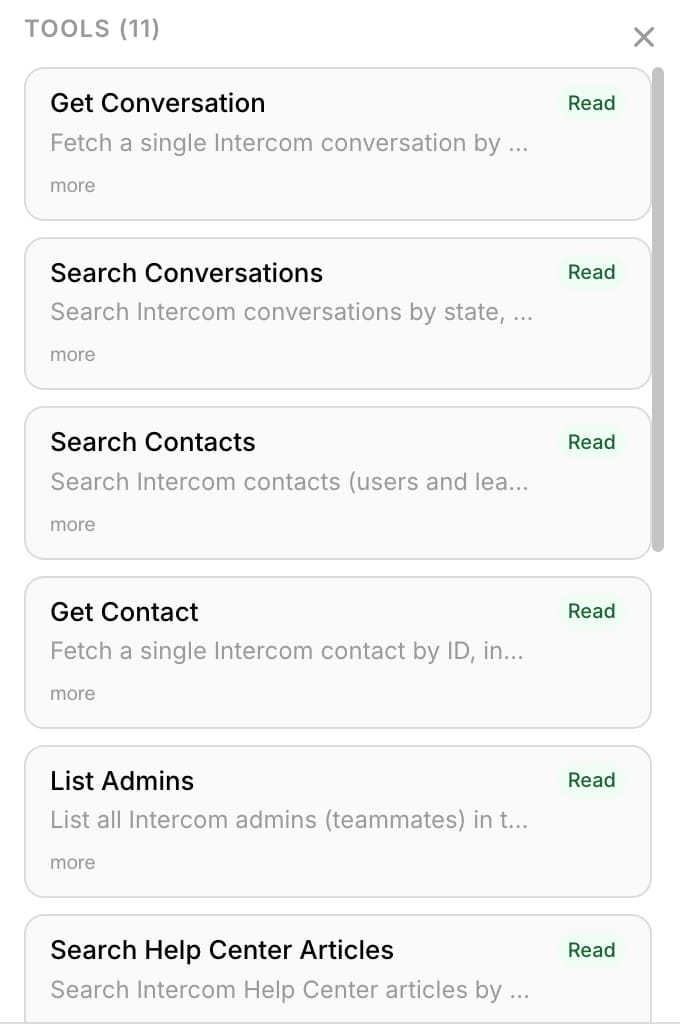
The login topic touches Macha in one practical way. Replies post as the connected teammate, so connect a teammate account that isn't going to be removed. If you enforce SAML or rotate who has access, check that this account can still sign in, the same way you'd check any integration user. You can see the details on Macha on Intercom and the Intercom integration page.
The done-for-you part is what separates it from turning on another self-serve bot. The Macha team analyzes your past conversations, builds the knowledge and the agent, and runs it in safe mode first, so drafts land as internal notes your team approves before anything reaches a customer. That's included on the trial and every plan at about $0.40 per ticket, with a dedicated success manager who handles your changes afterward. See how done-for-you setup works and the pricing.
How we researched this
We read Intercom's own help center articles on November 21, 2026: Getting started FAQs (updated October 5, 2026), Protect your account with 2FA, Google Sign-On or SAML SSO (updated October 16, 2026), Integrate with an identity provider and log in with SAML SSO (updated August 28, 2026), How to request a 2FA recovery code, Accept an invite to an Intercom workspace (updated August 13, 2025), Workspace security health check and Customer portal errors explained. We checked the US, EU and Australian sign-in pages and the status page (finstatus.com) the same day, and captured the US sign-in and password reset pages and three of the help articles for the screenshots. The screenshots of Intercom pages are captures of those public pages.
We did not sign in to an Intercom workspace, trigger a lockout or test SAML for this article, so every fix above is Intercom's documented behavior, not something we reproduced. The Macha details come from Macha's own Intercom connector screen in our demo workspace and the connector's published tool list. Where two Intercom articles disagree (the SAML plan name), we've said so and followed the more specific one.
Common questions
What is the Intercom login URL?
It depends on your workspace's data region: https://app.intercom.com for the US, https://app.eu.intercom.com for Europe and https://app.au.intercom.com for Australia. The US page also has an account region dropdown. Signing in on the wrong region won't find your workspace.
Why does Intercom say my password is wrong when I know it's right?
Usually you're on the wrong region's sign-in page, since credentials don't carry across regions. The other common causes are an account that only ever used Google (no password exists yet) and a lockout after repeated failed attempts, which a colleague clears with Unlock account.
How do I get into Intercom if I lost my phone with 2FA?
Use a saved recovery code, or ask a colleague with the "Can manage teammates, seats and permissions" permission to click 2FA Recovery next to your name under Settings > Workspace > Teammates. A code arrives at your registered email. Intercom Support only helps when no active admin can send it.
Which Intercom plan includes SAML SSO?
Intercom's SAML SSO article, updated August 28, 2026, says the Expert plan. Two-factor authentication and Google Sign-In are available on every plan, and admins can enforce either for the whole workspace.
Is there a Fin login now that Intercom renamed itself?
No separate one. The company renamed itself Fin on May 12, 2026, but the sign-in pages are still branded Intercom and live at the same addresses.
Do my customers need an Intercom login?
No. Customers are identified by your website or app through the Messenger, and the customer portal depends on that Messenger identity. Customer portal errors such as "You are not logged in" are fixed in your installation, not with a password reset.
If your team is back in and the queue is the next problem, start a trial with $50 of free usage (about 125 tickets), no credit card, no time limit, and the Macha team will set up your first agent on the Intercom inbox you already use.