





 Shopify
 Stripe
 Slack
Slack Notion
 Google Workspace
 Confluence

How Much Does Landbot Cost in 2026? Pricing, Features and Reviews


Landbot is a no-code chatbot builder for websites and WhatsApp with a free plan and paid plans from $36 a month billed annually. Every plan meters regular chats and AI chats as two separate allowances, which is the detail that decides your real monthly cost.
Key takeaways
- Landbot's Starter plan costs $36 a month billed annually, or $45 billed monthly, for 500 chats and 100 AI chats a month across two seats.
- Landbot's Professional plan costs $88 a month billed annually for 2,500 chats and 300 AI chats, and WhatsApp adds $100 a month on top.
- Landbot's pricing page lists overage at €0.05 per extra chat and €0.10 per extra AI chat, so conversations that need AI reasoning cost twice as much.
- Landbot holds 4.7 out of 5 on G2 from 334 reviews but only 2.1 out of 5 on Trustpilot from 10 reviews, where complaints center on billing and support.
- For a team whose workload is a support ticket backlog rather than a lead-gen chat funnel, Macha is the done-for-you option: the Macha team sets up and runs the agent, at about $0.40 a ticket including a dedicated success manager.

Landbot is a no-code chatbot and AI agent builder for websites and WhatsApp, and its paid plans start at $36 a month billed annually (Starter: 500 chats and 100 AI chats a month), after a free plan capped at 100 chats a month with no AI chats. Professional costs $88 a month billed annually, Business starts from €400 a month on the euro price view, and every paid plan meters regular chats and AI chats as two separate allowances (landbot.io/pricing, checked 24 September 2026).
| Plan | Price (USD) | Chats / AI chats a month | Seats | Notable limits |
|---|---|---|---|---|
| Free | $0 | 100 / 0 | 1 | No card, never expires |
| Starter | $36/mo annual, $45 monthly | 500 / 100 | 2 | Basic integrations (Mailchimp, Segment) |
| Professional | $88/mo annual, $110 monthly | 2,500 / 300 | 3 | WhatsApp is a $100/mo add-on; HubSpot and Salesforce start here |
| Business | Custom (from €400/mo) | Custom | 5+ | One WhatsApp number, uptime SLA |
We build AI agents for customer service ourselves, for teams running an existing help desk, so treat this as an outside look at a neighboring category.
What is Landbot?
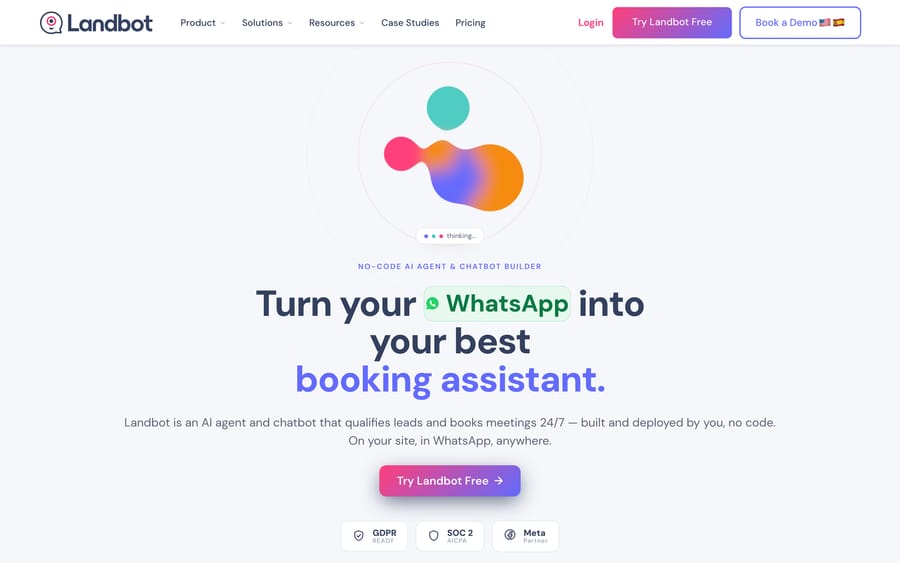
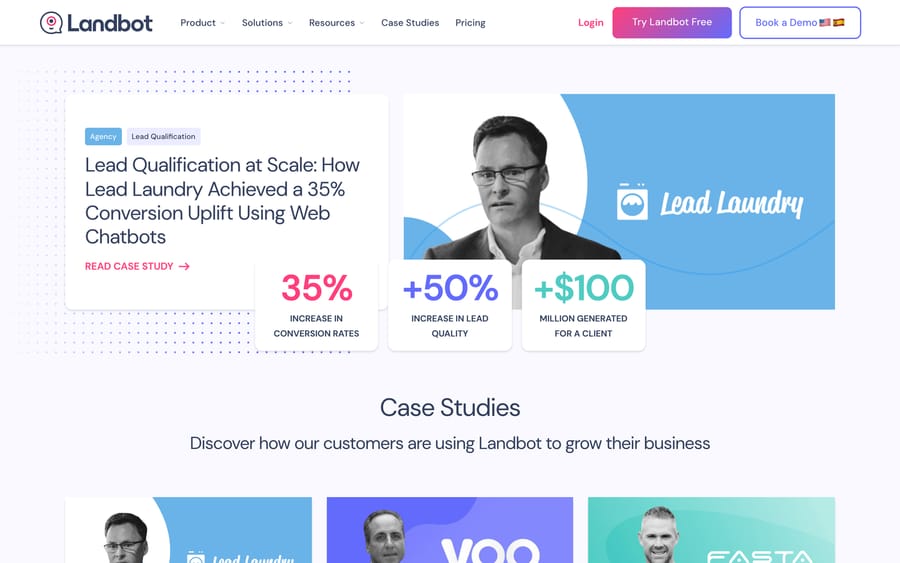
Landbot is a no-code AI agent and chatbot builder based in Barcelona. It builds bots for websites and WhatsApp Business that qualify leads, book meetings, and route support tickets, combining a visual, rule-based flow builder with AI reasoning where a flow needs more flexibility than a fixed script allows. Its homepage says it has been running since 2015 and claims 12,000+ teams, 1B+ conversations, customers in 190+ countries and 20+ sectors, plus SOC 2 and GDPR-readiness badges. EU-Startups' coverage of its Series A put total funding at roughly $10 million across a seed and Series A round.
Its AI Copilot generates a working chatbot flow from a plain-language description, and Landbot's homepage says a first agent can go live in about 15 minutes. Named case studies include Lead Laundry (an agency), Hotelbeds, Emma, Allianz Benelux, and CASFID.
How does Landbot's AI work?
Landbot calls its approach "hybrid intelligence": a structured, visual flow handles the predictable parts of a conversation (menu choices, form fields, routing logic), and AI reasoning takes over for open-ended questions the flow wasn't built to anticipate. That combination is the actual selling point over a purely AI-driven bot: a business gets deterministic behavior on the paths it controls and generative flexibility everywhere else, with human handoff available when a conversation gets too complex for either.
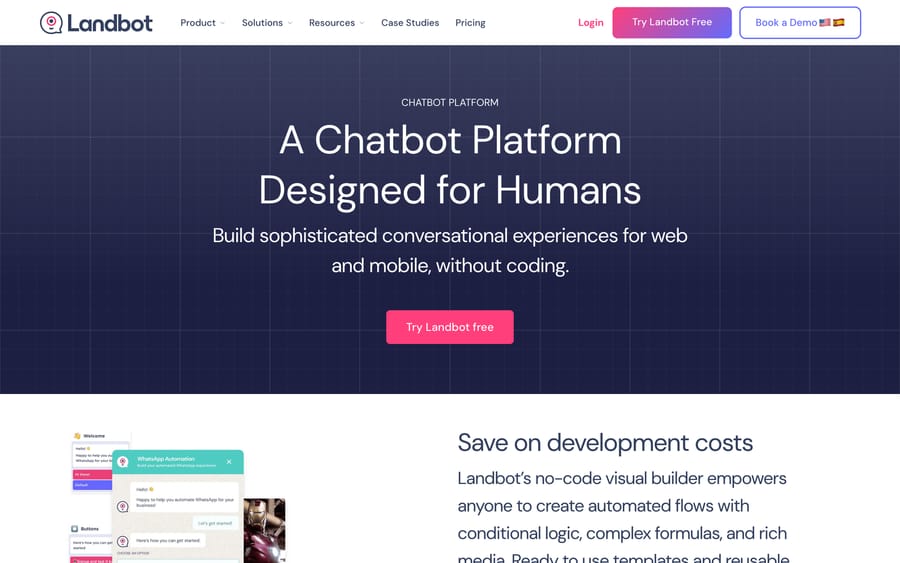
Landbot's own case study for the agency Lead Laundry reports a 35% conversion increase, a 50% improvement in lead quality, and $100 million generated for one client using web chatbots.
What features does Landbot include?
- AI Copilot that builds a working flow from a text description; Landbot says a first agent takes about 15 minutes.
- Hybrid intelligence: a visual, rule-based builder for structured logic, with AI handling open-ended turns.
- Multi-channel deployment on websites and WhatsApp Business from one flow.
- CRM integrations: native two-way connections to HubSpot and Salesforce plus 20+ other tools, and 500+ more through Zapier and n8n. HubSpot, Salesforce, Pipedrive, Zoho and Google Sheets are Professional-and-up features.
- Human handoff into a shared inbox from Starter up, with conversation context preserved; each person in the inbox uses a seat.
How much does Landbot cost?
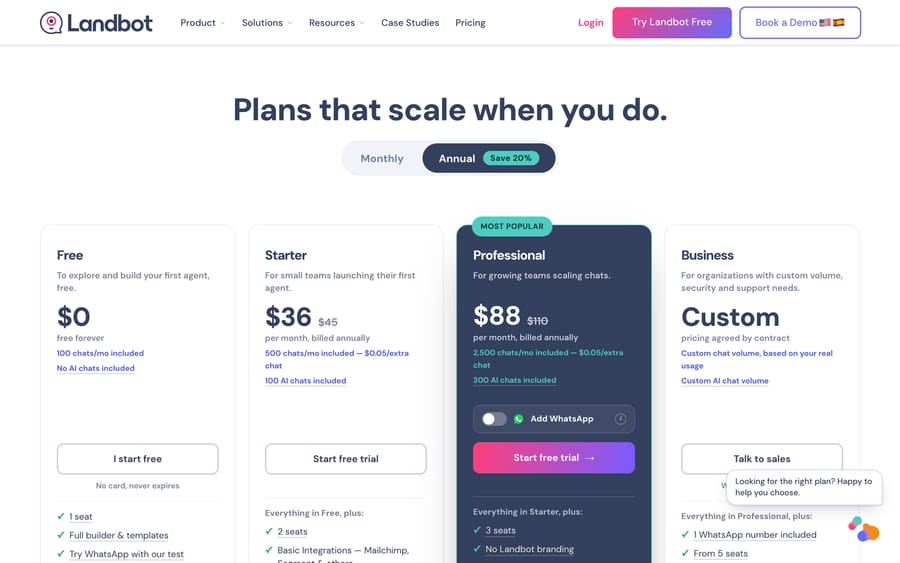
Landbot publishes its pricing, with a EUR/USD currency toggle. In USD: Free costs $0, includes 100 chats a month, zero AI chats and one seat. Starter runs $36/month billed annually ($45/month billed monthly), with 500 chats, 100 AI chats and two seats. Professional, the most popular tier, runs $88/month billed annually ($110/month monthly), with 2,500 chats, 300 AI chats, three seats and a WhatsApp add-on at $100/month. Business is custom-priced by contract, listed from €400/month, with five or more seats, one WhatsApp number and an uptime SLA. Extra seats cost €25/month on the euro view. Paid plans come with a 14-day trial; when it ends, the account drops to the Free plan.
Why does Landbot meter chats and AI chats separately?
"Chats" and "AI chats" are two different allowances, not one number split two ways. A chat is any conversation the bot handles, whether it's a simple rule-based flow or one where the AI reasons through an open-ended question. An AI chat is the subset where the AI model actually gets invoked. Starter's 500 chats but only 100 AI chats means you can run 400 purely rule-based conversations within the plan, but the moment a conversation needs AI reasoning, you're drawing from a much smaller bucket. Landbot's pricing page lists overage at €0.05 per extra chat and €0.10 per extra AI chat. That's a sensible way to price a hybrid product, since AI inference costs more than a scripted menu. It's also the incentive worth naming: Landbot earns more the more of your traffic needs actual AI reasoning rather than a fixed flow, so your real cost depends on how often conversations trip that threshold, which is hard to estimate before you've run real traffic through it.
What do G2 and Trustpilot reviewers say about Landbot?
Landbot holds 4.7 out of 5 on G2 from 334 reviews, per a search-indexed snippet of G2's listing, with reviewers praising the drag-and-drop builder and how quickly a non-technical person can get a working bot live. On Trustpilot, the same product sits at 2.1 out of 5 from only 10 reviews (one in the last 12 months), where complaints center on WhatsApp and Messenger integrations not working as documented, unexpected charges, trouble downgrading, and slow post-sale support. Several G2 reviewers separately flag that pricing escalates quickly once you need WhatsApp or advanced integrations, and that complex conditional logic still occasionally requires dropping into JavaScript despite the no-code positioning. G2 blocked our direct fetch again on 24 September 2026, so treat the G2 figure and quotes as reported, not independently verified.
What are Landbot's pros and cons?
Pros
- Published pricing across every self-serve tier, in both USD and EUR, rare enough in this category to be worth crediting on its own.
- A real hybrid architecture: rule-based flows for predictable logic, AI reasoning for everything else, instead of an all-or-nothing bet on either approach.
- Strong G2 reputation (4.7/5 from 334 reviews) with consistent praise for ease of use.
- A concrete, named case study (Lead Laundry, 35% conversion increase), not only a vague aggregate claim.
Cons
- Two separate usage meters (chats and AI chats) make total cost harder to predict than a single number would.
- Trustpilot's 2.1/5 is a sharp contrast to G2's 4.7/5, concentrated on billing and support complaints.
- WhatsApp access costs $100/month on top of Professional.
- Advanced conditional logic can still require JavaScript, despite the no-code framing.
Who is Landbot best for?
Landbot fits marketing and small revenue teams that want a no-code bot for lead qualification and meeting booking on a website or WhatsApp, and that can tolerate estimating cost across two separate usage meters instead of one flat number. Agencies building bots for multiple clients get real utility from the visual builder and the "no Landbot branding" option on Professional.
It's the wrong fit if predictable, single-number billing matters more to you than granular control, since Landbot's chat-plus-AI-chat structure takes some running traffic through it before you know your real monthly cost. It's also the wrong tool for a support team whose actual bottleneck is an existing ticket queue. That's a help-desk automation problem, priced and built differently.
How does Landbot compare with Voiceflow and Macha?
| Landbot | Voiceflow | Macha | |
|---|---|---|---|
| Model | No-code hybrid (rules + AI) chatbot builder for web and WhatsApp | AI agent builder for agencies and businesses, voice and chat | AI agent layer on your existing help desk |
| Best for | Marketing/revenue teams wanting lead-gen bots with published pricing | Agencies and businesses wanting flexible, usage-based agent building | Support teams on Zendesk, Freshdesk, Gorgias, Front, HubSpot, Intercom |
| Pricing | Published: Free, $36-45/mo Starter, $88-110/mo Professional, Business from €400/mo | Not published; usage-based, quote only | From $299/mo for 750 tickets (~$0.40/ticket), published |
| Billing unit | Chats plus a smaller separate AI-chat allowance | Usage-based, terms not public | Tickets, one charge per thread regardless of replies |
| Reviews | G2 4.7/5 (334); Trustpilot 2.1/5 (10) | Mixed public review data | N/A (new category on G2) |
| Self-serve trial | Yes, free plan plus 14-day trial of paid features | Free trial for agencies, no credit card | $50 of free usage, no credit card |
| Replaces your help desk? | Not applicable; not a help desk product | Not applicable; not a help desk product | No, it deliberately augments it |
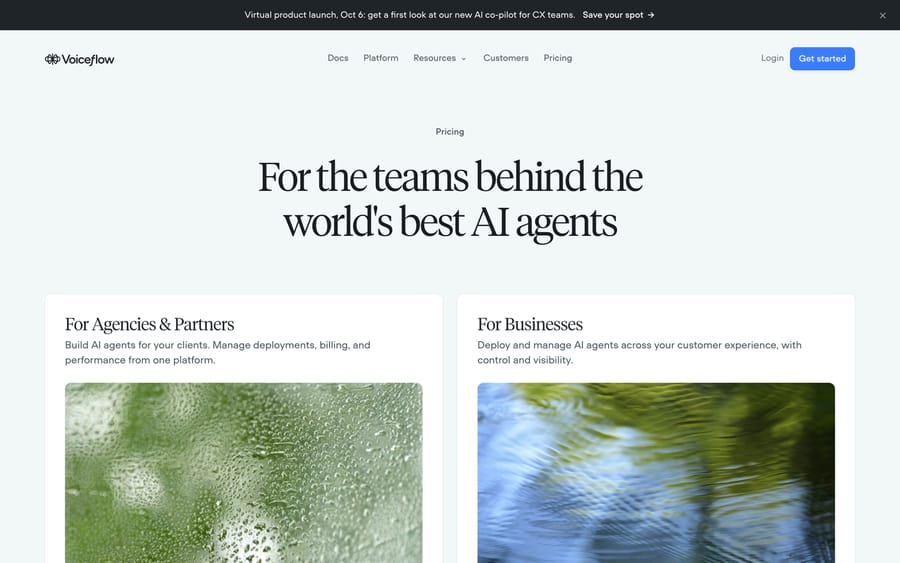
Voiceflow is the sharpest contrast on pricing: where Landbot puts real numbers on a public page, Voiceflow's pricing page (checked 24 September 2026) describes "transparent, usage-based billing" for agencies and a "Request pricing" demo route for businesses, without a single dollar figure. If predictable pricing matters to your evaluation, that difference alone is worth weighing before you get deep into either platform's feature set.
Neither company solves a support team's ticket backlog, which is a different job. If your bottleneck is email and chat tickets rather than lead-gen conversations, Macha runs as an agent layer on top of the help desk you already use (Zendesk, Freshdesk, Gorgias, Front, HubSpot or Intercom), and it's done for you: the Macha team analyzes your past tickets, builds the knowledge base and the agent, and runs it in safe mode until the drafts are right. It costs about $0.40 a ticket from $299/month for 750 tickets, which includes setup and a dedicated success manager who handles your changes.
If you are shopping this builder category properly, the two other tools most teams put next to Landbot are Voiceflow, which trades Landbot's visual simplicity for far more control over the agent's logic, and Botpress, which goes further again and expects a developer. Both guides cover their pricing and review data the same way this one does.
How we researched this
We checked landbot.io directly (home, /pricing, /case-studies, and /chatbot-platform) on 2026-09-17 and re-checked the homepage and pricing page on 2026-09-24. The pricing page defaults to euros and carries a USD toggle; the USD figures in this guide are the ones that toggle shows ($36/$88 annual, $45/$110 monthly, $100 WhatsApp add-on). The Business floor, seat price and overage rates are only visible to us in euros, so we report them in euros. Funding history came from EU-Startups' coverage of Landbot's Series A. We read Trustpilot directly on 24 September; G2 blocked direct access on every attempt, including through a headless browser, so its rating comes from a search-indexed snippet. Voiceflow's pricing page was fetched directly and confirmed to show no published rates.
FAQ
What is Landbot? A no-code AI agent and chatbot builder for websites and WhatsApp, combining rule-based flows with AI reasoning for lead qualification, meeting booking, and support routing.
How much does Landbot cost? Free ($0, 100 chats, no AI chats), Starter ($36/month annual or $45 monthly, 500 chats, 100 AI chats), Professional ($88/month annual or $110 monthly, 2,500 chats, 300 AI chats), and custom Business pricing from €400/month. Extra chats cost €0.05 each and extra AI chats €0.10 each on the euro view.
What's the difference between a "chat" and an "AI chat" on Landbot's pricing page? A chat is any conversation the bot handles. An AI chat is specifically one where the AI model gets invoked for open-ended reasoning rather than a scripted menu, and it draws from a separate, smaller monthly allowance.
Is Landbot good, based on reviews? G2 shows 4.7 out of 5 from 334 reviews, with praise for ease of use. Trustpilot shows 2.1 out of 5 from 10 reviews, concentrated on billing, integration and support complaints.
Does Landbot have a free plan? Yes, a permanent free plan with 100 chats a month and one seat, no credit card required. Paid plans also start with a 14-day trial that falls back to the free plan.
Does Landbot include WhatsApp? The Free plan includes a WhatsApp test number. For a live WhatsApp number, Professional takes a $100/month add-on and Business includes one.
What are good alternatives to Landbot? Voiceflow is a comparable no-code agent builder aimed more at agencies, but it publishes no pricing at all, the opposite approach to Landbot's published tiers. Neither is a fit for a support team's ticket backlog, which is a help-desk automation problem instead.
Who uses Landbot? Named customers and case studies include Lead Laundry, Hotelbeds, Emma, Allianz Benelux, and CASFID, spanning agency, hospitality, e-commerce, and insurance use cases.
If your actual bottleneck is a support team's ticket queue rather than a lead-gen chat funnel, see how Macha's pricing works or start a trial.
Sources: Landbot, Landbot pricing, Landbot case studies, Landbot chatbot platform, Voiceflow pricing, Trustpilot - Landbot reviews, G2 - Landbot reviews (blocks automated fetches, cited via search result).






