Shopify
 Stripe
 Slack
Slack Notion
 Google Workspace
 Confluence

What Is Microsoft Copilot Studio and How Much Does It Cost? (2026 Guide)


Microsoft Copilot Studio is Microsoft's low-code studio for building AI agents, billed in Copilot Credits at $200 a month per 25,000-credit pack on top of optional $30 Microsoft 365 Copilot seats. Here is how the credit meter works per feature, what production reviewers report, and where it fits against a dedicated support agent.
Key takeaways
- Copilot Studio sells Copilot Credits at $200 a month per pack of 25,000 (1 credit per scripted answer, 2 per generative), and Microsoft's own 900-sessions-a-day support example uses about $1,800 a month of them.
- Microsoft 365 Copilot seats cost $30 per user per month paid yearly, and internal agents used by those licensed staff run at no extra credit charge.
- Copilot Studio agents run on one of three harnesses, GitHub Copilot, standard or Copilot chat, and the choice decides which billing rate card applies.
- PeerSpot rates Copilot Studio 3.9 out of 5 across 5 reviews, and Copilot Studio trial agents can be built and tested but not published live.
- For a support team that only needs an agent on its help desk, Macha is the done-for-you option: the Macha team builds and runs it at about $0.40 a ticket, with a dedicated success manager included.

Microsoft Copilot Studio is Microsoft's low-code studio for building AI agents and workflows, and it bills agent usage in Copilot Credits: $200 a month buys a pack of 25,000 credits, a scripted answer costs 1 credit and a generative answer costs 2. Staff who hold a $30-a-month Microsoft 365 Copilot license use internal agents at no extra charge; external, customer-facing traffic always draws credits (Microsoft pricing and billing docs, checked 24 September 2026).
| Question | Answer (checked 24 September 2026) |
|---|---|
| What it is | Low-code agent and workflow studio, successor to Power Virtual Agents |
| Seat license | Microsoft 365 Copilot, $30/user/month, paid yearly |
| Usage billing | Copilot Credits: $200/month per 25,000-credit pack, or pay-as-you-go via Azure |
| Per-answer cost | 1 credit scripted, 2 generative, 5 per agent action |
| Harnesses | GitHub Copilot, standard, Copilot chat |
| Trial | Free individual trial, build and test only, can't publish |
| Replaces a help desk? | No |
We build AI agents for customer service ourselves, so we read this the way a buyer comparing options would: what does it cost at real volume, what do current users actually complain about, and what is it not built for. Copilot Studio is a broad platform, evolved out of Power Virtual Agents, and most of what's written about it either repeats Microsoft's own marketing copy or focuses on IT-department use cases (employee help desks, HR bots) rather than customer-facing support.
What is Copilot Studio?
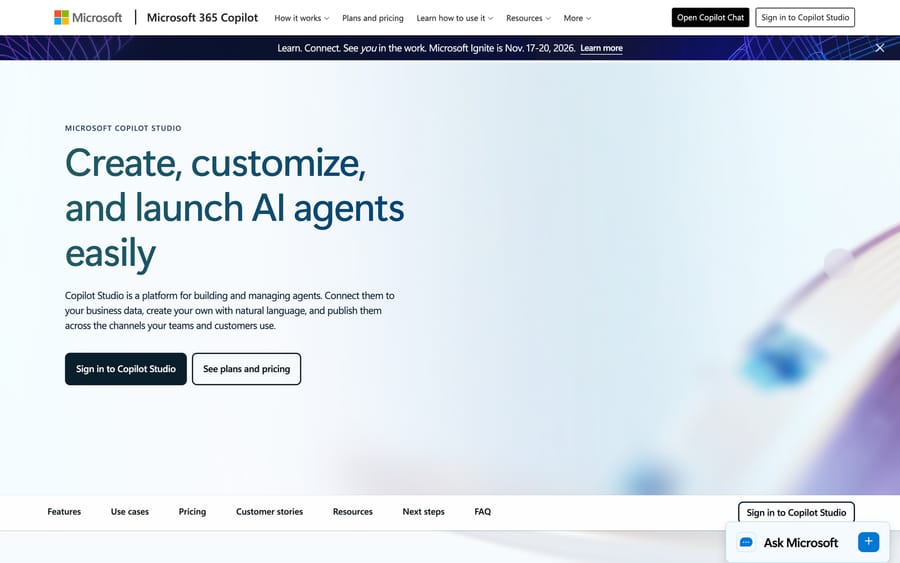
Copilot Studio is a low-code studio, in Microsoft's own words, "for building and managing agents and workflows." It's the successor to Power Virtual Agents: Microsoft folded that product into Copilot Studio outright, and the old name now redirects. Microsoft's marketing states that 90% of the Fortune 500 use Copilot Studio, and its own customer stories name Estée Lauder, Dow (which reports identifying over 100 agent use cases internally), Amgen (an agent built in six weeks for an R&D team), and Virgin Money (a customer-facing deployment Microsoft credits with 54% engagement and a 97% journey-completion rate). Those are Microsoft's own reported figures, not independently audited.
The product sits inside the Power Platform family, and that inheritance is most of what you're buying: Copilot Studio agents can call Power Automate flows, read and write Dataverse tables, and use the same connector catalog ("more than 1,400 external connectors," per Microsoft's product page) as the rest of Power Platform. If your organization already has Power Platform licensing and a stack of Power Automate flows, Copilot Studio is the agent layer that plugs directly into that investment. If you don't, you're adopting a chunk of the Power Platform ecosystem to get there.
How does Copilot Studio's AI work?
Copilot Studio doesn't run one single execution model. Everything you build sits on one of three harnesses (Microsoft's term for the engine behind an agent), which Microsoft's own overview asks you to choose between up front. Learn the three names before you read anything about cost, because Microsoft splits its billing documentation along exactly this line and the wrong one sends you to the wrong rate card:
- GitHub Copilot harness, for reasoning-heavy, multi-step work: the agent interprets a request, picks its own tools, and works through the steps without every path being scripted in advance.
- Standard harness, for rule-based agents: natural-language matching routes a request to a pre-built topic (a scripted conversation branch with conditions and steps), falling back to a generated answer from connected knowledge when nothing matches.
- Copilot chat harness, which extends Microsoft 365 Copilot Chat itself with an organization's own knowledge, for employees who already live inside that chat surface.
Which one you pick changes how the agent behaves, what it can do out of the box, and critically, how it's billed: GitHub Copilot and standard have separate billing documentation and meter Copilot Credits differently. Underneath any of them, agents draw on Work IQ (Microsoft's term for grounding an agent in an organization's Microsoft 365 content and Graph data) and can execute agent flows, Power Automate-style automations a topic can call as a tool, with human-review steps built in.
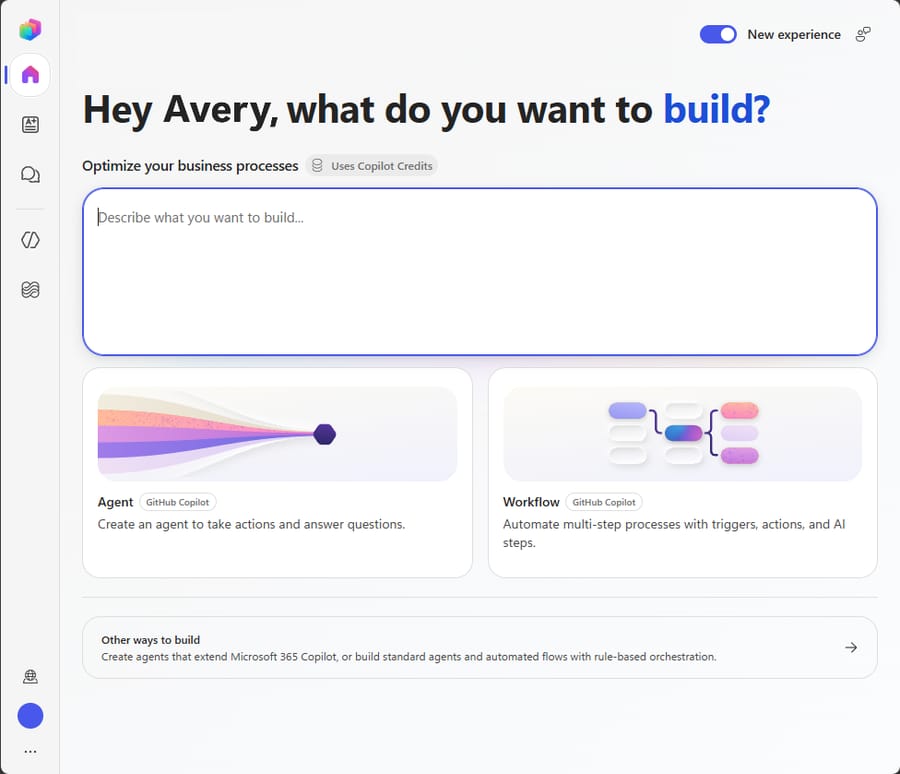
Building an agent starts with a plain-language description rather than a blank canvas. You type what you want the agent to do, and Copilot Studio provisions a starting name, instructions, suggested tools, and suggested knowledge sources, all of which you can accept, edit, or throw out. That's a real reduction in setup friction versus the old node-by-node Power Virtual Agents flow builder, and it's also exactly the direction every agent-building tool in this category has moved.
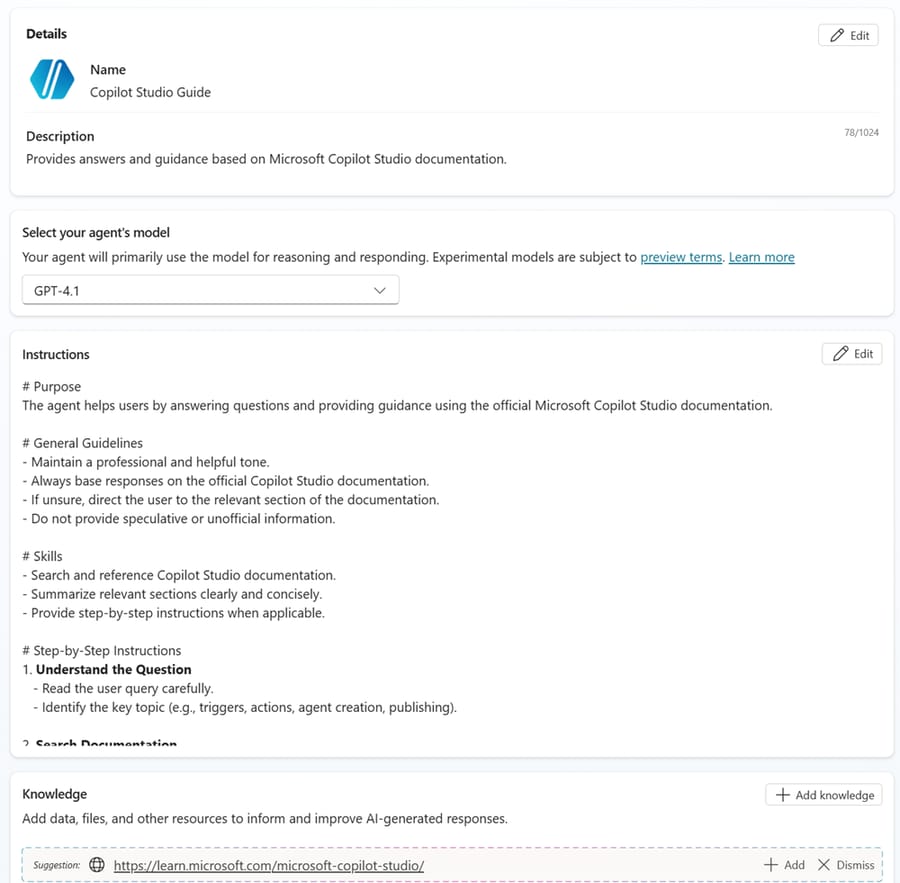
One detail worth knowing before you build anything customer-facing: Copilot Studio lets you pick the underlying model per agent (GPT-4.1 is the default shown in the builder, with other OpenAI, Anthropic, and reasoning models available), and Microsoft's own billing docs treat "reasoning models" as a separate, more expensive line item, covered below.
What can you build with Copilot Studio?
- Three harnesses to build on (GitHub Copilot, standard, Copilot chat) so the same studio can build a scripted FAQ bot, an autonomous multi-step agent, or an internal Copilot Chat extension.
- Natural-language agent authoring: describe the agent, get a working starting point with suggested tools and knowledge.
- Multi-agent orchestration and agent flows for chaining agents and automations together.
- 1,400+ connectors through the Power Platform connector catalog, plus custom connectors and Bot Framework skills.
- Voice and phone-based agents, added as a 2026 feature release.
- Analytics, evaluations, and admin governance: session-outcome tracking, a shared test/grader library, and tenant-wide agent inventory and access control.
- GCC availability for US government customers.
How much does Copilot Studio cost?
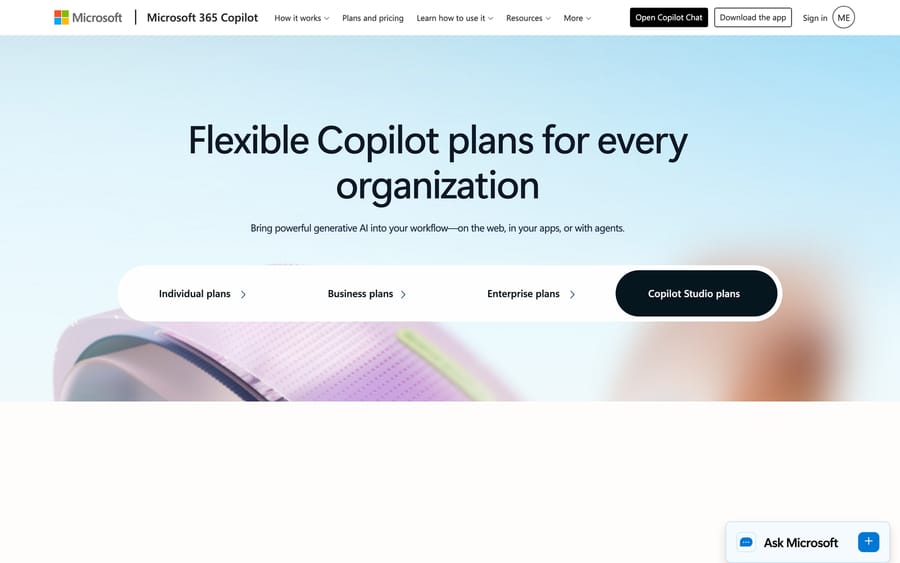
Copilot Studio's pricing has three separate components, and conflating them is the single most common mistake in evaluating cost here.
1. Microsoft 365 Copilot license, $30/user/month, billed yearly. This is a seat license for Microsoft 365 Copilot generally, it requires a qualifying Microsoft 365 business or enterprise plan underneath, and it includes Copilot Chat plus the standard harness for building internal agents. If your agent's traffic comes from a user who's licensed with Microsoft 365 Copilot and the agent runs as that user, most of that agent's core activity (classic answers, generative answers, agent actions) is included at no extra charge.
2. Copilot Credits, the metered unit for agents used outside that included scenario, sold as a $200/month pre-purchase pack of 25,000 credits (about 20% cheaper than pay-as-you-go) or billed pay-as-you-go against an Azure subscription with no upfront commitment. Every unlicensed user, every external-facing chatbot, and every agent action that falls outside the Microsoft 365 Copilot inclusion draws down this pool.
Microsoft's own billing-rate table (from its licensing docs) shows exactly what a credit buys:
| Agent activity | Copilot Credits |
|---|---|
| Classic answer (a scripted, pre-authored response) | 1 |
| Generative answer (an AI-generated response from knowledge) | 2 |
| Agent action (a trigger, reasoning step, or topic transition) | 5 |
| Tenant graph grounding (RAG over Microsoft Graph data) | 10 |
| Agent flow actions, per 100 actions | 13 |
| Reasoning-model premium tools, per 1,000 tokens | 10 |
| Content processing tools, per page | 8 |
| Classic voice / GenAI voice / Premium GenAI voice, per minute | 10 / 35 / 75 |
Microsoft's own worked example puts this in context: a customer support agent answering return-policy and troubleshooting questions, running four classic answers and two generative answers per session at 900 sessions a day, costs [(4×1)+(2×2)] × 900 = 7,200 Copilot Credits a day: roughly 216,000 credits a month, or nine $200 credit packs (about $1,800/month), before a single dollar of the underlying Microsoft 365 or Azure infrastructure is counted, and before any tenant graph grounding, reasoning-model calls, or voice minutes are added on top. That math scales directly with traffic and with how often the agent needs a generative (2-credit) answer versus a scripted (1-credit) one, which is the actual lever a builder has over cost.
Note what the reasoning-model line does to that arithmetic. A reasoning model doesn't replace the feature rate, it stacks on top of it: a generative answer on a reasoning model bills 2 credits for the answer plus 10 credits per 1,000 tokens of reasoning. A 2-credit answer can become a 20-credit one without anything changing in the agent's design except the model picked in the dropdown. Microsoft publishes an agent usage estimator that models this before you build. Run it before the procurement conversation. The first invoice is a bad place to learn the number.
3. Overage kicks in at 125% of prepaid capacity, and custom agents are then disabled until capacity is restored, unless pay-as-you-go billing is linked to absorb it. Two details soften that: an environment with its own reserved allocation keeps running on it while the rest of the tenant is enforced, and agent flows are blocked individually rather than taking the whole agent down with them. A free trial exists for individual builders, capped to building and testing: you can't publish a trial agent live. Microsoft's licensing page doesn't state the starting length; it says the trial can be extended by 30 days on expiry and that agents keep working for up to 90 days after it lapses.
What are Copilot Studio's pros and cons?
Pros
- Deep, native integration with Microsoft 365, Teams, and the Power Platform connector catalog if that's already the stack.
- A published, itemized billing-rate table down to the individual feature. Most enterprise AI agent platforms don't show this level of detail publicly.
- Flexibility to go from a scripted FAQ bot to an autonomous multi-step agent inside one studio.
- Real enterprise reference customers and a 90%-of-Fortune-500 usage claim from Microsoft.
Cons
- Billing complexity is real: three pricing layers (seat license, credit packs, pay-as-you-go), a dozen-plus metered activity types, and a reasoning-model surcharge on top of the base feature rate.
- Customer-support-specific guidance is thin. Microsoft's own adoption resources lean toward IT and HR use cases; a support team building a customer-facing agent is largely assembling the pattern itself.
- Reviewers who ran it in production are the harshest: PeerSpot's small sample scores it 3.9/5, with recurring complaints about analytics visuals that don't render, extra subscriptions needed for ordinary capability, and a UI one reviewer says "has to be better, much better."
- G2 reviewers describe the testing/staging environment as "lacking in user experience," and multiple reviews mention manually building out every conversation path rather than the AI doing more of that work.
- Meaningful setup lift if you don't already run Power Platform: connectors, Dataverse, and environment/tenant admin concepts all need to be learned even before the AI agent behavior is configured.
What do Copilot Studio users say in reviews?
Two review sources, and they disagree with each other, which is the interesting part.
PeerSpot rates Copilot Studio 3.9 out of 5 across 5 reviews (checked 2026-09-17 and again on 24 September 2026, read directly), with 80% saying they'd recommend it. The sample is small, but the reviews carry job titles and the criticism is specific:
- An architect at Kyndryl credits the no-code approach with a "60 to 70% productivity gain," then says the analytics visuals "are not of great quality, or sometimes they don't appear at all."
- A product owner at a 10,000-plus-employee tech vendor likes the integration depth but notes that getting basic capability out of it means buying more: "we need to purchase some extra subscription" for something as ordinary as an Excel export.
- A head of growth at vvolve management consultants is blunter: the UI "has to be better, much better," and the pricing is "not all that friendly," particularly for a smaller company.
G2 is more generous, at a rating in the 4.4–4.5 out of 5 range from roughly 100–144 reviews (G2's own listing pages we could locate disagree slightly on the count; both are in that range, checked 2026-09-17). We could not fetch G2's review page directly: it returned a blocked response to our automated request, so that rating and the quotes below are secondhand from a cached search snippet rather than a page we read ourselves. On the positive side, a reviewer wrote that Copilot Studio "enables you to rapidly build copilots that integrate with your business data, automate routine queries, and operate within Microsoft tools." On the critical side, one review flagged that "the testing site, or the staging area, is lacking in user experience," and another described having "to manually create and enter every type of conversation a customer or prospective client might have with the chatbot, then test it and go back and forth making adjustments."
Don't average the two scores. The gap between 3.9 and 4.4 is mostly a sample-composition difference: PeerSpot's reviewers are architects and product owners who had to make the thing work in production, and their complaints cluster on exactly the things that only show up there, reporting quality, add-on licensing, and the cost of a small deployment. That last complaint lines up with the billing structure above rather than contradicting it. Copilot Studio is priced so that internal agents used by licensed staff run near-free and everything else meters; a consultancy without a wall of Microsoft 365 Copilot seats sits on the wrong side of that line.
How we researched this: we fetched Microsoft's own product, pricing, and licensing/billing docs pages directly on 2026-09-17, including the Copilot Credits billing-rate table quoted above, and PeerSpot's review page the same day. G2's review page blocked our direct fetch, so its rating and quotes are cited secondhand from a search snippet rather than a page we read ourselves. We could not access Capterra's listing for this specific product (the URL we tried resolved to an unrelated cached page).
Who is Copilot Studio best for?
Copilot Studio is a strong fit for an IT or platform team inside a Microsoft-centric organization that wants one studio to build internal agents (HR, IT support, sales-ops) and customer-facing ones side by side, especially if Power Platform, Dataverse, and Microsoft 365 Copilot licensing are already in place. The billing-rate table above rewards that kind of organization specifically: Microsoft 365 Copilot-licensed users generate agent activity "at no charge," so an internal, employee-facing agent used only by licensed staff can run near-free, while the same agent opened up to unlicensed customers draws down paid Copilot Credits at the standard rate. That's not an accident: it's an incentive to license more seats.
Copilot Studio fits teams already invested in Microsoft 365 and Power Platform licensing more than it fits a support team whose entire job is a stream of customer tickets in a dedicated help desk. Building the equivalent of an off-the-shelf support agent here means assembling topics, connectors, and knowledge grounding from a general-purpose agent-building canvas, then separately maintaining a credit budget that moves every time you change how often the agent gives a generative versus a scripted answer. A team already running Zendesk, Freshdesk, Gorgias, Front, HubSpot or Intercom, and that wants an agent acting inside the tickets already sitting in that system, is buying a different kind of tool if it buys Copilot Studio: a platform, not a support agent that's ready to route mail on day one.
How does Copilot Studio compare with Kore.ai and Macha?
| Copilot Studio | Kore.ai | Macha | |
|---|---|---|---|
| Model | Low-code agent/workflow studio inside Microsoft 365 & Power Platform | Enterprise agentic AI platform (Artemis) for CX and EX | AI agent layer on your existing help desk |
| Best for | Microsoft-centric orgs building internal + customer-facing agents in one studio | Enterprise contact centers wanting a dedicated CX/EX agent platform | Teams on Zendesk, Freshdesk, Gorgias, Front, HubSpot, Intercom |
| Pricing | $30/user/mo (M365 Copilot) + $200/25,000 Copilot Credits, published, metered per feature | Not independently verified here; sales-led, enterprise contracts | From $299/mo for 750 tickets (~$0.40/ticket), published |
| Setup | Self-serve for internal building; real integration work for customer-facing deployments | Sales-led, services-heavy onboarding | Done for you by the Macha team, with a dedicated success manager, included |
| Trial | Free individual trial, build-and-test only, can't publish live | Demo-gated | $50 free usage, no time limit |
| Replaces your help desk? | No, it's a general agent studio, not a ticketing system | No, layers onto existing CX systems | No, deliberately augments it |

Kore.ai is the closer enterprise comparison on breadth: both platforms let a large organization stand up many agents across many use cases under one governance umbrella, and both are sales-adjacent once you move past a self-serve trial. The real difference is what you're building on top of. Copilot Studio is a general-purpose studio built around Microsoft-ecosystem integration; Kore.ai is purpose-built around CX and EX agent patterns from the start. If your comparison set specifically includes Salesforce's platform, our Agentforce guide covers that head-to-head in more depth.
Macha is a different shape of tool entirely: instead of a studio for building agents from scratch, it's an AI agent layer that runs on top of a help desk a team already uses (Zendesk, Freshdesk, Gorgias, Front, HubSpot or Intercom), with the Macha team doing the build rather than a builder assembling topics and connectors. For a team whose actual problem is "our Zendesk queue needs an AI agent," that's a shorter path than provisioning a Power Platform environment. The Macha team analyzes your past tickets, builds the knowledge base and the agent, and runs it in safe mode until the drafts are right, all included at about $0.40 a ticket along with a dedicated success manager who handles your changes. If keeping your current help desk and adding an agent layer on top fits better than adopting a general Microsoft agent studio, see Macha's pricing or start with $50 of free usage against real tickets.
Outside the Microsoft and Salesforce stacks, the platform most often compared with Copilot Studio on the same enterprise shortlist is Kore.ai, which sells the same build-your-own-agent story without asking you to adopt Power Platform licensing. Our Agentforce guide covers the Salesforce equivalent.
FAQ
What is Microsoft Copilot Studio? Copilot Studio is Microsoft's low-code platform for building and managing AI agents and workflows, connecting them to Microsoft 365 data and 1,400+ connectors, and publishing them to Teams, websites, and other channels. It's the successor to Power Virtual Agents.
How much does Copilot Studio cost? Microsoft 365 Copilot licensing is $30/user/month billed yearly. Beyond that, agent usage outside the licensed-user inclusion draws on Copilot Credits, sold in $200/month packs of 25,000 credits or billed pay-as-you-go, metered per feature (1 credit for a scripted answer, 2 for a generative answer, 5 for an agent action, 10 for graph grounding or per 1,000 reasoning tokens, and 10-75 per minute for voice).
Is there a free trial? Yes, an individual trial that lets you build and test agents in the test chat panel, but you can't publish an agent live on the trial license. Microsoft says the trial can be extended by 30 days when it expires, and agents keep working for up to 90 days afterward.
What's the difference between Copilot Studio and Power Virtual Agents? None anymore. Microsoft folded Power Virtual Agents into Copilot Studio, and all of its capabilities are available under the new name and pricing.
What harnesses can a Copilot Studio agent run on? Three, and Microsoft asks you to pick one before you build. The GitHub Copilot harness handles reasoning-heavy, multi-step work; standard handles rule-based, topic-driven conversations; Copilot chat extends Microsoft 365 Copilot Chat with organizational knowledge. The choice affects behavior, capability, and which billing rate card applies to you.
What do real users say about Copilot Studio? It depends which site you read. G2 shows a rating in the 4.4-4.5 range from roughly 100-144 reviews (count varies by listing); PeerSpot shows 3.9/5 from 5 reviews written mostly by architects and product owners. Reviewers praise how quickly it connects to business data; recurring complaints cite a rough testing/staging experience, weak analytics visuals, the manual work of scripting every conversation path, and add-on licensing for ordinary capability.
Is Copilot Studio good for customer support specifically? It can build a customer-facing agent, but Microsoft's own guidance and adoption resources lean toward internal IT and HR use cases. A support team gets a general-purpose studio, not a pre-built support agent, and needs to assemble topics, connectors, and credit budgeting itself.
Is Macha an alternative to Copilot Studio? Not directly. Copilot Studio is a general agent-building platform across many use cases; Macha is an AI agent layer that runs specifically on top of a help desk a team already uses (Zendesk, Freshdesk, Gorgias, Front, HubSpot or Intercom). A Microsoft-centric organization building many kinds of agents fits Copilot Studio; a support team whose problem is squarely "automate the tickets in our help desk" fits Macha.
Sources: Microsoft Copilot Studio, Copilot Studio pricing, Copilot Studio overview (Microsoft Learn), Copilot Studio licensing, Copilot Credits billing rates, Microsoft Copilot Studio agent usage estimator, PeerSpot: Microsoft Copilot Studio reviews. G2's review page for Microsoft Copilot Studio blocked our direct fetch; its rating and quotes are cited secondhand above.