





 Shopify
 Stripe
 Slack
Slack Notion
 Google Workspace
 Confluence

How Much Does RingCentral RingCX Cost in 2026? Tiers, AI Features and Reviews


RingCentral RingCX costs $65, $95 or $145 per user per month billed annually, plus a custom Enterprise tier, and its AI features only start at the $95 Professional tier. Capterra reviewers rate it 4.2 out of 5, with inconsistent vendor support as the most common complaint.
Key takeaways
- RingCentral RingCX prices Standard at $65, Professional at $95 and Elite at $145 per user per month billed annually, with a custom-priced Enterprise tier above them.
- RingCX Standard includes voice and 20+ digital channels but no AI beyond an optional AI Receptionist add-on; AI Agent Assist and AI Quality Management start at Professional.
- RingCX puts AI Supervisor Assist and AI Interaction Analytics on the Elite tier, an $80 per user per month jump from Standard's list price.
- Capterra rates RingCX 4.2/5 from 261 reviews, with reviewers praising the unified interface and criticizing slow vendor support and technical glitches.
- RingCX suits voice-heavy contact centers, while a team clearing a help-desk ticket queue pays for routing and voice infrastructure it will not use; for that queue, Macha is the done-for-you option at about $0.40 a ticket, including a dedicated success manager.

RingCentral RingCX is an AI contact center sold in four tiers: Standard at $65, Professional at $95 and Elite at $145 per user per month billed annually ($75, $110 and $165 billed monthly), plus custom-priced Enterprise. The catch is that the AI features behind the "AI contact center" label start at Professional, and the supervisor and analytics AI needs Elite.
| Tier | Price (annual, /user/mo) | Price (monthly) | What you actually get |
|---|---|---|---|
| Standard | $65 | $75 | Voice + 20+ digital channels, ACD, IVR, skills-based routing, agent screen recording. No AI beyond an optional AI Receptionist add-on. |
| Professional | $95 | $110 | Everything in Standard, plus AI Quality Management and AI Agent Assist. |
| Elite | $145 | $165 | Everything in Professional, plus AI Supervisor Assist, AI Interaction Analytics, and AI workforce features. |
| Enterprise | Custom | Custom | Everything in Elite, plus 30+ digital channels, advanced omnichannel routing, and feedback management. |
Macha builds AI agents for customer service that run inside a help desk a team already uses, so we read a contact-center platform like RingCX from that angle: which tier actually gets you the AI, and what running it looks like once real agents are on it every day.
What is RingCentral RingCX?
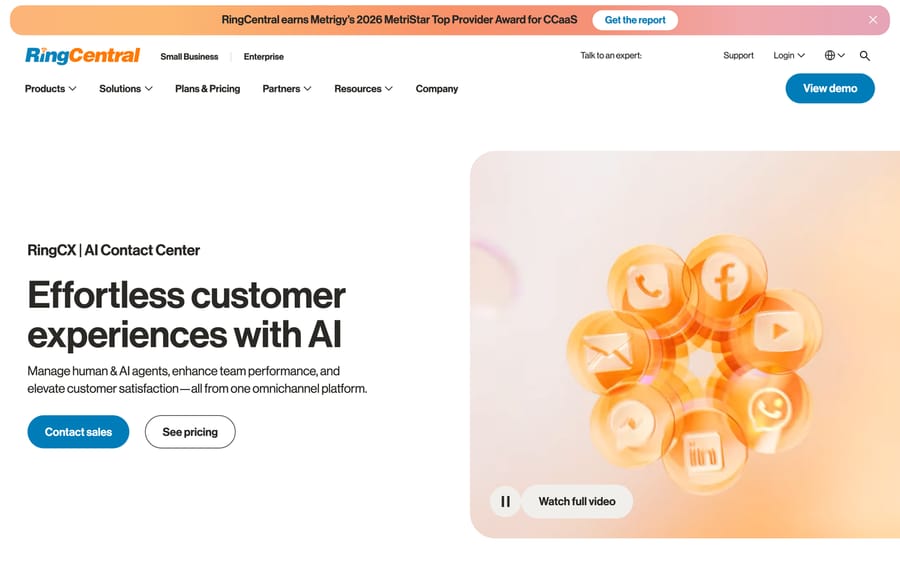
RingCX is the AI-first contact center product from RingCentral (NYSE: RNG), the publicly traded unified-communications company best known for business phone systems. RingCentral markets RingCX as one omnichannel platform for managing human and AI agents together, built around what it calls "Agentic Voice AI," under the tagline "Effortless customer experiences with AI." It's a separate product and a separate contract from RingEX, RingCentral's core phone system: different invoice, different plan tiers, aimed at a formal contact center operation instead of everyday business calling.
The RingCX product page says RingCentral is "trusted by over 600,000 businesses around the world" (the wording credits RingCentral as a whole, not RingCX alone) and shows logos including Toyota, Salesforce, T-Mobile, Target and eBay. RingCentral also won Metrigy's 2026 MetriStar Top Provider Award for CCaaS (contact center as a service), which is a genuine third-party signal in a category where most awards are pay-to-play.
How much does RingCX cost, and which tier gets the AI?
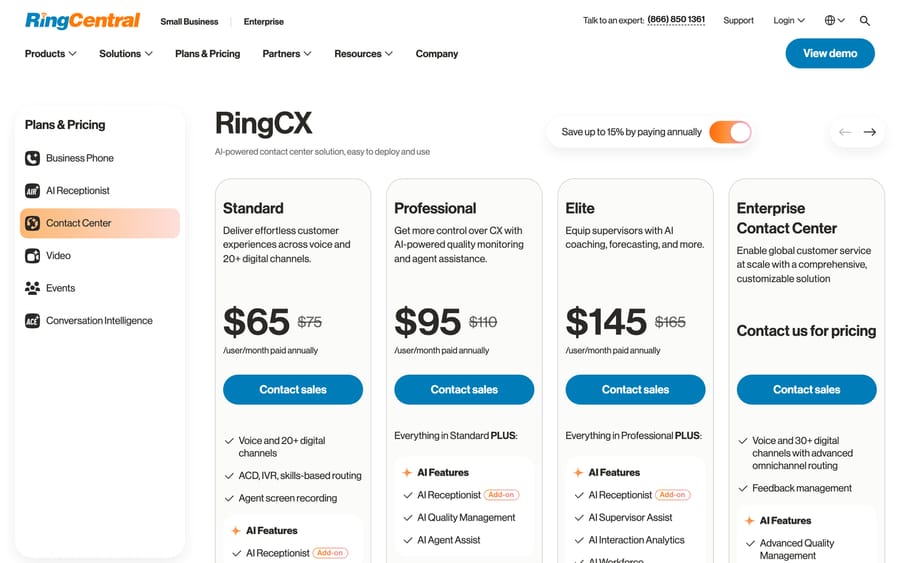
This is the most useful thing to understand about RingCX before you shortlist it: the AI features are not evenly spread across the tiers. The table above is the whole ladder. RingCentral's pricing page advertises savings of "up to 15%" for paying annually, which matches the gap between the annual and monthly prices.
Read plainly: buying Standard because the product page says "AI contact center" gets you a contact center with screen recording, not agent assist, quality scoring, or interaction analytics. Agent assist and quality management start at Professional, and the supervisor and analytics tools sit at Elite, an $80-a-month-per-user jump from Standard's list price. Gating the AI behind the upper tiers while leading the marketing with "AI" is a common industry pattern (the entry price gets you in the door; the AI upsell happens after), so budget for the tier you actually need rather than the cheapest one on the page.
What features does RingCX include?
- Agentic Voice AI across the contact-center workflow: insights, automation and assistance through the customer interaction lifecycle.
- Omnichannel routing: voice plus 20+ (Standard/Professional/Elite) or 30+ (Enterprise) digital channels from one platform.
- AI Quality Management and AI Agent Assist (Professional and up): automated scoring and real-time agent guidance.
- AI Supervisor Assist and AI Interaction Analytics (Elite and up): supervisor-facing coaching tools and deeper conversation analytics.
- Human and AI agent orchestration: manage both from the same admin interface.
- RingEX interoperability: works alongside RingCentral's core phone system, though it's billed and administered separately.
Documentation depth
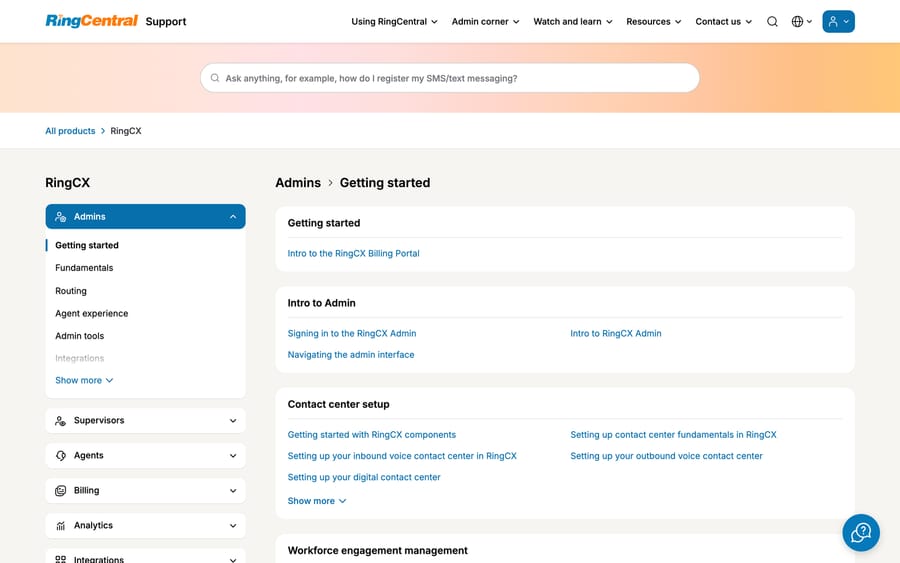
RingCX's own support portal is organized by role (admins, supervisors, agents) and by function (routing, billing, analytics, integrations), which suggests a mature product with real operational depth instead of a bolt-on. That's consistent with RingCentral's broader position as an established, publicly traded communications vendor rather than a newer AI-only entrant.
What do RingCX users say in reviews?
Capterra rates RingCX (its URL still reads "RingCentral Contact Center") 4.2/5 from 261 reviews as of 2026-09-24, a genuinely large sample for this category. G2 rated RingCX 4.0/5 when we checked on 2026-09-17, per a search-indexed summary (G2's page returned a 403 to direct automated access).
Direct quotes from Capterra reviewers:
"I like how it is easy to use for communicating with our client." (Charity Mae C., Senior Agent, Telecommunications)
"Every communication means is integrated to allow the representative to stay in the interface." (Holly B., Resolution Specialist, Consumer Services)
"Amazing phone support. SMS messaging, value for money, easy learning curve." (Liz S., Business Development, Medical Devices)
The recurring complaints: customer support itself is inconsistent (some reviewers report long wait times and unresponsive escalations, which is a notable irony for a customer-service product), technical glitches including automatic logouts and unresolved app bugs, setup that often needs IT involvement, and specific feature gaps around call-transfer identification and workflow customization. None of that is unusual for a platform this size, but the setup-complexity complaint lines up with a tiered AI structure that requires planning which tier you actually need before you buy.
What are the pros and cons of RingCX?
Pros
- Real, published per-user pricing with an exact tier comparison, rare in this category.
- Large review sample (261 on Capterra alone) gives a reliable signal on day-to-day experience.
- Backed by a large, publicly traded communications company with genuine enterprise customers.
- Broad omnichannel coverage (20-30+ digital channels plus voice) under one platform.
Cons
- The AI features implied by "AI contact center" marketing sit at Professional and Elite, not the entry Standard tier.
- Customer support quality is a recurring complaint, which matters more for a support-focused product than most software categories.
- Setup and configuration reportedly need IT involvement more often than reviewers expect.
- Built for a formal contact-center operation; a lot of the platform (skills-based routing, supervisor tooling) is overhead for a small team handling tickets inside a help desk.
Who is RingCX best for?
RingCX fits teams already running (or planning to run) a dedicated contact center with voice as a primary channel, that wants human and AI agents managed from one platform, and that's willing to budget for the Elite tier (or above) to get the AI features that matter: quality management, agent assist, supervisor tooling and interaction analytics. A team already on RingEX for business phone service has an easier path to evaluate RingCX, since the two products are built by the same vendor even though they're billed separately.
It's a weaker fit if your actual problem is ticket volume inside an existing help desk instead of voice-heavy contact-center operations. Buying RingCX to automate a Zendesk or Freshdesk queue means paying for call-routing and voice infrastructure a ticket-based team doesn't need, on top of the tier-jump required to reach the AI features in the first place.
What are the best RingCX alternatives?
| RingCX | Five9 | Macha | |
|---|---|---|---|
| Model | Tiered AI contact center (voice + digital) | AI-native contact center platform | AI agent layer on your existing help desk |
| Best for | Teams already on or considering RingCentral | Enterprise contact centers evaluating AI-native platforms | Teams on Zendesk, Freshdesk, Gorgias, Front, HubSpot or Intercom |
| Pricing | Published: $65-$145+/user/mo by tier, AI gated to upper tiers | Opaque; enterprise sales-led | From $299/month for 750 tickets (about $0.40 per ticket), published |
| Reviews | 4.2/5 (Capterra, 261), 4.0/5 (G2) | Comparable CCaaS-category ratings | See our pricing and product pages |
| Replaces your help desk? | No, sits alongside your CRM/ticketing stack | No, sits alongside your CRM/ticketing stack | No, deliberately augments it |
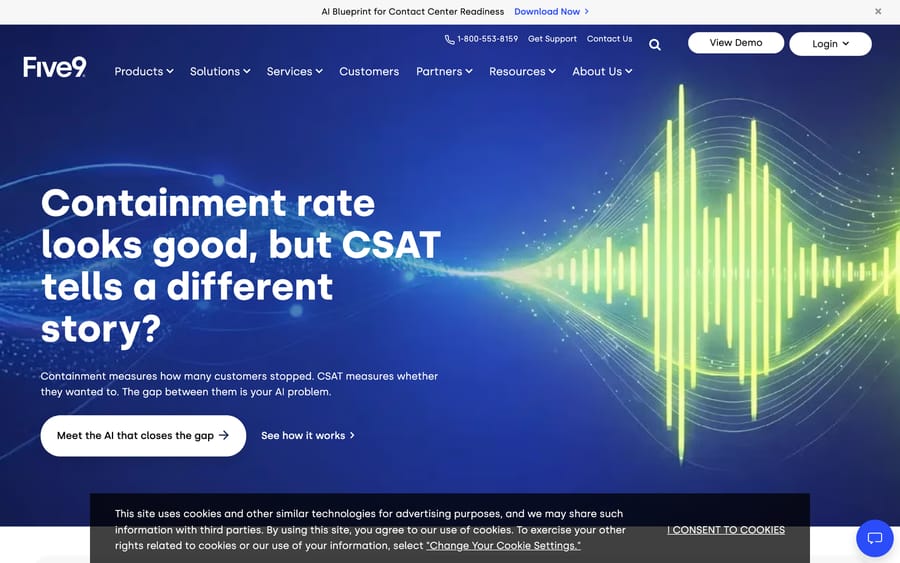
Five9 is the most natural comparison: another established contact-center vendor selling AI features (agent assist, quality management, analytics) as part of a broader platform, at similarly tiered, sales-influenced pricing.
Macha is a different shape of product. If the real problem is a ticket backlog inside a help desk rather than a voice-first contact center, Macha on your help desk is a narrower, faster path. It's done for you: the Macha team analyzes your past tickets, builds the knowledge base and the agent, and runs it in safe mode until the drafts are right, at about $0.40 a ticket, which includes setup and a dedicated success manager who handles your changes. Our Cresta guide covers another contact-center AI platform worth comparing against RingCX's AI Agent Assist tier.
The obvious head-to-head here is NICE CXone Mpower, the incumbent RingCX is priced against, and Cresta for teams whose real interest is the agent-assist layer rather than the contact center underneath it.
How we researched this: RingCentral's own site (the RingCX product page, the live pricing/comparison page, and its support portal) was fetched and screenshotted directly on 2026-09-17, and the product page and Capterra listing were re-checked on 2026-09-24. The pricing table loads in the browser, so the tier prices come from our 2026-09-17 screenshot and match third-party breakdowns. Review data came from Capterra (fetched directly, 261 reviews) and G2 (via search-indexed summary, since G2 blocked direct automated access). A competitor's published pricing breakdown was used only to cross-check the tier structure, which matched our own screenshot.
FAQ
What is RingCX? RingCX is RingCentral's AI-first contact center product: an omnichannel platform for voice and 20+ digital channels with tiered AI features for quality management, agent assist and supervisor coaching.
How much does RingCX cost? Four published tiers: Standard at $65/user/month (annual) or $75 (monthly), Professional at $95/$110, Elite at $145/$165, and custom Enterprise pricing. AI features start at Professional; the deeper AI tools (supervisor assist, interaction analytics) require Elite.
Does RingCX include AI at every tier? No. Standard includes basic AI Receptionist as an add-on only. AI Quality Management and AI Agent Assist require Professional; AI Supervisor Assist and Interaction Analytics require Elite.
What do RingCX reviews say? Capterra rates it 4.2/5 from 261 reviews and G2 rated it 4.0/5 in September 2026. Reviewers like the unified interface and channel integration but cite inconsistent customer support and occasional technical glitches.
Is RingCX the same product as RingEX? No. RingEX is RingCentral's core business phone system. RingCX is a separate contact-center product with its own contract and pricing, though the two are designed to work together.
Is RingCX good for a small support team? Only if voice is a primary channel and you're planning a dedicated contact center. A team whose main job is clearing a help-desk ticket queue will pay for routing and voice infrastructure it doesn't need.
What are the best RingCX alternatives? Five9 is a comparable AI-native contact-center platform at a similar enterprise scale. For teams that want AI agents inside an existing help desk instead of a full contact-center platform, Macha is a lighter, more targeted option, and it's done for you: the Macha team sets up and runs the agent, at about $0.40 a ticket including a dedicated success manager.
Does RingCentral offer a free trial for RingCX? Not as a self-serve signup. When we checked on 2026-09-17, RingCentral's pricing page routed every RingCX tier to a "Contact sales" button. Capterra's listing says a free trial is available, so ask sales for one.
Is the 600,000-business figure a RingCX customer count? Not clearly. The RingCX page says RingCentral is "trusted by over 600,000 businesses around the world," which credits the company as a whole. We found no RingCX-only customer count on the page.
Looking to automate tickets inside the help desk you already use, without a tiered contact-center contract? Start a Macha trial at dashboard.getmacha.com/signup or see pricing: $50 of free usage (about 125 tickets), no credit card, no time limit.
Sources: RingCentral RingCX, RingCX pricing, RingCX support portal. Capterra (RingCX, listed at /RingCentral-Contact-Center/) checked 2026-09-24, 261 reviews. G2 rating (g2.com/products/ringcx/reviews) checked via indexed summary 2026-09-17; the page itself returns a 403 to automated fetches.






