







 Shopify
 Stripe
 Slack
 Notion
 Google Workspace
 Confluence


Best Gladly Migration Tools (2026): 6 Ways to Move Data Into or Out of Gladly, Scored


The best Gladly migration tool depends on direction. To move into Gladly, Sanka Migrate scores highest on our rubric (9 out of 10): it works in both directions, publishes a per-record price, runs free dry runs and carries late changes with a delta sync. To move out of Gladly, Help Desk Migration also scores 9, with published per-record prices and a free 20-ticket demo. DataGrine and ClonePartner follow at 8. Gladly's own historical import is the cheapest route in, but it's text-only: no attachments, images, recordings or metrics, and imported history isn't searchable. We scored six options on November 21, 2026.
Key takeaways
- Gladly's own historical import is text-based only and doesn't bring over attachments, images, call recordings, metrics or routing assignments, per Gladly's import doc.
- Help Desk Migration scores 9 out of 10 for leaving Gladly, at $100 for 1,000 records or $514 for 10,000 on its basic plan, with a free 20-ticket demo.
- Sanka Migrate scores 9 out of 10, moves data into and out of Gladly, and publishes a flat $0.005 per successfully written record.
- Gladly's implementation packages cap history: up to 750,000 rows on Self-Guided, 2 years from 1 source on Essentials and 3 years from 2 sources on Essentials Plus.
- ClonePartner scores 8 out of 10, lists more than 40 help desks it moves into Gladly, and starts migrations at $500 with unlimited free sample runs.

Which Gladly migration tools score highest?
| # | Tool | Direction | Price (Nov 21, 2026) | Free test on your data | Cutover | Score /10 |
|---|---|---|---|---|---|---|
| 1 | Help Desk Migration | Out of Gladly | $100 per 1,000 records; $514 per 10,000 (basic, Essential plan) | Free demo, 20 tickets | Delta migration (Premium and up) | 9 |
| 2 | Sanka Migrate | Into and out of Gladly | $0.005 per successful record; $10 starter grant | Free scans and dry runs | Delta sync | 9 |
| 3 | DataGrine | Into and out of Gladly | Free sample; then quoted before anything moves | Free sample in the live target | Delta run | 8 |
| 4 | ClonePartner | Into and out of Gladly | From $500; most projects $3,000 to $10,000 | Unlimited sample migrations | Delta migration | 8 |
| 5 | Gladly historical import | Into Gladly | Included in packages up to a limit; otherwise a "small Professional Services fee" | No | No | 4 |
| 6 | Smart Instinct (service) | Into Gladly | From $3,500, fixed | Not described | Not described | 2 |
Ties are broken by the cutover score, then by how specifically the vendor documents Gladly data, which puts Help Desk Migration above Sanka and DataGrine above ClonePartner. Prices are from each vendor's own page.
How did we score them?
We looked for every tool or service with a public Gladly migration page, read on November 21, 2026, and cross-checked directions against our help desk migration services study. Each gets 0, 1 or 2 points on five criteria.
| Criterion | 2 points | 1 point | 0 points |
|---|---|---|---|
| Gladly coverage | Pages for moving into and out of Gladly | One direction | No Gladly page |
| Published price | A price you can calculate from | A starting price or range | Quote only |
| Free test on your own data | Documented and free | Limited or paid | Not offered |
| Cutover without downtime | A delta run for records created during the move | A parallel run only | Not described |
| Gladly data documented | Gladly objects or fields named | General "tickets and contacts" | Not described |
The rubric rewards what you can check before you pay. It doesn't measure accuracy on your data, which only a test run shows.
What does Gladly's own import move?
Start with what Gladly does for free, because it shapes what you need a tool for. Gladly's historical import doc says Gladly "can import historical conversations (and their corresponding contact information)" with native support for Zendesk (a JSON export), Kustomer (an API key), Gmail (a Takeout export), Gorgias and Freshdesk. Anything else goes through a CSV template.
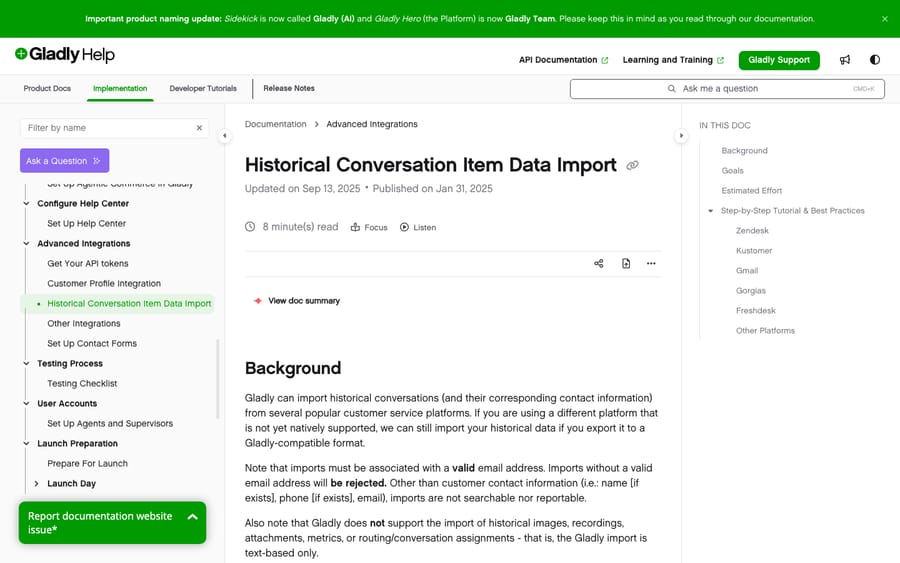
The limits matter more than the price:
- Text only. Gladly "does not support the import of historical images, recordings, attachments, metrics, or routing/conversation assignments."
- Not searchable. Apart from the customer's name, phone and email, imported items "are not searchable nor reportable."
- Email required. Every item needs a valid customer email, a body up to 25,000 characters and a title up to 100 characters, or it's rejected.
- Priced through your package. Historical imports "are subject to a small Professional Services fee" unless your statement of work includes them.
The package sheet sets how much history is included: up to 750,000 rows on Self-Guided ($0), up to 2 years from 1 source on Essentials ($5,500) and up to 3 years from 2 sources on Essentials Plus ($9,250). Our Gladly AI implementation guide covers what else those packages include.
The doc shows how the mapping works for Zendesk: each ticket comment becomes one conversation item, with the ticket's created date as its timestamp, its subject as the title, its tags and HTML body as the body, "Zendesk" as the source, and the requester's email, name and phone on the customer. That gives agents the customer's past contacts on the timeline. If you need attachments, history that's searchable and reportable, or more fields mapped, that's what the third-party tools below are for.
Scores for Gladly's own import: coverage 1 (into Gladly only), price 1 (included up to a limit, then a fee), free test 0, cutover 0, Gladly data 2, for 4 out of 10.
Gladly's doc suggests Help Desk Migration for converting other systems to its CSV format, while noting you'll "likely need to do additional alterations." Gladly's REST API also has Create customer and Create item for customer endpoints, plus an Export API for pulling data out, if you'd rather script it; our Gladly API guide covers authentication and limits.
Which tools move data into Gladly?
Sanka Migrate: per-record pricing, both directions, 9/10
Sanka has separate pages to migrate to Gladly and to migrate off Gladly, plus route pages such as Zendesk, Intercom and HubSpot to Gladly. Its "into Gladly" page says it brings "tickets, threads, attachments, and macros into Gladly" and verifies counts before agents switch queues, and it names the problem plainly: Gladly's model "won't match your current rules one-to-one," so macros, triggers and SLAs need rebuilding. A separate Sanka page covers moving content into Gladly Answers.
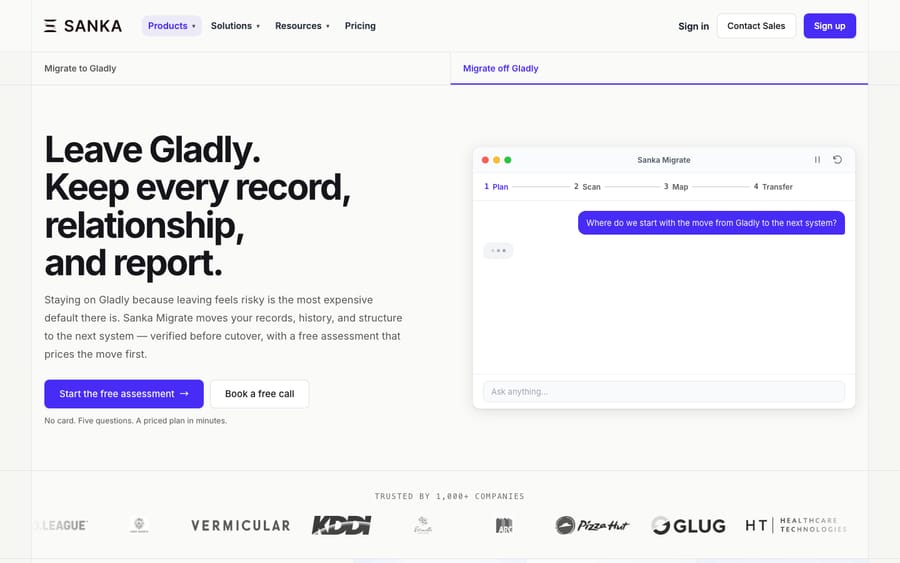
Its pricing is the most calculable here: $0.005 per successfully written record, a never-expiring starter grant worth $10, and free connections, scans and dry runs. Its Gladly page says the old system keeps running through the bulk move and "a delta sync carries late changes and cutover happens at a moment you approve." It names Gladly's records in general terms (tickets, threads, attachments, macros) rather than Gladly's own objects, which is the point it drops. Sanka also sells its own AI help desk, worth knowing if you're comparing vendors.
Scores: coverage 2, price 2, free test 2, cutover 2, Gladly data 1.
DataGrine: free sample, delta run, Gladly objects named, 8/10
DataGrine lists Gladly among its 30+ supported products and names the Gladly objects it moves: Customers, Conversations, Conversation items, Topics and Answers (Gladly's knowledge base). It works in both directions. The process is a free Sample migration of your own records into the live destination, a full migration while your team keeps working, then a Delta run at cut-over that moves only what changed. After each run, a reconciliation report lists any record that didn't arrive and why, and any run can be undone.
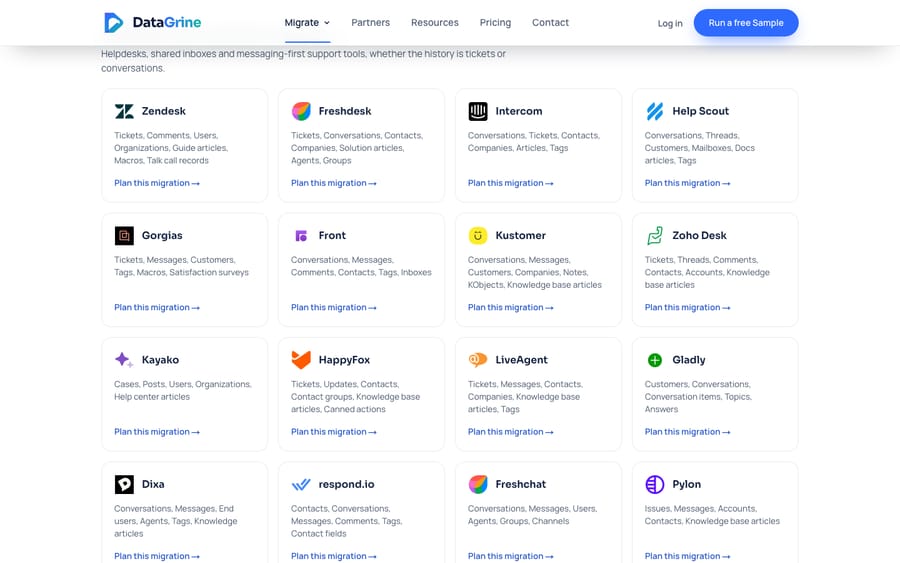
Pricing changed this month. When we read its pages on November 2, 2026, migrations up to 500,000 records were free; its homepage on November 21 says the Sample is free and "after that, the price depends on" your records, quoted before anything moves. When we searched on November 2, we found no DataGrine listing with reviews on G2 or Capterra.
Scores: coverage 2, price 0, free test 2, cutover 2, Gladly data 2.
ClonePartner: engineer-led, from more than 40 help desks, 8/10
ClonePartner's Gladly page lists 49 routes into Gladly, more than 40 of them from other help desks (Ada, Dixa, Zendesk, Kustomer, Help Scout and others), plus CSV, Google Sheets, Excel and Gladly-to-Gladly moves. It also has route pages out of Gladly, such as Gladly to Zendesk. A dedicated engineer runs each project: a migration checklist, data mapping as a shared spreadsheet your team reviews, a sample migration (1 day), the full run and a delta migration (1 day) for anything added during the move. Its estimator put a project under 10,000 records at about 9 business days, and its FAQ says "most migrations complete within 1–5 business days." It says it can migrate the newest records first so you go live sooner.
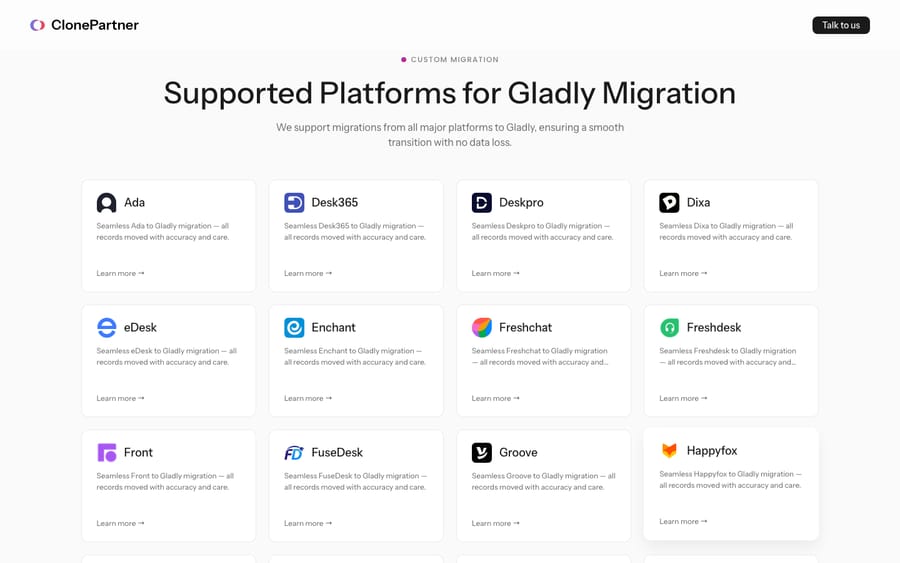
Pricing is a fixed quote per project: "Migrations starting at $500," with most projects in the $3,000 to $10,000 range, and unlimited sample migrations before you sign off. Its Gladly page describes restructuring "conversation history and profiles" without naming Gladly fields.
Scores: coverage 2, price 1, free test 2, cutover 2, Gladly data 1.
Smart Instinct: a migration service as part of a Gladly build, 2/10
Smart Instinct, a help desk implementation agency, shows "Migrations from $3,500" in its Gladly page's summary and says "Migrations start at $3,500, fixed before we start." The same page says "Historical migration is never part of a build tier," and that its package prices are the same on every platform page, so the figure isn't Gladly-specific. It doesn't describe the method, test runs or cutover there. It's a fit if you're hiring someone to configure Gladly anyway and want one firm accountable for the data too.
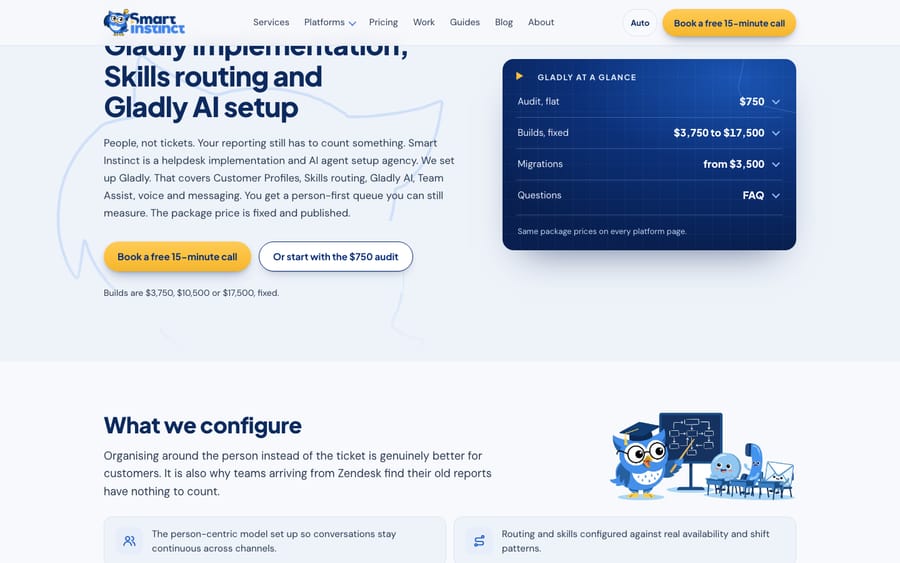
Scores: coverage 1, price 1, free test 0, cutover 0, Gladly data 0.
Tools for moving data out of Gladly
If you haven't picked where you're going yet, our Gladly alternatives roundup and Gladly vs Zendesk comparison cover the usual destinations.
Help Desk Migration: the Gladly export, 9/10
Help Desk Migration, a Relokia product, has a Gladly page built for leaving: connect Gladly as the source, map the data, run a free demo, review the report, then schedule the full migration. It names the Gladly records it moves: agents (mapped or reassigned, including deleted and inactive ones), customers with name, email, phone and custom fields, and conversations with subject, channel, status, assignee, comments (author, privacy, body, attachments) and dates. Its Delta Migration feature lets your team keep working in Gladly during the export. On its pricing page, Delta comes with the Premium plan ("1 Delta migration within 10 days") and Enterprise, not the basic Essential plan the $100 and $514 figures describe.
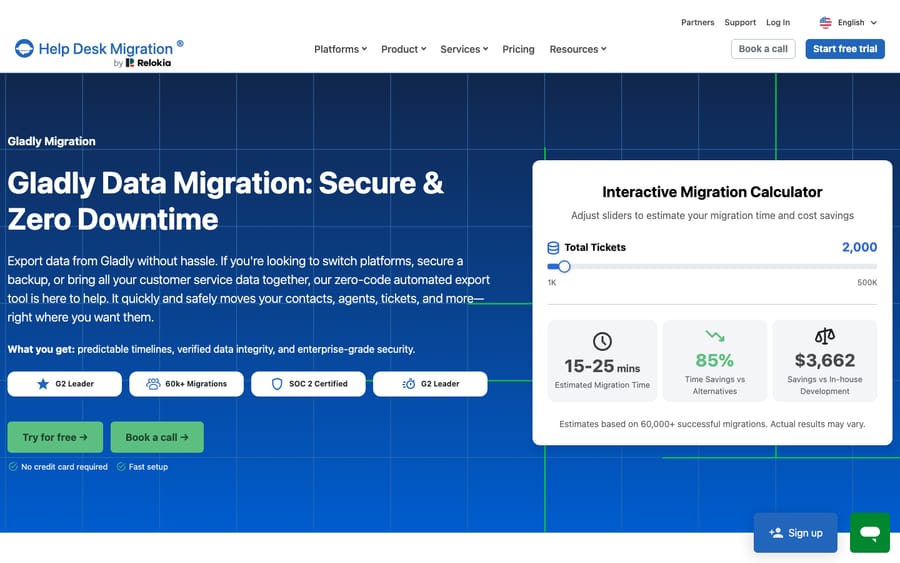
The pricing page gives two reference points: a basic migration on the Essential plan "runs $100 for 1,000 records," and 10,000 records cost $514, with attachments, comments and notes not counted as records. The free demo moves 20 tickets and can be rerun. Its Gladly page shows CSV as the target in its walkthrough, and the tool lists Gladly only as a source, so it's for moving off Gladly (or backing it up), not onto it.
Scores: coverage 1, price 2, free test 2, cutover 2, Gladly data 2.
Sanka, DataGrine and ClonePartner (above) also move data out of Gladly. Gladly's Export API is the do-it-yourself route.
How much does a Gladly migration cost?
Take a brand with 40,000 records to move (customers plus conversations), our illustrative figure:
| Route | Arithmetic | Estimate |
|---|---|---|
| Sanka Migrate | 40,000 × $0.005 | $200, plus any optional add-ons |
| Help Desk Migration (out of Gladly) | Not linear; $514 for 10,000 on the basic Essential plan, which excludes Delta | Quoted; above $514, more with Delta (Premium) |
| ClonePartner | Fixed quote | From $500; most projects $3,000 to $10,000 |
| DataGrine | Quoted after a free sample | Not published |
| Gladly historical import | Within your package's limit | $0 extra up to the limit, otherwise a Professional Services fee |
| Smart Instinct | Fixed before starting | From $3,500 |
What a record is varies by vendor, so ask each for the count on your own data. The cheapest line isn't always the cheapest project: the tools that charge per record leave the mapping decisions to you, while the engineer-led services price that work in. ClonePartner's model also explains its sales pitch: a fixed project fee earns the same however many records move, so its incentive is to scope tightly, while a per-record tool earns more the more history you bring.
What do you rebuild by hand after a Gladly migration?
Apart from Sanka's macros and DataGrine's Topics and Answers, no tool here moves Gladly configuration. Plan to rebuild these yourself or with your implementation team (our list of Gladly implementation partners compares the agencies that take this on):
- Rules and routing. Gladly routes with Rules and Inboxes; ticket-desk triggers and views don't map one to one.
- Topics. Decide your Topic list before import, or every historical conversation lands untagged. DataGrine names Topics as a migratable object; the others don't.
- Answers and Guides. Help center articles can move to Gladly Answers (DataGrine and Sanka both mention it), but Guides for Gladly AI are new work.
- Reports. A person-first timeline counts different things from a ticket queue; rebuild dashboards before cutover, not after.
- IVR and phone numbers. Porting and IVR builds are in Gladly's packages, not migration tools.
- Integrations. Reconnect Shopify, subscriptions and returns apps from Gladly's Apps page.
Where does an AI layer fit after you move?
Whatever answered customers on the old desk has to be rebuilt after a move. Macha isn't a migration tool, and it doesn't move your history. It's an AI agent layer that runs inside the help desk you land on: inside Gladly it reads conversations and customer profiles, replies on the customer's channel, writes internal notes, adds Topics and reassigns to the right Inbox (Gladly integration).
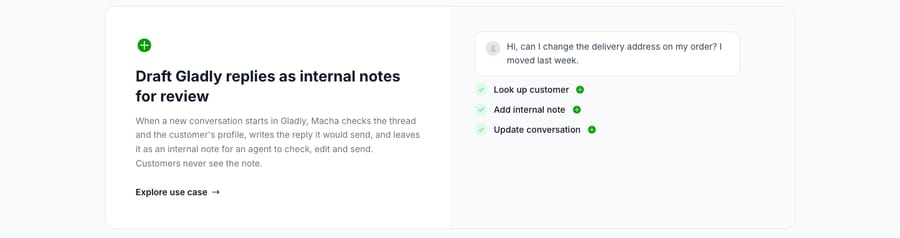
If you're moving into Gladly, the Macha team builds the agent on your new instance after cutover, tests it on real conversations, and runs it in safe mode with drafts as internal notes until they're right (internal note drafts). If you're leaving Gladly, Macha also runs on Zendesk, Freshdesk, Gorgias, Front, Gladly, Crisp, HubSpot or Intercom, so the Macha team can set the agent up on the desk you move to. Setup and a dedicated success manager are included at about $0.40 per ticket (done-for-you setup). Macha fits teams already planning a desk change who want the AI handled by someone else while they handle the move. More on the Gladly product page.
Common questions
Can Gladly import data from Zendesk?
Yes. Gladly natively imports Zendesk history from a JSON export, mapping each ticket comment to a conversation item with the requester's email, name and phone. The import is text only, with no attachments or metrics, and it's included in Gladly's packages up to a limit (2 years from 1 source on Essentials).
Does Gladly import attachments?
Not through Gladly's own import, which says it doesn't support historical images, recordings, attachments, metrics or routing assignments. Third-party tools such as Sanka (which says it moves attachments into Gladly) and ClonePartner are the route if you need them.
How do I export data from Gladly?
Use Gladly's Export API to pull data yourself, or a tool that lists Gladly as a source: Help Desk Migration (with a free 20-ticket demo), Sanka Migrate, DataGrine or ClonePartner. Help Desk Migration's walkthrough can also export Gladly data to CSV for a backup.
How long does a Gladly migration take?
ClonePartner's Gladly FAQ says most migrations complete within 1 to 5 business days, and its estimator showed about 9 business days for a project under 10,000 records, including your team's review time. Gladly's own implementation packages run 4 to 6 weeks (Essentials) or 6 to 8 weeks (Essentials Plus), import included.
What is the cheapest way to migrate to Gladly?
Gladly's own import, if your history fits your package's limit and text-only is enough. Among third-party tools, Sanka publishes the lowest calculable rate at $0.005 per successful record.
Is my imported history searchable in Gladly?
Only partly. Gladly's doc says imported items aren't searchable or reportable apart from the customer's contact details, so agents see the history on the customer's timeline but can't search it.
How we researched this
On November 21, 2026 we read Gladly's historical import doc, its implementation packages page and package sheet, and Gladly's REST API reference. We then read the Gladly pages and pricing pages of every tool and service we found with a public Gladly migration page: Help Desk Migration, DataGrine, Sanka Migrate, ClonePartner and Smart Instinct, and checked directions against the data from our November 2 migration study. We checked each vendor's Gladly page and pricing page the same day and captured the screenshots above. We didn't run a migration; scores reflect documented capability and published prices. The 40,000-record example is illustrative. If you run Gladly migrations and aren't here, send us your Gladly page and we'll score it on the same rubric.
New to the platform? Start with what Gladly is, and see what Gladly costs before you commit to the move. Once you've landed, start a trial with $50 of free usage (about 125 tickets), no credit card, no time limit, and the Macha team will build and test an AI agent on your new Gladly instance.