Shopify
 Stripe
 Slack
Slack Notion
 Google Workspace
 Confluence

Best Zendesk Knowledge Base Apps (2026): 13 Help Center Apps Scored


The best Zendesk knowledge base apps in October 2026 are iorad, Stylo Scribe, pluscloud's Knowledge Capture Actions and KnowledgeOwl Support Assist, the four that scored 8 of 10 on our five public criteria, each working in the ticket sidebar or editor. Seven more apps scored 7, including Swifteq's well-reviewed Help Center Manager. Of the 153 third-party apps Zendesk's Marketplace files under Knowledge and Content Management, 91 have no reviews at all. We scored 13 apps whose job is the help center: writing articles, moving them in and out, finding broken links, measuring searches, and bringing articles into a reply.
Key takeaways
- iorad, Stylo Scribe, Knowledge Capture Actions and KnowledgeOwl Support Assist share the top score of 8 of 10, and each works in the ticket sidebar or editor.
- No help center app reaches the 50 reviews our rubric needs for full marks; Help Center Manager has the most, with 40 reviews averaging 4.93 stars.
- Swifteq's help center apps run on Swifteq's own site and can't be installed from the Marketplace, and Help Center Manager starts at about $80 (€69) a month on yearly billing.
- iorad ranks first on review count; its listing was updated April 4, 2025, so it scores 1 on maintenance.
- Knowledge Capture Actions turns article links in ticket comments into actions like routing and tags, so test how it treats links an AI agent writes before launch.

The 13 apps at a glance
| # | App | Maker | What it does | Reviews (avg) | Price | Score |
|---|---|---|---|---|---|---|
| 1 | iorad | iorad | Step-by-step articles captured from screens | 12 (4.08) | Free plan, paid from $200/month | 8 |
| 2 | Stylo Scribe | Stylo | Drafts and translates articles from tickets | 11 (5.00) | Free with your OpenAI key | 8 |
| 3 | Knowledge Capture Actions | pluscloud | Runs ticket actions when an article is linked | 1 (5.00) | $2.50 per agent/month | 8 |
| 4 | KnowledgeOwl Support Assist | KnowledgeOwl | KnowledgeOwl articles in the ticket sidebar | 0 | KnowledgeOwl from $100/month | 8 |
| 5 | Help Center Manager | Swifteq | Bulk edits, find and replace, broken links, exports | 40 (4.93) | From $80/month yearly | 7 |
| 6 | Help Center Export | Swifteq | Articles and broken links to one CSV | 17 (5.00) | Free | 7 |
| 7 | Help Center Analytics | Swifteq | Article views, searches, self-service rate | 15 (5.00) | $50 to $150/month | 7 |
| 8 | Advanced Export | OAPPS.IO | Tickets, users and Guide articles to files | 13 (3.77) | Free, Professional $49/month | 7 |
| 9 | Help Center Import | Zenplates | Imports categories, sections, articles, comments | 1 (5.00) | $99 once | 7 |
| 10 | Guide Importer | Leafworks | Excel import and export of Guide content | 1 (5.00) | $199 once | 7 |
| 11 | Help Center Health Check | Lotus Themes | Broken links, images and orphaned articles | 0 | $29/month | 7 |
| 12 | Document360 | Document360 | Document360 articles in the ticket | 0 | Contact sales | 6 |
| 13 | Article Feedback | Lotus Themes | Collects "what's missing" notes on articles | 0 | $20/month | 6 |
Averages are computed from the catalog's per-star counts, since listings show only the review count. Prices are the vendor's own, otherwise the Marketplace listing's, read October 29, 2026.
How we scored them
We kept third-party apps from the Marketplace's Knowledge and Content Management category whose main job is the knowledge base: authoring, import and export, link checks, analytics, feedback, and getting articles into a reply. AI apps that answer customers or draft replies from your articles are left to our comparison of the best AI tools for Zendesk, and translation apps get their own roundup. Each app is scored 0 to 2 on five criteria.
| Criterion | 2 points | 1 point | 0 points |
|---|---|---|---|
| Marketplace reviews | Average 4.5+ with 50+ reviews | 4.0+ with 10+ reviews | Fewer or none |
| Published price | Full price on the listing or vendor site | A free tier or "from" price only | Contact sales |
| Works in the ticket | Acts inside the ticket or agent workspace with documented features | View-only or limited | Unclear |
| Setup effort | Marketplace install with documented self-serve setup | Needs configuration help or an onboarding call | Custom work or undocumented |
| Maintained | Listing or app updated in the last 12 months | 12 to 24 months | Older or unknown |
Two criteria need a stated reading for knowledge apps, and we apply both strictly.
- Works in the ticket: 2 only for apps that run in the ticket sidebar or the reply editor, where an agent uses them on a ticket. Apps that run from Zendesk's left navigation bar as an admin tool, or only on the vendor's website, score 1.
- Setup effort: 2 needs a Marketplace install. Swifteq's three apps can't be installed from the Marketplace; the listing's "Get set up" button starts a sign-up on swifteq.com, so they score 1.
A looser reading, counting nav-bar tools and Swifteq's self-serve sign-up as full marks, would put ten apps at 8 and list Help Center Manager first on review count. We chose the stricter one because it separates apps that change a reply from apps that manage content.
Maintained uses the date the listing shows as Last updated. Ties are broken by review count, then installs, and the order within a tier is only that. A fully free app counts as a full published price. No app here has the 50 reviews needed for 2 points on reviews (the most is 40), so the best possible score in practice is 8.
Zendesk's own knowledge tools sit outside the ranking. For Zendesk Guide content, Agent Workspace has a built-in Knowledge section in the ticket's context panel that lets agents link or quote help center articles in a reply and pin up to five articles or community posts to a ticket, on Suite Growth and above or with Guide Professional (Zendesk's documentation).
Top score, 8/10: apps that work in the ticket
1. iorad: step-by-step articles captured from your screen, 8/10
iorad records you clicking through a task, captures a screenshot of each step and identifies every action, and publishes the result as an article to a Zendesk Guide category or section you pick. It has 12 reviews averaging 4.08 and 41 installs in the catalog. iorad's pricing page lists a free plan with unlimited public tutorials, then Individual at $200 a month and Team at $500.
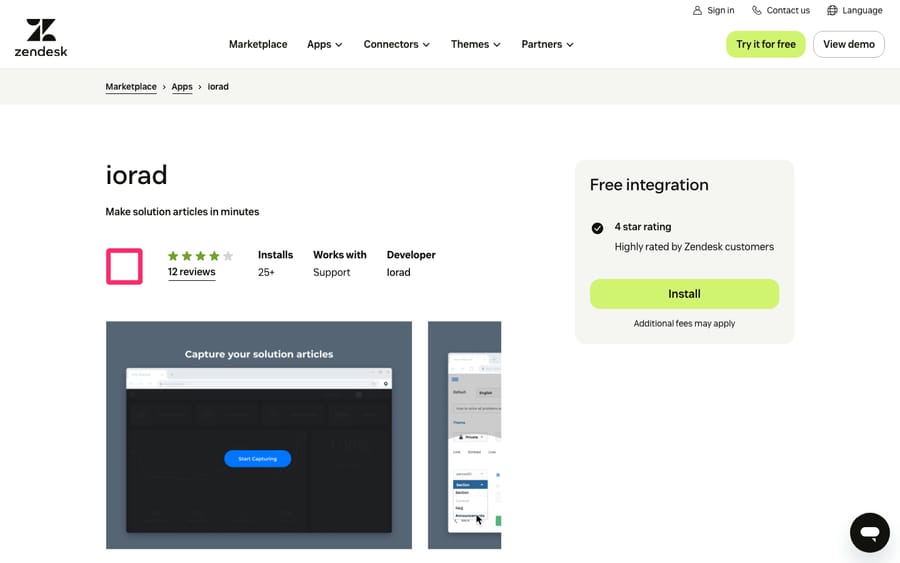
Scores: reviews 1, price 2, works in the ticket 2, setup 2, maintained 1.
Its listing was updated April 4, 2025, about 19 months before we checked, so it scores 1 on maintenance. It runs in the ticket sidebar and the left navigation bar.
Best for: software companies whose articles are mostly click-by-click walkthroughs of their own product.
2. Stylo Scribe: articles drafted from ticket comments, 8/10
Stylo Scribe drafts help center articles from ticket comments. It can translate new and existing articles, score your help center, and insert links to existing articles from the ticket. It writes articles and doesn't answer customers, so it belongs here. It has 11 reviews, all five stars, and 63 installs.
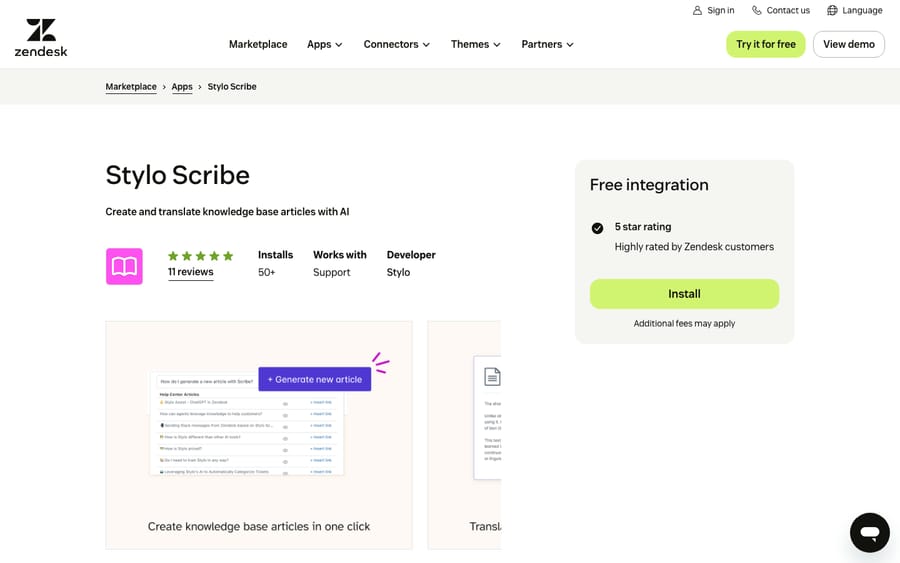
Scores: reviews 1, price 1, works in the ticket 2, setup 2, maintained 2.
The listing offers a lifetime free version if you enter your own OpenAI API key. Stylo's pricing page lists per-agent plans from $15 a month but doesn't say which, if any, include Scribe, so it scores 1 on price.
Best for: teams where the answers live in solved tickets and nobody has time to turn them into articles.
3. Knowledge Capture Actions: article links that change the ticket, 8/10
pluscloud's Knowledge Capture Actions turns article labels into ticket actions. Add a label to a Guide article, and when an agent includes that article in a public or internal comment, the app can set a dropdown field, switch the ticket form, set the group or assignee, add tags, or apply a macro.
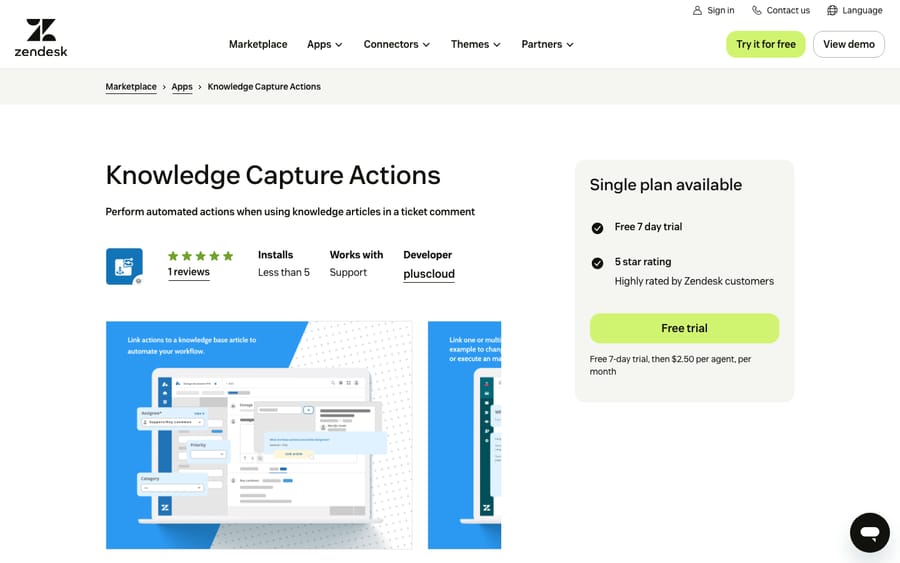
Scores: reviews 0, price 2, works in the ticket 2, setup 2, maintained 2.
It needs Guide Professional, Guide Enterprise or a Zendesk Suite plan, because it relies on article labels. The Marketplace listing shows $2.50 per agent per month after a 7-day trial. You choose whether actions run as soon as an article is added or only when the ticket is submitted. Document these actions next to your Zendesk triggers. It has 1 review and 2 installs.
Best for: teams that already link articles in most replies and want those links to set the contact reason or route the ticket.
4. KnowledgeOwl Support Assist: an outside knowledge base in the sidebar, 8/10
If your knowledge base lives in KnowledgeOwl instead of Zendesk Guide, KnowledgeOwl Support Assist brings it into the ticket. It suggests articles from the ticket subject, lets agents search, inserts article links into replies, and can create new KnowledgeOwl articles from a ticket reply, with the status and category you choose. Agents don't need their own KnowledgeOwl seats.
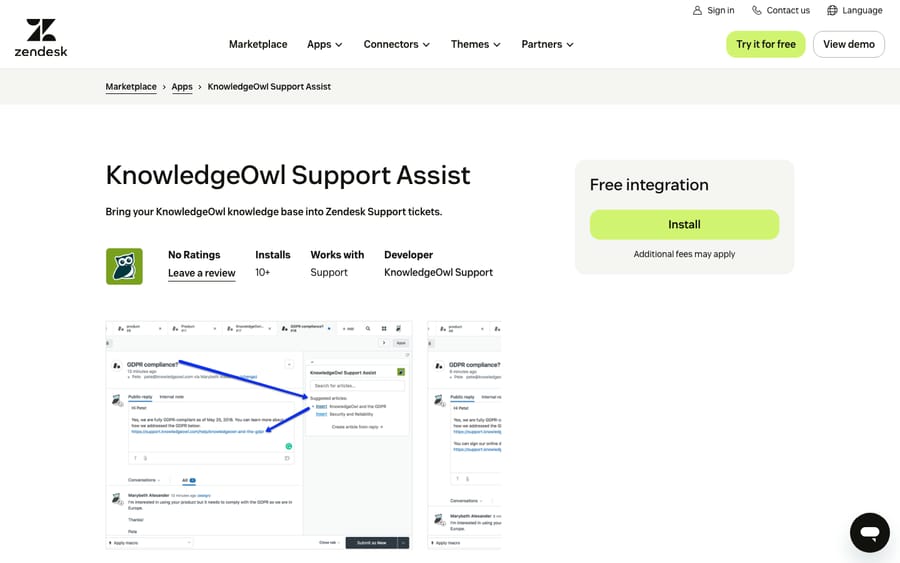
Scores: reviews 0, price 2, works in the ticket 2, setup 2, maintained 2.
The app is free; the cost is KnowledgeOwl itself. KnowledgeOwl's pricing page lists Basic at $100 a month, Pro at $250 and Business at $500, each with one author, and a 30-day trial. It has no reviews yet and 17 installs.
Best for: teams that chose a separate knowledge base tool and want agents to use it without a second tab.
7/10: content tools that work outside the ticket
5. Help Center Manager: bulk edits and link repair for large help centers, 7/10
Swifteq's Help Center Manager has the most reviews in this list, 40, averaging 4.93. It does the jobs Guide makes slow by hand: find and replace across text and HTML, fixing broken links and images, bulk moves, deletes and duplicates, and exports to CSV, HTML, Word or PDF. One reviewer on the listing wrote: "Quickly identifying broken links and bulk updating every changing corporate wording was a breeze."
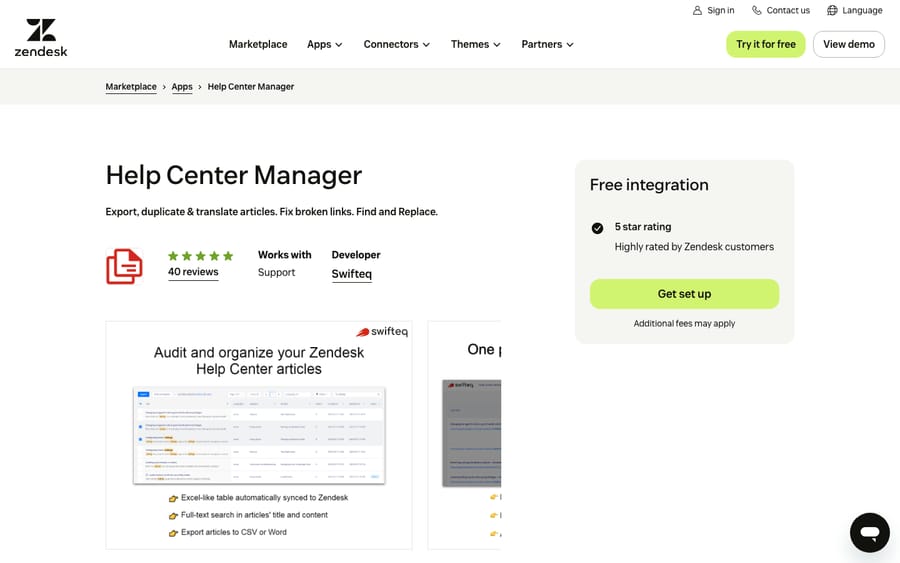
Scores: reviews 1, price 2, works in the ticket 1, setup 1, maintained 2.
Swifteq prices it by article records, and each translation counts as a separate record. On its pricing page, yearly plans are about $80 (€69) a month for up to 2,000 records, $110 (€99) for up to 6,000 and $150 (€139) above that. There's also a one-off 45-day pass from about $170 (€149), which is the pricing of a vendor that knows many buyers need a cleanup once, not a subscription forever. A help center with 500 articles in four languages is already 2,000 records.
Best for: knowledge managers renaming a product, moving to a new domain, or cleaning up years of broken links across several brands.
6. Help Center Export: a free CSV of every article, 7/10
Help Center Export is Swifteq's free tool. It writes every article to one CSV with titles, sections, links, labels and update times, flags broken internal, external, image and video links, and handles several languages. The listing calls it a "100% free tool" and says your data is deleted once the export is emailed. It has 17 reviews, all five stars.
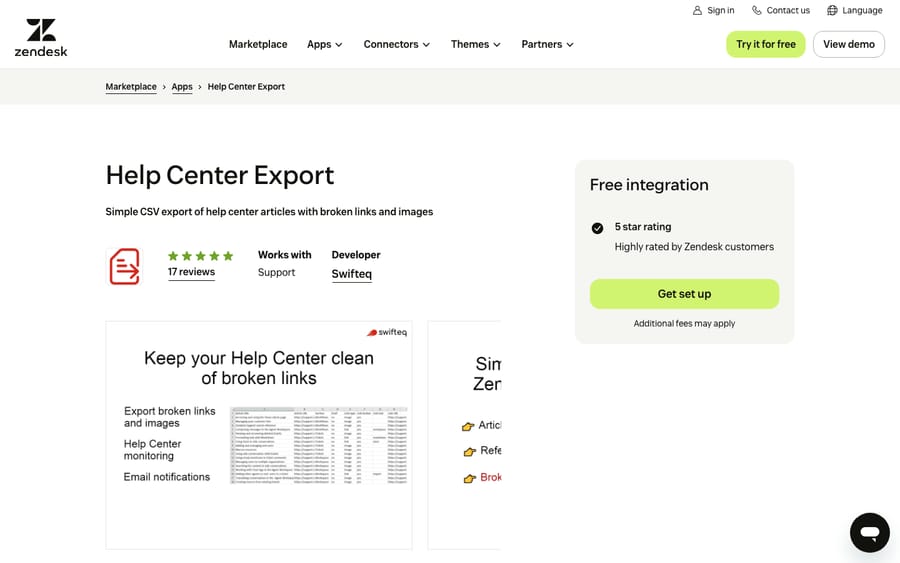
Scores: reviews 1, price 2, works in the ticket 1, setup 1, maintained 2.
The incentive is plain. A free audit that lists your broken links is the best sales page Help Center Manager could have.
Best for: anyone about to audit, restructure or migrate a help center who wants the inventory first.
7. Help Center Analytics: what readers search for and don't find, 7/10
Swifteq's Help Center Analytics reports views by article, section and category, split by language, staff versus customers, and mobile versus desktop. It adds popular and unsuccessful searches, helpful votes and feedback by article, and whether readers created a ticket after reading. It has 15 reviews, all five stars. One reviewer's caveat on the listing: "I only wish that Swifteq could include data from our in-app Zendesk widget."
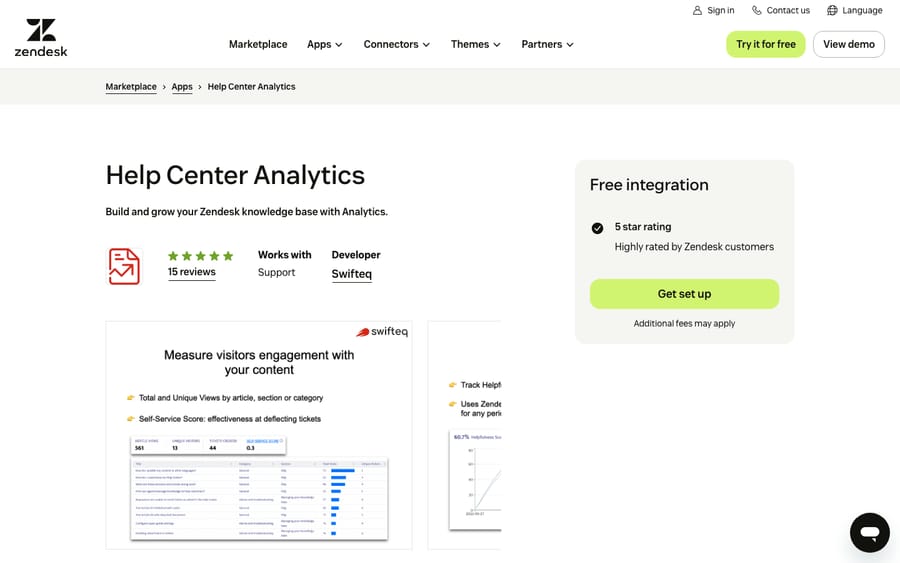
Scores: reviews 1, price 2, works in the ticket 1, setup 1, maintained 2.
Setup also needs a script added to your help center theme. Swifteq's pricing is by monthly page views: about $50 (€49) a month for 200,000, $80 (€69) for 500,000, $110 (€99) for 1 million and $150 (€139) for under 2 million, with a 14-day trial. The bill rises as self-service traffic grows.
Best for: teams that want unsuccessful searches as a list of articles to write next.
8. Advanced Export: help center articles as part of a full account export, 7/10
OAPPS.IO's Advanced Export is mainly a ticket export tool, with help center export on its paid plan. The free plan exports up to 100 + 100 tickets, users or organizations per export. Professional, at $49 a month after a 7-day trial, raises that to 100,000 entities and adds Guide article export as HTML for every locale of the brands you select. It runs from the left navigation bar and has 596 installs.
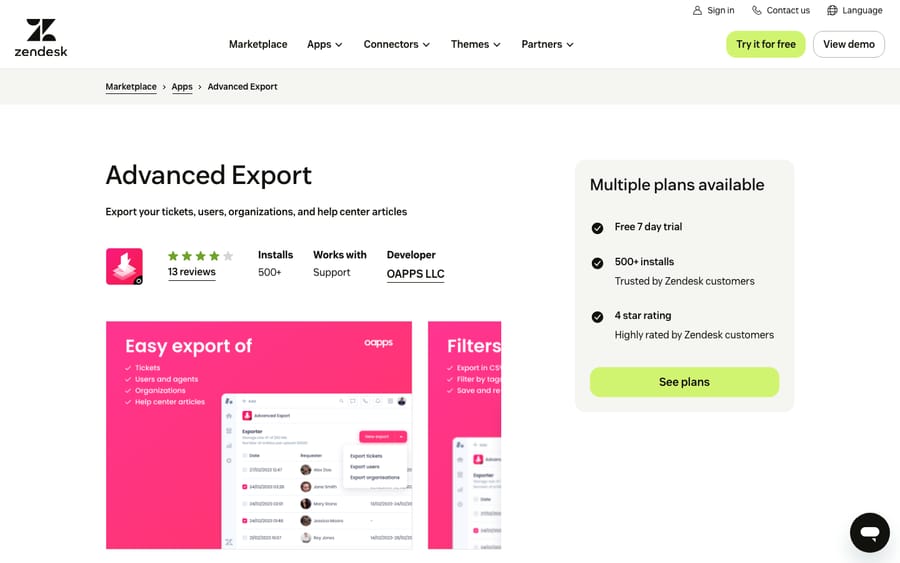
Scores: reviews 0, price 2, works in the ticket 1, setup 2, maintained 2.
Its 13 reviews average 3.77, with three one-star reviews. One free-plan user wrote: "Suddenly, and without any prior notice, the free quota was reduced by a factor of 10." The developer replied on the listing that the free plan limit had been updated and offered a discount.
Best for: teams that need a backup of tickets and articles together, for example before leaving Zendesk.
9. Help Center Import: a reviewable table before anything is imported, 7/10
Zenplates' Help Center Import builds an editable table of categories, sections, articles and article comments from manual rows, a CSV, or any Zendesk subdomain with a public knowledge base. You can filter to invalid rows and fix them before importing. Limits are 500 categories, 500 sections, 1,000 articles and 1,000 comments per import. The Marketplace listing shows a one-time payment of $99.
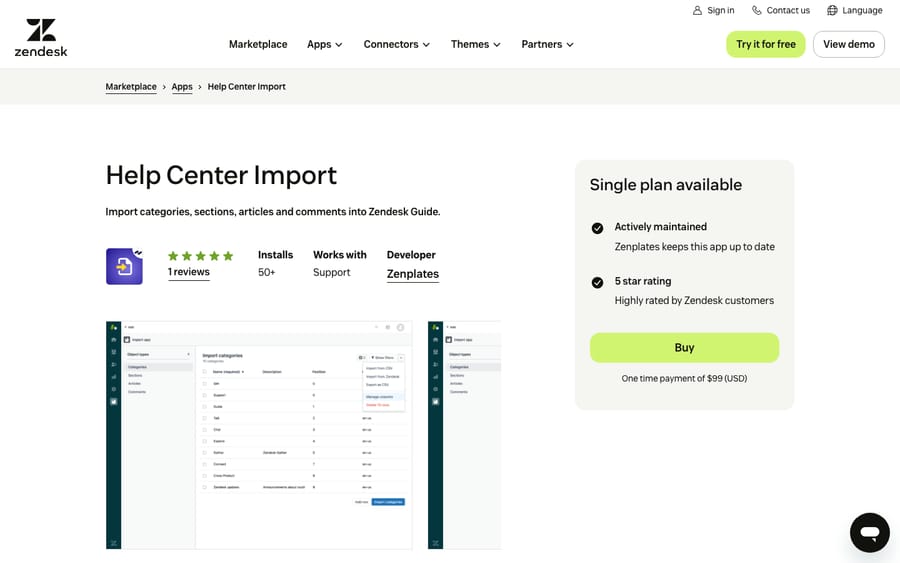
Scores: reviews 0, price 2, works in the ticket 1, setup 2, maintained 2.
The listing warns that attachments aren't imported and links and inline images in article bodies aren't changed, so run a link check after a move. It has 1 review and 51 installs.
Best for: moving a public knowledge base from another Zendesk account, or loading articles from a spreadsheet.
10. Guide Importer by Leafworks: Excel in and out, with brands and permissions, 7/10
Leafworks, which builds Zendesk apps, makes Guide Importer for bulk import and export of articles, sections and categories as Excel files. It also sets each article's brand, permission groups and visibility by language and user segment. The Marketplace listing shows a one-time payment of $199.
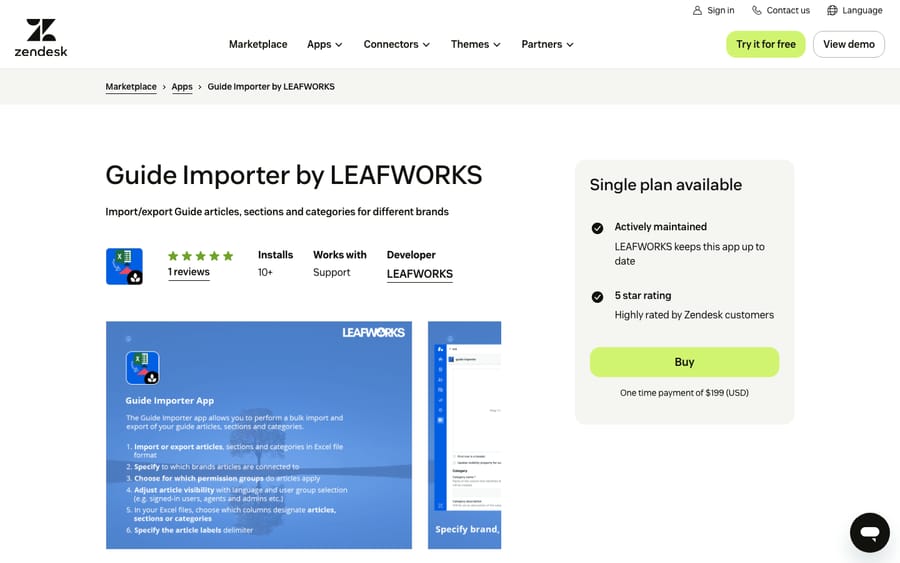
Scores: reviews 0, price 2, works in the ticket 1, setup 2, maintained 2.
It has 1 review and 21 installs.
Best for: multi-brand accounts that edit content in Excel and need each article to land with the right brand and permissions.
11. Help Center Health Check: broken links and orphaned articles, 7/10
Lotus Themes, which sells Zendesk help center themes, launched Help Center Health Check in December 2025. It scans every article for broken internal and external links, broken images, images without alt text, orphaned articles that nothing links to, dead-end articles with no outgoing links, and HTML problems like duplicate H1 headings. The Marketplace listing shows $29 a month.
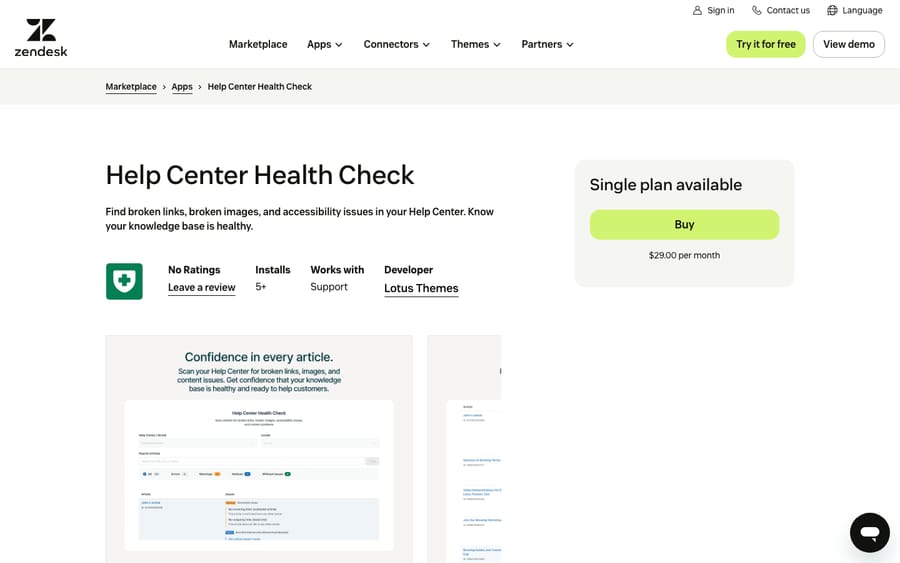
Scores: reviews 0, price 2, works in the ticket 1, setup 2, maintained 2.
It overlaps with Help Center Manager on broken links and costs less, but it reports rather than fixes. It has no reviews yet and 6 installs.
Best for: a monthly content check on a help center that doesn't need bulk edits.
6/10: useful apps with a scoring gap
12. Document360: a strong integration held back by quote-only pricing, 6/10
Document360's app lets agents search a Document360 knowledge base from the ticket, insert an article link or its content into a reply, and see suggested articles based on the ticket title. Agents can also create draft articles in Markdown from Zendesk, which editors review before publishing.
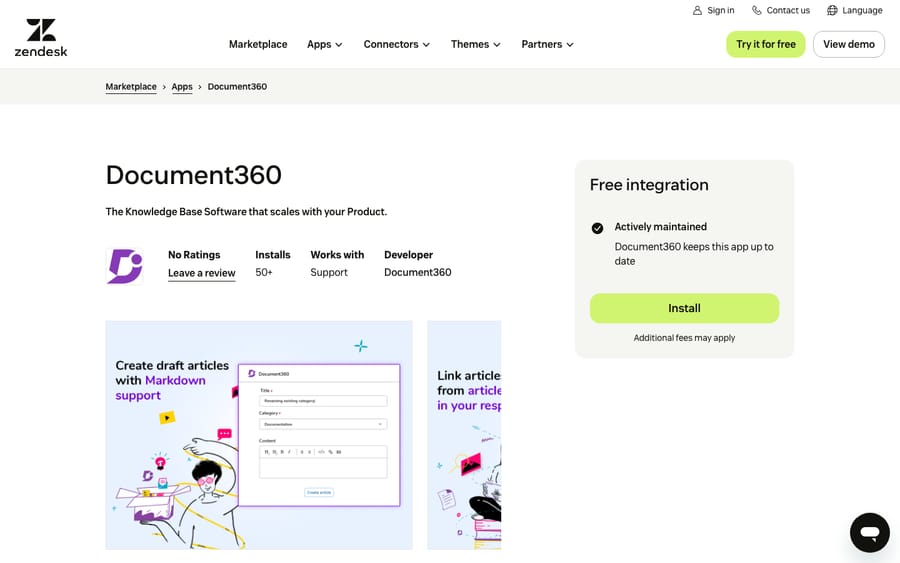
Scores: reviews 0, price 0, works in the ticket 2, setup 2, maintained 2.
It scores 0 on price because Document360's pricing page shows "Customized pricing". The app was updated in October 2026 and has 78 installs and no reviews.
Best for: teams already on Document360 for product documentation who want the same articles in support replies.
13. Article Feedback: the reason behind a "no" vote, 6/10
Lotus Themes' Article Feedback adds a widget to help center articles so a reader who found an article unhelpful can say what's missing, wrong or confusing. Feedback is stored in a Zendesk custom object and managed from the agent workspace, where it can be searched and marked open or closed. The listing shows $20 a month with unlimited feedback.
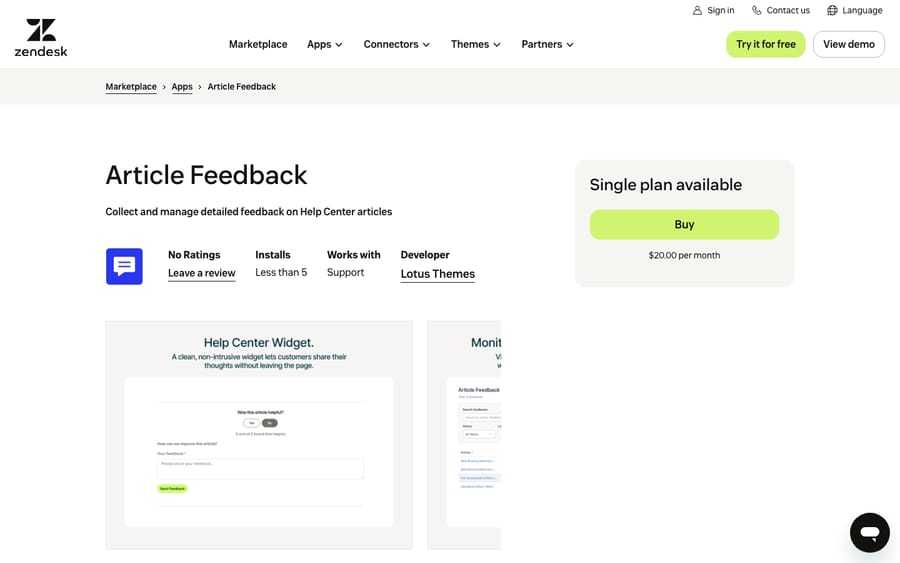
Scores: reviews 0, price 2, works in the ticket 1, setup 1, maintained 2.
Setup needs custom objects turned on and the widget's code added to your article template. Feedback stays in a custom object, so it doesn't add tickets to your queue. It has no reviews and 3 installs.
Best for: content teams who see thumbs-down votes in Guide and want the reason, not just the count.
What these apps change for an AI agent on the same tickets
When we set up a Macha agent on a Zendesk account, we check the help center apps too. One kind changes the knowledge the agent works from. Bulk find and replace, imports and article drafting change article text in large batches. When a help center is one of the agent's knowledge sources, we re-check the answers that depend on changed articles, and we look at the categories in past tickets to see which questions have no article at all (our coverage audit post walks through it). Macha's AI Knowledge Builder can build a knowledge base from historical tickets, so if KnowledgeOwl or Document360 is also creating articles from tickets, we agree which one owns that job.
Another kind acts on the ticket. Knowledge Capture Actions runs in the agent's ticket sidebar and reacts to article links in comments. A Macha agent writes internal notes, public replies and tags through the API, so whether the app also reacts to the agent's links is something we test rather than assume. We list the article labels and their actions, check them against the agent's own triggers (which use a tag-and-exclude pattern so they don't loop), and replay past tickets in a simulation. We also confirm whether replies post as internal notes or public before anything runs on its own.
Where AI fits
Macha runs AI agents inside the Zendesk account you already have, set up and monitored by the Macha team. It fits teams with a help center worth keeping current, who want agents acting inside the ticket on routine requests while apps like Help Center Manager and Help Center Health Check keep the articles correct. Pricing starts at $299/month for 750 tickets, with a trial of $50 of free usage (about 125 tickets), no credit card, no time limit.
Which one fits your situation?
- You're cleaning up or renaming across hundreds of articles: Help Center Manager, on a 45-day pass if it's a one-off.
- You want an inventory before deciding anything: Help Center Export, free.
- You're moving content into Zendesk Guide: Help Center Import for a reviewable table, Guide Importer if brands and permissions matter.
- You need a backup of tickets and articles together: Advanced Export Professional.
- Answers live in solved tickets, not articles: Stylo Scribe, with your own OpenAI key to start.
- You want to know which articles fail: Help Center Analytics for searches, Article Feedback for the reasons, Help Center Health Check for broken links.
- Your knowledge base isn't in Zendesk Guide: KnowledgeOwl Support Assist or Document360, whichever you already pay for.
- Article links should route the ticket: Knowledge Capture Actions.
Before buying any of these, our guide on how to build a Zendesk knowledge base covers the structure they work on.
FAQs
What are the best Zendesk knowledge base apps?
On our rubric, iorad, Stylo Scribe, Knowledge Capture Actions and KnowledgeOwl Support Assist share the top score of 8 of 10. Seven apps scored 7, including Swifteq's Help Center Manager, Help Center Export and Help Center Analytics, and Document360 and Article Feedback scored 6.
Can I export my Zendesk help center articles?
Yes. Swifteq's Help Center Export writes every article to a CSV for free, Help Center Manager exports to CSV, HTML, Word or PDF, and Advanced Export's $49-a-month plan exports articles as HTML with tickets.
Why do so few Zendesk knowledge base apps have reviews?
Of the 153 third-party apps in the category, 91 have no reviews, and no app in our list has more than 40. Help center work usually sits with a few content owners per account rather than every agent, so fewer people install these apps and review them.
Do I need an app to link help center articles in tickets?
Not for the basics. Zendesk Agent Workspace has a Knowledge section in the context panel where agents can link or quote articles in a reply and pin up to five to a ticket, on Suite Growth and above or with Guide Professional.
<div class="docs-callout"><div><p class="docs-callout-title">Are you listed here?</p><p class="docs-callout-body">Partners and app makers can send corrections with a public source to [email protected]. We fix facts within a week. Scores follow the rubric above, not requests.</p></div></div>
How we researched this
On October 29, 2026 we queried the Zendesk Marketplace catalog of 1,812 apps; review counts, installs, ticket locations and install flags come from it, and last-update dates from each listing. We read all 13 listings on zendesk.co.uk the same day (zendesk.com returns a 403 to scripted requests), and rendered six of them in a browser to read review text, which the listings load separately. Quotes are copied from those reviews. Lotus Themes and pluscloud blocked scripted requests, so we read their pages in a browser. Four prices (Help Center Import, Guide Importer, Help Center Health Check, Knowledge Capture Actions) appear only on their Marketplace listings. After an independent review, we applied the stricter readings of two criteria described above. We didn't install or test any app or contact any vendor.
Prices are shown in US dollars; prices published in other currencies were converted at European Central Bank reference rates of October 29, 2026.
Disclosure: Macha makes AI agents that run inside help desks. Nobody paid to be listed, and Macha is not ranked here.