Intercom
 Shopify
 Stripe
 Slack
Slack Notion
 Google Workspace
 Confluence

Why Does Your AI Agent Answer Wrong? A Knowledge Base Coverage Audit You Can Run This Week


When an AI support agent answers wrong, the cause is usually a missing article, a stale one, or two articles that disagree, not the model. A five-pass audit finds which in about a day and a half, and it works against any help center and any agent.
Key takeaways
- An AI support agent usually answers wrong because no article exists, a stale article exists, or two articles disagree, and a five-pass coverage audit finds which.
- A knowledge base coverage audit should start from the agent's wrong answers, bucketing the last 50 wrong conversations into four causes before touching the article list.
- The five-pass knowledge base audit takes about a day and a half of one person's time for a help center under 500 articles.
- Volume coverage is healthy above 80%, calculated as the share of the last 90 days of ticket volume answered by exactly one current article.
- On Zendesk, the edited_at field is the right staleness signal, because updated_at moves whenever anything about the article record changes.

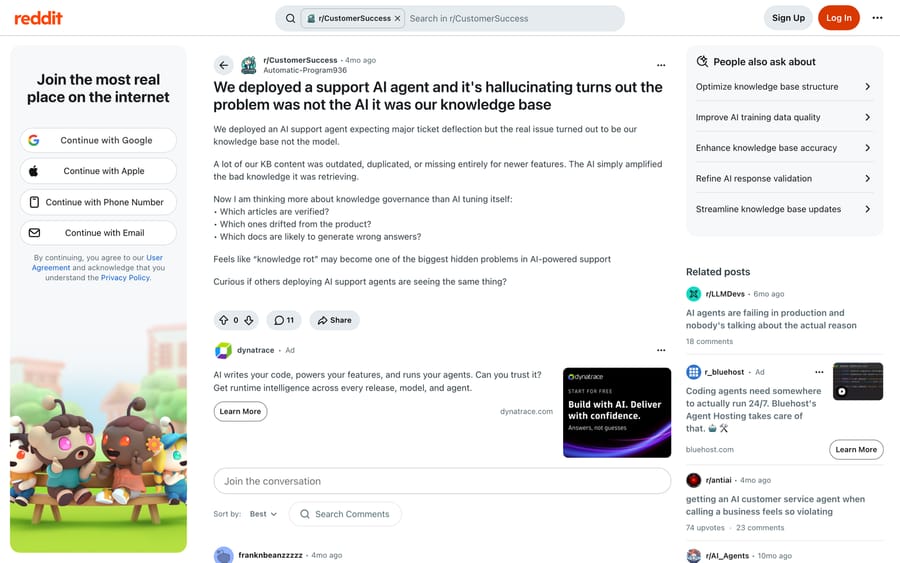
When an AI support agent answers wrong, the cause is usually in the knowledge base: no article exists, a stale article exists, or two articles disagree, and a five-pass coverage audit taking about a day and a half finds which. One principle sets the order of the passes: start from the agent's wrong answers, not from the article list. A CS lead who did both put it best in a May 2026 thread on r/CustomerSuccess. The article-by-article, last-verified-date pass "caught some but missed the worst stuff because nobody knew which articles the agent was actually pulling from". Running the agent's incorrect-answer logs against the knowledge base worked better: "every confident wrong answer was a pointer to either a stale article or a feature where we had no article at all. the model was basically generating the gap report for us."
What does a knowledge base coverage audit produce?
Five passes, each with an owner and a number at the end of it. Budget about a day and a half of one person's time for a help center under 500 articles.
| Pass | Question it answers | Output | Time |
|---|---|---|---|
| 0 | What do we actually have? | One spreadsheet, one row per article | 1 hour |
| 1 | What did the agent get wrong, and why? | 50 conversations bucketed into four causes | 3 hours |
| 2 | Where do two articles disagree? | A conflict list, worst first | 2 hours |
| 3 | What has no article at all? | Coverage percentage by ticket volume | 3 hours |
| 4 | Can the agent actually read it? | A list of unreachable articles | 1 hour |
| 5 | Can a machine use it? | A list of articles whose answer is in an image | 2 hours |
Pass 0: export the article list with the fields that matter
You need one row per article carrying: title, URL, last edited date, publish state, audience or visibility, language, brand or help center, and owner. Get it from the API rather than the admin screen, because you will filter and sort it repeatedly.
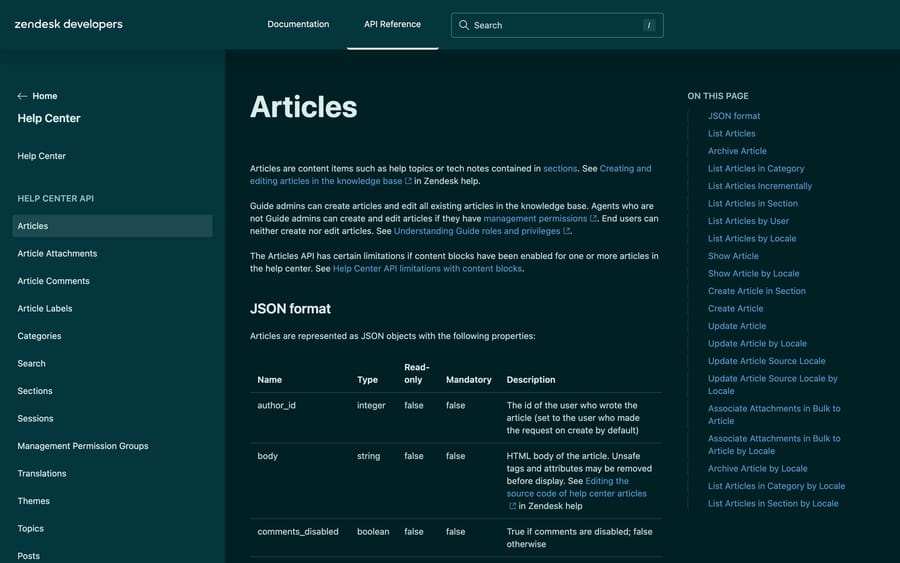
On Zendesk, GET /api/v2/help_center/articles returns draft, updated_at, edited_at, locale, user_segment_id and permission_group_id on every article, and ?include=translations pulls the per-language versions. Two things are worth knowing before you build a staleness column from it. updated_at moves when anything about the article record changes, while Zendesk documents edited_at as the time the article was last edited in its displayed locale, so edited_at is the one you want. And Zendesk documents its outdated field as deprecated and always false, because the source translation is treated as the most up-to-date one, so staleness is something you derive, never something you read.
On Intercom, the List all articles endpoint returns articles in descending order of updated_at, which makes the tail of the list your stale candidates in one call. Freshdesk exposes the same shape through its Solutions API, folder by folder.
What a failing result looks like: you cannot produce this list in an hour. That is not a blocked audit, it is the first finding. If nobody can enumerate what the agent is reading, nobody can be accountable for what it says.
Pass 1: bucket fifty wrong answers by cause
Pull the last 50 conversations where the agent was wrong, was corrected by a human, or was escalated after giving an answer. For each one, record the article it cited and put it in exactly one bucket:
- No article existed for what the customer asked.
- A stale article existed and the agent quoted it faithfully.
- The wrong article was retrieved while a correct one existed.
- The article was fine and the answer needed account data the agent did not have.
Buckets 1 to 3 are content work. Bucket 4 is not a knowledge base problem at all, and it is the one most likely to be misdiagnosed as one. Why your AI support agent gave the wrong answer has the full cause list if a conversation resists all four.
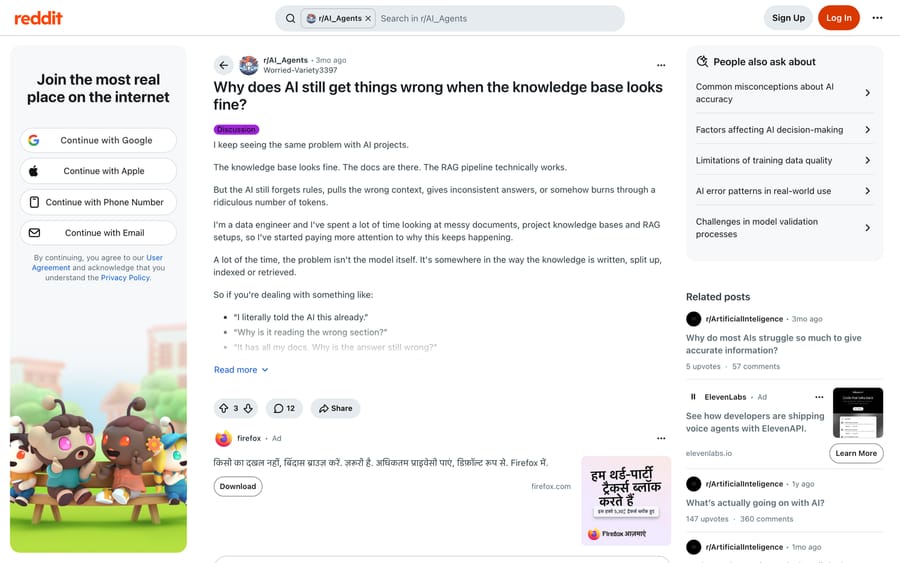
The single hardest part is knowing what the agent retrieved. If your platform shows sources on each answer, the bucket is obvious. If it does not, log it: a data engineer summarizing this pattern on r/AI_Agents in July 2026 recommends logging the retrieved chunks next to the final answer, so you can inspect query, then chunks, then answer. His diagnosis of the common case is that "the right document exists, but the run pulled the wrong three paragraphs", which is bucket 3 and looks identical to bucket 2 from the outside.
What a failing result looks like: more than 15 of the 50 land in bucket 1. That means your content does not cover your demand, and passes 2 and 4 will not move the number much. Skip to pass 3.
Pass 2: find the places two articles disagree
This is the failure people underestimate, because nothing about it looks like an error. One commenter on r/CustomerSuccess named the state precisely: the dangerous case is when two docs disagree and the agent silently picks one, and "in that case the model did not really hallucinate". A separate operator, auditing 340 articles after wrong answers started, found the refund policy living in three different articles with slightly different details, and a customer getting two different reimbursement timelines inside one conversation. Worth knowing that post came from a vendor account promoting its own auditing tool, so read the 40%-stale headline as an anecdote.
How to run it. Export the article bodies as text alongside the pass 0 spreadsheet, then look for the same policy word appearing with different numbers:
# one line per article: id, title, and every "<number> <unit>" it contains
grep -HoE '\b[0-9]{1,3} ?(day|days|business days|hours|month|months|%)\b' articles/*.txt \
  | sort -u

# then, per policy term, list which articles carry which figure
for term in refund return cancel shipping warranty trial renewal SLA; do
  echo "== $term"
  grep -ilE "\b$term" articles/*.txt \
    | xargs grep -HoE '\b[0-9]{1,3} ?(day|days|business days|hours|%)\b' \
    | sort -u
done
Run the same pass over any source the agent indexes beyond the help center: your public site, PDFs, Notion, a Google Drive folder. The conflict is usually between the help center and the marketing site, because those are owned by different people.
What a failing result looks like: any policy that customers ask about, appearing with two different numbers. One is enough to act on. Pick the authoritative article per policy, and archive or mark internal-only every other version. Version and authority control is the step the experienced commenters in that thread all converge on: decide which document is authoritative for each topic before anything gets indexed, so the system is never allowed to choose silently.
Pass 3: measure coverage against demand, not against the article count
Coverage is not "we have 340 articles". Coverage is the share of your actual ticket volume that has exactly one current article behind it.
How to run it. Take the last 90 days of tickets, group them into intents, and sort by volume. Most help desks will give you this from tags or a subject-line export; if yours will not, read 200 tickets and group by hand, which takes an afternoon and is more accurate anyway. Take the top 50 intents, which will usually cover 70% to 85% of volume, and for each one search your help center the way a customer would. Mark it covered only if a current, public article answers it completely.
Then compute coverage weighted by volume, not by intent count. An intent worth 900 tickets a quarter with no article matters more than thirty intents worth four tickets each.
What a failing result looks like: under 70% of volume covered. At that level the agent is being asked to answer from material that does not exist, and every tuning change you make will be noise. The fastest route back is usually your own solved tickets, because the answers already exist in agent replies; turning past tickets into a knowledge source covers that path, and connecting knowledge sources to an agent covers wiring them in once they exist.
Pass 4: check the agent can actually reach each article
Content that a human can find is not necessarily content the agent can read. Four settings block it, and each one is in a different place per vendor.
- Publish state. A draft translation is invisible to the agent even when the article looks live to an admin in another locale.
- Audience or visibility. On Zendesk this is Placement > Visible to; an article restricted to signed-in users is unavailable to an agent answering an anonymous chat. In the API this is
user_segment_id, where null means everyone. - Brand and help center. Multi-brand accounts route agents to one help center. An article in the other brand does not exist as far as that agent is concerned.
- Source selection. Every platform has a list of what the agent indexes, and it is usually a subset of what you have. Intercom scopes it per Fin instance; Freshworks points the AI Agent at chosen solution categories; Zendesk requires the help center itself to be active and published before article knowledge works at all, and its AI agent troubleshooting guide says each article must be published with Visible to set to Everyone.
How to run it. Take the 20 highest-volume articles from pass 3 and open each one in a private browser window, logged out. Anything you cannot read, the agent cannot read. Then open the agent's own source list and confirm each of those 20 is inside it.
What a failing result looks like: any top-20 article that fails either test. This pass usually takes an hour and resolves a surprising share of bucket 1 from pass 1, because "we have no article for that" and "the agent cannot see the article we have" produce identical symptoms.
Pass 5: check the article survives being read literally
The subtlest rot in the whole exercise is content that is technically correct. A reply in the r/CustomerSuccess thread describes it exactly: most of the rot was not outdated articles, it was "articles that were technically correct but written before a UX change, so the steps existed but the screenshots and button names were wrong". A human skims past that. An agent reads it literally and sends a customer looking for a button that got renamed.
Four patterns to grep for across the exported bodies:
- Internal language. Names, hand-offs and judgement calls written for staff: "check with", "ask the team", "use your judgment", "internal only", "TODO", "TBC". The 340-article audit found "check with Sarah in billing" sitting in customer-facing content.
- Answers that live only in an image. Count articles where the decisive fact is inside a screenshot with no text equivalent. Most retrieval stacks index the alt text and the caption, and nothing else.
- Stacked policies in one long article. A single article covering returns, exchanges and warranty gets chunked into pieces where one chunk answers the wrong question. Split so one chunk covers one rule.
- Rules mixed in with reference material. A commenter on the r/AI_Agents thread describes why this matters: a rule that says "never do X" competes in the same retrieval pool with a paragraph mentioning X in passing, and sometimes loses. Move mandatory behavior into the agent's instructions and leave the article as the supporting source.
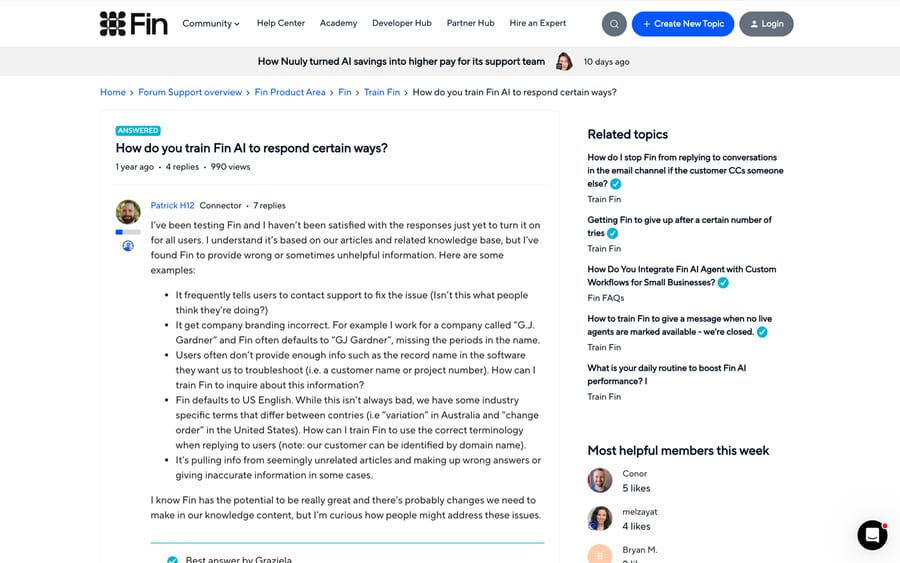
That last distinction is the one Intercom's community keeps circling, in the standing thread on how to train Fin to respond in a particular way: there is a difference between content the agent quotes and instructions the agent obeys, and mixing them produces answers that are neither.
What a failing result looks like: more than 10% of the top-50 articles carrying internal language, or any high-volume article whose answer is only in a screenshot.
Which five numbers say the knowledge base is healthy?
At the end of the week you should be able to fill this in, and it should fit on one page:
| Metric | How it is computed | Healthy |
|---|---|---|
| Volume coverage | Share of 90-day ticket volume with one current article | Above 80% |
| Conflicts | Policies answered by two or more articles with different figures | Zero |
| Stale share | Top-50 articles with no body edit in 12 months | Under 20% |
| Unreachable | Top-20 articles failing the logged-out or source-list test | Zero |
| Machine-hostile | Top-50 articles with internal language or image-only answers | Under 10% |
Then build the thing most teams skip: a fixed set of 30 real customer questions, taken verbatim from tickets, covering your highest-volume intents and your riskiest policies. Run it through the agent before and after each content change. It is the only way to tell whether a fix worked, and it turns "the agent feels better" into a number. Several operators in these threads arrive at the same practice independently, describing it as a small eval set of real customer questions rerun after every knowledge base update.
Why is the audit harder when you sell more than one product?
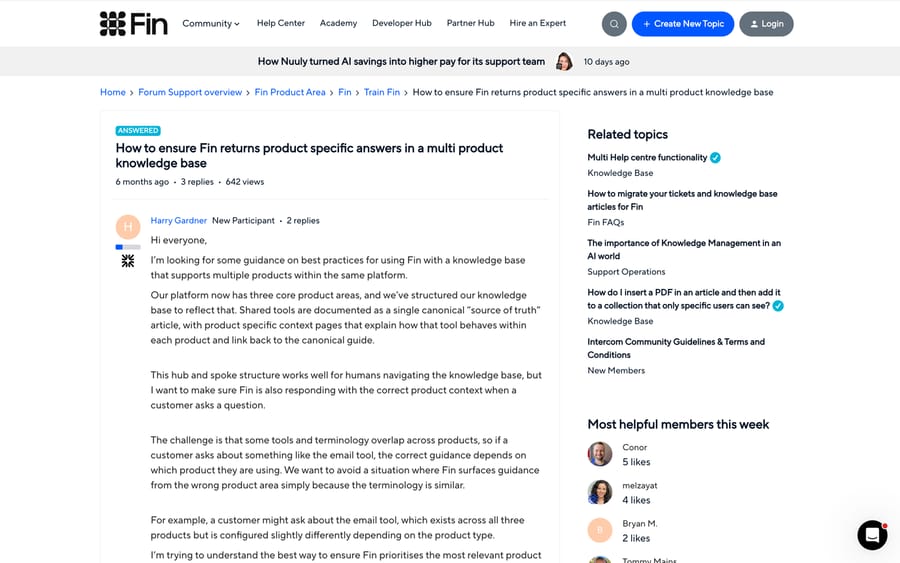
If you sell more than one product, expect pass 2 to be your biggest list and pass 1 bucket 3 to be your biggest bucket. An article about Product A's billing and a question about Product B's billing look extremely similar to an embedding model, which is why Intercom's community carries a standing question about making Fin return product-specific answers out of a multi-product knowledge base.
Three things help, in order of effect. Put the product name in the article title and in its first sentence, because retrieval weights both heavily. Tag or segment sources by product and constrain retrieval to the product in context, where the platform allows it. And run separate agents per product line if the platform allows that instead, which trades setup effort for a much cleaner retrieval pool.
What won't a knowledge base audit fix?
Passes 0 to 5 fix the content. They do nothing for the class of questions whose answer is not in any document, because it lives in the customer's own order, subscription or account. "Where is my order" has no correct article. It has a correct lookup.
That split is worth naming before you start, because it decides what you build next. If most of your bucket 1 is documentation you never wrote, write it. If most of it is account-specific, no amount of knowledge base work moves it, and what you need is an agent that calls your systems during the conversation.
Macha fits teams whose tickets already sit in Zendesk, Freshdesk, Gorgias, Front, HubSpot or Intercom and whose wrong answers are the account-specific kind: it reads your knowledge sources and calls your own APIs inside the ticket, so the reply comes from that customer's order. It is priced per ticket, from $299 a month for 750 tickets, with setup and monitoring by the Macha team included. It is the wrong choice while your top-20 policies still disagree with each other, because a layer on top of contradictory content produces the same contradiction faster. Keeping knowledge synced across sources and indexing a website as a source cover the plumbing once the content is settled.
It is also worth naming the incentive behind how little of this your vendor does for you. Platforms priced per resolution or per deflected conversation earn on the answer being sent, not on the answer being right, so content quality sits outside the billing unit entirely. A few expose retrieval evidence and content-gap reports anyway; when you evaluate one, ask for citations down to the section, per-answer retrieval logs, and a way to mark a source as wrong. What deflection rate actually measures covers the metric side of the same problem.
How we researched this
The audit is assembled from methods described by operators who ran them, not from a vendor's best-practice page. We read each cited thread in full on 2026-09-21, using a headless browser for Reddit, which blocks scripted requests and renders normally in one; the Intercom threads were read directly. We checked the API field names against Zendesk's and Intercom's own developer documentation the same day, and re-checked the field definitions and Zendesk's AI agent troubleshooting guide on 24 September 2026. We have not run this audit end to end against a customer's help center for this post, and the time estimates are our own planning figures rather than measured ones. Where a source is a vendor account posting about its own product, the text says so. The Zendesk-specific version of this sweep, with the admin paths, is our Zendesk knowledge base audit.
Frequently asked questions
How often should we re-run this? Pass 1 continuously, the rest quarterly. A scheduled sweep tells you what might be stale; the agent's wrong answers tell you what is definitely costing you something right now. That argument came from an operator who had tried both orders, and it is the right prioritization signal.
Our platform doesn't show which article the agent used. What then? Pass 1 gets much harder and stays possible. Search your knowledge base for the exact wording of the wrong answer, since retrieval-based agents paraphrase closely and the source is usually findable. Then put source visibility on your list of requirements at renewal, because every subsequent audit depends on it.
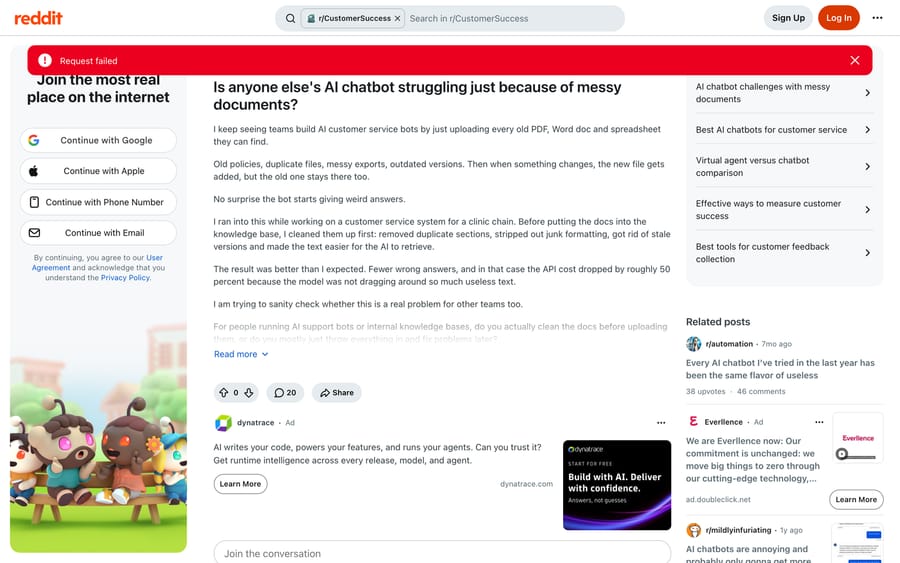
Is a bigger knowledge base better? No, and the opposite effect is documented by people who have measured it. One operator cleaning duplicates and stale versions out of a clinic chain's documents before indexing reported both fewer wrong answers and roughly 50% lower API cost, because the model was no longer dragging useless text around. Treat that figure as one team's result rather than a benchmark.
Should we delete stale articles or archive them? Archive, and make sure archived means excluded from the agent's index rather than merely unlisted. The failure worth avoiding is an article that no longer appears in help center navigation while still sitting in the vector store.
What about PDFs and spreadsheets? Convert the ones that carry policy into articles, and index the rest only if you have to. PDFs chunk badly, lose their table structure, and are the format most likely to hold a version nobody remembers publishing.
How many articles do we actually need? Enough to cover the top 50 intents by volume with one article each, which for most support teams is 60 to 150 articles rather than several hundred. Coverage against demand is the number that matters; the total is vanity.
Does this apply to an agent trained on past tickets instead of articles? The same five passes apply with the source swapped. Conflicts get worse, because ticket history contains every policy you have ever had, so date-scoping the ticket corpus does the job that archiving does for articles.
Who should own this? One named person, with it in their job description. Every thread we read arrived at the same conclusion from a different direction: the work is not hard, it is unowned, and unowned content rots at exactly the speed your product changes.
If your audit says the gap is account data rather than documentation, Macha is the shape that fits; the pricing page has the per-ticket arithmetic, and a trial is $50 of free usage with no card.
Sources:
- Zendesk Developer Docs, Help Center API: Articles
- Intercom Developer Docs, List all articles
- Zendesk, Troubleshooting common issues with AI agents
- Intercom community, How do you train Fin AI to respond certain ways?
- Intercom community, How to ensure Fin returns product specific answers in a multi-product knowledge base
- r/CustomerSuccess, We deployed a support AI agent and it's hallucinating
- r/CustomerSuccess, Is anyone else's AI chatbot struggling just because of messy documents?
- r/CustomerSuccess, Our knowledge base was 40% stale (vendor-authored post)
- r/AI_Agents, Why does AI still get things wrong when the knowledge base looks fine?
Resolve tickets automatically with AI agents
Macha's AI agents work on top of the help desk you already use — no code.