Shopify
 Stripe
 Slack
Slack Notion
 Google Workspace
 Confluence

Best Zendesk Workflow Automation Apps (2026): 14 Marketplace Apps Scored


The best Zendesk workflow automation apps in October 2026 are SweetHawk's Tasks and Subtickets and Reminders, plus Process Shepherd, which share the top tier at 9 of 10 on our five public criteria, followed by a second tier of eight apps on 8, including Swifteq's and Knots' merge apps and SweetHawk's Approve. Zendesk's Marketplace files 258 apps under Workflows, 255 of them from third parties, and 182 of those third-party apps have no reviews at all. We scored 14 apps that run a specific workflow step inside Zendesk Support and show every score.
Key takeaways
- Tasks and Subtickets, Reminders and Process Shepherd form the top tier at 9 of 10; all three work from the ticket sidebar, and the two SweetHawk apps have more than 350 reviews each.
- No app scored 10, because the only ranked apps with 50 or more reviews average between 3.55 and 4.28 stars, below the 4.5 our rubric asks for.
- Per-agent Marketplace plans here run from $1.50 to $8 a month, while Swifteq prices its two background apps by ticket volume, from about $60 (€50) a month.
- Background apps that merge tickets or delete attachments score 1 on working in the ticket, because they run from the nav bar rather than the ticket sidebar or editor.
- Apps that merge tickets, write fields or create subtickets change which tickets an AI agent sees and what it reads, so set its triggers around them first.

The 14 apps at a glance
| # | App | Maker | What it does | Reviews (avg) | Price | Score |
|---|---|---|---|---|---|---|
| 1 | Tasks and Subtickets | SweetHawk | Task lists, subtickets, ticket updates on completion | 665 (4.25) | $4, $6 or $8 per agent/month | 9 |
| 2 | Reminders | SweetHawk | Reminders with due dates, assignees and ticket updates | 369 (4.28) | $2 or $4 per agent/month | 9 |
| 3 | Process Shepherd | Process Shepherd | Step-by-step guided workflows in the sidebar | 15 (5.00) | Free, Business $20 per user/month | 9 |
| 4 | Auto Remove Attachments | Swifteq | Deletes attachments on a schedule or by rule | 32 (5.00) | $60 to $170/month, or one-off from $200 | 8 |
| 5 | Merge Duplicate Tickets | Swifteq | Merges duplicates automatically by your rules | 23 (5.00) | $70 to $330/month | 8 |
| 6 | Merge Tickets | Knots | Finds and merges related tickets | 15 (4.80) | Free | 8 |
| 7 | Approve | SweetHawk | Approval flows, including approvers outside Zendesk | 9 (5.00) | $5 or $8 per agent/month | 8 |
| 8 | Timers | SweetHawk | SLA and deadline timers that update tickets | 9 (5.00) | $2 per agent/month | 8 |
| 9 | Escalator | Lovestock & Leaf | Link, split and escalate with subtickets | 6 (4.83) | $3 per agent/month | 8 |
| 10 | Klick-Zen Action Buttons | Acenerate | Email buttons that update the ticket | 3 (5.00) | $4 per agent/month, or $199/month flat | 8 |
| 11 | Ticket Scheduler | Arctic Lunar | Schedules public replies for later | 2 (5.00) | $1.50 per agent/month | 8 |
| 12 | Myndbend Process Manager | Myndbend | Approvals and child-ticket workflows | 163 (3.55) | Free tier; paid tiers not on the live site | 7 |
| 13 | Ticket Parser Extract Patterns | Knots | Pulls patterns from tickets into fields | 10 (5.00) | Part of Knots plans, from $269/month | 7 |
| 14 | RuleScope | OFFSHOOT LABS | Finds conflicting and dead triggers | 1 (5.00) | $49/month | 7 |
Tiers: 9 (apps 1-3), 8 (apps 4-11), 7 (apps 12-14). Averages are computed from the Marketplace catalog's per-star counts, since listings show only the count. Prices were read on each live listing and vendor page on October 29, 2026.
How we scored them
We started from every app in the Marketplace's Workflows category and kept third-party apps whose main job is a workflow step inside Zendesk Support: a subtask, a reminder, an approval, a merge, a field filled from the ticket text. Connectors to other products are in our Zendesk integrations for dev teams post; AI-first apps, migration services and apps ranked in our other roundups are left out. Each app is scored 0 to 2 on five criteria.
| Criterion | 2 points | 1 point | 0 points |
|---|---|---|---|
| Marketplace reviews | Average 4.5+ with 50+ reviews | 4.0+ with 10+ reviews | Fewer or none |
| Published price | Full price on the listing or vendor site | A free tier or "from" price only | Contact sales |
| Works in the ticket | Acts inside the ticket or agent workspace with documented features | View-only or limited | Unclear |
| Setup effort | Marketplace install with documented self-serve setup | Needs configuration help or an onboarding call | Custom work or undocumented |
| Maintained | Listing or app updated in the last 12 months | 12 to 24 months | Older or unknown |
Ties are broken by review count, then installs. Free apps, and tier lists with a custom Enterprise tier, score 2 on price. Works in the ticket scores 2 only for apps placed in the ticket sidebar or editor, per each app's locations in the Marketplace catalog. Apps that run from the nav bar or in the background score 1, however much they change tickets. When apps tie, we present them as a tier.
Zendesk's own Linked Ticket app sits outside the ranking. It has 1,728 reviews averaging 3.27 and more than 3,000 installs, and the catalog's last update for it is February 2013. Start with Zendesk triggers and automations.
The 14 apps, ranked in tiers
Top tier, 9 of 10: Tasks and Subtickets, Reminders and Process Shepherd
These three tie on score; review count sets the order, not quality.
1. Tasks and Subtickets: checklists that turn into tickets, 9/10
SweetHawk's Tasks and Subtickets puts a task list on the ticket, lets an agent turn any task into a new linked ticket, and updates the parent when tasks are done: it can tag the ticket, add a comment or set a field value on completion. Task lists can be saved and added automatically by triggers. It has 665 reviews averaging 4.25, the most of any third-party app in the category, and more than 670 installs. Viktor Hristovski wrote on its listing: "Very nice and useful app, especially when admins can combine with use of triggers , it can do miracles." The listing shows three plans after a 14-day trial: Basic at $4, Core at $6 and Pro at $8 per agent per month, with multi-phase lists only on Pro. It was updated in April 2026.
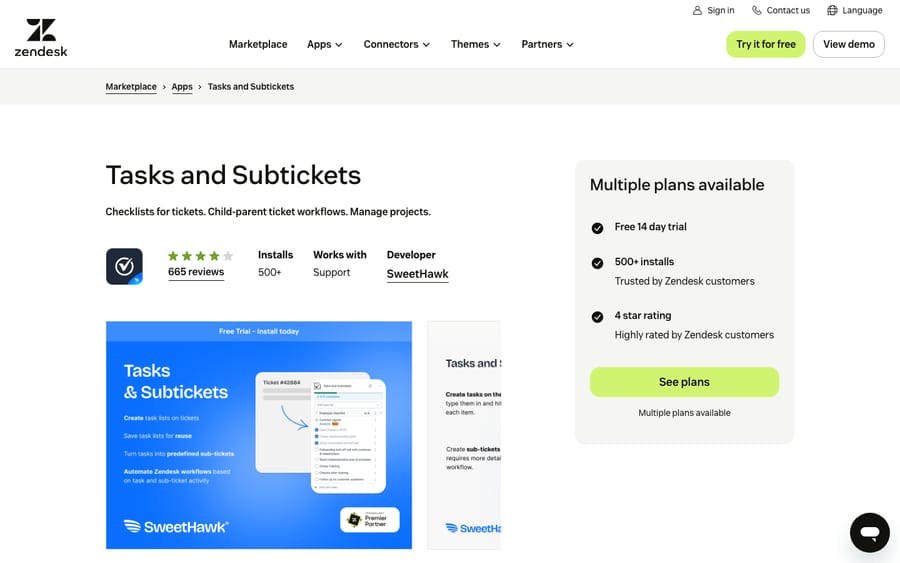
Scores: reviews 1, price 2, works in the ticket 2, setup 2, maintained 2.
Best for: requests where one customer ticket spawns work for two or three teams.
2. Reminders: tasks with a due date and a follow-up, 9/10
Reminders lets agents set reminders on a ticket, add teammates, and get a pop-up or email when it's due. As a reminder nears, the app can update the ticket, so "chase the customer on Friday" becomes a status change. It costs $2 per agent per month for Core, one reminder per ticket, or $4 for Pro, which adds unlimited reminders, business-hours schedules and reminders created by trigger or webhook. It has 369 reviews averaging 4.28 and was updated in October 2026.
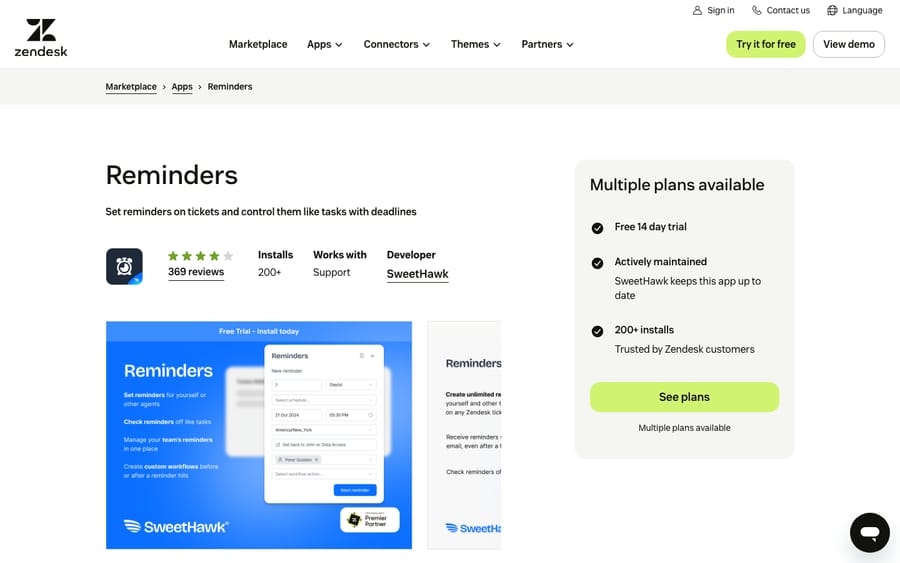
Scores: reviews 1, price 2, works in the ticket 2, setup 2, maintained 2.
SweetHawk sells four of the apps on this list. Its pricing page offers the whole Suite at $12 per agent per month billed annually, or $15 monthly, and it must cover every paid agent on the account. Pro plans of Tasks and Subtickets, Reminders, Approve and Timers add up to $22 per agent, so a team using three or more of them has a reason to price the Suite, and SweetHawk has an incentive to make that the obvious upgrade.
Best for: teams that promise customers a follow-up and keep missing the date.
3. Process Shepherd: guided steps for complex tickets, 9/10
Process Shepherd shows agents a step-by-step discussion tree in the ticket sidebar, where steps can depend on earlier answers, ticket details or CRM data. Its pricing page has a free tier for up to 5 users and 20 workflows, Business at $20 per user per month, and BPO and Enterprise on request. It has 15 reviews, all five stars. Sunny Sanwar wrote on its listing that "the app is well documented with training videos as well."
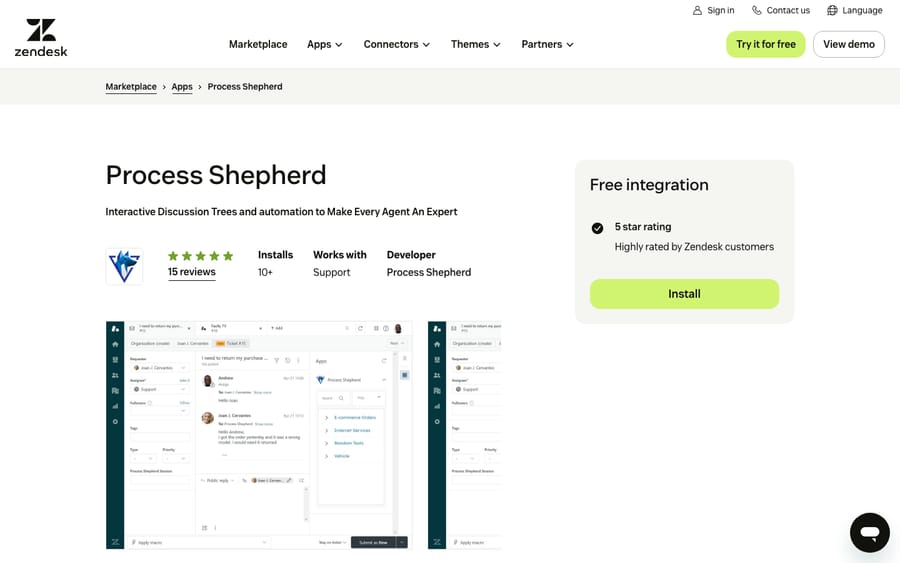
Scores: reviews 1, price 2, works in the ticket 2, setup 2, maintained 2.
Its listing was updated on July 30, 2026, but the app is still version 1.0.0 and the newest reviews are more than three years old, so ask the vendor what has changed since.
Best for: long troubleshooting scripts, tested in a sandbox first.
Second tier, 8 of 10: eight apps
The three background apps here lose their point on working in the ticket because they run from the nav bar, not the ticket. The other five lose it on reviews, with fewer than 10 each.
4. Auto Remove Attachments: storage cleanup on a schedule, 8/10
Swifteq's Auto Remove Attachments deletes attachments from tickets in bulk or on a schedule, by file type and ticket filters. Setup, documented in five steps, needs a Swifteq account. It has 32 reviews, every one five stars. An anonymous reviewer on its listing calls it "a much better alternative than paying Zendesk a hefty fee to marginally increase file storage limits."
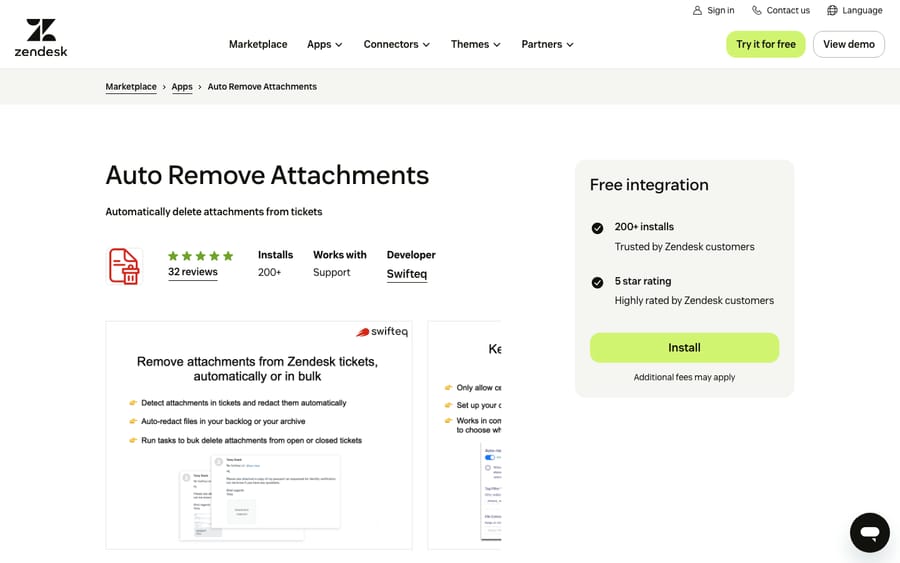
Scores: reviews 1, price 2, works in the ticket 1, setup 2, maintained 2.
The listing says "Free integration" and "Additional fees may apply." The fees are on Swifteq's pricing page: about $60 (€50) a month for up to 10,000 redacted tickets, $110 (€100) for 30,000, $170 (€150) for 60,000, or a one-off bulk run from about $200 (€179) for 50,000 tickets, with a 14-day trial. It's priced by ticket volume rather than per agent, because no agent opens it. It was updated in March 2026.
Best for: accounts near their storage limit or under a retention policy.
5. Merge Duplicate Tickets: rule-based merging in the background, 8/10
Swifteq's Merge Duplicate Tickets merges new duplicates automatically, by requester or by a shared identifier in the comment such as an order number, and lets you exclude tickets from internal users or bots. It has 23 reviews averaging 5.00. One reviewer on its listing, Ez Cs, wrote: "I'm an owner of a Customer Service Freelancing Agency and I always use this app to all my clients. It's easy to setup and use." The pricing page prices by tickets checked each month: about $70 (€59) for up to 15,000, rising to $330 (€299) for 200,000. There's a 14-day trial, and it was updated in March 2026.
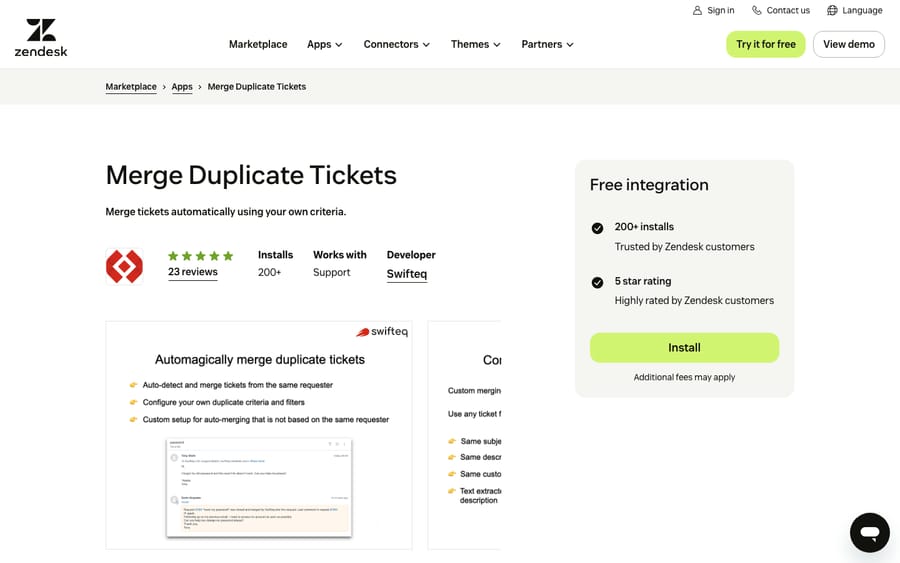
Scores: reviews 1, price 2, works in the ticket 1, setup 2, maintained 2.
Before buying, read our walkthrough of merging tickets in Zendesk to see what a manual merge keeps and what it closes.
Best for: teams whose customers write in several times about the same order.
6. Merge Tickets: free merging from Knots, 8/10
Knots' Merge Tickets scans tickets by criteria you set, such as requester, subject or ticket ID, merges the newest into the existing one, adds tags and comments, and closes the secondary ticket. The listing says it's "completely free with no hidden costs," and Knots' pricing page shows a $0 plan that includes this one app. It has 15 reviews averaging 4.80 and nearly 500 installs, and was updated in December 2025.
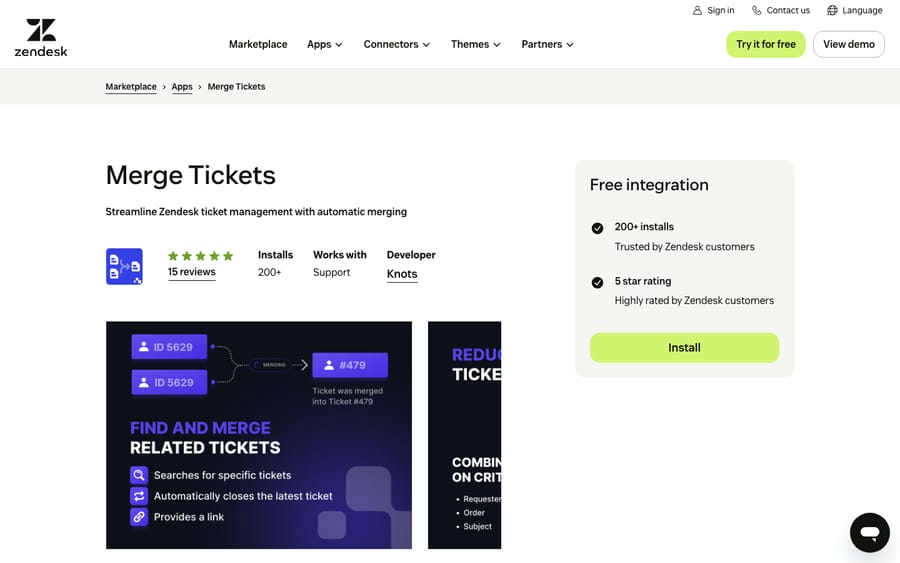
Scores: reviews 1, price 2, works in the ticket 1, setup 2, maintained 2.
The free app is Knots' front door, and every other Knots app sits in paid bundles that start at $269 a month.
Best for: smaller teams happy with simpler rules than Swifteq's.
7. Approve: sign-offs from people who aren't agents, 8/10
SweetHawk's Approve sends approval requests from a ticket to anyone: users or groups, the requester, or a manager found through a custom field. Approvers don't need a Zendesk seat and can answer by email, portal or Slack. Approvals start from an agent or a trigger. Core costs $5 per agent per month; Pro, at $8, adds multi-step approvals and escalation steps. It has 9 reviews, all five stars, and was updated in August 2026.
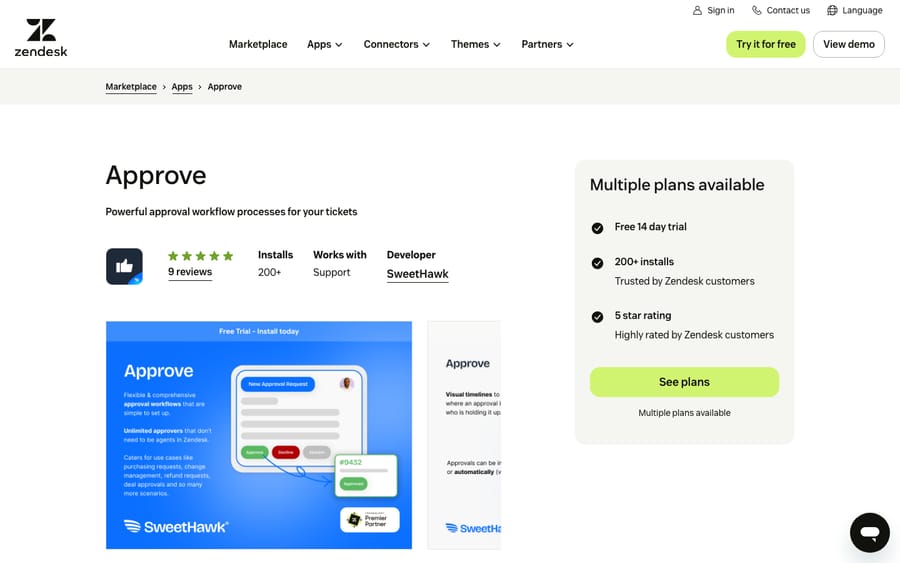
Scores: reviews 0, price 2, works in the ticket 2, setup 2, maintained 2.
With 9 reviews against roughly 500 installs, it's one review short of the 10 that would earn a point.
Best for: refunds or access requests that need a manager's yes.
8. Timers: deadlines that act on the ticket, 8/10
Timers starts, pauses and stops timers on a ticket through triggers, tracks time in custom business hours, and runs ticket actions at set times before or after a timer ends. The listing shows a single plan at $2 per agent per month after a 14-day trial, including 500 timers per agent per month; the Suite has no limit. The feature list also says "Unlimited timers," so check the 500 cap against your volume rather than that line. It has 9 reviews averaging 5.00 and was updated in March 2026.
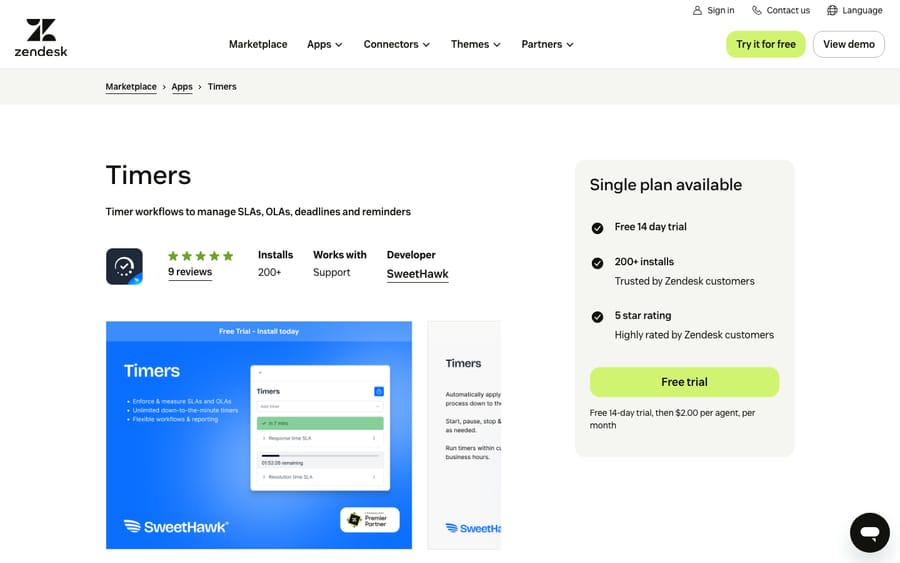
Scores: reviews 0, price 2, works in the ticket 2, setup 2, maintained 2.
Best for: internal deadlines and OLAs, such as "warehouse replies within four business hours," that should move the ticket when they pass.
9. Escalator: subtickets for other teams and third parties, 8/10
Escalator from Lovestock & Leaf links related tickets, splits a ticket into sub-tickets, and escalates to another agent, group or outside party. The listing shows a single plan at $3 per agent per month after a 14-day trial, and Lovestock & Leaf says cost is calculated daily on the agents with access. It has 6 reviews averaging 4.83 and was updated in September 2026.
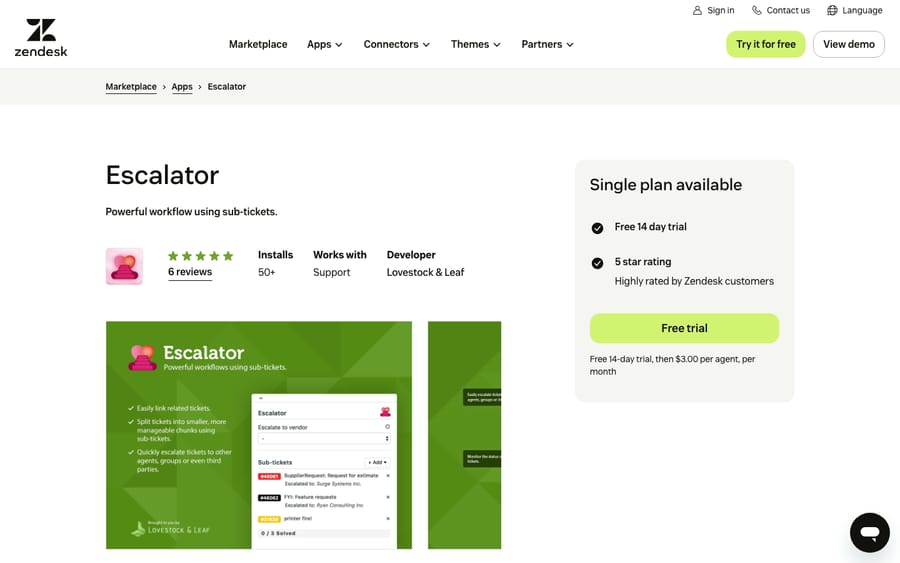
Scores: reviews 0, price 2, works in the ticket 2, setup 2, maintained 2.
Setup asks for a custom ticket field to store Escalator's data, which the built-in settings editor walks through. Compare it with Zendesk's own side conversations first; Escalator creates real tickets, which suits work you want in views and reports.
Best for: handing work to suppliers, carriers or a second-line team as tracked tickets.
10. Klick-Zen Action Buttons: the customer's click updates the ticket, 8/10
Klick-Zen puts buttons in your Zendesk emails, such as "Yes, it's resolved" or "I still need help," and each click updates the ticket's status, tags, comments or fields, with no login. The listing also suggests a "Talk to a human" button on AI agent replies. It costs $4 per agent per month, or $199 a month flat for 50 or more agents, after a 14-day trial. It has 3 reviews and was updated in October 2026.
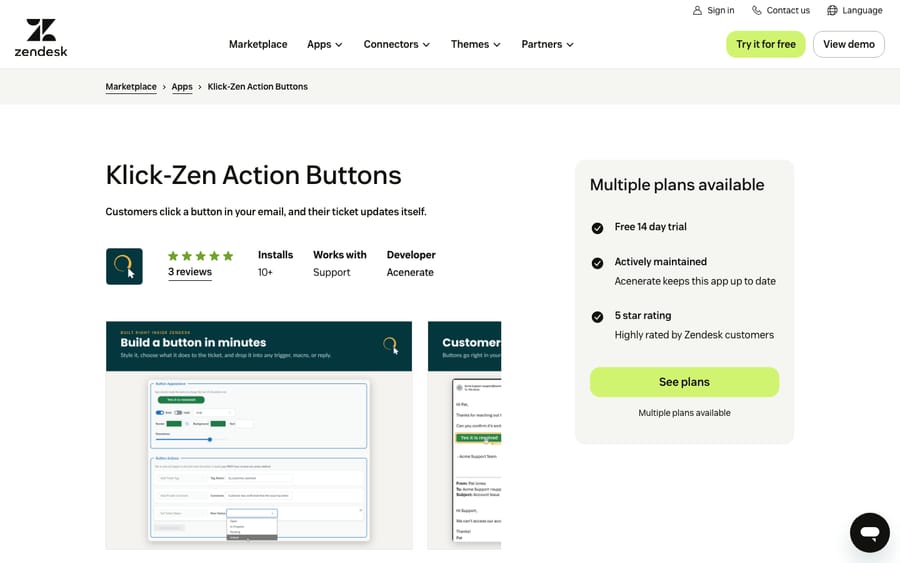
Scores: reviews 0, price 2, works in the ticket 2, setup 2, maintained 2.
The two prices meet at 50 agents: 50 seats at $4 is $200, so the flat plan is the cheaper one from there up.
Best for: teams that close tickets on silence and would rather close them on a confirmation.
11. Ticket Scheduler: replies that send later, 8/10
Arctic Lunar's Ticket Scheduler lets an agent write a public reply, attach files and schedule it to the minute or with preset buttons. Setup can create custom statuses for scheduled, sent, canceled and failed messages, and agents can reschedule or cancel from the sidebar. The rendered listing shows a single plan at $1.50 per agent per month after a 7-day trial; arcticlunar.com doesn't print the price. It has 2 reviews.
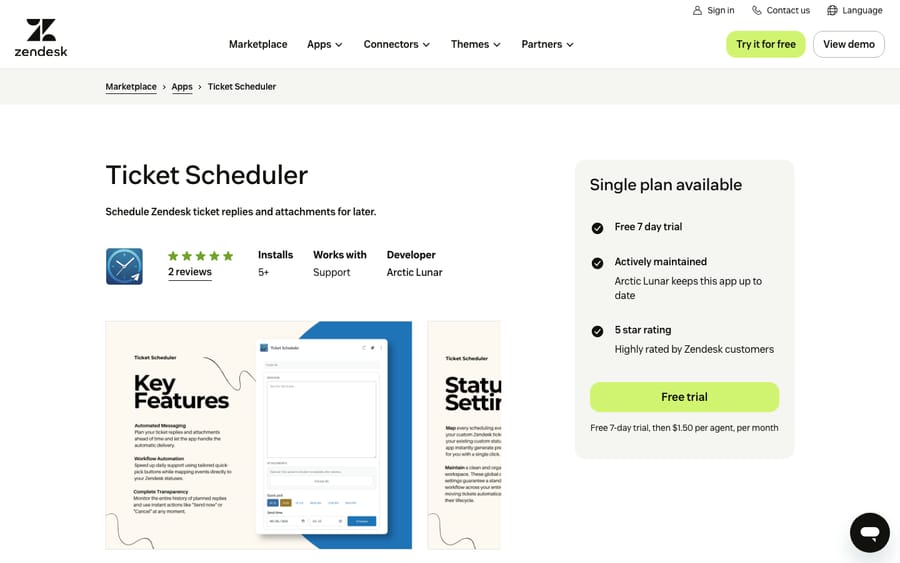
Scores: reviews 0, price 2, works in the ticket 2, setup 2, maintained 2.
Best for: teams wanting Friday's reply to land on Monday morning.
Third tier, 7 of 10: three apps
12. Myndbend Process Manager: approvals and child tickets, 7/10
Myndbend Process Manager builds approval and child-ticket workflows: approvers who don't log in to Zendesk, sequential approvals, routing by department or request type, and child tickets for other teams. It's free to install, with "Premium for additional features and powerful automation." It has 163 reviews averaging 3.55, more than 590 installs, and an update in February 2026.
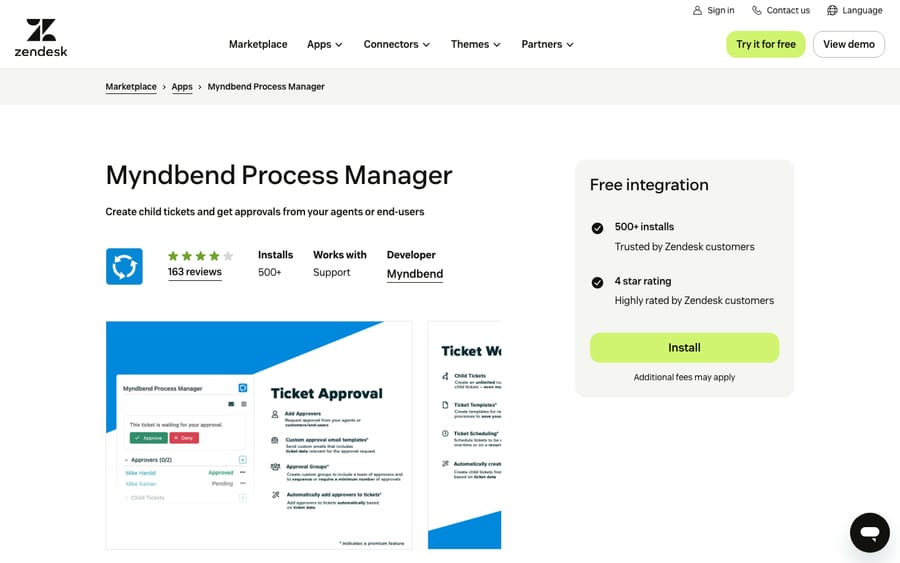
Scores: reviews 0, price 1, works in the ticket 2, setup 2, maintained 2.
Myndbend's pricing page returned a 404 when we checked. The archived copy from October 2025 listed Pro at $6, Premium at $9 and Enterprise at $12 per agent per month with a 50-seat minimum on Enterprise. With no live prices, it scores 1 for its free tier.
Best for: IT and HR request workflows that need an audit trail.
13. Ticket Parser Extract Patterns: fields filled from the ticket text, 7/10
Knots' Ticket Parser finds patterns you define, such as order IDs, serial numbers, IBANs or invoice numbers, in the subject, description or comments, and writes them into ticket, user or organization fields without anyone opening the ticket. It can also set tags for routing and change the requester on creation. It has 10 reviews averaging 5.00 and was updated in December 2025.
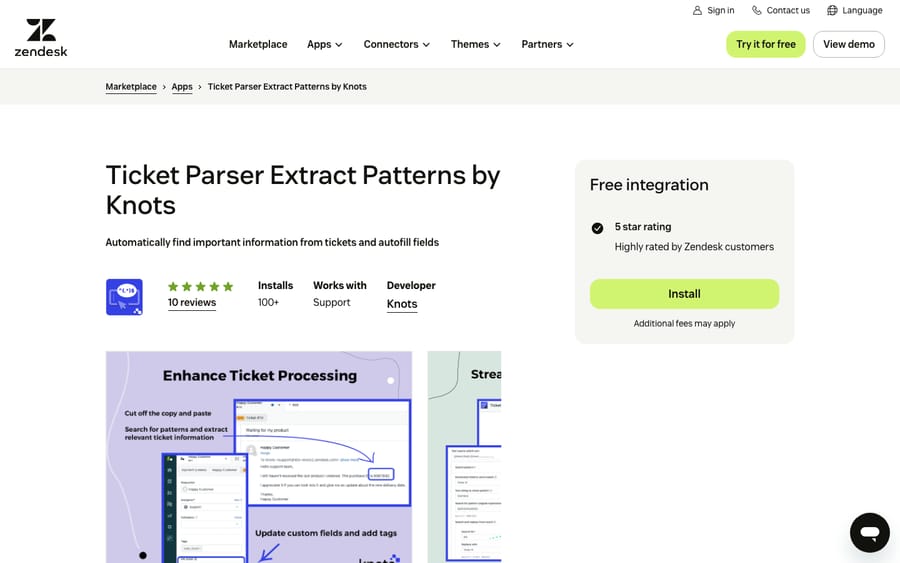
Scores: reviews 1, price 1, works in the ticket 1, setup 2, maintained 2.
It runs from the nav bar and in the background, so it scores 1 on working in the ticket. It also loses a point on price: the listing says "Free to install" with a 14-day trial, and Knots' pricing page lists Essentials with 3 apps at $269 a month and an additional app at $100, but doesn't price the parser on its own.
Best for: order or account numbers that agents copy from free text into fields.
14. RuleScope: an audit of your triggers, 7/10
RuleScope scans every trigger when you open it and reports action conflicts, dead rules whose conditions can never match, duplicates, and order dependencies. There's nothing to configure, and its site says "Nothing in your account is ever written." It costs $49 a month after a 14-day trial. Its one review, from Dave, a Zendesk partner, says "it runs 100% locally in your browser so you don't have to worry about data privacy across client accounts." It has 1 review and fewer than five installs, and was updated in August 2026.
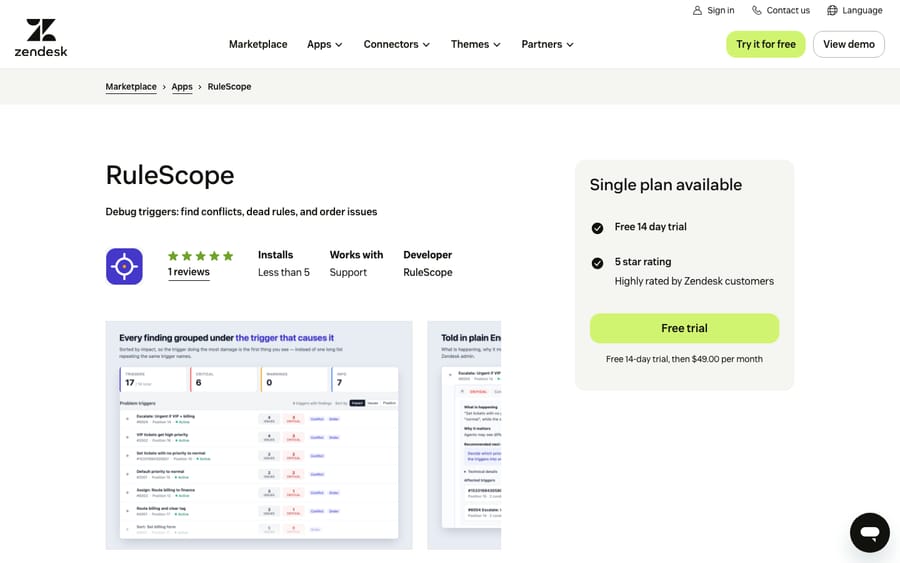
Scores: reviews 0, price 2, works in the ticket 1, setup 2, maintained 2.
It runs from the nav bar and changes nothing, so it scores 1 on working in the ticket; the same fact makes it low risk to try on a live account.
Best for: admins who inherited a trigger list.
What these apps change for an AI agent on the same tickets
Workflow apps decide which tickets exist and what's written on them. On Zendesk, Macha's tools read the ticket and its comments, custom field values and field definitions, and write status, priority, custom fields, tags, internal notes and public replies.
We check four things. First, apps that create tickets, like Tasks and Subtickets, Escalator and Myndbend. A subticket is a new ticket that can match the agent's trigger, so we use Macha's tag-and-exclude pattern: the trigger adds a tag when it fires and excludes that tag from its conditions. Second, apps that merge, like Swifteq's and Knots'. A merge closes one ticket into another, so we check that the agent's trigger conditions don't pick up tickets the merge app is about to close. Third, apps that write fields, like Ticket Parser and Timers. We read the field definitions so the agent doesn't overwrite a field an app owns (see custom fields and AI agents). Fourth, apps that post or change status later, like Ticket Scheduler and Klick-Zen. Their updates can wake a trigger, so we watch high-volume triggers for warnings.
Then we replay past tickets in a simulation and confirm whether replies post as internal notes or public before anything runs on its own.
Where AI fits
Every app above automates a step around the reply. An AI agent reads the ticket, drafts or sends the answer, sets fields and tags, and hands off what it shouldn't handle.
Macha runs AI agents inside the Zendesk account you already have, set up and monitored by the Macha team. It fits teams already running Zendesk who want agents acting inside the ticket on routine requests, while apps like Approve keep running the processes that need people. Pricing starts at $299/month for 750 tickets, with a trial of $50 of free usage (about 125 tickets), no credit card, no time limit.
Which one fits your situation?
- One request creates work for several teams: Tasks and Subtickets, or Escalator for outside parties.
- Follow-ups slip: Reminders, or Timers if the deadline should change the ticket.
- Duplicates waste agent time: Merge Tickets free, Merge Duplicate Tickets for identifier rules.
- Someone outside support has to sign off: Approve, or Myndbend for sequenced IT or HR approvals.
- Tickets close without the customer confirming: Klick-Zen Action Buttons.
- Your triggers fight each other: RuleScope.
FAQs
What are the best Zendesk workflow automation apps?
On our rubric, Tasks and Subtickets, Reminders and Process Shepherd share the top tier at 9 of 10. Auto Remove Attachments, Merge Duplicate Tickets, Merge Tickets, Approve, Timers, Escalator, Klick-Zen Action Buttons and Ticket Scheduler form the second tier on 8.
Can Zendesk merge duplicate tickets automatically?
With an app, yes. Knots' Merge Tickets is free and merges by requester, subject or ticket ID. Swifteq's Merge Duplicate Tickets, from about $70 a month, can also match on an order number in the comment.
Do workflow apps work with AI agents in Zendesk?
Yes, with some checking. Apps that create subtickets, merge tickets or write fields change which tickets an AI agent sees and what it reads, so set the agent's triggers and instructions around them before it goes live.
<div class="docs-callout"><div><p class="docs-callout-title">Are you listed here?</p><p class="docs-callout-body">Partners and app makers can send corrections with a public source to [email protected]. We fix facts within a week. Scores follow the rubric above, not requests.</p></div></div>
How we researched this
On October 29, 2026 we queried the Zendesk Marketplace catalog, 1,812 apps, for the Workflows category: 258 apps, 255 from third parties across 166 vendors, of which 19 have 10 or more reviews and 182 have none.
We read all 14 listings on zendesk.co.uk the same day, using a rendered browser read where the price panel didn't load as text. We used only plans the catalog marks as active. Myndbend's pricing page returned a 404, so its paid tiers come from the Wayback Machine. We didn't install or test any app or contact any vendor, and one reviewer applied the scores to public pages only.
Prices are shown in US dollars; prices published in other currencies were converted at European Central Bank reference rates of October 29, 2026.
Disclosure: Macha makes AI agents that run inside help desks. Nobody paid to be listed, and Macha is not ranked here.