Intercom
 Shopify
 Stripe
 Slack
Slack Notion
 Google Workspace
 Confluence

How Do Freshdesk Parent-Child and Linked Tickets Work? (2026)


Freshdesk has three ways to attach one ticket to another: parent-child for splitting a request into sub-tasks, linked tickets for grouping many reports under one tracker, and Threads with Collaborators for internal side discussions. Parent-child and linked tickets are switched on by an admin, need Pro or Enterprise, and cannot be combined on the same ticket.
Key takeaways
- Freshdesk parent-child ticketing splits one request into up to 50 child tickets, while linked tickets group many reports under one tracker, and Freshworks' FAQ says a ticket cannot use both.
- A Freshdesk parent ticket can be closed only once every child ticket is Closed or Resolved, and changing the parent's status never changes its children.
- Freshdesk automation between parent and child tickets syncs upward only: updates to a child can sync to the parent, but parent updates never sync down to children.
- Parent-child ticketing and linked tickets are both limited to Freshdesk Pro and Enterprise, which cost $55 and $89 per agent a month billed annually, and are enabled at Admin, Support Operations, Advanced Ticketing.
- Freshdesk Collaborators, capped at 5,000 per account, can add private notes and tag agents but cannot post a public reply or be the primary assignee.

Freshdesk links tickets in three ways: parent-child splits one request into up to 50 child tickets, linked tickets group many customer reports under one tracker, and Threads with Collaborators keep an internal discussion beside the ticket. Parent-child and linked tickets both need the Pro or Enterprise plan, and the two cannot share a ticket. Freshworks states it plainly in its own FAQ: "tickets can be associated via trackers or the parent-child method, but not both." Pick the wrong model on day one and you re-do the taxonomy later.
Which Freshdesk association should you use?
| You want to | Use | Where it lives |
|---|---|---|
| Split one request into sub-tasks for different teams | Parent-child ticketing | Admin › Support Operations › Advanced Ticketing |
| Group 200 reports of the same outage under one master ticket and broadcast updates | Linked tickets (tracker) | Admin › Support Operations › Advanced Ticketing |
| Ask billing or a vendor a question without the customer seeing it | Threads and Collaborators | Inside the ticket, once Collaborators are set up |
| Fold a duplicate into an existing ticket permanently | Merge, not association | The ticket list's Merge action |
Merge is the one people reach for when they actually want one of the other three. It is destructive by design: the conversations become one ticket and you cannot cleanly reverse it. So if the two requests need separate owners, separate statuses or separate SLAs, associate them rather than merging them. Our guide to merging and unmerging tickets in Freshdesk covers that path.
How do you turn on parent-child and linked tickets?
Both parent-child and linked tickets live behind the same admin screen.
- Sign in as an administrator.
- Go to Admin › Support Operations › Advanced Ticketing.
- Enable the toggle for Parent-Child Ticketing, the toggle for Linked Tickets, or both.
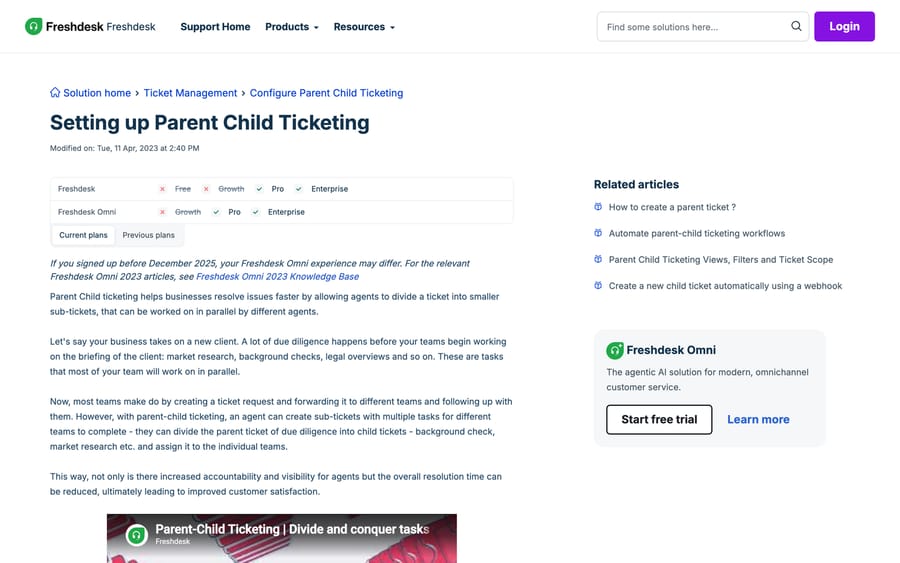
The setup article was last modified in April 2023, and the Linked Tickets one in June 2021. The Linked Tickets page still carries an older route through Admin › Apps › Get more Apps and the App Gallery; the Advanced Ticketing toggle is the one that works on current accounts, and the app-install instructions are a leftover. If you inherited an account from before that change and see a Linked Tickets app in your installed list, leave it alone rather than uninstalling it mid-quarter.
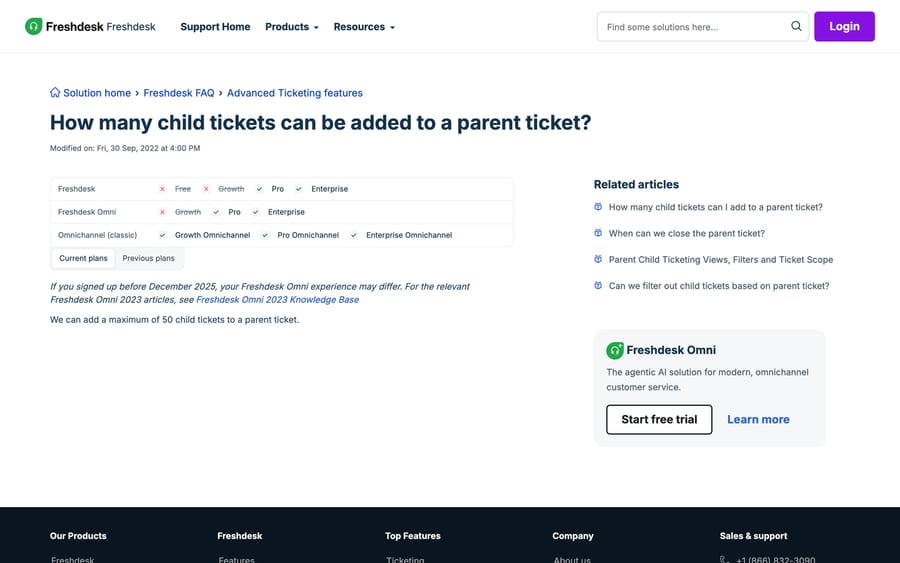
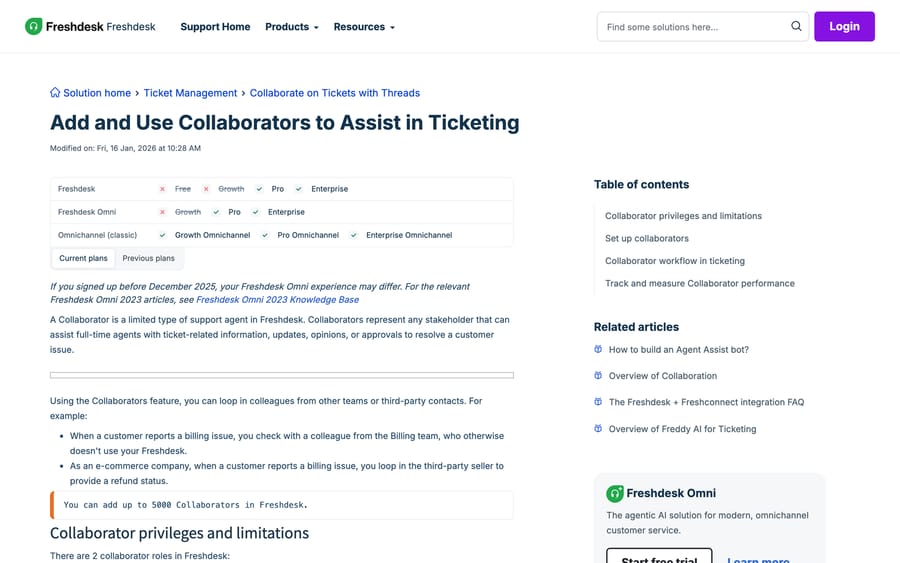
Plan gate. Both charts read the same on the Current plans tab: Pro and Enterprise on Freshdesk, Pro and Enterprise on Freshdesk Omni, crossed out on Growth. On Omnichannel (classic) accounts, linked tickets and parent-child run from Growth Omnichannel up. The charts also print a struck-through Free column, which is a stale template: Freshworks no longer sells a free plan (a separate Free program covers up to 2 agents for 6 months), and its pricing page now lists Growth at $19, Pro at $55 and Enterprise at $89 per agent a month billed annually. Budget the upgrade properly: if you are on Growth with eight agents, turning parent-child on costs you the Growth-to-Pro difference across every seat, not a per-feature add-on. Our Freshdesk pricing breakdown has the full table.
On Growth, the workaround is tags plus a naming convention. Create a "parent" tag and a custom text field holding the master ticket's ID, then build a view filtered on that field. You lose the rollup, the broadcast and the close-blocking rule below, but you keep a queryable relationship, and the API route in the last section works on any plan that exposes the ticket endpoints.
How does parent-child ticketing work?
Parent-child is for work that fans out. Freshworks' own example is client onboarding: one request arrives, and background checks, market research and legal review all have to happen in parallel under different owners.
To create children from an existing ticket, open the parent's Ticket Details page and use Add child in the right-hand panel. You can also build reusable child ticket templates so a standard breakdown (the same five sub-tasks every time) is one click rather than five forms.
Four rules decide whether this model fits your workflow.
A parent holds up to 50 children. Freshworks' FAQ is one sentence: "We can add a maximum of 50 child tickets to a parent ticket." That is generous for onboarding and far too small for an incident with hundreds of reporters, which is what linked tickets are for.
Status flows one way, and not the way most people assume. Changing the parent's status leaves the children untouched: "changing the status of the parent ticket will not impact the status of the child tickets." Resolving the parent does not resolve anything underneath it.
The parent is close-blocked until the children are done. "The Parent Ticket can be closed only if all of its Child Tickets are either Closed or Resolved." This is the single most useful thing parent-child gives you, and it is the reason to prefer it over a tag convention: Freshdesk enforces the dependency instead of trusting an agent to remember it. If your team confuses Resolved and Closed, read Freshdesk ticket statuses explained before you build reporting on top of this.
Automation syncs upward only. Freshworks is explicit: "Only updates to a child ticket can be synced to a parent ticket. Updates to a parent ticket will not be synced to the child ticket/s." So you can copy a child's notes onto the parent, raise the parent's priority when a child's priority rises, or notify the parent's owner, but you cannot push a change down the tree with a rule.
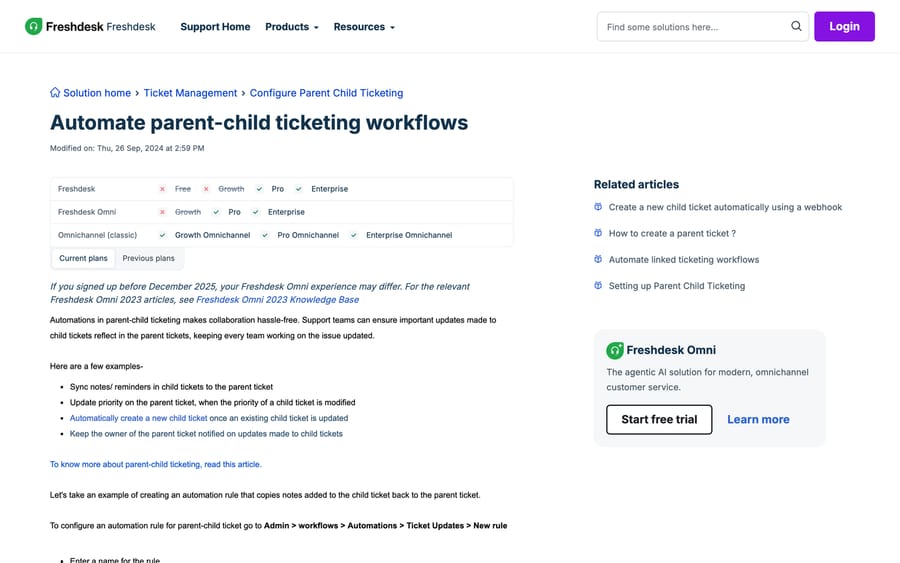
You build those rules at Admin › Workflows › Automations › Ticket Updates › New rule. The most-asked one in the Freshworks community (a 2022 thread on auto-closing the parent when its children resolve that has drawn about 1,500 views and seven replies) is still a "run a Ticket Updates rule on the child and check the parent" pattern rather than a checkbox. Freshdesk gives you the close-block; it does not give you the auto-close. Our guide to Freshdesk automations covers rule ordering, which matters here because a Ticket Updates rule that touches the parent can itself trigger another rule.
How do linked tickets and trackers work?
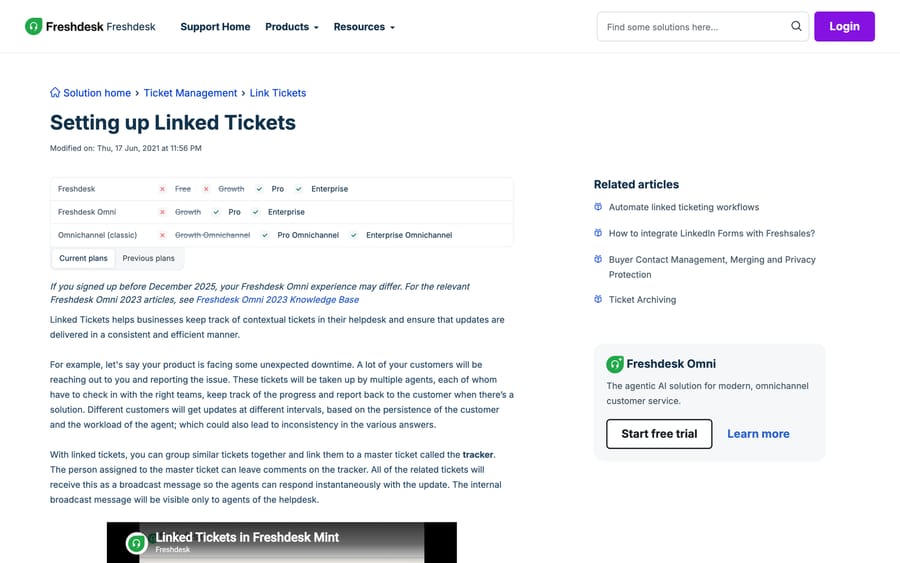
Linked tickets invert the shape. Instead of one request fanning out into tasks, many separate customer tickets point at one master ticket, called the tracker.
The mechanism that earns its keep is the broadcast. As Freshworks puts it, "the person assigned to the master ticket can leave comments on the tracker. All of the related tickets will receive this as a broadcast message so the agents can respond instantaneously with the update." One engineer types the status update once; every agent sitting on a linked ticket sees it as an internal note. The broadcast is visible to agents only, so a customer never sees the raw engineering comment.
Two ways to create one:
- From a single ticket: open it, choose the Linked Tickets icon in the right panel, then Create a Tracker.
- From the ticket list: select every ticket you want grouped, then click Link.
In the ticket list, a tracker carries its own label, so you can tell the master from the members at a glance. Trackers and archived tickets both show in the association panel, which matters during a post-incident audit.
Trackers and parent-child do not mix on the same ticket. That is the "trackers or the parent-child method, but not both" rule, and it is worth deciding up front: incident-shaped work (many reporters, one root cause) is tracker work; project-shaped work (one requester, many tasks) is parent-child work.
Does Freshdesk have side conversations?
Zendesk popularised the phrase "side conversation", and Freshdesk admins search for it constantly: the Freshworks community has 23 threads in this cluster drawing about 10,400 views. Freshdesk's equivalent goes by two names, and searching for the wrong one is why the docs feel absent.
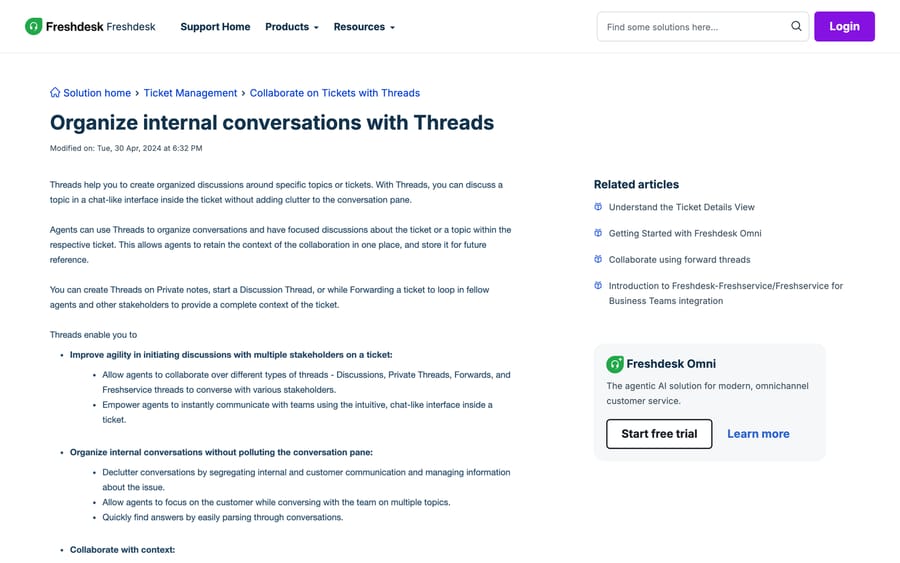
Threads are the in-ticket surface. The Threads article, modified April 2024, describes "a chat-like interface inside the ticket" and four thread types: Discussions, Private Threads (started on a private note), Forwards, and Freshservice threads for handing something to the IT desk. The point is segregation: an internal debate stays out of the customer-facing conversation pane.
Collaborators are the people you pull into those threads. The Collaborators article was modified in January 2026, which makes it the freshest page in this whole set. A Collaborator is "a limited type of support agent": a colleague in billing, or a third-party supplier, and an account can have up to 5,000 of them. There are two roles, ticket collaborator and analytics collaborator.
What a Collaborator can do: be tagged into a ticket, view it, add and edit private notes, tag agents, log time, watch the ticket, and forward it. What a Collaborator is blocked from doing: being the primary assignee, posting a reply or a public note, editing ticket properties, or publishing to the knowledge base. That split is the whole design: the billing colleague answers your question inside the ticket and has no path to email the customer by accident.
Three ways to set one up: add a support agent with Agent Type set to Collaborator, convert an existing contact from the Contact details page, or give agents a custom role that lets them invite collaborators themselves. The Collaborators article does not say whether a Collaborator consumes a billed agent seat, but the Freshdesk pricing page lists "5,000 collaborators included" on Pro and Enterprise and lists none on Growth. Confirm with your Freshworks account manager before you plan a rollout to fifty stakeholders, because that is the number that decides the cost.
Can you create these associations over the API?
Every association in this post has an API equivalent, which is how most teams migrate an existing hierarchy in rather than rebuilding it by hand.
- Make a ticket a child:
POST /api/v2/ticketswithparent_id. Freshworks' reference describes it as the "ID of the parent ticket that this ticket should be linked to. When passing this field, the current ticket actioned upon will be converted to a child ticket." - Link tickets to a tracker:
POST /api/v2/ticketswithrelated_ticket_ids. - Read an association:
GET /api/v2/tickets/[id]returnsassociation_typeandassociated_tickets_list. The type is numeric: 1 Parent, 2 Child, 3 Tracker, 4 Related. Whenassociation_typeis 1, the list holds the child IDs. - Walk the tree:
GET /api/v2/tickets/[id]/associated_ticketsandGET /api/v2/tickets/[id]/prime_association.
The numeric association_type is what makes reporting possible: Freshdesk's built-in views filter on parent and child scope, but anything more interesting (how long children sit open after their parent is resolved, say) means pulling the field yourself. A 2022 community thread on creating child tickets through the API has about 1,800 views and is still the practical reference people land on. Start from our Freshdesk API guide for authentication and rate limits.
How we researched this
We read every path, plan gate and limit in this post off Freshworks' own help centre on 21 September 2026, in a headless browser, and quoted each article's "Modified on" date so you can judge how current it is. They range from June 2021 to January 2026. Field names and the association-type numbering came from the Freshdesk API v2 reference. We do not have a Freshdesk instance, so nothing here was executed in a live account; where Freshworks documents a behaviour ambiguously, such as whether a Collaborator is a billed seat, this post says so rather than guessing. We rechecked the 50-child limit and the plan prices on 24 September 2026.
Frequently asked questions
What is the difference between parent-child and linked tickets in Freshdesk? Parent-child splits one request into sub-tasks that different agents work in parallel, and blocks the parent from closing until every child is Closed or Resolved. Linked tickets point many separate customer tickets at one master "tracker" so that a single comment on the tracker broadcasts to all of them as an internal note. Freshworks' FAQ says a ticket can use one model or the other, not both.
How many child tickets can one parent ticket have? Fifty. Freshworks' support FAQ reads: "We can add a maximum of 50 child tickets to a parent ticket." For volumes above that, such as a major outage with hundreds of reporters, use a tracker instead.
Which Freshdesk plan do I need for parent-child ticketing? Pro or Enterprise on both Freshdesk and Freshdesk Omni; the Growth column is crossed out on every one of these help-centre plan charts. The charts still show a Free column, but Freshworks no longer sells a free plan, so treat it as a template leftover rather than an option.
Does closing a parent ticket close its child tickets? It does the opposite. Freshworks' article states that "changing the status of the parent ticket will not impact the status of the child tickets," and separately that the parent can only be closed once all its children are already Closed or Resolved. Status flows upward, never down.
Can a Freshdesk automation copy updates from the parent to its children? Only in the other direction. The automation article is explicit: "Only updates to a child ticket can be synced to a parent ticket. Updates to a parent ticket will not be synced to the child ticket/s." Build these rules under Admin › Workflows › Automations › Ticket Updates.
Does Freshdesk have side conversations like Zendesk? It has the same capability under two different names. Threads give you a chat-like discussion inside the ticket in four flavours: Discussion, Private, Forward and Freshservice, and Collaborators are the colleagues or third parties you pull into them. Searching the help centre for "side conversations" finds very little; search for "Threads" and "Collaborators" instead.
Can a collaborator reply to the customer? No, and Collaborators come only with Pro and Enterprise, which include up to 5,000 of them. A Collaborator can add and edit private notes, tag agents, log time, watch and forward a ticket, but cannot be the primary assignee, post a public reply, edit ticket properties or publish knowledge-base articles. That restriction is the point of the role.
Can I create parent-child relationships through the Freshdesk API? Yes. Pass parent_id on POST /api/v2/tickets to convert the new ticket into a child, or related_ticket_ids to attach tickets to a tracker. Reading a ticket back returns association_type (1 Parent, 2 Child, 3 Tracker, 4 Related) along with associated_tickets_list.
Sources:
- Setting up Parent Child Ticketing, Freshworks help centre, modified 11 Apr 2023
- How many child tickets can be added to a parent ticket?, modified 30 Sep 2022
- When can we close the parent ticket?
- Does updating the status of parent ticket affect the child ticket?
- Can a linked ticket also be a child/parent ticket?
- Setting up Linked Tickets, modified 17 Jun 2021
- Automate parent-child ticketing workflows, modified 26 Sep 2024
- Organize internal conversations with Threads, modified 30 Apr 2024
- Add and Use Collaborators to Assist in Ticketing, modified 16 Jan 2026
- Freshdesk API v2 reference
- Freshdesk pricing
- Freshworks community: Parent Ticket Auto Close when Child Tickets Resolved, Create a child ticket using API
Add AI agents to your Freshdesk
Macha reads the ticket, drafts the reply and takes the action, inside the Freshdesk you already run.