





 Shopify
 Stripe
 Slack
Slack Notion
 Google Workspace
 Confluence

How Do You Migrate from Front to Freshdesk? (2026 Guide)


Moving from Front to Freshdesk means using an API migration tool for your conversation history, because Front's own export needs a Support request and leaves out tags, templates and personal-inbox data. Your Front rules, templates, shared drafts and analytics don't move at all and have to be rebuilt in Freshdesk.
Key takeaways
- Front to Freshdesk migrations run through an API tool such as Help Desk Migration, because Front's account export needs a Support request that Front acknowledges within 72 hours.
- Front's own account export arrives as CSV files of about 700MB each and excludes message templates, tags, contact data, and individual-inbox conversations and attachments.
- Front conversations become Freshdesk tickets, with open mapped to Open and archived mapped to Resolved or Closed, while teammate comments become private notes and contacts match by email.
- Help Desk Migration's free demo imports 20 tickets for checking, and its Delta migration for records created mid-run is included only in the Premium and Enterprise support packages.
- Front rules, message templates, shared drafts and analytics never migrate to Freshdesk and must be rebuilt as Freshdesk automations, canned responses and fresh reports.

To migrate from Front to Freshdesk, use an API-based migration tool such as Help Desk Migration to move conversations, contacts, companies, agents, tags and attachments, because Front's own account export is Support-gated and drops tags, message templates and individual-inbox data. Then rebuild your Front rules as Freshdesk automations and your message templates as canned responses by hand, since no tool carries Front configuration across.
| Step | What you do | Where |
|---|---|---|
| 1. Map the data model | Decide how Front's open/archived states map to Freshdesk statuses | On paper, before any export |
| 2. Prep Freshdesk | Create agents, groups and custom fields; turn off automations | Freshdesk Admin |
| 3. Run a free demo | Import a 20-ticket sample and check it | Help Desk Migration wizard |
| 4. Full migration, then Delta | Move history in the background; catch records created during the run | Help Desk Migration |
| 5. Rebuild and cut over | Recreate rules and templates, re-enable automations, repoint email | Freshdesk Admin |
Why do teams move from Front to Freshdesk?
The two most common reasons are cost and ticketing depth. Front prices per seat and its automation and analytics power sits on higher tiers. You can see the tier breakdown in Front pricing explained. Freshdesk's per-agent tiers make the math easier for a growing support org. Freshdesk has no permanent free plan on its pricing page any more; its Free program covers up to 2 agents for 6 months, and paid plans start with a 14-day trial (freshworks.com).
The second reason is the data model itself. Front is a collaborative shared inbox built for teams that reply to email together. That's a strength for internal collaboration, but if you need first-class tickets (statuses that drive SLA timers, priority-based escalation, group-based assignment, and ticket-level custom fields feeding reports), Freshdesk's ticketing engine is built for it. Teams that have outgrown "a nicer inbox" and want a help desk tend to land on Freshdesk.
How do Front conversations map to Freshdesk tickets?
Get clear on the mapping before you export anything, because a Front conversation and a Freshdesk ticket are not the same object. A Front conversation is a thread inside a shared inbox with tags, assignees, and inline teammate comments. A Freshdesk ticket is a record with a status, priority, group, agent, and requester, plus internal notes.
The single most important decision is status mapping. Front conversations are open or archived; Freshdesk tickets are Open, Pending, Resolved, or Closed. Most migrations map archived → Resolved/Closed and open → Open, then preserve the original Front state as a tag or note for audit. Front tags become Freshdesk tags, teammate comments become private notes, and contacts map by email so you don't create duplicates.
What data moves, and what do you have to rebuild?
Some data ports through a migration tool. A large amount of Front-native configuration does not port at all and has to be rebuilt in Freshdesk.
| Front object | Moves via migration? | Where it lands in Freshdesk |
|---|---|---|
| Conversations (subject, body, thread) | Yes | Tickets |
| Teammate comments / discussions | Yes (shared inboxes only) | Private notes |
| Tags | Yes (via tool), not via Front's own export | Ticket tags |
| Contacts | Yes (via tool) | Contacts (matched by email) |
| Companies / accounts | Yes | Companies |
| Agents | Yes, mapped to agents you set up in Freshdesk | Agents (mapped) |
| Attachments | Yes (via tool; EML-only in Front's raw export) | Ticket attachments |
| Custom fields | Only once the target fields exist | Ticket / contact fields |
| Knowledge base articles | Yes (categories, folders, articles) | Solutions articles |
| Front rules | No, rebuild | Freshdesk automations (ticket creation, update and time rules) |
| Message templates | No, rebuild | Canned responses |
| Shared drafts | No | None |
| Analytics / reports | No | Freshdesk Analytics (starts fresh) |
| Individual (personal) inbox data | No, excluded from Front export | None |
Customer history moves; your Front setup does not. Rules, templates, shared drafts, and analytics are Front-native config, and none of it survives a migration to a different platform.
Why isn't Front's own data export enough?
You cannot fully export your own Front data from the app. Per Front's help center, an account data export is not self-serve: you must contact Front Support, and you need company admin permissions. Front says its Support team will acknowledge your request within 72 hours and then begin processing (help.front.com).
What you get back is limited. The export arrives as CSV files organized by inbox, at about 700MB per file, with attachments available only in EML format on request. Front's own export excludes attachments, comments, conversations, and discussions from individual inboxes, plus contact data, and it does not export message templates or tags (help.front.com). If you rely on the raw export alone, you lose tags, personal-inbox threads, and contacts.
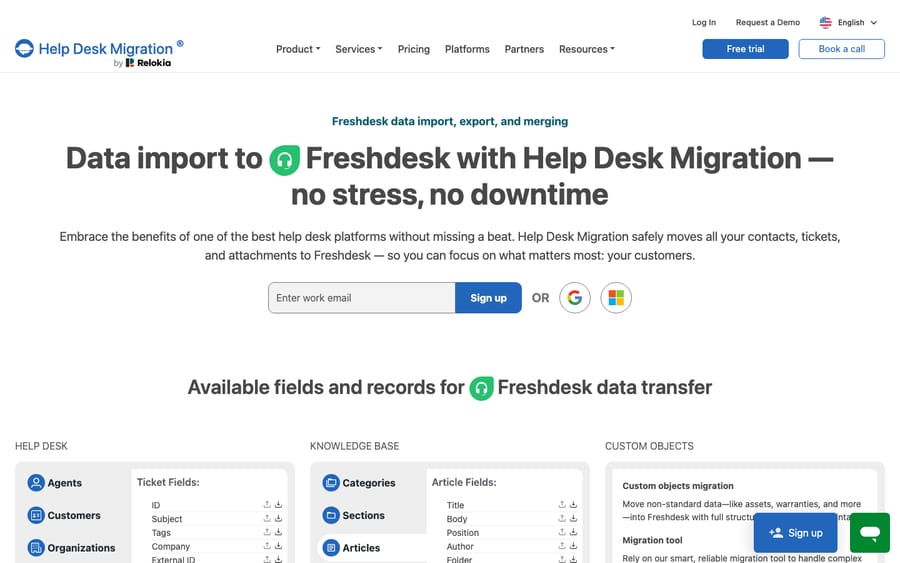
That's why most teams use a third-party migration tool instead of the raw export. Help Desk Migration connects to Front with an API token and moves conversations, contacts, companies, agents, tags, notes and attachments, plus knowledge base categories, folders and articles (help-desk-migration.com). The vendor prices each migration by data volume, options and support package, and quotes after a free demo. It's the practical route for a lossless-as-possible Front → Freshdesk move, and it's the path shown on the import screen above.
How do you run the migration, step by step?
1. Prep Freshdesk first. Set up your agents and groups in Freshdesk so the tool can map agents up front and ticket assignment doesn't break on day one. Create your custom fields under Admin → Workflows → Ticket Fields, or create their Freshdesk counterparts inside the Migration Wizard during mapping (help-desk-migration.com).
2. Disable Freshdesk automations during import. Turn off your ticket creation, ticket update and time-trigger rules under Admin → Workflows → Automations so imported tickets don't fire live rules and email customers. Help Desk Migration's checklist recommends this, along with pausing parent-child ticketing. Re-enable them after (help-desk-migration.com).
3. Connect both platforms and map. In the migration tool, connect Front (via API token) as the source and Freshdesk as the target. Map agents, statuses (archived → Resolved/Closed), and each custom field to its Freshdesk destination. Run the free demo migration, which imports 20 tickets with their related data, and check the result before committing. You can rerun the demo as often as you like.
4. Run the Full Migration, then Delta. Start the full data migration. It runs in the background, so your team keeps working in Front. To catch anything created or updated after the full run began, use a Delta migration, which transfers only those records. Delta is included in Help Desk Migration's Premium support package (one Delta within 10 days) and its Enterprise package, not in Essential or Advanced (help-desk-migration.com).
5. Rebuild config and cut over. Recreate your Front rules as Freshdesk automations, your templates as canned responses, re-enable automations, point your support email and channels at Freshdesk, and archive Front.
Can you keep your AI agents through the switch?
Your Front rules, templates, and analytics don't migrate. The layer that reads a customer message and answers it doesn't have to be rebuilt if it lives above the inbox rather than inside it.
Macha is an AI agent layer that runs on top of the help desk you use, Front today and Freshdesk tomorrow, through native connectors for Zendesk, Freshdesk, Gorgias, Front, HubSpot or Intercom. It doesn't replace either one; either one plugs into it. The broader category of AI agents for customer service exists for the work a keyword rule can't do: reading intent, pulling a real order or account status through a custom tool, and drafting or sending a grounded reply. If you run Macha on Front today via the Macha–Front connector, the agents, instructions and tools you've built stay yours. You re-point them at Freshdesk instead of rebuilding them, which softens a migration that erases so much native config. Macha bills per ticket (one conversation, charged once however many messages it takes, from $299 a month for up to 750 tickets), never per resolution, so the price follows the volume you handle, not the platform underneath it.
Migrate your history with a migration tool, rebuild your plumbing (rules, templates) once in Freshdesk, and keep your AI agents above both so they're the one thing you don't have to redo.
FAQ
Can I export my Front data myself? Not fully. A complete Front account data export is Support-gated: you contact Front Support with company admin permissions, and they acknowledge within 72 hours. Because the raw export drops tags, individual-inbox data, and contacts, most teams use a migration tool that pulls via the API instead.
Does Front's export include tags and attachments? Front's account data export excludes message templates and tags, and excludes attachments and comments from individual inboxes; shared-inbox attachments come as EML on request. A third-party tool like Help Desk Migration does carry tags and attachments into Freshdesk.
Do my Front rules migrate to Freshdesk? No. Front rules, shared drafts, message templates, and analytics are Front-native configuration and don't port to any other platform. You rebuild rules as Freshdesk automations and templates as canned responses. See Front rules explained for what you're recreating.
Will there be downtime? There doesn't have to be. Migrations run in the background while your team keeps working in Front, and a Delta migration (Premium or Enterprise support package) catches records created during the transfer, so you can cut over on your own schedule rather than freezing support.
How are Front conversations mapped to Freshdesk tickets? Conversations become tickets, teammate comments become private notes, contacts match by email, and Front's open/archived states map to Freshdesk's Open/Resolved/Closed, usually with the original state preserved as a tag for audit.
Does Freshdesk still have a free plan? Not as a listed plan. Freshdesk's pricing page offers a Free program for up to 2 agents for 6 months and a 14-day trial of paid plans, so budget for per-agent pricing after the move.
Planning a move and want your AI agents to survive it? Start a free trial of Macha and connect it to Front now, then re-point it at Freshdesk when you land.






