





 Shopify
 Stripe
 Slack
Slack Notion
 Google Workspace
 Confluence

How Do You Migrate from Front to Zendesk in 2026? What Moves and What You Rebuild


A Front to Zendesk migration runs through a third-party service such as Help Desk Migration or ClonePartner, because Front has no self-serve export and neither vendor maintains a Front-to-Zendesk importer. Conversations, contacts and accounts move over the APIs, while Front rules, linked conversations, shared drafts and analytics dashboards have to be rebuilt in Zendesk.
Key takeaways
- Conversations, contacts and accounts migrate from Front to Zendesk through a third-party tool, but Front rules, linked conversations, shared drafts and analytics dashboards must be rebuilt by hand.
- Front has no self-serve account export; a company admin must request it from Front Support, which acknowledges export requests within 72 hours before processing.
- The standard Front export leaves out individual-inbox content, contact data, message templates and tags, covering shared-inbox conversations, messages, discussions, comments and EML attachments.
- Zendesk's data importer works on every Suite and Support plan but imports users, organizations, custom object records and IT assets, not tickets.
- Help Desk Migration's free demo moves 20 tickets with their related data and can be repeated, which checks field mapping before the full Front to Zendesk run.

To migrate from Front to Zendesk, use a third-party migration service such as Help Desk Migration or ClonePartner to copy conversations, contacts and accounts over the two platforms' APIs, then rebuild Front's rules, linked conversations, shared drafts and analytics in Zendesk by hand. Front has no self-serve export (a company admin has to ask Front Support, which acknowledges requests within 72 hours), and neither vendor offers a maintained Front-to-Zendesk importer. The table below is the planning core: what ports, and what you rebuild.
| Front concept | Zendesk destination | Ports via tool? |
|---|---|---|
| Conversations & messages | Tickets & ticket comments | Yes |
| Contacts | End users | Yes (third-party tool, or Zendesk's CSV data importer) |
| Accounts | Organizations | Yes (third-party tool, or Zendesk's CSV data importer) |
| Tags | Ticket tags | Yes with a third-party tool; Front's own export leaves tags out |
| Teammates | Agents | Partial: Help Desk Migration lists teammates, but each agent still needs a Zendesk seat and invite |
| Inboxes | Groups or brands | Mapped during setup |
| Canned responses | Macros | Rebuilt or mapped, not lifted |
| Attachments | Ticket attachments | Yes |
| Front rules | Triggers & automations | No: rebuild by hand |
| Linked conversations | (no direct equivalent) | No: the link is lost |
| Shared drafts | (no equivalent) | No: Zendesk has no shared draft |
| Analytics dashboards | Zendesk Explore | No: rebuild reports from scratch |
The top rows are the easy part. The bold rows at the bottom are where migration projects run long.
Why do teams move from Front to Zendesk?
Front and Zendesk solve the same problem with opposite models. Front is a shared inbox: conversations look and feel like email, and the team collaborates around them with comments, mentions and shared drafts. Zendesk is a ticket queue: every request becomes a numbered ticket with a status, priority, assignee and SLA clock. If you want a refresher on Front's model, what is Front app covers the shared-inbox foundation.
Teams usually switch when they need three things Zendesk does natively: a structured ticket model that holds up past a few hundred conversations a day, deeper automation through triggers, automations and macros, and granular reporting in Zendesk Explore for SLA, CSAT and per-agent metrics. That doesn't make Front worse. The shape of the work changed, and a queue now fits better than an inbox.
Can you export your data from Front yourself?
No. Front's help article on exporting your team's account data says plainly that you "cannot do this on your own in the app at this time." A user with company admin permissions has to email Front Support with an export request, and Front says it will acknowledge the request within 72 hours before processing starts. You're waiting on a support queue before the project begins.
The export is also narrower than most teams expect. It includes conversations, messages and discussions from shared inboxes, comments in those shared inboxes, attachments in EML format, and data from blocked or deleted users. It leaves out individual-inbox content and attachments, contact data, message templates and tags. If your team works partly in personal inboxes or depends on templates and tags, that data doesn't come along. Our companion piece on how to export data from Front goes deeper on the mechanics and the EML format.
That's why most teams skip the raw export and use a migration service that reads Front's API and writes to Zendesk's directly. Zendesk's own data importer is available on every Suite and Support plan, but it bulk-imports users, organizations, custom object records and IT assets, not tickets, so it can carry contacts and accounts from a CSV and nothing more.
How do you migrate from Front to Zendesk, step by step?
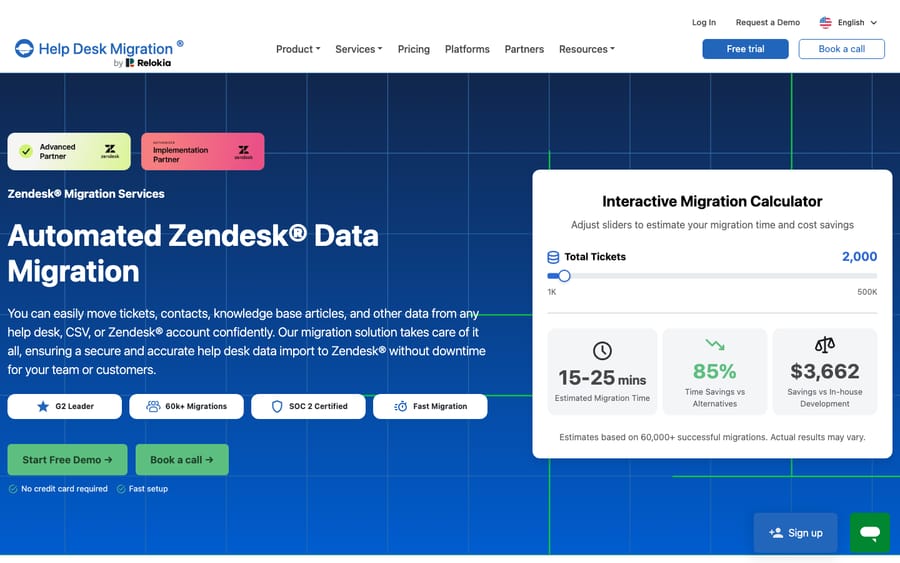
A tool-assisted migration follows a repeatable sequence. Services like Help Desk Migration or ClonePartner run it as an automated API-to-API transfer rather than a manual CSV shuffle. Help Desk Migration's Front page lists teammates, contacts, accounts and conversations (with tags, channel, state, assignments and comments), plus knowledge base articles, as migratable records.
- Audit and scope. List your Front inboxes, tags, canned responses and, above all, your rules. Write down what has to survive, because no tool moves all of it.
- Stand up Zendesk. Create the destination: inboxes become Zendesk groups or brands, ticket fields get defined, and Front teammates get Zendesk agent seats.
- Map fields. Decide how Front tags, custom fields and metadata land in Zendesk. Helpando's Front to Zendesk migration guide maps conversations to tickets, contacts to end users, accounts to organizations, inboxes to groups or brands, and canned responses to macros.
- Run a sample migration. Move a small batch and check it in Zendesk before the full run. Help Desk Migration's free demo moves 20 tickets with their related data, and you can repeat it. This is where you catch flattened threads and mis-mapped statuses.
- Run the full migration in parallel. Transfer everything while Front stays live. Run time depends on volume; Help Desk Migration says a small migration can take as little as 15 minutes, and its price depends on record count and options, so get the quote from a demo.
- Rebuild automation, then cut over. Recreate your rules as Zendesk triggers and automations, check your reports, and switch inbound routing to Zendesk once the destination checks out.
How much downtime should you plan for?
Plan for parallel running, not a hard switch. We'd run Front and Zendesk side by side for a week or two after the data lands, so nothing in flight gets dropped and the team gets used to the queue. A well-run cutover has little real downtime, but that only holds if you don't flip inbound routing until the destination is checked.
What does not survive the move to Zendesk?
- Front rules don't migrate. Front's own importer (which runs the other way, Zendesk into Front) lists tags, teammates and rules as not imported, and the same gap holds in reverse: your Front rules have to be rebuilt as Zendesk triggers and automations by hand. For a refresher on what you're rebuilding, Front rules explained breaks down the When/If/Then logic you'll re-express in Zendesk.
- Linked conversations lose their links. Front lets you connect related conversations; Zendesk has no native equivalent, so the tickets arrive but the "these belong together" context is gone.
- Shared drafts have no destination. Front's shared draft, where teammates co-write a reply before it sends, doesn't exist in Zendesk.
- Analytics dashboards start over. Front analytics don't port. Zendesk Explore is a different reporting engine with its own metrics, so dashboards are rebuilt and some Front measures have no like-for-like match.
None of this makes the migration a bad idea. The realistic project is "move the conversations, then rebuild the automation and reporting," and budgeting for that second half is what separates a smooth cutover from a stressful one.
Does your AI automation have to be rebuilt too?
Not if it lives above the help desk. Macha is an AI agent layer for customer service that connects on top of Zendesk, Freshdesk, Gorgias, Front, HubSpot or Intercom, so it can run on Front today, Zendesk tomorrow, or both during the overlap, and it never replaces the desk. It reads a conversation, works out the intent, and drafts or sends a grounded reply, pulling a real order or account status through a custom tool that turns your REST API into something the agent can call.
That portability matters most mid-migration. Because Macha sits on top through a live Front connector and a Zendesk one, the logic you've built isn't stranded on the platform you're leaving; you point it at the new desk. If you're weighing building that automation yourself against a platform, building an AI agent from scratch vs a platform covers the tradeoffs. Macha bills per ticket, from $299 a month for 750 tickets, one charge per conversation however many messages it takes, never per resolution, so the bill doesn't hang on an outcome definition you don't control.
FAQ
Is there a native Front-to-Zendesk migration tool? No. Front's free importer runs the other way (Zendesk into Front), and Front says it "is not actively maintained," recommending Help Desk Migration or ClonePartner instead. Zendesk's data importer handles users and organizations, not tickets. For Front to Zendesk, a third-party migration service is the practical route.
Can I export my Front data myself? No. A company admin has to request the export from Front Support; it isn't available in the app. Front says it acknowledges requests within 72 hours and then starts processing.
What does the Front export leave out? Individual-inbox content and attachments, contact data, message templates and tags. It includes shared-inbox conversations, messages, discussions, comments, attachments in EML format, and data from blocked or deleted users. That gap is the main reason teams use an API-based migration tool.
What won't survive the move to Zendesk? Front rules (rebuild them as triggers and automations), linked conversations (no Zendesk equivalent), shared drafts (Zendesk has none) and your Front analytics dashboards (rebuild them in Zendesk Explore). Conversations, contacts, accounts and attachments generally do migrate.
How long does a Front-to-Zendesk migration take? The data transfer itself depends on volume and can be short; Help Desk Migration says small migrations can take 15 minutes. The longer work is the rebuild of rules and reports, plus a week or two of running both desks in parallel before cutover.
Can I test the migration before paying? Yes. Help Desk Migration's free demo moves 20 tickets with their related data and can be repeated, which is the cheapest way to check field mapping before the full run.
Whichever desk you land on, the automation can come with you. Start a free trial of Macha with $50 of free usage and connect it to Front or Zendesk.






