





 Shopify
 Stripe
 Slack
Slack Notion
 Google Workspace
 Confluence

How Do You Migrate from Gorgias to Zendesk in 2026?


Moving from Gorgias to Zendesk splits into two jobs: an API migration tool copies your tickets, notes, customers and help center, while Rules, views, SLAs and stats get rebuilt by hand. Gorgias has no native exporter to Zendesk, so plan the tool choice and the rebuild before you pick a cutover date.
Key takeaways
- A Gorgias to Zendesk migration uses an API tool such as Help Desk Migration to copy records, while Gorgias Rules are rebuilt by hand as Zendesk triggers and automations.
- The native Gorgias CSV export caps message history at the most recent 30 days and 100,000 tickets, and it drops internal notes, ticket events and Instagram media.
- A 100k-ticket Gorgias CSV export can take up to an hour, and the download link stays live for 14 days before it has to be regenerated.
- Help Desk Migration quotes its price by record volume, offers a free demo of 20 entities, and lets teams pause a run up to five times for five days each.
- Zendesk triggers and automations should be switched off before importing Gorgias history, then re-enabled one at a time so old tickets don't fire customer notifications.

To migrate from Gorgias to Zendesk, use an API-based migration tool such as Help Desk Migration to copy tickets, notes, customers, agents, attachments, macros and help center articles, then rebuild your Gorgias Rules as Zendesk triggers by hand. Gorgias has no native exporter to Zendesk, and its own CSV export is capped at 100,000 tickets and the most recent 30 days of messages when you include conversations.
| Path | What it carries | Limits | Cost |
|---|---|---|---|
| Native Gorgias CSV export | Public messages and ticket metadata | 30 days of messages, 100,000 tickets; no internal notes, events or Facebook/Instagram media | Free |
| API migration tool (Help Desk Migration) | Tickets, public and private notes, timestamps, attachments, customers, agents, macros, help center | Rules, views, stats and SLAs still rebuilt by hand | Quoted by record volume; free 20-entity demo |
Why do teams move from Gorgias to Zendesk?
Gorgias is built for ecommerce; Zendesk is built for scale. Gorgias wins on Shopify-native order context, macros wired to store actions, and a fast setup for a lean DTC team. Teams that outgrow it usually hit the same walls: they want more expressive automation than Gorgias Rules offer, richer historical analytics, formal SLA and escalation modeling, multiple brands under one account, and enterprise SSO, roles, and data-residency controls. Zendesk is heavier to run, but it's designed for exactly that complexity.
If you're still weighing the decision rather than executing it, our what-is-Gorgias primer and the deeper Gorgias Rules explainer are worth reading first. The second matters because Rules are the single artifact that changes shape the most in this migration.
What are the two jobs inside a Gorgias to Zendesk migration?
Every artifact in Gorgias falls into one of two buckets, and the split decides your entire plan.
Records are the historical facts of your support: tickets, the customers who opened them, your agents, attachments, and help center articles. These are rows of data, and rows of data move. A migration tool reads them out of the Gorgias API and writes them into Zendesk's, keeping the relationships between them intact.
Configuration is the logic that acted on those records: your Gorgias Rules, your macros as living shortcuts, your views, your stats. This is behavior, not data, and it does not transfer as working config. Even where a concept has a Zendesk equivalent (a Gorgias Rule is conceptually a Zendesk trigger), you rebuild it in Zendesk's grammar by hand. There is no file that turns a Rule into a trigger.
What moves to Zendesk, and what do you rebuild?
Here's the honest mapping, based on Help Desk Migration's Gorgias-to-Zendesk documentation, the most widely used automated service for this route:
| Gorgias artifact | Moves as data? | Works in Zendesk without rebuild? | Reality |
|---|---|---|---|
| Tickets (with created/updated/closed timestamps) | Yes | n/a | Full history, any status |
| Public replies & conversation | Yes | n/a | Threaded history preserved |
| Private (internal) notes | Yes | n/a | Migrates via the tool's API path |
| Customers / contacts | Yes | n/a | Matched to avoid duplicates |
| Agents | Yes | n/a | Team structure comes across |
| Attachments | Yes | n/a | Ticket attachments migrate |
| Help center (articles, folders, categories, inline images) | Yes | n/a | HTML body + structure migrate |
| Macros | Yes (as text) | No | Land as content; you re-wire them to Zendesk actions/placeholders |
| Rules → Triggers/Automations | No | No | Rebuild in Zendesk's trigger engine |
| Views | No | No | Recreate per team/agent |
| Stats & reporting | No | No | History resets; Zendesk recomputes from its own data |
| Shopify / order integration | No | No | Reconnect the app; re-map order context |
| SLA & escalation policies | No | No | Model fresh in Zendesk |
The two rows to internalize: Rules and stats. Gorgias Rules become Zendesk triggers and automations, and because Zendesk's conditions and actions are more granular, this is a rebuild, not a paste. It's a good moment to prune rules you no longer need rather than faithfully recreate every one. And even though your tickets migrate, your analytics were computed inside Gorgias' reporting layer; once tickets land in Zendesk, dashboards recalculate from Zendesk's model, so expect a reporting cold start. Macros are the deceptive middle case: the text arrives, but any macro that triggered a Shopify action or used Gorgias variables needs re-wiring in Zendesk. Our Gorgias macros explainer covers what's actually inside them.
Should you use the native Gorgias export or a paid migration tool?
The reverse direction has a native path: Gorgias ships an importer that pulls up to two years of your most recent Zendesk data in. There is no native Gorgias exporter that pushes a full, structured history out to Zendesk. That leaves two honest paths.
The native CSV export is free and fine for a flat list. But it has hard limits you must respect. Per Gorgias' own export documentation, the CSV excludes internal notes, ticket events, Facebook wall posts, and Instagram media and ad messages, so only public messages come out. And when you include message history, the export is capped at the most recent 30 days of the selected period and a maximum of 100,000 tickets. (Ticket rows alone can reach 1 million, but that's metadata without the conversations.) A 100k export can take up to an hour; a million-row export up to ten hours. The download link stays live for 14 days, then you regenerate it. For ecommerce teams, the social-channel and internal-note exclusions are the real trap: much of your DTC history lives in Instagram and Facebook threads that a CSV silently drops.
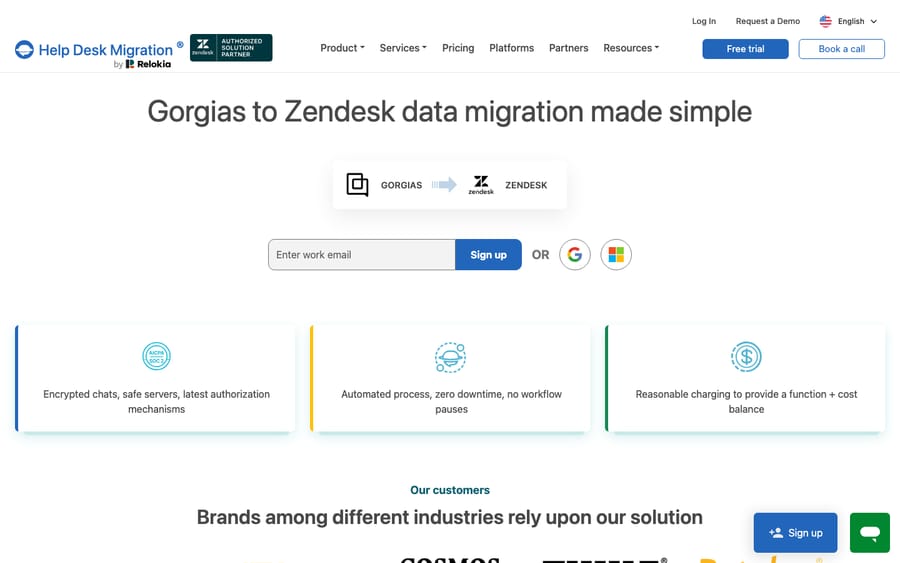
A paid migration tool reads Gorgias via API instead. Help Desk Migration is the standard one. It carries the threaded conversations, private notes, timestamps, and attachments that the CSV leaves behind, and writes them into Zendesk with relationships intact. It advertises zero downtime (both systems stay live during the copy), a delta migration to catch records created or updated during the run, and interval migration, which lets you pause and resume up to five times for up to five days each. It doesn't publish a price list: the cost depends on record volume and options, and you get a quote by running the demo. That free demo migrates 20 entities so you can check field mapping before paying. If you want to understand exactly what you can pull out yourself first, our guide to exporting data from Gorgias walks the native surfaces.
A fair rule of thumb: a few hundred contacts and no history worth keeping? Native CSV is enough. Years of threaded, multi-channel ecommerce tickets? A paid tool pays for itself in engineering time and in conversations that don't arrive mangled.
How do you migrate from Gorgias to Zendesk, step by step?
- Prep Zendesk first. Create your agent accounts, custom ticket fields, groups, and, critically, turn off triggers and automations so that importing thousands of historical tickets doesn't fire notifications about resolved orders from a year ago. HDM's guidance is explicit about disabling automation on the Zendesk side before you import.
- Add your macros in Zendesk up front. Because macros migrate as text and not as wired actions, the cleaner approach is to recreate the saved replies you actually use in Zendesk beforehand, then reconcile.
- Audit and map. Inventory ticket volume, customers, macros, Rules, and help center content in Gorgias, and map Gorgias fields to Zendesk's ticket, user, and organization model. This is where you decide what to keep.
- Run a sample migration. Use the free demo (20 entities) to validate that fields, notes, and attachments land where you expect before committing to the full run.
- Migrate with both systems live. Kick off the full transfer. Because it's API-to-API, Gorgias keeps serving customers throughout, so there's no mandatory blackout.
- Run a delta migration. Capture anything created or updated during the transfer so nothing falls through the cracks.
- Reconnect commerce context. Re-install and configure the Shopify (or other store) integration in Zendesk so agents see order, fulfillment, and refund data next to the ticket. This is the step ecommerce teams most often forget, and it's the one that makes or breaks agent productivity.
- Rebuild config and cut over. Recreate Rules as triggers/automations, rebuild views and SLAs, redirect help center URLs to preserve SEO, then re-enable Zendesk automations one at a time so a misfiring rule is caught before it hits every ticket.
Where does an AI layer fit after you land in Zendesk?
The most laborious part of this whole move is rebuilding behavior: the Rules and routing that ran your Gorgias queue. If you're recreating that logic from scratch anyway, it's the ideal moment to ask whether every path needs to be a deterministic trigger, or whether some of it belongs to an AI agent that reasons over the ticket.
That's where an AI agent layer fits. Macha is one such layer: it runs on top of the Zendesk you've just migrated into as a native connector. It does not replace Zendesk and it isn't a Zendesk alternative. It reads and writes the same tickets you moved: drafting or posting grounded replies from the help center that came across, triaging by intent so the right group gets the right ticket, and looking up order or fulfillment status through a custom tool that turns your store's REST API into something the agent can call. That's the ecommerce order context you just reconnected, now usable by the agent. (Macha works the same way on Gorgias, if you ever land back there. See the Macha Gorgias integration.) Macha bills per ticket, from $299/month for up to 750 tickets: one conversation, charged once however many messages it takes, never per resolution. The pricing page has the breakdown.
The clean division: let the tool move your records, rebuild the triggers and SLAs that genuinely must be deterministic, and let an agent take the reasoning-heavy work.
FAQ
Do my Gorgias Rules and macros move to Zendesk? Macros move as text. The reply content lands in Zendesk, but any macro that triggered a store action or used Gorgias variables must be re-wired to Zendesk's actions and placeholders. Rules do not move at all: they're configuration, and you rebuild them as Zendesk triggers and automations, which are more granular. Help Desk Migration explicitly advises adding macros and disabling automations on the Zendesk side before import.
What does the native Gorgias CSV export leave out? Quite a lot. Per Gorgias' documentation, the CSV export excludes internal notes, ticket events, and social-channel content (Facebook wall posts, Instagram media and ad messages), so only public messages are included. With message history included, it's capped at the most recent 30 days of the selected period and a maximum of 100,000 tickets. For a full, multi-channel ecommerce history, that's why teams use an API-based migration tool.
Will migrating cause downtime? Not inherently. A migration tool reads from the Gorgias API and writes to Zendesk's, so Gorgias keeps serving customers during the copy, and a delta migration catches records created mid-run. The real risk isn't downtime. It's active Zendesk triggers firing on imported historical tickets, so disable them before import and re-enable one at a time.
Do my Gorgias stats and reports come across? No. Your historical analytics were computed inside Gorgias' reporting layer. The underlying tickets migrate, but dashboards recalculate from Zendesk's own data model, so plan for a reporting cold start while fresh data accumulates.
How much does Help Desk Migration charge for Gorgias to Zendesk? Help Desk Migration doesn't list a fixed price for this route. The cost depends on how many records you move and which options you add, and you get the exact quote by running the free 20-entity demo.
Can I add AI to Zendesk after migrating without replacing it? Yes. An AI agent layer like Macha connects to Zendesk as a native connector and runs on top of your migrated help desk. It doesn't replace Zendesk. It resolves tickets using the help center you brought across and triages by intent, while Zendesk stays the system of record.
Just moved to Zendesk and rebuilding your automation from scratch? Start a free trial of Macha and connect it to your Zendesk in minutes.






