





 Shopify
 Stripe
 Slack
Slack Notion
 Google Workspace
 Confluence

How Do You Migrate from Gorgias to Zoho Desk? What Moves, What You Rebuild and the Export Limits (2026)


A Gorgias to Zoho Desk migration moves your records (tickets, contacts, agents, tags and knowledge base articles) but not your Rules, macros, views or dashboards, which you rebuild by hand. Gorgias' own CSV export leaves out internal notes and Instagram media messages, so the export path you choose decides how much history survives.
Key takeaways
- Moving from Gorgias to Zoho Desk transfers tickets, contacts, agents, tags and knowledge base articles, while Rules, macros, views and statistics dashboards must be rebuilt by hand in Zoho Desk.
- Zoho Desk's assisted migration takes CSV files named like Agents_XX.csv and Tickets_XX.csv, covering Agents, Accounts, Contacts, Tickets, Threads, Ticket Comments, Products and Tasks.
- Gorgias' CSV ticket export handles up to 1 million tickets, can take up to 10 hours at that size, and leaves out internal notes and Instagram media messages.
- A Gorgias export with full message content is capped at the most recent 30 days and 100,000 tickets, and its download link stays live for 14 days.
- Zoho Desk assigns migrated tickets only to active agents, keeps the shared backup file for 30 days, and accepts residual import requests within two weeks.

To migrate from Gorgias to Zoho Desk, you move the records (tickets, public replies, contacts, agents, tags, custom fields and knowledge base articles) with Zoho Desk's assisted CSV import or a paid tool such as Help Desk Migration, then rebuild Rules, macros, views and dashboards by hand, because none of that configuration transfers. Gorgias' own CSV export also leaves out internal notes and Instagram media messages, which is the main reason larger stores pay for an API-based tool.
What moves from Gorgias to Zoho Desk, and what do you rebuild?
Here is the mapping that matters. The record side is drawn from Help Desk Migration's Gorgias data documentation (a third-party service that runs Gorgias transfers), and the target side from Zoho Desk's assisted data migration guide.
| Artifact in Gorgias | Moves to Zoho Desk? | Maps to | Reality |
|---|---|---|---|
| Tickets (subject, status, priority, tags, dates, custom fields) | Yes | Tickets | Full public conversation history migrates |
| Ticket messages / public replies | Yes | Threads / Ticket Comments | Gorgias' CSV export skips Instagram media messages; an API tool carries more |
| Internal notes | No | — | Excluded from Gorgias' CSV export |
| Customers / contacts | Yes | Contacts | Matched by email, updated not duplicated |
| Companies / customer groups | Yes | Accounts | Associations to tickets preserved |
| Agents | Yes | Agents | Only active agents can be assigned in Zoho |
| Tags & custom fields | Yes | Fields / tags | Mapped during setup |
| Attachments & call recordings | Yes | Ticket Comments | Arrive attached to their comment |
| Knowledge base articles & categories | Yes | Zoho Desk KB | Rebuild folder structure / SEO metadata |
| Rules / automations | No | — | Rebuild in Zoho's workflow engine |
| Macros / canned responses | No | — | Recreate as Zoho snippets/templates |
| Views & ticket filters | No | — | Recreate per team |
| Statistics & dashboards | No | — | Historical analytics reset; cold start |
The record rows are the automated half. The bold rows — rules, macros, views, and stats — are the fresh-implementation half, and they are usually the larger effort. Treat that rebuild as an intentional redesign of your workflow inside Zoho Desk, not a line-for-line copy of a system you're leaving for a reason.
Why is a Gorgias migration really two jobs?
Everything in your Gorgias account is either a record or a piece of configuration, and knowing which is which decides your whole plan.
Records are the facts of your support history: tickets, the customers who opened them, the agents who handled them, and the help center articles you wrote. These are rows of data, and rows of data move. A migration reads them out of Gorgias and writes them into Zoho Desk, preserving the relationships between a customer, their orders' worth of tickets, and the replies on each.
Configuration is the logic that acted on those records: the Gorgias Rules that auto-tagged and routed tickets, the macros your agents fired to answer "where's my order," the views and stat dashboards. This is behaviour, not data, and Zoho Desk's automation grammar is different enough that even a "matching" rule has to be rebuilt by hand. There is no export file that turns a Gorgias Rule into a Zoho Desk workflow.
If you are still deciding whether the move is worth it, our primer on what Gorgias is is a useful gut-check on what you're leaving behind.
How do you map fields, agents and the knowledge base?
Field mapping is where an ecommerce migration earns its accuracy. Gorgias supports custom fields in several types — string, boolean, date, number, single- and multi-select — and each needs a corresponding Zoho Desk field before the run, or the values land nowhere. Zoho Desk's guide is strict about structure: child entity timestamps must be later than their parent's, so a comment can't predate its ticket, and if a parent entity fails to import, all its sub-entities are skipped — one malformed ticket row can silently drop its whole thread. Map deliberately and validate on the demo before you trust the full run.
Agent mapping reassigns each Gorgias agent to a Zoho Desk user. One ecommerce-specific gotcha: Zoho Desk only lets active agents be assigned to migrated records, so provision and activate your team in Zoho before importing, or historical tickets arrive unassigned.
Knowledge base mapping brings across help center articles and their categories, but the folder hierarchy and SEO metadata usually need tidying on the Zoho side. If you've built out an order-tracking or returns help center in Gorgias, plan an afternoon to re-nest categories and re-check slugs so search equity survives the move.
Should you use Zoho Desk's native CSV import or a paid migration tool?
Zoho Desk's built-in path is assisted, CSV-based data migration: you hand its migration team CSV files following a required naming and field pattern (Agents_XX.csv, Tickets_XX.csv, and so on), and Zoho ingests Agents, Accounts, Contacts, Tickets, Threads, Ticket Comments, Products, and Tasks. Zoho advertises free migration support on its pricing page, and this route is fine when your data is clean and your volumes are modest. The catch is on the export side: getting Gorgias data into well-formed CSVs — and honest about what's inside them — is the hard part.
Per Gorgias' export documentation, a CSV export handles up to 1 million tickets (anything beyond is truncated at the limit) and can take up to an hour per 100,000 tickets, up to 10 hours for a full million. More importantly, the export excludes internal notes, ticket events, Facebook wall posts, Instagram media messages and Instagram ad media messages. When you include full message content, Gorgias caps it at the most recent 30 days of the selected period and 100,000 tickets, and the download link stays live for 14 days. For an ecommerce team with years of social-channel conversations, that's a real gap: your Instagram media messages and internal handoff notes don't come out through the native CSV path at all. (Our guide on how to export data from Gorgias covers the mechanics.)
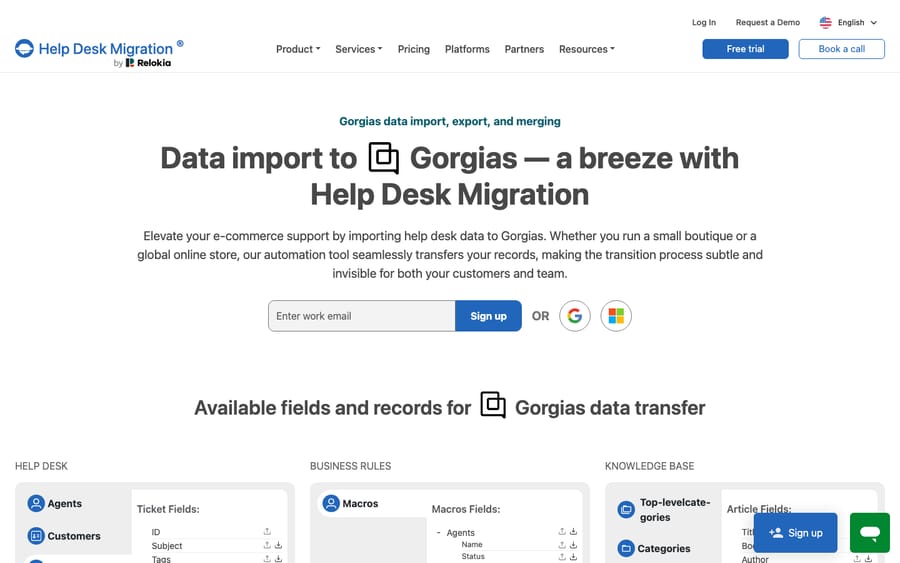
A paid migration tool such as Help Desk Migration reads Gorgias through its API rather than the CSV export, so it can carry ticket comments with their author, privacy setting, attachments, and recordings, plus tags, custom fields, groups, and knowledge base articles, mapping them into Zoho Desk automatically. It doesn't publish a price; the quote depends on record volume and the options you pick, and you get it after running a free demo of 20 random tickets and 20 knowledge base articles, which you can repeat to inspect field mapping. It also offers delta migration, a second pass that picks up records created or updated while the full migration ran, which is what makes a near-zero-downtime cutover possible. A fair rule of thumb: a few hundred contacts and no history worth keeping, native CSV is fine; years of threaded, multichannel tickets, a paid tool usually pays for itself in engineering time and in tickets that don't arrive mangled.
How do you migrate without support downtime?
Good news first: a modern migration is not a lights-out event. Because a paid tool reads from Gorgias' API and writes into Zoho Desk's, Gorgias keeps serving your storefront queue while records copy across, and delta migration catches anything created mid-run. There's no mandatory blackout.
The real risks are subtler, and they're worth sequencing around:
- Provision Zoho Desk first. Create and activate your agents, set up custom fields to match your Gorgias schema, and build the KB category shells — because only active agents can be assigned and unmapped fields drop data.
- Run the free demo and reconcile. Migrate the 20-ticket sample, then check that public replies, custom fields, and attachments landed where you expect. Fix mapping before the full run, not after.
- Turn off Zoho automations before the full import. Just as with any migration, active workflows can wake up on imported historical tickets and email customers about a two-year-old order. Disable notifications and workflows first.
- Run the full migration, then a delta pass. Let the bulk copy run against live Gorgias, then use delta migration to sweep up tickets created during it. Point your channels at Zoho Desk only once the delta is clean.
- Re-enable automations one at a time. On the way back up, switch workflows and notifications on gradually so a misfiring rule hits one ticket, not ten thousand. Zoho keeps the backup file you share for 30 days and accepts residual import requests within two weeks of the initial import, but ticket creation times, external IDs, and thread data can't be edited after import, so get those right the first time.
That "one at a time" discipline on re-enable is what separates a calm cutover from an inbox full of angry replies to ghosts.
Can you add an AI agent layer after the move?
The most laborious part of this move is rebuilding behaviour: the rules and macros that ran your Gorgias queue. If you're recreating that logic from scratch anyway, it's a good moment to ask whether every rule needs to be a deterministic automation, or whether some of that work belongs to an AI agent that reasons over the ticket instead. Weigh the build-versus-buy tradeoff before you commit.
Check which desks your AI options support before you pick the destination. Macha is an AI agent layer that sits on top of a help desk rather than replacing it, and it runs on Zendesk, Freshdesk, Gorgias, Front, HubSpot or Intercom. Zoho Desk is not on that list today, so if you want Macha's agents you would keep Gorgias or move to one of the supported desks instead. On a supported desk, Macha drafts grounded replies from the knowledge base you migrated, triages by intent so the right team gets the right ticket, and looks up order or shipping status through a custom tool that turns your Shopify or 3PL REST API into something the agent can call. Macha bills per ticket (one conversation, charged once however many steps it takes), not per resolution, from $299 a month for 750 tickets with setup by the Macha team included; the pricing page has the tiers.
The clean division: let a migration tool move your records, rebuild the deterministic workflows that must be rules, and give the reasoning-heavy work to an agent on a desk it supports.
FAQ
Does migrating from Gorgias to Zoho Desk move my Rules and macros? No. Rules, macros, views, and stat dashboards are configuration, not records — they don't transfer between platforms and must be rebuilt inside Zoho Desk. Only historical data (tickets, contacts, accounts, agents, tags, custom fields, and knowledge base articles) migrates.
What doesn't come out of Gorgias in a CSV export? Gorgias' CSV export excludes internal notes, ticket events, Facebook wall posts, Instagram media messages and Instagram ad media messages. Full message content is also capped at the most recent 30 days and 100,000 tickets, so a paid tool using Gorgias' API is the better path for complete multichannel history.
Will the migration cause downtime for my store's support? Not inherently. A migration tool reads from Gorgias' API and writes to Zoho Desk while Gorgias keeps serving customers, and a delta pass catches records created mid-run. The bigger risk is Zoho automations firing on imported historical tickets — disable them before import and re-enable them one at a time.
Can I do it for free with Zoho Desk's native import? Zoho Desk's assisted migration is CSV-based and Zoho advertises free migration support, which is fine for clean contacts and modest volumes. But because Gorgias' CSV export drops notes and social messages and caps message content, teams with years of threaded, multichannel tickets usually use a paid tool that reads Gorgias' API instead.
Can I add Macha to Zoho Desk after migrating? Not today. Macha runs on Zendesk, Freshdesk, Gorgias, Front, HubSpot or Intercom, and Zoho Desk is not one of them. If an AI agent layer on your existing desk matters, compare that list with your destination before you migrate.
Staying on Gorgias or moving to another supported desk? Start a free trial of Macha with $50 of usage and no credit card, and layer AI agents onto your help desk.






