





 Shopify
 Stripe
 Slack
Slack Notion
 Google Workspace
 Confluence

How Do You Integrate Aircall with Gorgias? (2026 Setup Guide)


Aircall connects to Gorgias through a webhook: you click Connect Aircall in the Gorgias App Store and paste the generated URL into Aircall's Webhook integration, and every call becomes a ticket with notes, recordings and tags. The setup takes minutes, but caller matching depends on E.164 phone numbers and the integration shares Gorgias' API limit.
Key takeaways
- Connecting Aircall to Gorgias starts in Settings, App Store, All Apps with Connect Aircall, then pasting the generated webhook URL into the Webhook integration in Aircall's Dashboard.
- Aircall costs $30 a user a month on Essentials or $50 on Professional billed annually, with a three-user minimum, while native Gorgias Voice is an add-on priced by call and text volume.
- Each Aircall call uses about 7 and up to 12 Gorgias API requests against an account-wide limit of 80 requests per 40 seconds, shared with every other integration.
- Call recordings over 500 MB won't upload to the Gorgias ticket, and Aircall SMS is logging-only, reopening tickets closed within the previous 72 hours.
- Gorgias matches an incoming caller to an existing customer by phone number in E.164 format, such as +34666444555, so inconsistent formatting creates duplicate Aircall New Contact records.

To integrate Aircall with Gorgias, click Connect Aircall in Gorgias under Settings → App Store → All Apps, copy the webhook URL it generates, and paste it into the Webhook integration in your Aircall Dashboard (Integrations & API → Discover Integrations). The integration switches on with the first call, turning each call into a Gorgias ticket with an internal note, the recording, and tags. Before you wire it up, decide whether you want Aircall at all or Gorgias' own Voice channel.
Should you use Aircall or native Gorgias Voice?
Gorgias ships its own native Voice channel: a phone number that lives inside Gorgias as a first-class channel, sold as an add-on whose price, per the Gorgias pricing page, "scales with your call and text volume." Aircall is a standalone cloud call-center platform that integrates with Gorgias. Per Aircall's pricing page, it costs $30 a user a month on Essentials or $50 on Professional (billed annually; $40 and $67 monthly), with a three-user minimum.
| Aircall (integration) | Native Gorgias Voice | |
|---|---|---|
| What it is | Standalone cloud phone system, connected via webhook | A phone channel built into Gorgias |
| Best for | Teams that already run Aircall, need IVR/routing/analytics depth | Teams that want phone inside Gorgias with nothing extra to run |
| Billing | $30 or $50 per user / month billed annually, 3-user minimum, separate vendor | Add-on priced by call and text volume |
| Call → ticket | Yes, via webhook | Yes, native |
| Dialer | Aircall softphone + Insight Cards | Gorgias' own dialer |
| Advanced telephony (IVR trees, call whispering, analytics suites) | Deep | Lighter, ecommerce-focused |
The arithmetic matters for small teams. Three Aircall Essentials seats are $90 a month before you add Gorgias; a lean Shopify brand that just wants a number customers can call, landing as a ticket, usually gets there faster with native Voice and one fewer vendor. If you already live in Aircall, with call flows, teams, and analytics you don't want to rebuild, the integration lets Gorgias become the place those calls turn into support work.
What does the Aircall integration actually sync into Gorgias?
The integration is a webhook that turns call events into Gorgias tickets and notes. Per the Aircall entry in the Gorgias docs, when a call happens Gorgias creates (or updates) a ticket linked to the customer, titled like [Inbound] call: Jane Doe, and adds a comment with the call details.
That note carries what a support manager wants: start and answer times, call direction, the customer's number and the Aircall number they dialed, IVR options chosen, the team it routed to, end time, duration, the assigned agent, voicemail status, and the reason for any missed call, plus any note the agent typed in the Aircall softphone. Recordings and voicemails are uploaded as attachments you can play inside the ticket without signing into Aircall. Gorgias' docs list the tags it adds automatically: Aircall, Inbound call or Outbound call, the Aircall number's name, the team name, and any tags the agent picked in Aircall. You can build views and rules on top of those.
One design choice worth knowing, per Aircall's own "features and limitations" doc: those internal notes are posted on behalf of the customer, whatever the call direction, so they don't count as billable agent interactions in Gorgias. That keeps your call volume from quietly inflating a Gorgias bill that's priced on tickets.
How do you start the connection in Gorgias?
Everything begins on the Gorgias side. Gorgias' docs also ask you to download the Aircall softphone first.
- In Gorgias, open Settings → App Store → All Apps.
- Search for Aircall and select it.
- On the Aircall integration page, click Connect Aircall.
- Copy the webhook URL Gorgias generates. You'll paste it into Aircall in the next step.
This is the screen you land on before any calls flow: the connect page, not a populated widget.
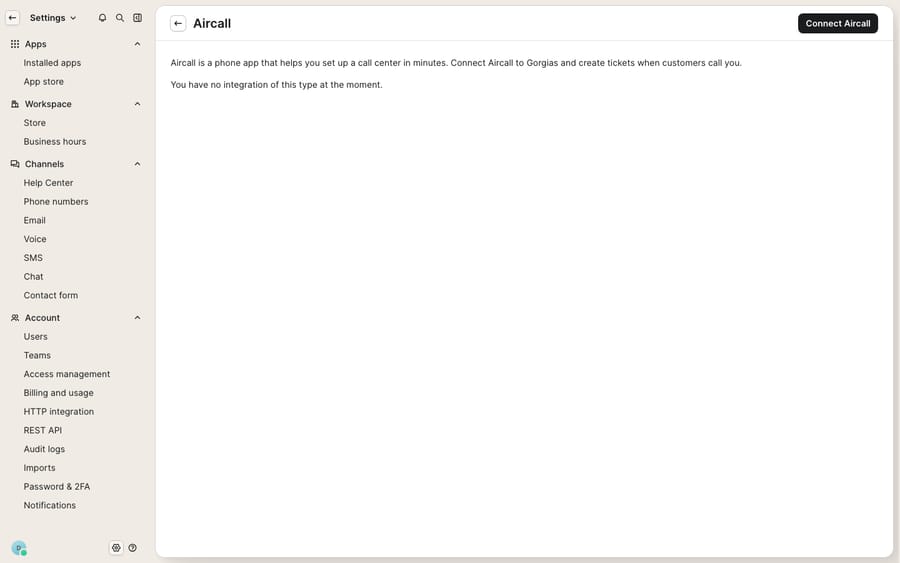
At this stage Gorgias is telling you it has no Aircall integration yet and offering the button to create one. The data-filled experience, with the customer sidebar populating with Shopify orders as a call comes in, only appears once the webhook is live and a call arrives from a matched customer. That's expected, and it's why the next steps matter.
How do you install the webhook in Aircall?
Now switch to Aircall to complete the loop.
- Log in to your Aircall Dashboard and go to Integrations & API → Discover Integrations.
- Search for and select Webhook, then click Install integration.
- Paste the Gorgias webhook URL you copied from Gorgias.
- Choose which Aircall numbers should feed Gorgias. This decides which calls generate tickets, so exclude internal or test lines you don't want logged.
Per the Gorgias docs, the integration activates on the first call. There's no separate toggle to hunt for. Place or receive one test call and watch the ticket appear.
Why aren't callers matching existing Gorgias customers?
This step quietly makes or breaks the integration, and it's the one most teams skip.
- Standardize phone numbers to E.164. Gorgias matches an incoming caller to an existing customer by phone number, in the format
+[international code][number], e.g.+34666444555. If your Gorgias contacts store numbers in a local or inconsistent format, matches miss and you get duplicate "Aircall New Contact" records instead of the real customer. - Match agents by email. Ticket assignment and comment attribution rely on the same email address existing in both Aircall and Gorgias. When they don't match, the ticket is left unassigned or falls back to the first admin. Audit your two user lists.
- Keep at least one Gorgias admin. Without an admin account, the integration can't create tickets or assign comments. This is a documented requirement.
Get these three right and the sidebar starts doing its job: when a known customer calls, their Gorgias customer sidebar opens with their profile and, if you've connected your store, their Shopify order history and shipping status alongside the live call.
How do click-to-dial and Insight Cards work day to day?
Two features change how agents work. Insight Cards appear inside the Aircall dialer as a call comes in, showing the caller's name, email, notes, and a link to their Gorgias profile, so the agent knows who's calling before saying hello. Click-to-dial lets an agent call a customer from the Gorgias interface with one click, which turns "we'll call you back about order #4471" into an outbound call logged against the right ticket.
For an ecommerce team this is the WISMO ("where is my order") workflow made fast: a shopper calls, the ticket opens with their order and tracking already in the sidebar, the agent answers the status question live, and the whole call, recording included, is attached to the customer's timeline for the next person who picks up.
What are the limits of the Aircall–Gorgias integration?
The integration is solid, but plan around its edges. These come from Aircall's limitations doc and the Gorgias docs:
- Recordings over 500 MB won't upload to the ticket, so long calls can lose their recording attachment.
- It's rate-limited. Each call spends about 7 API requests, and up to 12, against Gorgias' account-wide limit of 80 requests per 40 seconds, shared with every other integration hitting your account. Aircall notes the integration can disable itself if that limit is exceeded or an admin revokes authorization.
- Aircall SMS is logging-only. Inbound SMS/MMS creates tickets and reopens a closed ticket if it closed within the previous 72 hours, but agents can't reply to SMS from Gorgias yet.
- The full experience needs the softphone and a connected store. The populated sidebar, with real orders and click-to-dial against live customers, only exists once both are in place. The screenshot above is the connect page.
And there's a gap the integration was never meant to close: it logs and routes calls, but it doesn't answer the question the call was about. A recording of "where's my order?" is a faithful record, not a resolution. The follow-up email the customer expects still has to be written by someone who reads the note, looks up the order, and types the reply.
Where does an AI agent fit after the call is logged?
That follow-up is work an AI agent can do. The broader category of AI agents for customer service exists for the reasoning-and-writing step a webhook can't take. Macha is one such layer. It sits on top of the Gorgias you already run as a native connector and doesn't replace Gorgias, Aircall, or native Voice. It reads and writes the same tickets Aircall creates: after a call is logged, Macha can draft or send the follow-up, triage the ticket by intent, and look up live order or subscription status through a custom tool that turns your store's API into something the agent can call. It fits teams on Zendesk, Freshdesk, Gorgias, Front, HubSpot or Intercom who want the agent working inside the ticket. Macha bills per ticket, from $299 a month for up to 750 tickets: one conversation is charged once however many messages it takes, never per resolution. The pricing page has the tiers.
The division of labor: Aircall owns the telephony, Gorgias owns the ticket, and an agent handles the part neither does, turning the logged call into an answered one. If you're still assembling your phone-plus-helpdesk stack, our roundup of the best Gorgias integrations and the primer on what Gorgias is are good next reads.
FAQ
How do I connect Aircall to Gorgias? In Gorgias, go to Settings → App Store → All Apps, search for Aircall, and click Connect Aircall. Copy the webhook URL, then in your Aircall Dashboard → Integrations & API → Discover Integrations, install the Webhook integration and paste that URL. The integration activates on the first call.
What gets synced into a Gorgias ticket from a call? An internal note with start/answer times, direction, the customer and Aircall numbers, IVR options, team, duration, assignee, voicemail status, and missed-call reason, plus the recording and voicemail as playable attachments, and automatic tags: Aircall, Inbound call or Outbound call, the number name, the team name, and agent-selected tags.
Should I use Aircall or native Gorgias Voice? Use native Gorgias Voice if you want phone built into Gorgias, priced by call volume, with nothing extra to run. Choose Aircall, from $30 a user a month with a three-user minimum, if you already use it or need its deeper telephony (IVR trees, routing, analytics) with calls still flowing into Gorgias as tickets.
Why isn't the integration matching callers to existing customers? Almost always phone-number formatting. Gorgias matches by number in E.164 format (e.g. +34666444555); if your contacts store numbers differently, matches miss and duplicate "Aircall New Contact" records appear. Standardizing your contact numbers fixes it.
Can I reply to Aircall SMS from Gorgias? Not yet. Gorgias logs Aircall SMS as tickets, reopening a ticket closed within the previous 72 hours, but replies have to go out from Aircall.
Can I add AI to Gorgias calls without replacing Gorgias or Aircall? Yes. An AI agent layer like Macha connects to Gorgias as a native connector and runs on top of your existing help desk and phone stack. It helps resolve the ticket a call creates by drafting or sending replies and triaging by intent, while Aircall and Gorgias stay the systems of record for the call and the ticket.
Ready to turn logged calls into resolved tickets? Start a free trial of Macha and connect it to your Gorgias in minutes.






