





 Shopify
 Stripe
 Slack
Slack Notion
 Google Workspace
 Confluence

How Do You Migrate from Shopify Inbox to Gorgias, and What Carries Over?


Moving from Shopify Inbox to Gorgias means connecting Shopify for customer and order context, adding your other channels and rebuilding your automation, because Inbox chat transcripts have no rich export. The cutover needs no downtime, and most of the work is recreating macros and rules.
Key takeaways
- Moving from Shopify Inbox to Gorgias takes five steps: install Gorgias, connect Shopify under Integrations, add channels, rebuild macros and rules, then cut over in phases.
- Shopify Inbox is free, while the Gorgias Starter helpdesk plan costs $10 a month for 50 tickets, then $0.40 per extra ticket.
- Gorgias connects with over 100 apps against the five integrations Shopify Inbox offers, and its agents can cancel, update and create Shopify orders from a ticket.
- Help Desk Migration runs a free, rerunnable demo of 20 random tickets and 20 knowledge base articles so teams can check field mapping before paying.
- The Gorgias ticket export excludes internal notes, ticket events and social messages, and message-history exports stop at the most recent 30 days and 100,000 tickets.

Moving from Shopify Inbox to Gorgias takes five steps: install Gorgias from the Shopify App Store, connect Shopify under Integrations → Shopify, add your other channels, rebuild your macros and rules, then cut over in phases. Your old Inbox chat bubbles don't come across, because Inbox has no rich transcript export, but the customer, order and fulfillment context does, through Gorgias' Shopify sync. Shopify Inbox is free on the Shopify App Store; Gorgias' Starter helpdesk plan is $10 a month for 50 tickets, then $0.40 per extra ticket (gorgias.com/pricing, checked 24 September 2026).
| What you're moving | Carries over? | How |
|---|---|---|
| Customer profiles, orders, fulfillment | Yes | Shopify sync during Gorgias onboarding |
| Shopify Inbox chat transcripts | No | No rich export; context comes from Shopify data instead |
| Ticket history from another help desk | Yes | Native import or Help Desk Migration (free demo of 20 tickets) |
| Macros, rules, auto-responses, views | No | Rebuild in Gorgias |
| Reports and stats | No | Analytics start cold |
| Storefront chat during the move | No downtime | Migration runs in the background |
Why do teams move from Shopify Inbox to Gorgias?
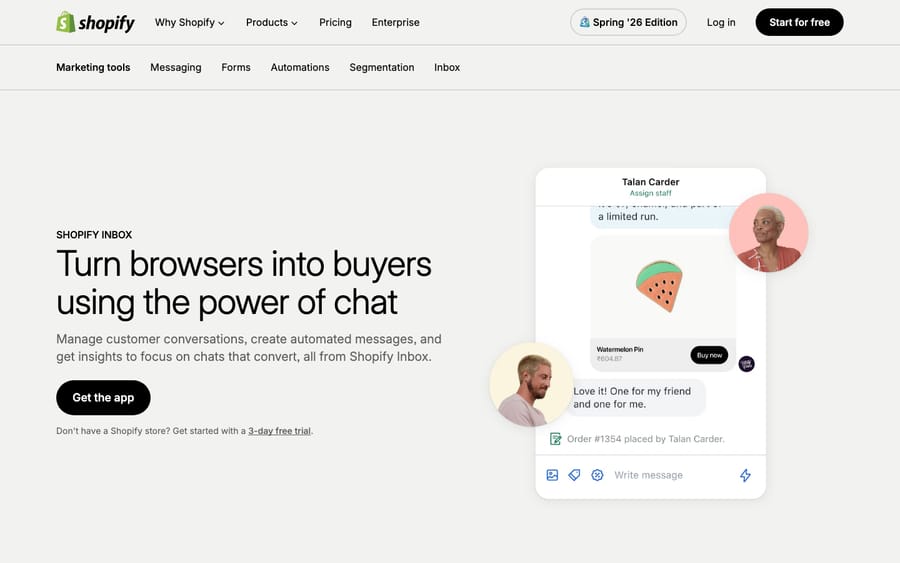
Shopify Inbox is a chat tool, and Gorgias is a help desk. Gorgias' own Shopify Inbox comparison puts it bluntly: "Do you have a full-time CX person? If so, Shopify Inbox is not enough." Inbox handles the chat widget on your storefront plus some email chat and AI replies. Gorgias pulls email, SMS, social and WhatsApp into the same inbox your live chat already lives in.
The gap widens on integrations and automation. Per that same comparison, Gorgias connects with "over 100 of the most used apps" (Klaviyo, Attentive and ReCharge among them) against Shopify Inbox's five, adds email AI automation Inbox doesn't have, and lets agents cancel, update and create Shopify orders directly from a ticket. If you want the full picture of the destination platform before you commit, our what is Gorgias primer and Gorgias pricing explained breakdown cover the ground. For most stores, the trigger to move is hiring a dedicated CX person: the moment "answer the chat" becomes "run support."
What carries over from Shopify Inbox, and what does chat continuity really mean?
This is where expectations quietly break, so it's worth being precise. Shopify Inbox does not offer a rich, portable export of your historical chat transcripts the way a mature help desk does. Migrating from Inbox to Gorgias is less about porting a transcript archive and more about rebuilding your front door on a platform that keeps context going forward.
Chat continuity in Gorgias comes from its Shopify integration, not a transcript dump. When you connect Gorgias to Shopify during onboarding, you choose which store data to sync (customer profiles, orders, fulfillment details), and Gorgias shows a unified customer profile inside every ticket. Your agents see order history, contact details and prior conversations in one pane without tab-hopping. A customer's literal old Inbox chat bubbles may not travel, but the context that made those chats useful (who the customer is, what they bought, what's shipped) is there from message one. For a live chat tool where most exchanges are short and order-related, that context is usually what continuity actually meant.
If you do have durable history worth keeping, say you've been running email support alongside Inbox in a separate tool, or you're folding a second help desk into Gorgias at the same time, that's where a real data migration comes in. Gorgias supports it through a native importer plus a paid tool, covered below.
What are the steps to migrate from Shopify Inbox to Gorgias?
For a store leaving Shopify Inbox, the practical sequence is short:
- Set up your Gorgias account and connect Shopify first. Install Gorgias from the Shopify App Store, then in Gorgias go to Integrations → Shopify and complete the onboarding flow, choosing which data to sync (customers, orders, fulfillment). This powers the unified customer profile and your ongoing continuity.
- Connect your channels. Add email, and any social, SMS or WhatsApp accounts you're consolidating, so every conversation lands in one inbox instead of scattered apps.
- Migrate any historical tickets you're keeping. If you're bringing history from another tool, use Gorgias' native import or a migration tool (below). Pure Shopify Inbox users often skip this step, since there's little to port, and simply cut over.
- Rebuild your automation. Recreate the macros, rules, auto-responses and views that will run your queue in Gorgias' own grammar. None of this comes from Inbox.
- Go live in phases. Route a slice of chat traffic through Gorgias first, watch resolution time and CSAT for a couple of weeks, then flip the rest. Phased cutovers catch mapping surprises before they hit every customer.
Which data moves as-is, and what do you rebuild?
This mapping table is the heart of the plan. It assumes you're bringing some history from a secondary help desk via Help Desk Migration, the paid tool listed on the Gorgias app store, since Shopify Inbox alone offers little to move.
| Artifact | Ports as data? | Ports as working config? | Reality |
|---|---|---|---|
| Tickets & public conversations | Yes | n/a | Full history via a migration tool, with field mapping |
| Ticket comments | Yes | n/a | Author, privacy, attachments, recordings, timestamps preserved |
| Customers / contacts | Yes | n/a | Profiles migrate; matched to Shopify data in-app |
| Agents & groups | Yes | n/a | Team structure comes across |
| Tags & custom fields | Yes | n/a | String, boolean, date, number, select, multi-select |
| Knowledge base articles | Yes | n/a | Articles + categories, with translations |
| Attachments & inline images | Yes | n/a | Included as needed |
| Shopify Inbox chat transcripts | Partial / No | No | No rich native export; continuity comes from Shopify context, not bubbles |
| Internal notes & ticket events | No | No | Excluded from Gorgias' own CSV export; treat as non-portable |
| Social messages (FB/Instagram) | No | No | Facebook wall posts, Instagram media/ad messages excluded from export |
| Macros / rules / auto-responses | No | No | Rebuild in Gorgias' engine |
| Views, stats & reports | No | No | Recreate; analytics start cold |
Two rows deserve a callout. First, macros and rules never travel as live logic. A migration tool can carry macro text as content, but the automation that fired them is behaviour, and behaviour rebuilds. Our Gorgias macros explained guide is the fastest way to reconstruct those. Second, your reporting starts cold: even when tickets migrate, historical dashboards recalculate inside Gorgias' data model, so budget for a reporting warm-up.
Do you need a paid migration tool, or is Gorgias' native import enough?
If you're only leaving Shopify Inbox, you likely have nothing that needs a migration tool: connect Shopify, connect your channels, and go. The tooling question matters when you're also consolidating a real ticket history into Gorgias.
A paid migration tool like Help Desk Migration automates that history move. Per its Gorgias documentation, it transfers agents, groups, customers, tickets with field mapping, ticket comments, tags, custom fields and knowledge base articles, and "attachments and inline images can also be included if needed." It runs a free demo of "20 random tickets and 20 knowledge base articles", rerunnable as many times as you like, so you can sanity-check field mapping before paying. Pricing depends on record volume and the options you pick, and the demo gives you the exact quote. Delta migration catches records created or updated during the run.
Know the export ceiling on the other side, too. If you ever need to get data out of Gorgias, its ticket export documentation is candid about the limits. Gorgias emails you a download link that stays active for 14 days, and when message history is included you can pull "the most recent 30 days of data from the selected period, up to a maximum of 100,000 tickets." Standard view exports go up to 1 million tickets but carry no message content. Exports also exclude "internal notes, ticket events, Facebook wall posts, Instagram media messages, and Instagram ad media messages", so only public messages come out. That's a fair reason to keep your system-of-record thinking straight from day one.
Will the migration cause downtime, and what are the caveats?
The good news for ecommerce teams: this is not a lights-out cutover. Help Desk Migration runs in the background ("you can keep working as usual while it runs"), so your storefront chat keeps serving customers while any history copies across, and delta migration picks up stragglers.
The honest caveats are three. One: Shopify Inbox transcripts don't port richly, so set the team's expectation that continuity is context-based, not bubble-by-bubble. Two: internal notes, ticket events and social messages sit outside Gorgias' export path, so if compliance or auditability matters, don't assume every artifact is portable later. Three: all of your automation (macros, rules, auto-responses, views and reports) rebuilds from scratch, and that rebuild is usually the largest slice of the project. Treat it as a fresh implementation of Gorgias, not a copy-paste of Inbox.
Where does an AI layer fit once you're on Gorgias?
The most laborious part of this move is rebuilding behaviour: the macros and rules that will run your queue. If you're rebuilding that logic from scratch anyway, it's the right moment to ask whether every path needs to be a brittle if-this-then-that rule, or whether some of it belongs to an AI agent that reasons over the ticket and the order context instead.
That's the seam where an AI agent layer fits. Macha is one such layer. It runs on top of the Gorgias you've just moved into as a native Gorgias integration; it does not replace your help desk, and it isn't a Gorgias alternative. It reads and writes the same tickets, drafting or posting grounded replies from the knowledge base you brought across, triaging by intent, and looking up order or fulfillment status through a custom tool that turns your Shopify or REST API into something the agent can call. Macha bills per ticket, from $299 a month for up to 750 tickets, with setup and monitoring by the Macha team included. One conversation is charged once however many messages it takes, never per resolution. The clean division: let Gorgias' Shopify integration carry your context, rebuild the deterministic rules that genuinely must be rules, and hand the reasoning-heavy, repetitive work to an agent.
FAQ
Will my Shopify Inbox chat history transfer to Gorgias? Not as a rich transcript archive, because Shopify Inbox doesn't offer a portable export of chat bubbles the way a full help desk does. What you get instead is continuity of context: once Gorgias is connected to Shopify, every ticket shows the customer's profile, order history and prior conversations, so agents keep the thread that actually matters for ecommerce chats.
Do I need a paid migration tool to move from Shopify Inbox? Usually not. If you're only leaving Inbox, there's little historical data to port: you connect Shopify and your channels and cut over. A paid tool like Help Desk Migration is for teams also consolidating a second help desk's ticket history into Gorgias at the same time.
What doesn't carry over to Gorgias? Macros, rules, auto-responses, views and reports all rebuild from scratch in Gorgias. Gorgias' own ticket export also leaves out internal notes, ticket events and Facebook or Instagram social messages, and message-history exports are capped at the most recent 30 days and 100,000 tickets, so don't assume every artifact is portable later.
Will migrating cause downtime for my store's chat? No. Migration tools run in the background while your existing chat keeps serving customers, and delta migration catches records created mid-run. The bigger effort is rebuilding your automation, not any blackout window.
How much does Gorgias cost compared with Shopify Inbox? Shopify Inbox is free. Gorgias' Starter helpdesk plan is $10 a month for 50 tickets, with $0.40 per ticket past the limit; adding its AI Agent to Starter makes it $40 a month with 30 automated interactions included (gorgias.com/pricing, 24 September 2026).
Can I add AI to Gorgias after migrating without replacing it? Yes. An AI agent layer like Macha connects to Gorgias natively and runs on top of your help desk rather than replacing it. It resolves repetitive tickets using the knowledge base you brought across and the Shopify order context Gorgias surfaces, while Gorgias stays the system of record.
Just moved to Gorgias and rebuilding your automation from scratch? Start a free trial of Macha: $50 of free usage, no credit card, and it connects to the Gorgias you just set up.






