Intercom
 Shopify
 Stripe
 Slack
Slack Notion
 Google Workspace
 Confluence

Yuma AI: The Complete Guide (2026)


If you run a Shopify store and you're evaluating an AI agent to actually close support tickets — not just deflect them to a help article — Yuma AI (the product at yuma.ai) shows up fast. It's an e-commerce-specialist agent that plugs into the helpdesk you already use (Gorgias or Zendesk) and resolves tickets end-to-end, including taking real actions like issuing refunds, pausing subscriptions, and generating return labels. The pitch is narrow and deliberate: not a general-purpose chatbot, but a support-automation agent purpose-built for Shopify merchants.
Key takeaways
- Yuma AI is a Shopify-focused AI support agent that plugs into Gorgias or Zendesk and resolves tickets end to end, including issuing refunds, pausing subscriptions, and generating return labels.
- Yuma AI was founded by Guillaume Luccisano, a three-time Y Combinator founder who previously built Socialcam, reportedly acquired by Autodesk for ~$60M.
- Yuma AI's Safety Guard runs 15 to 20 quality-control checks across multiple models on each AI reply before it reaches a customer.
- Yuma AI includes 75+ pre-built Shopify actions covering order status lookups, refunds, returns and exchange labels, address changes, and subscription pauses.
- Third-party estimates put Yuma AI's pricing at roughly $350 a month for about 500 resolutions, scaling to about $900 a month for about 1,500 resolutions.

This is our honest, researched guide to Yuma AI — what it is, how it works, what it costs (which is where things get murky), who it fits, and how it compares to the alternatives. Full disclosure: we build an AI support product (Macha) ourselves, so we'll be upfront about that. But this is a genuine guide to Yuma AI, not a pitch. Where a number isn't verifiable, we flag it.
What is Yuma AI?
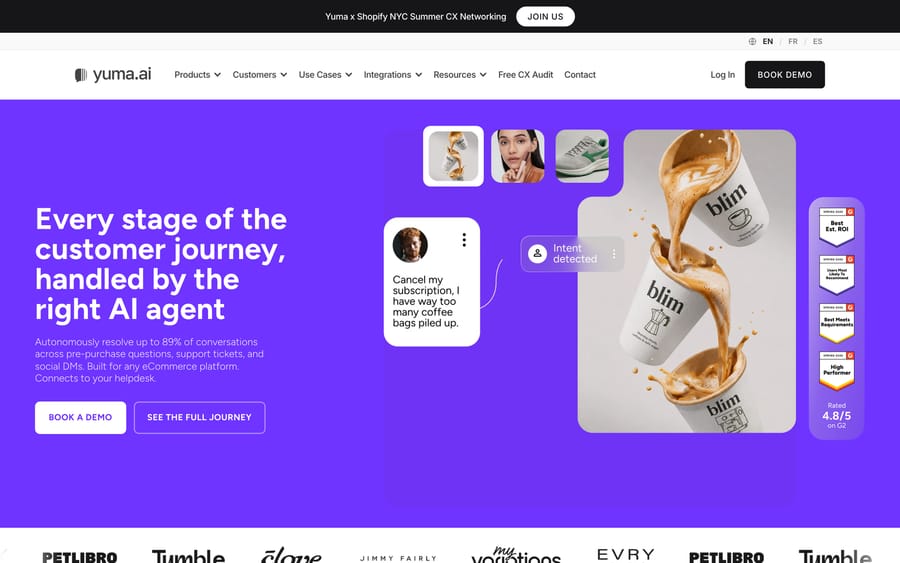
Yuma AI's homepage, focused on AI support for ecommerce (Shopify) brands.
Yuma AI is an AI support-automation agent built specifically for e-commerce, with a laser focus on Shopify. Rather than replace your helpdesk, it plugs into the helpdesk you already run — Gorgias, Zendesk, Kustomer, Gladly, Front, or Re:amaze — and autonomously resolves tickets: retrieving order data, checking policies, responding in your brand's voice, and executing the action needed to close the ticket (Yuma AI). The scope is deliberate. Yuma is not trying to be a horizontal AI agent for any support team; it is a vertical agent for merchants whose tickets are dominated by "where's my order," returns, refunds, exchanges, address changes, and subscription tweaks.
The company is led by Guillaume Luccisano, a three-time Y Combinator founder. His track record is notable: he previously founded Socialcam (reportedly acquired by Autodesk for ~$60M) and Triplebyte (acquired by Karat) before starting Yuma, which is also YC-backed (Y Combinator). On funding, Yuma has reportedly raised ~$5.75M (reported investors include Gradient Ventures, Altman Capital, and angels), with third-party trackers citing roughly $3.3M ARR and a ~$9.9M valuation as of 2024 and a claim of ~100+ customers (Crunchbase) — treat the funding, ARR, valuation, and customer-count numbers as reported/third-party estimates, not figures Yuma confirms on its own site.
Yuma's public customer roster leans into well-known DTC and retail brands. Publicly referenced customers include names like Glossier, Clove, Petlibro, Cabaia, Javvy Coffee, EvryJewels, and MyVariations, along with case-study figures such as ~89% automation at EvryJewels, ~70% at Clove, and ~91% reply accuracy at Glossier (Yuma AI). Those are vendor-reported results from the vendor's own case studies — directionally useful, but the kind of numbers you should confirm against your own ticket mix in a pilot rather than take as a guaranteed baseline.
Architecturally, Yuma is an AI agent layer that connects to the helpdesk you already run rather than a helpdesk replacement — the same category as Macha, with a tighter, Shopify-first scope.
How Yuma's AI works
Yuma is purpose-built for Shopify and pulls directly from your order data, product catalog, and customer history. When a ticket arrives, the agent reads the message, identifies the customer's intent, and routes it to the right specialized sub-agent (returns, WISMO, subscriptions, and so on). That agent then looks up the relevant order, checks it against your SOPs and policies, drafts a response in your brand voice, and — critically — takes the action needed to resolve it: issuing a refund, pausing or modifying a subscription, generating a return label, editing an address, or cancelling an order (Yuma AI).
Autonomous mode vs. draft (copilot) mode
Yuma supports two ways of running, and the distinction matters when you're evaluating risk. In its early days Yuma started as a draft/copilot tool — the AI wrote a suggested reply and a human agent reviewed and sent it. That mode still exists and is a sensible starting point for cautious teams: the agent proposes, the human approves. The product later added autonomous mode, where the agent sends replies and executes actions inside the ticket thread without a human in the loop, closing the ticket end-to-end. Most brands ramp up gradually — starting in draft mode on a subset of intents, then flipping specific, well-understood workflows to fully autonomous as confidence builds.
Safety Guard and quality control
Because autonomous replies carry real risk (a wrong refund, an off-policy promise), Yuma layers a review system it calls Safety Guard: reportedly around 15–20 quality-control checks run across multiple models on each AI reply before it reaches a customer. Responses that fail accuracy or policy checks are flagged and held for human review rather than sent. This is one of Yuma's more thoughtful design choices for the e-commerce context, where a bad automated action can cost real money.
Shopify actions: the specialization
The engine behind resolution is a library of 75+ pre-built Shopify actions, which is where Yuma's e-commerce specialization pays off. These cover the everyday merchant workflows — order status / WISMO lookups, editing or cancelling orders, processing refunds and returns, generating return/exchange labels, changing shipping addresses, and pausing, skipping, or modifying subscriptions (including recharge-style subscription flows). Because those workflows are pre-built for common Shopify scenarios, setup is faster than wiring an action-taking agent from scratch, and the agent can genuinely close a ticket rather than hand it off. That action-taking is what separates a true agent from a deflection bot; if you want to understand the mechanics of giving an agent real actions, our guide to custom tools and actions covers it.
Knowledge and brand voice
Yuma builds its answers from three sources: your past conversation history, your knowledge base / help center, and your brand voice and policies. It learns tone from prior replies so responses read like your team rather than a generic bot, and it grounds factual answers in your documented policies. As with any retrieval-based agent, the quality of its answers tracks the quality of your underlying knowledge — clean, current macros and help-center articles raise the ceiling; stale or contradictory ones lower it.
Ask Yuma and multi-channel coverage
Beyond ticket resolution, Yuma has expanded into "Ask Yuma," a conversational interface for managing the support operation itself (querying performance, understanding what the AI is doing). On the customer-facing side, Yuma handles more than email: it covers social DMs and comments, SMS, and chat surfaces, plus pre-purchase/sales questions — reflecting its ambition to be an e-commerce support, sales, social, and chat agent rather than an email-only bot.
Yuma cites automation rates as high as ~89–93% of conversations handled 24/7. These are vendor-reported figures for top merchants — useful as directional signals, but the ceiling you actually hit depends on how standard your workflows are and how clean your policies and knowledge are.
Helpdesk and platform integrations
Yuma's value depends on connecting cleanly to the tools you already run, and its integration set is squarely e-commerce-shaped (Yuma integrations):
- Gorgias — arguably Yuma's flagship helpdesk pairing, given Gorgias's dominance among Shopify DTC brands. The two are frequently deployed together.
- Zendesk — for larger or multi-channel merchants running Zendesk as their support backbone.
- Kustomer — the Meta-owned CRM-style platform, supported for brands on that stack.
- Gladly — people-centric helpdesk; Yuma has published a dedicated Gladly integration.
- Front and Re:amaze — additional helpdesks in the e-commerce space.
- Shopify (plus WooCommerce and other commerce platforms) — the commerce backend Yuma reads order, catalog, and customer data from to actually take action.
The pattern is clear: Yuma goes deep on the platforms e-commerce brands actually use, rather than wide across every enterprise helpdesk. That's a strength if you're on one of those tools and a limitation if you aren't.
Deployment and onboarding
Yuma leans on a white-glove, high-touch onboarding rather than pure self-serve, and reviewers consistently cite this as a strength. The company positions setup as "go live in hours, not weeks," with Yuma's own account managers handling much of the configuration so your team invests under ~3 hours per week during ramp-up. A commonly cited onboarding target is ~30% automation within the first 30 days, expanding as more intents are validated and moved to autonomous mode (Yuma AI). For a lean DTC support team without in-house automation engineers, that managed-service model is a genuine advantage — though it also means you're somewhat dependent on Yuma's team for changes rather than fully in control yourself.
Key features
- End-to-end ticket resolution — reads intent, routes to a specialized agent, drafts in brand voice, and closes the ticket by taking action.
- Autonomous and draft (copilot) modes — run fully hands-off or human-in-the-loop, per intent.
- 75+ pre-built Shopify actions — WISMO, refunds, returns/exchange labels, order edits and cancellations, address changes, subscription pauses/skips/modifications.
- Safety Guard — 15–20 QC checks across multiple models before any reply sends; risky replies held for review.
- Helpdesk integrations — Gorgias, Zendesk, Kustomer, Gladly, Front, and Re:amaze (Yuma integrations).
- Knowledge + brand voice — learns from history, help center, and prior replies.
- Multi-channel — email, social DMs/comments, SMS, and chat, plus pre-purchase/sales.
- Ask Yuma — conversational management layer for the support operation.
- White-glove onboarding — managed setup targeting ~30% automation in 30 days.
- Outcome-based billing — you pay only for tickets the AI fully resolves.
Yuma AI pricing (2026)
Here's the honest part: Yuma no longer publishes prices on its site. Following a move to a performance-based model, current rates are quote-only — you'll need a sales conversation to get researched (third-party estimates) turned into real figures (Yuma pricing announcement).
What Yuma does tell you is the model: it's outcome-based, meaning you pay only for tickets the AI fully resolves — no charge for tickets it escalates or can't handle. That's a genuinely customer-friendly structure on paper, since cost tracks results.
Third-party teardowns cite the following as a rough guide (all unverified against Yuma's own site, so treat as estimates): around $350/month for ~500 resolutions (~$0.70 each), scaling to about $900/month for ~1,500 resolutions (~$0.60 each), with Enterprise custom pricing for high-volume merchants (eesel). Structurally, expect tiered plans keyed to resolution volume plus a custom Enterprise tier — but the specific thresholds and per-resolution rates are the parts you can only confirm in a demo. As of 2026, none of these figures are published on yuma.ai, so anchor to them loosely.
The trade-off in outcome-based pricing
Outcome-based billing is appealing, but it's worth reading closely. First, "fully resolved" is defined by the vendor — understand exactly what counts as a billable resolution versus an escalation, since that definition drives your bill. Second, resolution-based pricing can get expensive at high volume if your automation rate is strong: paying per successful resolution scales your cost directly with your success. Reviewers frequently describe Yuma as relatively expensive, and its opaque, quote-only structure makes it hard to compare against usage- or seat-based alternatives without a sales call. None of that makes it wrong — just something to model against your actual ticket volume. The core catch is the opacity itself: without published pricing, it's hard to know if Yuma fits your budget without entering a full sales process. Confirm current rates and the resolution definition directly with Yuma.
What reviewers say: Yuma AI holds 4.8 out of 5 from 19 reviews on G2, checked 21 September 2026. Nineteen reviews is a small sample even for a Shopify-focused tool, so weigh it alongside the app-store listings rather than on its own.
Pros and cons
Pros
- Deep Shopify specialization — 75+ pre-built actions mean it can close real tickets fast, not just deflect.
- Real action-taking — refunds, returns, subscription changes, and order edits happen inside the ticket, end-to-end.
- Safety Guard — 15–20 pre-send checks across multiple models reduce the risk of wrong or off-policy automated replies.
- Autonomous and draft modes — you can start human-in-the-loop and graduate specific intents to fully autonomous.
- Outcome-based billing — you only pay for tickets the AI fully resolves.
- Strong founder track record — a three-time YC founder with two prior acquisitions.
- White-glove onboarding praised by reviewers; managed setup targeting ~30% automation in 30 days.
- Recognizable DTC customers — Glossier, Clove, Petlibro, and others lend credibility in the e-commerce vertical.
- Connects to the helpdesk you already run (Gorgias, Zendesk, Kustomer, Gladly, Front, Re:amaze) rather than forcing a migration.
Cons
- No published pricing — quote-only, so budgeting requires a sales call, and the resolution definition is set by the vendor.
- E-commerce/Shopify-only — a poor fit for B2B SaaS, service businesses, or non-Shopify stores.
- Helpdesk coverage is e-commerce-shaped — great if you're on Gorgias/Zendesk/Kustomer/Gladly/Front/Re:amaze; no fit outside that set (e.g., Freshdesk, Intercom).
- Managed-service dependence — the white-glove model means you may rely on Yuma's team for config changes rather than owning them yourself.
- Reviewers describe it as relatively expensive, and resolution-based pricing can scale steeply at high volume.
- Automation-rate and accuracy claims (89–93%, 91% accuracy) are vendor-reported — validate in a pilot on your own ticket mix.
Who Yuma AI is best for
Yuma is a strong fit if you're a Shopify-first brand on Gorgias or Zendesk with high, repetitive support volume — WISMO, returns, refunds, subscription changes — that maps cleanly onto standard e-commerce workflows. If your tickets fit those patterns, Yuma's pre-built actions and outcome-based billing can deliver fast, measurable automation with minimal wiring.
It's a weaker fit if you're outside e-commerce or off Shopify, if you need a broad range of helpdesk integrations, if opaque pricing is a dealbreaker, or if your support workflows are highly custom and don't map to the pre-built action library.
Yuma AI vs alternatives
No AI agent is right for everyone. Here's an honest comparison of Yuma against the vendors it's most often shortlisted with — including us.
| Yuma AI | Alhena AI | Gorgias native AI | Macha | |
|---|---|---|---|---|
| Best for | Shopify support automation | E-commerce support + sales | Existing Gorgias merchants | Teams layering AI onto any helpdesk |
| Core model | Autonomous resolutions | AI shopping + support agent | Add-on to Gorgias | AI agent layer on your existing helpdesk |
| Scope | E-commerce / Shopify only | E-commerce | Gorgias-only | Any support team / any vertical |
| Action-taking | 75+ pre-built Shopify actions | E-commerce actions | Gorgias-native actions | Build any action via custom tools |
| Autonomous + draft modes | Yes | Yes | Limited | Yes |
| Pricing | Outcome-based, quote-only | Published, from ~$199/mo | Bundled/usage add-on | Per ticket, from $299/mo for 750 tickets |
| Pricing transparency | Opaque (demo required) | Transparent | Semi-transparent | Transparent, per-ticket |
| Runs on your helpdesk | Gorgias, Zendesk, Kustomer, Gladly, Front, Re:amaze | Connects (Zendesk, Gorgias, Intercom) | Native only | Yes — Zendesk, Freshdesk, Front, Intercom, Gorgias |
Where we fit: Macha is an AI agent layer that runs on top of the helpdesk you already use — Zendesk, Freshdesk, Front, Intercom, or Gorgias — and you build agents in plain English. Yuma prices per resolution (outcome-based); Macha prices per ticket (one charge per thread, however many replies), which is a different philosophy: automation and orchestration where outcomes vary, with cost tied to the tickets worked rather than a resolution definition. If you're a Shopify-only store that wants a pre-built, resolution-priced agent, Yuma may be the cleaner fit; if you want an agent you can point at any helpdesk and extend into your own workflows, that's where Macha lives — and unlike Yuma, our pricing is published.
Two alternatives are worth pricing against Yuma at your real volume: Alhena AI, which targets the same Shopify stores, and Siena AI, if social and shopping channels matter as much to you as the ticket queue.
How we researched this: The features, pricing and customer figures above come from Yuma AI's own public pages and the third-party sources linked inline, checked when this guide was researched in August 2026. This pass, on 21 September 2026, re-checked the post's links, added the review figures quoted above and cross-referenced our guides to the closest alternatives; it did not re-price the plans against Yuma AI's site, so read the pricing as accurate to August 2026 rather than to today. The G2 rating and review count above were read in a real browser on 21 September 2026; Capterra has no Yuma listing.
Frequently asked questions
What is Yuma AI? Yuma AI (at yuma.ai) is an e-commerce AI support-automation agent purpose-built for Shopify. It plugs into Gorgias or Zendesk and resolves tickets end-to-end, taking actions like refunds, subscription pauses, and return labels.
How much does Yuma AI cost? Yuma no longer publishes prices; pricing is outcome-based (you pay only for tickets the AI fully resolves) and quote-only. Third-party estimates cite roughly $350/month for ~500 resolutions up to ~$900/month for ~1,500 resolutions, plus custom Enterprise — confirm directly with Yuma.
Who founded Yuma AI? Guillaume Luccisano, a three-time Y Combinator founder who previously built Socialcam (acquired by Autodesk) and Triplebyte (acquired by Karat).
Does Yuma AI work with Shopify? Yes — Yuma is purpose-built for Shopify, with 75+ pre-built Shopify actions (order status, order edits and cancellations, refunds, returns and exchange labels, address changes, and subscription pauses/skips/modifications). It also supports other commerce platforms like WooCommerce.
Which helpdesks does Yuma AI integrate with? As of 2026, Yuma connects to Gorgias, Zendesk, Kustomer, Gladly, Front, and Re:amaze. Gorgias is its most common pairing given how many Shopify DTC brands run on it. Yuma does not target non-e-commerce helpdesks.
Does Yuma send replies automatically or just draft them? Both. Yuma supports a draft (copilot) mode where a human reviews and sends, and an autonomous mode where it replies and takes actions without a human in the loop. Most teams start in draft mode on a few intents, then flip well-understood workflows to fully autonomous. A "Safety Guard" runs 15–20 checks before any reply sends.
How accurate is Yuma AI, really? Yuma cites automation up to ~89–93% and case-study accuracy up to ~91% (e.g., Glossier). These are vendor-reported figures. Treat them as directional and validate the rate you actually achieve in a pilot on your own ticket mix.
Is Yuma AI expensive? Reviewers describe Yuma as relatively expensive, and its opaque, quote-only pricing makes it hard to budget without a sales call. Its outcome-based model means you only pay for fully resolved tickets — but resolution-based pricing can scale steeply if your volume and automation rate are high.
Which brands use Yuma AI? Yuma's public roster includes DTC and retail names like Glossier, Clove, Petlibro, Cabaia, Javvy Coffee, EvryJewels, and MyVariations.
What are the best Yuma AI alternatives? Depending on your needs: Alhena AI (e-commerce support + sales with published pricing), Gorgias native AI (for existing Gorgias merchants), and Macha (an AI agent layer that runs on your existing helpdesk with transparent per-ticket pricing). If you're strictly Shopify-only and want pre-built resolution-priced automation, Yuma is a strong candidate; if you need any helpdesk or non-e-commerce workflows, look wider.
Want an AI agent that runs on the helpdesk you already use — with published, per-ticket pricing instead of a quote-only sales process? See how Macha compares, or explore the pricing.
Resolve tickets automatically with AI agents
Macha's AI agents work on top of the help desk you already use — no code.