Shopify
 Stripe
 Slack
Slack Notion
 Google Workspace
 Confluence

Best Zendesk Reporting and Analytics Apps (2026): 12 Marketplace Apps Scored


The best Zendesk reporting and analytics apps in October 2026 start with Stylo Sentiment Scores, which writes sentiment scores into ticket fields and scored 9 of 10 on our five public criteria, followed by Geckoboard, BCR.CX's Realtime Dashboard and Qvasa on 8. Zendesk's Marketplace files 176 apps under Reporting and Analytics, 174 of them from third parties, and 105 of those third-party apps have no reviews at all. We scored 12 apps that do a reporting job (dashboards, exports, sentiment and topic analysis, or a pipe into your BI tool) and we show every score so you can check our reasoning against the listings.
Key takeaways
- Stylo Sentiment Scores scored highest at 9 of 10, with Geckoboard, Realtime Dashboard by BCR.CX and Qvasa next on 8.
- Only 20 of the 174 third-party apps in the category have 10 or more reviews, and 14 of those 20 do something other than reporting.
- Export apps are the cheapest route to custom reports: Advanced Export has a free plan and costs $49 a month for Professional.
- Ticket Analytics from Sparkly is the most reviewed app here with 749 reviews, but it averages 3.67 and its listing was updated April 4, 2025.
- Apps that write ticket fields or add triggers, like Stylo and Qvasa, change what an AI agent reads and writes on the same ticket, so check them first.

The 12 apps at a glance
| # | App | Maker | What it does | Reviews (avg) | Price | Score |
|---|---|---|---|---|---|---|
| 1 | Stylo Sentiment Scores | Stylo Inc | Frustration, urgency and delight scores as ticket fields | 11 (5.00) | $15 to $25 per agent/month | 9 |
| 2 | Geckoboard Dashboards for Support | Geckoboard | Live KPI dashboards and TV wallboards | 64 (4.94) | From $79/month billed annually | 8 |
| 3 | Realtime Dashboard by BCR.CX | BCR.CX | In-Zendesk widgets with threshold alerts | 54 (4.89) | Free install; no paid price published | 8 |
| 4 | Qvasa | Qvasa | Live dashboards and threshold alerts | 17 (5.00) | Free, then $10 or $20 per agent/month | 8 |
| 5 | Advanced Export | OAPPS.IO | Export tickets, users, orgs and articles to XLSX, CSV, JSON, HTML | 13 (3.77) | Free, Professional $49/month | 7 |
| 6 | Assembled | Assembled | Workforce management, forecasting and agent tools | 12 (5.00) | From $25 per agent/month plus a platform fee | 7 |
| 7 | Customer 360 | Playlist | BI dashboards in the ticket sidebar | 6 (3.67) | $4 per agent/month | 7 |
| 8 | Trends & Topic Insights by Pluno | Pluno | AI topic clusters and trends from tickets | 6 (5.00) | Free | 7 |
| 9 | Ticket Analytics | Sparkly | Created, updated and comment count in the sidebar | 749 (3.67) | Free | 6 |
| 10 | Exporter | Sparkly | Template-driven exports with 100+ fields | 7 (5.00) | Free, $99 or $199/month | 6 |
| 11 | SyncHub | SyncHub | Zendesk data into Power BI, Tableau or your warehouse | 1 (5.00) | $10/month plus $49 to $299 per connector | 6 |
| 12 | AI Ticket Tagger by Labelf | Labelf AI | AI tagging with contact-reason dashboards | 3 (5.00) | Not published | 4 |
Review counts and per-star breakdowns come from the Zendesk Marketplace catalog; we computed each average from that breakdown because the listing pages show only the count. Prices come from the vendor's site where it prints one, otherwise from the Marketplace listing. Everything was read on October 29, 2026.
How we ranked them
We started from every app in the Marketplace's Reporting and Analytics category. Of the 20 third-party apps with 10 or more reviews, 14 do another job: time tracking, billing or CRM context in the sidebar, phone systems, surveys, AI tagging. We kept the six that report on your Zendesk data and added six reporting apps with fewer reviews or filed under other categories, such as Exporter and Realtime Dashboard.
We left out quality assurance apps. Kaizo, Qvasa's QA tier and the wider QA and voice-of-customer market are compared in our guide to analytics and QA tools for Zendesk, which reviews Geckoboard and Qvasa in more depth. Each app here is scored 0 to 2 on five criteria.
| Criterion | 2 points | 1 point | 0 points |
|---|---|---|---|
| Marketplace reviews | Average 4.5+ with 50+ reviews | 4.0+ with 10+ reviews | Fewer or none |
| Published price | Full price on the listing or vendor site | A free tier or "from" price only | Contact sales |
| Works in the ticket | Acts inside the ticket or agent workspace with documented features | View-only or limited | Unclear |
| Setup effort | Marketplace install with documented self-serve setup | Needs configuration help or an onboarding call | Custom work or undocumented |
| Maintained | Listing or app updated in the last 12 months | 12 to 24 months | Older or unknown |
Maintained uses the date the listing shows as Last updated. Ties are broken by review count, then installs. We count a fully free app, or a published base-plan price with published add-ons, as a full published price. An app scores 2 on "works in the ticket" only if it runs in the ticket sidebar or editor; dashboards that show numbers without changing a ticket, nav-bar tools such as the export apps, and apps that move data out of Zendesk score 1. Apps you can't install from the Marketplace, where the listing sends you to the vendor's site to sign up (Geckoboard and SyncHub), score 1 on setup.
Zendesk's own reporting sits outside the ranking. Explore is the built-in default, and our Zendesk Explore explainer covers what it does before you pay for anything. Zendesk Labs also lists VOC Patterns, which groups solved tickets into patterns with root causes. It needs Support Enterprise or a Suite plan and at least 50 similar solved tickets, works in English only, and shows 500+ installs and a single one-star review.
The 12 apps, ranked
1. Stylo Sentiment Scores: emotion scores as ticket fields, 9/10
Stylo Sentiment Scores reads each ticket with OpenAI's GPT-4o and writes three scores, frustration, urgency and delight, into ticket fields that update every time the ticket changes. Because the scores are fields, you can build Zendesk triggers on them: raise priority for a frustrated customer, or post to Slack when a high-value account writes in. It has 11 reviews, all five stars, and the listing shows an update in March 2026.
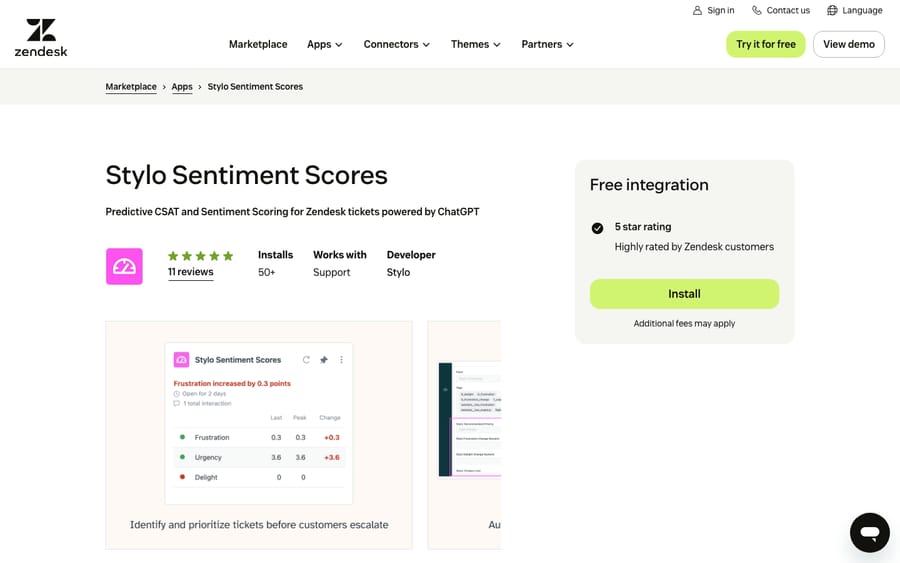
Scores: reviews 1, price 2, works in the ticket 2, setup 2, maintained 2.
Stylo's pricing page lists Basic at $15 per agent per month (one Stylo app), Growth at $20 and Professional at $25, both with a three-agent minimum, and lower rates on yearly billing. The trial runs 14 days without a card. Setup is install, a short onboarding, and granting API access. One anonymous review on the listing, over two years old, says: "Only downside is that it only works on English tickets today." Ask whether that has changed if you support other languages.
Best for: teams that want sentiment to change routing and priority, not only appear in a monthly chart.
2. Geckoboard Dashboards for Support: live metrics on a TV, 8/10
Geckoboard turns Zendesk data into dashboards for wallboards, desktops, phones and chat channels. You connect Zendesk inside Geckoboard, pick from ready-made Zendesk widgets or build your own, and arrange them with drag and drop. The listing names metrics such as created versus solved, backlog by status and SLA risk. There's nothing to install in Zendesk; the listing is a pointer to Geckoboard's site. It has 64 reviews, 63 of them five stars.
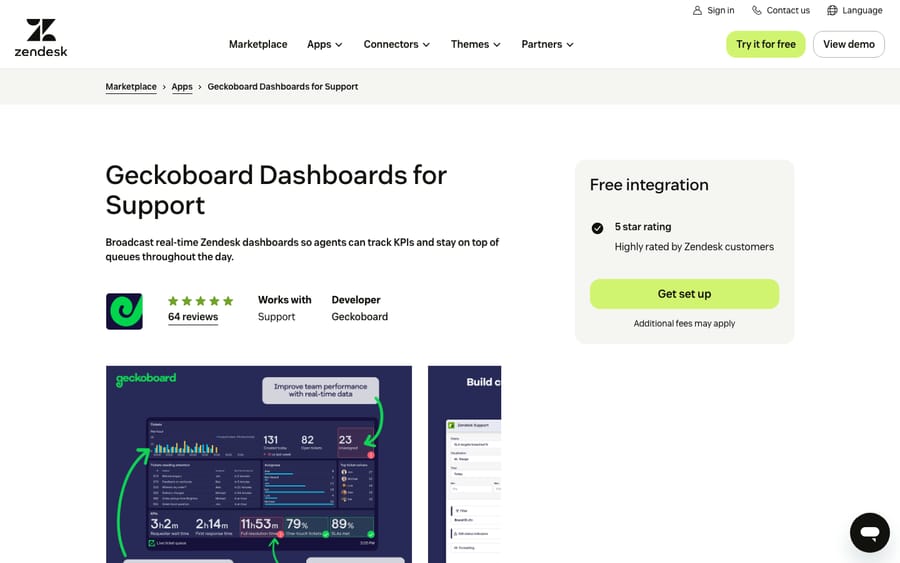
Scores: reviews 2, price 2, works in the ticket 1, setup 1, maintained 2.
Geckoboard's pricing page lists Essentials from $79 a month billed annually, with 2 dashboards, 1 editor, 1 screen and unlimited viewers, and Performance from $319 a month with 20 dashboards, 3 editors and 5 screens. The Zendesk listing says plans start at $75 a month. Both mention a 14-day free trial, and the listing says no card is needed. Pricing by dashboard and screen means a 40-person team pays the same as a 4-person team.
Stuart White, reviewing on the listing three months ago, wrote: "We use Geckoboard to bring data from multiple tools including ticketing, phone system and dev tools on to one board."
Best for: support floors that want queue health visible to everyone without anyone opening a report.
3. Realtime Dashboard by BCR.CX: alerts on live counts, 8/10
Realtime Dashboard shows widgets for open tickets, average response time and other indicators inside Zendesk, and alerts you when an indicator crosses a limit you set. BCR.CX is a Brazilian outsourcing and Zendesk consulting company. The app has 54 reviews averaging 4.89 and 287 installs.
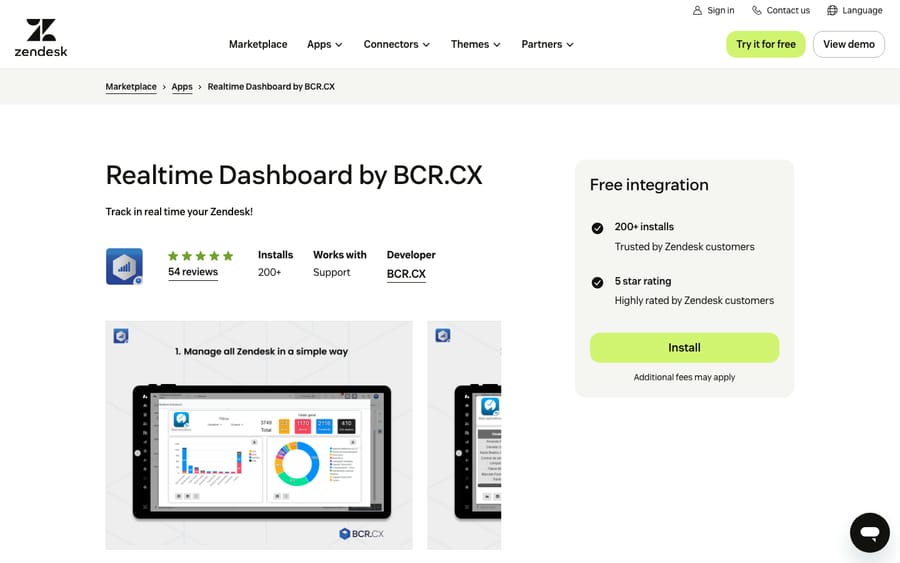
Scores: reviews 2, price 1, works in the ticket 1, setup 2, maintained 2.
The catalog lists it as a free install, but the listing points to BCR.CX's site for third-party pricing and that site names no price, so it scores 1. Its listing was updated February 12, 2026.
Best for: teams that want a free in-Zendesk counter with alerts.
4. Qvasa: live dashboards and alerts inside Zendesk, 8/10
Qvasa builds live dashboards for Support, messaging, chat and Talk, with threshold alerts to Slack or SMS, agent performance views and bot analytics. On install it creates a Zendesk trigger and webhook to stream event data, and the listing says Qvasa manages updates to that setup itself. It has 17 reviews, all five stars, and was updated in October 2026.
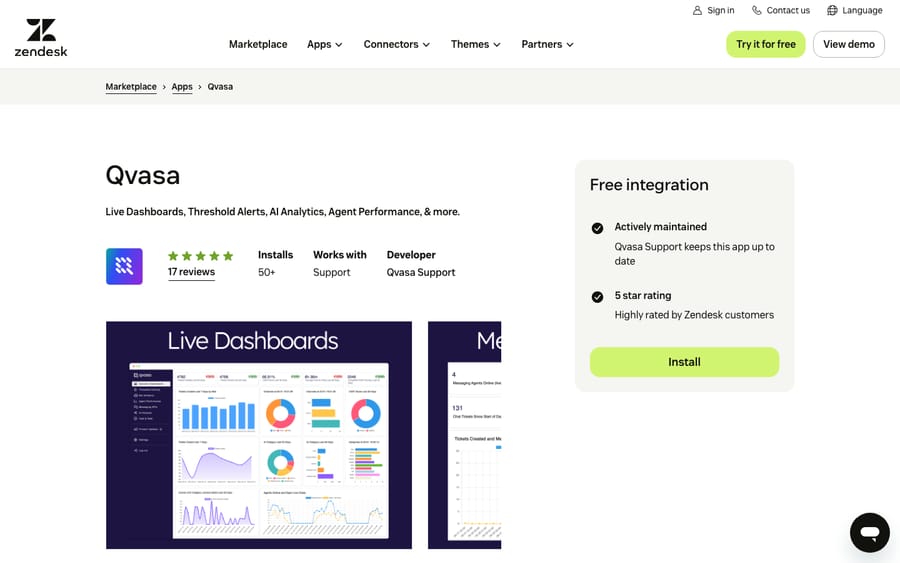
Scores: reviews 1, price 2, works in the ticket 1, setup 2, maintained 2.
The pricing page shows a free plan with 3 dashboards and 1 alert, Essentials at $10 per agent per month, Professional at $20, and custom Enterprise pricing. AI QA and scorecards sit in Enterprise; here we score the dashboard app.
Best for: teams that find historical reports too slow for intraday decisions and want alerts before a queue spikes.
5. Advanced Export: get the data out, then report anywhere, 7/10
Advanced Export from OAPPS exports tickets with comments, users, organizations and Help Center articles to XLSX, CSV, HTML or JSON, filtered by date, tags and custom fields. The listing says it reaches fields Zendesk's native export doesn't, such as first and last agent comments. Version 2.4.0 in February 2026 added PDF ticket archives and side conversations. It has 596 installs and 13 reviews averaging 3.77.
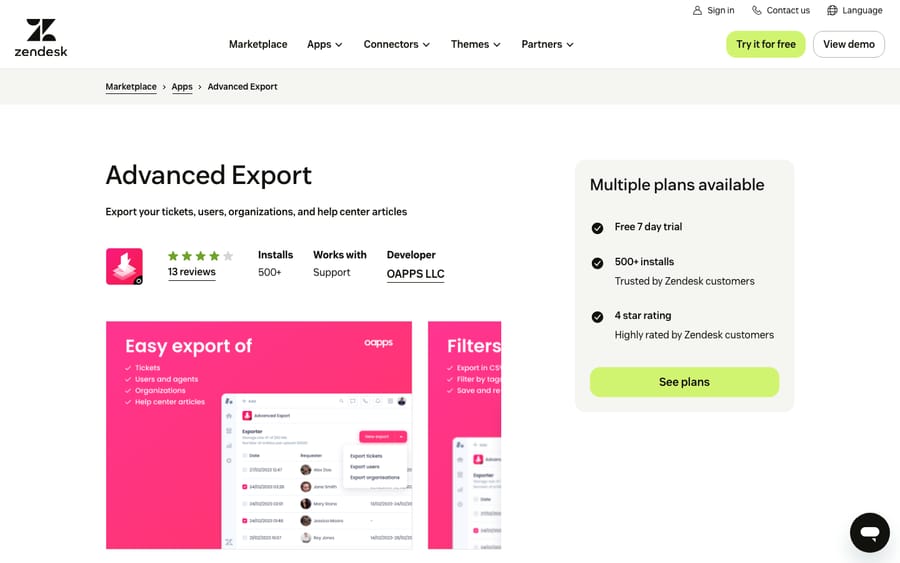
Scores: reviews 0, price 2, works in the ticket 1, setup 2, maintained 2.
The free plan exports up to 100 + 100 entities with 10 MB of storage; Professional costs $49 a month after a 7-day trial. An export app is often the cheapest way to answer a one-off question Explore can't, such as which metrics moved for one form, in a spreadsheet you already know.
Best for: ops leads who answer reporting questions in Excel and need comments and custom fields in the file.
6. Assembled: forecasting and schedules, with reporting behind them, 7/10
Assembled is a workforce management platform: forecasting, scheduling, real-time adherence and staffing analytics, plus AI tools for agents. The listing says its Zendesk reporting, volume and forecasting work through Assembled's integration without the app; the app itself shows agents their schedules and adds reply drafting, summaries and translation in the sidebar. It has 212 installs and 12 reviews, all five stars.
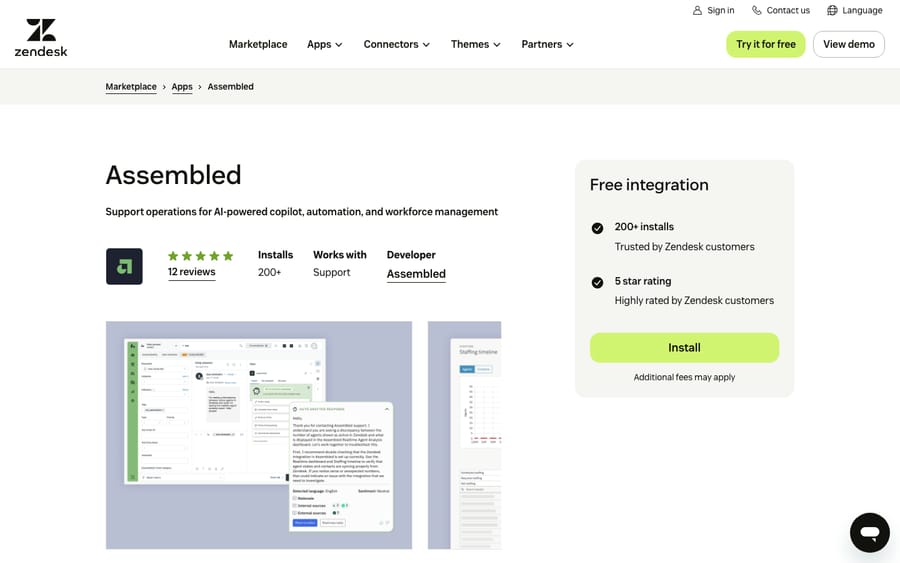
Scores: reviews 1, price 1, works in the ticket 2, setup 1, maintained 2.
The pricing page lists WFM Core at $25, Pro at $45 and Enterprise at $75 per agent per month, each plus a platform fee it doesn't publish, so it scores 1. New customers start with a demo. Its listing was updated January 6, 2026.
Best for: teams large enough to forecast staffing, where reporting is a means to the schedule.
7. Customer 360: your BI dashboard in the ticket sidebar, 7/10
Playlist's Customer 360 embeds BI dashboards in the ticket, user or organization sidebar and looks the customer up automatically by email or another field. It adds buttons that deep-link to your admin tools. The Marketplace listing shows $4 per agent per month after a 14-day trial, and it's free for sandbox accounts. It has 79 installs and 6 reviews averaging 3.67.
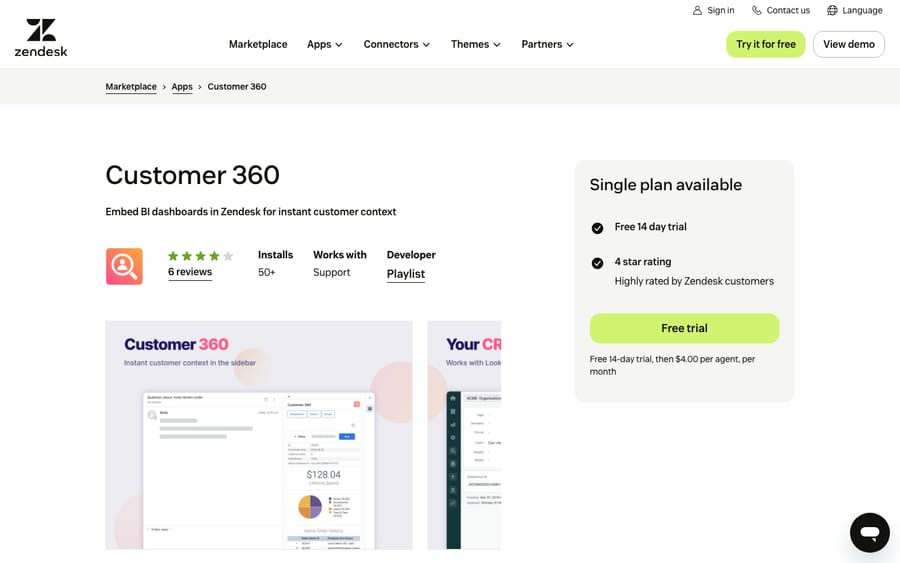
Scores: reviews 0, price 2, works in the ticket 1, setup 2, maintained 2.
Check tool support before you buy. The feature list says it works with Looker, Power BI and Metabase, while the installation notes on the same listing say Looker is the only reporting tool supported.
Best for: teams with a Looker dashboard per customer who want agents to see it without leaving the ticket.
8. Trends & Topic Insights by Pluno: why customers write in, free, 7/10
Trends & Topic Insights groups tickets into topics and subtopics with AI, shows which are rising or falling, and lets you ask plain-text questions such as which product module generates the most tickets. Every cluster links back to its tickets. The listing says it's free forever and that setup through Pluno's onboarding page takes under 10 minutes. It was published in January 2026, updated in October 2026, and has 6 reviews, all five stars.
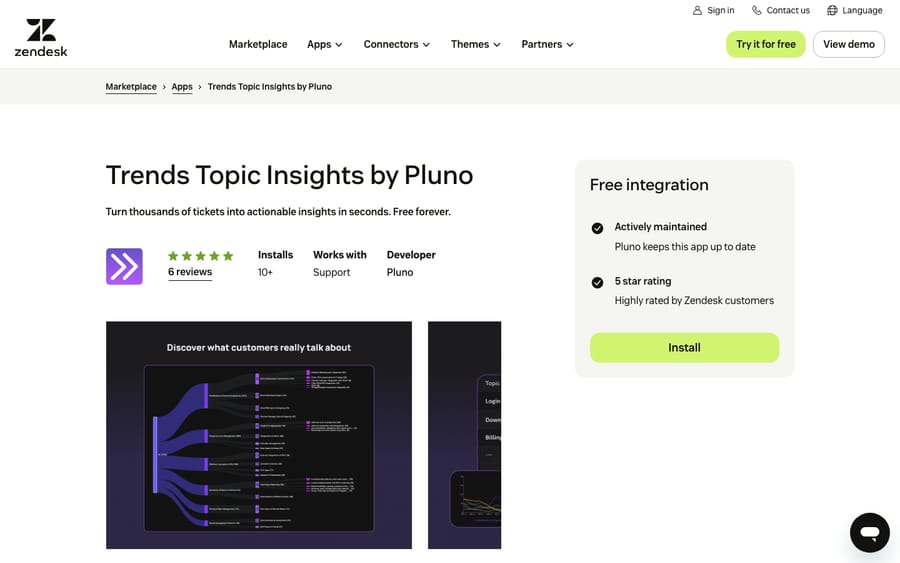
Scores: reviews 0, price 2, works in the ticket 1, setup 2, maintained 2.
Pluno sells AI agents for complex B2B support, which is the incentive behind a free insights app. It shows a team what its tickets are about, the first question before automating any of them.
Best for: teams whose tags are too inconsistent to answer "what are people contacting us about?"
9. Ticket Analytics: three numbers on every ticket, 6/10
Sparkly's Ticket Analytics shows, in the ticket sidebar, when the ticket was created, when it was last updated and how many comments it has. It's free, has 915 installs and is the most reviewed app in the category with 749 reviews, but those average 3.67, with 103 one-star reviews.
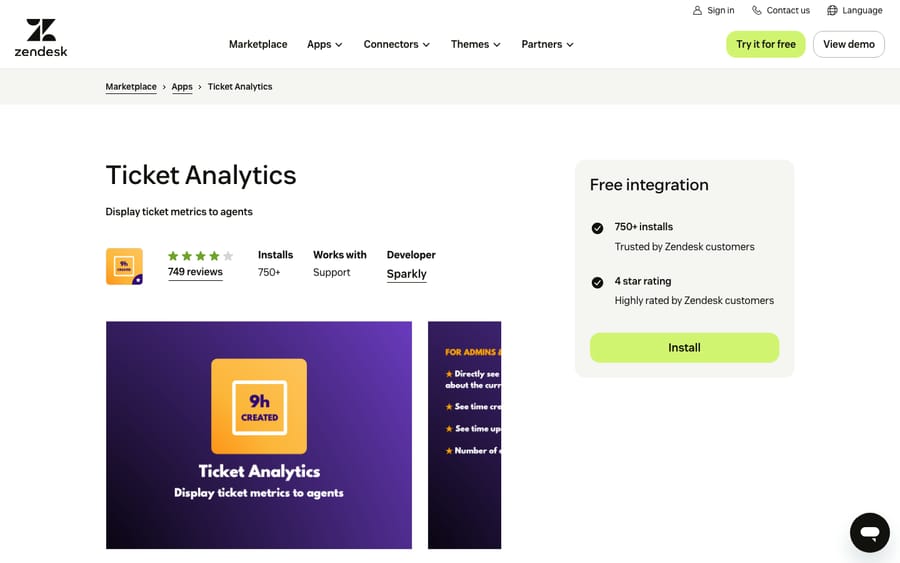
Scores: reviews 0, price 2, works in the ticket 1, setup 2, maintained 1.
Its listing was updated April 4, 2025, so it scores 1 on maintenance. The rendered listing shows only 2 written reviews against 749 ratings; the newer, from about four years ago, is in French, and the older, over seven years old, reads: "Such a simple solution to give our agents a little bit more insights at-hand." Best for: agents who want ticket age and thread length at a glance and nothing more.
10. Exporter: exports you can template, 6/10
Sparkly's Exporter, formerly Ticket Exporter, exports tickets, comments, users, organizations and attachments with over 100 selectable fields, in CSV, XML, JSON or a format you compose yourself with Handlebars templates. The free version exports by view, up to 10 fields, in two CSV formats. Professional is $99 a month and Enterprise $199, each with a 7-day trial. It has the most installs in this list, 1,151, and 7 reviews, all five stars.
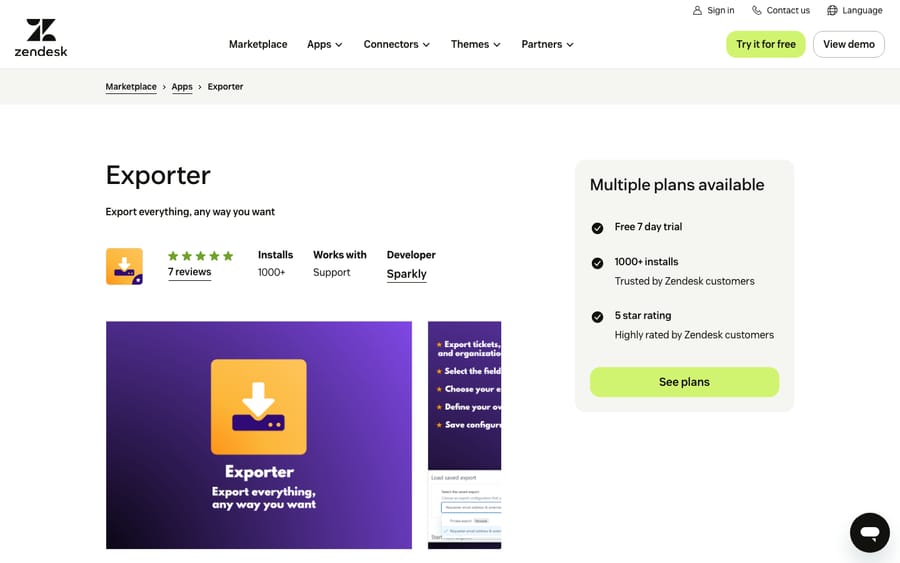
Scores: reviews 0, price 2, works in the ticket 1, setup 2, maintained 1.
Its listing was last updated May 29, 2025, 17 months before we checked, which costs it a point. Sparkly sells suites of Zendesk apps, so the incentive behind a free tier with 1,151 installs is the upgrade to its paid plans.
Best for: teams that need the same export in a fixed format every week for a finance or BI process.
11. SyncHub: Zendesk data in your own BI tool, 6/10
SyncHub queries the Zendesk API for changes and stores them in a reporting database, either one SyncHub hosts or your own Snowflake, BigQuery, Redshift, Postgres or SQL Server. You then point Power BI, Tableau, Excel or Google Sheets at it. Like Geckoboard, the listing is a pointer to the vendor's site; there's no in-Zendesk app. It has 1 review.
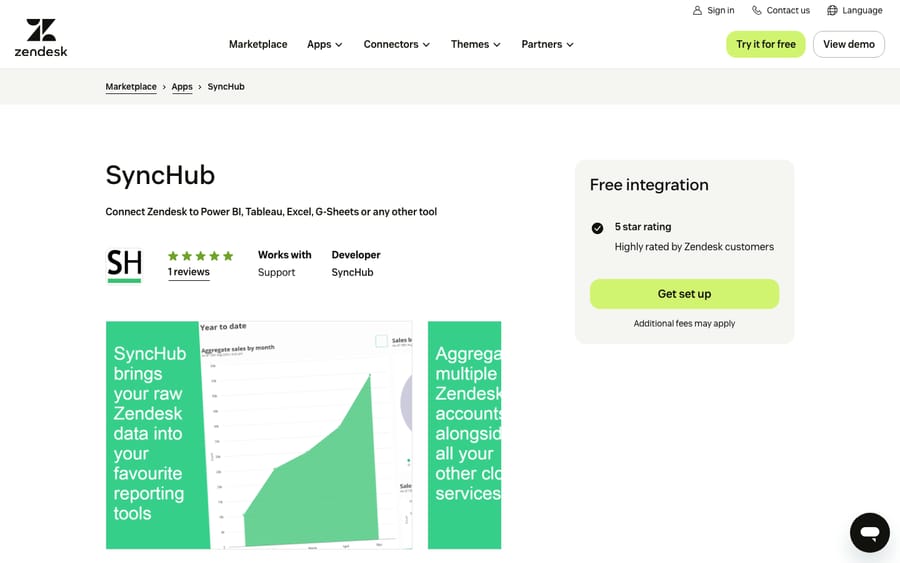
Scores: reviews 0, price 2, works in the ticket 1, setup 1, maintained 2.
The pricing page is unusually specific: $10 a month for the base plan, then $49 to $299 a month per connector depending on sync frequency, from on-demand to every 15 minutes, with 1,000,000 records included. A daily sync of one Zendesk account works out at $159 a month.
Best for: companies that already report in Power BI or Tableau and want support data next to finance and product data.
12. AI Ticket Tagger by Labelf: contact reasons from your own tickets, 4/10
AI Ticket Tagger trains models on your past tickets and sets ticket fields and tags automatically, then builds real-time dashboards on those fields for contact reasons, churn signals and emerging issues. It also posts suggested replies as internal notes. Setup starts with a Labelf account from the demo page, then an API token entered in the app. The tagging runs in the background, while its Zendesk interface is a nav-bar app, which is why it scores 1 for working in the ticket. It has 3 reviews and was updated in September 2026.
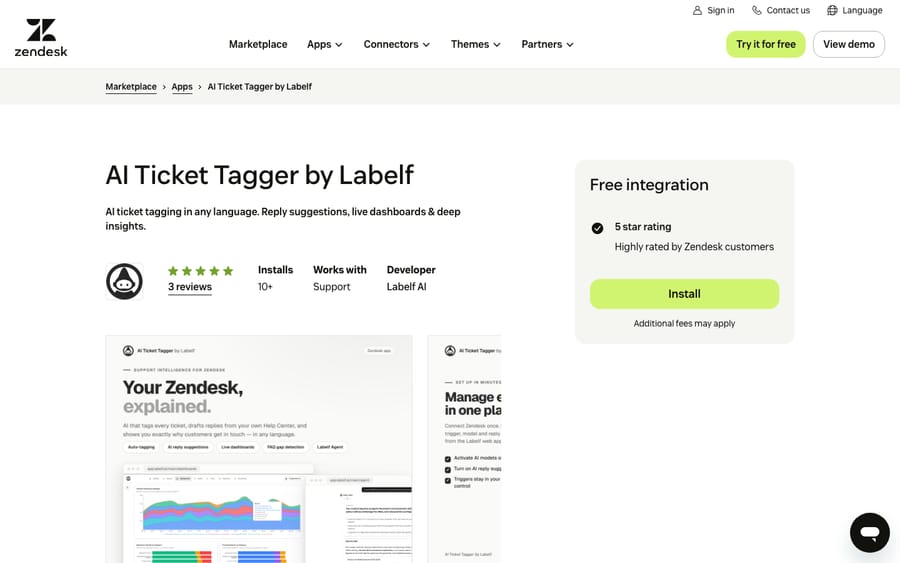
Scores: reviews 0, price 0, works in the ticket 1, setup 1, maintained 2.
The pricing link on the listing now redirects to Tyder, whose site says "Labelf is now Tyder" and focuses on telecom, banking, insurance and energy. It shows no price, so ask what the Zendesk app costs and who supports it before you commit.
Best for: teams in those regulated sectors that want contact-reason reporting built on their own ticket history.
What reporting apps change for an AI agent on the same tickets
When we set up a Macha agent on a Zendesk account, we list the installed apps, because several reporting apps write to the same tickets the agent works. Macha's Zendesk tools read the ticket, its comments, custom field values and the field definitions, and write status, priority, custom fields, tags, internal notes and public replies.
We check three things. First, apps that write fields, like Stylo's sentiment scores and Labelf's tags. We read the field definitions so the agent doesn't overwrite a field an app owns, and we check whether a field change by the agent makes the app rescore the ticket and fire a priority trigger. Our post on custom fields and AI agents covers that. Second, apps that add triggers or webhooks, like Qvasa. Macha's triggers use a tag-and-exclude pattern so they don't loop, and we confirm an app's trigger doesn't fire on every internal note the agent adds. Third, apps that post internal notes, like Labelf's suggested replies. Those notes sit in the thread the agent reads, so its instructions should say to ignore them.
Reporting apps also help us. The categories that topic tools surface are the same categories we look for in past tickets before choosing what an agent handles. Before anything goes live, we replay past tickets in a simulation and confirm whether replies post as internal notes or public.
Where AI fits
Every app above tells a person what happened. An AI agent works the tickets those dashboards count, and the tags it sets show up in Geckoboard, an export or Explore like any other.
Macha runs AI agents inside the Zendesk account you already have, set up and monitored by the Macha team. It fits teams already on Zendesk who want agents acting inside the ticket on routine requests, while the reporting apps above keep measuring both. Macha also reports on its own agents; see how we measure agent performance. Pricing starts at $299/month for 750 tickets, with a trial of $50 of free usage (about 125 tickets), no credit card, no time limit.
Which one fits your situation?
- A wallboard for the support floor: Geckoboard, priced by dashboard and screen, not by agent.
- Alerts before a queue spikes: Qvasa, starting on its free plan.
- Sentiment that changes priority: Stylo Sentiment Scores, at $15 per agent per month.
- One-off questions answered in a spreadsheet: Advanced Export, free or $49 a month.
- Support data in Power BI, Tableau or a warehouse: SyncHub, from $59 a month for one on-demand connector.
- Knowing what customers write in about: Trends & Topic Insights by Pluno, free.
FAQs
What are the best Zendesk reporting and analytics apps?
On our rubric, Stylo Sentiment Scores scored 9 of 10, followed by Geckoboard Dashboards for Support, Realtime Dashboard by BCR.CX and Qvasa on 8. All 12 scored apps, with every score, are in the table above.
Do I need a reporting app if I have Zendesk Explore?
Not always. Explore covers standard ticket and agent reporting, but its historical data refreshes daily on Explore Lite and hourly on Professional and Enterprise, per Zendesk's data refresh intervals article; only its live dashboard updates within seconds. Teams add apps for live wallboards (Geckoboard, Qvasa), for data Explore doesn't reach in a spreadsheet (Advanced Export, Exporter), or to report next to other business data in a BI tool (SyncHub).
How do I get Zendesk data into Power BI or Tableau?
Use a pipeline app such as SyncHub, which copies Zendesk changes into a database those tools read. For one-off pulls, an export app like Advanced Export is cheaper.
Are there free Zendesk analytics apps?
Yes. Trends & Topic Insights by Pluno and Ticket Analytics are free, and Qvasa, Advanced Export and Exporter have free plans with limits.
Where are the Zendesk QA apps?
We left QA apps out of this ranking. Kaizo, Qvasa's QA tier and voice-of-customer platforms are compared in our guide to analytics and QA tools for Zendesk.
<div class="docs-callout"><div><p class="docs-callout-title">Are you listed here?</p><p class="docs-callout-body">Partners and app makers can send corrections with a public source to [email protected]. We fix facts within a week. Scores follow the rubric above, not requests.</p></div></div>
How we researched this
On October 29, 2026 we queried the Zendesk Marketplace catalog, 1,812 apps, for the Reporting and Analytics category and filtered it as described above. Counts come from the catalog, last-update dates from each listing.
We read all 12 listings on zendesk.co.uk the same day. Prices come from vendors' pricing pages where they print one, and from the listing for Advanced Export, Exporter and Customer 360. We rendered the Stylo, Geckoboard and Ticket Analytics listings in a browser to copy review text word for word. We didn't install or test any app, didn't contact any vendor, and applied the scores to public pages only.
Disclosure: Macha makes AI agents that run inside help desks. Nobody paid to be listed, and Macha is not ranked here.