





 Shopify
 Stripe
 Slack
Slack Notion
 Google Workspace
 Confluence

How Do You Import Tickets and Contacts Into Gorgias? (2026)


Gorgias imports history three ways: a free native importer for Zendesk and email, the REST API, and paid migration tools that can also read CSV files. Gorgias itself has no manual CSV upload for customers, and every route leaves rules, views and reports to rebuild.
Key takeaways
- Gorgias imports tickets through a free native importer for Zendesk and email, the REST API, or a paid migration tool such as Help Desk Migration that also reads CSV files.
- Gorgias' native importer brings in up to two years of a Zendesk account's most recent data and prioritizes the most recent 14 days of tickets, fields and macros.
- Pending and solved Zendesk tickets arrive in Gorgias as closed, and any Zendesk ticket with more than 250 comments is split into multiple closed tickets.
- Gorgias' Customers 101 page says customers can't be imported manually via CSV, Google Sheet, or Excel file, so contact lists go in through the API or a migration tool.
- Help Desk Migration's Gorgias checklist says to disable active rules under Automation, Rules before migrating so imported ticket statuses don't change.

You import tickets into Gorgias one of three ways: its free native importer (Settings → Advanced → Historical Imports) for Zendesk and email, which brings in up to two years of recent Zendesk data; the Gorgias REST API; or a paid migration tool such as Help Desk Migration, which also reads CSV files. Contacts are the surprise: Gorgias' own docs say customers can't be imported manually via CSV, Google Sheet or Excel file (checked 24 September 2026).
| Route | Sources | Cost | Main limits |
|---|---|---|---|
| Native importer | Zendesk, email | Free | Up to 2 years; open/closed statuses only; threads over 250 comments split; no fields if over 500 |
| REST API | Anything you can script | Engineering time | You rebuild threads and handle rate limits yourself |
| Paid migration tool | Many help desks, plus CSV files | Paid, with a free demo | Rules, views and reports still need rebuilding |
What are the three ways to get data into Gorgias?
Know which lane you're in before you touch anything, because they don't overlap cleanly.
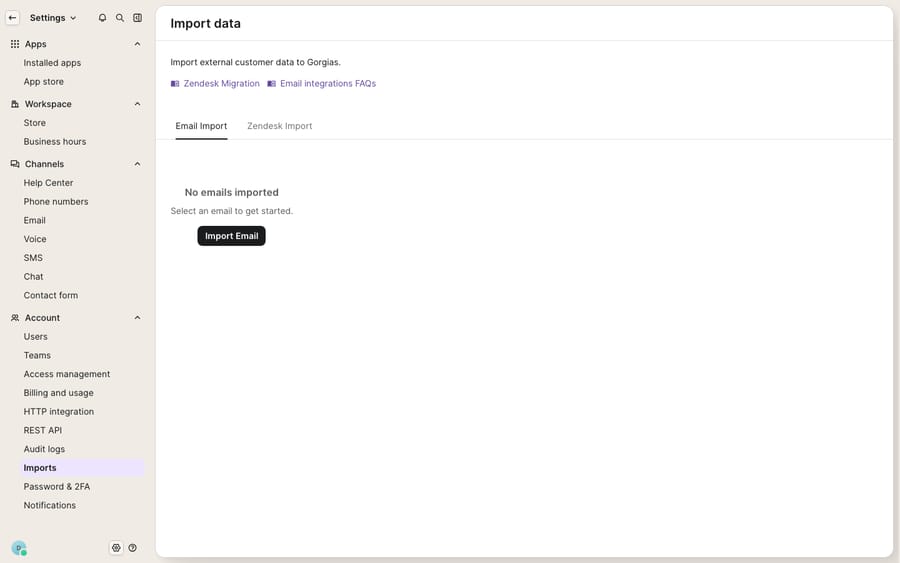
The native importer is Gorgias' own in-app tool, found under Settings → Advanced → Historical Imports. It has a first-class connector for Zendesk and an Email Import path, and it's free. It's the fastest route if your source is one it supports, but it comes with hard caps on time range, status fidelity, and comment count that we'll get into.
The REST API is the build-it-yourself route. Gorgias' API lets you create tickets, customers, and messages programmatically, which is useful when your source isn't Zendesk or when the native limits box you out. It's the most flexible path and the one that needs the most engineering care.
A paid migration tool (Help Desk Migration is the common one) automates the reconstruction of threaded tickets, comments, attachments, custom fields and knowledge base content from a wide range of sources into Gorgias, including plain CSV files when your old platform has no direct integration. It's the path most teams with real ticket history end up on.
Pick the lane before you pick the tool, and the rest of the plan follows.
What are the native importer's real limits?
The native importer is good for what it covers, but what it covers is narrower than the button suggests. Per Gorgias' own import documentation, the Zendesk connector brings in tickets, macros, users, tags, and ticket fields, and it will import "up to two years of your most recent data," prioritizing the most recent 14 days first so your team can start working while older history backfills.
The caveats are where planning happens, and they're specific:
- Status fidelity is lossy. "Only open or closed ticket statuses will be retained." Pending and solved Zendesk tickets import as closed; all other statuses import as open. If your reporting leans on granular statuses, expect them to flatten.
- Long threads get split. "Any ticket with more than 250 comments will be split into multiple, closed tickets." Rare, but it happens on escalated B2B threads.
- Deleted and blank tickets are skipped entirely — usually a feature, occasionally a surprise if you were counting on a full row count to match.
- Users only come across if they participated. "Users are imported based on whether they're assigned to or have commented on a ticket," so inactive agents won't transfer.
- Macros arrive thin. "Only reply text and status change macro actions are supported" — a macro that also tags, assigns, or sets a custom field imports with an empty action list, so budget time to rebuild macro logic. Our Gorgias macros explainer covers how to reconstruct them.
- Field ceiling. "If you have more than 500 ticket fields in Zendesk, ticket fields will not be imported" at all.
None of these are dealbreakers. They're just the difference between assuming the importer is a mirror and knowing it's a lossy, recent-history connector. If you're coming from Zendesk specifically, the native path is the right first attempt; if you're coming from anywhere else, you're in the bulk or paid lane.
How do you bulk import through the API or a CSV file?
When the native connector doesn't fit (a different source platform, more than two years of history, or macros and custom fields you can't afford to lose), the REST API and paid tools are the fallback. Gorgias itself has no CSV upload for tickets or contacts: its Customers 101 page says "Customers can't be imported manually via CSV, Google Sheet, or Excel file." Customer profiles come from integrations such as Shopify, from agents creating them by hand, or from incoming tickets. If your data sits in spreadsheets, a migration tool that accepts CSV as a source, or your own API script, is how it gets in.
The honest trade-off is engineering effort. Contacts are the easy case: a clean list of names, emails, phone numbers and tags maps directly onto the API's customer object. Tickets are the hard case. Reconstructing a threaded conversation (who said what, when, public reply versus internal note, with attachments on the right message) out of flat files is fiddly, and doing it through the API at volume means you have to respect Gorgias' rate limits. In practice, the most common cause of an incomplete bulk migration is a script that doesn't back off politely on 429 responses and silently drops records. If you go the API route, build retries with exponential backoff before you build anything else.
For anything beyond a contact list, this is where a paid tool earns its fee: it does the threaded-ticket reconstruction and rate-limit handling for you.
What moves, and what do you rebuild?
Here's the mapping that decides your whole plan. Records move; the logic that acted on them mostly doesn't.
| Artifact | Ports via native importer? | Ports via API or paid tool? | Reality |
|---|---|---|---|
| Tickets & conversations | Yes (up to 2 yrs, recent-first) | Yes | Threads > 250 comments split into closed tickets |
| Contacts / customers | Only users active on tickets | Yes | No manual CSV upload in Gorgias; use the API, a paid tool, or an integration such as Shopify |
| Agents / users | Only if assigned/commented | Yes | Inactive agents don't transfer natively |
| Tags | Yes (if applied to imported tickets) | Yes | Must be attached to a migrated ticket |
| Ticket / custom fields | Yes (unless > 500 fields) | Yes | Over 500 fields = none import natively |
| Comments & attachments | Yes | Yes (paid tool best) | Author, privacy, body, files preserved by paid tools |
| Knowledge base articles | No | Yes (paid tool) | Titles, HTML body, folders, translations |
| Macros | Partial (reply + status only) | Partial | Tag/assign/field actions arrive empty — rebuild |
| Rules / automations | No | No | Rebuild in Gorgias' own engine |
| Views & stats / reports | No | No | Recreate views; analytics cold-start |
The pattern is the same as any platform move: records are data and data moves; automations, rules, and reports are behaviour and behaviour gets rebuilt. Gorgias' rules engine is structured its own way, so even a "matching" rule from your old desk has to be re-authored in Gorgias' grammar. Treat the rebuild as a fresh Gorgias implementation rather than a copy-paste, and it stops being a nasty surprise. If your source is Freshdesk specifically, our Freshdesk-to-Gorgias migration guide sequences the whole thing.
How do you stop live rules firing on imported tickets?
The single most common way an import goes wrong isn't lost data — it's your live Gorgias rules firing on imported historical tickets. Import ten thousand old tickets and any active rule can wake up: auto-replying to a customer about an order from 2023, reopening resolved threads, or reassigning closed work to an agent who no longer exists.
Help Desk Migration's Gorgias migration checklist is blunt about the fix: "To ensure ticket statuses don't change during migration, be sure to disable any active rules in Gorgias before you get started." The sequence:
Help Desk Migration's checklist covers the first step; the rest is our recommended sequence:
- Before importing, turn off automations. Go to Automation → Rules and toggle off anything marked On so historical records can't trigger replies, status changes, or reassignments.
- Run a demo or small batch first. Help Desk Migration's free demo moves a limited sample, which it says is usually 20 records, and you can request a custom demo with hand-picked records. Verify that comments and their authors transferred, tickets landed on the right agents, and customers and attachments came across — before you commit to the full run.
- Do the full import, then spot-check the results against your source counts (remembering deleted and blank tickets won't appear).
- Re-enable rules one at a time. Switch automations back on gradually, not all at once, so a misfiring rule hits one ticket and not your entire imported backlog.
That "one at a time" discipline on the way back up is the whole difference between a calm cutover and a support queue full of angry replies to ghosts.
What does Gorgias' CSV export leave out?
Worth knowing before you plan a round trip or a fallback export: Gorgias' own CSV export is deliberately partial. Per the export documentation, "internal notes, ticket events, Facebook wall posts, Instagram media messages, and Instagram ad media messages aren't included in the export." You can include "up to 1 million tickets per export," but a message-history export is capped to "the most recent 30 days of data from the selected period, up to a maximum of 100,000 tickets," and large exports are slow — "up to an hour to export 100,000 tickets" and "up to 10 hours to export 1 million tickets."
The practical implication cuts both ways: if you're importing from another Gorgias account or reconciling a migration via CSV, you can't rely on that export to carry internal notes or social-channel content — you'll need the API for those. Our guide to exporting data from Gorgias covers the full picture.
Where does an AI layer fit after the import lands?
Here's the reframe. The heaviest part of any migration isn't moving the tickets — it's rebuilding all the behaviour: the rules, macros, and routing that used to run your queue. If you're re-authoring that logic in Gorgias from scratch anyway, it's the natural moment to ask whether every rule needs to be a brittle if-this-then-that, or whether some of that work belongs to an AI agent that reasons over the ticket instead.
That's the seam where an AI agent layer fits. Macha is one such layer: it runs on top of the Gorgias you just imported into as a native connector — it does not replace your help desk, and it isn't a Gorgias alternative. Connect Macha to Gorgias and it reads and writes the same tickets you migrated: drafting or posting grounded replies from the knowledge base that came across, triaging by intent so the right ticket reaches the right team, and looking up order or account status through a custom tool that turns your store's REST API into something the agent can call. For an ecommerce team, that's "where's my order" and returns handled the moment the import finishes — while Gorgias stays the system of record. (Macha bills per ticket — one conversation, charged once however many messages it takes — never per resolution; see the pricing breakdown.)
New to the platform? Our what is Gorgias primer covers the fundamentals before you commit to a migration.
FAQ
Can I import tickets into Gorgias for free? Partly. Gorgias' native importer (Settings → Advanced → Historical Imports) is free and handles Zendesk and email sources. But the native path caps at two years of recent data, flattens statuses to open/closed, and imports macros with only reply-text and status-change actions. For years of threaded history from other platforms, most teams use a paid migration tool.
What are the limits of the Gorgias native importer? It imports "up to two years of your most recent data," retains only open or closed statuses (pending and solved become closed), splits any ticket with more than 250 comments into multiple closed tickets, imports users only if they were assigned to or commented on a ticket, and skips ticket fields entirely if you have more than 500 of them. Deleted and blank tickets are not imported.
Can I import contacts into Gorgias from a CSV file? Not directly. Gorgias' Customers 101 page says customers can't be imported manually via CSV, Google Sheet, or Excel file. Profiles come from integrations such as Shopify, manual creation, or incoming tickets, so a contact list goes in through the API or a migration tool that accepts CSV as a source.
Does importing bring my rules and macros across? Rules and automations do not transfer — you rebuild them in Gorgias' own engine. Macros transfer only their reply-text and status-change actions; any tagging, assignment, or custom-field actions arrive as an empty action list, so plan to rebuild macro logic after the import.
How do I stop imported tickets from triggering emails and status changes? Disable active rules under Automation → Rules before you import, per Help Desk Migration's checklist, so historical tickets can't fire replies or change statuses. Run a small demo batch to verify, then re-enable rules one at a time (our recommendation) after the full import so any misfire hits a single ticket rather than your whole backlog.
Can I add AI to Gorgias after importing without replacing it? Yes. An AI agent layer like Macha connects to Gorgias as a native connector and runs on top of your imported help desk — it doesn't replace Gorgias. It resolves tickets using the knowledge base you brought across and triages by intent, while Gorgias stays the system of record.
Just imported your history into Gorgias and rebuilding your rules from scratch? Start a free trial of Macha and connect it to your Gorgias in minutes.






