






 Shopify
 Stripe
 Slack
 Notion
 Google Workspace
 Confluence


Does Front Have a Free Plan? No. 9 Free Front Alternatives, Scored (2026)


Front doesn't have a free plan. It has a 14-day trial, then Starter at $25 a seat a month billed annually ($35 monthly) for up to 10 seats and one channel type. The best free alternatives in November 2026 are tawk.to and Freshchat for chat-led teams, HubSpot's free tools for two people, Help Scout Free for a small email queue, and FreeScout or a Google Groups Collaborative Inbox if you want shared email at $0. We scored nine free plans on five criteria from each vendor's own page.
Key takeaways
- Front has no free plan in November 2026: a 14-day trial with Professional features, then Starter at $25 a seat a month billed annually or $35 monthly.
- tawk.to and Freshchat score 9 of 10 among free plans; Freshchat Free covers up to 10 agents with a shared inbox and email connected.
- Help Scout Free gives up to 5 users one shared email inbox, but its plan card caps it at 25 contacts a month and includes no AI tools.
- Missive, Hiver, Gmelius and Spark, the closest tools to Front's shape, offer trials or individual plans but no free plan for a team.
- A Google Groups Collaborative Inbox lets Workspace users assign conversations and mark them complete at no extra cost, though it has no live chat or reporting.

The free Front alternatives at a glance
| # | Tool | Score | Free seats | Free volume | Shared email on free | Next step up (checked Nov 21, 2026) |
|---|---|---|---|---|---|---|
| 1 | tawk.to | 9/10 | No cap stated | No cap stated | Ticketing, not an inbox | $29 a month to remove branding |
| 1 | Freshchat | 9/10 | Up to 10 agents | No cap stated | Email connected to a shared inbox | $19 per agent a month (annual) |
| 3 | HubSpot free tools | 8/10 | 2 users | No cap stated | 1-to-1 email, HubSpot branding | $7 to $20 per seat a month |
| 4 | FreeScout (self-hosted) | 7/10 | No cap | No cap | Yes, shared mailboxes | Paid modules, no USD price shown |
| 4 | Help Scout Free | 7/10 | Up to 5 users | 25 contacts a month (card) | Yes, 1 shared inbox | $25 per user a month (annual) |
| 6 | Crisp Free | 6/10 | 2 operators | 100 customer profiles | Contact form into the inbox | $45 a month (Mini) |
| 6 | Google Groups Collaborative Inbox | 6/10 | Group members | No cap stated | Yes, assign and resolve | Needs a Google Workspace account |
| 8 | Chatwoot (Hacker cloud) | 5/10 | 2 agents | 500 conversations a month | No, live chat only | $19 per agent a month |
| 8 | Zoho Desk Free | 5/10 | 3 users | No cap stated | Email ticketing | USD price not shown to us |
| Front, for comparison | No free plan | Trial only | 14 days | Yes, on the trial | $25 a seat (annual), $35 monthly |
Every figure comes from the vendor's own pricing page on November 21, 2026. "No cap stated" means the page lists no limit; it doesn't promise there isn't one. Macha isn't a free desk, so it's not in the table: if the AI bill is the problem, see Macha below.
What does Front cost if there's no free plan?
Front's pricing page lists three plans, all per seat. Starter is $25 a seat a month billed annually or $35 monthly, for up to 10 seats and a single channel type (email, chat or SMS). Professional is $65 annually or $85 monthly for up to 50 seats with omnichannel, and Enterprise is $105 a seat, sold annually only. The FAQ says the 14-day trial includes everything on Professional and needs no credit card. AI is extra: Autopilot starts at $0.39 a conversation and Copilot is $20 a seat a month outside Enterprise.
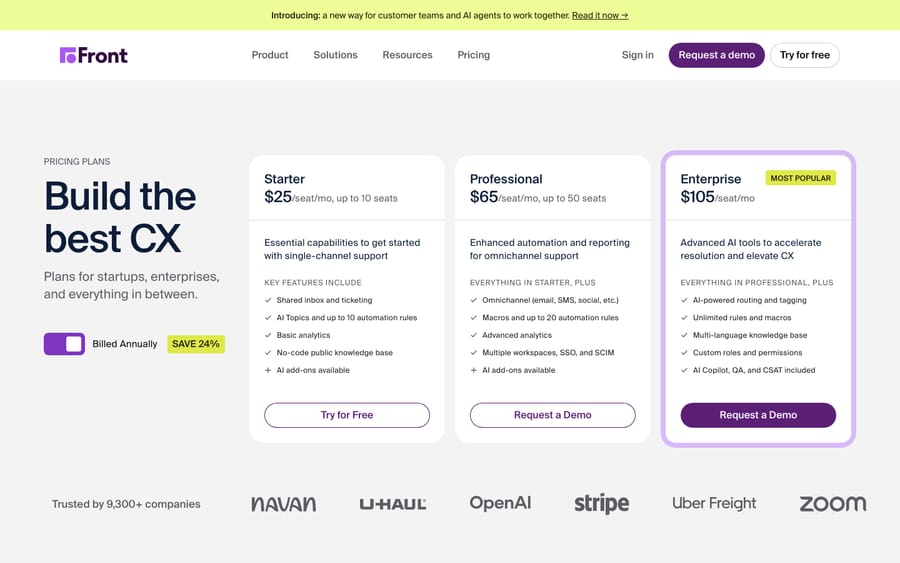
So a five-person team on Starter pays $1,500 a year, or $2,100 on monthly billing. Front's pricing rewards commitment: the annual discount is 24% on Starter, and Enterprise isn't offered month to month at all. The incentive is a seat count locked in for a year. That's the bill a free plan has to replace, and our Front pricing guide breaks it down further, including the AI add-ons.
How did we score free Front alternatives?
Each free plan gets 0, 1 or 2 points on five criteria, for a total out of 10. Ties are ordered alphabetically.
- Free seats. 2 = five or more, or no cap stated. 1 = two to four. 0 = one.
- Free volume. 2 = no cap stated. 1 = a cap of 100 or more a month. 0 = under 100 a month.
- Shared email on the free plan. Front's core job is a team working one email queue. 2 = a shared email inbox or mailbox. 1 = email in some form (1-to-1 email, a contact form or email ticketing without a shared inbox described). 0 = no email.
- Other channels on free. 2 = live chat or social as well. 1 = one more channel or a knowledge base. 0 = none.
- Next step up. 2 = a public paid price of $25 a seat a month or less, or a flat fee. 1 = a public price above that. 0 = no USD price shown to us.
We only scored plans that are free with no time limit. Trials don't count, which is why Missive, Hiver and Gmelius appear in their own section instead. We checked each page from a browser outside the US; where a page showed another currency, we say so.
What if the AI bill is the reason you're leaving Front?
Keep Front, add AI agents: Macha (our product)
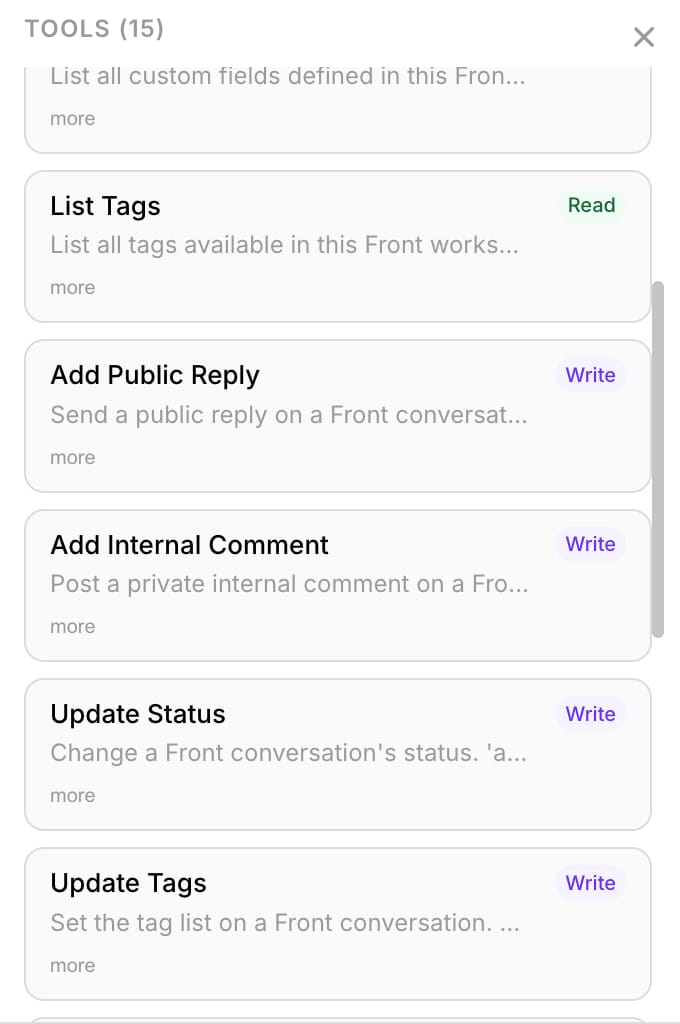
Macha isn't a free plan and it isn't a Front replacement, so it sits outside the rubric and the ranking. If you're pricing a free alternative because of the AI add-on on the Front bill rather than Front itself, this is the option to look at. Macha runs AI agents inside the help desk you already use, and Front is one of Zendesk, Freshdesk, Gorgias, Front, Gladly, Crisp, HubSpot or Intercom. It connects with a Front API token and can reply, post internal comments with @mentions, set tags and custom fields, assign a teammate and archive a conversation.
Macha suits teams that like Front's inbox and only want the AI to cost less and do more. The difference from every tool below is who does the work. The Macha team analyzes your past conversations, builds the knowledge base and the agent, tests it, and runs it in safe mode with drafts as internal comments until you're happy with them. A dedicated success manager handles changes after go-live. That's included on the trial and every plan at about $0.40 per ticket, starting at $299/month for 750 tickets, and the trial is $50 of free usage (about 125 tickets), no credit card, no time limit. See how Macha runs on Front, the Front connector's tools and the done-for-you setup.
Which hosted free plans come closest to Front?
1. tawk.to: no published cap, paid only for branding, 9/10
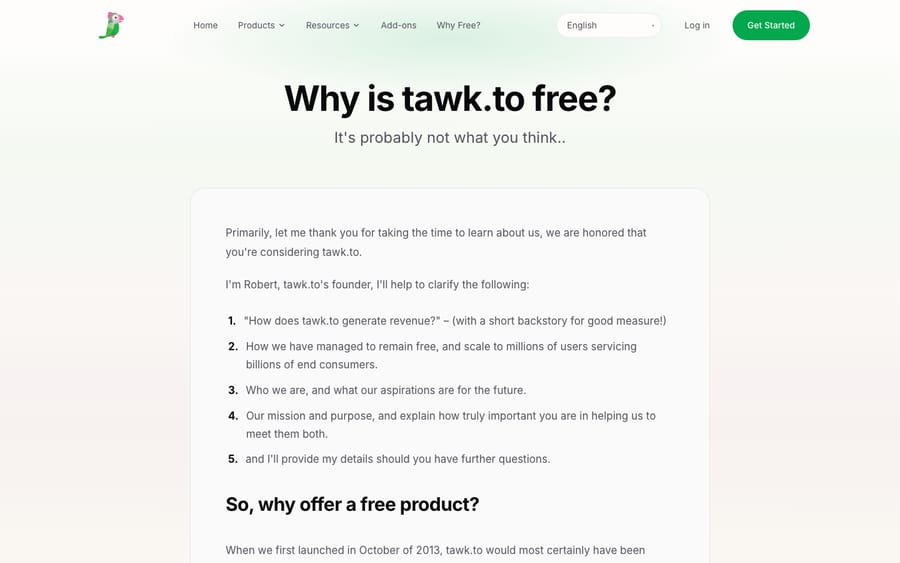
tawk.to's homepage labels the product "100% Free" and lists an inbox, CRM, pipeline, automations, a knowledge base and the chat widget, with no limit stated on agents or chats. Its pricing page redirects to "Why is tawk.to free?", where the company explains how it earns: removing the "Powered by tawk.to" branding is $29 a month ("Don't remove it, and it is free for life"), the AI Assist chatbot runs "from as little as $29/month," and there's a "forever-free plan for sites with limited chat volume."
It's chat-first. The inbox is built around the website widget, and neither page describes a Front-style shared email address with comments on each thread.
Scores: seats 2, volume 2, shared email 1 (ticketing), other channels 2 (chat, knowledge base), next step 2.
Best for: a small team whose customers mostly reach out on the website and who can live with tawk.to's branding.
1. Freshchat: ten agents, a shared inbox and email, 9/10
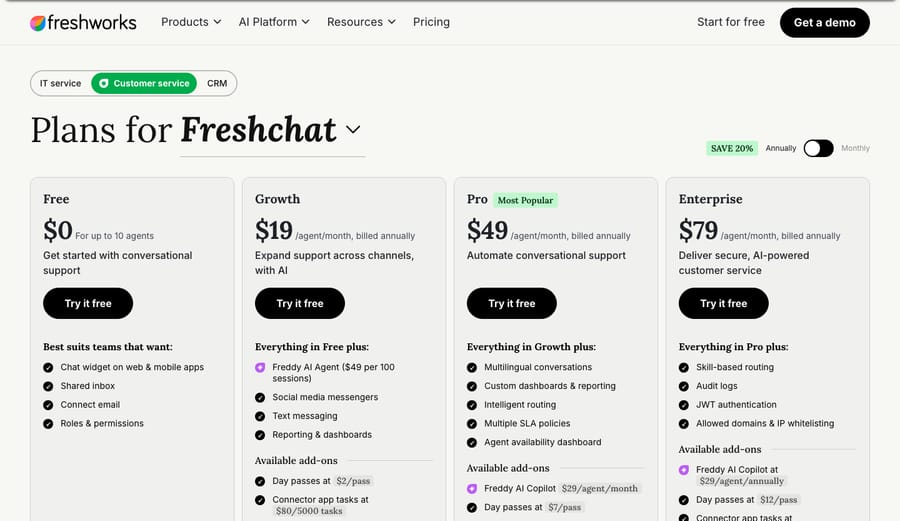
Freshworks' Freshchat pricing lists a free plan "For up to 10 agents" with a chat widget on web and mobile apps, a shared inbox, connected email, and roles and permissions. Growth is $19 per agent a month billed annually, and the Freddy AI agent isn't on the free plan. Ten free agents with a shared inbox is the most seats here from a vendor with a paid help desk behind it.
Scores: seats 2, volume 2, shared email 1 (email connects to a chat-first inbox), other channels 2, next step 2.
Best for: a team of up to 10 that wants chat and email in one inbox at $0 and may grow into Freshdesk later. Our free Freshdesk alternatives guide covers that side of Freshworks.
3. HubSpot free tools: two users and a CRM underneath, 8/10
HubSpot's service pricing says the free tools are "Free for up to 2 users. No credit card required," with live chat, a Facebook Messenger integration and 1-to-1 email, all with HubSpot branding. Starter shows $7 and $20 a seat a month in USD; the page doesn't label which one is the annual price. Every conversation lands on a contact record, which is the reason to pick HubSpot over a plain inbox.
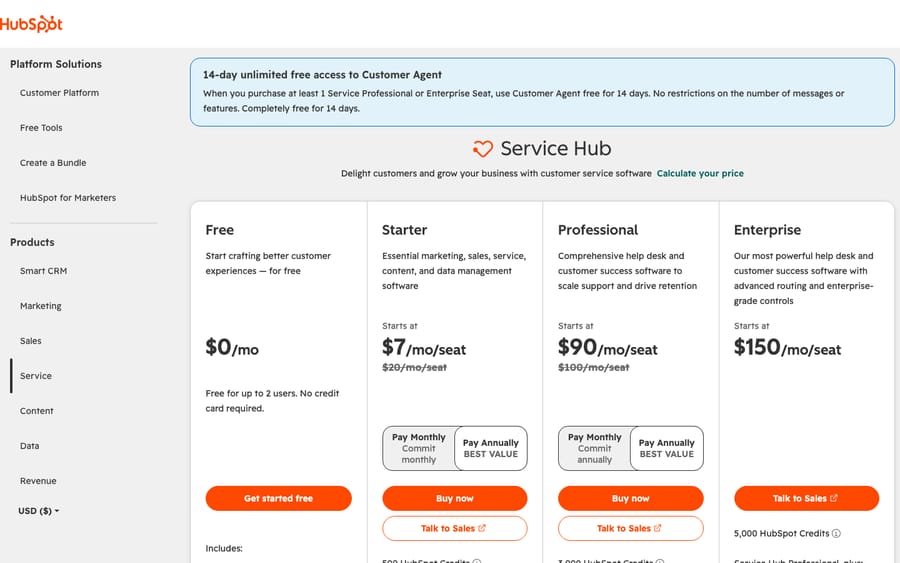
Scores: seats 1, volume 2, shared email 1 (1-to-1 email), other channels 2, next step 2.
Best for: two people who already use HubSpot CRM and want customer conversations next to the deal.
4. Help Scout Free: the most Front-like inbox at $0, with a contact cap, 7/10
Help Scout is the closest hosted product to Front's email shape, and it has a free plan. Its pricing page Free card lists 1 shared email inbox, 1 public knowledge base, limited saved replies, 25 contacts a month and "No AI tools included." A line under the paid plans says "The Free plan includes 5 users, 1 Inbox, and 1 Docs site," and the comparison table further down shows 100 contacts a month in its first column; we scored the card's 25. Help Scout counts a contact as someone who got a reply from your team, so a queue of 30 different customers a month already outgrows Free. Standard is $25 per user a month billed annually or $30 monthly, and adds live chat and multiple inboxes.
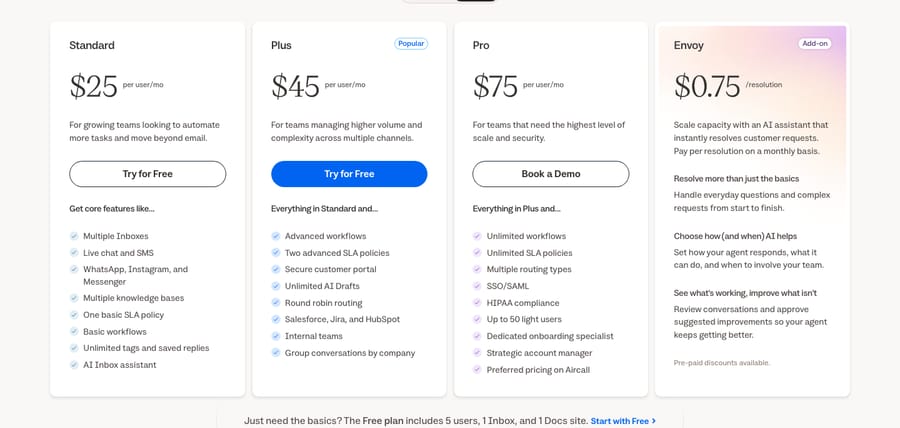
Scores: seats 2, volume 0, shared email 2, other channels 1 (knowledge base), next step 2.
Best for: an email-first team of up to five with a light queue. Our Help Scout vs Front comparison covers the paid plans.
Is there a free open-source Front alternative?
4. FreeScout: a self-hosted shared mailbox, 7/10
FreeScout calls itself a "free open source help desk and shared inbox," built with PHP on the Laravel framework, and a "free self-hosted Zendesk & Help Scout alternative." On your own server there's no cap on seats or mailboxes. Extra features such as chat, social channels and AI come as modules with lifetime licenses for one instance; we didn't see USD module prices on the pages we read. You pay for the server and the hours to run it.
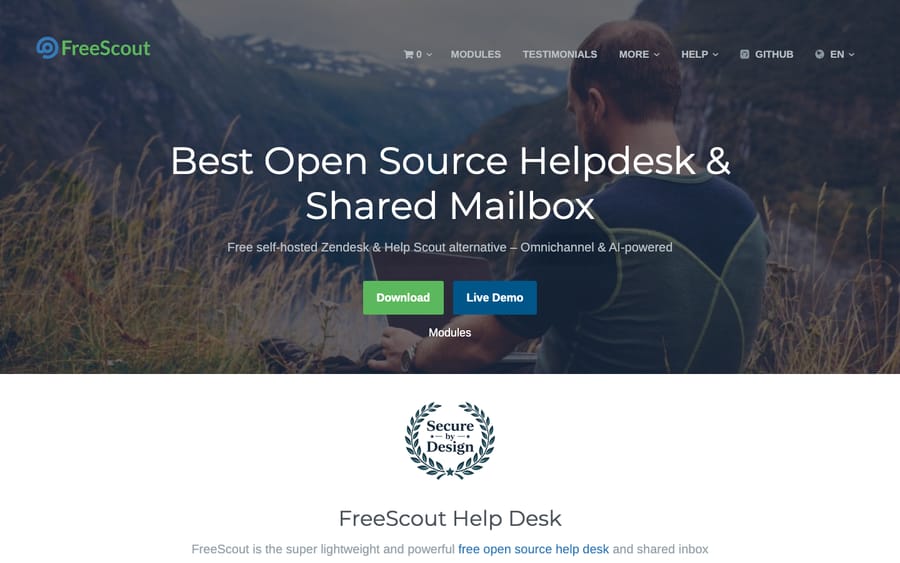
Scores: seats 2, volume 2, shared email 2, other channels 1 (paid modules), next step 0.
Best for: a technical team that wants Front's shared-mailbox model on a server it controls, with no per-seat bill.
Which other free plans are worth a look?
6. Crisp Free: two operators and a flat price above it, 6/10
Crisp's pricing page lists Free with 2 operators and 100 customer profiles, a chat widget, a contact form and the shared inbox, and no AI credits. Mini is $45 a month for the workspace, not per seat, which is the appeal for a team that grows past two. Older messages are hidden on Free, so it's a poor archive.
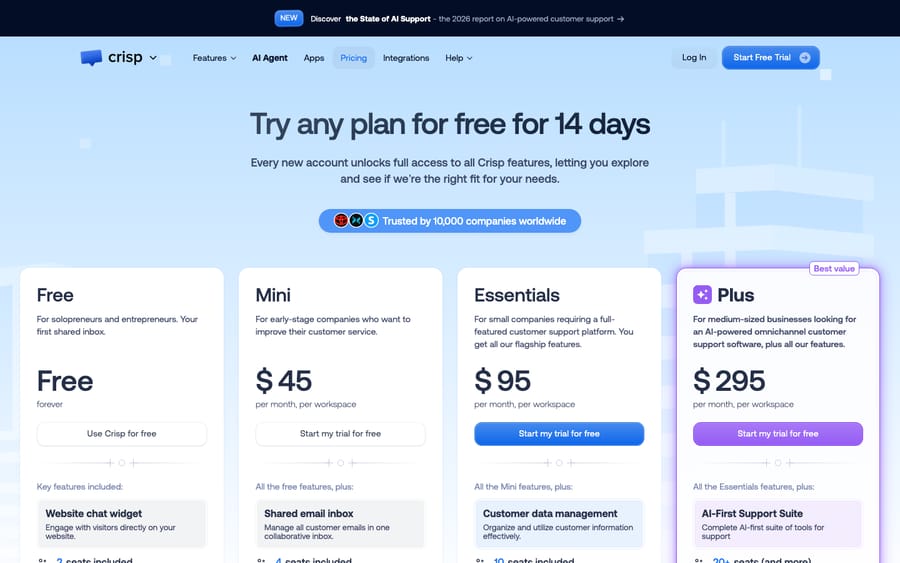
Scores: seats 1, volume 1, shared email 1 (contact form), other channels 1 (chat), next step 2.
Best for: a two-person team that wants chat now and a flat workspace price later.
6. Google Groups Collaborative Inbox: shared email at no extra cost on Workspace, 6/10
If your team already pays for Google Workspace, this costs nothing extra. Google's Collaborative Inbox help page says members of a Google Group set up as a Collaborative Inbox can assign a conversation to themselves or a teammate, with an email to the assignee, mark it complete, mark it as needing no action or as a duplicate, and filter to unresolved conversations. That's the core of what a small team buys Front for, at no extra cost. You get no live chat, no SLAs, no reporting and no rules beyond labels, and the permissions have to be set per group.
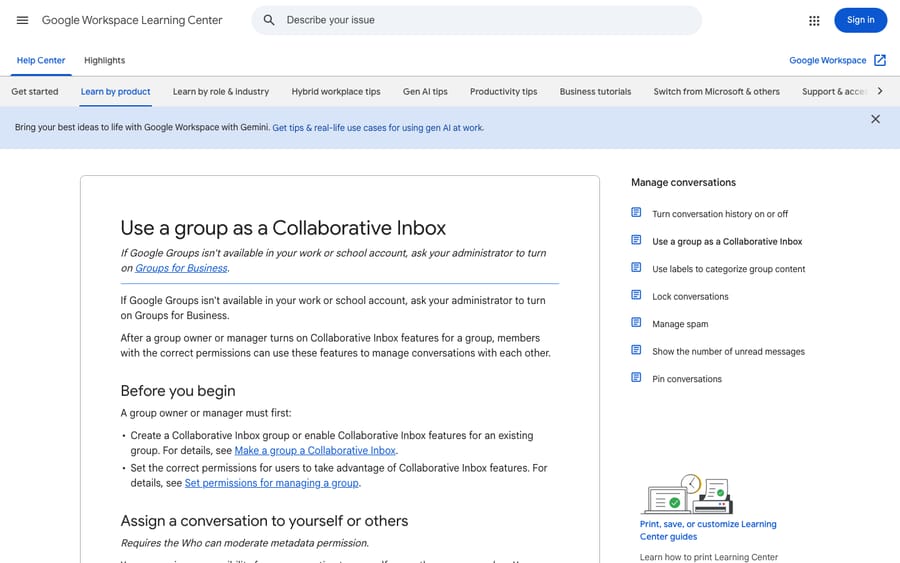
Scores: seats 2, volume 2, shared email 2, other channels 0, next step 0 (it's part of a paid Workspace plan, not a product with its own upgrade).
Best for: a team of two to five on Google Workspace with one support address and no chat. Our Front vs shared Gmail comparison covers when teams outgrow it.
8. Chatwoot Hacker: two agents on the cloud, more if you self-host, 5/10
Chatwoot's free Hacker cloud plan allows up to 2 agents and 500 conversations a month, live chat only, with no Captain AI and no help center. Paid cloud plans start at $19 per agent a month. The pricing page points to separate self-hosted plans, and self-hosting takes away the cloud plan's caps; we scored the hosted plan.
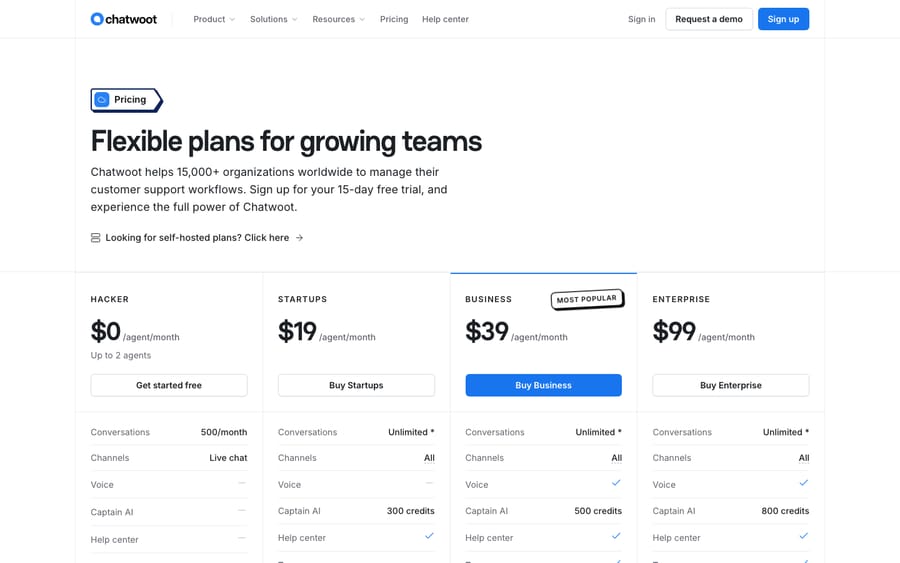
Scores: seats 1, volume 1, shared email 0, other channels 1, next step 2.
Best for: a developer-led team that wants to trial Chatwoot on the cloud before it self-hosts.
8. Zoho Desk Free: three users and email ticketing, 5/10
Zoho Desk's pricing page describes a Free Edition: "Easy email ticketing, right out of the box," with "three user licenses to help you start small." Its FAQ adds that the three free users have "limited capabilities." Live chat starts on paid editions. The page served us rupee prices only, even in a Wayback copy, so we couldn't confirm the USD upgrade price.
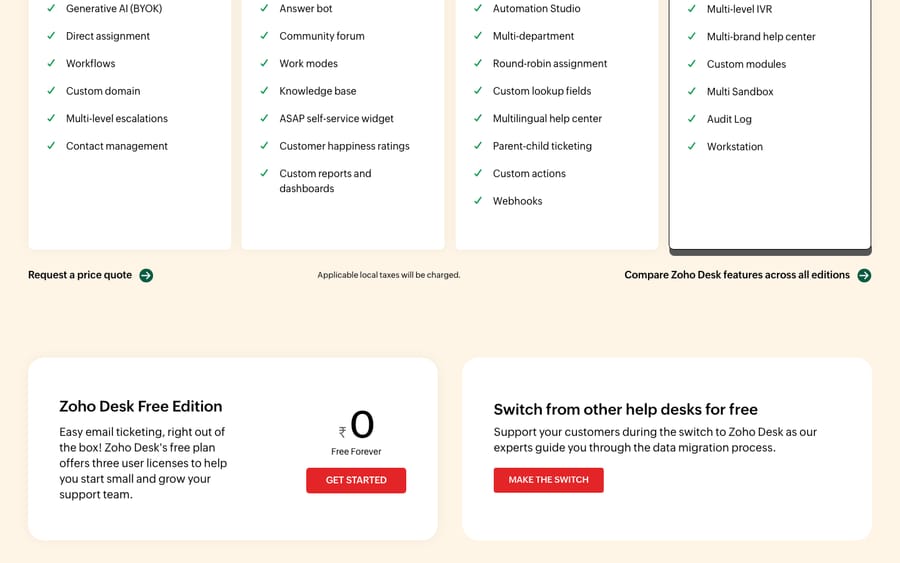
Scores: seats 1, volume 2, shared email 2 (email ticketing for the team), other channels 0, next step 0.
Best for: three people who want real tickets with statuses instead of a shared inbox.
Which Front-like inboxes have no free plan?
The tools most like Front are the ones that don't give a team plan away. We checked each on November 21, 2026:
| Tool | Free plan for a team? | What there is instead | Entry price |
|---|---|---|---|
| Missive | No | 30-day trial, no card | Starter $14 per user a month (annual) |
| Hiver | No | Free trial | Growth $25 per user a month (annual), $35 monthly |
| Gmelius | No | 7-day trial and a free 30-minute onboarding call | Meli assistant $19 per user a month (annual); inbox plans cost more |
| Spark | Only for individuals | Free personal plan | Plus $10 per user a month, with team collaboration |
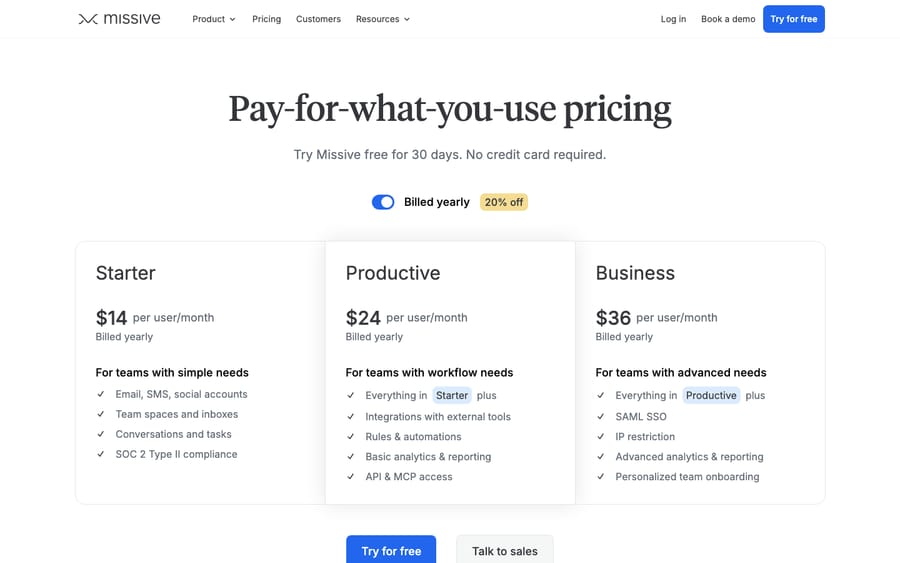
If you want the Front workflow at a lower price rather than at $0, start with Front vs Missive, which is the closest match at a little over half of Front's Starter seat, or Front vs Hiver if you'd rather stay in Gmail. Our Front alternatives guide covers the paid field.
Which free Front alternative should you choose?
Every free plan here is paid for somewhere else, and each vendor's incentive is to move you up at the point where you depend on it most. tawk.to earns on branding removal and AI add-ons, HubSpot on the upgrade to paid Service Hub, Freshworks on Freshdesk, Help Scout on the 26th contact, and FreeScout on modules and your own server time. That's fine, as long as you know which wall you'll hit first:
- The contact or conversation cap. Help Scout Free stops at 25 contacts a month on its card; Chatwoot's cloud plan at 500 conversations.
- The seat cap. HubSpot, Crisp and Chatwoot cloud stop at two; Zoho Desk at three.
- History. Crisp Free hides older messages, which matters if you're moving years of Front threads. Plan the export before you cancel; our guide to exporting data from Front covers what comes out and what doesn't.
- AI. None of the hosted free plans here include an AI agent; tawk.to's AI Assist is a paid add-on from $29 a month. If the reason you're leaving is the price of AI on Front, a free help desk won't fix it.
For chat-led support, tawk.to if you can live with its branding, or Freshchat if you want ten agents, email and a paid path. For two people who live in a CRM, HubSpot. For a small email queue, Help Scout Free (7 of 10) while you stay under its contact cap, or a Google Groups Collaborative Inbox if you're on Workspace. For shared email you host yourself, FreeScout. If what you want is AI on the queue rather than a cheaper inbox, keep Front and add Macha.
Common questions
Does Front have a free plan?
No. Front offers a 14-day free trial with Professional features and no credit card, then Starter at $25 a seat a month billed annually or $35 monthly for up to 10 seats, per its pricing page on November 21, 2026.
What is the best free alternative to Front?
On our rubric, tawk.to and Freshchat score 9 of 10, and HubSpot's free tools score 8. For a free shared email inbox specifically, Help Scout Free, FreeScout and a Google Groups Collaborative Inbox are the closest to Front's model.
Is there a free shared inbox for Gmail?
Yes. A Google Group set up as a Collaborative Inbox lets members assign conversations and mark them complete at no extra cost on Google Workspace. Hiver and Gmelius work inside Gmail too, but neither has a free team plan.
Is Missive free?
No. Missive offers a 30-day trial with no credit card, then Starter at $14 per user a month billed yearly. It has no free plan for teams.
Is there an open-source alternative to Front?
Yes. FreeScout is a free self-hosted shared mailbox and help desk, and Chatwoot can be self-hosted as well. You pay for hosting and upkeep instead of seats.
Can I keep Front and cut the AI cost instead?
Yes. Macha runs AI agents inside Front at about $0.40 per ticket, with setup and a dedicated success manager included on the trial and every plan, so you keep your Front seats and workflows.
How we researched this
We read Front's pricing page and its plan data on November 21, 2026 for the baseline, then the free plan of each alternative on its vendor's own page the same day. We checked from a browser outside the US: Front, HubSpot, Help Scout and Freshworks served US dollars, and Zoho Desk served rupees, so its USD upgrade price is unverified. The seat arithmetic uses Front's list prices. Google's Collaborative Inbox features come from Google's own help page. We didn't sign up for every free plan, so limits are what each page states. We make Macha, and nobody was paid to be listed.
The quickest way to see Macha on your own Front is to start a trial: connect Front with an API token and the Macha team does the rest.